Customer Ratings & Reviews


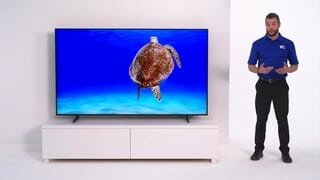





- Model:
- UN50AU8000FXZA
- SKU:
- 6452997
Rating by feature
- Picture Quality
Rating 4.6 out of 5 stars
- Sound Quality
Rating 4.2 out of 5 stars
- Brightness
Rating 4.6 out of 5 stars
Customers are saying
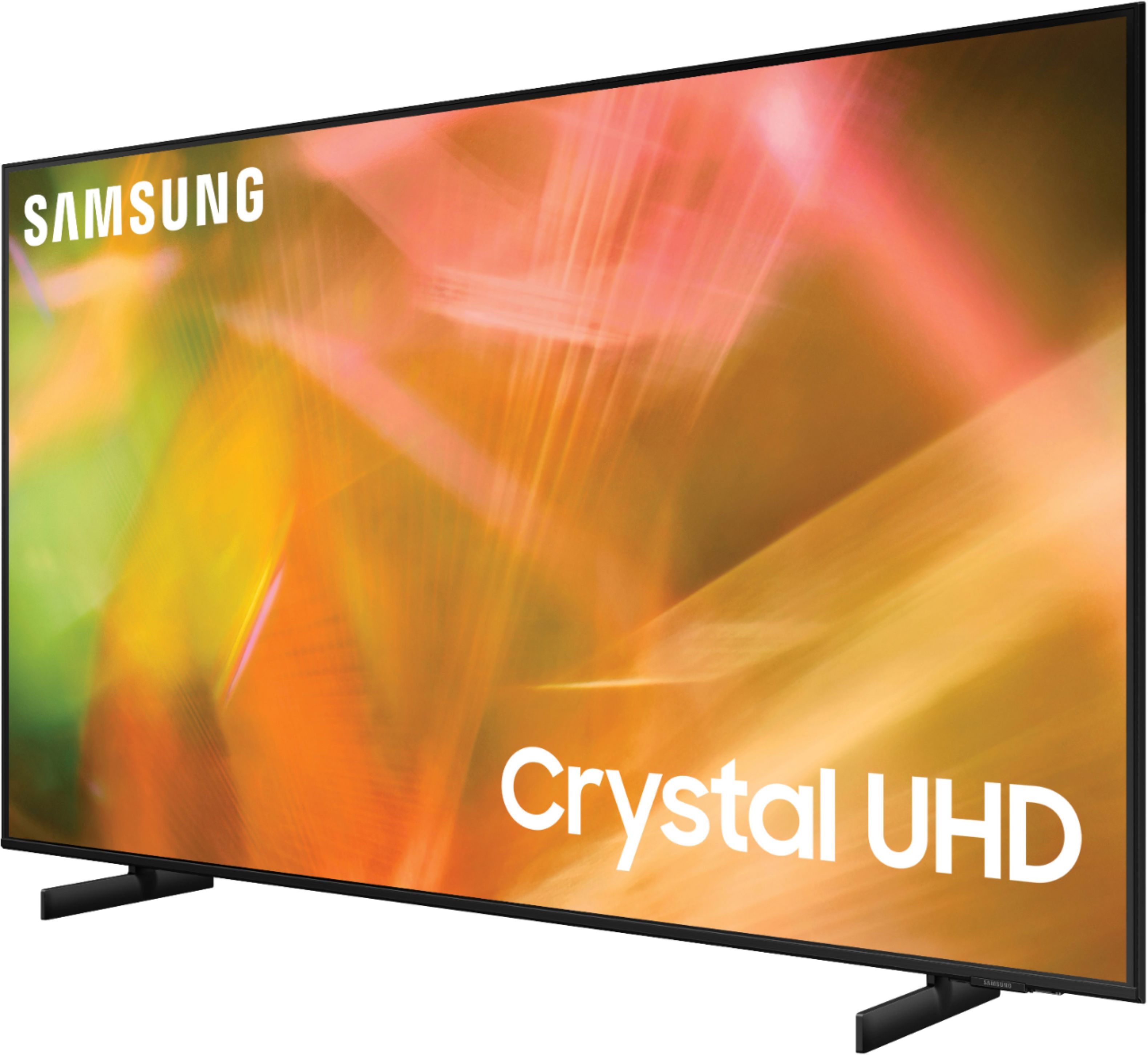
Customers are satisfied with the picture quality, easy setup, price, color, and size of the 50" Class 8000 Series LED 4K UHD Smart Tizen TV. They appreciate the excellent picture clarity, vibrant colors, and user-friendly interface. However, some customers have concerns about the durability and lifespan of the TV, as well as issues with the remote control and screen.
This summary was generated by AI based on customer reviews.
Raya horizontal
||Posted . Owned for 1 year when reviewed.This reviewer received promo considerations or sweepstakes entry for writing a review.En un year y medio ya presenta un problema con una raya horizontal.
No, I would not recommend this to a friendtv
||Posted . Owned for 3 weeks when reviewed.This reviewer received promo considerations or sweepstakes entry for writing a review.we at home are happy for thos purchase, I will be there again to buy other thing different. thank Best Buy
I would recommend this to a friendBrand response from Samsung
Posted .Hi Luigy,
Thank you for purchasing Samsung’s Crystal UHD 4K AU8000 Smart TV. The Crystal Processor 4K transforms everything you watch into 4K. Its crisp, clear picture is 4x the resolution of Full HD.
If you should have any questions or concerns with usage, features, or how to best optimize your settings, Samsung Customer Support is here to help. Please call us at 1-800-SAMSUNG, 8 AM - 12 AM EST, seven days a week. Our LiveChat agents are also available by clicking on the ‘Support’ link on our website.
~ Samsung Advisor
Failed within 2 years
||Posted . Owned for 1.5 years when reviewed.This reviewer received promo considerations or sweepstakes entry for writing a review.The picture board died in 1 year and 7 months. The TV is now worthless.
No, I would not recommend this to a friendSlowwwwwwwwwww
||Posted . Owned for 1 month when reviewed.This reviewer received promo considerations or sweepstakes entry for writing a review.I’m pretty much a Samsung TV fan boy. I’ve almost exclusively bought Samsung TVs for the last 15 years. I bought this replace an old Samsung TV that was not a smart TV. This TV is like operating a 10 year old computer. It is the SLOWEST I’ve ever used, with no solution that I’ve been able to discover. This purchase 100% determines that my next TV will be either an LG or Sony. So disappointed!
No, I would not recommend this to a friendBrand response from Samsung
Posted .Hi Patrick,
We appreciate you sharing your feedback with the Samsung 50" AU8000 and detailing your experience with slow response to the remote. Your feedback will be shared with our product teams.
To optimize the smart TV performance, please try Device Care option under the Support Menu. Go to Settings > Support > Device Care > Start Device Care
This service checks memory and frees up unused cached memory and closes background apps.
Please also be sure you are running the latest firmware. You can check to see what software version your TV is using and if there is an available update through the settings on your TV. Go to: Settings > Support > Software Update.
Should you need further assistance, please contact Samsung Customer Support at 1-800-SAMSUNG (ask for TVs), available 8AM - 12AM EST, 7 days a week.
For additional support resources, visit us on the Samsung website and click on the ‘Support’ link in the upper right corner of the homepage for:
1) Chat with Us/Product Help: To begin a chat or find solutions, choose ‘TVs & Home Theater’ and select your model & topic.
2) Register a Product: For access to easy warranty support, convenient opt-in to special promos and offers, faster troubleshooting and service, and quick notification of system updates.
3) Manuals & Software
4) Warranty Info
5) Contact Us
~ Samsung Solutions
Stopped working less than two years.
||Posted . Owned for 1.5 years when reviewed.This reviewer received promo considerations or sweepstakes entry for writing a review.I bought this TV Feb 2022 and today Aug 2023, it stopped turning on.
No, I would not recommend this to a friendDefective
||Posted . Owned for 3 months when reviewed.This reviewer received promo considerations or sweepstakes entry for writing a review.Got TV in June; it stopped working September. Waiting on a new TV
No, I would not recommend this to a friendStopped working
||Posted . Owned for 1.5 years when reviewed.This reviewer received promo considerations or sweepstakes entry for writing a review.Stopped working right after the one year manufacture warranty ended.
No, I would not recommend this to a friendWould not recommend
||Posted . Owned for 1.5 years when reviewed.This reviewer received promo considerations or sweepstakes entry for writing a review.Stopped working after a year and a half. Very disappointed.
No, I would not recommend this to a friendWould not buy again
||Posted . Owned for 1 year when reviewed.This reviewer received promo considerations or sweepstakes entry for writing a review.Quite honestly, I'm disappointed with this tv. You don't have to move very far to the side of a room for the colors to fade on screen. Definitely not good for seats not right in front of TV. The colors are only so-so. Some channels look great, others not. If you just want for occasional viewing of news, I guess its an ok tv.
No, I would not recommend this to a friendBrand response from Samsung
Posted .Hi RichardC,
Thank you for sharing your thoughts on the picture quality of your AU8000 TV. If the picture you are seeing out of the box is not to your liking, there are several picture settings you may want to try adjusting.
Go to Home > Settings > Picture > Picture Mode and select the mode that best fits your usage:
1) Standard: Default mode suitable for general viewing environments.
2) Natural: Reduces eye strain for a comfortable viewing experience.
3) Movie: Suitable for watching TV or movies in a dark room.
4) Dynamic: Makes the picture brighter and clearer in bright viewing environments.
5) Filmmaker Mode: You can watch the source content (e.g., movie) as it is. If the image is defined as Filmmaker Mode, it will automatically switch to Filmmaker Mode while watching.
You can also go to Settings > Picture > Expert Settings > to manually fine-tune your image.
If you need more help, Samsung is here for you. Call us at 1-800-SAMSUNG, 8 AM - 12 AM EST, seven days a week. Our LiveChat agents are also available by clicking on the ‘Support’ link on our website.
~ Samsung Advisor
Too Dark! Tried Many things Online
||Posted . Owned for 2 months when reviewed.This reviewer received promo considerations or sweepstakes entry for writing a review.This TV is too dark in general, and I have done a great deal of work to turn off the auto dimming that is on this TV. I used to love Samsung, as this was the reason I bought this TV. However I feel like the picture lacks brightness, brilliance, and overall picture clarity. Very unhappy with this purchase.
No, I would not recommend this to a friendBrand response from Samsung
Posted .Hi kmstpt,
Thank you for sharing your review of the Samsung AU8000. Your feedback regarding the brightness of the TV is important to helping us deliver a world class product. If you are unsatisfied with the default brightness settings, you can customize the brightness level between 0 – 50 to your preference. Go to Home > Settings > Picture > Expert Settings > Brightness.
You can also try different Picture Modes to see which best fits your needs. Go to Home > Settings > Picture > Picture Mode for the below choices:
1) Standard: Is the default mode suitable for general viewing environments.
2) Natural: Reduces eye strain for a comfortable viewing experience.
3) Movie: Is suitable for watching TV or movies in a dark room.
4) Dynamic: Makes the picture brighter and clearer in bright viewing environments.
5) Filmmaker Mode: You can watch the source content (e.g., movie) as it is. If the image is defined as Filmmaker Mode, it will automatically switch to Filmmaker Mode while watching.
I hope you can use these adjustment recommendations to set the image to your liking. If you would like further assistance with settings, features, or functions, please reach out to Samsung Customer Support at 1-800-SAMSUNG (ask for TVs), available 8AM - 12AM EST, 7 days a week.
For additional support resources, visit us on the Samsung website and click on the ‘Support’ link in the upper right corner of the homepage for:
1) Chat with Us/Product Help: To begin a chat or find solutions, choose ‘TVs & Home Theater’ and select your model & topic.
2) Register a Product: For access to easy warranty support, convenient opt-in to special promos and offers, faster troubleshooting and service, and quick notification of system updates.
3) Manuals & Software
4) Warranty Info
5) Contact Us
~ Samsung Solutions
Regret
||Posted . Owned for less than 1 week when reviewed.This reviewer received promo considerations or sweepstakes entry for writing a review.Uh... It's riddled with pressure marks that are plain to see on solid colors... :(
No, I would not recommend this to a friendSamsung TV
||Posted . Owned for 1 month when reviewed.This reviewer received promo considerations or sweepstakes entry for writing a review.Don’t like the picture quality like my model before this one… Sound quality is not better than my older model
No, I would not recommend this to a friendBrand response from Samsung
Posted .Hi MISTR,
We greatly value the details you provided in your review regarding the image and sound quality of your new AU8000 Crystal UHD TV. Please try the steps below to adjust and improve your experience with your new Samsung TV.
You can select a sound mode that you prefer for a content type or your listening environment. Go to: Settings > Sound > Sound Mode
You can also customize sound with Expert Settings. Go to: Settings > Sound > Expert Settings
Additionally, there are image adjustments you can make to optimize your picture to suit your preferences. Your TV has several Picture Modes to choose from allowing you to enjoy content in optimal conditions. Go to Home > Settings > Picture > Picture Mode
You can also go to: Settings > Picture > Expert Settings > Contrast Enhancer to manually fine tune your image.
Should you ever have questions or need help, please call us at 1-800-SAMSUNG (ask for TVs), available 8AM - 12AM EST, 7 days a week.
For additional support resources, visit us on the Samsung website and click on the ‘Support’ link in the upper right corner of the homepage for:
1) Chat with Us/Product Help: To begin a chat or find solutions, choose ‘TVs & Home Theater’ and select your model & topic.
2) Register a Product: For access to easy warranty support, convenient opt-in to special promos and offers, faster troubleshooting and service, and quick notification of system updates.
3) Manuals & Software
4) Warranty Info
5) Contact Us
~ Samsung Solutions
Ok TV
||Posted . Owned for 3 weeks when reviewed.This reviewer received promo considerations or sweepstakes entry for writing a review.Ok features for a smart tv but the picture quality and color accuracy is not the best. Just an ok tv
No, I would not recommend this to a friendBrand response from Samsung
Posted .Hi Ipad,
Thank you for purchasing the Samsung AU8000 Crystal UHD TV and for sharing your review. Your details regarding the image quality of your TV are important to us and will be shared with our internal teams. You may want to try adjusting image settings to improve your picture.
Your TV has several Picture Modes to choose from allowing you to enjoy content in optimal conditions. Go to Home > Settings > Picture > Picture Mode
1) Standard: Is the default mode suitable for general viewing environments.
2) Natural: Reduces eye strain for a comfortable viewing experience.
3) Movie: Is suitable for watching TV or movies in a dark room.
4) Dynamic: Makes the picture brighter and clearer in bright viewing environments.
5) Filmmaker Mode: You can watch the source content (e.g., movie) as it is. If the image is defined as Filmmaker Mode, it will automatically switch to Filmmaker Mode while watching.
Additionally, you can go to: Settings > Picture > Expert Settings and configure the TV settings to your taste with functions such as Brightness, Contrast, Sharpness, Color, Tint (G/R), Picture Clarity Settings, Local Dimming, Contrast Enhancer, and many more.
Should you ever have questions or need help, please call us at 1-800-SAMSUNG (ask for TVs), available 8AM - 12AM EST, 7 days a week.
For additional support resources, visit us on the Samsung website and click on the ‘Support’ link in the upper right corner of the homepage for:
1) Chat with Us/Product Help: To begin a chat or find solutions, choose ‘TVs & Home Theater’ and select your model & topic.
2) Register a Product: For access to easy warranty support, convenient opt-in to special promos and offers, faster troubleshooting and service, and quick notification of system updates.
3) Manuals & Software
4) Warranty Info
5) Contact Us
~ Samsung Solutions
CRAP
||Posted . Owned for 3 weeks when reviewed.This reviewer received promo considerations or sweepstakes entry for writing a review.DID NOT WORK333333333333333333333333333333333333333333333333333333333
No, I would not recommend this to a friendBrand response from Samsung
Posted .Hi,
I am very sorry your TV arrived broken. Please give us a chance to make this right by calling us at 1-800-SAMSUNG, 8 AM - 12 AM EST, seven days a week. Our LiveChat agents are also available by clicking on the ‘Support’ link on our website.
~ Samsung Advisor
- Cons mentioned:Operating system
Quick to fail
||Posted . Owned for 3 weeks when reviewed.This reviewer received promo considerations or sweepstakes entry for writing a review.Poor pic quality. OS or hardware had a fatal error within 3 days resulting in tv not loading apps at all. Tried all updates and all resets with no luck. When working, high latency when selecting between diff items in menu.
No, I would not recommend this to a friendBrand response from Samsung
Posted .Technique,
Thank you for your review of Samsung's AU8000 TV and for sharing the issues you are experiencing with apps. I'm sorry you have tried troubleshooting without success. Please contact Samsung Customer Support so we can better understand your issue and provide further assistance specific to your usage scenario. You can reach us at 1-800-SAMSUNG (ask for TVs), available 8AM - 12AM EST, 7 days a week.
For additional support resources, visit us on the Samsung website and click on the ‘Support’ link in the upper right corner of the homepage for:
1) Chat with Us/Product Help: To begin a chat or find solutions, choose ‘TVs & Home Theater’ and select your model & topic.
2) Manuals, Software, & Warranty Info
We hope to hear from you.
~ Samsung Specialist
Buyer
||Posted . Owned for 1 month when reviewed.This reviewer received promo considerations or sweepstakes entry for writing a review.The TV comes in bad color, need to adjust. I think Samsung needs to pay attention to it.
No, I would not recommend this to a friendBrand response from Samsung
Posted .Hi Hlee,
We appreciate you sharing your experience with the AU8000 Crystal UHD TV. Your details regarding the image quality of your TV are important to us and will be shared with our internal teams. You may want to try adjusting image settings to improve your picture.
Your TV has several Picture Modes to choose from allowing you to enjoy content in optimal conditions. Go to Home > Settings > Picture > Picture Mode
1) Standard: Is the default mode suitable for general viewing environments.
2) Natural: Reduces eye strain for a comfortable viewing experience.
3) Movie: Is suitable for watching TV or movies in a dark room.
4) Dynamic: Makes the picture brighter and clearer in bright viewing environments.
5) Filmmaker Mode: You can watch the source content (e.g., movie) as it is. If the image is defined as Filmmaker Mode, it will automatically switch to Filmmaker Mode while watching.
You can also go to: Settings > Picture > Expert Settings and configure the TV settings to your taste with additional functions.
Should you ever have questions or need help, please call us at 1-800-SAMSUNG (ask for TVs), available 8AM - 12AM EST, 7 days a week.
For additional support resources, visit us on the Samsung website and click on the ‘Support’ link in the upper right corner of the homepage for:
1) Chat with Us/Product Help: To begin a chat or find solutions, choose ‘TVs & Home Theater’ and select your model & topic.
2) Register a Product: For access to easy warranty support, convenient opt-in to special promos and offers, faster troubleshooting and service, and quick notification of system updates.
3) Manuals & Software
4) Warranty Info
5) Contact Us
~ Samsung Solutions
Samsung not what it use to be
||Posted . Owned for 4 months when reviewed.This reviewer received promo considerations or sweepstakes entry for writing a review.Not the quality Samsung use to be! Sound and remote control cheap!!!
No, I would not recommend this to a friendBrand response from Samsung
Posted .Hi Kathy,
We are sorry to hear that you are not satisfied with your Samsung AU8000 TV's sound and remote quality. Please know we are here to help you.
We recommend you try a Sound Test under Support > Self Diagnosis > Start Sound Test.
You may also want to select from several Sound Modes and advanced settings to meet your personal preferences. Press the Home button on your remote, and then navigate to Settings > Sound > Sound Mode.
I hope this helps improve your audio experience. Should you need further assistance or have any questions, please contact Samsung Customer Support at 1-800-SAMSUNG, 8 AM - 12 AM EST, seven days a week. Or visit us on the Samsung website and click on the ‘Support’ link for:
1) LiveChat with an agent
2) Manuals, Software, & Warranty Info
~ Samsung Advisor
Office tv
||Posted . Owned for 1 month when reviewed.This reviewer received promo considerations or sweepstakes entry for writing a review.good tv for the office. not as bright as the QLED,but overall a good budget tv.
I would recommend this to a friendBrand response from Samsung
Posted .Hi,
We appreciate you sharing your experience with the Samsung 50" AU8000 Crystal UHD TV. Your details regarding the image quality of your TV are important to us and will be shared with our internal teams. You may want to try adjusting image settings to improve your picture.
Your TV has several Picture Modes to choose from allowing you to enjoy content in optimal conditions. Go to Home > Settings > Picture > Picture Mode
1) Standard: Is the default mode suitable for general viewing environments.
2) Natural: Reduces eye strain for a comfortable viewing experience.
3) Movie: Is suitable for watching TV or movies in a dark room.
4) Dynamic: Makes the picture brighter and clearer in bright viewing environments.
5) Filmmaker Mode: You can watch the source content (e.g., movie) as it is. If the image is defined as Filmmaker Mode, it will automatically switch to Filmmaker Mode while watching.
You can also go to: Settings > Picture > Expert Settings and configure the TV settings to your taste with additional functions.
Should you ever have questions or need help, please call us at 1-800-SAMSUNG (ask for TVs), available 8AM - 12AM EST, 7 days a week.
For additional support resources, visit us on the Samsung website and click on the ‘Support’ link in the upper right corner of the homepage for:
1) Chat with Us/Product Help: To begin a chat or find solutions, choose ‘TVs & Home Theater’ and select your model & topic.
2) Register a Product: For access to easy warranty support, convenient opt-in to special promos and offers, faster troubleshooting and service, and quick notification of system updates.
3) Manuals & Software
4) Warranty Info
5) Contact Us
~ Samsung Solutions
Sandy's TV
||Posted .This reviewer received promo considerations or sweepstakes entry for writing a review.Disappointed in the picture quality. Perhaps Best Buy team can help correct.
No, I would not recommend this to a friendBrand response from Samsung
Posted .Hi SandyTV,
We appreciate you sharing your experience with the AU8000 Crystal UHD TV. Your details regarding the image quality of your TV will be shared with our internal teams. You may want to try adjusting image settings to improve your picture.
Your TV has several Picture Modes to choose from allowing you to enjoy content in optimal conditions. Go to Home > Settings > Picture > Picture Mode
1) Standard: Is the default mode suitable for general viewing environments.
2) Natural: Reduces eye strain for a comfortable viewing experience.
3) Movie: Is suitable for watching TV or movies in a dark room.
4) Dynamic: Makes the picture brighter and clearer in bright viewing environments.
5) Filmmaker Mode: You can watch the source content (e.g., movie) as it is. If the image is defined as Filmmaker Mode, it will automatically switch to Filmmaker Mode while watching.
If adjusting image settings does not improve your picture, please contact Samsung Customer Support at 1-800-SAMSUNG (ask for TVs), available 8AM - 12AM EST, 7 days a week.
For additional support resources, visit us on the Samsung website and click on the ‘Support’ link in the upper right corner of the homepage for:
1) Chat with Us/Product Help: To begin a chat or find solutions, choose ‘TVs & Home Theater’ and select your model & topic.
2) Register a Product: For access to easy warranty support, convenient opt-in to special promos and offers, faster troubleshooting and service, and quick notification of system updates.
3) Manuals & Software
4) Warranty Info
5) Contact Us
~ Samsung Solutions
Room recommendation
||Posted . Owned for 3 weeks when reviewed.This reviewer received promo considerations or sweepstakes entry for writing a review.NIce size for an office or bedroom. Sound was 6 out of 10 stars.
I would recommend this to a friendBrand response from Samsung
Posted .Lizp,
Thank you for purchasing the AU8000 TV and for sharing your thoughts regarding the sound quality. To tune the sound to your liking, you may want to try adjusting the several sound settings to suit your personal sound preferences. You can change the Sound Mode by going to: Settings > Sound > Sound Mode
You can also customize the sound with Expert Settings by going to: Settings > Sound > Expert Settings
To assist you with possible sound settings adjustments for a better audio experience, or choosing a Samsung Soundbar to complement your viewing enjoyment, please reach out to us at 1-800-SAMSUNG, 8AM - 12AM EST, 7 days a week. Or visit us on the Samsung website and click on the ‘Support’ link for:
1) LiveChat
2) Manuals, Software, & Warranty Info
~ Samsung Specialist