Customer Ratings & Reviews


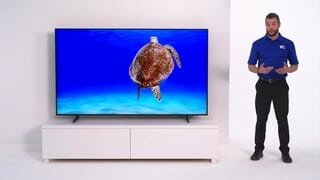





- Model:
- UN50AU8000FXZA
- SKU:
- 6452997
Rating by feature
- Picture Quality
Rating 4.6 out of 5 stars
- Sound Quality
Rating 4.2 out of 5 stars
- Brightness
Rating 4.6 out of 5 stars
Customers are saying
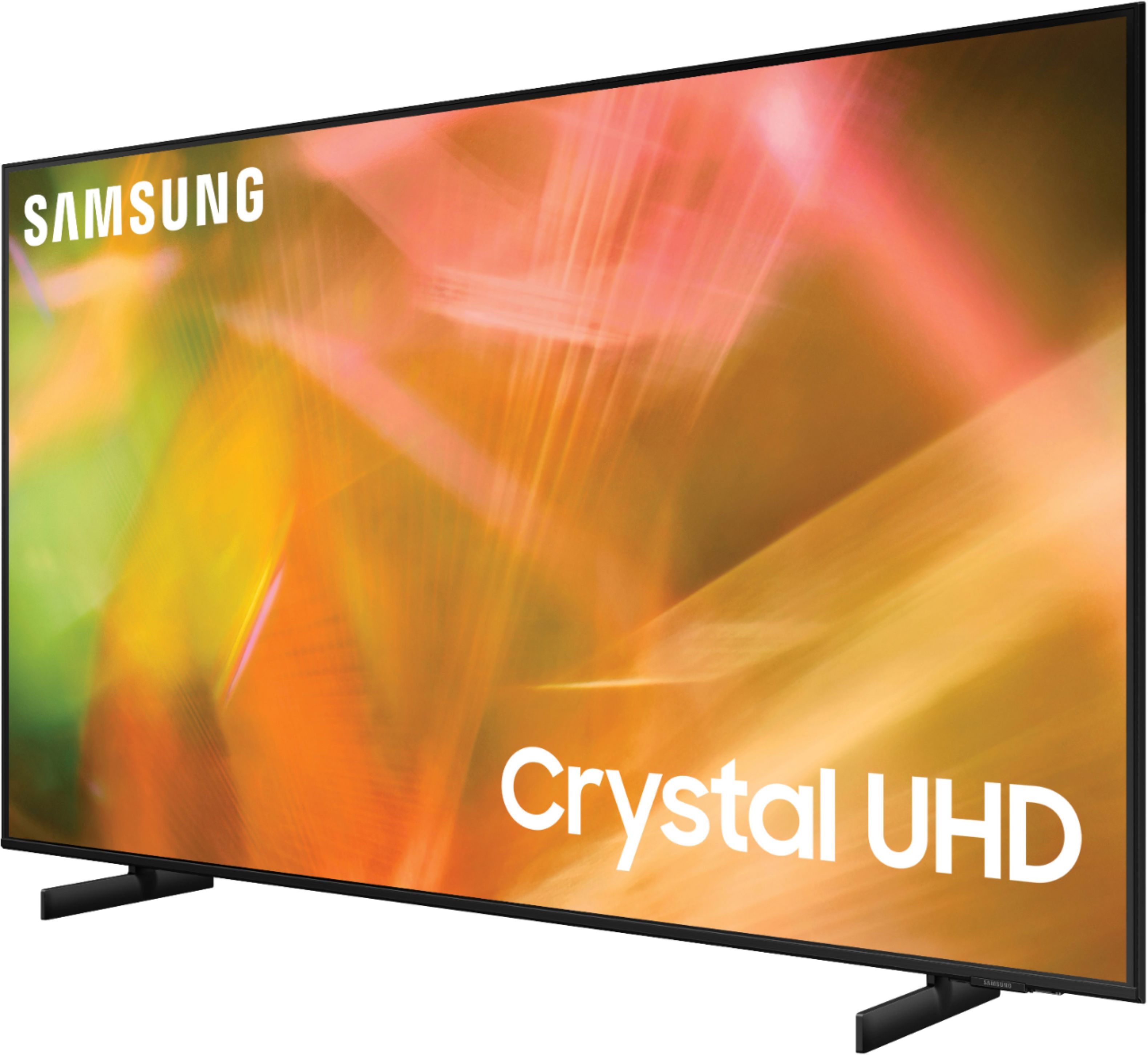
Customers are satisfied with the picture quality, easy setup, price, color, and size of the 50" Class 8000 Series LED 4K UHD Smart Tizen TV. They appreciate the excellent picture clarity, vibrant colors, and user-friendly interface. However, some customers have concerns about the durability and lifespan of the TV, as well as issues with the remote control and screen.
This summary was generated by AI based on customer reviews.
- Pros mentioned:Color, Picture quality
Good tv but clunky app set up
Posted .This reviewer received promo considerations or sweepstakes entry for writing a review.I upgraded this tv from an ECL that got stuck in a reboot loop. I love the color, clarity and crispness. However, the app set up is not nearly as intuitive and easily accessible as Roku. That part is very clunky. There is an app to control the TV. Overall, I am satisfied. It's a good quality item (in my Christmas vacation voice) once you get used to the clunky app setup
I would recommend this to a friend - Pros mentioned:Color, Ease of use, Picture quality
Great pictue. Easy setup
Posted .This reviewer received promo considerations or sweepstakes entry for writing a review.Great picture, beautiful bright colors and sound. Very easy setup
I would recommend this to a friend Extremely laggy, tons of issues.
||Posted . Owned for 2 months when reviewed.This reviewer received promo considerations or sweepstakes entry for writing a review.Garbage tv. Extremely laggy, apps close for no reason. The only reason I didn't return it was I was too lazy. Definitely never getting another Samsung Smart TV this product is a complete dumpster fire.
No, I would not recommend this to a friendBrand response from Samsung
Posted .Hi Komsan,
We are sorry to hear about your experience with the AU8000 TV interface. Please know Samsung prides itself on its high-quality products and customer experience. We are here to help you!
Please ensure your TV’s firmware is up to date with our latest software, which includes updates to improve lag. You can check this by going to Settings > Support > Software Update and then easily update from there if needed.
You may also want to further optimize performance with the self-diagnostic tool, which checks memory, frees up unused cached memory, and closes background apps. Go to Settings > Support > Device Care > Start Device Care.
If you need more help, Samsung is here for you. Please call us at 1-800-SAMSUNG, 8 AM - 12 AM EST, seven days a week. Our LiveChat agents are also available by clicking on the ‘Support’ link on our website.
~ Samsung Advisor
Only works for one year
||Posted . Owned for 1 year when reviewed.This reviewer received promo considerations or sweepstakes entry for writing a review.Replacement Panel needed after one year of having it. Warranty expired 10 days ago
No, I would not recommend this to a friendBrand response from Samsung
Posted .Hi Richgirl13,
Thank you for taking the time to provide feedback on your AU8000 TV panel needing to be replaced after your warranty expired. Please know your feedback will be shared with our internal product teams. We take pride in our products and are sorry to hear that your experience was not up to our high standards.
We do hope you will give Samsung another chance when purchasing your next TV. If there’s anything we can ever help with, please call us at 1-800-SAMSUNG, 8 AM - 12 AM EST, seven days a week. Or visit us on the Samsung website and click on the ‘Support’ link for:
1) LiveChat
2) Manuals, Software, & Warranty Info
~ Samsung Advisor
It died after only a bit over two weeks.
||Posted . Owned for 1 week when reviewed.This reviewer received promo considerations or sweepstakes entry for writing a review.I have to return this tv today. I only had it a bit over two weeks and it DIED. First the sound stopped then nothing. only two weeks.
No, I would not recommend this to a friendBrand response from Samsung
Posted .Hi justme,
We are very sorry to hear about your experience with the Samsung AU8000 TV no longer working after two weeks. Please know Samsung stands behind the quality and performance of our TVs with a limited 1-year manufacturer’s warranty when purchased brand-new from an authorized dealer.
Please call us so we can make this right. Call us at 1-800-SAMSUNG, 8AM - 12AM EST, 7 days a week. Or visit us on the Samsung website and click on the ‘Support’ link for:
1) LiveChat
2) Manuals, Software, & Warranty Info
We hope to hear from you soon!
~ Samsung Specialist
Not what I expected
||Posted . Owned for 2 months when reviewed.This reviewer received promo considerations or sweepstakes entry for writing a review.I returned mine before opening because my friend and I bought the same one and the picture was not very good.
No, I would not recommend this to a friendBrand response from Samsung
Posted .Hi 8arbi3,
Thank you for your review of the Samsung AU8000 Crystal UHD TV and for sharing the issues that have caused you to return your unit. Your experience is very important to us and will be shared with our product team.
It is possible that your unit needed a minor adjustments in settings.
Should you ever decide to give Samsung TVs another try and have questions or need assistance with settings, setup, or features, please know we are always here to help. Call us at 1-800-SAMSUNG (ask for TVs), available 8AM - 12AM EST, 7 days a week.
For additional support resources, visit us on the Samsung website and click on the ‘Support’ link in the upper right corner of the homepage for:
1) Chat with Us/Product Help: To begin a chat or find solutions, choose ‘TVs & Home Theater’ and select your model & topic.
2) Manuals, Software, & Warranty Info
We hope to regain you as a customer in the future.
~ Samsung Solutions
Dead, as in dead
||Posted . Owned for 1 year when reviewed.This reviewer received promo considerations or sweepstakes entry for writing a review.16 months later, dead as a doornail. You get what you pay for. No stars, despite what the site says.
No, I would not recommend this to a friendBrand response from Samsung
Posted .Hi Caler,
It's unfortunate to hear about your experience with the AU8000 TV. Please know your feedback will be shared with our internal teams.
Should you ever decide to give Samsung TVs another try and have questions or need help with settings, setup, or features, please know we’re here to help. Call us at 1-800-SAMSUNG, 8 AM – 12 AM EST, seven days a week.
LiveChat with an agent, as well as manuals, software, and warranty info, can be found at the ‘Support’ link on our Samsung website.
We hope to regain you as a customer in the future.
~ Samsung Advisor
TV not working after 1 month
||Posted . Owned for 2 months when reviewed.This reviewer received promo considerations or sweepstakes entry for writing a review.Stopped working and we have barely used. Need to contact the store or Best Buy CS.
No, I would not recommend this to a friendBrand response from Samsung
Posted .Hi SoniasTVpurchase,
Thank you for your purchase and review of the Samsung AU8000 TV. Please know we are here to help you.
We back this Samsung TV with a 1-year limited manufacturer's warranty, including authorized repair for manufacturer defects, if purchased brand-new directly from an authorized seller. Please give us a call so we can make this right.
You can reach us at 1-800-SAMSUNG, 8 AM - 12 AM EST, seven days a week. Or visit us on the Samsung website and click on the ‘Support’ link for:
1) LiveChat with an agent
2) Manuals, Software, & Warranty Info
~ Samsung Advisor
50" Samsung TV
||Posted . Owned for 1 month when reviewed.This reviewer received promo considerations or sweepstakes entry for writing a review.Very nice smart TV. I really like it. Finding out about new features every day.
I would recommend this to a friendBrand response from Samsung
Posted .Hi Timothy,
Thank you for your review of the Samsung AU8000 TV. We are happy that you are enjoying it. If you’re experiencing specific issues which prevented this TV from receiving a higher star rating, please know Samsung Customer Support is here to help.
Call us anytime at 1-800-SAMSUNG, 8 AM - 12 AM EST, seven days a week. Or visit us on the Samsung website and click on the ‘Support’ link for:
1) LiveChat
2) Manuals, Software, & Warranty Info
~ Samsung Advisor
Subpar Samsung TV
||Posted . Owned for 3 weeks when reviewed.This reviewer received promo considerations or sweepstakes entry for writing a review.Not a good TV. Apps crash. Slow to load apps. Missed the return window.
No, I would not recommend this to a friendBrand response from Samsung
Posted .Hi Drial,
I’m sorry to hear about the issues you’re experiencing with unresponsive apps. To ensure performance is fully optimized, please ensure your TV is running the latest firmware.
To do so, go to Settings> Support> Software Update. You can easily update from there if necessary.
Next, I recommend utilizing the self-diagnostic tool, which checks memory, frees unused cached memory, and closes background apps. Go to Settings > Support > Device Care > Start Device Care.
Should you ever have questions or need help, Samsung is here for you! Just give us a call at 1-800-SAMSUNG, 8 AM - 12 AM EST, seven days a week. Our LiveChat agents are also available by clicking on the ‘Support’ link on our website.
~ Samsung Advisor
4k tv
||Posted . Owned for 3 weeks when reviewed.This reviewer received promo considerations or sweepstakes entry for writing a review.Sound quality very poor, had to buy a sound bar, not very happy with tv Overall.
No, I would not recommend this to a friendBrand response from Samsung
Posted .Hi 4ktv,
We appreciate your review of Samsung’s AU8000 TV. So we can better understand the problems you are experiencing and provide you with troubleshooting assistance or warranty service, please reach out to Samsung Customer Support at 1-800-SAMSUNG, 8 AM - 12 AM EST, seven days a week. Our LiveChat agents are also available by clicking on the ‘Support’ link on our website.
~ Samsung Advisor
Not so smart tv
||Posted . Owned for 2 weeks when reviewed.This reviewer received promo considerations or sweepstakes entry for writing a review.No picture, just colored lines, black and white spots
No, I would not recommend this to a friendBrand response from Samsung
Posted .Hi Margaret,
Thank you for sharing the issues you are experiencing with your Samsung AU8000 TV. Samsung is committed to providing the best possible product experience, quality, and value. We back this Samsung TV with a 1-year limited manufacturer's warranty, including authorized repair for manufacturer defect, if purchased brand-new directly from an authorized seller.
You can see the full details of your warranty here: https://www.samsung.com/us/support/service/warranty/UN50AU8000FXZA
So we can better understand the problems you are experiencing and provide you with troubleshooting assistance or warranty service, please contact Samsung Customer Support at 1-800-SAMSUNG (ask for TVs), available 8AM - 12AM EST, 7 days a week.
For additional support resources, visit us on the Samsung website and click on the ‘Support’ link in the upper right corner of the homepage for:
1) Chat with Us/Product Help: To begin a chat or find solutions, choose ‘TVs & Home Theater’ and select your model & topic.
2) Register a Product: For access to easy warranty support, convenient opt-in to special promos and offers, faster troubleshooting and service, and quick notification of system updates.
3) Manuals & Software
4) Warranty Info
5) Contact Us
~ Samsung Solutions
Yikes
||Posted . Owned for 1 month when reviewed.This reviewer received promo considerations or sweepstakes entry for writing a review.The only thing worse then the actual tv was the service at the Mohegan Lake store
No, I would not recommend this to a friendBrand response from Samsung
Posted .Hi Mychal,
Thank you for purchasing the Samsung 50" AU8000 Crystal UHD TV and sharing your review.
We appreciate you sharing your in-store purchase experience with us. You may want to consider providing feedback directly to the Best Buy store where you made your purchase.
If you should ever have questions on setup, features or operation, Samsung is ready to help you with enjoying your new TV. You can reach Samsung Support at 1-800-SAMSUNG (ask for TVs), available 8AM - 12AM EST, 7 days a week.
For additional support resources, visit us on the Samsung website and click on the ‘Support’ link in the upper right corner of the homepage for:
1) Chat with Us/Product Help: To begin a chat or find solutions, choose ‘TVs & Home Theater’ and select your model & topic.
2) Register a Product: For access to easy warranty support, convenient opt-in to special promos and offers, faster troubleshooting and service, and quick notification of system updates.
3) Manuals & Software
4) Warranty Info
5) Contact Us
~ Samsung Solutions
Not for us...
||Posted . Owned for less than 1 week when reviewed.This reviewer received promo considerations or sweepstakes entry for writing a review.Difficult to set up..Samsung Smart Plus tv application is a royal pain.
No, I would not recommend this to a friendBrand response from Samsung
Posted .Hi ashee02,
I am very sorry to hear about the difficulties you experienced with the setup of your new AU8000. We appreciate you sharing your feedback and will pass these details on to our product teams.
To assist you in the learning the various features, functions, and settings of the TV and Remote, you can download the User Manual and Remote Guide directly from Samsung’s website under ‘Support’ (top right corner) > Manuals & Software > TVs & Home Theater. From there, you can select the AU8000 under Crystal UHD TVs > A Model Lineup.
Please know, Samsung TV Plus can be disabled, removing the channels from your default guide. Should you want to disable TV plus, follow the steps below:
1) Navigate to the Samsung TV Plus app and press and hold the enter or select button on the remote. This will bring up two options. ‘Move’ and ‘Remove’.
2) Navigate to ‘Remove’ and select. This option brings up the ability to remove the app icon or disable the service.
3) Navigate to ‘Disable’ and select. This will remove the service from the launcher bar and the channels from the TV Guide.
Alternatively, you can leave TV Plus enabled and utilize the Autorun Last App feature to automatically start the last app you used once the TV is turned on. To enable this feature, follow the steps below:
1) Navigate to Settings > General > Smart Features > Autorun Smart Hub
2) Enable the Autorun Smart Hub feature
3) Navigate to Settings > General > Smart Features > Autorun Last App
4) Enable the Autorun Last App feature
I hope these tips help enjoy the experience further! Should you ever have questions or need help, please call us at 1-800-SAMSUNG (ask for TVs), available 8AM - 12AM EST, 7 days a week.
For additional support resources, visit us on the Samsung website and click on the ‘Support’ link in the upper right corner of the homepage for:
1) Chat with Us/Product Help: To begin a chat or find solutions, choose ‘TVs & Home Theater’ and select your model & topic.
2) Register a Product: For access to easy warranty support, convenient opt-in to special promos and offers, faster troubleshooting and service, and quick notification of system updates.
3) Manuals & Software
4) Warranty Info
5) Contact Us
~ Samsung Solutions
- Pros mentioned:Ease of use, Picture quality
Easy set up !!
Posted .This reviewer received promo considerations or sweepstakes entry for writing a review.Wow. Great picture. So easy to set up !! If you have Samsung account already makes things real easy. Took less than half hour to switch out tvs and all my stuff was loaded on new tv.
I would recommend this to a friend - Pros mentioned:Picture quality, Price
Love Samsung!!!
Posted .This reviewer received promo considerations or sweepstakes entry for writing a review.We really like this tv. We tried another brand but we had to go back to Samsung because of the quality and almost the same price.
I would recommend this to a friend - Pros mentioned:Ease of use, Picture quality
Good purchase
Posted .This reviewer received promo considerations or sweepstakes entry for writing a review.works out well for what we want. clear picture, and easy to use.
I would recommend this to a friend - Pros mentioned:Picture quality
Best tv I have ever bought!
Posted .This reviewer received promo considerations or sweepstakes entry for writing a review.This is the best tv I have ever purchased!! Everyone says it has the best picture!! I am looking up this tv in my purchases to see how much it cost to see how it cost now.
I would recommend this to a friend - Pros mentioned:Ease of use, Picture quality
Smart TV
Posted .This reviewer received promo considerations or sweepstakes entry for writing a review.Good selection and price. Beautiful picture. Easy set up.
I would recommend this to a friend - Pros mentioned:Picture quality
great store
Posted .This reviewer received promo considerations or sweepstakes entry for writing a review.good tv and picture, I would tell everyone to get warranty. great service, great store to shop at and very well trained employees. People online, they were the best people and I will love to talk Keka all day long i would use the money to buy more stuff from best buy in manchester nh.(Mall of New Hampshire.
I would recommend this to a friend