Customer Ratings & Reviews


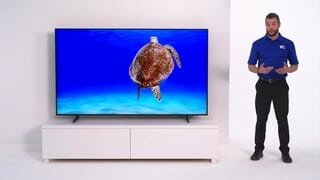





- Model:
- UN50AU8000FXZA
- SKU:
- 6452997
Rating by feature
- Picture Quality
Rating 4.6 out of 5 stars
- Sound Quality
Rating 4.2 out of 5 stars
- Brightness
Rating 4.6 out of 5 stars
Customers are saying
Customers are satisfied with the picture quality, easy setup, price, color, and size of the 50" Class 8000 Series LED 4K UHD Smart Tizen TV. They appreciate the excellent picture clarity, vibrant colors, and user-friendly interface. However, some customers have concerns about the durability and lifespan of the TV, as well as issues with the remote control and screen.
This summary was generated by AI based on customer reviews.
Terrible
Posted .This reviewer received promo considerations or sweepstakes entry for writing a review.Clunky controls, slow, don’t integrate well. I would not buy it knowing what I know now.
No, I would not recommend this to a friendSamsung tv
Posted .This reviewer received promo considerations or sweepstakes entry for writing a review.Good TV for the money Yeah Samsung rarely disappoints with their T v's.
I would recommend this to a friendLow Quality TV for $500
Posted .This reviewer received promo considerations or sweepstakes entry for writing a review.Didnt last very before deciding to stop working. Turns off and on by itself. Screen fades to black.
No, I would not recommend this to a friend- Pros mentioned:Picture quality
7000 series has better sound
Posted .This reviewer received promo considerations or sweepstakes entry for writing a review.Horrible, hollow sound! Sound is comparable in fidelity to my laptop. Very nice picture though, and has a thin, modern, lightweight construction.
No, I would not recommend this to a friendBrand response from Samsung
Posted .Hi Fred,
Thank you for purchasing the Samsung 50" AU8000 Crystal UHD TV and for sharing your thoughts regarding the sound quality. To tune the sound to your liking, you may want to try adjusting the several sound settings to suit your personal sound preferences. You can change the Sound Mode by going to: Settings > Sound > Sound Mode
You can also customize the sound with Expert Settings by going to: Settings > Sound > Expert Settings
To assist you with possible sound settings adjustments for a better audio experience, or choosing a Samsung Soundbar to complement your viewing enjoyment, please reach out to us at 1-800-SAMSUNG (ask for TVs), available 8AM - 12AM EST, 7 days a week.
For additional support resources, visit us on the Samsung website and click on the ‘Support’ link in the upper right corner of the homepage for:
1) Chat with Us/Product Help: To begin a chat or find solutions, choose ‘TVs & Home Theater’ and select your model & topic.
2) Register a Product: For access to easy warranty support, convenient opt-in to special promos and offers, faster troubleshooting and service, and quick notification of system updates.
3) Manuals & Software
4) Warranty Info
5) Contact Us
~ Samsung Solutions
Worst TV purchase ever
Posted .This reviewer received promo considerations or sweepstakes entry for writing a review.I wish I could give 1/32 of a star DONT BUY THIS TV
No, I would not recommend this to a friendDisappointed
Posted .This reviewer received promo considerations or sweepstakes entry for writing a review.I was convinced to purchase a new tv back in Nov 202 because I had got a PS5 so I wanted the full gaming experience. I've had Samsung tvs in the past and loved them so I stuck with a brand that I trusted. When I got my tv hooked up, I noticed instantly the sound quality was poor. I'm not sure if there's a specific setting to make it louder, but I always have to have the volume on super high to hear. My older Samsung flat screen from like 2012 at volume 24 is higher than this one. Then finally I want to a say a month or so ago I noticed black horizontal lines appear on my screen. I was irked by it but I didn't make a big deal about it because it wasn't interfering with viewing. Finally one night I was watching tv and it went completely black. I thought maybe something was wrong with the cable, but it was the tv. The black screen kept blinking and you could see at the side a small strip of an image of what I was watching in the back and it wouldn't go away. I couldn't power the tv off nothing. An almost 500 dollar tv that's not even 2 years old broken and there's nothing that can be done because of expired warranty. Five hundred dollars down the drain because Samsung doesn't make quality products anymore. Thanks.
No, I would not recommend this to a friendBrand response from Samsung
Posted .Hi Jenna,
Thank you for your review of the Samsung AU8000 TV and feedback on volume and image quality. We are sorry to hear about the issues you are having. You mentioned troubleshooting your issue. However, I will add these tips below for you to try, just in case you have not tried these specific steps.
Please try these troubleshooting steps for your blank screen issue:
1. Press the Home button on the remote.
If the menu appears, the TV is powered on but is either not on the correct source or not receiving a signal. If the menu does not appear, the TV may be having power issues.
Check the red standby light, a little red light at the edge of the TV that you aim the remote at. In normal use, the red standby light is on when the TV is off (indicating the TV is on standby), and the red standby light is off when the TV is in use (or doesn't have power).
2. Confirm the TV is set to the same source as the external device.
For instance, if your cable box is connected to HDMI 1, set the TV source to HDMI 1.
If the TV is set to the correct source but there is still no image, unplug and reconnect the AV connections one cable at a time from both ends of each cable. If there's any damage to the cable, it will need to be replaced.
After reconnecting the external device, could you turn it off and back on?
3. Test the HDMI cable.
Some TVs have an HDMI cable test. Some models only have this test after a software update, and older models do not have it. If your model does not have this test or is not connected by HDMI, skip to the next step.
The test is designed for HDMI cords less than 6 feet long and may not give accurate results on longer cords.
To perform the test, make sure the TV's source is still on the HDMI setting for the cable you want to test, and then navigate to Settings > Support > Self Diagnosis > Signal Information > HDMI Cable Test > Start Test.
If the test says, the cable is bad, replace the cable. Service is not required.
4. Test different external devices.
The final thing to rule out is the external device you're using. Try connecting to a different device or using a different source port. If you were unable to test the cable in the previous step, then try swapping the cable, too.
If the TV can display a picture in any other setup, then you've ruled the TV out as the cause of the issue. Keep trying various setups until you identify the device or cable that is not working and troubleshoot or replace it.
If the issue persists after these steps, the TV will need service. . If your TV is out of the 1-year Manufacturer's Warranty, you can locate a service center in your area by following this link: https://www.samsung.com/us/support/service/locations/.
Should you have additional questions or wish to troubleshoot the issue, please call us at 1-800-SAMSUNG, 8 AM - 12 AM EST, seven days a week. Or visit us on the Samsung website and click on the ‘Support’ link for:
1) LiveChat with an agent
2) Manuals, Software, & Warranty Info
~ Samsung Advisor
Failed at 24 months.
Posted .This reviewer received promo considerations or sweepstakes entry for writing a review.Failed at 23 months. Won't power up any longer. Paid $497.99 on 09DEC2020. Failed NOV2022.
No, I would not recommend this to a friendBrand response from Samsung
Posted .Hi MatthewC,
Thank you for taking the time to provide feedback on your AU8000 TV. Please know your feedback will be shared with our internal product teams. We take pride in our products and are sorry to hear that your experience was not up to our high standards.
We do hope you will give Samsung another chance when purchasing your next TV. If there’s anything we can ever help with, please call us at 1-800-SAMSUNG, 8 AM - 12 AM EST, seven days a week. Or visit us on the Samsung website and click on the ‘Support’ link for:
1) LiveChat
2) Manuals, Software, & Warranty Info
~ Samsung Advisor
Never buy Samsung TVs
Posted .This reviewer received promo considerations or sweepstakes entry for writing a review.Bought this Samsung 50” LED 4K UHD TV about 19 months ago and now it no longer shows a picture. Called Samsung and they agreed to cover parts and labor since it was less than 2 yrs old…until they called me back a day later to say they can’t find a company in my area to make the repairs so there’s nothing more they can do. That’s the type of service you appatently get from Samsung when you buy a lemon of a TV.
No, I would not recommend this to a friendBrand response from Samsung
Posted .Hi COSpringsRunner,
We are sorry to hear that your AU8000TV screen is no longer showing a picture. Please try the below troubleshooting steps to help resolve this issue.
1. Press the Home button on the remote.
If the menu appears, the TV is powered on but is either not on the correct source or not receiving a signal. If the menu does not appear, the TV may be having power issues.
Check the red standby light, a little red light at the edge of the TV that you aim the remote at. In normal use, the red standby light is on when the TV is off (indicating the TV is on standby), and the red standby light is off when the TV is in use (or doesn't have power).
2. Confirm the TV is set to the same source as the external device.
For instance, if your cable box is connected to HDMI 1, set the TV source to HDMI 1.
If the TV is set to the correct source but there is still no image, unplug and reconnect the AV connections one cable at a time from both ends of each cable. If there's any damage to the cable, it will need to be replaced.
After you've reconnected the external device, turn it off and then back on.
3. Test the HDMI cable.
Some TVs have an HDMI cable test. Some models only have this test after a software update, and older models do not have it. If your model does not have this test or is not connected by HDMI, skip to the next step.
The test is designed for HDMI cords less than 6 feet long and may not give accurate results on longer cords.
To perform the test, make sure the TV's source is still on the HDMI setting for the cable you want to test, and then navigate to Settings > Support > Self Diagnosis > Signal Information > HDMI Cable Test > Start Test.
If the test says the cable is bad, replace the cable. Service is not required.
4. Test different external devices.
The final thing to rule out is the external device you're using. Try connecting a different device or using a different source port.
If the TV can display a picture in any other setup, then you've ruled the TV out as the cause of the issue. Keep trying various setups until you identify the device or cable.
If you need more help, Samsung is here for you. Please call us again at 1-800-SAMSUNG, 8 AM - 12 AM EST, seven days a week. Our LiveChat agents are also available by clicking on the ‘Support’ link on our website.
~ Samsung Advisor
- Cons mentioned:Remote control
You get what you pay for (+/- $400 of Trash)
Posted .This reviewer received promo considerations or sweepstakes entry for writing a review.Low quality, poor image and sound. Remote has too many preset buttons.
No, I would not recommend this to a friendBrand response from Samsung
Posted .Hi AlexM,
We greatly value the details you provided in your review regarding the sound and image quality of your new AU8000 TV. Your TV features Object Tracking Sound Lite, which tracks the action with strategically placed dynamic speakers, and Adaptive Sound, which automatically adjusts audio to enhance everything from dialogue to music and sports.
You can select a Sound Mode that you prefer for a content type or your listening environment. Go to: Home > Settings > Sound > Sound Mode
You can also customize balance and equalizer settings by going to Home > Settings > Sound > Expert Settings
Additionally, there are image adjustments you can make to optimize your picture to suit your preferences. Your TV has several Picture Modes to choose from, allowing you to enjoy content in optimal conditions. Go to Home > Settings > Picture > Picture Mode.
You can also go to Settings > Picture > Expert Settings to manually fine-tune your image.
For more help, call us at 1-800-SAMSUNG, 8 AM - 12 AM EST, seven days a week. Our LiveChat agents are also available by clicking on the ‘Support’ link on our website.
~ Samsung Advisor
TV
Posted .This reviewer received promo considerations or sweepstakes entry for writing a review.Can't hear the TV If there is any other noise in the house the TV becomes un-audible
No, I would not recommend this to a friendBrand response from Samsung
Posted .Hi!
Thank you for choosing the 2021 AU8000 Crystal UHD TV and for your review. There are several volume features you can adjust to your liking.
1) Auto Volume automatically adjusts the sound to a certain level when changing channels or switching to another external input.
2) Adaptive Volume automatically adjusts to a specific volume level while you are watching TV. The TV analyzes your volume usage history by time period to automatically adjust the volume when you use an app or switch to an external input source.
3) Several Sound Modes are likewise available to meet your personal preferences: Home > Settings > Sound > Sound Mode
Also, some sources have their own volume control which might be set too low. Please check the volume control of the external device (cable box or satellite box, DVD, Blu-ray, etc.) connected to your TV. Also, check the cable connection between an external device and the TV and then try cable connection again.
Should you ever have questions or need help, please call us at:
1-800-SAMSUNG (ask for TVs), available 8AM -12AM EST M-F (9AM – 6PM EST Sat). Or text HELP to 62913.
For additional support resources, visit us on the Samsung website and click on the ‘Support’ link in the upper right corner of the homepage for:
1) More ‘Contact Us’ options – LiveChat, Facebook, Twitter, Samsung Community, Samsung Members app
2) Manuals & Software
3) Warranty Info
4) Product Registration: For access to easy warranty support, convenient opt-in to special promos and offers, faster troubleshooting and service, and quick notification of system updates.
~ Samsung Solutions
Do Not Buy
Posted .This reviewer received promo considerations or sweepstakes entry for writing a review.Worked perfectly for exactly 2 months. Samsung authorized repairman assessed and said Item damaged. No warranty claim was authorized from Samsung. Best Buy agreed to replace even though beyond return date. Will see if the replacement unit lasts more than a few months.
No, I would not recommend this to a friendBrand response from Samsung
Posted .Hi GMK3,
Thank you for your review of the Samsung AU8000 Crystal UHD TV and for sharing the issues that you have experienced with your unit. We appreciate your patience in having to deal with the inconvenience of an exchange.
Should you need assistance with your new unit, please contact Samsung Customer Support at 1-800-SAMSUNG (ask for TVs), available 8AM - 12AM EST, 7 days a week.
For additional support resources, visit us on the Samsung website and click on the ‘Support’ link in the upper right corner of the homepage for:
1) Chat with Us/Product Help: To begin a chat or find solutions, choose ‘TVs & Home Theater’ and select your model & topic.
2) Register a Product: For access to easy warranty support, convenient opt-in to special promos and offers, faster troubleshooting and service, and quick notification of system updates.
3) Manuals & Software
4) Warranty Info
5) Contact Us
~ Samsung Solutions
Samsung 50 inch class 8000 series LED 4K UHD TV
Posted .This reviewer received promo considerations or sweepstakes entry for writing a review.The picture quality of this TV varies from good to poor depending on th angle you view it from. Would not buy this product again.
No, I would not recommend this to a friendBrand response from Samsung
Posted .Hi cmb55,
Thank you for your review of the AU8000 Crystal UHD TV and for sharing your thoughts on the viewing angle.
Please know, Samsung features a wide range of TVs each with their own features and benefits. Samsung TVs with Dual LED, like the Q60A, produce a wider viewing angle, making it better for everybody watching. Starting with our Q70A, our models feature a Wide Viewing Angle designed to let you see the full picture with brilliant color — no matter where you're sitting. From our QN90A Neo QLED Series on up, our models feature Ultra Viewing Angle allowing you to see every detail at any angle. Ultra Viewing Angle gives you the consistent detailed picture, even when sitting off to the side.
If there is anything we can do to improve your enjoyment such as helping to optimize settings for your specific usage scenario, please contact Samsung Customer Support at 1-800-SAMSUNG (ask for TVs), available 8AM - 12AM EST, 7 days a week.
For additional support resources, visit us on the Samsung website and click on the ‘Support’ link in the upper right corner of the homepage for:
1) Chat with Us/Product Help: To begin a chat or find solutions, choose ‘TVs & Home Theater’ and select your model & topic.
2) Register a Product: For access to easy warranty support, convenient opt-in to special promos and offers, faster troubleshooting and service, and quick notification of system updates.
3) Manuals & Software
4) Warranty Info
5) Contact Us
~ Samsung Solutions
Only lasted 2 years, JUNK
Posted .This reviewer received promo considerations or sweepstakes entry for writing a review.Broke after only 2 years, what a piece of junk. Been a loyal Samsung customer for 20+ years. Giving LG a try for the replacement.
No, I would not recommend this to a friendBrand response from Samsung
Posted .Hi ITguy,
I am very sorry to hear about your experience with the AU8000 TV. Samsung prides itself on high-quality products and a great customer experience. Please know we are here to help you.
Please give us a call so we can troubleshoot the issue with you. Contact us at 1-800-SAMSUNG, 8 AM - 12 AM EST, seven days a week. Our LiveChat agents are also available by clicking on the ‘Support’ link on our website.
~ Samsung Advisor