Customer Ratings & Reviews
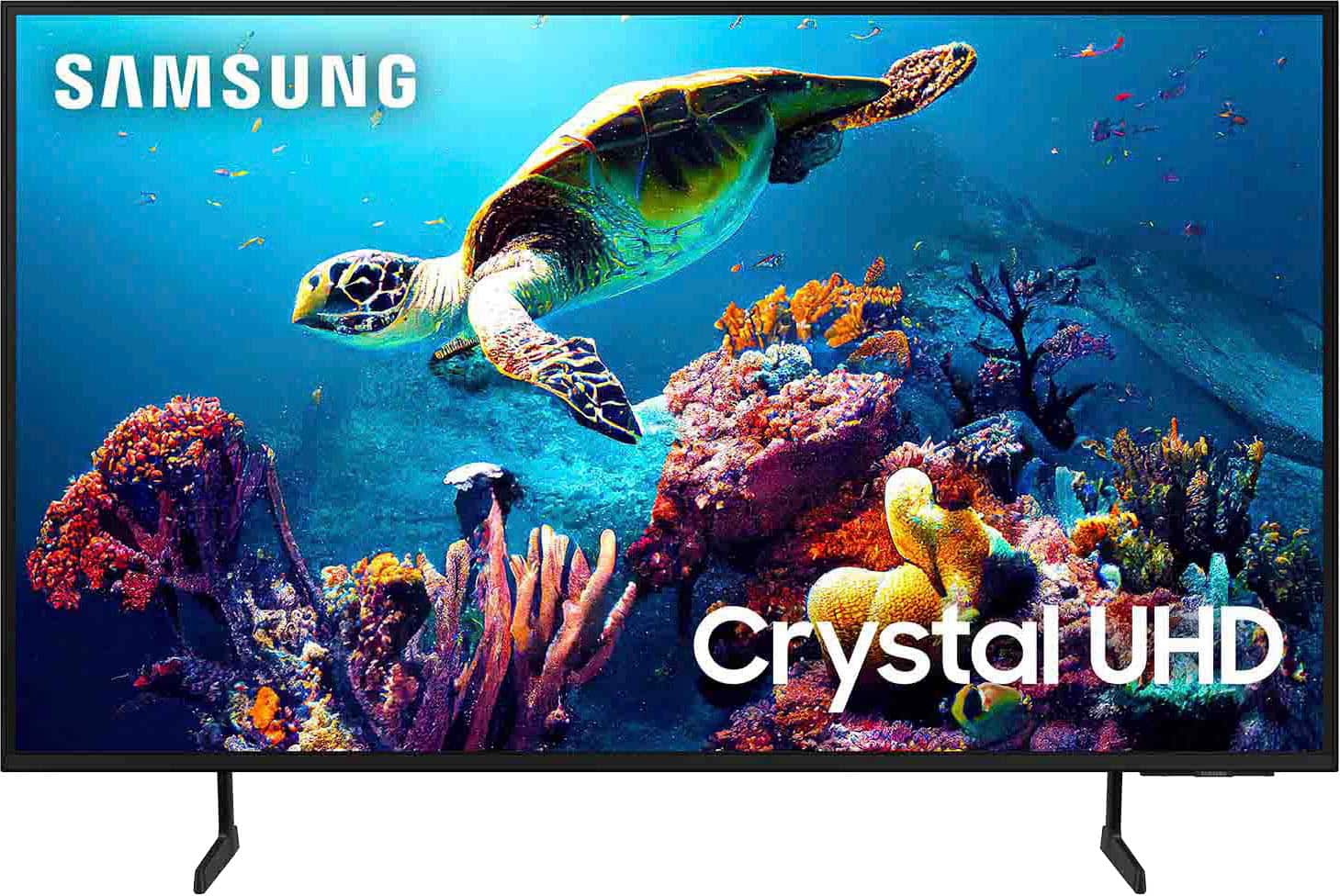

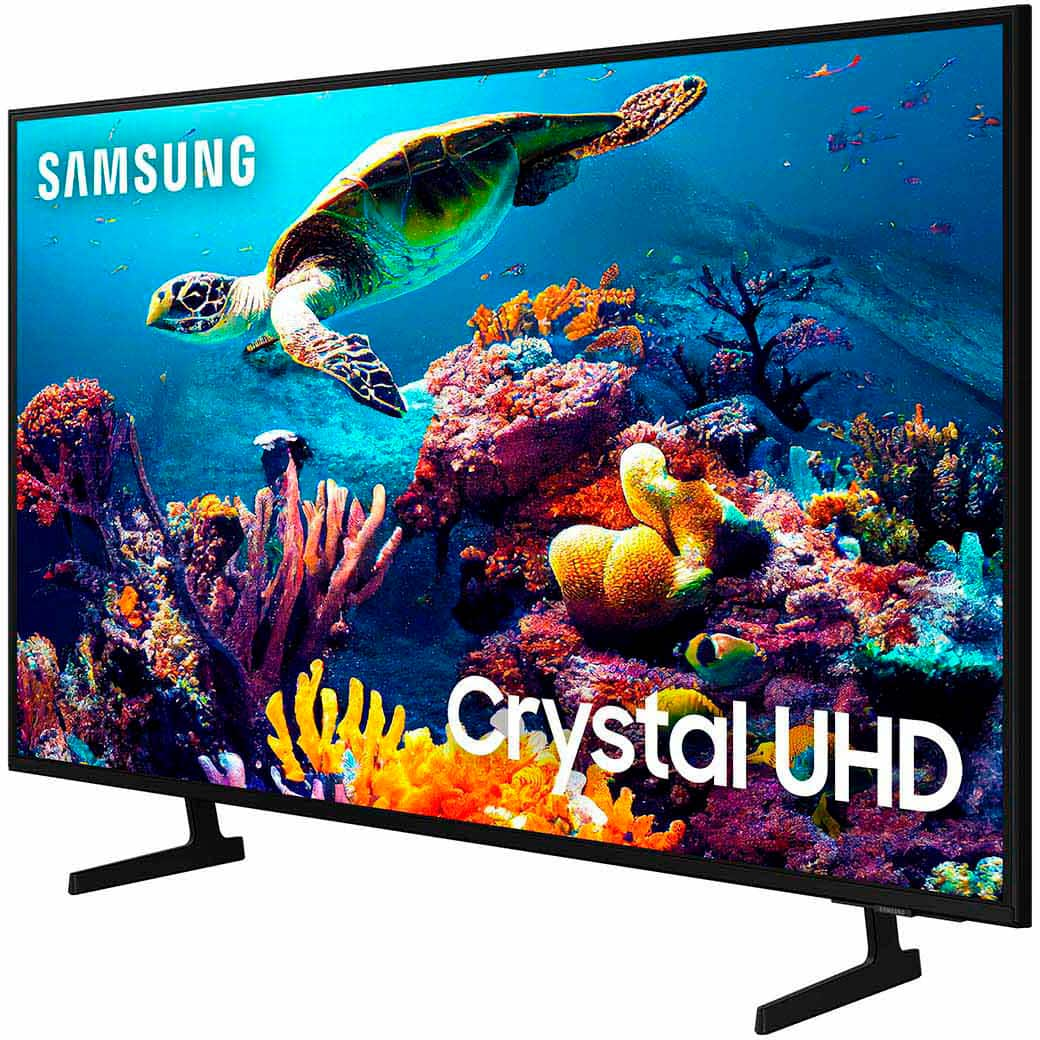
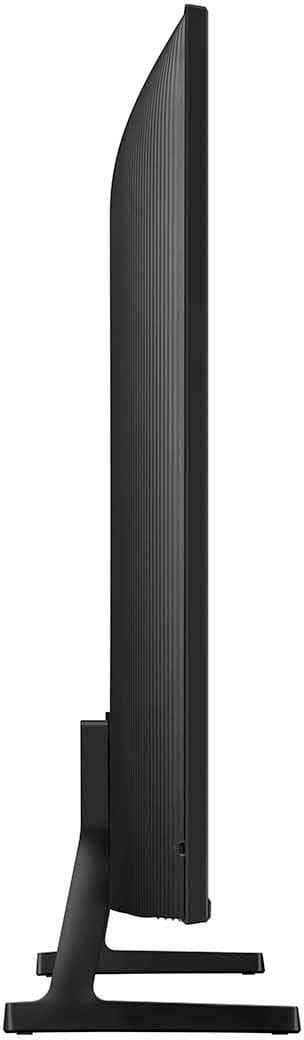

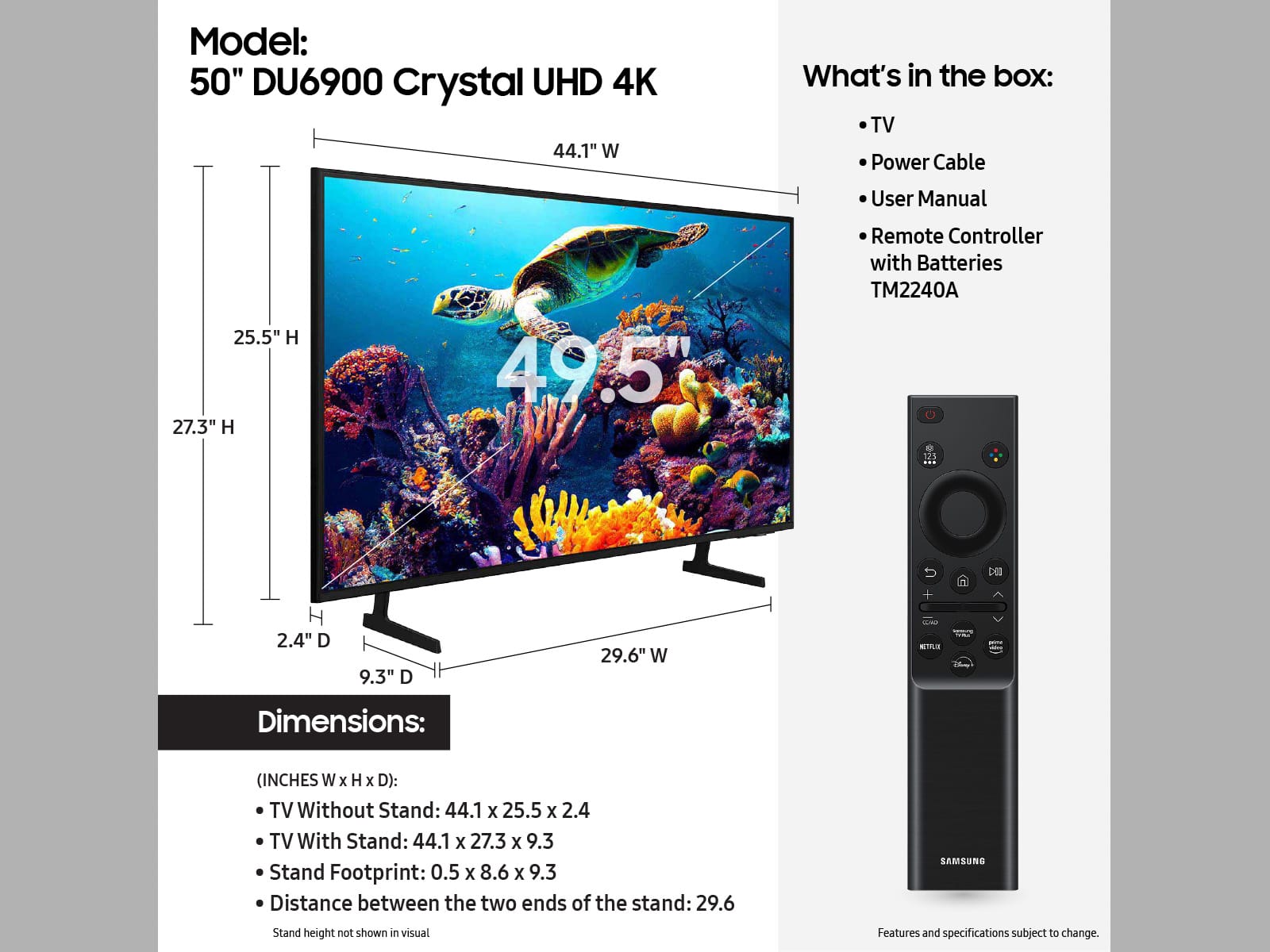







- Model:
- UN50DU6900FXZA
- SKU:
- 6584869
Rating by feature
- Picture Quality
Rating 4.8 out of 5 stars
- Sound Quality
Rating 4.6 out of 5 stars
- Brightness
Rating 4.8 out of 5 stars
Customers are saying
Customers regard the 50” Class DU6900 Series Crystal UHD 4K Smart Tizen TV (2024) highly for its exceptional picture quality, vibrant colors, ease of use, and reasonable price. Many also appreciate the simple setup and smart TV functionality. Some customers feel that the remote control could be improved, and a few noted that the viewing angles are not ideal.
This summary was generated by AI based on customer reviews.
Backlight issue
||Posted . Owned for 7 months when reviewed.This reviewer received promo considerations or sweepstakes entry for writing a review.I expected more from Samsung because why did I come across multiple reviews online having the same issue about their tvs. That issue is the backlight situation. It’s a good tv but again I expected better from Samsung
No, I would not recommend this to a friendBrand response from Samsung
Posted .RenatoT,
We appreciate you taking the time to let us know about your experience with your TV. So that we can better troubleshoot this issue and provide steps towards a solution, please contact Samsung Support at 1-800-SAMSUNG, 8AM - 12AM EST, 7 days a week. Or visit us on the Samsung website and click on the ‘Support’ link for:
• LiveChat
• Manuals, Software, & Warranty Info
~ Samsung Pro
Wouldnt recommend
||Posted . Owned for 1 year when reviewed.This reviewer received promo considerations or sweepstakes entry for writing a review.My TV after not even a year stopped working. I had to go first through samsung warranty and the would not send someone out to inspect my tv without taking all the necessary steps. So after 4 months my tv still isnt working and now i can finally got through the geek squad protection.
No, I would not recommend this to a friendBrand response from Samsung
Posted .LaliR,
Thanks for sharing your thoughts. If there's anything we can do to improve your experience, please reach Samsung Support at 1-800-SAMSUNG, 8AM - 12AM EST, 7 days a week. Or visit us on the Samsung website and click on the ‘Support’ link for:
• LiveChat
• Manuals, Software, & Warranty Info
~ Samsung Pro
NO AUDIO OUTPUT super basic
||Posted . Owned for 3 weeks when reviewed.This reviewer received promo considerations or sweepstakes entry for writing a review.NO AUDIO output, speakers are measly. Basic TV, WiFi setup took multiple attempts.
No, I would not recommend this to a friendBrand response from Samsung
Posted .PettyOfficer,
Thank you for choosing the Samsung DU6900 TV and for taking the time to provide us with detailed feedback on your experience. Your opinion is important to us and will be shared with our internal product teams.
The DU6900 TV offers 2 HDMI ports and is Bluetooth and Wi-Fi capable, allowing a seamless connection across multiple devices at a time. If your external device requires an Optical port, we recommend utilizing an HDMI to Optical Converter. These can be found at your local electronics store. Please also keep in mind that an Optical port can be found on our DU8000F Series and above.
If there’s anything we can ever help with, please call us at 1-800-SAMSUNG, 8 AM - 12 AM EST, seven days a week. Or visit us on the Samsung website and click on the ‘Support’ link for:
1) LiveChat
2) Manuals, Software, & Warranty Info
~ Samsung Pro
Don't like the remote or voice command system
||Posted . Owned for 1 month when reviewed.This reviewer received promo considerations or sweepstakes entry for writing a review.Having problems with, i guess it's called Bixby the voice command system.... Can't figure it out
No, I would not recommend this to a friendBrand response from Samsung
Posted .Woody,
Thank you for taking the time to provide feedback on your DU6900 TV. Please know that your feedback will be shared with our internal product teams. We take pride in our products and are sorry to hear that your experience was not up to our high standards.
For help using Bixby, please feel free to contact Samsung Support at 1-800-SAMSUNG, available from 8 AM to 12 AM EST, seven days a week. You can also chat with us on Samsung.com for immediate assistance.
~Samsung Pro
Poor customer service!!
||Posted . Owned for 3 weeks when reviewed.This reviewer received promo considerations or sweepstakes entry for writing a review.Love the quality of TV but experience with best buy was very poor. 90-100% chance I will never use best buy again. Parts were missing and difficult to deal with B.Buy customer service.
No, I would not recommend this to a friendBrand response from Samsung
Posted .ReneN,
Please know you are leaving a review for the DU6900 TV, not the service provided by Best Buy. Please follow up directly with Best Buy for further assistance. We hope your issue is resolved in a timely manner. Should you have questions regarding Samsung TVs, please contact Samsung Support at 1-800-SAMSUNG, 8 AM – 12 AM EST, 7 days a week. Our LiveChat agents are also available by clicking on the ‘Support’ link on our website.
~Samsung Pro
Samsung
||Posted . Owned for 2 weeks when reviewed.This reviewer received promo considerations or sweepstakes entry for writing a review.Picture is not as nice as my older Samsung TV that is 7 years old
No, I would not recommend this to a friendBrand response from Samsung
Posted .JacquelineK,
We appreciate you sharing your experience with the DU6900 TV. Your feedback regarding image quality is essential to us and will be shared with our internal teams. Please try adjusting the below image settings to improve your picture.
Go to Home > Settings > All Settings > Picture > Picture Mode and select the mode that best fits your usage:
1) Standard: Default mode suitable for general viewing environments.
2) Natural: Reduces eye strain for a comfortable viewing experience.
3) Movie: Most suitable for watching TV or movies in a dark room.
4) Dynamic: Makes the picture brighter and clearer in bright viewing environments.
5) Filmmaker Mode: You can watch the source content (e.g., movie) as it is. If the image is defined as Filmmaker Mode, it will automatically switch to Filmmaker Mode while watching.
You can also go to Settings > All Settings> Picture > Expert Settings > to manually fine-tune your image.
If you need more help, Samsung is here for you. Call us at 1-800-SAMSUNG, 8 AM - 12 AM EST, seven days a week. Our LiveChat agents are also available by clicking on the ‘Support’ link on our website.
~ Samsung Pro
Not enough connect
||Posted . Owned for 4 months when reviewed.This reviewer received promo considerations or sweepstakes entry for writing a review.I can't connect another speaker with it because it doesn't have jack connect
I would recommend this to a friendBrand response from Samsung
Posted .Josh,
Thank you for choosing the Samsung DU6900 TV and for taking the time to provide us with detailed feedback on your experience. Your opinion is important to us and will be shared with our internal product teams.
The DU6900 TV offers 2 HDMI ports and is Bluetooth and Wi-Fi capable, allowing a seamless connection across multiple devices at a time. If your external device requires an Optical port, we recommend utilizing an HDMI to Optical Converter. These can be found at your local electronics store. Please also keep in mind that an Optical port can be found on our DU8000F Series and above.
If you need further assistance, we would be happy to help! Please feel free to contact Samsung Support at 1-800-SAMSUNG, available from 8 AM to 12 AM EST, seven days a week. You can also chat with us on Samsung.com for immediate assistance.
~Samsung Pro
Tv review
||Posted . Owned for less than 1 week when reviewed.This reviewer received promo considerations or sweepstakes entry for writing a review.The speakers on this Tv sucks its too low i should have brought anothet TCL for all that!!
No, I would not recommend this to a friendBrand response from Samsung
Posted .Hi Kenzoe,
Thank you for sharing your experience with the DU6900 TV speakers. There are several volume features you can adjust, which may improve your audio experience.
1) Auto Volume automatically adjusts the sound to a certain level when changing channels or switching to another external input. Go to Settings > All Settings> Sound > Expert Settings > Auto Volume.
2) Adaptive Sound automatically adjusts to a specific volume level while watching TV. The TV analyzes your volume usage history by time period to automatically adjust the volume when you use an app or switch to an external input source. Go to Settings> All Settings> Sound> Sound Mode> Adaptive Sound.
3) Several Sound Modes are likewise available to meet your personal preferences: Home > Settings > All Settings> Sound > Sound Mode.
Also, some sources have their own volume control, which might need to be set higher. Please check the volume control of the external device (cable box or satellite box, DVD, Blu-ray, etc.) connected to your TV. Also, check the cable connection between an external device and the TV and then try the cable connection again.
If you’d like more help with settings, we are always happy to help! Call us at 1-800-SAMSUNG, 8 AM - 12 AM EST, seven days a week. Or visit us on the Samsung website and click on the ‘Support’ link for:
1) LiveChat
2) Manuals, Software, & Warranty Info
~ Samsung Advisor
Back light life only one year three month
||Posted . Owned for 1 year when reviewed.This reviewer received promo considerations or sweepstakes entry for writing a review.Back light failure just after one year three month, after warranty expired
No, I would not recommend this to a friendBad quality, brokedown often
||Posted . Owned for 1 year when reviewed.This reviewer received promo considerations or sweepstakes entry for writing a review.It worked fine at the beginning but within couple months, the display broke down and the tv didnt turn on. I had to call best buy to help come fix it. Within 6 months, the tv just randomly turned off and didnt turn back on again.
No, I would not recommend this to a friendBrand response from Samsung
Posted .SapriyaK,
Samsung stands behind the quality and performance of our TVs with a limited 1-year manufacturer’s warranty when purchased brand-new from an authorized dealer. To schedule a warranty appointment, please call us at 1-800-SAMSUNG, available from 8 AM to 12 AM EST, seven days a week. You can also chat with us on Samsung.com for immediate assistance.
~Samsung Pro
Mr
||Posted . Owned for 1 month when reviewed.This reviewer received promo considerations or sweepstakes entry for writing a review.Image was poor, We heard a weird noise coming from inside of tv everytime we've turned off .i requested a return/ exchange and update the TV. Special thank to Best buy customer service for their support to get the TV that will works for Me.
No, I would not recommend this to a friendBrand response from Samsung
Posted .JoeAV,
Should you ever decide to give Samsung TVs another try and have questions or need help with settings, setup, or features, we would be happy to help. Call us at 1-800-SAMSUNG, 8 AM – 12 AM EST, seven days a week. LiveChat with an agent, as well as manuals, software, and warranty info, can be found at the ‘Support’ link on our Samsung website.
We hope to regain you as a customer in the future.
~ Samsung Pro
NO VOLUME
||Posted . Owned for 1 month when reviewed.This reviewer received promo considerations or sweepstakes entry for writing a review.It was working fine until it wasn’t. Suddenly the volume is not working and it makes a very weird and loud popping sound when I try to turn up the volume. I have not even had it a month. Will definitely be taking it back.
No, I would not recommend this to a friendBrand response from Samsung
Posted .DovFam,
We appreciate you sharing details of the sound issue you’re experiencing on your DU6900 TV. There are a few troubleshooting steps I recommend trying:
1) Please check the volume control of your TV, and then check the volume control of any external devices (cable box or satellite box, DVD, Blu-ray, etc.) connected to your TV. Also, check the cable connection between any external device and the TV and then try the cable connection again.
2) Set Sound Output to the TV Speaker by going to Settings > All Settings> Sound > Sound Output.
3) Check whether Digital Output Audio Format is set to Pass-Through by going to Settings > All Settings> Sound > Expert Settings > Digital Output Audio Format > Auto.
I hope this helps. Should your issue persist, please contact Samsung Customer Support: call us at 1-800-SAMSUNG, 8 AM - 12 AM EST, seven days a week. Our LiveChat agents are also available by clicking on the ‘Support’ link on our website.
~ Samsung Pro
Bad bad tv
||Posted .This reviewer received promo considerations or sweepstakes entry for writing a review.Brand new tv does not work right. Turns off by itself while we are watching just after few minutes of watching and also exits the app we are watching after just a few minutes.
No, I would not recommend this to a friendBrand response from Samsung
Posted .LishaB,
We appreciate you taking the time to let us know about your experience with your TV. So that we can better troubleshoot this issue and provide steps towards a solution, please contact Samsung Support at 1-800-SAMSUNG, 8AM - 12AM EST, 7 days a week. Or visit us on the Samsung website and click on the ‘Support’ link for:
• LiveChat
• Manuals, Software, & Warranty Info
~ Samsung Pro
Basic
||Posted . Owned for 3 weeks when reviewed.This reviewer received promo considerations or sweepstakes entry for writing a review.Although it is a Samsung Tv for a very good price you can get the same quality tv for a fraction of the price. It's not worth it. If you wanna watch good picture tv don't buy this one. You will be disappointed. Just basic.
No, I would not recommend this to a friendBrand response from Samsung
Posted .NelsonmM,
Thank you for taking the time to provide feedback on your DU6900 TV. Please know that your feedback will be shared with our internal product teams. We take pride in our products and are sorry to hear that your experience was not up to our high standards.
If there’s anything we can ever help with, please call us at 1-800-SAMSUNG, 8 AM - 12 AM EST, seven days a week. Or visit us on the Samsung website and click on the ‘Support’ link for:
1) LiveChat
2) Manuals, Software, & Warranty Info
~ Samsung Pro
Warning: No digital audio out port for sound bars.
||Posted . Owned for less than 1 week when reviewed.This reviewer received promo considerations or sweepstakes entry for writing a review.Beware if you plan on using a sound bar with this TV because it has no digital audio out port rendering the sound bar useless without trying to figure out all the different connection cords to make it work. To be fair, if you scroll down far enough it will tell you this in the description.
No, I would not recommend this to a friendBrand response from Samsung
Posted .Josh,
Thank you for choosing the Samsung DU6900 TV and for taking the time to provide us with detailed feedback on your experience. Your opinion is important to us and will be shared with our internal product teams.
The DU6900 TV offers 2 HDMI ports and is Bluetooth and Wi-Fi capable, allowing a seamless connection across multiple devices at a time. If your external device requires an Optical port, we recommend utilizing an HDMI to Optical Converter. These can be found at your local electronics store. Please also keep in mind that an Optical port can be found on our DU8000F Series and above.
If you need further assistance, we would be happy to help! Please feel free to contact Samsung Support at 1-800-SAMSUNG, available from 8 AM to 12 AM EST, seven days a week. You can also chat with us on Samsung.com for immediate assistance.
~Samsung Pro
Terrible Customer Service.
||Posted . Owned for 3 weeks when reviewed.This reviewer received promo considerations or sweepstakes entry for writing a review.Ordered a tv, a mount and installation. Installer came out with the tv but no mount. Installer said he would gladly go get the mount, but Customer Service girl said no. Said I would have to pick it up. How does that make any sense? Installer can pick up the tv, but not a $30 mount.
I would recommend this to a friendBrand response from Samsung
Posted .Hi ShaunB,
Please know you are leaving a review for the DU6900 TV, not the service provided by Best Buy. Please follow up directly with Best Buy for further assistance. We hope your issue is resolved in a timely manner.
Should you have questions regarding Samsung TVs, please contact Samsung Support at 1-800-SAMSUNG, 8 AM – 12 AM EST, 7 days a week. Our LiveChat agents are also available by clicking on the ‘Support’ link on our website.
~Samsung Advisor
Bad experience
||Posted . Owned for 1 week when reviewed.This reviewer received promo considerations or sweepstakes entry for writing a review.I bought 50" Samsung tv online, I drove 75 miles to pick it up, when open it to installed, this was an open box Tv missing parts, I called Best Buy online to make a complain then I was told to bring it to the closest Best Buy store, but they refused to get it and make me drive back 75 miles to return it. I drove 300 miles back and forth and never got the tv. it's a very bad experience and i am waiting for the investigation result and for my $100.00 dollars card that was offer to me.
No, I would not recommend this to a friendBrand response from Samsung
Posted .RonyC,
Please know you are leaving a review for the DU6900 TV, not the service provided by Best Buy. Please follow up directly with Best Buy for further assistance. We hope your issue is resolved in a timely manner. Should you have questions regarding Samsung TVs, please contact Samsung Support at 1-800-SAMSUNG, 8 AM – 12 AM EST, 7 days a week. Our LiveChat agents are also available by clicking on the ‘Support’ link on our website.
~Samsung Pro
Picture Quality?
||Posted . Owned for 3 weeks when reviewed.This reviewer received promo considerations or sweepstakes entry for writing a review.I must be missing something because the reviews said that the picture quality was pretty good. The picture looks bland and grey. The sound isn't anything to write home about either.
No, I would not recommend this to a friendBrand response from Samsung
Posted .RoddaleS,
We appreciate you sharing your experience with the DU6900 TV. Your feedback regarding image quality is essential to us and will be shared with our internal teams. Please try adjusting the below image settings to improve your picture.
Go to Home > Settings > All Settings > Picture > Picture Mode and select the mode that best fits your usage:
1) Standard: Default mode suitable for general viewing environments.
2) Natural: Reduces eye strain for a comfortable viewing experience.
3) Movie: Most suitable for watching TV or movies in a dark room.
4) Dynamic: Makes the picture brighter and clearer in bright viewing environments.
You can also go to Settings > All Settings> Picture > Expert Settings > to manually fine-tune your image.
If you need more help, Samsung is here for you. Call us at 1-800-SAMSUNG, 8 AM - 12 AM EST, seven days a week. Our LiveChat agents are also available by clicking on the ‘Support’ link on our website.
~ Samsung Pro
Ern
||Posted . Owned for 1 month when reviewed.This reviewer received promo considerations or sweepstakes entry for writing a review.Steer clear from best buy at all cost!! Bought a tv and 30 days from date of purchase it quit working. When I contacted them I was informed that they only cover the tv for 15 days from purchase nit when it was delivered. Said sorry cannot do anything since I didnt spend more money for extended warranty.. 15 days big joke..
No, I would not recommend this to a friendBrand response from Samsung
Posted .ErnestM,
Thank you for taking the time to provide feedback on your DU6900 TV. Please know that your feedback will be shared with our internal product teams. We take pride in our products and are sorry to hear that your experience was not up to our high standards.
Samsung is committed to providing the best possible product experience, quality, and value. We back this Samsung TV with a 1-year limited manufacturer's warranty, including authorized repair for manufacturer defect, if purchased brand-new directly from an authorized seller. You can see the full details of your warranty on Samsung's website. Go to Support (upper right corner) and select Warranty information. This will allow you to search for your product and view the full details of the included warranty.
Please know we are available and happy to assist you with further troubleshooting or to set up a warranty appointment. You can contact Samsung Customer Support at 1-800-SAMSUNG, 8 AM - 12 AM EST, seven days a week. Our LiveChat agents are also available by clicking on the ‘Support’ link on our website.
~Samsung Pro
Defect on screen. Day 1
||Posted . Owned for 1 week when reviewed.This reviewer received promo considerations or sweepstakes entry for writing a review.Defective TV. I left the plastic on and set up the tv and i finally take the palstic of and theres a defect on the middle bottom. I guess thats why this tv is cheap. I should've read all the reviews including the 1 star because they tell you the truth and you should listen. I returned it for a full refund. I do not recommend.
No, I would not recommend this to a friendBrand response from Samsung
Posted .Hi Sylese,
Thank you for your feedback on the DU6900 TV and for your patience in having to deal with the hassle of a return. Should you ever decide to give Samsung TVs another try and have questions or need help with settings, setup, or features, please know we’re here to help. Call us at 1-800-SAMSUNG, 8AM - 12AM EST, 7 days a week.
LiveChat with an agent as well as manuals, software, and warranty info can be found at the ‘Support’ link on our Samsung website.
We hope to regain you as a customer in the future.
~Samsung Advisor