Customer Ratings & Reviews
- Model:
- UN50DU7200FXZA
- |
- SKU:
- 6576368
Customer reviews
Rating 4.6 out of 5 stars with 635 reviews
(635 customer reviews)Rating by feature
- Picture Quality4.8
Rating 4.8 out of 5 stars
- Sound Quality4.6
Rating 4.6 out of 5 stars
- Brightness4.7
Rating 4.7 out of 5 stars
Customers are saying
Customers enjoy the 50” Class DU7200 Series Crystal UHD 4K Smart Tizen TV (2024), especially the picture quality, ease of use, and affordable price. Many find the TV easy to set up and appreciate its lightweight design. However, some customers have reported issues with the remote control's functionality after a few months of use.
This summary was generated by AI based on customer reviews.
Rated 5 out of 5 stars
Perfect tv
||Posted . Owned for 1 week when reviewed.This reviewer received promo considerations or sweepstakes entry for writing a review.I’ve stuck with samsung and will continue to stick with samsung.
I would recommend this to a friendRated 5 out of 5 stars
TV
||Posted . Owned for 3 weeks when reviewed.This reviewer received promo considerations or sweepstakes entry for writing a review.Very good TV. Has this one Previously and lives it
I would recommend this to a friend- Cons mentioned:Remote control
Rated 2 out of 5 stars
TV Remote Control Stops Working
||Posted . Owned for 1 month when reviewed.This reviewer received promo considerations or sweepstakes entry for writing a review.The TV remote control stops working after few months of usage, NOT good, bad quality control.
No, I would not recommend this to a friendBrand response from Samsung
Posted .Hi QuiT,
Thank you for your purchase and feedback on the Samsung DU7200 remote. Please try the following troubleshooting steps:
First, please remove the batteries from your remote, and then hold the Power button for eight seconds to reset the remote. Then, reinsert the batteries and try to use the remote again.
Next, Check if the remote is sending an IR signal. Take either a digital camera or use the camera on your phone or tablet. Point the remote at the camera, and then press and hold the Power button on the remote. As you hold the button down, look at the camera's screen. If the remote is sending an IR signal, you will see a colored light coming from the remote control.
If you do not see the IR light, replace the batteries with fresh ones and try again. If you still do not see the IR light, then replace the remote.
If you need more help, Samsung is here for you! Please call us at 1-800-SAMSUNG, 8 AM - 12 AM EST, seven days a week. Our LiveChat agents are also available by clicking on the ‘Support’ link on our website.
~ Samsung Advisor
Rated 1 out of 5 stars
Speak up for yourself!
||Posted . Owned for 3 weeks when reviewed.This reviewer received promo considerations or sweepstakes entry for writing a review.The TV that was delivered wasn’t the correct item that I wanted after being quite specific to the lady. And now it’s been a mess because I had Spectrum come over to look at it to see what was wrong. Meanwhile,cannot explain to anybody how professional and how wonderfully mannered Bryan .C.was and patient . he swooped down and started sorting everything out with phone calls and questions and I was very impressed and trusted him 99%. Now three days later I am very happy with my purchase and happy I got my money back as far as paying installation and hook up for $500. Plus I also got a Plus I also got a return on not having to pay for an Apple TV installation all because of the wrong order. Thank you again, Brian. I hope you get a promotion to CEO because you know how to run a business. Service that is. I’ll come back to Best Buy’s
I would recommend this to a friendBrand response from Samsung
Posted .Hi Akazak,
Thank you for your feedback. It's great to hear that Brian was able to assist you. If there's anything we can ever help with, please do not hesitate to contact us at 1-800-SAMSUNG, 8 AM - 12 AM EST, seven days a week. Our LiveChat agents are also available by clicking on the ‘Support’ link on our website.
~ Samsung Advisor
Rated 1 out of 5 stars
Dark Spot
Posted .This reviewer received promo considerations or sweepstakes entry for writing a review.After two months a dark spot appeared in the left hand corner of the TV.
No, I would not recommend this to a friendBrand response from Samsung
Posted .Hi RobertD,
We appreciate your feedback regarding the screen abnormalities you’re seeing on your DU7200 TV.
Please run a Picture Test to determine if the problem is caused by the TV. Picture Test displays a high-definition picture you can examine for flaws or faults. Go to Settings > Support > Device Care > Self Diagnosis > Picture Test.
If this occurs on all sources and the picture test, this may require service. For help with setting up a service appointment, please contact Samsung Support at 1-800-SAMSUNG, 8 AM - 12 AM EST, seven days a week. Or visit us on the Samsung website and click on the ‘Support’ link for:
1) LiveChat
2) Manuals, Software, & Warranty Info
~ Samsung Advisor
Rated 1 out of 5 stars
Horrible experience
||Posted . Owned for less than 1 week when reviewed.This reviewer received promo considerations or sweepstakes entry for writing a review.Bought this item open box Excellent condition alll accessories included. The stand was not in the box. When I contacted Best Buy they told me I had to go to the store it shipped from which was the Bronx. I ordered it online and I live 2+ hrs away from that store. They then said I can buy a replacement universal stand from a closer location and they'd give me a refund for $50 to cover the price. Still have not received the refund. Finally was able to set the tv up with the replacement stand and the tv doesn't even work at all! This was clearly a refurbished piece of junk that they passed off as open box. Complete waste of time and money all around.
No, I would not recommend this to a friendBrand response from Samsung
Posted .Hi KindofDisappointed,
Thank you for your feedback. I'm sorry you are experiencing issues with your open-box TV. I hope Best Buy is able to quickly resolve your issues.
If there’s anything we can ever help with, please call us at 1-800-SAMSUNG, 8 AM - 12 AM EST, seven days a week. Or visit us on the Samsung website and click on the ‘Support’ link for:
1) LiveChat
2) Manuals, Software, & Warranty Info
~ Samsung Advisor
Rated 3 out of 5 stars
samsung
||Posted . Owned for 3 weeks when reviewed.This reviewer received promo considerations or sweepstakes entry for writing a review.I bought the exact TV 18 months ago and it failed. So i'm not a huge fan. we'll see how this long lasts
No, I would not recommend this to a friendBrand response from Samsung
Posted .Hi AndrewS,
Thank you for your feedback. We appreciate your loyalty and are here if you ever have questions or need help. Just call us at 1-800-SAMSUNG, 8 AM - 12 AM EST, seven days a week. Our LiveChat agents are also available by clicking on the ‘Support’ link on our website.
~ Samsung Advisor
Rated 3 out of 5 stars
Just the Remote
||Posted . Owned for 6 months when reviewed.This reviewer received promo considerations or sweepstakes entry for writing a review.Tv is great but for some reason all the remotes for Samsung don’t work properly.
I would recommend this to a friendBrand response from Samsung
Posted .Hi JoelF,
Thank you for reaching out and letting us know about the issues you are experiencing with your remote. Please try the following troubleshooting steps:
First, please remove the batteries from your remote, and then hold the Power button for eight seconds to reset the remote. Then, reinsert the batteries and try to use the remote again.
Next, Check if the remote is sending an IR signal. Take either a digital camera or use the camera on your phone or tablet. Point the remote at the camera, and then press and hold the Power button on the remote. As you hold the button down, look at the camera's screen. If the remote is sending an IR signal, you will see a colored light coming from the remote control.
If you do not see the IR light, replace the batteries with fresh ones and try again. If you still do not see the IR light, then replace the remote.
You can also learn how to use your Samsung Remote by going to Home> (left directional button) Settings> Support> Remote Control Guide.
If you need more help, Samsung is here for you! Please call us at 1-800-SAMSUNG, 8 AM - 12 AM EST, seven days a week. Our LiveChat agents are also available by clicking on the ‘Support’ link on our website.
~ Samsung Advisor
Rated 2 out of 5 stars
Good price
||Posted .This reviewer received promo considerations or sweepstakes entry for writing a review.I actually bought this television for one of our guest room. But it didn’t work out
I would recommend this to a friendBrand response from Samsung
Posted .ShoppingSister123:
We appreciate your review of Samsung’s DU7200 TV. So we can better understand the problems you’re experiencing and provide you with troubleshooting assistance or warranty service, please reach out to Samsung Customer Support.
1-800-SAMSUNG, 8AM - 12AM EST, 7 days a week. Our LiveChat agents are also available by clicking on the ‘Support’ link on our website.
Thank you for choosing Samsung, we hope to hear from you.
~ Samsung Ambassador
- Pros mentioned:Picture quality
Rated 1 out of 5 stars
So frustrating
||Posted . Owned for less than 1 week when reviewed.This reviewer received promo considerations or sweepstakes entry for writing a review.The picture is good. Tomorrow this TV is going back to BB. The remote lags so bad it takes up to 20-30 seconds to catch up. I read other reviews and they accused the remote of being laggy. it’s painfully slow.
No, I would not recommend this to a friendBrand response from Samsung
Posted .Hi Charlesbrown,
Thank you for letting us know about the issues you are having with your DU7200 TV remote lagging. For optimal performance, we ask that you please ensure you've got the latest firmware version installed on your TV. You can check this by going to Home > Menu > Settings > Support > Software Update.
Please also ensure nothing is blocking the remote from the IR Sensor located at the bottom of your TV below the Samsung logo. If you continue to have issues, please give us a call at 1-800-SAMSUNG, 8 AM - 12 AM EST, seven days a week. Our LiveChat agents are also available by clicking on the ‘Support’ link on our website.
~ Samsung Advisor
- Cons mentioned:Remote control
Rated 1 out of 5 stars
Very bad purchase
||Posted . Owned for 1 month when reviewed.This reviewer received promo considerations or sweepstakes entry for writing a review.After having bought several Samsumgs TVs I am dissapointed with this TV. It is very difficult to operate. The controls are not intuitive. The remote malfunctions. The image quality is very bad. Not recommended. I haven’t returned forbthe hasslebof having to repack it in its box
No, I would not recommend this to a friendBrand response from Samsung
Posted .Hi RodrigoE,
We appreciate your review of the DU7200 TV. To learn how to use your Samsung remote and understand the settings on your TV, please use your remote to access the remote guide. Go to Home> (left directional button) Settings> Support> Remote Control Guide.
To adjust the picture on your screen, go to Home > Settings > All Settings > Picture > Picture Mode and select the mode that best fits your usage:
1) Standard: Default mode suitable for general viewing environments.
2) Natural: Reduces eye strain for a comfortable viewing experience.
3) Movie: Most suitable for watching TV or movies in a dark room.
4) Dynamic: Makes the picture brighter and clearer in bright viewing environments.
5) Filmmaker Mode: You can watch the source content (e.g., movie) as it is. If the image is defined as Filmmaker Mode, it will automatically switch to Filmmaker Mode while watching.
You can also go to Settings > All Settings> Picture > Expert Settings > to manually fine-tune your image.
If you need more help, Samsung is here for you. Call us at 1-800-SAMSUNG, 8 AM - 12 AM EST, seven days a week. Our LiveChat agents are also available by clicking on the ‘Support’ link on our website.
~ Samsung Advisor
Rated 3 out of 5 stars
Just ok
||Posted . Owned for 3 weeks when reviewed.This reviewer received promo considerations or sweepstakes entry for writing a review.I've owned multiple Samsung tv's and The clarity is just ok comparing it to my other tv's
No, I would not recommend this to a friendBrand response from Samsung
Posted .Hi MichaelL,
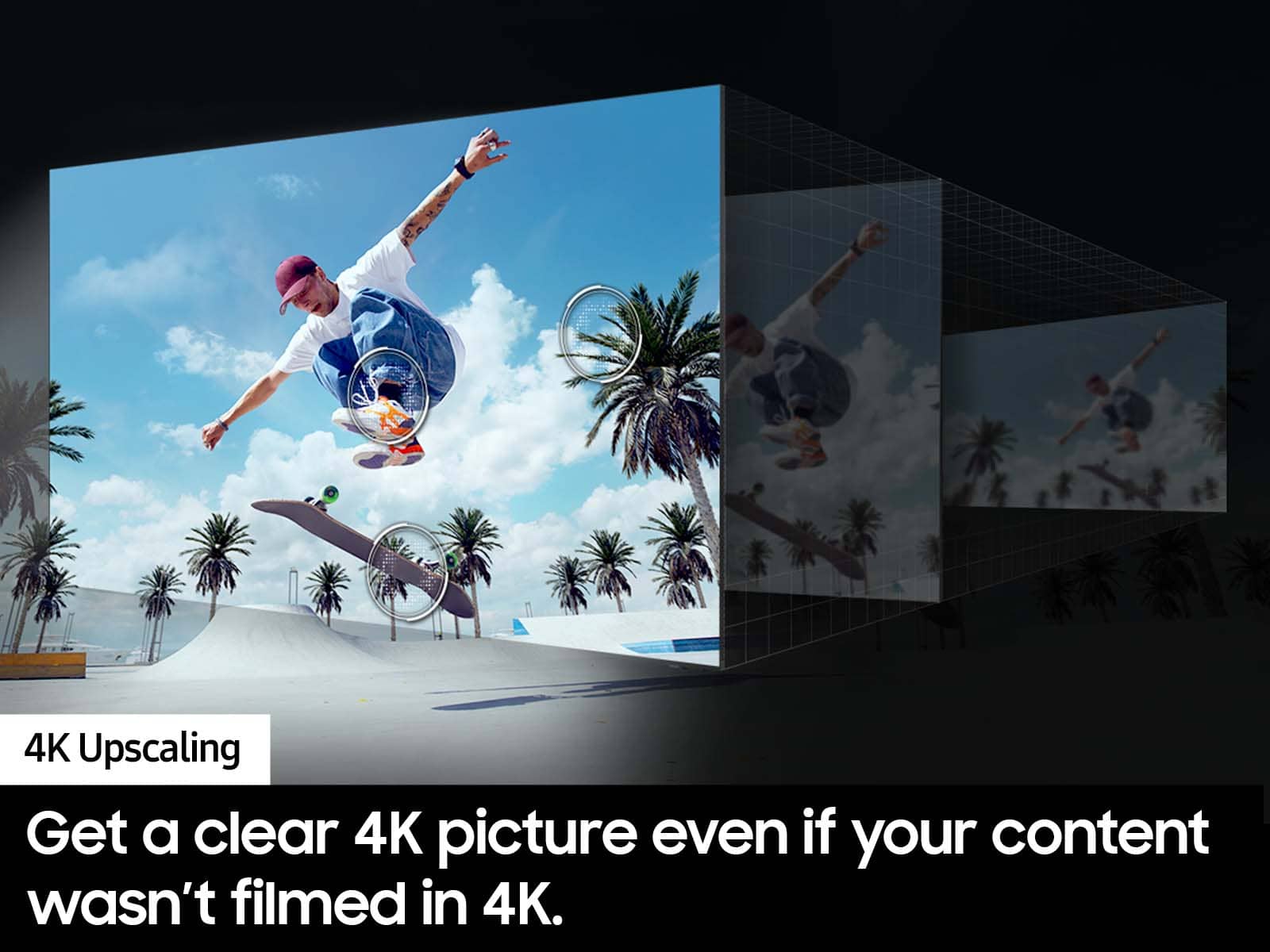
Thank you for sharing your thoughts on your DU7200 TV’s image quality. The TV will upscale any content sent to it as best as possible. The closer your content is to 4K, the better the image will look on the screen.
Here are some tips to help improve picture clarity:
1) HDMI cables are recommended for optimal HD viewing.
2) If you have an analog cable box or satellite box, upgrade to a digital cable box or satellite box.
3) Change the output resolution of your devices, such as digital broadcast receivers, IPTV, and set-top boxes, to UHD or HD.
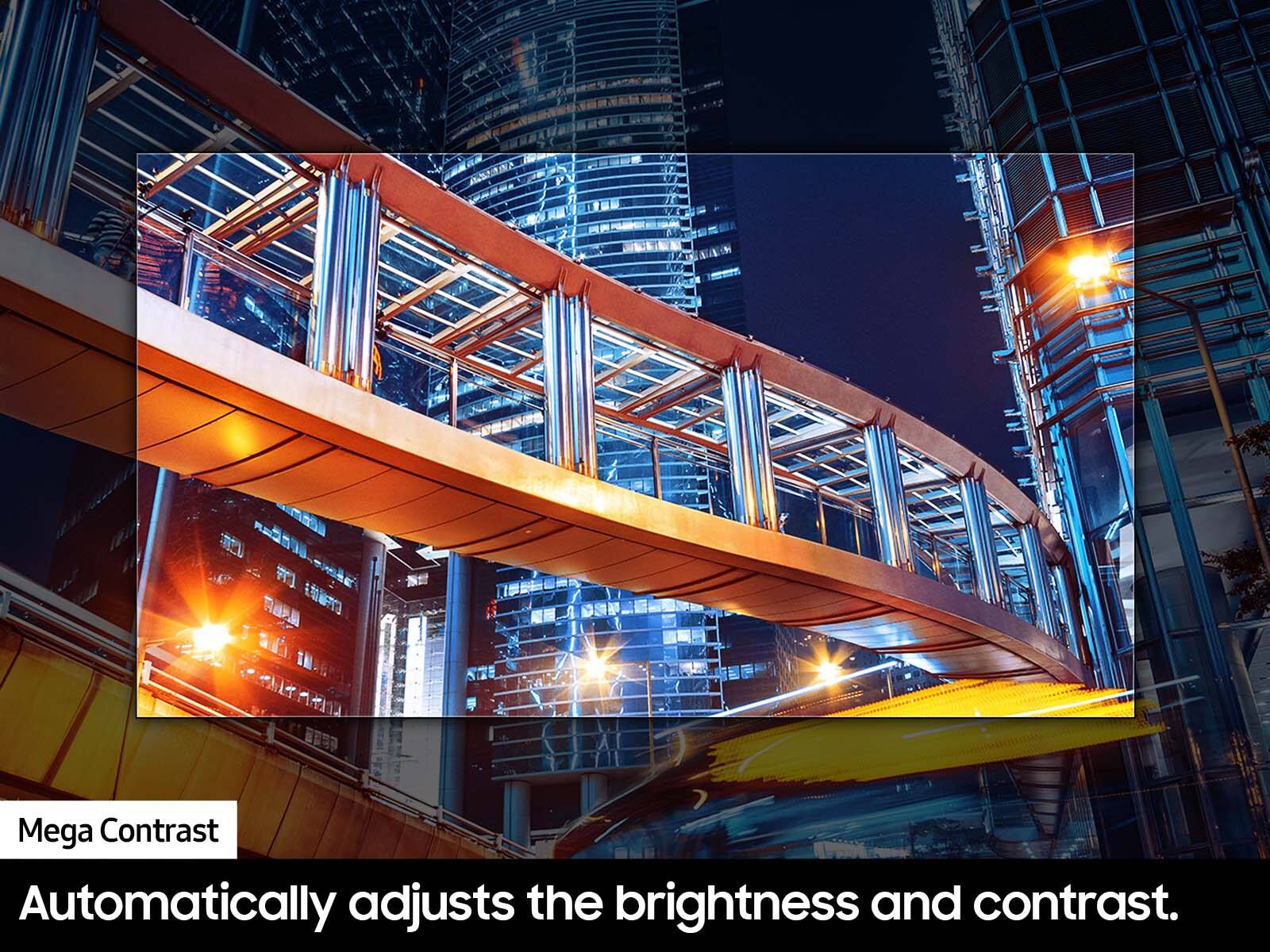
4) You can further adjust your sharpness, brightness, contrast, color, and more by going to Settings > All Settings> Picture > Expert Settings
5) Choose a Picture Mode by going to Settings > All Settings> Picture > Picture Mode and choose from Dynamic, Standard, Natural, Movie, or Filmmaker Mode.
Should you ever have questions or need help with TV features, specs, or operations, we are here to help. You can call us at 1-800-SAMSUNG, 8 AM - 12 AM EST, seven days a week. Our LiveChat agents are also available by clicking on the ‘Support’ link on our website.
~ Samsung Advisor
Rated 3 out of 5 stars
Sound doesn't work
||Posted . Owned for 3 weeks when reviewed.This reviewer received promo considerations or sweepstakes entry for writing a review.Hard for me to turn volume up or down ??? Which makes it impossible to enjoy !
No, I would not recommend this to a friendBrand response from Samsung
Posted .Hi KennethL,
Thank you for reaching out and letting us know about the issues you are experiencing with your remote. Please know that many of the buttons on your remote have multiple functions. For example, the Volume button is moved UP/DOWN to adjust volume, and to MUTE the sound; you need to PRESS it in. If that same button is pressed for more than 1 second, the Accessibility Shortcuts appear.
You can also learn how to use your remote directly from your TV. Just go to Home> (left directional button) Settings> Support> Remote Control Guide.
If you continue to have issues, please contact us at 1-800-SAMSUNG, 8 AM - 12 AM EST, seven days a week. Or visit us on the Samsung website and click on the ‘Support’ link for:
1) LiveChat
2) Manuals, Software, & Warranty Info
~ Samsung Advisor
Rated 1 out of 5 stars
Broken. Best Buy is the worst. Amazon is better
||Posted . Owned for 2 weeks when reviewed.This reviewer received promo considerations or sweepstakes entry for writing a review.This product was for my construction field office. We ordered it early so there would be no issues with it being delayed. Pulled it out the box today and the entire screen is cracked. I am told there is nothing BB can do because they ONLY give you 2 weeks and if you don't return or exchange by then you are stuck trying to get th manufacturers warranty. I have 6 more construction offices to outfit. Guess where I won't be shopping... Save yourself the trouble and order through amazon. Better return policy. NEVER Best Buy again.
No, I would not recommend this to a friendBrand response from Samsung
Posted .SimoneC,
I’m very sorry to hear your TV exhibited damage upon opening and setup. Unfortunately, even if a TV is double-boxed and the packaging shows no evidence of harm, a TV can still be damaged during transit if proper care is not taken. For example, if the TV were sitting in an incorrect orientation – laid on its side or tilted – during transit, damage could have been done.
Please give us the opportunity to assist you by contacting Samsung Customer Support at 1-800-SAMSUNG, 8AM - 12AM EST, 7 days a week. Our LiveChat agents are also available by clicking on the ‘Support’ link on our website.
~ Samsung Specialist
Rated 1 out of 5 stars
Low quality resolution, even for the price.
||Posted . Owned for 5 months when reviewed.This reviewer received promo considerations or sweepstakes entry for writing a review.I wonder if it's something wrong with mine.But the picture quality doesn't come out super clear. The settings interface system looks ode and outdated.
No, I would not recommend this to a friendBrand response from Samsung
Posted .Hi TerranceJ,
Thank you for sharing your thoughts on your DU7200 TV’s image quality. The TV will upscale any content sent to it as best as possible. The closer your content is to 4K, the better the image will look on the screen.
For optimal motion image performance, you may want to adjust the picture clarity setting by going to Settings > All Settings> Picture > Expert Settings > Picture Clarity Settings.
- Off: Picture Clarity Settings will always be off
- Auto: Picture Clarity Settings will automatically activate and deactivate based on the type of program being watched
- Custom: Allows custom adjustments and settings to be used. By selecting the Custom option, you can access these advanced settings for Judder Reduction, LED Clear Motion, and Noise Reduction.
Should you need further assistance with features or other product usage, please reach out to Samsung Support at 1-800-SAMSUNG, 8 AM - 12 AM EST, seven days a week. Our LiveChat agents are also available by clicking on the ‘Support’ link on our website.
~ Samsung Advisor
Rated 2 out of 5 stars
Downgrade from prior Samsung
||Posted . Owned for 3 months when reviewed.This reviewer received promo considerations or sweepstakes entry for writing a review.The OS runs super slow compared to my older 2020 model, mine also had half of the panel burn out after only 3 months of ownership, I switched to a Sony tv after this purchase.
No, I would not recommend this to a friendBrand response from Samsung
Posted .Hi BPlumley914,
Thank you for your feedback on the DU7200 TV. I'm sorry your DU7200 TV had panel issues after three months of use. If you bought your TV new-in-box, it should be covered by a one-year limited manufacturer's warranty available. To schedule a warranty appointment, please reach out to us at 1-800-SAMSUNG, 8 AM—12 AM EST, seven days a week. Our LiveChat agents are also available by clicking on the ‘Support’ link on our website.
~ Samsung Advisor
Rated 1 out of 5 stars
Samsung DU7200
||Posted . Owned for 1 month when reviewed.This reviewer received promo considerations or sweepstakes entry for writing a review.Do Not Buy the DU7200 if you want to send Audio out to a Receiver. This Samsung HDMI ARC does not send sound to the Audio Receiver. I am very disappointed that my 50" Samsung DU7200 has no Audio out ! If you need Audio Out you have to Step up to the Samsung DU8000. The 8000 has digital output. I am going to return the Samsung DU7200..
No, I would not recommend this to a friendBrand response from Samsung
Posted .Hi Adam,
Thank you for the feedback. The DU72000F TV offers 3 HDMI ports and is Bluetooth and Wi-Fi capable, allowing a seamless connection across multiple devices simultaneously. If your device requires an optical port then you would need to upgrade to the DU8000 TV. We apologize for any confusion or inconvenience.
If you ever have questions or need help, Samsung is here for you! Give us a call at 1-800-SAMSUNG, 8 AM - 12 AM EST, seven days a week. Our LiveChat agents are also available by clicking on the ‘Support’ link on our website.
Thanks for being apart of the Samsung family!
~Samsung Advisor
Rated 1 out of 5 stars
Do Not Purchase
||Posted . Owned for 2 weeks when reviewed.This reviewer received promo considerations or sweepstakes entry for writing a review.Not good,15 days later and doesnt work and BB said to call samsung.so now gotta wait for a tech for days or longer.never again would i buy a tv from BB or any large purchase from them.its defective and they should replace it sensor light does not work,no picture,no sound.wasted hours talking thru text to support to try and solve..its my money and i will not pay if not resolved asap.end of story.
No, I would not recommend this to a friendBrand response from Samsung
Posted .LindaI,
It’s unfortunate to hear of the issues you’re experiencing with your DU7200 TV, and we greatly appreciate your patience while waiting for your service appointment.
Should you have any questions after your service is complete, Samsung is here for you. Call us at 1-800-SAMSUNG, 8AM - 12AM EST, 7 days a week. Our LiveChat agents are also available by clicking on the ‘Support’ link on our website.
~ Samsung Specialist
Rated 1 out of 5 stars
Trash TV
||Posted .This reviewer received promo considerations or sweepstakes entry for writing a review.This tv is garbage. It’s slow and always disconnects from the internet. I use it to stream, my WiFi is able to support multiple screens and this is the only tv in the house that has issues. Super frustrating. Do not buy which is a real shame cause I like the interface.
No, I would not recommend this to a friendBrand response from Samsung
Posted .Hi MightyMitch,
We appreciate your feedback on the Samsung DU7200 TV. I'm sorry to hear you are experiencing issues with your Wi-Fi disconnecting from the TV.
First, let's ensure you are running the latest Firmware. Go to Settings> Support> Software Update. I recommend enabling auto-updates to ensure you do not miss any Firmware Updates. Go to Settings> Support> Software Update> then select Auto Update.
Next, let's try running a cold boot on your TV. To do so, hold down the Power button on the Samsung TV remote until the TV turns off and then on again. This should take about 5 seconds.
I hope these tips help resolve your concerns. If you need more help, Samsung is here for you! Please call us at 1-800-SAMSUNG, 8 AM - 12 AM EST, seven days a week. Our LiveChat agents are also available by clicking on the ‘Support’ link on our website.
~ Samsung Advisor
Rated 2 out of 5 stars
Legs wont connect
||Posted . Owned for less than 1 week when reviewed.This reviewer received promo considerations or sweepstakes entry for writing a review.Will need to contact best buy because the leg wont connect, keeps falling off
No, I would not recommend this to a friendBrand response from Samsung
Posted .Hi JohnPier,
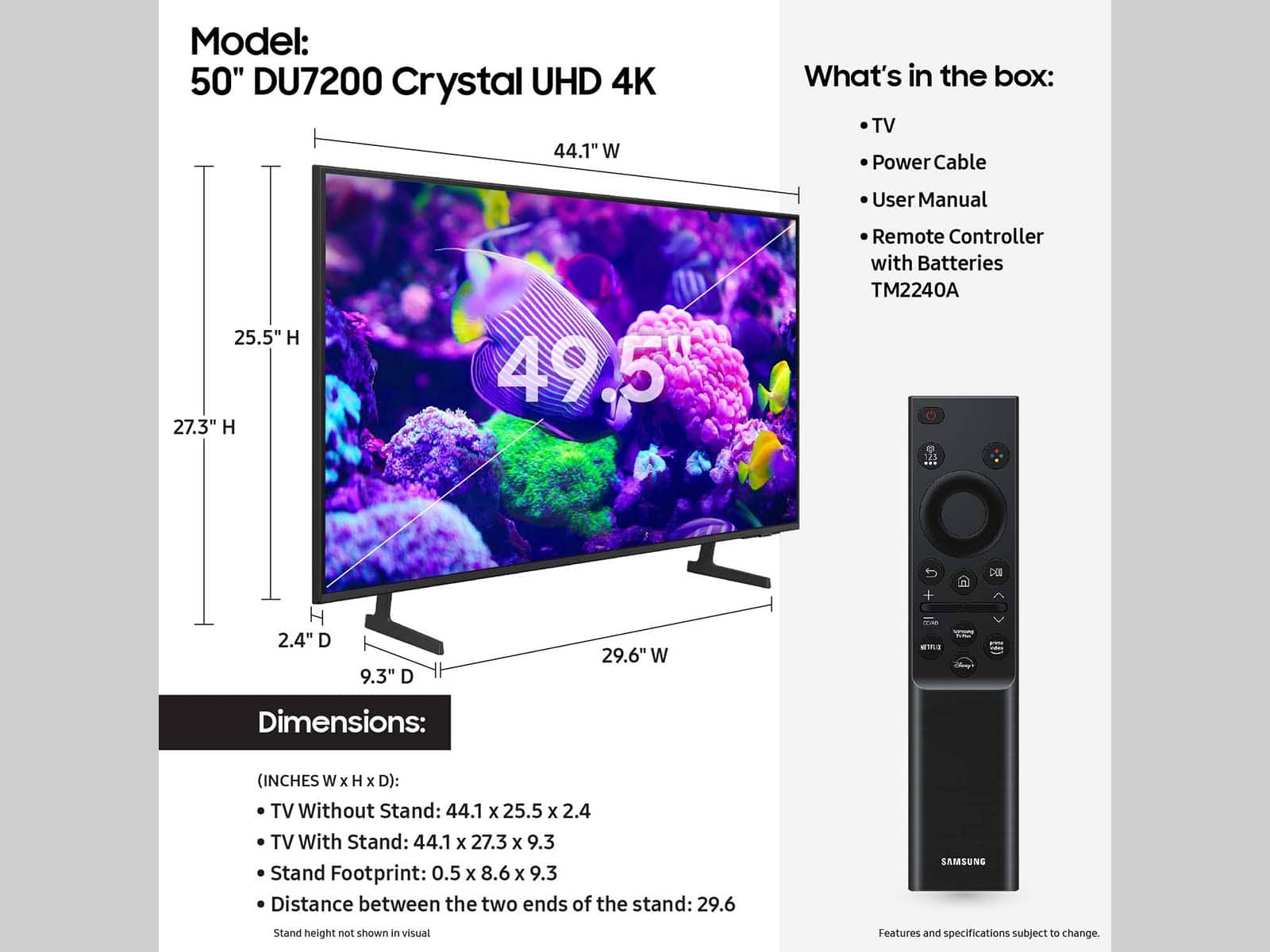
For directions on how to connect the legs on your TV, please refer to our setup guides. https://www.samsung.com/us/support/downloads/?model=N0060577&modelCode=UN50DU7200FXZA
If you need more help, please contact us at 1-800-SAMSUNG, 8 AM - 12 AM EST, seven days a week. Our LiveChat agents are also available by clicking on the ‘Support’ link on our website.
~Samsung Advisor