Customer Ratings & Reviews





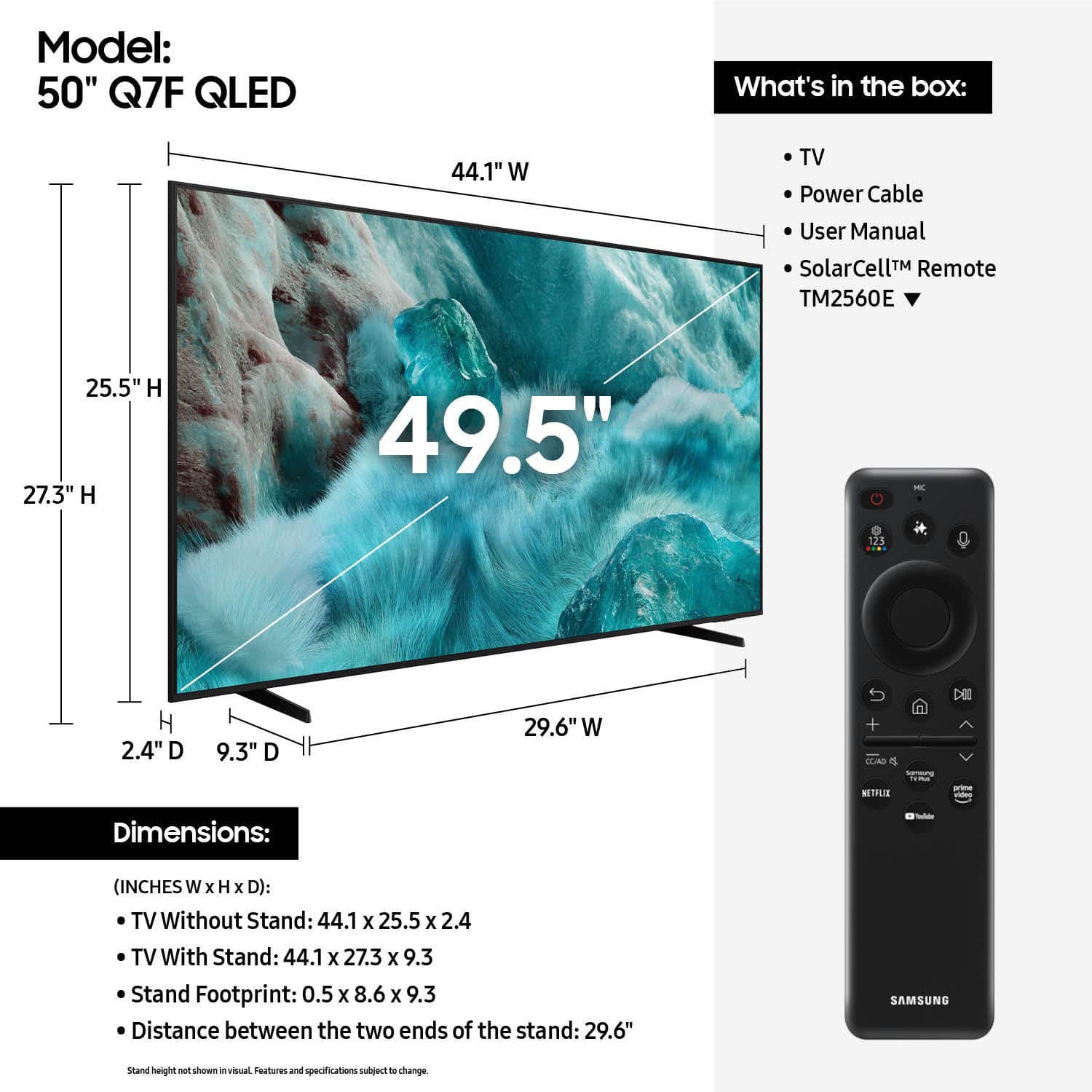











- Model:
- QN50Q7FAAFXZA
- SKU:
- 6619441
Rating by feature
- Picture Quality
Rating 4.8 out of 5 stars
- Sound Quality
Rating 4.6 out of 5 stars
- Brightness
Rating 4.8 out of 5 stars
Customers are saying
Customers find value in the 50” Class Q7F Series QLED 4K UHD SamsungVision AI Smart Tizen TV (2025)'s picture quality, ease of use, and overall performance. The setup is easy and the size is suitable for many rooms. However, some customers have expressed concerns about the remote control, connectivity options, and brightness.
This summary was generated by AI based on customer reviews.
Poor picture quality, ignore incentivized reviews
||Posted .This reviewer received promo considerations or sweepstakes entry for writing a review.I had a Samsung TV (Crystal 4K) previously, and thought this TV would at least be as good given it's a newer model and also 4K UHD. Nope. The picture clarity is unsatisfactory. All the reviews that praise it are incentivized reviews, ignore them. Also, actually go to the store, and have them play a TV show or Netflix or something, and make up your mind there.
No, I would not recommend this to a friendBrand response from Samsung
Posted .Reni,
We appreciate your feedback on the picture quality of Samsung’s Q7F TV. If the image doesn’t quite match your preferences, there are several adjustments you can make to better suit your viewing environment and content type.
First, please ensure your TV is running the latest firmware, as updates may include important picture quality enhancements. Go to: Home > Left directional button > Settings > Support > Software Update > Update Now
To explore picture mode options, navigate to: Home > Left directional button > Settings > All Settings > Picture > Picture Mode. Options include:
• Standard – Ideal for general viewing
• Dynamic – Brighter and more vibrant for well-lit spaces
• Eco – Optimized for energy efficiency
• Movie – Best for viewing in low light
• Filmmaker Mode – Preserves the content creator’s intent and disables motion smoothing for supported content
You can further customize your image by going to: Settings > All Settings > Picture > Expert Settings, where you can adjust Brightness, Contrast, Color Tone, Sharpness, Contrast Enhancer and more.
If you’d like help finding the best picture settings for your preferences, please don’t hesitate to contact Samsung Support at 1-800-SAMSUNG, available 8AM – 12AM EST, 7 days a week. You can also LiveChat with an agent or explore additional resources on our website by clicking the ‘Support’ link.
~ Samsung Specialist
Terrible
||Posted . Owned for 2 weeks when reviewed.This reviewer received promo considerations or sweepstakes entry for writing a review.Customer service has been awful. Customer service has been terrible by Best Buy. Will look elsewhere for future purchases.
No, I would not recommend this to a friendBrand response from Samsung
Posted .Hi DavidP,
We appreciate your feedback. You may want to reach out to Best Buy directly for additional assistance. If there’s anything we can assist with, please don’t hesitate to call us at 1-800-SAMSUNG, available daily from 8AM - 12AM EST. You can also visit the Samsung website and click on ‘Support’ for:
• Live Chat
• Manuals, Software, & Warranty Info
~ Samsung Advisor
get the bigger one
||Posted . Owned for 2 weeks when reviewed.This reviewer received promo considerations or sweepstakes entry for writing a review.This is a beautiful TV just too small for our space
No, I would not recommend this to a friendBrand response from Samsung
Posted .anon,
Thanks for taking a moment to review Samsung’s Q7F TV. If you’re experiencing specific issues which caused you to give this a 2-star rating, please know Samsung Customer Support is here to help at 1-800-SAMSUNG, available from 8AM - 12AM EST, seven days a week. You can also chat with one of our agents by clicking the ‘Support’ link on our website for:
• Live Chat
• Manuals, Software, & Warranty Info
~ Samsung Specialist
Samsung TV
||Posted . Owned for 1 month when reviewed.This reviewer received promo considerations or sweepstakes entry for writing a review.Wrong size TV delivered and it took at least 10 days to receive a refund.
I would recommend this to a friendBrand response from Samsung
Posted .HessP,
It appears your 1-star review for the Samsung Q7F TV is based on your experience with Best Buy, and we’re sorry to hear that. We recommend contacting the store directly to share your feedback.
If you need help with the TV itself, Samsung Support is available at 1-800-SAMSUNG, 8AM – 12AM EST, 7 days a week, or via LiveChat under the ‘Support’ section of our website.
~ Samsung Specialist
Horrible TV
||Posted .This reviewer received promo considerations or sweepstakes entry for writing a review.I hate this tv. Resolution is horrible. Unable to add apps with being charge .15
No, I would not recommend this to a friendBrand response from Samsung
Posted .Cassandra,
We're sorry to hear of this. Please know that you can customize your Home screens by installing, removing or adding your favorite apps to Apps Home and/or For You Home screen. Here's how:
Searching for & Installing Apps
1. From the Home screen, press left on the remote’s directional pad.
2. Navigate to and select Search.
3. Using the search bar, enter the content or app you’d like to find.
4. Navigate to and select the app you’d like to install, then select Install.
Note: Previously installed apps can be accessed on the Settings screen.
Adding & Managing Apps on Home Screen
1. Go to App Settings (these can be found at the bottom of the Apps screen) and select the app you want to move. The following options will be available:
a. Add to Home: Move the app to your desired location on the Home screen.
b. Delete: Delete app.
c. Lock/Unlock: Lock the app with a PIN so only you can use it. When the app is selected again, you will be prompted to enter the PIN to unlock it.
d. Reinstall: Reinstall the app.
e. View Details: View the app’s information and details.
If the image doesn’t quite match your preferences, there are several adjustments you can make to better suit your viewing environment and content type.
First, please ensure your TV is running the latest firmware, as updates may include important picture quality enhancements. Go to: Home > Left directional button > Settings > Support > Software Update > Update Now
To explore picture mode options, navigate to: Home > Left directional button > Settings > All Settings > Picture > Picture Mode. Options include:
• Standard – Ideal for general viewing
• Dynamic – Brighter and more vibrant for well-lit spaces
• Eco – Optimized for energy efficiency
• Movie – Best for viewing in low light
• Filmmaker Mode – Preserves the content creator’s intent and disables motion smoothing for supported content
You can further customize your image by going to: Settings > All Settings > Picture > Expert Settings, where you can adjust Brightness, Contrast, Color Tone, Sharpness, Contrast Enhancer and more.
If you’d like help adding apps or finding the best picture settings for your preferences, please don’t hesitate to contact Samsung Support at 1-800-SAMSUNG, available 8AM – 12AM EST, 7 days a week. You can also LiveChat with an agent or explore additional resources on our website by clicking the ‘Support’ link.
~ Samsung Specialist
Dissapointed
||Posted .This reviewer received promo considerations or sweepstakes entry for writing a review.Was broken out of th ebox, Best Buy refused to accept the return
No, I would not recommend this to a friendBrand response from Samsung
Posted .WayneM,
We appreciate you sharing your delivery experience and are sorry to hear that your TV arrived damaged. For issues related to shipping or delivery, we recommend reaching back out to Best Buy directly so they can assist in resolving the situation.
Once your issue is resolved, if you have any questions about setup, usage, or features, please don’t hesitate to contact Samsung Support at 1-800-SAMSUNG (8AM – 12AM EST, 7 days a week), or connect with a LiveChat agent via the ‘Support’ link on our website.
~ Samsung Specialist
- Pros mentioned:Picture quality, Size
Good Choice
Posted .This reviewer received promo considerations or sweepstakes entry for writing a review.This was an excellent purchase. The size and quality were as advertised.
I would recommend this to a friend - Pros mentioned:Picture quality, Setup ease
It’s Great
Posted .This reviewer received promo considerations or sweepstakes entry for writing a review.Easy set up. Solar remote. Great color. Buy sound bar.
I would recommend this to a friend - Pros mentioned:Picture quality, Weight
Samsung T
Posted .This reviewer received promo considerations or sweepstakes entry for writing a review.Enjoyed the tv great for video games sounds nice very light
I would recommend this to a friend Best Buy is the best place to shop!
Posted .This reviewer received promo considerations or sweepstakes entry for writing a review.The Best Buy Geek squad is the best! In the last 2 months, I needed to replace my printer, my TV, and just yesterday, my phone. I went straight to Best Buy, and found the items I wanted. I took the printer home and set it up. The TV was delivered and set up for me, and the phone was set up at the store, and when I left, it was ready to use, with all the data from my old phone already in it! Did I mention that I am 95 years old? I'm a permanent fan of the Geek Squad!
I would recommend this to a friend- Pros mentioned:Picture quality
Great Samsung television.
Posted .This reviewer received promo considerations or sweepstakes entry for writing a review.Samsung televisions are amazing. Great picture, sound quality. I would highly recommend this Samsung 50”television. And, as always, great customer service.
I would recommend this to a friend Russell
Posted .This reviewer received promo considerations or sweepstakes entry for writing a review.Very very pleased. New TV replaced an old one I bought 12 years ago from Best Buy. Old one was great. New one is better. Geek squad installed it just he way I asked. Great guys who really know what they are doing.
I would recommend this to a friend- Pros mentioned:Picture quality
Duane
Posted .This reviewer received promo considerations or sweepstakes entry for writing a review.Picture and colors are great. The team setting the tv up for us, was very professional and courteous.
I would recommend this to a friend A Very good choice
Posted .This reviewer received promo considerations or sweepstakes entry for writing a review.We replaced atv in the bedroom. This was an excellent choice incredibly clear and colours are superb. Sound is terrific, even without a sound bar. Price was right and timing right on. .
I would recommend this to a friend- Pros mentioned:Picture quality
JackM
Posted .This reviewer received promo considerations or sweepstakes entry for writing a review.Samsung 50 inch TV has a sharp clear picture! We are happy the salesman suggested it!
I would recommend this to a friend - Pros mentioned:Picture quality
Love my new TV
Posted .This reviewer received promo considerations or sweepstakes entry for writing a review.Love my new TV awesome buy and perfect sound and picture thank you best buy
I would recommend this to a friend - Pros mentioned:Picture quality
Best TV
Posted .This reviewer received promo considerations or sweepstakes entry for writing a review.I love having a Samsung Television. This Tv is exactly what I wantedx
I would recommend this to a friend - Pros mentioned:Setup ease
Review
Posted .This reviewer received promo considerations or sweepstakes entry for writing a review.Love the Samsung 50”..Easy to navigate thru features.
I would recommend this to a friend - Pros mentioned:Picture quality
Good tv ever in quality.
Posted .This reviewer received promo considerations or sweepstakes entry for writing a review.This is best picture quality and and sound quality. Specially film maker mode is the great picture also the eco mode. This is perfect size for my bedroom. We love it
I would recommend this to a friend Supurb!
Posted .This reviewer received promo considerations or sweepstakes entry for writing a review.The clarity of picture feels like we are watching people in the room, not just on the screen! The depth of color and details are astounding. We are the envy of those we have shared the screen.
I would recommend this to a friend