Customer Ratings & Reviews


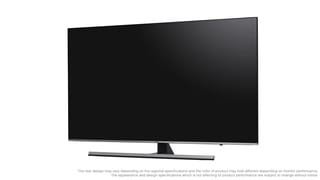


- Model:
- UN55NU8000FXZA
- SKU:
- 6199827
Rating by feature
- Picture Quality
Rating 4.6 out of 5 stars
- Sound Quality
Rating 4.5 out of 5 stars
- Brightness
Rating 4.8 out of 5 stars
Customers are saying
Customers love the Samsung 55" Class LED NU8000 Series 4K UHD TV for its exceptional picture quality, praising it as "unbelievable" and "great clean." They also appreciate its user-friendly setup and affordable price point. While some users have concerns about the remote control's limitations and a few have experienced issues with motion blur and short lifespan, the overall positive feedback highlights the TV's strong performance and value for money.
This summary was generated by AI based on customer reviews.
Great TV
||Posted . Owned for 3 months when reviewed.This reviewer received promo considerations or sweepstakes entry for writing a review.4K was a good decision for me the clarity and detail is incredible!
I would recommend this to a friendNice tv
||Posted .This reviewer received promo considerations or sweepstakes entry for writing a review.Have to turn the volume so high, don’t care much on voice activation
I would recommend this to a friend- Pros mentioned:Picture quality
Samsung is Ok
||Posted .This reviewer received promo considerations or sweepstakes entry for writing a review.The picture quality is great. My only problem is the cheap materials used for the TV stand base. Also, the universal remote doesn’t work sometimes.
No, I would not recommend this to a friendBrand response from Samsung
Posted .gideon,
I am sorry to hear that you are experiencing issue with your universal remote.
Please give us the opportunity to assist you by contacting Samsung Customer Support via one of the following options:
1) Toll-free calling: 1-800-SAMSUNG
2) LiveChat or Email: https://www.samsung.com/us/support/#contact_us_for_support
3) Facebook Messenger: http://m.me/samsungsupport
4) Twitter: https://twitter.com/messages/compose?recipient_id=18768513
Again, I am very sorry for the inconveniences you have had, and hope that we will hear from you soon.
-Samsung Ambassador
Good tv
||Posted .This reviewer received promo considerations or sweepstakes entry for writing a review.Tv goes out from time to time but I can still hear the sound .
I would recommend this to a friendGreat TV.
||Posted .This reviewer received promo considerations or sweepstakes entry for writing a review.Just need some guidance on how to use all the features available.
I would recommend this to a friendNice TV
||Posted .This reviewer received promo considerations or sweepstakes entry for writing a review.I’m not sure why this review site requires 50 minimum characters.
I would recommend this to a friendVery good tv.
||Posted .This reviewer received promo considerations or sweepstakes entry for writing a review.Very good TV. Sound is not that great so a sound bar is needed.
I would recommend this to a friendGreat tv
||Posted .This reviewer received promo considerations or sweepstakes entry for writing a review.Have no complaints about this tv so far. Everything seems great.
I would recommend this to a friendIt's a bit confusing with all the technology but e
||Posted .This reviewer received promo considerations or sweepstakes entry for writing a review.Same as above, it's a bit confusing with all the technology.
I would recommend this to a friendGreat features
||Posted .This reviewer received promo considerations or sweepstakes entry for writing a review.Remote takes time to learn. Example screen format options
I would recommend this to a friendGreat pic, internet connection drops often
||Posted .This reviewer received promo considerations or sweepstakes entry for writing a review.I recently purchased this and so far it works as expected
I would recommend this to a friendtv-fine.
||Posted .This reviewer received promo considerations or sweepstakes entry for writing a review.Very poor instructions for set-up. Trial and error.
I would recommend this to a friendgood pic sound iffy
||Posted .This reviewer received promo considerations or sweepstakes entry for writing a review.good pic but have to have volume way up to hear...
I would recommend this to a friendGreat tv
||Posted .This reviewer received promo considerations or sweepstakes entry for writing a review.It gets the job done when playing xbox and PlayStation
I would recommend this to a friendIt’s nice
||Posted .This reviewer received promo considerations or sweepstakes entry for writing a review.This Samsung smart TV is good with nice screen ...
I would recommend this to a friendGreat tv, but
||Posted .This reviewer received promo considerations or sweepstakes entry for writing a review.5 sound bars later I still can’t get the tv remote to power the sound bar. It controls the volume, but not power. I’ve tried 4 brands including Samsung. Samsung customer support spent 3 hours with no effective fix. Pretty fed up.
No, I would not recommend this to a friendBrand response from Samsung
Posted .Spoodo:
Please know that the TV sound will always default to the last state the TV was in when the TV was turned off.
So for example, if the TV was in HDMI ARC output mode to an external soundbar when it was turned off, then it will return to that same state when it is turned back on (it will turn on the soundbar). However, if the TV was in internal speaker mode when the TV was turned off, then when you turn the TV back on, it will default to internal TV speakers (it will not turn the soundbar back on).
If you need further assistance, please know that Samsung Customer Support is here to help, and can be reached via any of the below options:
1) Phone: 1-800-SAMSUNG
2) LiveChat or Email: https://www.samsung.com/us/support/#contact_us_for_support
3) Facebook Messenger: http://m.me/samsungsupport
4) Twitter: https://twitter.com/messages/compose?recipient_id=18768513
Thank you for taking the time to share your user experience. We greatly appreciate your feedback and purchase.
Color is good but volume is very bad
||Posted .This reviewer received promo considerations or sweepstakes entry for writing a review.The location of the speakers is very bad. My old Samsung TV has speakers at top and can hear very well. Planning on getting a sound bar so that I can hear my new TV. This is very bad for a $900 TV.
No, I would not recommend this to a friendBrand response from Samsung
Posted .JayS,
I am sorry that you are not completely satisfied with the sound performance fo your NU8000 TV.
One possible cause for the low volume is the source. Some sources have their own volume control which might be set too low.
We recommend you try a Sound Test under Support, then Self Diagnosis, then select Start Sound Test. Another way to test the source volume is to test an internal streaming source like Netflix/YouTube to compare.
The NU8 also offers several Sound Modes and advanced settings to meet your personal preferences. You can find instructions for configuring these modes and settings in the e-manual:
http://downloadcenter.samsung.com/content/UM/201901/20190102114948285/ENG_US_KM2ATSCN-3.0.4.pdf
Please refer to page 97: "Configuring a Sound Mode and Expert Settings"
1) Select from Standard, Optimized, and Amplify Modes
2) Further configure Balance, Equalizer, Audio Delay, Auto Volume, Sound Feedback, and adjust for HDMI Input Audio Format and Digital Output Audio Format.
For assistance with these features or choosing a Samsung Soundbar to complement your viewing enjoyment, please reach out to us at:
1) Phone: 1-800-SAMSUNG (ask for TVs)
Available 8AM - 12AM EST (Mon-Fri) / 9AM - 11PM EST (Sat-Sun)
2) LiveChat or Email: https://www.samsung.com/us/support/#contact_us_for_support
3) Facebook Messenger: https://www.facebook.com/samsungsupport
4) Twitter: https://twitter.com/SamsungSupport
5) The Samsung TV Community is also a great resource for getting help from Samsung moderators and customers: https://us.community.samsung.com/t5/TVs/bd-p/tv
- Samsung Ambassador
The tv was great, i wish i added coverage
||Posted . Owned for 1 year when reviewed.This reviewer received promo considerations or sweepstakes entry for writing a review.I bought a TV as a father day gift. And my dumb self didn’t add warranty because like, what’s the chances of a TV breaking, 2 month later... the internal screen was crack, from what? I have no clue, dad just said it crack and the Tv shows half the screen and the other side is blacked out. I’m over heat thinking it might not be too much to replace or repair it but nope i was dead wrong, it costed 900$ to fix the TV and it costed 1200$ to buy. So yeah, morale of the story, just get the warranty, don’t be me....... lol
No, I would not recommend this to a friendGood picture with annoying popping sound
||Posted .This reviewer received promo considerations or sweepstakes entry for writing a review.I like the look of this tv and all, but it crackles and pops intermittently for 20 or so minutes until it warms up. Bery annoying...
No, I would not recommend this to a friend4K UHD 55 inch tv
||Posted .This reviewer received promo considerations or sweepstakes entry for writing a review.I’m still trying to get the colours right and hook it to my Samsung tv . All the streaming goes through the Blu Ray player . It takes a while to get used to the settings
No, I would not recommend this to a friendBrand response from Samsung
Posted .Zetta,
Please let us help you with a solution so that the setup concern do not detract from your overall viewing enjoyment of the Samsung NU8000 TV and the Bluray player:
1) Phone: 1-800-SAMSUNG
2) LiveChat or Email: https://www.samsung.com/us/support/#contact_us_for_support
3) Facebook Messenger: https://www.facebook.com/samsungsupport
4) Twitter: https://twitter.com/SamsungSupport
- Samsung Ambassador