Customer Ratings & Reviews


- Model:
- QN55Q7FNAFXZA
- SKU:
- 6202118
Rating by feature
- Value
Rating 4.3 out of 5 stars
- Quality
Rating 4.5 out of 5 stars
- Ease of Use
Rating 4.5 out of 5 stars
Customers are saying
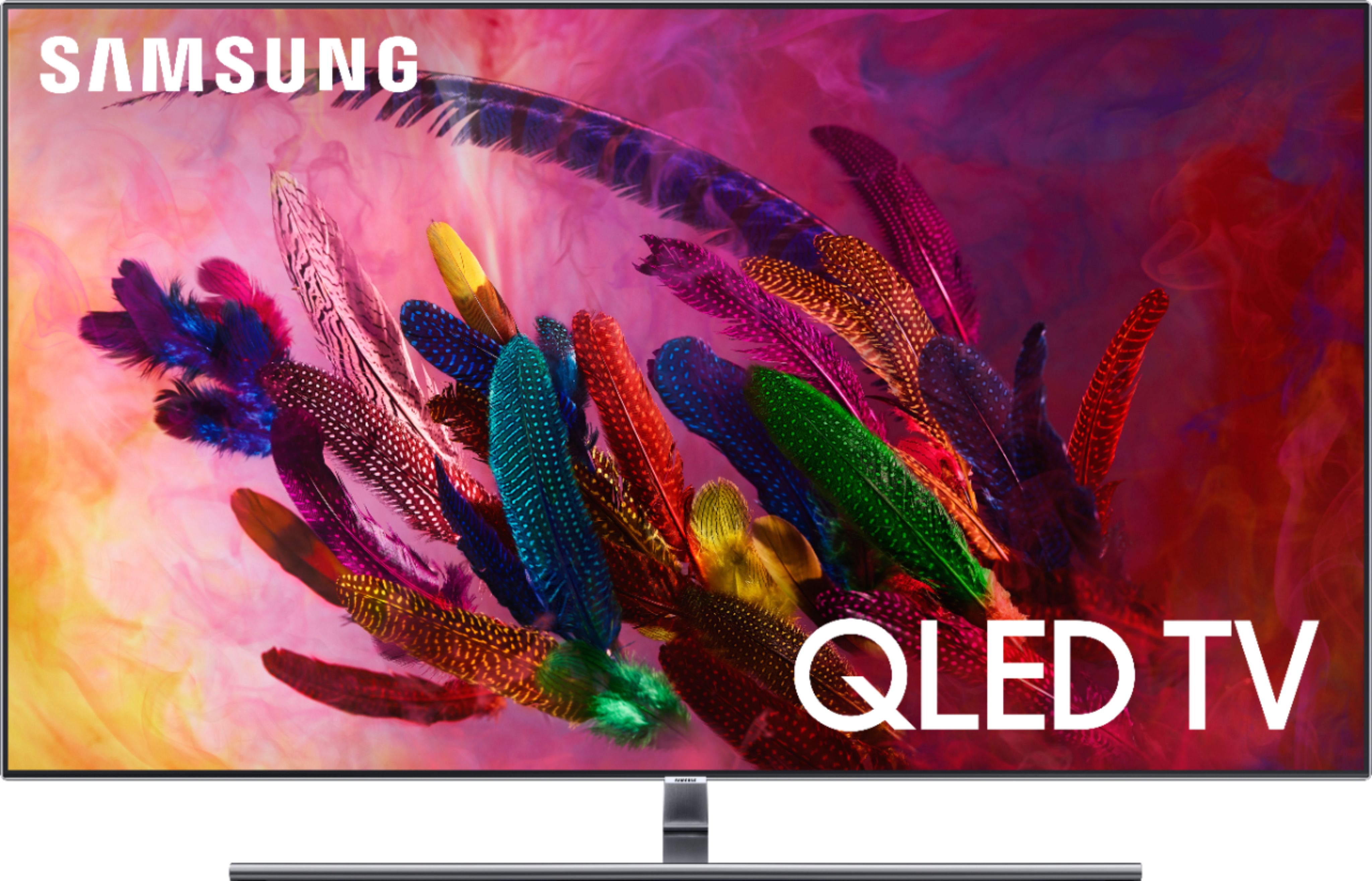
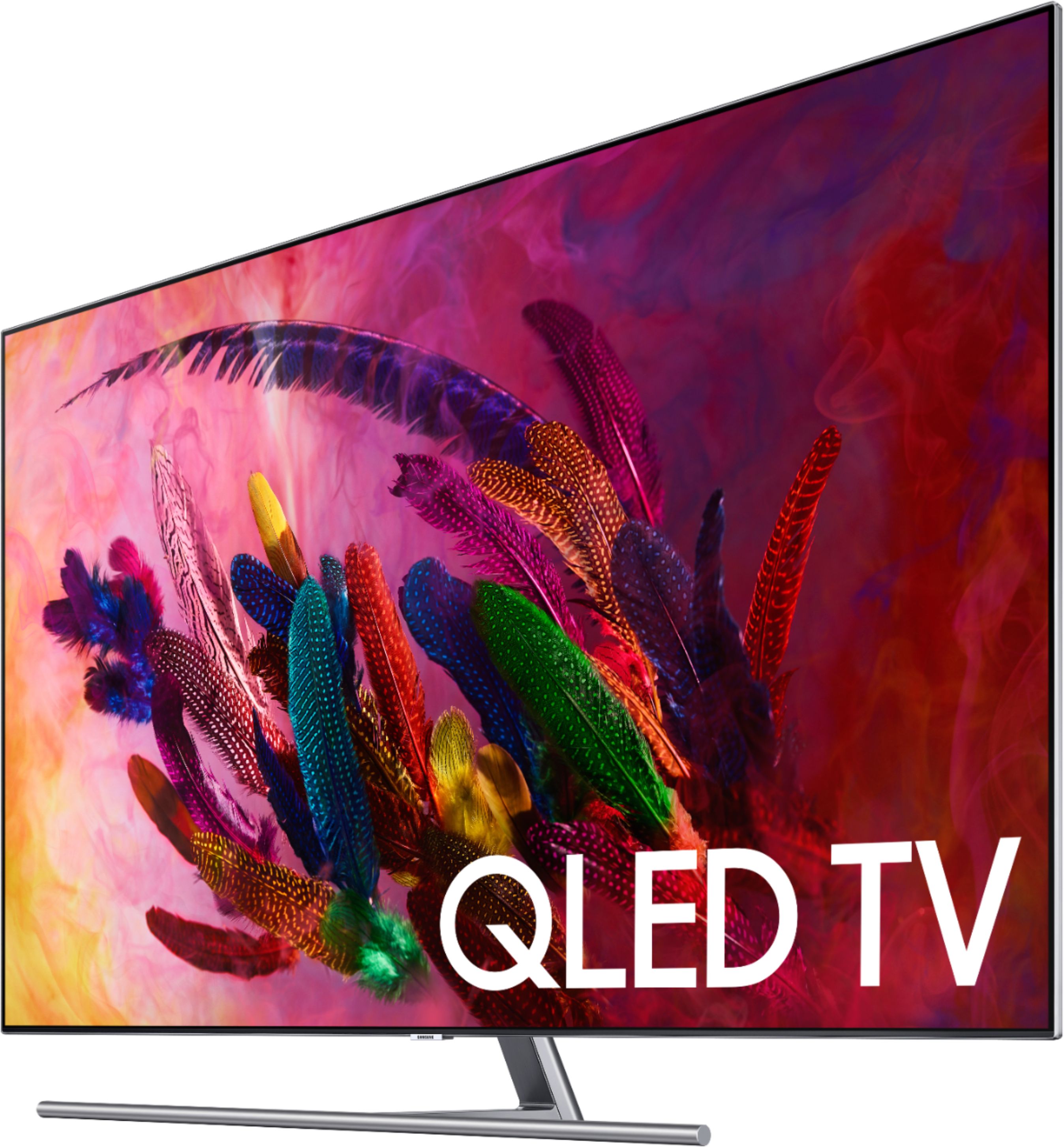
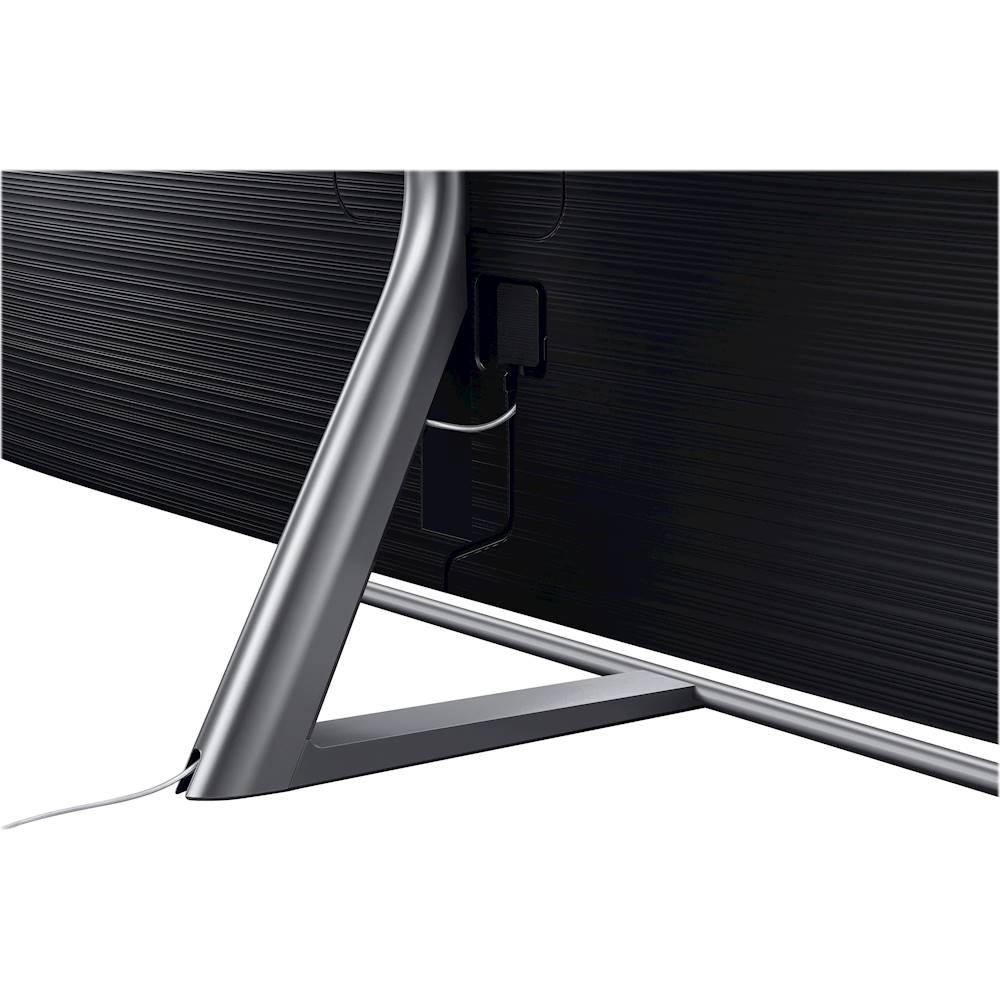
Customers love the picture quality of the 55" Class - LED - Q7F Series - 2160p - Smart - 4K UHD TV with HDR, with many saying it is terrific. They also appreciate the easy setup, especially the one connect box. However, some customers have concerns about the remote control, particularly the voice control feature, and a few have mentioned issues with motion blur and source switching.
This summary was generated by AI based on customer reviews.
Good for a year
||Posted . Owned for 1.5 years when reviewed.This reviewer received promo considerations or sweepstakes entry for writing a review.This was nice for a year. Then it started having intermittent blackouts and connection problems. Now it won't connect to anything. It broke in March and I couldn't get it repaired due to Covid. I have the service plan and Best Buy sent out an incompetent repair man today who cant get it to work. I'm totally disgusted.
No, I would not recommend this to a friend- Pros mentioned:Color, Picture quality, Remote control
Beautiful but hesitant..
Posted .This reviewer received promo considerations or sweepstakes entry for writing a review.Let me begin by saying this tv is gorgeous from netflix to my PS4 pro. The colors are bright and stand out more so compared to most tv's. I am a best buy employee and decided with Samsung because after mounting and playing with the difftrent types of remotes on our overnights Samsung's one remote is just amazing so easy to use..downside to the remote this 2018 version comes with the old plastic black remote from there MU series the past few years when the 2017 version had the sleek metal one that really was beautiful.. shame on them for that! This tv is also shutting off randomly at times and gave me a heart attack yesterday when I mounted it and it was just not staying on.. after just getting fed up I took the only cord coming from the tv ( the one connect cord) unplugged and put some force into plugging it in and its been working ever since. Moving that cord does give it issues which is where I'm hesitant with this tv. But honestly I don't want to give this tv up it's absolutely everything I want in a tv and am prolly going to keep it and hope for the best even though I should go back to the 2017 for the nicer remote.. this 2018 does seem a bit brighter (not noticeable if you didn't have the 2017) there really identical besides they cheaped out on the remote and losing its power cord from the tv... Good luck I would recommend this to a friend only with geek squad protection like any other tv these days... talking to you OLED
I would recommend this to a friendBrand response from MrSamsung
Posted .Travis,
Thank you for sharing your feedback on this Samsung Q7FN QLED Smart TV. I am glad that you are enjoying the picture quality.
When installing the cable connection to the TV, please make sure that it “clicks” on the back of the TV for secure installation.
Should you need assistance with features or usage, please contact Samsung Customer Support toll-free at 1-800-SAMSUNG and a representative will gladly help you.
You can also contact Samsung via LiveChat or email. Please copy-paste this link into your browser: http://www.samsung.com/us/support/contact
We are likewise reachable by Facebook Messenger at: http://m.me/samsungsupport
Or find us on Twitter at: https://twitter.com/messages/compose?recipient_id=18768513
-Samsung Ambassador
Do not buy...please
||Posted . Owned for 1 year when reviewed.This reviewer received promo considerations or sweepstakes entry for writing a review.My first one died. Second one resets daily. Sad. Such a waste
No, I would not recommend this to a friendBad one
||Posted . Owned for 2 months when reviewed.This reviewer received promo considerations or sweepstakes entry for writing a review.I bought this open box, and it never would connect. After 4 hours (3 calls) with Samsung customer support, they said the main box was broken and that it would cost $100 to get it. Returned it, bought a different model. Happy now.
No, I would not recommend this to a friend- Pros mentioned:Color, Remote control
Unbelievably good for movies and games
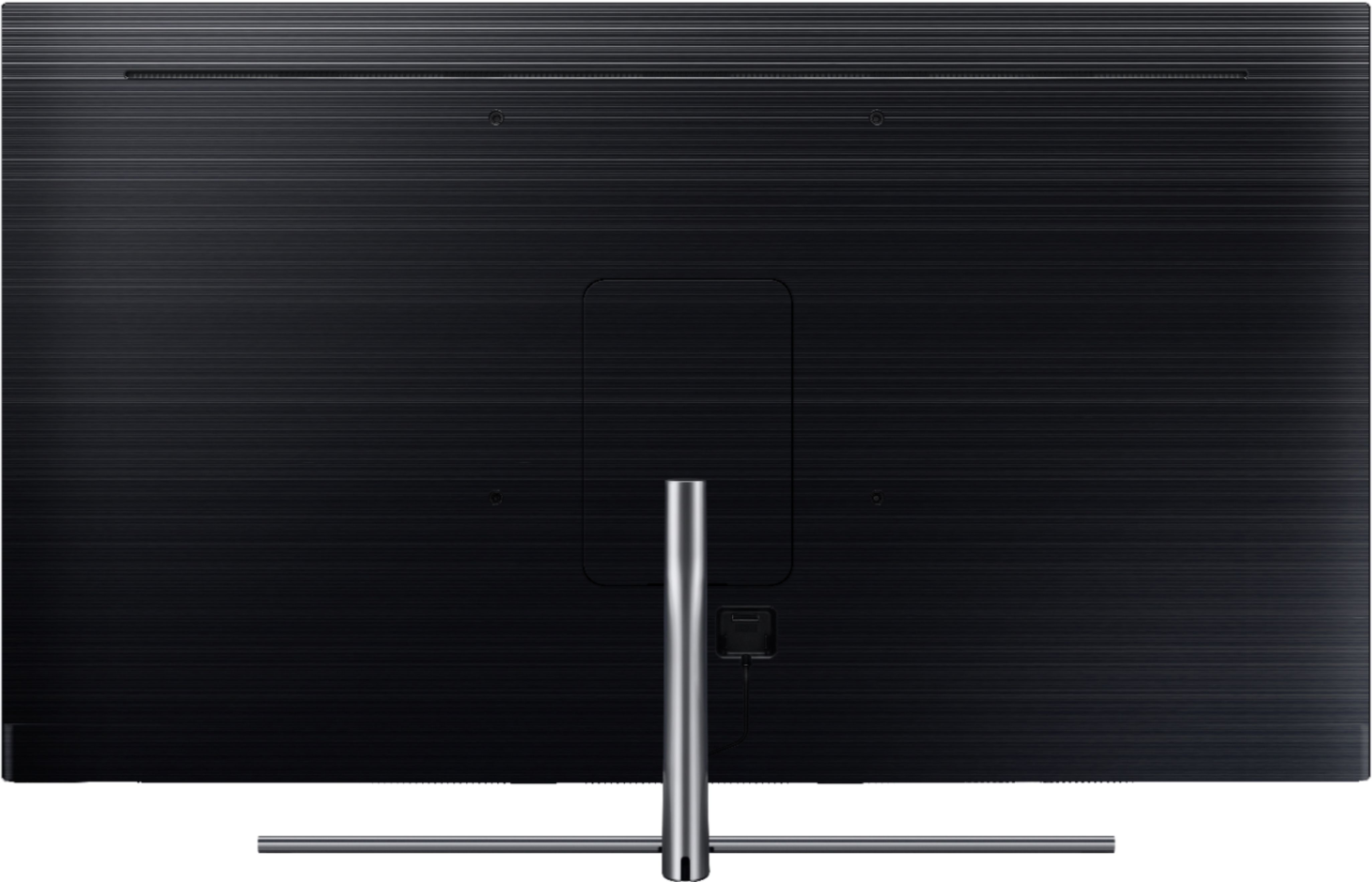
Posted .This reviewer received promo considerations or sweepstakes entry for writing a review.This TV has everything you need for 4K Netflix and Xbox One X gaming. HDR10, 4K and after the latest firmware AMD freesync variable refresh rate up to 120 hz for 1080p. OS is fast and responsive, and the bundled remote works automatically with Apple TV 4K. One Connect box is great for cable management. The stand is in the center so it fits smaller entertainment centers. The bezel is small. QLED allows for amazing colors and no burn in risk unlike OLED. Only downsides are we don’t have any TVs with HDMI 2.1 ports yet so the bandwidth limits freesync and HDR potential for 4k resolutions in the future. This isn’t a fault of this TV, but all 2018 TVs. The Tizen OS does have ads that can’t be disabled but it seems more responsive than android tv and they aren’t too intrusive. Don’t worry about the LEDs being bottom mounted, fancy local dimming is usually a non-issue unless your room is pitch black. Latency for gaming is excellent. Never wrote a TV review before but this is so much better than my other 4K TV and a great value with the current sale.
I would recommend this to a friend - Pros mentioned:Color, Picture quality
Excellent picture with a few misses
Posted .This reviewer received promo considerations or sweepstakes entry for writing a review.The Positives: An excellent picture with vibrant colors, very good blacks, contrast, and brightness (almost too bright when there is a lot of white on the screen). Extremely sharp, allowing you to see individual hairs and skin pores. The sound is very good. I now use the TV sound most of the time and reserve using my audio system for certain action movies. The Negatives: Since many people are using over-the-air combined with streaming service(s), the remote should have the commonly used buttons (channel numbers, previous channel, source). The voice control is handy at times, but not for these key items. In addition, it does not always understand what I say. The word "Magnavox" was not understood. I tried spelling a word, and when I said "E", it came up with "I". While both are vowels, they don't sound alike! Fortunately, my old Samsung remote works very well with this set (all but the Ambient Mode, which I don't use), so the new remote is sitting in a drawer. When viewing picture files stored on a USB drive, the images are clear, but too small. When I view the same files through my Sony Blu-Ray player, they are still very sharp and clear, but almost twice as big. There are 4 video modes (Movie, Natural, Standard, and Dynamic) available on this set. Why not have the 4 modes named and optimized for movies, regular television, sports, and games--the ways that most people use their sets. You can modify each of the settings to your own preferences, but why should you have to? By the way, the default Dynamic settings are so over the top, who would use it? The automatic repeat rate on the volume is too fast. It is nearly impossible to change the volume by less than 10 by holding down the button. You have to press it 5 times to get the volume to change by 5. The One Connect box should be optional. I have not mounted the TV on a wall, so the box is of little use to me.
I would recommend this to a friendBrand response from Samsung
Posted .B1955,
Thank you for purchasing and reviewing this Samsung Q7F QLED Smart TV.
Your user feedback is very important to us and will be shared with our TV product team.
Please do reach out to us should you have any questions, concerns, or need assistance.
You can contact Samsung TV Support toll-free at 1-800-SAMSUNG (ask for TVs).
Or by LiveChat or email. Please copy-paste this link into your browser: http://www.samsung.com/us/support/contact
We are likewise reachable by Facebook Messenger: https://www.facebook.com/samsungsupport
Or find us on Twitter: https://twitter.com/SamsungSupport
- Samsung Ambassador
I like it's ability to blend into the wall.
||Posted .This reviewer received promo considerations or sweepstakes entry for writing a review.I bought this as an open box thought it would be great! The TV kept cutting on and off took it back for a refund,
No, I would not recommend this to a friend- Pros mentioned:Picture quality
Great TV
Posted .This reviewer received promo considerations or sweepstakes entry for writing a review.Have loved this TV since day 1. Amazing picture quality and can be fine tuned to different pictures from basic tv watching to gaming. Got the TV for amazing price at the time (much cheaper than listed) but would buy again if need another TV.
I would recommend this to a friend - Pros mentioned:Color, Picture quality
TV looks great but is making an annoying clicking
Posted .This reviewer received promo considerations or sweepstakes entry for writing a review.I bought this TV a couple weeks back and got it hung on the wall with the no gap wall mount. got the one box connected easily and directv set up a wireless genie. shortly after starting to watch the TV it started making an audible cracking/poppin noise when the TV is turned on for the first 30 minutes to an hour. It also starts making the noise when it is shut off, even if the power cord to the one connect is unplugged. it happens every 20 to 30 seconds. I called Samsung customer service and they just told me "thermal expansion" of the plastic and metal parts of the TV. the noise literally keeps me awake after I have shut the TV off. seems to be coming from somewhere back behind the TV. Thought it would go away but hasn't yet after a couple weeks of regular use. Samsung customer service wasn't too helpful. Otherwise the TV looks great and easily connects with all my devices. love the picture quality and brightness. Was considering buying another 75in one for the basement but I might reconsider since the cracking noise hasn't seemed to go away.
No, I would not recommend this to a friend - Pros mentioned:Ease of use, Picture quality
Excellent so far
Posted .This reviewer received promo considerations or sweepstakes entry for writing a review.Brought this TV home and it was easy to assemble and get ready. Once I turned it on it picked up my WiFi and the TV walked me through the set up using both the TV and my smartphone. I have Spectrum cable and it add the app to my TV and my cable remote worked perfect. The only negative is trying to program or figure out the remote that comes with the TV, there were no instructions. My wife even can tell the difference in the picture quality and I never thought I would hear that.
I would recommend this to a friend - Pros mentioned:Picture quality
Fitness and TV room
Posted .This reviewer received promo considerations or sweepstakes entry for writing a review.Great size for the Exercise Room and office room area.
I would recommend this to a friend - Pros mentioned:Picture quality
One Connect Faulty, Customer Service Worse
Posted .This reviewer received promo considerations or sweepstakes entry for writing a review.When we unboxed this TV, we were blown away by how nice the design and how thin it was. Mounted on our wall with the no gap wall mount, we were sure that this was the perfect purchase. Then we tried to connect the Playstation 4. After some time waiting for it to detect the hdmi port, the TV read no signal. So we tried the Nintendo Switch. Same issue. Then the cable guy came to connect the Optimum Altice 4k box. He came across the same thing. This is when we decided to reach out to Samsung customer service. The operator over the line said that they would send out a new one connect box and that it should arrive monday the next week. One week later and when it didn't arrive, we called again. Now we were told that the one connect was on a fast track order and that it would arrive 10 to 15 days after the order had been put in last week by the first operator. We waited another week. It has now been over two weeks since we've purchased the TV without being able to connect the cable or game units. This final call is what drove me to give this review. We were told by Samsung customer service that there were no one connect boxes available and that they would transfer our call to the Escalation Center, whatever that means. We explained the issue to them and then were told that they did not deal with one connect problems. So we hung up and decided to try best buy, as we had purchased a two year warranty with them. Thankfully we had, because it seemed Samsung had left us out to dry. The TV looks good, sounds good with the Samsung soundbar we bought, but all to no avail without connectivity. This all has left a bad taste in my mouth and I regret dealing with Samsung, or their products, in the first place. There are issues with the one connect they are trying to hide. Buyer Beware.
No, I would not recommend this to a friendBrand response from MrSamsung
Posted .Hi Unfortunatebuyer,
I am very sorry for the issues you have encountered with the warranty service, and understand your frustration. Your user experience is very important to us and will be shared with our product and service teams.
Should you need any further assistance on features or usages, please contact us:
1) Toll-free calling: 1-800-SAMSUNG
2) LiveChat or Email: https://www.samsung.com/us/support/#contact_us_for_support
3) Facebook Messenger: http://m.me/samsungsupport
4) Twitter: https://twitter.com/messages/compose?recipient_id=18768513
Again, thank you for taking the time to share your experience and provide us with information that helps improve our products and service.
- Samsung Ambassador
- Pros mentioned:Remote controlCons mentioned:Motion blur
Nice interface, but poor motion and judder issues
Posted .This reviewer received promo considerations or sweepstakes entry for writing a review.I wanted to like TV, but it was unwatchable. The Motion Blur was very inconsistent and certain scenes or shots would glitch or judder. The "soap opera" effect was not really noticeable, but the lack of the motion blur every 10-15 seconds made it difficult to watch shows. For instance, a deep pass during a football game wouldn't be a smooth continuous arc. The ball would just glitch ahead all of the sudden. TV shows did similar thing almost like it was buffering and then trying to catch up. It didn't matter the source. Xfinity cable box, Hulu, Plex. I could get rid of the issue if I turned off all of the motion blur stuff, but then the frame rate looked worse than my 10 year old LG. Something not quite right about it. We bought a Samsung NU8000, hoping there would be an improvement, but those all did it as well. I was able to demonstrate it on the Q6, Q7, Q8, and the NU8000. The one nice thing about the TV was the interface and setup. It was smooth and worked really well. It is way nicer than AndroidTV that the Sony has. The remote is nice and integrated well with our Xfinity box. We have a lot of Samsung products and have been happy with them, but they really dropped the ball with this one. We kept the Sony because the picture was much nicer than any of the Samsungs.
No, I would not recommend this to a friendBrand response from Samsung
Posted .DesignFlaw06,
We value your user feedback on the motion blur issue and will share it with our product team.
Should you ever decide to give Samsung TV products another try and have concerns or questions, please know we are always here to help. You can contact our Customer Support toll-free at 1-800-SAMSUNG. Or copy-paste this link into your browser to LiveChat or Email us: https://www.samsung.com/us/support/#contact_us_for_support
We are likewise reachable by Facebook Messenger at: http://m.me/samsungsupport
You can also find us on Twitter at: https://twitter.com/messages/compose?recipient_id=18768513
Again, my sincerest apologies. We hope to regain you as a customer in the future.
- Samsung Ambassador
Olde QLED went out
Posted .This reviewer received promo considerations or sweepstakes entry for writing a review.After 4.25 years of owning the QLED 55" w/Connect box went out, Geek Squad replaced the television with a new one. Outstanding service...It paid to have the 5-year warranty!
I would recommend this to a friend- Pros mentioned:Picture quality
Still great TV four years later
Posted .This reviewer received promo considerations or sweepstakes entry for writing a review.Bought this TV the first month it became available almost four years ago and still enjoying it without any issues. (In tech years thats about 160yrs ago)Still has fantastic picture quality when comparing to current tech. The current six bills for this is a great buy. No big power cord from the tv and simple to place all ur hdmi equipment in another room with One Connect.
I would recommend this to a friend - Pros mentioned:Picture quality
Great TV, wish I could get a different remote
Posted .This reviewer received promo considerations or sweepstakes entry for writing a review.The tv is great. Wonderful Picture, I like the sound. I do have to go out and spend another $150 on a swivel stand, as we actually do move the tv constantly in our small apt. But I do not like the remote at all. All Style and no substance. The 'last channel' button has never worked and when I go to Guide and try to read about a show or movie I cannot get to the 2nd page of the description. Samsung couldn't assist with this. These 2 failed things drive me crazy!
I would recommend this to a friend - Pros mentioned:Picture quality
Great deal for gaming tv!
Posted .This reviewer received promo considerations or sweepstakes entry for writing a review.I bought this for my boys for their gaming room, and they love it so far!!! The image quality is amazing, the sound is amazing, and features it has is amazing! Thanks Best Buy Panama City for helping me pick out this perfect tv for my kids!!
I would recommend this to a friend - Pros mentioned:Picture quality, Remote control
Stay away from one connect
Posted .This reviewer received promo considerations or sweepstakes entry for writing a review.I want to love this tv. The picture is impressive, the remote functions are simple and perfect, and the idea of one connect is excellent. The only problem we have, which is HUGE, is that the picture connection gets lost with the one connect box and blackout. It is beyond frustrating. We called Samsung to get it fixed and spent over an hour downloading new software. Now it is worse. If you buy this tv, buy it from Best Buy and get the extended warranty. That way they will fix or replace it when it breaks.
No, I would not recommend this to a friendBrand response from Samsung
Posted .Cici,
I am very sorry for the one connect box issue you have encountered and understand your frustration. Your user experience is very important to us and will be shared with our teams.
Please give us another opportunity to assist you by contacting Samsung Customer Support via one of the following options:
1) Phone: 1-800-SAMSUNG
2) LiveChat or Email: https://www.samsung.com/us/support/#contact_us_for_support
3) Facebook Messenger: http://m.me/samsungsupport
4) Twitter: https://twitter.com/messages/compose?recipient_id=18768513
Again, I am very sorry for the inconveniences you have had, and hope that we will hear from you soon.
- Samsung Ambassador
- Pros mentioned:Picture quality
Blurs on news channels and fade ins
Posted .This reviewer received promo considerations or sweepstakes entry for writing a review.I've just upgraded from a 2013 46 inch samsung 7000 model. That picture is still amazing and moved that tv to my bedroom. The new 55 inch QLED7 has amazing colors. However I am dissapointed in the clarity of the picture when watching new channels. Ofter faces are out of focus, and when they use a fade into another camera angle, or perhaps not even a fade, but a change, I see blur for a split second. This does not happen on my 2013 model. I could still return, but the convincing I had to do with my wife, Id look like a jerk if I returned it.
No, I would not recommend this to a friendBrand response from Samsung
Posted .MrBell,
The Q6F TV comes with a feature called Auto Motion Plus that helps to eliminate blur.
You can change Auto Motion Plus settings by following these steps:
1) With the TV powered on, press the Home button on the Samsung remote to open the Home screen
2) Then select Settings > Picture > Expert Settings > Auto Motion Plus
3) Then you will see the following three options:
a) Off: Auto Motion Plus will always be off
b) Auto: Auto Motion Plus will automatically activate and deactivate based on the type of program being watched
c) Custom: Allows custom adjustments and settings to be used
4) By selecting the Custom option, you can access these advanced settings:
a) Blur Reduction: Use the directional keys on the remote to adjust the Blur setting
b) Judder Reduction: Use the directional keys on the remote to adjust the Judder setting
c) LED Clear Motion: Select to turn On/Off
For further assistance on this feature or other advanced setting adjustments, please contact Samsung Customer Support at 1-800-SAMSUNG and a representative will gladly help you. Or LiveChat with our product experts at: http://www.samsung.com/us/support/contact
We are likewise reachable via Facebook Messenger at: https://www.facebook.com/samsungsupport
You can also find us on Twitter at: https://twitter.com/SamsungSupport
- Samsung Ambassador
You'll need an on/off switch for One Connect
Posted .This reviewer received promo considerations or sweepstakes entry for writing a review.Great looking TV. However, it turns itself on randomly throughout the day and night. After much research we believe it to be the One Connect box. It's a flaw that Samsung can't seem to correct. Our work around has been to plug One Connect into an extension cord with an on/off switch. Just need to remember to click that switch when you're finished watching TV or playing a game, etc. Especially important to do that if you're going to be out of your home for an extended period of time due to fire risk. Recommend the TV with this fix.
I would recommend this to a friendBrand response from Samsung
Posted .Mumsie711:
I am very sorry that your TV is randomly turning on and off and will no longer play Netflix.
If you have not returned your TV already, please give us a call so that our Support Team can better troubleshoot the problem and set up a service visit. You can reach us at 1-800-SAMSUNG between 8AM - 12AM EST (Mon-Fri) / 9AM - 11PM EST (Sat-Sun) or via any of the below other options:
1) LiveChat or Email: https://www.samsung.com/us/support/#contact_us_for_support
2) Facebook Messenger: https://www.facebook.com/samsungsupport
3) Twitter: https://twitter.com/SamsungSupport
Again, I am very sorry for the inconveniences you have had, and hope that we will hear from you soon.