Customer Ratings & Reviews





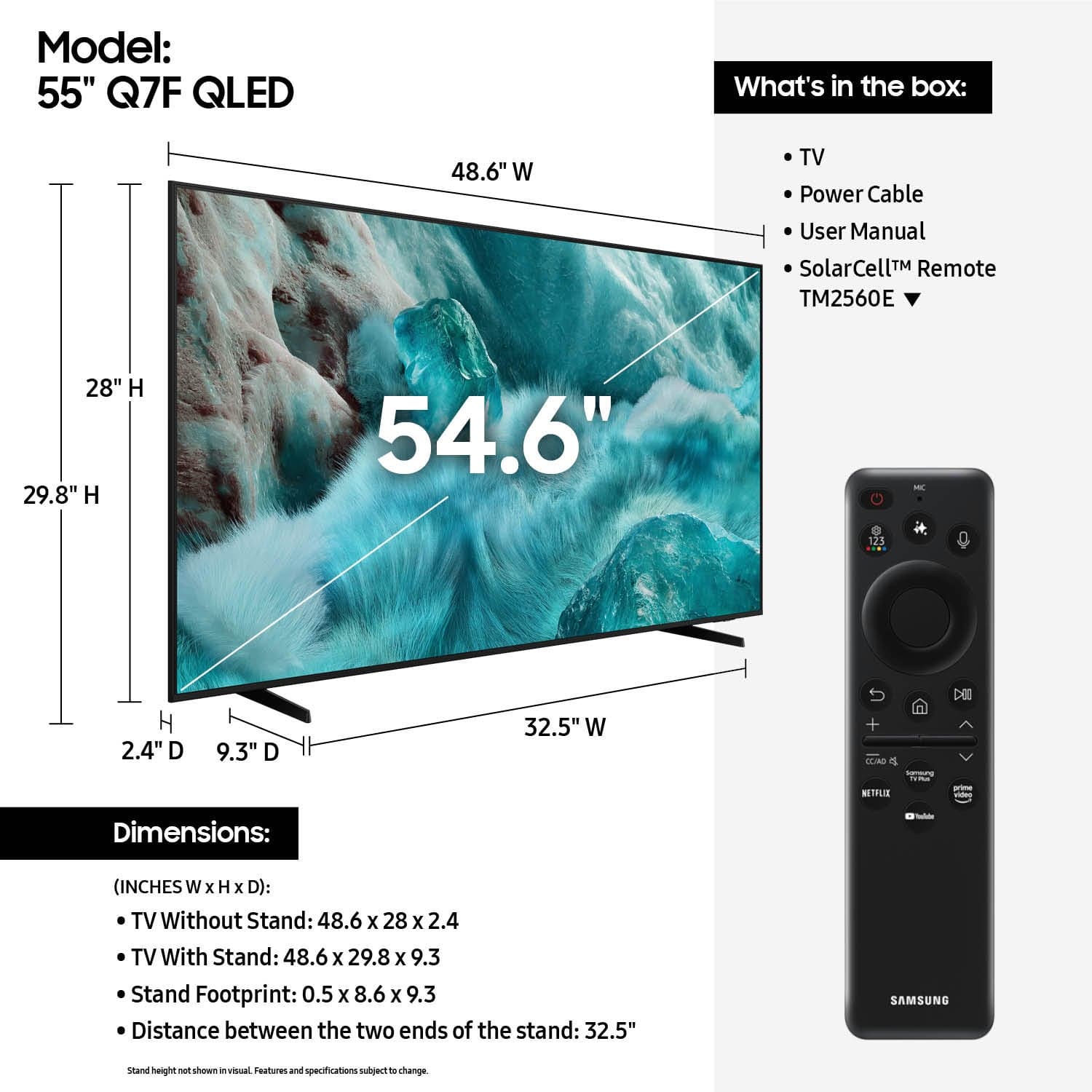











- Model:
- QN55Q7FAAFXZA
- SKU:
- 10187687
Rating by feature
- Picture Quality
Rating 4.8 out of 5 stars
- Sound Quality
Rating 4.6 out of 5 stars
- Brightness
Rating 4.8 out of 5 stars
QLED 55
||Posted . Owned for 1 month when reviewed.This reviewer received promo considerations or sweepstakes entry for writing a review.Been a great tv with one exception. The mirroring your screen with iPhone works for a short time and turns off automatically.
I would recommend this to a friend- Pros mentioned:Picture quality
Mr
||Posted .This reviewer received promo considerations or sweepstakes entry for writing a review.More than what I expected for a new entertainment center
I would recommend this to a friend - Pros mentioned:Picture quality
Nice TV
||Posted . Owned for 3 weeks when reviewed.This reviewer received promo considerations or sweepstakes entry for writing a review.Great TV for my daughter. Color is good and sound is perfect.
I would recommend this to a friend - Pros mentioned:Picture quality
Great TV
||Posted .This reviewer received promo considerations or sweepstakes entry for writing a review.Great colors, sounds, and brightness. Highly recommend!
I would recommend this to a friend Great TV
||Posted .This reviewer received promo considerations or sweepstakes entry for writing a review.This television was recommended to me and I must say it was great buy. Good customer service when picking up the tv.
I would recommend this to a friendStanlet
||Posted . Owned for 2 weeks when reviewed.This reviewer received promo considerations or sweepstakes entry for writing a review.The sales associate was really helpful and we are really pleased with the Samsung television that we purchased!
I would recommend this to a friendSamsung
||Posted . Owned for 3 months when reviewed.This reviewer received promo considerations or sweepstakes entry for writing a review.Good valuable TV best in that range. Clarity speakers everything good.
I would recommend this to a friend- Pros mentioned:Picture quality
Great TV
||Posted . Owned for 1 month when reviewed.This reviewer received promo considerations or sweepstakes entry for writing a review.Clear picture. Bright vivid colors. Very satisfied.
I would recommend this to a friend - Pros mentioned:Picture quality
samsung
||Posted . Owned for 1 month when reviewed.This reviewer received promo considerations or sweepstakes entry for writing a review.in brighter room the quality is good. i liked because it is kept where ther is bright shade
I would recommend this to a friend Samsung 55 inch QLED
||Posted . Owned for 1 month when reviewed.This reviewer received promo considerations or sweepstakes entry for writing a review.Good in store experience with knowledgeable staff, then it was an easy install and great product.
I would recommend this to a friend- Pros mentioned:Picture quality
I recommend
||Posted . Owned for 3 weeks when reviewed.This reviewer received promo considerations or sweepstakes entry for writing a review.Excellent picture but the sound is lacking. I use a soundbar with it now.
I would recommend this to a friend Samsungs are my go to TV
||Posted . Owned for 2 weeks when reviewed.This reviewer received promo considerations or sweepstakes entry for writing a review.Good little TV for the price. Using it in a loft as a second tv area. Good picture. Sound is good.
I would recommend this to a friend- Pros mentioned:Picture quality
Great tv
||Posted . Owned for 2 weeks when reviewed.This reviewer received promo considerations or sweepstakes entry for writing a review.Best tv I ever bought great color great picture!!!
I would recommend this to a friend Average
||Posted . Owned for 1 month when reviewed.This reviewer received promo considerations or sweepstakes entry for writing a review.Hard to doenload apps , find apps or cant even download some apps. Dont have goos internal wifi connector always lags . Wont always met me connnect my phone to play music or screen mirror my shows for apps it dont have to download.
No, I would not recommend this to a friendBrand response from Samsung
Posted .Josh,
We appreciate your feedback regarding response time. For optimal performance, please ensure your TV is running the latest firmware. You can check this by going to: Home > left directional key > Settings > Support > Software Update
To further optimize performance, try running Device Care, which checks memory, clears unused cached data, and closes background apps: Home > left directional key > Settings > Support > Device Care > Start Device Care
If issues continue, please reach Samsung Support at 1-800-SAMSUNG (8AM – 9PM EST Mon – Fri, 8AM – 6PM Sat – Sun).
LiveChat is also available via the ‘Support’ link on our website.
~ Samsung Specialist
Extremely Happy
||Posted .This reviewer received promo considerations or sweepstakes entry for writing a review.Great price, great quality, great customer service!!!
I would recommend this to a friendNot as smart as I want it to be TV
||Posted . Owned for 3 weeks when reviewed.This reviewer received promo considerations or sweepstakes entry for writing a review.For me, It was a little too cumbersome to set up. I had a wired soundbar that needed to be connected, but don't work that way anymore. Connected via bluetooth only. Using it with my Comcast wasn't easy either. Then having to create account! Finally had it set up now I'm using 3 remotes instead of one. Its probably me, but it shouldn't be.
I would recommend this to a friendBrand response from Samsung
Posted .JamesJ,
We appreciate you sharing your experience. To help you get the most from your TV and remote functions, you can download the full e-Manual and more by visiting Samsung’s website then navigating to: Support > Manual & Software > TVs & Home Theater. From there, you can search for and select your Q7F TV model to view or download the available guides.
The e-Manual & Remote Control Guide are also conveniently built into your TV: Settings > Support > Tips and User Guides.
For additional guidance, your TV also includes Accessibility features designed to assist with navigation and remote use.
• Learn Menu Screen provides audio guidance for on-screen menus by announcing the name and function of each item as you scroll – without making any changes. This is especially helpful for users who are visually impaired or new to Smart TV menus. Enable via: Settings > All Settings > General & Privacy > Accessibility > Learn Menu Screen. To exit, press the Return key twice.
• Learn TV Remote helps users become familiar with the layout and function of each button on the Samsung remote. Pressing a button (other than Power) will prompt the TV to announce its name and purpose, again without affecting TV operation. Enable via: Settings > All Settings > General & Privacy > Accessibility > Learn TV Remote. To exit, press the Return key twice.
If you’d like more assistance with these features, please reach Samsung Support at 1-800-SAMSUNG, available 8AM – 12AM EST, 7 days a week. LiveChat agents are also available through the ‘Support’ link on our website.
~ Samsung Specialist
QLED -Samsung - 55” Class Q7F Series QLED 4K UHD S
||Posted . Owned for 2 weeks when reviewed.This reviewer received promo considerations or sweepstakes entry for writing a review.TV has good picture. Connection ports are limited on audio accessories attachments.
I would recommend this to a friend- Pros mentioned:Setup ease
Tv and sound bar
||Posted . Owned for 3 weeks when reviewed.This reviewer received promo considerations or sweepstakes entry for writing a review.Tv was good As expected. Easy install and set up. Thumbs up
I would recommend this to a friend Good picture, irritating software.
||Posted . Owned for 1 month when reviewed.This reviewer received promo considerations or sweepstakes entry for writing a review.Picture quality is very good, and I've had good luck with Samsung TV's in the past. In fact, this one replaced a 15 year old Samsung unit. So, it's been a while since I bought a new one. Now you have to subscribe to Samsung before you can load any of your streaming aps. That was very irritating to me. Took me nearly an hour to get Netflix, Prime, YouTube TV, and Paramount loaded. I guess I'm old, just bothers me that everyone wants every piece of information on you so they can market it before they let you use their product.
I would recommend this to a friendBrand response from Samsung
Posted .Hi there,
Thank you for your review and for sharing your concerns. A Samsung Account is required to access Smart Hub, which powers the core smart features of your TV - including app access (like Netflix and YouTube), service updates, and content personalization.
Without signing in and accepting the Terms and Conditions, your TV will function in a basic mode - supporting external devices (such as HDMI and over-the-air antenna), but streaming apps and Smart Hub services will be unavailable.
We understand this requirement may not be ideal for all users, but it’s necessary for full access to Samsung’s smart features and connected services.
If you need assistance creating or logging into a Samsung Account, we’re here to help. Please contact Samsung Support at 1-800-SAMSUNG, 8AM – 12AM EST, 7 days a week. LiveChat and additional support resources are also available through the Support link on our website.
~ Samsung Specialist
TV wall mount
||Posted . Owned for 1 month when reviewed.This reviewer received promo considerations or sweepstakes entry for writing a review.Love my new TV mount and perfect rotation movements and up an down, for the corner space and anywhere.
I would recommend this to a friend