Customer Ratings & Reviews





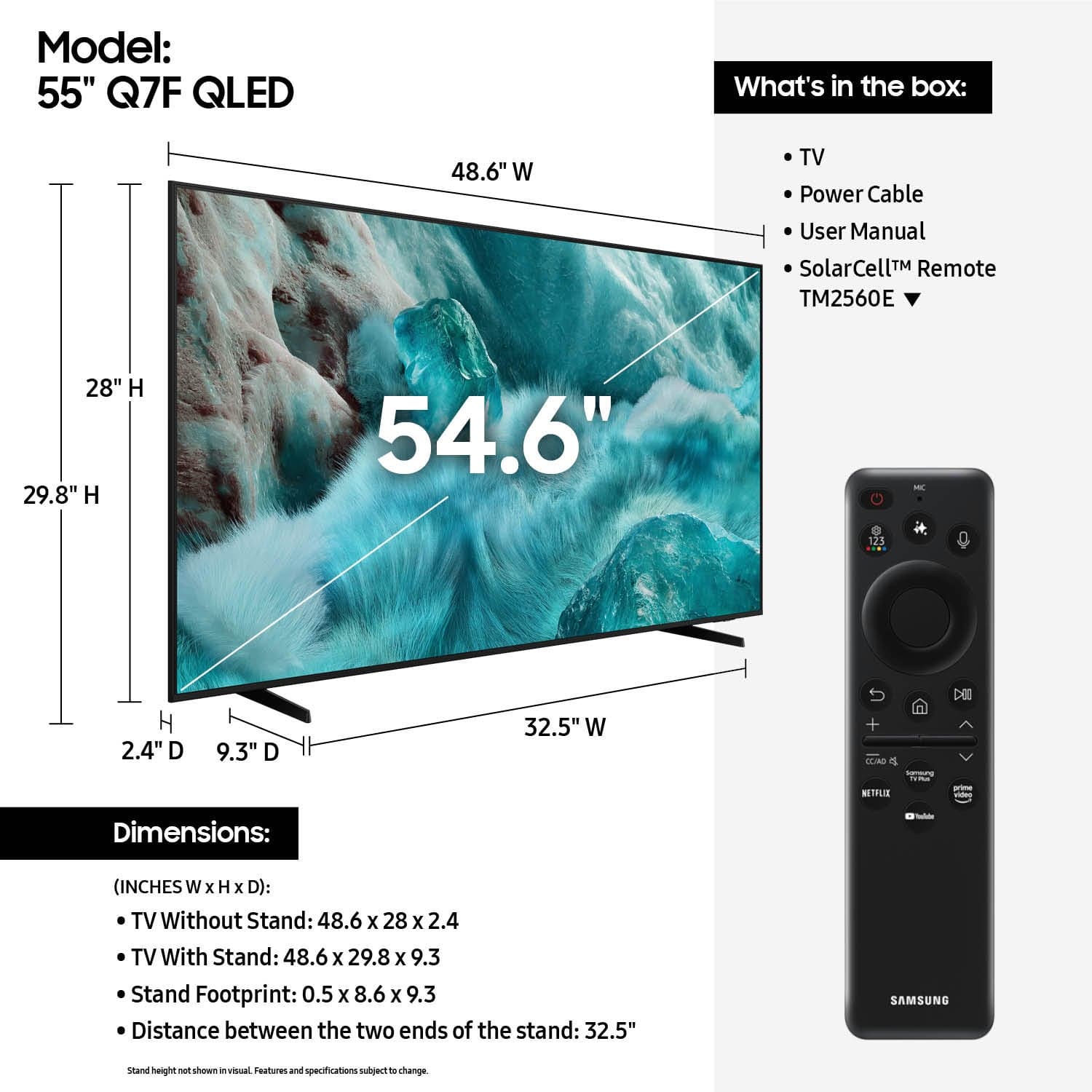











- Model:
- QN55Q7FAAFXZA
- SKU:
- 10504583
Rating by feature
- Picture Quality
Rating 4.8 out of 5 stars
- Sound Quality
Rating 4.6 out of 5 stars
- Brightness
Rating 4.8 out of 5 stars
Good product
||Posted . Owned for 1 month when reviewed.This reviewer received promo considerations or sweepstakes entry for writing a review.Everything else is functioning properly; however, the sound quality when playing movies is unclear and remains very low even at maximum volume.
I would recommend this to a friendGOOD TV AT A GOOD PRICE
||Posted .This reviewer received promo considerations or sweepstakes entry for writing a review.Great tv. The apps work great and if you have an android phone it will link up with the app you use.
I would recommend this to a friendSamsung TV
||Posted . Owned for 1 month when reviewed.This reviewer received promo considerations or sweepstakes entry for writing a review.We’ve been enjoying Samsung tvs for years! We wouldn’t buy any other brand.
I would recommend this to a friendSamsung 55” Q7F QLED
||Posted . Owned for 3 weeks when reviewed.This reviewer received promo considerations or sweepstakes entry for writing a review.The television works great. Fast response time, we stream with you tube tv and it works very well.
I would recommend this to a friendTv purchase
||Posted . Owned for 3 weeks when reviewed.This reviewer received promo considerations or sweepstakes entry for writing a review.Best Buy agent was informative, helpful and gave us great and timely service
I would recommend this to a friendSamsung TV
||Posted . Owned for 3 weeks when reviewed.This reviewer received promo considerations or sweepstakes entry for writing a review.Great price and professional advice on the best TV for us.
I would recommend this to a friendSamsung qled 55' 4k Ai smart tizen
||Posted . Owned for 2 weeks when reviewed.This reviewer received promo considerations or sweepstakes entry for writing a review.would be 5 starts, but set up was confusing and rewquired a call to customer service. CS was helpful and patient
I would recommend this to a friendMy review
||Posted . Owned for 3 weeks when reviewed.This reviewer received promo considerations or sweepstakes entry for writing a review.Great TV for the price; volume control was tricky till I figured it out
I would recommend this to a friendGreat buy
||Posted . Owned for 1 month when reviewed.This reviewer received promo considerations or sweepstakes entry for writing a review.Graphics are better than expected and a good price.
I would recommend this to a friendLOUSY REMOTE
||Posted . Owned for 3 weeks when reviewed.This reviewer received promo considerations or sweepstakes entry for writing a review.The remote will not pair with the TV. It just keeps blinking when attempting to pair.
I would recommend this to a friendFather
||Posted . Owned for 3 weeks when reviewed.This reviewer received promo considerations or sweepstakes entry for writing a review.Excellent product works perfectly well in a lit room
I would recommend this to a friendNew TV
||Posted .This reviewer received promo considerations or sweepstakes entry for writing a review.Excellent service from floor team to help pick out an amazing tv
I would recommend this to a friendGreatTV
||Posted . Owned for 3 weeks when reviewed.This reviewer received promo considerations or sweepstakes entry for writing a review.I love this TV. Perfect size for my bedroom. I love all the featres as well.
I would recommend this to a friendGood tv for the money.
||Posted . Owned for 3 weeks when reviewed.This reviewer received promo considerations or sweepstakes entry for writing a review.I really like the fact you get free tv channels. Also it fit well on the existing bracket for our mount.
I would recommend this to a friendTypical TV
||Posted . Owned for 2 weeks when reviewed.This reviewer received promo considerations or sweepstakes entry for writing a review.A TV is a TV. This one meets my needs. I installed without any problems.
I would recommend this to a friend- Cons mentioned:User interface
tech's control has gone too far
||Posted . Owned for 3 weeks when reviewed.This reviewer received promo considerations or sweepstakes entry for writing a review.trys to make you long in just to watch you own TV. very annoying.
No, I would not recommend this to a friendBrand response from Samsung
Posted .MichaelB,
Thanks for sharing your thoughts on Samsung's Q7F. If there’s anything we can assist with, please don’t hesitate to call us at 1-800-SAMSUNG, available daily from 8AM - 12AM EST. You can also visit the Samsung website and click on ‘Support’ for:
• Live Chat
• Manuals, Software, & Warranty Info
~ Samsung Specialist
Nice buy
||Posted . Owned for 2 weeks when reviewed.This reviewer received promo considerations or sweepstakes entry for writing a review.It is a nice TV, but it can have better picture quality.
I would recommend this to a friendWould recommend tv
||Posted . Owned for 2 weeks when reviewed.This reviewer received promo considerations or sweepstakes entry for writing a review.Tv works great in my bedroom. Happy with the purchase.
I would recommend this to a friendBrand response from Samsung
Posted .Ethan,
Thanks for taking a moment to review Samsung’s Q7F TV. If you’re experiencing specific issues which caused you to give this a 3-star rating, please know Samsung Customer Support is here to help at 1-800-SAMSUNG between 8AM - 12AM EST, any day of the week. You can also reach our LiveChat team by selecting the ‘Support’ link on our website.
~ Samsung Specialist
Good value Tv
||Posted .This reviewer received promo considerations or sweepstakes entry for writing a review.Image quality depends on source, upscaling it's not impressive, OS works great
I would recommend this to a friendBrand response from Samsung
Posted .GabrielF,
Thank you for sharing your thoughts on your Samsung Q7F TV’s image quality. Your TV is designed to upscale content to the best possible quality based on the resolution of the source. In general, the closer your content is to native 4K, the sharper and more detailed it will appear on screen.
Here are some tips to help improve picture clarity and overall upscaling performance:
1. Use HDMI cables for the best high-definition signal.
2. If you’re using an analog cable or satellite box, consider upgrading to a digital box for better signal quality.
3. Change the output resolution of connected devices (like a cable box, streaming device, or IPTV box) to UHD or HD, if supported.
4. Go to Settings > All Settings > Picture > Expert Settings to fine-tune options like Sharpness, Brightness, Contrast, and Color.
5. Select a Picture Mode that fits your environment: Settings > All Settings > Picture > Picture Mode – try Dynamic, Movie, or Filmmaker Mode.
6. Explore Picture Clarity Settings under Expert Settings for added detail enhancement. Use Auto or Custom to adjust Judder Reduction, LED Clear Motion, and Noise Reduction.
7. Ensure your TV is running the latest firmware to benefit from performance improvements and the latest enhancements: Settings > Support > Software Update > Update Now
If you’d like personalized help fine-tuning these settings, feel free to reach out to Samsung Support at 1-800-SAMSUNG, 8AM – 12AM EST, 7 days a week. LiveChat is also available via the ‘Support’ link on our website.
~ Samsung Specialist
Odd screen reset upon channel change
||Posted .This reviewer received promo considerations or sweepstakes entry for writing a review.The picture clarity is okay, with some shows being clearer than others. An annoying thing that happens is, every time I change the channel, the screen goes to the new channel, then goes black for about a half second, then resumes. It's annoying as heck. This is the 2025 version of this TV, and that's the best it can do? I guess you get what you pay for. I wouldn't buy this again.
No, I would not recommend this to a friendBrand response from Samsung
Posted .AngeliaY,
We appreciate your review. So we can better understand the issues you’re experiencing on the source you're using and provide you with troubleshooting assistance, please reach out to Samsung Customer Support at 1-800-SAMSUNG from 8AM - 12AM EST, seven days a week, or connect with a LiveChat agent anytime by selecting ‘Support’ on our website.
~ Samsung Specialist