Customer Ratings & Reviews
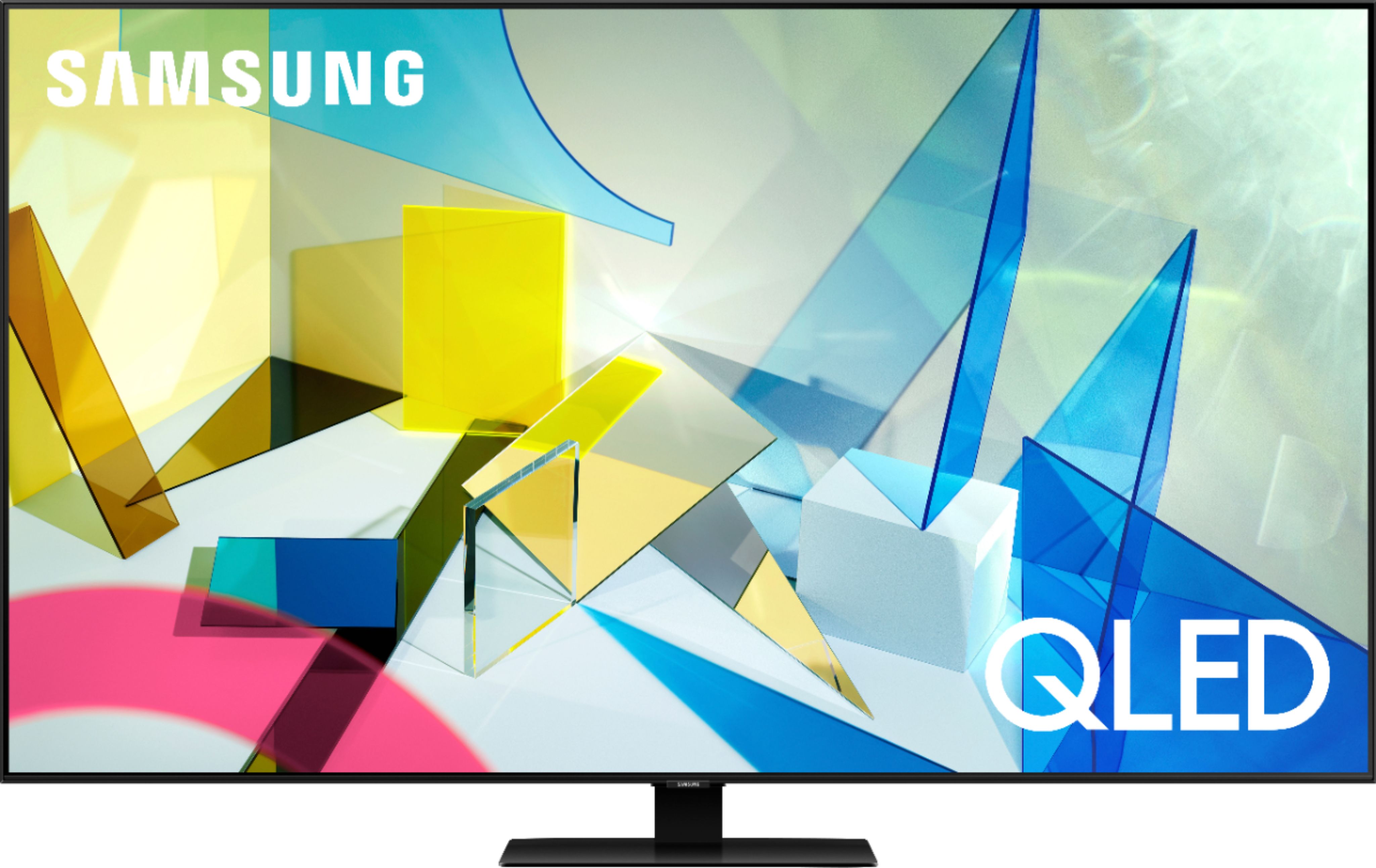
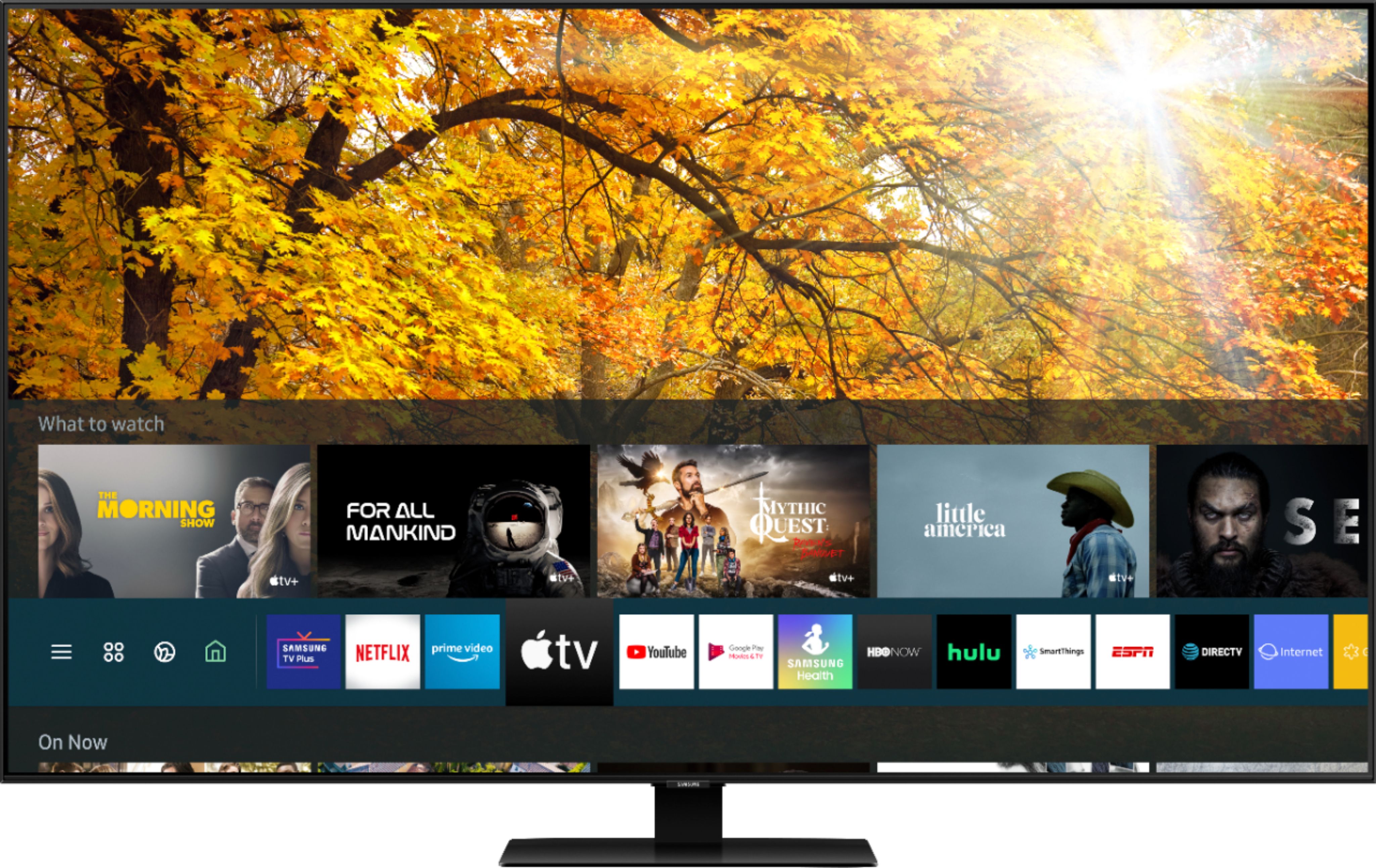
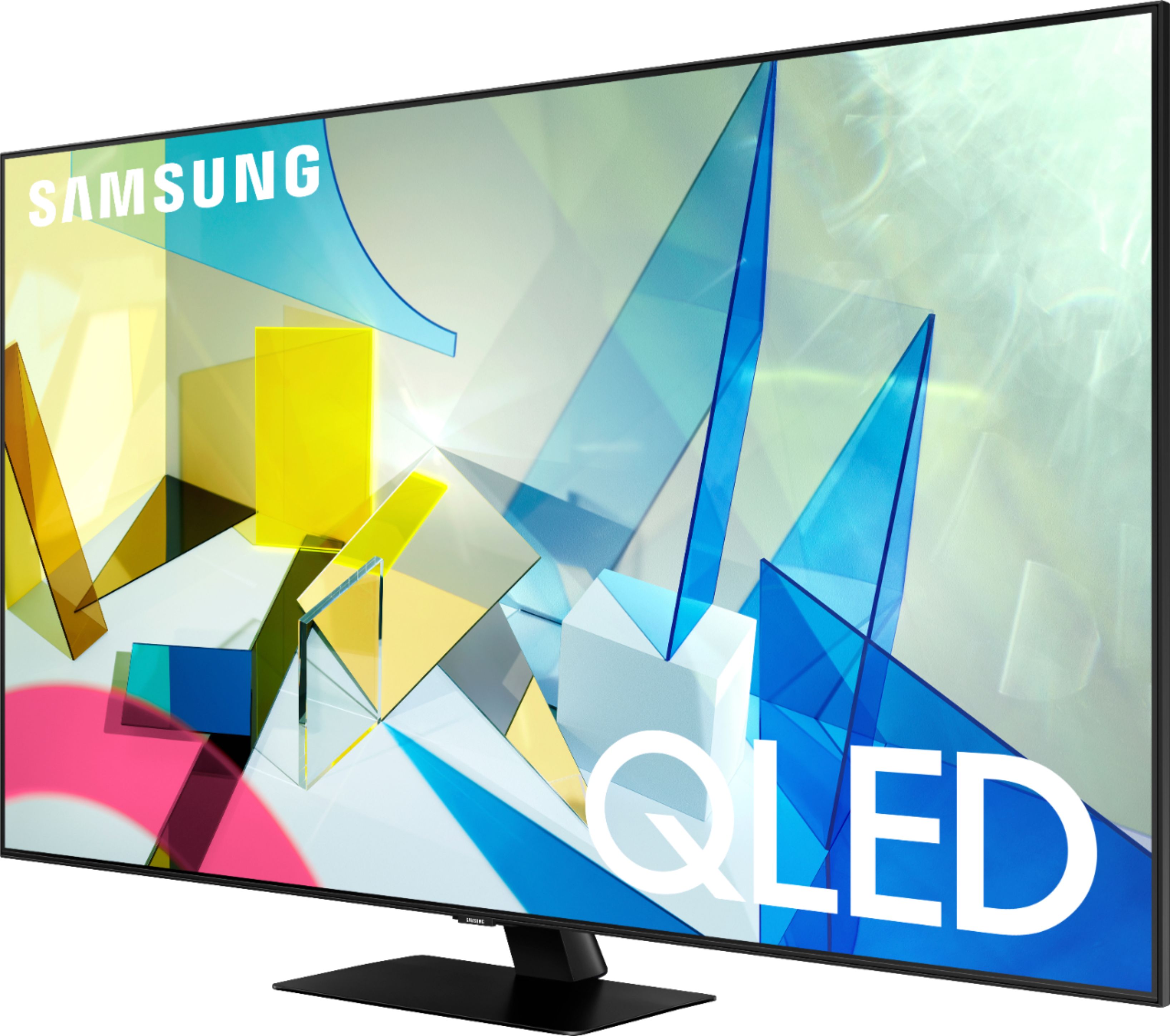
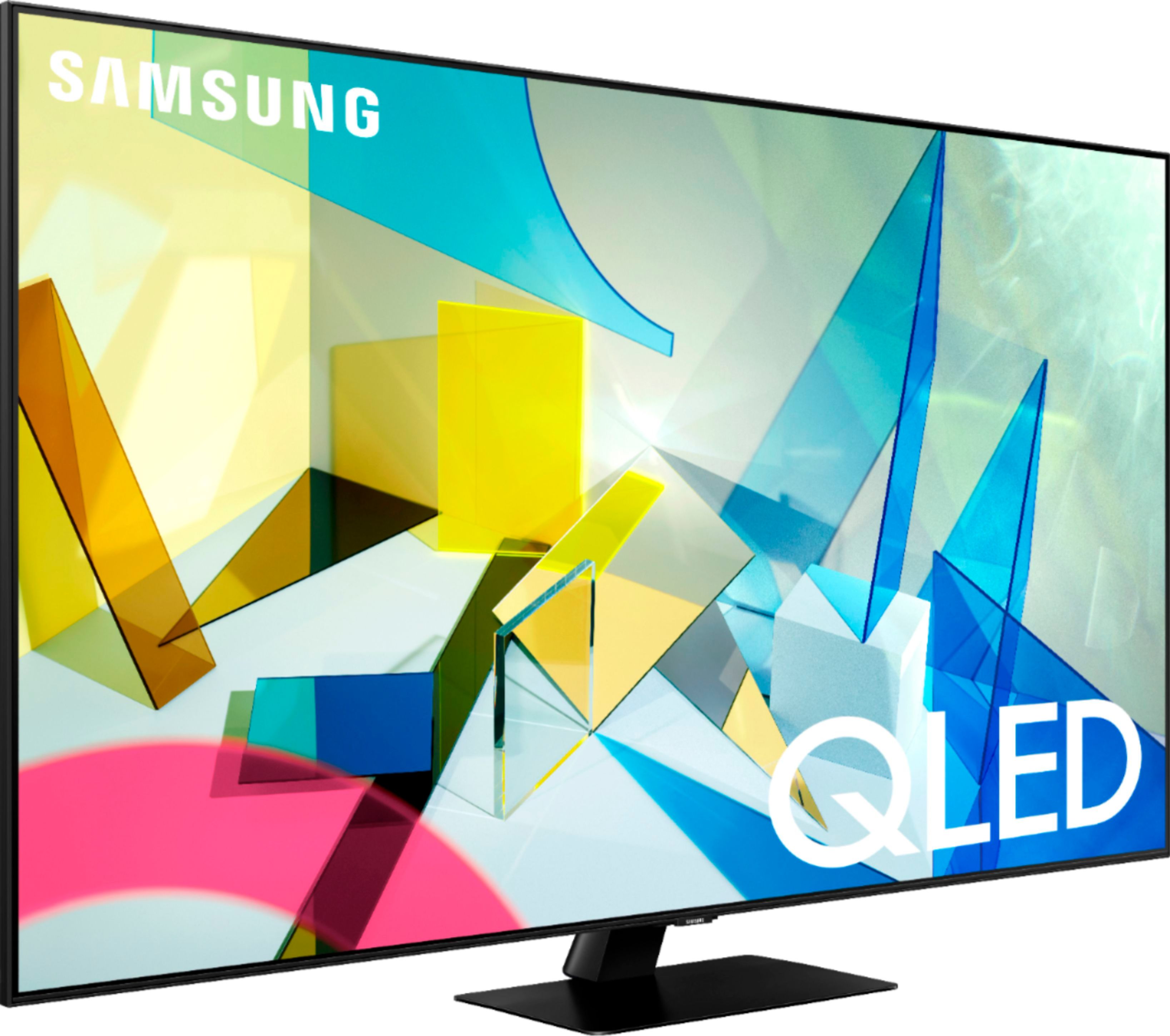




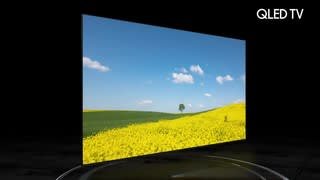




- Model:
- QN55Q80TAFXZA
- SKU:
- 6402394
Rating by feature
- Picture Quality
Rating 4.8 out of 5 stars
- Sound Quality
Rating 4.5 out of 5 stars
- Brightness
Rating 4.7 out of 5 stars
Customers are saying
Customers are impressed with the 55" Class Q80T Series QLED 4K UHD Smart Tizen TV's picture quality, describing it as amazing and standing out. They also appreciate its easy setup, especially when connecting to Wi-Fi, and find it to be a great value for the price. While some customers have concerns about the cheaply made remote control and the presence of ads, many agree that the TV's overall quality makes it worth the investment.
This summary was generated by AI based on customer reviews.
Nice colors but difficult to get started
||Posted . Owned for 1 month when reviewed.This reviewer received promo considerations or sweepstakes entry for writing a review.I understand your need for these kind of survey. However, each survey comes with annoying ads.
I would recommend this to a friendBrand response from Samsung
Posted .WhyWhyHawaii,
Thank you for sharing your review of this Samsung Q80T QLED 4K Smart TV.
I am sorry that you are not completely satisfied with your experience.
So that we can better understand the issues you encountered and provide steps towards a solution, I invite you to please contact Samsung TV Support at:
1) Phone: 1-800-SAMSUNG (ask for TVs), available 8AM – 12AM EST 7 days a week
2) LiveChat: https://www.samsung.com/us/support/#contact_us_for_support
3) Facebook Messenger: https://www.facebook.com/samsungsupport
4) Twitter: https://twitter.com/SamsungSupport
5) The Samsung Members Community is also a great resource for getting help from Samsung moderators and customers: https://us.community.samsung.com
If you have not already done so, we invite you to register your new Samsung product at: https://www.samsung.com/us/account/signin/?redirect=https%3A%2F%2Fwww.samsung.com%2Fus%2Fsupport%2Fregister%2F
Registering your product gives you access to easy warranty support, convenient opt-in to special promos and offers, faster troubleshooting and service, and quick notification of system updates.
-Samsung Ambassador
No dolby vision
||Posted . Owned for 1 month when reviewed.This reviewer received promo considerations or sweepstakes entry for writing a review.Returned before receiving as did not have dolby vision wanted for BBC nature shows
No, I would not recommend this to a friendBrand response from Samsung
Posted .Fatcase:
I am very sorry to see that your Q80T TV did not meet your needs, and you have returned it.
Should you ever decide to give Samsung TVs another try and have questions or need assistance with settings, setup, or features, please know we are always here to help.
1) Phone: 1-800-SAMSUNG (available 8AM -12AM EST, 7 days a week)
2) LiveChat: https://www.samsung.com/us/support/#contact_us_for_support
3) Facebook Messenger: https://www.facebook.com/samsungsupport
4) Twitter: https://twitter.com/SamsungSupport
5) The Samsung Members Community is also a great resource for getting help from Samsung moderators and customers: https://us.community.samsung.com
Thank you again for taking the time to share your thoughts. Your feedback helps us continuously deliver best-in-class products and service.
~ Samsung Solutions
False advertising by Samsung
||Posted .This reviewer received promo considerations or sweepstakes entry for writing a review.The only reason I purchased this over a LG oled set was availability. If Samsung didn't promote a feature that they lock via software it'd be a great tv and comparable to oled. But, to lock HDMI 2.1 behind software only to enable it after backlash on the 9 series 8k and 4k sets. After contacting Samsung and not getting timely responses, I can no longer return this set. Unacceptable for Sony and Samsung to include proper hardware but lock it behind software for whatever stupid reason. This tv will NOT DO 4K @120HZ. Sony is on record stating they will enable the feature in q4 of 2020 and Samsung is slowly trickling down the functionality from their 2019 line that was hardwired into it. Best buy is just as much at fault for not fact checking the manufacturers as LG is the ONLY COMPANY to enable not just one port for HDMI 2.1 but every single port is 2.1 on their oled sets from 2019 on. All at 4k@120hz.
No, I would not recommend this to a friendBrand response from Samsung
Posted .Trekytechy,
Thank you for purchasing and reviewing this Samsung TV.
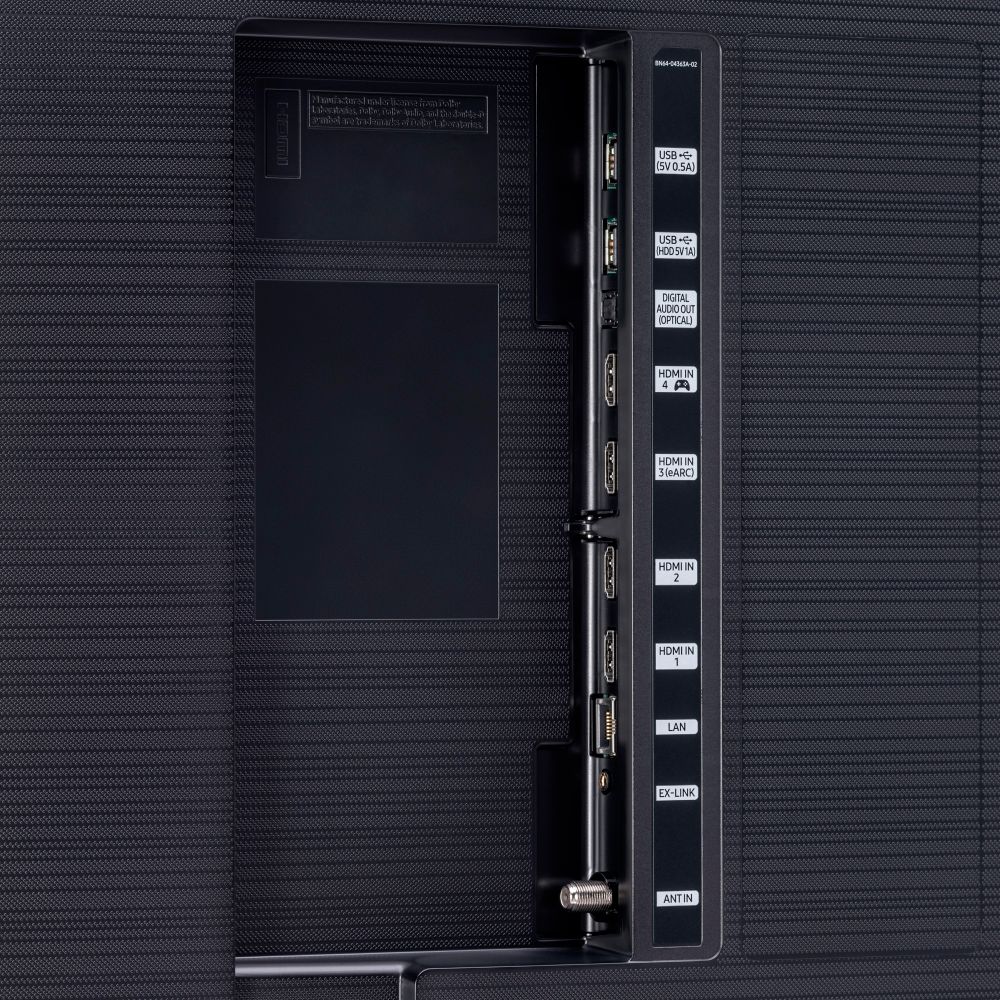
Your Q80T QLED 4K TV comes with four HDMI connection ports for all your digital entertainment needs.
Port number 4 is a HDMI 2.1, supporting a range of higher video resolutions and refresh rates including 8K60 and 4K120, and resolutions up to 10K with Ultra High Speed HDMI Cable
Port number 3 is eARC, enabling transmission of 5.1 channels of uncompressed audio and immersive, object-based formats such as Dolby Atmos and DTS:X.
If you need further assistance with HDMI connection, or any other features, please reach out to us via any of the options here:
1) Phone: 1-800-SAMSUNG (ask for TVs), available 8AM – 12AM EST 7 days a week
2) LiveChat: https://www.samsung.com/us/support/#contact_us_for_support
3) Facebook Messenger: https://www.facebook.com/samsungsupport
4) Twitter: https://twitter.com/SamsungSupport
If you have not already done so, we invite you to register your new Samsung product at:
https://www.samsung.com/us/account/signin/?redirect=https%3A%2F%2Fwww.samsung.com%2Fus%2Fsupport%2Fregister%2F&user=dsr-registration
Registering your product gives you access to easy warranty support, convenient opt-in to special promos and offers, faster troubleshooting and service, and quick notification of system updates.
Again, my apologies for the disappointment you had.
Your feedback is very important to us and we utilize your concerns and opinions in our continuous efforts towards delivering better product and service.
-Samsung Ambassador
- Pros mentioned:Picture quality
Sound drops randomly
||Posted . Owned for 1 week when reviewed.This reviewer received promo considerations or sweepstakes entry for writing a review.Picture is beautiful. Biggest problem is the sound drops for a second randomly on multiple channels and feeds. Not a source issue. Google it. Samsung knows and doesn't care.
No, I would not recommend this to a friendBrand response from Samsung
Posted .SamsungFail:
Thank you for sharing your experience with the Samsung Q80T TV. I am sorry you are experiencing issues with your sound randomly dropping.
If the audio drops out issue happens when connected via HDMI, the HDMI cable is most likely the cause.
We recommend you replace the HDMI cable with a High-Speed cable with Ethernet Channel, labeled as HEC or HEAC on the cable.
If the issue persists, please reach out to us so that we can provide further troubleshooting.
1) Phone: 1-800-SAMSUNG (ask for TVs), available 8AM – 12AM EST 7 days a week
2) LiveChat: https://www.samsung.com/us/support/#contact_us_for_support
3) Facebook Messenger: https://www.facebook.com/samsungsupport
4) Twitter: https://twitter.com/SamsungSupport
5) The Samsung Members Community is also a great resource for getting help from Samsung moderators and customers: https://us.community.samsung.com
If you have not already done so, we invite you to register your new Samsung product at: https://www.samsung.com/us/account/signin/?redirect=https%3A%2F%2Fwww.samsung.com%2Fus%2Fsupport%2Fregister%2F
Registering your product gives you access to easy warranty support, convenient opt-in to special promos and offers, faster troubleshooting and service, and quick notification of system updates.
~ Samsung Solutions
DONT BUY UNLESS YOU'RE A NINJA
||Posted . Owned for 1 month when reviewed.This reviewer received promo considerations or sweepstakes entry for writing a review.Once you connect and agree to services, idk why but there is this annoying chime/notification ANYTIME YOU WALK BY THE TV. Doesnt matter if you tip toe or have it mounted. It's due to there app 'smart things' that has the actual border of the tv as a touch connection for phones. Seems cool right? Wrong. Once that connects you will hate this tv due to the annoying chimes. If you have apartment neighbors that jump around or kids that rough house you will regret spending $1300. Customers service is absolute trash as well.
No, I would not recommend this to a friendBrand response from Samsung
Posted .Dcsmokedown91,
Thank you for your purchase and review of this Samsung Q80T QLED Smart TV.
You can simply turn Notification off in YOUR SmartThings app for devices that you do not wish to receive notifications from.
If there is anything we can do to further assist and improve your user experience, please do let us know by contacting Samsung Customer Support via the following options:
1) Phone: 1-800-SAMSUNG (ask for TVs)
Available 8AM – 12AM EST (7 days a week)
2) LiveChat: https://www.samsung.com/us/support/#contact_us_for_support
3) Facebook Messenger: https://www.facebook.com/samsungsupport
4) Twitter: https://twitter.com/SamsungSupport
5) The Samsung Members Community is also a great resource for getting help from Samsung moderators and customers: https://us.community.samsung.com
If you have not already done so, we invite you to register your new Samsung product at: https://www.samsung.com/us/account/signin/?redirect=https%3A%2F%2Fwww.samsung.com%2Fus%2Fsupport%2Fregister%2F
Registering your product gives you access to easy warranty support, convenient opt-in to special promos and offers, faster troubleshooting and service, and quick notification of system updates.
-Samsung Ambassador
Terrible service
||Posted . Owned for 3 weeks when reviewed.This reviewer received promo considerations or sweepstakes entry for writing a review.It was horrible because my technician did not show up for my first appointment. I reschedule and the technician did not show up either. I missed two days from my work. I was unable to talk to anyone It was vey hard!!!! The technician came after seven PM. I leave in an Appartment building and my neighbors were FURIOUS!!! They left at 9 PM THIS WAS A HORRIBLE EXPERIENCE MY IMPRESSION OF BEST BUY CUSTOMER SERVICE IS VERY NEGATIVE.
No, I would not recommend this to a friendBrand response from Samsung
Posted .None,
Thank you for your review on this Samsung Q80T QLED 4K Smart TV.
I am sorry you had issues with the service experience.
We recommend you to share your concerns and feedback directly with Best Buy.
Should you ever need assistance or have questions about using the TV, please know we are here to help. You can reach Samsung Support via:
1) Phone: 1-800-SAMSUNG (ask for TVs), available 8AM – 12AM EST 7 days a week
2) LiveChat: https://www.samsung.com/us/support/#contact_us_for_support
3) Facebook Messenger: https://www.facebook.com/samsungsupport
4) Twitter: https://twitter.com/SamsungSupport
If you have not already done so, we invite you to register your new Samsung product at:
https://www.samsung.com/us/account/signin/?redirect=https%3A%2F%2Fwww.samsung.com%2Fus%2Fsupport%2Fregister%2F&user=dsr-registration
Registering your product gives you access to easy warranty support, convenient opt-in to special promos and offers, faster troubleshooting and service, and quick notification of system updates.
-Samsung Ambassador
Wrong for us
||Posted . Owned for 1.5 years when reviewed.This reviewer received promo considerations or sweepstakes entry for writing a review.Not a great tv. Lots of streaming problems and pictures are always very dark
No, I would not recommend this to a friendZombie TV
||Posted . Owned for 3 weeks when reviewed.This reviewer received promo considerations or sweepstakes entry for writing a review.I bought this to replace a Vizio MQ7 that had a massive scratch across the screen. I couldn’t be more disappointed. The screen had several dead pixels, and the TV had a mind of its own, shutting off and raising the volume whenever it well pleased. Also, the back of the TV had a scratch on it. Samsung has absolutely zero quality assurance anymore.
No, I would not recommend this to a friendHorrible motion and picture clarity!
||Posted . Owned for 3 weeks when reviewed.This reviewer received promo considerations or sweepstakes entry for writing a review.With everything done to help with motion and picture performance thus tv did not fare well! It was one of the worst pictures I have seen in all the tv sets i have owned! Samsung really dropped the ball this year and I will not be buying TVs from them anytime soon! If you are a motion fanatic please do not buy this tv! It's basically a scam for the money!
No, I would not recommend this to a friendBrand response from Samsung
Posted .Goodgamerguy1987,
Thank you for sharing your feedback with us.
Have you tried Auto Motion Plus? It is a feature designed to eliminate blur and judder on an LED TV, specifically in fast moving images.
You can change Auto Motion Plus settings by following these steps:
1) With the TV powered on, press the Home button on the Samsung remote to open the Home screen
2) Then select Settings > Picture > Expert Settings > Picture Clarity Settings
3) Then you will see the following three options:
a) Off: Picture Clarity Settings will always be off
b) Auto: Picture Clarity Settings will automatically activate and deactivate based on the type of program being watched
c) Custom: Allows custom adjustments and settings to be used
4) By selecting the Custom option, you can access these advanced settings:
a) Judder Reduction: Use the directional keys on the remote to adjust the Judder setting
b) LED Clear Motion: Select to turn On/Off/Auto
c) Noise Reduction: Select to turn Auto/Off
Should you need further assistance with features or other product usage, please reach out to Samsung Support and an agent will gladly assist you.
You can reach us via any of the below options:
1) Phone: 1-800-SAMSUNG (ask for TVs) Available 8AM – 9PM EST (Mon-Fri)
2) LiveChat: https://www.samsung.com/us/support/#contact_us_for_support
3) Facebook Messenger: https://www.facebook.com/samsungsupport
4) Twitter: https://twitter.com/SamsungSupport
If you have not already done so, we invite you to register your new Samsung product at: https://www.samsung.com/us/account/signin/?redirect=https%3A%2F%2Fwww.samsung.com%2Fus%2Fsupport%2Fregister%2F
Registering your product gives you access to easy warranty support, convenient opt-in to special promos and offers, faster troubleshooting and service, and quick notification of system updates.
Again, thank you for bringing the issue to our attention – we greatly value your feedback and utilize your concerns and opinions towards delivering best-in-class service and products.
-Samsung Ambassador
Not so impressive
||Posted . Owned for 1 month when reviewed.This reviewer received promo considerations or sweepstakes entry for writing a review.The brand and the design are great but it is a TV. Still a lot to go to compete with OLED
No, I would not recommend this to a friendBrand response from Samsung
Posted .Kalpha:
Thank you for purchasing the 55” Q80T QLED TV and sharing your review. This series is powered by our Quantum Processor 4K featuring Quantum Dots for 100% color volume, heightened contrast, and impeccable detail.
Object Tracking Sound further elevates movies and games to a new level of immersive enjoyment, while Real Game Enhancer+ levels up gaming details and extra motion clarity. In addition, your Q80T is guaranteed against burn-in for 10 years by our Q Guarantee.
Should you have any questions or need assistance with setting adjustments optimized to your usage scenario, please reach out to us at:
1) Phone: 1-800-SAMSUNG (ask for TVs), available 8AM – 12AM EST 7 days a week
2) LiveChat: https://www.samsung.com/us/support/#contact_us_for_support
3) Facebook Messenger: https://www.facebook.com/samsungsupport
4) Twitter: https://twitter.com/SamsungSupport
5) The Samsung Members Community is also a great resource for getting help from Samsung moderators and customers: https://us.community.samsung.com
If you have not already done so, we invite you to register your new Samsung TV at:
https://www.samsung.com/us/account/signin/?redirect=https%3A%2F%2Fwww.samsung.com%2Fus%2Fsupport%2Fregister%2F&user=dsr-registration
Registering your product gives you access to easy warranty support, convenient opt-in to special promos and offers, faster troubleshooting and service, and quick notification of system updates.
-Samsung Ambassador
Poor sound and picture
||Posted .This reviewer received promo considerations or sweepstakes entry for writing a review.Poor sound quality. Tinny. No adjustment made it better. Poor color quality.
No, I would not recommend this to a friend- Pros mentioned:Picture quality
Excellent TV
Posted .This reviewer received promo considerations or sweepstakes entry for writing a review.We've had the Samsung 55" Q80T QLED Smart TV since 2020. Four years in, the picture quality on this television is amazing. It's sharp, clear, and high def. In the beginning, it took some experimenting with the settings to get the picture quality to our liking but once we had them set, we've not had to do any further adjustments. It was once and done. The picture has good clarity from side angles, too. We have friends with a low-end Samsung TV and the side vision is bad. The picture just fades away, which is what prompted us to buy this QLED TV and we've never regretted it. I highly recommend!
I would recommend this to a friend Stuttering bad with cable signal. Changed settings
||Posted . Owned for 1 year when reviewed.This reviewer received promo considerations or sweepstakes entry for writing a review.Terrible stuttering when watching cable. Returned.
No, I would not recommend this to a friendDo not buy samsung tv's ever.
||Posted . Owned for 7 months when reviewed.This reviewer received promo considerations or sweepstakes entry for writing a review.Do not buy samsung ever. Samsung has very bad QA/QC. Went through 3 tv's. Either had 3+ dead pixels or the direct arrays were showing grids on scenes. Avoid.
No, I would not recommend this to a friendBrand response from Samsung
Posted .Derlex:
I am sorry to hear that you are experiencing issues with multiple Q80T units.
Samsung is committed to providing the best possible product experience, quality, and value. We back this Samsung TV with a 1-year limited manufacturer's warranty, including authorized repair for manufacturer defect, if purchased brand-new directly from an authorized seller.
Please give us the opportunity to assist you by contacting Samsung Customer Support.
1) Phone: 1-800-SAMSUNG (ask for TVs), available 8AM – 12AM EST 7 days a week
2) LiveChat: https://www.samsung.com/us/support/#contact_us_for_support
3) Facebook Messenger: https://www.facebook.com/samsungsupport
4) Twitter: https://twitter.com/SamsungSupport
5) The Samsung Members Community is also a great resource for getting help from Samsung moderators and customers: https://us.community.samsung.com
If you have not already done so, we invite you to register your new Samsung product at: https://www.samsung.com/us/account/signin/?redirect=https%3A%2F%2Fwww.samsung.com%2Fus%2Fsupport%2Fregister%2F
Registering your product gives you access to easy warranty support, convenient opt-in to special promos and offers, faster troubleshooting and service, and quick notification of system updates.
~ Samsung Solutions
NOPE
||Posted . Owned for 3 weeks when reviewed.This reviewer received promo considerations or sweepstakes entry for writing a review.Nope…took it home and it wouldn’t connect to the internet. I assumed it was the user and after going through trouble shooting my choices were return it or start having them out replacement parts in it with in 24 of having it
No, I would not recommend this to a friendIt's amazing with xbox but I dont like how damaged
||Posted . Owned for 1 month when reviewed.This reviewer received promo considerations or sweepstakes entry for writing a review.It works amazing with my xbox didn't like how the box was opened and not closed and box was damaged and screen was damaged but no insurance so im stuck with it I just trying not to look at damaged part of screen bought it on 11/13/20
No, I would not recommend this to a friendWill not do 4K as advertised
||Posted . Owned for 4 months when reviewed.This reviewer received promo considerations or sweepstakes entry for writing a review.Will not upscale to ANY 4K viewing. Changed 4K boxes, checked connections, still will not upscale. Same box on other 4K TV’s work fine. Can not recommend this TV.
No, I would not recommend this to a friendBrand response from Samsung
Posted .VeryPoor:
Thank you for purchasing the Q80T TV and sharing your thoughts regarding the upscaling. The TV will upscale as best as possible any content sent to it. The closer your content is to 4K, the better the image will look on the screen.
Here are some tips to help improve the picture clarity:
1) HDMI cables are recommended for optimal HD viewing.
2) If you have an analog cable box or satellite box, upgrade to a digital cable box or satellite box.
3) Change the output resolution of your devices, such as digital broadcast receiver, IPTV, and set-top box to UHD or HD.
4) You can further adjust your sharpness, brightness, contrast, color, and more by going to Settings > Picture > Expert Settings
5) Choose a Picture Mode by going to Settings > Picture > Picture Mode and choose from Dynamic, Standard, Natural, Movie, or Filmmaker Mode.
If you need further assistance or have any questions, please contact Samsung Customer Support.
1) Phone: 1-800-SAMSUNG (ask for TVs), available 8AM – 12AM EST 7 days a week
2) LiveChat: https://www.samsung.com/us/support/#contact_us_for_support
3) Facebook Messenger: https://www.facebook.com/samsungsupport
4) Twitter: https://twitter.com/SamsungSupport
5) The Samsung Members Community is also a great resource for getting help from Samsung moderators and customers: https://us.community.samsung.com
If you have not already done so, we invite you to register your new Samsung product at: https://www.samsung.com/us/account/signin/?redirect=https%3A%2F%2Fwww.samsung.com%2Fus%2Fsupport%2Fregister%2F
Registering your product gives you access to easy warranty support, convenient opt-in to special promos and offers, faster troubleshooting and service, and quick notification of system updates.
~ Samsung Solutions
Would be a great tv but went out after three weeks
||Posted .This reviewer received promo considerations or sweepstakes entry for writing a review.Tv went out after three weeks of purchase. Now I have to wait for the part to come in.
No, I would not recommend this to a friendBrand response from Samsung
Posted .Tomcat,
I am very sorry for the issues you encountered with your Q80T QLED Smart TV. Please know that your comments on product and service are greatly valued and will be shared with our internal teams.
Should you wish to check on the status of the replacement– or ever have questions or need assistance – please contact us with your service ticket number.
You can reach Samsung Customer Care via:
1) Phone: 1-800-SAMSUNG (ask for TVs), available 8AM – 12AM EST 7 days a week
2) LiveChat: https://www.samsung.com/us/support/#contact_us_for_support
3) Facebook Messenger: https://www.facebook.com/samsungsupport
4) Twitter: https://twitter.com/SamsungSupport
5) The Samsung Members Community is also a great resource for getting help from Samsung moderators and customers: https://us.community.samsung.com
If you have not already done so, we invite you to register your new Samsung product at:
https://www.samsung.com/us/account/signin/?redirect=https%3A%2F%2Fwww.samsung.com%2Fus%2Fsupport%2Fregister%2F&user=dsr-registration
Registering your product gives you access to easy warranty support, convenient opt-in to special promos and offers, faster troubleshooting and service, and quick notification of system updates.
-Samsung Ambassador
Paying for ads
||Posted . Owned for 1 month when reviewed.This reviewer received promo considerations or sweepstakes entry for writing a review.Advertisements in home screen and apps that cannot be removed or hidden.
No, I would not recommend this to a friendBrand response from Samsung
Posted .Bryan:
Thank you for sharing your review of the Q80T TV. We value your feedback and will share it with our teams.
If there is anything we can do to improve your enjoyment such as helping to optimize settings for your specific usage scenario, please contact Samsung Customer Support.
1) Phone: 1-800-SAMSUNG (ask for TVs), available 8AM – 12AM EST 7 days a week
2) LiveChat: https://www.samsung.com/us/support/#contact_us_for_support
3) Facebook Messenger: https://www.facebook.com/samsungsupport
4) Twitter: https://twitter.com/SamsungSupport
5) The Samsung Members Community is also a great resource for getting help from Samsung moderators and customers: https://us.community.samsung.com
If you have not already done so, we invite you to register your new Samsung product at: https://www.samsung.com/us/account/signin/?redirect=https%3A%2F%2Fwww.samsung.com%2Fus%2Fsupport%2Fregister%2F
Registering your product gives you access to easy warranty support, convenient opt-in to special promos and offers, faster troubleshooting and service, and quick notification of system updates.
~ Samsung Solutions
Horrible service. Totally wrong size and model
||Posted .This reviewer received promo considerations or sweepstakes entry for writing a review.Do these people even read? Wrong model with correct invoice All they had to do was cross check the product with paper work. Stupidity SMH
No, I would not recommend this to a friendBrand response from Samsung
Posted .None,
I am very sorry to see that you had an unfortunate purchasing experience and received incorrect size and model TV.
We recommend you contact your seller directly to correct this error.
If you ever need assistance with the TV itself, please reach out to Samsung Customer Support.
You can contact our Customer Support toll-free at 1-800-SAMSUNG (ask for TVs) Available 8AM – 12AM EST 7 days a week
Simply copy-paste this link into your browser for LiveChat: https://www.samsung.com/us/support/#contact_us_for_support
We are likewise reachable by Facebook Messenger at: https://www.facebook.com/samsungsupport
Or find us on Twitter at https://twitter.com/SamsungSupport
- Samsung Ambassador