Customer Ratings & Reviews










- Model:
- QN55S90FAFXZA
- SKU:
- 6613501
Rating by feature
- Picture Quality
Rating 4.9 out of 5 stars
- Sound Quality
Rating 4.6 out of 5 stars
- Brightness
Rating 4.9 out of 5 stars
Customers are saying
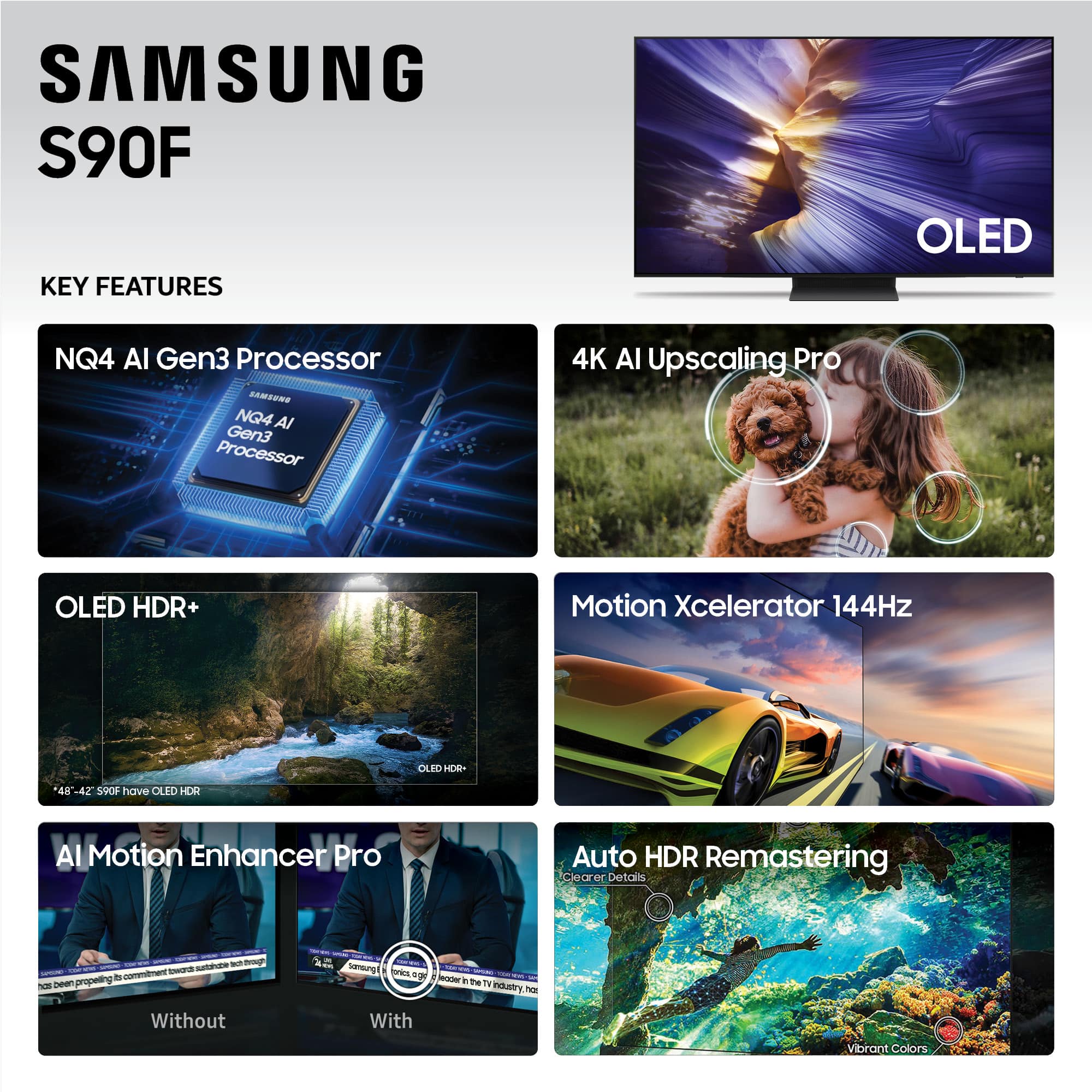
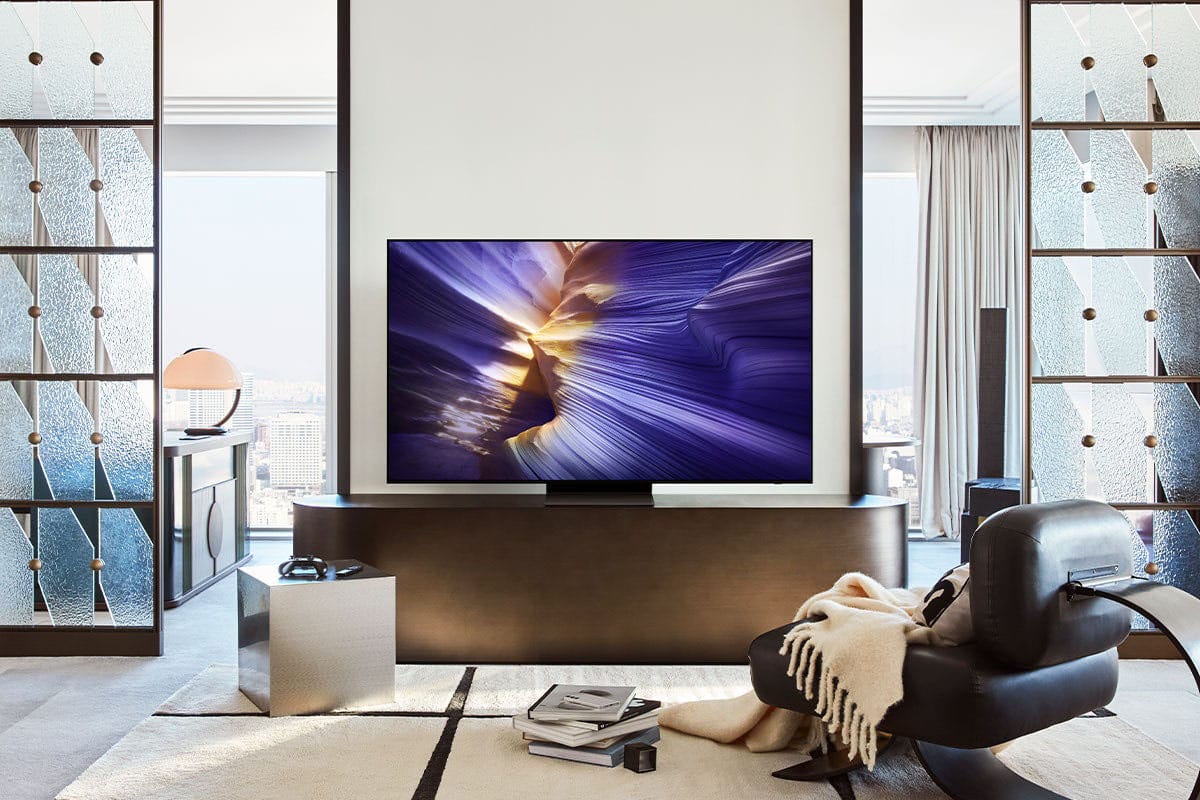
Customers find value in the 55” Class S90F Series OLED 4K UHD SamsungVision AI Smart Tizen TV (2025)'s picture quality and OLED quality. Customers also appreciate the TV's brightness and ease of use. Some customers find the design appealing and the motion handling smooth, especially for gaming.
This summary was generated by AI based on customer reviews.
Master Bedroom TV
||Posted . Owned for 2 weeks when reviewed.This reviewer received promo considerations or sweepstakes entry for writing a review.Great picture - This is the 5th TV I purchased over the years from Best Buy. Very satisfied with product and service.
I would recommend this to a friendGreat tv at a great price
||Posted . Owned for 1 month when reviewed.This reviewer received promo considerations or sweepstakes entry for writing a review.Great deal on a great tv. The tv does have some occasional hdr issues. An unplug or hard reset resolves this. Hopefully a future update will fix this
I would recommend this to a friend- Pros mentioned:Picture quality
Love my Samsung
||Posted . Owned for 1 month when reviewed.This reviewer received promo considerations or sweepstakes entry for writing a review.I love me new Samsung, The picture is just simply amazing. Very happy with my purchase.
I would recommend this to a friend - Pros mentioned:Picture quality
Love it! Highly recommend!
||Posted . Owned for 1 month when reviewed.This reviewer received promo considerations or sweepstakes entry for writing a review.Great tv. Salesman was very knowledgeable and helpful. Great customer service!!
I would recommend this to a friend - Pros mentioned:Oled quality
Amazing View
||Posted . Owned for 2 weeks when reviewed.This reviewer received promo considerations or sweepstakes entry for writing a review.The deep blacks and vibrant colors plus clarity makes this worth EVERY PENNY
I would recommend this to a friend - Pros mentioned:Picture quality
Brilliant
||Posted . Owned for 1 week when reviewed.This reviewer received promo considerations or sweepstakes entry for writing a review.Brilliant picture and sound. We didn't purchase a sound bar yet because the sound is great.
I would recommend this to a friend I'd recommend this one
||Posted . Owned for 3 weeks when reviewed.This reviewer received promo considerations or sweepstakes entry for writing a review.Excellent picture and sound. Easy set up and probably the best out of the box tv remote ive had.
I would recommend this to a friend- Pros mentioned:Picture quality
Samsung S90f OLED
||Posted . Owned for 2 weeks when reviewed.This reviewer received promo considerations or sweepstakes entry for writing a review.Great picture. Great look. Great value. Had a Sony XBR. Glad we came back to Samsung.
I would recommend this to a friend - Pros mentioned:Picture quality
Awesome Clarity
||Posted .This reviewer received promo considerations or sweepstakes entry for writing a review.Picture quality is excellent, very bright. It is so good, that it seems like you are right there with everything. I only wish it had a setting to get it to a more movie setting. Not so much as tho you are in it, but it is extremely detailed and I am enjoying it.
I would recommend this to a friendBrand response from Samsung
Posted .NICE,
We appreciate your input on the picture quality of Samsung’s S90F TV. Please note there are several adjustments you can make to improve your viewing experience.
First, please ensure your TV is running the latest firmware, as updates may include important picture quality enhancements. Go to: Home > Left directional button > Settings > Support > Software Update > Update Now
Then, select a Picture Mode that best fits your environment: Home > Home > left directional key > Settings > All Settings > Picture > Picture Mode
1. Standard – Default mode for general viewing
2. Dynamic – Brighter and clearer in well-lit rooms
3. Eco – Optimized for energy saving
4. Movie – Best for watching in dark environments
5. Filmmaker Mode – Preserves content exactly as intended by creators
You can also enhance your experience by enabling AI Mode, which automatically adjusts picture and sound based on your surroundings and usage patterns: Settings > All Settings > Advanced Features > AI Mode Settings > AI Mode
If these adjustments don’t improve your picture quality, feel free to contact Samsung Customer Support at 1-800-SAMSUNG, available 8AM – 12AM EST, 7 days a week. You can also LiveChat with an agent or find helpful guides by visiting the ‘Support’ section of our website.
~ Samsung Specialist
- Pros mentioned:Picture quality
Tv please
||Posted . Owned for 3 weeks when reviewed.This reviewer received promo considerations or sweepstakes entry for writing a review.Wow! This television has exceeded all expectations!
I would recommend this to a friend - Pros mentioned:Picture quality
Samsung
||Posted . Owned for 1 week when reviewed.This reviewer received promo considerations or sweepstakes entry for writing a review.Love my Samsung TV. Beautiful, sharp picture. The soundbar is a wonderful upgrade.
I would recommend this to a friend - Pros mentioned:Picture quality
Samsung 2025 55" Oled Smart TV
||Posted . Owned for 3 weeks when reviewed.This reviewer received promo considerations or sweepstakes entry for writing a review.Fits the need perfectly ........................ exceptional color, clarity
I would recommend this to a friend - Pros mentioned:Picture quality
Gaming
||Posted . Owned for 1 month when reviewed.This reviewer received promo considerations or sweepstakes entry for writing a review.Amazing TV purchased for gaming Graphics are perfect
I would recommend this to a friend - Pros mentioned:Picture quality
Great TV!
||Posted . Owned for 3 weeks when reviewed.This reviewer received promo considerations or sweepstakes entry for writing a review.Beautiful picture and looks great above our fireplace.
I would recommend this to a friend - Pros mentioned:Picture quality
Love my TV
||Posted . Owned for 1 week when reviewed.This reviewer received promo considerations or sweepstakes entry for writing a review.Awesome picture, with no backlighting the image is so much more impressive and sharp.
I would recommend this to a friend - Pros mentioned:Picture quality
Awesome TV
||Posted . Owned for 3 weeks when reviewed.This reviewer received promo considerations or sweepstakes entry for writing a review.TV is absolutely spectacular and the service to buy it was outstanding.
I would recommend this to a friend - Pros mentioned:Picture quality
Great picture, great sound.
||Posted .This reviewer received promo considerations or sweepstakes entry for writing a review.Great picture, great sound. Remote is ready to use.
I would recommend this to a friend - Pros mentioned:Picture quality
No on 50
||Posted . Owned for 3 weeks when reviewed.This reviewer received promo considerations or sweepstakes entry for writing a review.Color and clarity is insane! Best tv I ever watched
I would recommend this to a friend - Pros mentioned:Picture quality
Best Buy has done it again - selection & pricing
||Posted . Owned for 3 weeks when reviewed.This reviewer received promo considerations or sweepstakes entry for writing a review.The Samsung 55" Class S90F Series OLED 4K has incredible color & clarity.
I would recommend this to a friend - Pros mentioned:Picture quality
Great TV
||Posted .This reviewer received promo considerations or sweepstakes entry for writing a review.Easy to setup. Picture good quality with easy adjustments to room conditions.
I would recommend this to a friend