Customer Ratings & Reviews





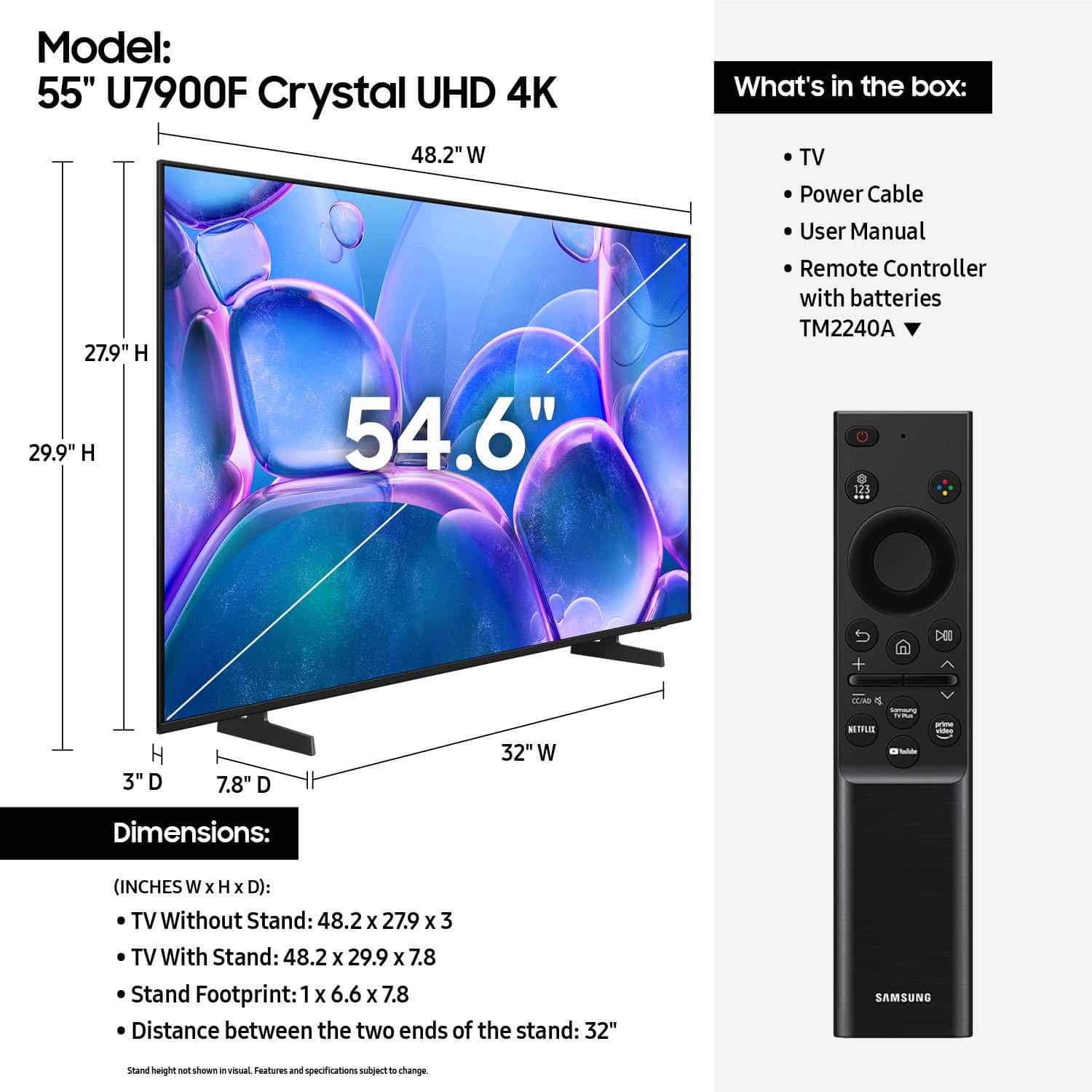






- Model:
- UN55U7900FFXZA
- SKU:
- 6632331
Rating by feature
- Picture Quality
Rating 4.8 out of 5 stars
- Sound Quality
Rating 4.7 out of 5 stars
- Brightness
Rating 4.8 out of 5 stars
Customers are saying
Customers highly value the 55" Class U7900 Series UHD 4K Smart Tizen TV (2025) for its sharp and vibrant picture quality, ease of setup, and perfect size. Many appreciate its lightweight design and modern look. However, some customers have expressed concerns about connectivity issues, the remote control, and occasional lag in app performance.
This summary was generated by AI based on customer reviews.
So far so good
Posted .This reviewer received promo considerations or sweepstakes entry for writing a review.What have given it 5 stars if not for the 5 button remote. Please give me a remote with a number pad on it.
I would recommend this to a friendNot my usual Samsung product
Posted .This reviewer received promo considerations or sweepstakes entry for writing a review.It doesn’t hold signal with wifi very good. The little circle thing spins and spins and then you have to go to settings and re-input all the wifi stuff again and hope it works for an hour before you do it all again.
No, I would not recommend this to a friendBrand response from Samsung
Posted .Hi Missytink,
Thank you for reaching out to us. Please ensure your TV is running the latest Firmware. Go to Settings> Support> Software Update. If this firmware version is not yet available on your TV, you can download the update on a USB drive and manually update your TV:
1. On Samsung's website (upper right corner), go to: Support > Manual & Software > Find your TV model, and click on the Firmware – Upgrade File.
2. When the file has finished downloading, locate it and then unzip it. There is normally one folder inside but there may be multiple files.
3. Copy or move all of the files that were included in the zip file to a USB flash drive, but do not place them inside any other folders. If you place the software folders inside a folder on the USB flash drive, the TV or monitor will not find them.
4. Connect the USB drive containing the software upgrade into a USB port on your device.
5. Using your device's remote, navigate to and select Settings, then select All Settings, and then select Support. Select Software Update, select Update Now, and then select Yes if prompted.
Your device will search the USB drive for update files. Follow the on-screen instructions to install the updated software. Updates usually take a few minutes; please do not turn off the TV until the update is complete. When the update is finished, it will restart automatically.
If you need additional support, Samsung is here to help. Please call us at 1-800-SAMSUNG, available 8AM – 9PM EST Mon – Fri, 8AM – 6PM Sat – Sun. You can also chat with a LiveChat agent by clicking the ‘Support’ link on our website.
~ Samsung Advisor
TV delivered damage, nothing done!
Posted .This reviewer received promo considerations or sweepstakes entry for writing a review.The television was delivered damaged. There were two spots on the right side of the screen. When I called Best Buy, they said nothing could be done because they didn’t receive the call in time. Samsung said the same thing and now I have a brand new tv that I can’t use. Very disappointing!
No, I would not recommend this to a friendBrand response from Samsung
Posted .Hi AdamW,
We regret to hear of your experience with Samsung’s U7900F TV. Please note that Samsung provides a 1-year limited manufacturer’s warranty for brand-new purchases from authorized sellers, covering defects in materials and workmanship. Damage or issues outside of this scope are not covered. Full warranty terms can be reviewed by entering your model number here: https://www.samsung.com/us/support/warranty/
If you believe your situation qualifies, we encourage you to contact Samsung Support at 1-800-SAMSUNG (8AM – 12AM EST daily) or through LiveChat on our website under ‘Support.’
~Samsung Advisor