Customer Ratings & Reviews





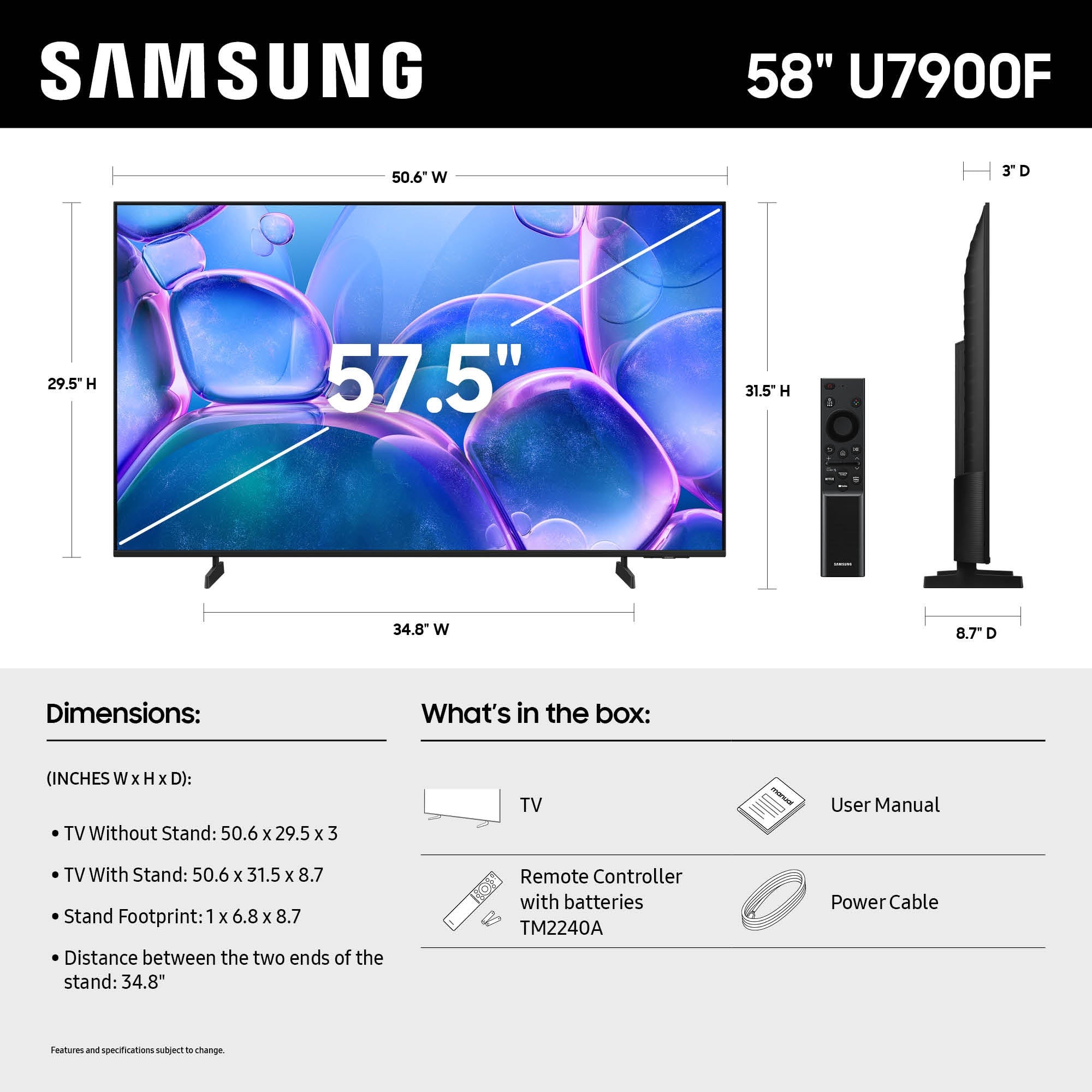




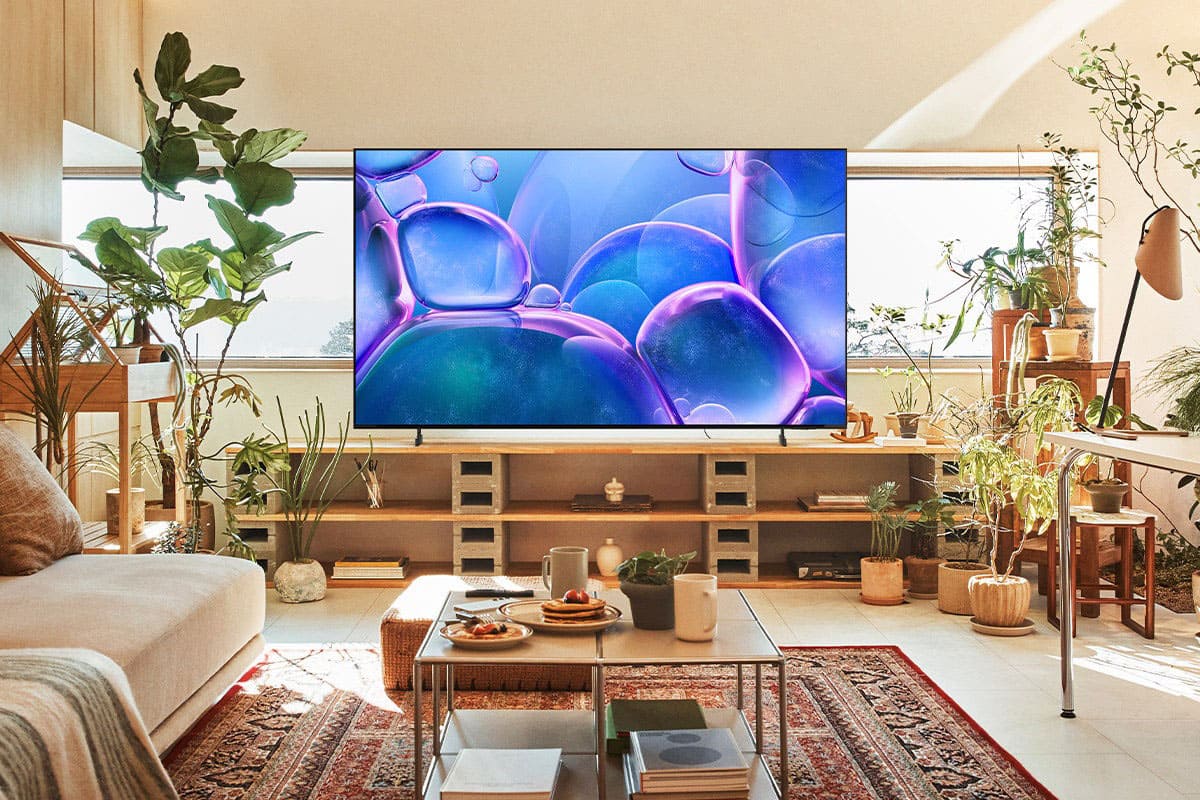


- Model:
- UN58U7900FFXZA
- SKU:
- 6640550
Rating by feature
- Picture Quality
Rating 4.8 out of 5 stars
- Sound Quality
Rating 4.5 out of 5 stars
- Brightness
Rating 4.8 out of 5 stars
Customers are saying
Customers enjoy the excellent picture quality of the 58" Class U7900 Series UHD 4K Smart Tizen TV, and find it easy to set up. The size is also a good fit for some rooms, and the user interface is well-received. However, some customers have reported issues with the functionality of the TV's apps.
This summary was generated by AI based on customer reviews.
Nice tv
||Posted . Owned for 3 months when reviewed.This reviewer received promo considerations or sweepstakes entry for writing a review.Works very fine. Picture clear ,nice soundddd. Easy to navigate
I would recommend this to a friendPerfect
||Posted . Owned for 3 months when reviewed.This reviewer received promo considerations or sweepstakes entry for writing a review.Nice and clean vision tv. Good sound and picture. Light weight
I would recommend this to a friend- Pros mentioned:Picture qualityCons mentioned:Connectivity
Terrible Connectivity / Range
||Posted .This reviewer received promo considerations or sweepstakes entry for writing a review.Picture quality is good. Terrible connectivity. Worst of any TV I've owned. Had to add a range expander for this TV.
No, I would not recommend this to a friendBrand response from Samsung
Posted .Hi JamesB,
Thank you for sharing your experience with Wi-Fi connectivity. If your TV is having trouble connecting to the network, the following steps may help resolve the issue:
Signal & Setup Tips:
1. Check TV-to-router distance – Your TV should be within 50 feet of the modem or access point for reliable signal strength.
2. Minimize interference – Turn off nearby wireless devices and make sure there are no physical barriers (stone walls, fireplaces, appliances) between the TV and router.
Power Cycle Devices:
3. Restart both your TV and router – Unplug both devices for at least 30 seconds, then plug them back in and allow them to reboot fully.
Connection Type:
4. Evaluate your connection method –
o If using Wi-Fi, move your router closer to the TV and eliminate any obstructions.
o For a more stable connection, we strongly recommend using a wired Ethernet cable.
o If already using Ethernet, verify the cable is working by testing it with another device.
Run Built-In Diagnostic Tools:
5. Network Test: Settings > Support > Device Care > Self Diagnosis > Smart Hub Connection Test
6. Wi-Fi Check: Settings > Support > Device Care > Self Diagnosis > Wi-Fi
Last Resort:
7. Perform a Factory Reset (if issues persist): Settings > All Settings > General & Privacy > Reset > Factory Data Reset. Note that this will return all settings to their original defaults.
If these steps don’t resolve the issue, please reach out to Samsung Support at 1-800-SAMSUNG, available 8AM – 12AM EST, 7 days a week. LiveChat support and additional help are available at the ‘Support’ link on our website.
~Samsung Advisor
Samsung 75 inch TV.
||Posted . Owned for 1 week when reviewed.This reviewer received promo considerations or sweepstakes entry for writing a review.Great performance for the price range, vibrant colors, sharp detail, and easy access to streaming services. highly recommend this TV go out and buy one fast before they’re all gone.
I would recommend this to a friendNice TV for the price
||Posted . Owned for 2 weeks when reviewed.This reviewer received promo considerations or sweepstakes entry for writing a review.I had a Samsung 50' TV with crystal UHD. It was a nice TV for the price. I then bought this 58" Samsung with same crystal UHD, and it is just as nice for the price.
I would recommend this to a friendGreat TV
||Posted . Owned for 3 months when reviewed.This reviewer received promo considerations or sweepstakes entry for writing a review.This has been the best TV so far I’ve gotten it’s lasted me a long time
I would recommend this to a friendWill buy Samsung tvs from now on...
||Posted .This reviewer received promo considerations or sweepstakes entry for writing a review.This tv is better than i expected..i absolutely love the gaming mode.
I would recommend this to a friendSamsung 58" TV
||Posted . Owned for 3 weeks when reviewed.This reviewer received promo considerations or sweepstakes entry for writing a review.needed a new TV and this one was on sale and had all of the features we were looking for
I would recommend this to a friendTV Samsung
||Posted .This reviewer received promo considerations or sweepstakes entry for writing a review.Super nice tv, the colors are nice and the size is perfect for my home
I would recommend this to a friendSmart TV
||Posted . Owned for 1 month when reviewed.This reviewer received promo considerations or sweepstakes entry for writing a review.The product is as described and the Best Buy staff were exceptional.
I would recommend this to a friendTv 58 samsung
||Posted .This reviewer received promo considerations or sweepstakes entry for writing a review.I loved it! Great price and excellent quality perfect
I would recommend this to a friendGreat quality TV!
||Posted . Owned for 2 weeks when reviewed.This reviewer received promo considerations or sweepstakes entry for writing a review.TV has perfect coloring and quality is high definition. Great purchase!
I would recommend this to a friendNew house, new tv
||Posted . Owned for 2 weeks when reviewed.This reviewer received promo considerations or sweepstakes entry for writing a review.Just what i was looking for. Easy set up!!!!!!!!!!
I would recommend this to a friendSamsung TV
||Posted . Owned for 2 months when reviewed.This reviewer received promo considerations or sweepstakes entry for writing a review.This Samsung is great big size small price very good quality pictures.
I would recommend this to a friendGreat size
||Posted . Owned for 1 month when reviewed.This reviewer received promo considerations or sweepstakes entry for writing a review.If it goes under 299 for Black Friday. I will buy a 2nd
I would recommend this to a friendGood quality, has decent bit of input delay
||Posted . Owned for 5 months when reviewed.This reviewer received promo considerations or sweepstakes entry for writing a review.Nice picture has good features. However I purchased a new tv and when I received it it had geek squad tape all over it so I think they gave me an open box. Tv does have input delay and the game tab is very laggy. I’m not sure if that is because it’s an open box tv or just how the tv is. If you plan to use the tv for binge watching movies or shows it works perfect
No, I would not recommend this to a friendBrand response from Samsung
Posted .Hi Zac5,
Thank you for your review. For optimal performance, please ensure your xxx TV is running the latest firmware. You can check this by going to: Home > left directional key > Settings > Support > Software Update
To further optimize performance, try running Device Care, which checks memory, clears unused cached data, and closes background apps: Home > left directional key > Settings > Support > Device Care > Start Device Care
If issues continue, please reach Samsung Support at 1-800-SAMSUNG, 8AM – 9PM EST Mon – Fri, 8AM – 6PM Sat – Sun. LiveChat is also available via the ‘Support’ link on our website.
~ Samsung Advisor
Great
||Posted .This reviewer received promo considerations or sweepstakes entry for writing a review.Great price with product. Deal of the day is awesome! Just what I needed.
I would recommend this to a friend- Cons mentioned:Connectivity
Sound bar issues but nice picture
||Posted .This reviewer received promo considerations or sweepstakes entry for writing a review.It is a beautiful TV But I cannot My speaker to sync with it. It does not have a place to plug in the speaker and it does not work wirelessly well. So that's my biggest problem
I would recommend this to a friendBrand response from Samsung
Posted .Hi AnthonyB,
I'm sorry to hear you're experiencing audio delay issues when pairing Bluetooth devices with your U7900 TV. Before using Bluetooth, please keep in mind the following:
1. Bluetooth devices and Wi-Fi Speaker Surround Setup cannot be used at the same time.
2. Compatibility issues may occur depending on the Bluetooth device - for example, some mobile-exclusive headphones may not work properly depending on the environment.
3. Lip-sync (audio delay) errors can occur with certain Bluetooth setups.
4. The TV and Bluetooth device may disconnect if the distance between them is too great or if there are obstacles.
If the delay continues, we recommend using a wired connection (HDMI) for improved audio performance.
Should you have any questions or need further assistance, please contact Samsung Customer Support at 1-800-SAMSUNG, 8AM – 12AM EST, 7 days a week. LiveChat agents are also available through the ‘Support’ link on our website.
~Samsung Advisor
my new tv
||Posted . Owned for 2 weeks when reviewed.This reviewer received promo considerations or sweepstakes entry for writing a review.interface could be a little more user friendly otherwise good
I would recommend this to a friendSamsung 58"
||Posted .This reviewer received promo considerations or sweepstakes entry for writing a review.Nice picture for 58" TV, can't beat it for the price.
I would recommend this to a friend