Customer Ratings & Reviews
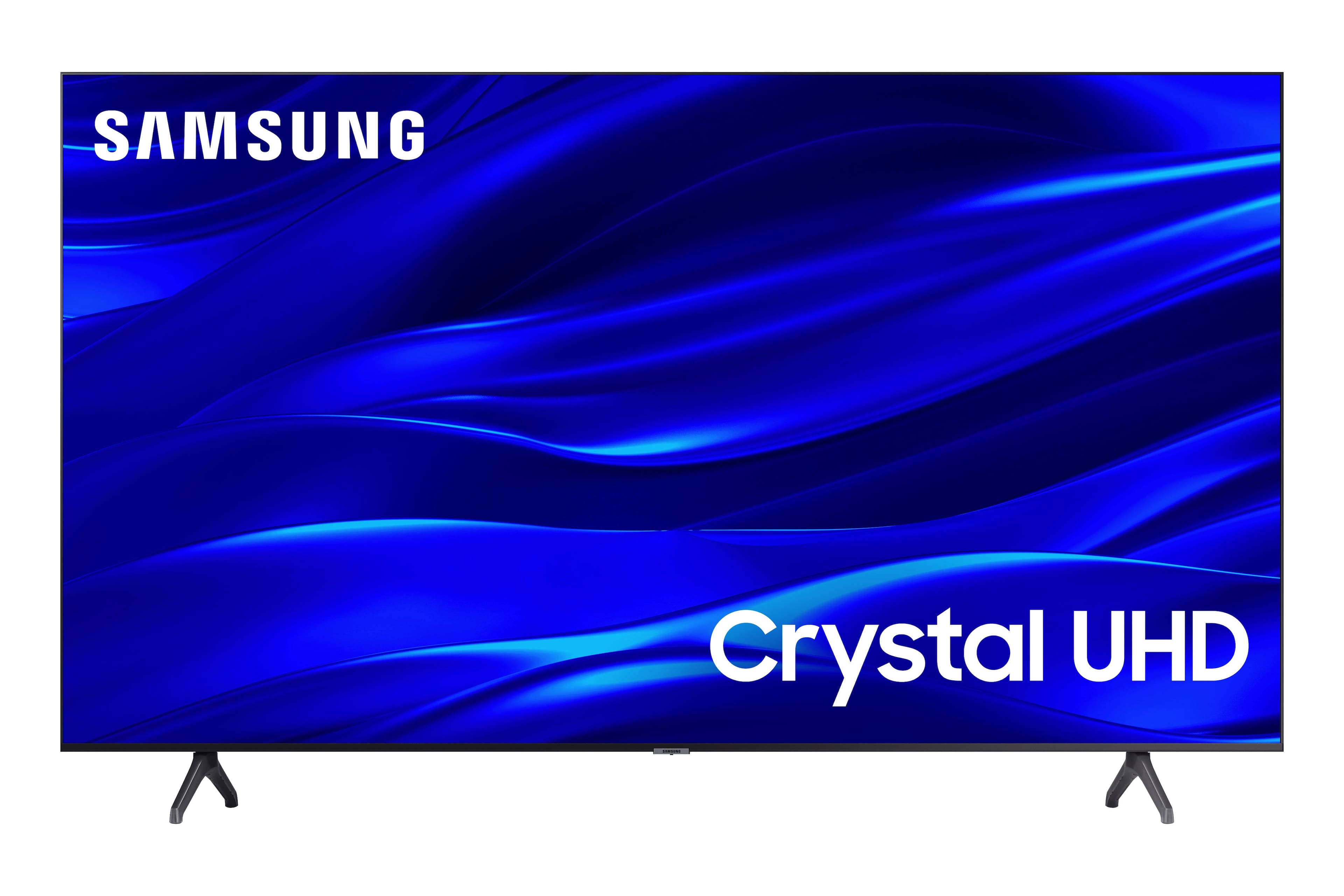
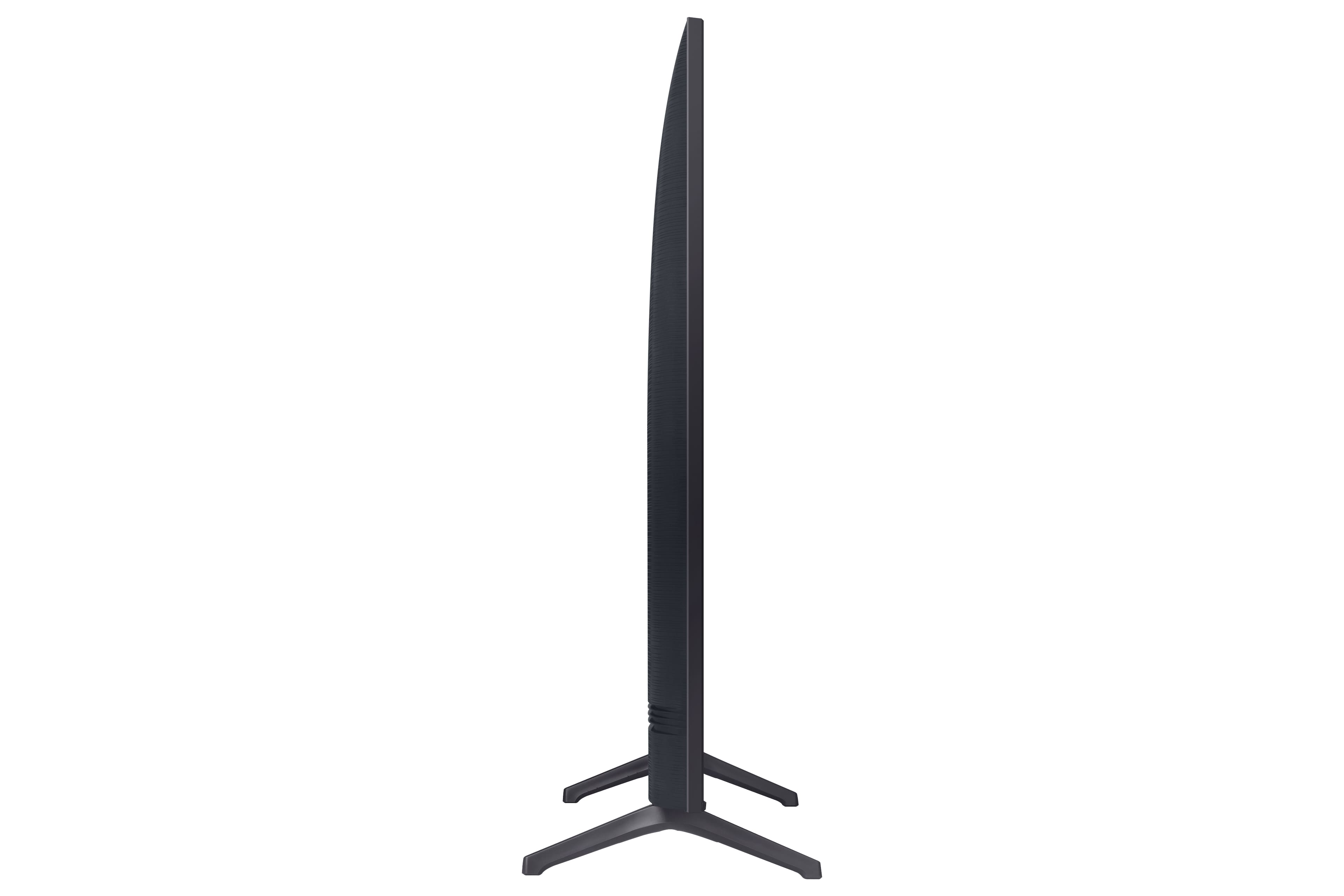




- Model:
- UN60TU690TFXZA
- SKU:
- 6517113
Rating by feature
- Picture Quality
Rating 4.7 out of 5 stars
- Sound Quality
Rating 4.4 out of 5 stars
- Brightness
Rating 4.6 out of 5 stars
Customers are saying
Customers express satisfaction with the 60" Class TU690T Crystal UHD 4K Smart Tizen TV, particularly praising its picture quality, price, and ease of setup. Many customers rave about the exceptional clarity and vivid colors of the display, making it an excellent choice for movie nights and gaming. The TV's affordability is also a major selling point, with customers appreciating the excellent value for money. Setting up the TV is a breeze, with several customers mentioning that everything worked perfectly right out of the box.
This summary was generated by AI based on customer reviews.
Very good hd tv.
||Posted . Owned for 1 week when reviewed.This reviewer received promo considerations or sweepstakes entry for writing a review.Picture come up very nice and clear. Best fit for our room size.
I would recommend this to a friendGreat TV
||Posted . Owned for 1 month when reviewed.This reviewer received promo considerations or sweepstakes entry for writing a review.Great replacement TV at great Best Buy Black Friday price
I would recommend this to a friendGreat buy
||Posted . Owned for 1 month when reviewed.This reviewer received promo considerations or sweepstakes entry for writing a review.I Didn't have to wait for the black Friday deals to arrive.
I would recommend this to a friendWonderful TV
||Posted . Owned for 1 month when reviewed.This reviewer received promo considerations or sweepstakes entry for writing a review.Replaced another 60 inch TV and I love this Samsung TV.
I would recommend this to a friendTv
||Posted . Owned for 1 week when reviewed.This reviewer received promo considerations or sweepstakes entry for writing a review.It’s a gift for Christmas I’m sure they will love it
I would recommend this to a friendWorst TV ever
||Posted . Owned for 1 month when reviewed.This reviewer received promo considerations or sweepstakes entry for writing a review.Wonderful TV..but it does not have a power cord. How do I use a TV with no cord? I love Best Buy…,but if they sell trash like this..I will buy from Amazon.
No, I would not recommend this to a friendBrand response from Samsung
Posted .Hi GarryB,
I'm very sorry to hear that your TU690T TV came without a power cord. If purchased brand-new and unopened, please contact Samsung Customer Support, and a representative will gladly help you. If purchased in open-box condition, we recommend contacting Best Buy directly for assistance. We hope your issue is resolved in a timely manner.
You can call us at 1-800-SAMSUNG, 8 AM - 12 AM EST, seven days a week. Our LiveChat agents are also available by clicking on the ‘Support’ link on our website.
~ Samsung Advisor
Has a thin red vertical line down the screen!
||Posted . Owned for 3 weeks when reviewed.This reviewer received promo considerations or sweepstakes entry for writing a review.Just noticed that it has a thin red vertical line and it's a few days past being able to return. Definitely would not purchase again.
No, I would not recommend this to a friendBrand response from Samsung
Posted .Hi Michael,
Thank you for purchasing the Samsung TU690T TV and for sharing your experience with your TV not displaying properly. You may want to try the following troubleshooting steps:
1. If any external devices are connected, check all input cable connections
2. If the issue persists, define precisely what is wrong with the display. For example, mosaics and blocks, multiple lines or white dots, and fixed horizontal or vertical lines.
3. Try changing channels using the remote control. Is the issue the same on all channels?
4. Press the Home button (looks like a house), select Source, and choose another input source. Is the issue the same on all sources?
5. If the same problem persists, run a diagnostic test. (Home > Settings > Support > Device Care > Self Diagnosis > Picture Test)
6. If the problem disappears during the test, check your TV signal (Home > Settings > Support > Device Care > Self Diagnosis > Signal Information) to check the signal strength. The signal strength must be more than 20 dB (more than 4 bars on the icon) for stable signal reception
Should your issue persist, please contact Samsung Customer Support at 1-800-SAMSUNG, 8 AM - 12 AM EST, seven days a week. Our LiveChat agents are also available by clicking on the ‘Support’ link on our website.
~ Samsung Advisor
Bad TV
||Posted . Owned for 1 year when reviewed.This reviewer received promo considerations or sweepstakes entry for writing a review.Bad Tv Within a year got lines on normal use Dont buy
No, I would not recommend this to a friendUnreliable delivery
||Posted . Owned for 2 weeks when reviewed.This reviewer received promo considerations or sweepstakes entry for writing a review.Failed again to deliver this tv. This time they said they broke it.
I would recommend this to a friendBrand response from Samsung
Posted .Hi MattP,
I'm sorry to hear about the issues you have experienced with the delivery of your TU690T TV. I recommend reaching out to your local Best Buy to better assist you.
I hope your issue is resolved quickly. If there’s anything we can ever help with, please call us at 1-800-SAMSUNG, 8 AM - 12 AM EST, seven days a week. Or visit us on the Samsung website and click on the ‘Support’ link for:
1) LiveChat
2) Manuals, Software, & Warranty Info
~ Samsung Advisor
Terrible sound quality
||Posted . Owned for 1 month when reviewed.This reviewer received promo considerations or sweepstakes entry for writing a review.The picture quality is fine, but the sound is absolutely terrible.
No, I would not recommend this to a friendBrand response from Samsung
Posted .Hi MelissaO,
Thank you for sharing your thoughts regarding the TU690T TV’s sound quality. We recommend adjusting the Sound Settings to improve your experience. You can change the Sound Mode by going to Settings > All Settings> Sound > Sound Mode.
You can also customize the sound with Expert Settings by going to Settings > Sound > Expert Settings.
To assist you with possible sound settings adjustments for a better audio experience or choosing a Samsung Soundbar to complement your viewing enjoyment, please reach out to us at 1-800-SAMSUNG, 8 AM - 12 AM EST, seven days a week. Our LiveChat agents are also available by clicking on the ‘Support’ link on our website.
~ Samsung Advisor
Good
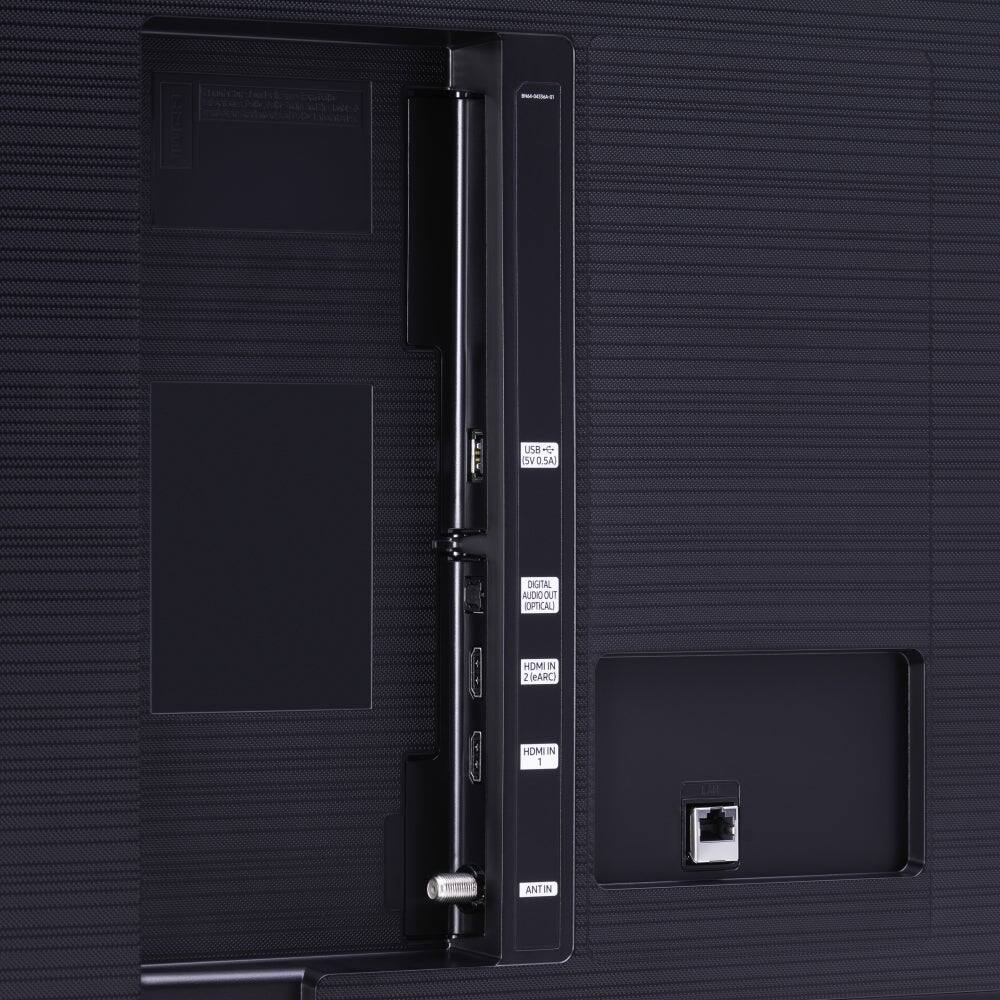
||Posted . Owned for 1 month when reviewed.This reviewer received promo considerations or sweepstakes entry for writing a review.Good Tv for the price. Only two HDMI ports. Not good in too much light.
I would recommend this to a friendBrand response from Samsung
Posted .Hi JohnsonC,
We appreciate your review of the TU690T TV. Please know we are here to help.
First, let’s ensure you are running the latest Firmware Update. Go to Settings> Support> Software Update.
Next, If the colors on your TV are correct but just a little too dark or bright, you can try adjusting Picture Modes, Contrast, Brightness, or Sharpness settings.
For darker scenes, I recommend Dynamic Picture Mode, which makes pictures brighter and clearer in bright viewing environments. Go to Settings > Picture > Picture Mode > Dynamic.
Or you can manually adjust the Brightness by pressing the HOME button on your remote, then navigating to Settings > Picture > Expert Settings.
You may also want to disable Power Saving Mode, which automatically adjusts the brightness to reduce the TV’s power consumption. Go to: Settings > General > Eco Solution> Power Saving Mode.
I hope this helps to improve your picture. Should you need further assistance, please contact us at 1-800-SAMSUNG, 8 AM - 12 AM EST, seven days a week. Our LiveChat agents are also available by clicking on the ‘Support’ link on our website.
~ Samsung Advisor
Skip this one go for the LG
||Posted . Owned for 2 months when reviewed.This reviewer received promo considerations or sweepstakes entry for writing a review.I took it back and bought an LG the colors are not as brilliant
No, I would not recommend this to a friendBrand response from Samsung
Posted .Hi Pupp,
I’m sorry to hear the picture quality of Samsung’s TU690T TV did not meet your expectations. Your feedback is appreciated and will be shared with our internal teams.
Should you ever decide to give Samsung TVs another try and experience issues or need assistance with usage, please know we are always here to help. We hope to regain you as a customer in the future.
You can call us at 1-800-SAMSUNG, 8 AM - 12 AM EST, seven days a week. Our LiveChat agents are also available by clicking on the ‘Support’ link on our website.
~ Samsung Advisor
Not worth the buy
||Posted . Owned for 1 month when reviewed.This reviewer received promo considerations or sweepstakes entry for writing a review.Screen goes in and out. Sound isn't very good at all
No, I would not recommend this to a friendBrand response from Samsung
Posted .Hi GilbertZ,
I'm very sorry that you are experiencing issues with the screen going in and out on your TU690T TV. Please know we back this TV with a 1-year limited manufacturer's warranty, including authorized repair for manufacturer defect, if purchased brand-new directly from an authorized seller.
Please give us a call so we can further assist you. Contact us at 1-800-SAMSUNG, 8 AM - 12 AM EST, seven days a week. Our LiveChat agents are also available by clicking on the ‘Support’ link on our website.
~ Samsung Advisor
Hard To Set Up TV
||Posted . Owned for 1 month when reviewed.This reviewer received promo considerations or sweepstakes entry for writing a review.This Samsung TV was the most difficult TV to set up. It would NOT let me set it up without first setting up a Samsung online account. Almost decided, and still might, to return it.
No, I would not recommend this to a friendBrand response from Samsung
Posted .Hello SSDupgrade,
Thank you for sharing your review regarding your TU690T. I am sorry that your out of box experience has not been ideal.
Please know that we are here and happy to help with troubleshooting, questions or concerns you may have.
Please call us at 1-800-SAMSUNG, 8 AM - 12 AM EST, seven days a week. Our LiveChat agents are also available by clicking on the ‘Support’ link on our website.
~ Samsung Advisor
Disappointed
||Posted . Owned for 3 weeks when reviewed.This reviewer received promo considerations or sweepstakes entry for writing a review.Tv keeps turning off by itself . Did everything I was told to do to fix the situation, but it still doesn’t work so I will be returning or exchanging it.
No, I would not recommend this to a friendBrand response from Samsung
Posted .Hi TemeshiaB,
I'm very sorry that you are experiencing an issue with the TU690T TV turning off by itself. You mentioned already troubleshooting the issue without success. Please know we back this TV with a 1-year limited manufacturer's warranty. Please give us a call so we can schedule warranty service. Contact us at 1-800-SAMSUNG, 8 AM - 12 AM EST, seven days a week. Our LiveChat agents are also available by clicking on the ‘Support’ link on our website.
~ Samsung Advisor
- Pros mentioned:Picture quality
Need more sound
||Posted . Owned for 1 month when reviewed.This reviewer received promo considerations or sweepstakes entry for writing a review.Great picture But not a good sound I haven't on a 100 still not that loud So the speakers Or not that loud
I would recommend this to a friendBrand response from Samsung
Posted .Hi ThomasL,
Thank you for sharing your experience with low volume on the TU690T TV. Please know we are here to help. There are several volume features you can adjust, which may improve your audio experience.
1) Auto Volume automatically adjusts the sound to a certain level when changing channels or switching to another external input. Go to Settings > Sound > Expert Settings > Auto Volume.
2) Adaptive Sound automatically adjusts to a specific volume level while watching TV. The TV analyzes your volume usage history by time period to automatically adjust the volume when you use an app or switch to an external input source. Go to Settings> Sound> Sound Mode> Adaptive Sound.
3) Several Sound Modes are likewise available to meet your personal preferences: Home > Settings > Sound > Sound Mode
Also, some sources have their own volume control, which might need to be set higher. Please check the volume control of the external device (cable box or satellite box, DVD, Blu-ray, etc.) connected to your TV. Also, check the cable connection between an external device and the TV and then try the cable connection again.
If you need more help, Samsung is here for you. Please call us at 1-800-SAMSUNG, 8 AM - 12 AM EST, seven days a week. Our LiveChat agents are also available by clicking on the ‘Support’ link on our website.
~ Samsung Advisor
No. Avoid. Look at a better samsung.
||Posted . Owned for 1 week when reviewed.This reviewer received promo considerations or sweepstakes entry for writing a review.Outdated. Poor quality for Samsung. Built in apps are slow. Heavy advertising and data collection. There are better Samsung TVs for the money or slightly more, especially with sales. Also, although this is sold as a 2022 TV, it's really not. It's a repackaged, mildly updated 2020 model. This means it DOES NOT have gaming center (ie: no Xbox streaming)
No, I would not recommend this to a friendBrand response from Samsung
Posted .Hi thpdg,
Thank you for taking the time to provide feedback on your TU690T TV. Please know your feedback will be shared with our internal product teams. We take pride in our products and are sorry to hear that your experience was not up to our high standards.
If there’s anything we can ever help with, please call us at 1-800-SAMSUNG, 8 AM - 12 AM EST, seven days a week. Or visit us on the Samsung website and click on the ‘Support’ link for:
1) LiveChat
2) Manuals, Software, & Warranty Info
~ Samsung Advisor
Good Product for price
||Posted . Owned for 1 month when reviewed.This reviewer received promo considerations or sweepstakes entry for writing a review.Not a bad tv but isn’t really bright so a simple room light will be glaring on the screen
No, I would not recommend this to a friendBrand response from Samsung
Posted .Hello Nando,
Thank you for letting us know that you are not satisfied with the brightness of your TU690T TV. I have a few recommendations which may improve your visual experience.
First, let’s ensure you are running the latest Firmware Update. Go to Settings> Support> Software Update.
Next, If the colors on your TV are correct but just a little too dark or bright, you can try adjusting Picture Modes, Contrast, Brightness, or Sharpness settings.
For darker scenes, I recommend Dynamic Picture Mode, which makes pictures brighter and clearer in bright viewing environments. Go to Settings > Picture > Picture Mode > Dynamic.
Or you can manually adjust the Brightness by pressing the HOME button on your remote, then navigating to Settings > Picture > Expert Settings.
You may also want to disable Power Saving Mode, which automatically adjusts the brightness to reduce the TV’s power consumption. Go to: Settings > General > Eco Solution> Power Saving Mode.
If you need more help, Samsung is here for you. Please call us at 1-800-SAMSUNG, 8 AM - 12 AM EST, seven days a week. Our LiveChat agents are also available by clicking on the ‘Support’ link on our website.
~ Samsung Advisor
- Pros mentioned:Picture qualityCons mentioned:Remote
Not a fan
Posted .This reviewer received promo considerations or sweepstakes entry for writing a review.This TV was replacement for the Toshiba Fire TV I got last year (my brother accidently ruined the screen while helping to take it off the stand). I loved that TV. I decided to get this one b/c it was a Deal of the Day (like the Toshiba Fire Tv). Ordered it at picked it up the same day. It's going back. The picture and sound are good. The problem: the REMOTE !!! I don't like the interface, it's too slow and the remote has to many buttons. It took me 10 minutes (each account) to sign in to Hulu and Amazon Prime b/c the remote doesn't work correctly. I mean it literally suuuuuucks. I even had the remote in front of the senor. This is was just a no. Also, I had to go to Home Depot to get the right screw to put it on my tall TV stand. I wanted to like it but TOSHIBA beats it with the picture and remote. I should've just bought the TOSHIBA Fire Tv from the get go. I'm glad this TV works for some but overall, remote along with the picture not being as crisp as I got with Toshiba, it's going back. I'm happy to hear it worked for some. It just wasn't for me.
No, I would not recommend this to a friendBrand response from Samsung
Posted .Hi Dodgers4Life,
We appreciate your feedback on the TU690T TV. Please know your review will be shared with our internal product and design teams. I do have a few suggestions which may improve your experience.
First, to ensure performance is fully optimized, please ensure your TV is running the latest firmware. To do so, go to Settings> Support> Software Update. You can easily update from there if necessary.
Next, to adjust the picture on your screen:
1) Standard: Default mode suitable for general viewing environments.
2) Natural: Reduces eye strain for a comfortable viewing experience.
3) Movie: Suitable for watching TV or movies in a dark room.
4) Dynamic: Makes the picture brighter and clearer in bright viewing environments.
You can also go to Settings > Picture > Expert Settings > to manually fine-tune your image.
Also, please know you can control your TV through your Android or Apple device via the Smartthings App.
I hope these tips improve your experience! If you ever have questions or need help, Samsung is here for you! Call us at 1-800-SAMSUNG, 8 AM - 12 AM EST, seven days a week. Our LiveChat agents are also available by clicking on the ‘Support’ link on our website.
Thanks for being a part of the Samsung family!
~ Samsung Advisor
Samsung TV
||Posted . Owned for 2 weeks when reviewed.This reviewer received promo considerations or sweepstakes entry for writing a review.I wouldn’t recommend a Samsung TV. Having a problem with s brand new TV and after two service visits it still isn’t fixed.
No, I would not recommend this to a friendBrand response from Samsung
Posted .Hi toner,
We are sorry to hear about your experience with the TU690T TV. Please know we are here to help you. We back this Samsung TV with a 1-year limited manufacturer's warranty, including authorized repair for manufacturer defect, if purchased brand-new directly from an authorized seller.
Please give us a chance to make this right by calling us at 1-800-SAMSUNG, 8 AM - 12 AM EST, seven days a week. Our LiveChat agents are also available by clicking on the ‘Support’ link on our website.
~ Samsung Advisor