Customer Ratings & Reviews


- Model:
- UN65KS8000FXZA
- |
- SKU:
- 5065600
Customer reviews
Rating 4.7 out of 5 stars with 4452 reviews
(4,452 customer reviews)Rating by feature
- Picture Quality4.5
Rating 4.5 out of 5 stars
- Sound Quality3.9
Rating 3.9 out of 5 stars
- Brightness4.3
Rating 4.3 out of 5 stars
Customers are saying
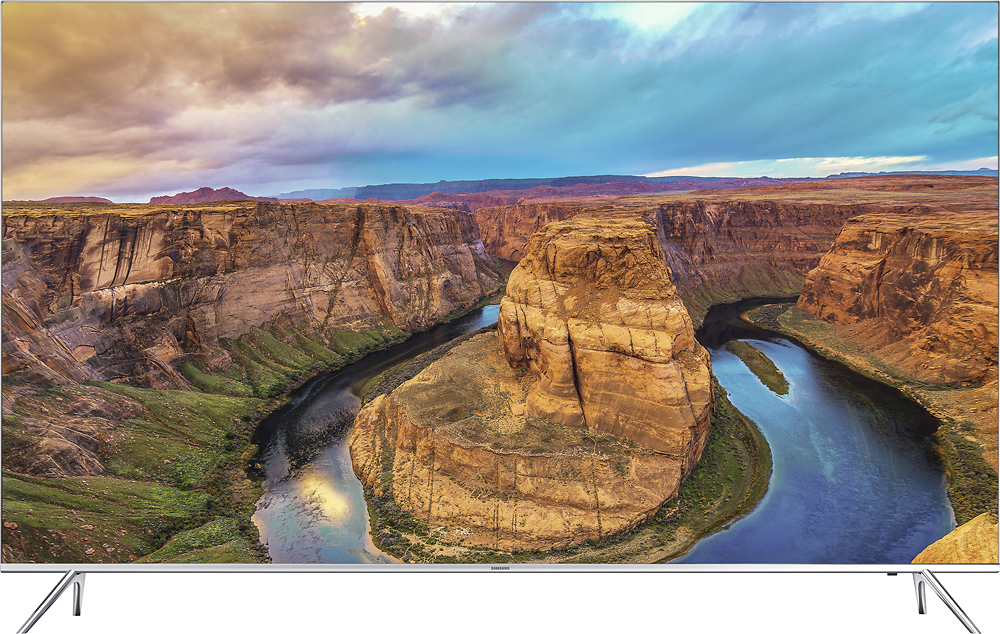
Customers value the 65" Class LED 4K Ultra HD Smart TV's exceptional picture quality, ease of use, and vibrant colors. Many appreciate the ease of setup and the user-friendly remote control, along with the sleek design. While some users noted minor motion blur or backlighting inconsistencies, the overwhelmingly positive feedback points to a highly satisfying viewing experience. The smart TV features and generally positive price point are also frequently praised.
This summary was generated by AI based on customer reviews.
- Pros mentioned:Picture quality
Rated 5 out of 5 stars
Incredible Upgrade!
Posted .This reviewer received promo considerations or sweepstakes entry for writing a review.My previous TV also purchased at Best Buy was a 42" Toshiba 1080p 240 hz 3D TV. I have not increased the size of my TV until now due to a very expensive entertainment center that would only allow a 42" or smaller TV. We moved and the entertainment center is now in the game room. Bought the Samsung 8000 series 55" Curved initially. Returned in and bought the non-curved 60" when they were priced the same. After a week, the 65" prices dropped to $1499 and I convinced the wife to let me return the 60" and get the 65" and have not looked back. The performance of the TV is phenomenal and I am really pleased with the picture and the apps included, especially Netflix and others who have 4K content. Paired with a 4K BluRay player and 4K BluRay discus is utterly incredible. I think the LG OLED sets have a slightly nicer screen, but not worth DOUBLE the price, IMO. VERY SATISFIED with this purchase!
I would recommend this to a friend - Pros mentioned:Picture quality
Rated 5 out of 5 stars
Excellent HDR Set
Posted .This reviewer received promo considerations or sweepstakes entry for writing a review.Had this TV about a month now. Replaced a 65" Sony 850c that was hit by lightning... Decided not to stick with Sony in the 850d. So far I'm thrilled with performance. Very easy to navigate the menu, the voice control is handy and works quickly (something Sony didn't offer). The Sony also doesn't have a web browser, which didn't make much sense at all. Picture is very good, still waiting on more 4K content, but happy for the time being. I purchased at it's best price, now listed at $200 more... No buyers remorse here!
I would recommend this to a friend - Pros mentioned:Picture quality
Rated 5 out of 5 stars
Great TV
Posted .This reviewer received promo considerations or sweepstakes entry for writing a review.Started out with the Sony 65 inch and it looked terrible, couldn't get the color adjusted or the picture size fitted and it had terrible edge bleed. Called Best Buy and they came and picked up the Sony and delivered the Samsung, no questions asked. During the process, found out the Samsung was priced at 1999.99, instead of 2299, and they gave me the lower price. The TV was easy to adjust and looks great! Best Buy service was outstanding!
I would recommend this to a friend - Pros mentioned:Picture quality
Rated 5 out of 5 stars
Fantastic TV, great upgrade
Posted .This reviewer received promo considerations or sweepstakes entry for writing a review.I read countless reviews on this TV and had great luck with Samsung TV's and other products before. I saw the sale price actually pre-Black Friday and went down to the local Best Buy for about my 20th visit to check out the 65KS8000 again. Luke was really positive on the TV and answered all my questions and concerns. SOLD. I bought it Saturday before Thanksgiving and was watching the Thanksgiving Day Parade and games on the new set. I had Geek Squad set it up along with the Samsung 3.1 Soundbar purchase. They even went downstairs and set the old Samsung 47" set up along with the old sound bar and Xbox for my boys. They couldn't have been nicer. For an older boomer, Geek Squad is the way to go. Picture, sound, controls, even the frame itself is just fantastic. Can't wait to get some 4K movies for Xmas to view. Highly recommend.
I would recommend this to a friend - Cons mentioned:Input lag
Rated 5 out of 5 stars
5th time was a charm
Posted .This reviewer received promo considerations or sweepstakes entry for writing a review.my journey to find a new tv has been long and painful. I bought and returned the following before finally getting a problem-free 65" KS8000: 49" KS8000, 55" KS8000, 65" KS8000 and a 55" LG B6. The KS8000 models all had at least one dead pixel, while the LG displayed non-4K content (most of what I watch) poorly compared to the KS8000 in my opinion. Also, If you like to play FPS games, don't even consider the LG B6. On paper the input lag difference is minimal between the two but battlefield 1 is noticeably more responsive on the KS8000. If the B6 had less input lag, better upscaling, and a lower price it would be the perfect tv. If you're looking for a reasonably priced tv with solid features and are willing to sacrifice "perfect blacks" look no further than the KS8000.
I would recommend this to a friend - Pros mentioned:Picture qualityCons mentioned:Motion blur
Rated 4 out of 5 stars
Good except for motion blur
Posted .This reviewer received promo considerations or sweepstakes entry for writing a review.It provides a good clean picture with good depth of color. I have it hooked up to a 1080P dish receiver and the only drawback I've seen so far is that I saw some motion blur and pixelization when I was watching an NBA game.
I would recommend this to a friend - Pros mentioned:Picture quality, Remote control
Rated 5 out of 5 stars
Flat out incredible
Posted .This reviewer received promo considerations or sweepstakes entry for writing a review.Would buy this TV again 100 times over. Bought 2 at once for new home. The remote is incredible. The picture is incredible. The navigation is above and beyond what I expected. Wouldn't Change a thing
I would recommend this to a friend Rated 5 out of 5 stars
Thank you samsung !
Posted .This reviewer received promo considerations or sweepstakes entry for writing a review.awesome TV my familly was satisfied from using it for 6 years but its time to change it ! completely satisfied ! :)
I would recommend this to a friend- Cons mentioned:Motion blur
Rated 4 out of 5 stars
Great TV - Could be better with a coupe of tweaks
Posted .This reviewer received promo considerations or sweepstakes entry for writing a review.Great TV in all aspects except in two areas. First, in some still shots during commercials (such as the photo of an automobile), certain parts of the picture flicker. This is very annoying, and I can't find any setting that gets rid of the flickering, although there are settings that supposedly control this. Second, I was spoiled by owning a Samsung DLP projection TV. The motion on the DLP was seamless. In some cases, this TV is somewhat jerky, and again, I have not found any settings to overcome this. Keep in mind the perfect storm to set up the first issue just doesn't happen all that often, and if and when it does, I'm not actually focused on watching...it's just annoying. The same thing with the second issue. It doesn't happen that often, it just bugs me that it isn't as good as my 2008 TV. The color saturation does fall off fairly quickly from side to side, but if you are in a large room and are sitting a good ways from the TV (my viewing area is 15 feet from the TV), then you probably won't notice. If these things aren't a deal breaker for you (they weren't for me), this is a great TV and I would highly recommend it.
I would recommend this to a friend - Pros mentioned:Picture quality
Rated 5 out of 5 stars
OLED quality at 1/3 the price
Posted .This reviewer received promo considerations or sweepstakes entry for writing a review.I originally purchase the Sony 900C because of the close out price and the reviews saying the light bleed issues have been resolved. The first one delivered had defective HDMI ports. The second one had the dreaded light bleed. I gave up and paid the extra money to get the Samsung. Well now I am really, really, really happy I did. I chose it based upon reviews from multiple websites. I am simply amazed at the picture. It may be the closest thing to an OLED on the market today and for the price difference I say forget the OLED.
I would recommend this to a friend - Pros mentioned:Picture quality
Rated 5 out of 5 stars
Excellent TV
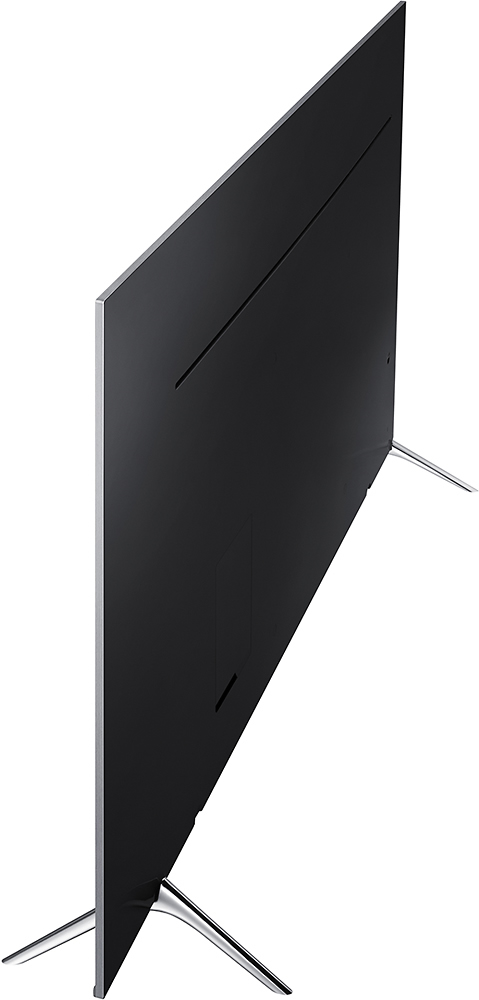
Posted .This reviewer received promo considerations or sweepstakes entry for writing a review.After much research settled on this Samsung and am totally happy. Comparing to the other comparable Sony's and LG's this set just looked the best to me. Feature wise this Samsung has all and more then I will use on a daily basis. My primary watching is cable box input and the upscaling is fantastic to my eye. The bezel is almost invisible and the set looks good sitting on its feet. Figuring I will keep this set for years the extra money spent will insure pleasurable viewing and enjoyment! You can calibrate (after searching the net for specs) for a cinema type picture but right out of the box the default settings are good. Highly recommended.
I would recommend this to a friend Rated 5 out of 5 stars
Best 4K TV
Posted .This reviewer received promo considerations or sweepstakes entry for writing a review.I want to start this review by saying that I bought this Samsung KS8000 TV after returning a Sony 65 XBR 850D. In short I was not thrilled with the Sony at all after I got it set up at home so I used the EXCELLENT Best Buy return policy and returned the Sony and bought the Samsung. After getting the Samsung set up at home I am extremely glad I returned the Sony. Basically the Samsung is better in about EVERY way over the Sony. Start with the remote control. I have to say I was skeptical when I first saw the Samsung remote control but it is AMAZING. It is ergonomic and extremely functional. It is actually a SMART remote, unlike the Sony. One great feature the Samsung offers is that the cable network works through your internet provider (time warner, comcast, etc) and therefore you can change channels with the remote provided. With the Sony this was not possible and you had to set up and use this bogus "IR Blaster" which is very slow and not intuitive at all. Also, about everything on the Samsung works faster than the Sony, even turning it off and on. Not sure if it has a faster on board computer or what but the Samsung works quickly when you do anything from changing channels to pulling up Netflix, etc. The main reason I returned the Sony was because the picture was so dark you couldn't see dark scenes at all. On Amazon Prime for instance I watched "Sneaky Pete" and half the scenes were so dark you couldn't see the background. Oh, and get this, with the Sony you CANNOT adjust the TV brightness, contrast, etc. at all when streaming from Netflix, Amazon Prime, etc. With the Samsung you can!!! However, The biggest difference between the two TV's though is that the Samsung has a MUCH, MUCH brighter picture than the Sony does. I know that people say Sony has great color, and they definitely do, but the scenes get so dark and you can't adjust the TV to brighten it up. With the Samsung KS8000 you don't need to brighten up scenes at all. The scenes are darker but still light enough to see. Overall the picture quality of the Samsung is superior to the Sony. Period. But don't take my word for it, look up some product reviews online...they will all say the same thing. I felt that the "smart tv" functions (Netflix, Amazon Prime, etc.) were about equal on both the Sony and the Samsung. Both are great and definitely better than streaming from an iPad, etc. The only thing negative I can say about the Samsung is that IT SHOULD COME WITH SCREWS NEEDED TO WALL MOUNT IT BUT IT DOES NOT. Not sure why Samsung doesn't include the 4 screws necessary...a dollars worth of screws for a $1700 TV. Seriously? But if that is all I can complain about then you know this television is awesome.
I would recommend this to a friend- Pros mentioned:Picture quality
Rated 3 out of 5 stars
Great TV, depends on preference, flat vs curved
Posted .This reviewer received promo considerations or sweepstakes entry for writing a review.I chose this Samsung un65ks8000fxza only after two defective curved models and one defective flat model. I bought the Samsung un65ks8500fxza on 8/19/2016. I was debating whether to get the curved or the flat model. After speaking with the associate and having done some research, I found the specs were identical. So I decided to see what the hype was and went with the curved model. Three days later a thin red vertical line appeared on the screen. It was visible on all inputs. I took the TV back to Best Buy and told them what happened. They connected it at the store and verified that the red line was there and told me it was defective. I exchanged it for the same model. Four days later while watching a movie on the exchanged TV, I noticed a bright white light on the bottom left corner of the screen. Upon a closer look, I noticed there was a LED that was brighter than all the others. This model is lit from the bottom of the screen. I took the exchanged TV back to Best Buy to have it changed yet again. While waiting for the TV to be checked, I went to the TV area and looked at the display for the same model looking for any bright LEDs, there were none, it was normal. After the associates checked it I was told it was also defective. I thought to myself, "what are the odds of getting two defective TVs." I told the associate that I wanted to exchange the TV, but decided to get the flat model instead, Samsung un65ks8000fxza, I didn't want to risk getting another defective curved TV. I took the flat model home and it looked great until I noticed a line on the top left corner of the screen. It looked like a hair. I thought it was on the outside an wiped it with the included microfiber cloth, but it didn't go away. Looking at it closer, I noticed it was behind the glass and the image looked darker on that spot. The line resembled a nail imprint that would be left on your skin if you press with your nail. So I took the flat model back to Best Buy and the associates looked at me as if they were thinking "you again?" It was kind of embarrassing, but when they connected the TV to verify the problem, they noticed it and told me this TV was also defective. I exchanged it for a fourth TV, a flat one again, but had them check it at the store before I left to make sure it worked and looked fine, I didn't want to make another return. The TV worked fine and still does. I don't know if it was just my luck, but after three returns within a week, some embarrassment, and unpacking and installing a total of four TVs, I am happy with my purchase. As I mentioned earlier, the specs between the curved and flat models are identical. It all comes down to preference on looks. The curved model gives you more glare and is bulkier if you want to mount it. The curved model is supposed to give you more depth, but you won't benefit from it unless you are sitting real close to the TV. I only gave it three stars because of my hassles, but it is a great TV.
I would recommend this to a friend - Pros mentioned:Picture quality
Rated 5 out of 5 stars
Great Quality!
Posted .This reviewer received promo considerations or sweepstakes entry for writing a review.This Samsung Smart TV is amazing! Not only does it have excellent picture quality but the ability to access Pandora, Netfix, YouTube, ect. all from the same screen.
I would recommend this to a friend - Pros mentioned:Picture quality
Rated 4 out of 5 stars
Overall a very nice TV
Posted .This reviewer received promo considerations or sweepstakes entry for writing a review.I bought the Samsung 65" ks8000 series TV. This TV is great in terms of the picture. My only issues with this TV are minor, but none the less they are still issues to me. First, when I use the searching from the smart hub it will never search across the Netflix App. It searches within every other app and even across my TV guide ( I use ATT Uverse). Second, If I do a search and it find a program that is on and it is on one of the network stations (CBS, NBC, FOX ETC..) I can select it and the TV will have Uverse change the channel for me, however, if is using the program data from the wrong market TV market. This seems to be an isolated incident to where I live as others I know if different markets have no issues. I live in Grand Rapids, MI, and the data being searched and displayed is from Detroit, MI market. Samsung support is horrible to say the least. Again, with the exception of these minor issues, I absolutely love the TV.
I would recommend this to a friend - Pros mentioned:Picture quality
Rated 5 out of 5 stars
Samsung is still the best buy
Posted .This reviewer received promo considerations or sweepstakes entry for writing a review.I primarily gravitate towards Samsung as my brand of choice for televisions. This year there was really only 2 candidates - Samsung and LG. And essentially it came down to price. LG has the best picture with it's OLED technology, but it's costly. This 65" from Samsung, which comes with the one connect dongle (no mention in description of product), has been an awesome TV so far. We have tested the apps (Netflix for example) and with various settings (watching movies, playing games) and it has not disappointed us at all. Very happy with the purchase.
I would recommend this to a friend Rated 5 out of 5 stars
Samsung 8000 beats Sony x850d
Posted .This reviewer received promo considerations or sweepstakes entry for writing a review.READ THIS, YOU'LL BE GLAD YOU DID!!! I've had a 52" Samsung that I bought back when flat screens just came out. Paid on sale, $2400 for it. Probably close to 15 years ago. Never had a problem with it till I just quit on me a week ago. So now I need a new tv and this is my story. Went to Best Buy to purchase the Samsung 7000 series 65" 4K hdr smart tv for $1300. Sales girl advised for $100 more the Sony x850d. I usually do my research but I like my Samsungs and wanted to spend under $1500 and the 8000 series was too much at the time. I talked myself into the Sony, being more tv than the 7000 series. Took it home, hooked it up, and was pleased with picture. Now I spend hours reading reviews, watching tutorials on YouTube, and google the heck out of these two tv's over the next 4 days. Then the speaker was crackling on the Sony. Time to take it back. During this time the 8000 series went on sale to $1499. (Super Bowl sales). So I paid the diff from the Sony ($100) and brought home the Samsung. After a couple days with this tv this is what I've come to learn. SONY: remote is confusing and too many buttons. Very complicated. The blacks weren't very true. Colors were very nice but compared to the Samsung just not natural enough. Kinda looked fake. Motion blur no different from Samsung as I watched hockey and basketball on both tv's. Light bleed on edges too on the Sony, kinda distracting. Back panel had nice finish but that's it. Connections were straight out unlike Samsung has them sideways so cables aren't protruding straight out from back panel. Samsung smart is smart. Works easily with other components with controller. Sony is more stubborn. All in all the picture is better on the Samsung. More user friendly. Hooks up and works well with other components. Controller does most commands for my DIRECTV drv. I'm so glad I took that Sony back and got the Samsung. These two tv's are the compared tv's but there is no comparison. Read all the reviews you want on both these tv's and google them too. Now that I've had both hooked up at home, you'll see what I'm talking about. Hope this helped in making a decision. I've spent too much time debating and researching. Save yourself the aggravation and GO SAMSUNG!!!!! Now time to enjoy this bad boy.
I would recommend this to a friend- Pros mentioned:Picture quality
Rated 5 out of 5 stars
Incredible TV
Posted .This reviewer received promo considerations or sweepstakes entry for writing a review.Amazing picture! I originally purchased a 4K LG and was extremely disappointed in the blacks being gray and had issues with flashlighting and the edge lit quality was disappointing. This Samsung blows the LG away in every aspect (except with Web OS interface...the trade off in picture quality is well worth it). Well worth the extra money for the Samsung. As close to OLED as you can get at less than half the price.
I would recommend this to a friend - Pros mentioned:Picture quality
Rated 5 out of 5 stars
Brilliant 4K TV. Best in the Market.
Posted .This reviewer received promo considerations or sweepstakes entry for writing a review.Its a fantastic TV. The ultra thin bezel is astonishing. It is super thin itself as well. I haven't mounted it, but I'm planning to. I can only imagine how stunning it will be. The most important thing to get the most out of your TV - tune it correctly. It's really easy to get lost in the settings. Make sure you have the right 4K HDMI cables, 4K pass through receiver and a 4K media player. If you have all these, you cannot go wrong. Pair it with a nice sound system and you're golden.
I would recommend this to a friend - Pros mentioned:Picture qualityCons mentioned:Motion blur
Rated 4 out of 5 stars
D@mn good tv but..
Posted .This reviewer received promo considerations or sweepstakes entry for writing a review.Very good good tv clear and sharp. An eye raiser. LikenOh sh** Remember the rock the wrestler. But fall short of sonys motion. Slight light bleed. It's the only flaw. A stunner for a mid range tv in the samsung line up
I would recommend this to a friend