Customer Ratings & Reviews

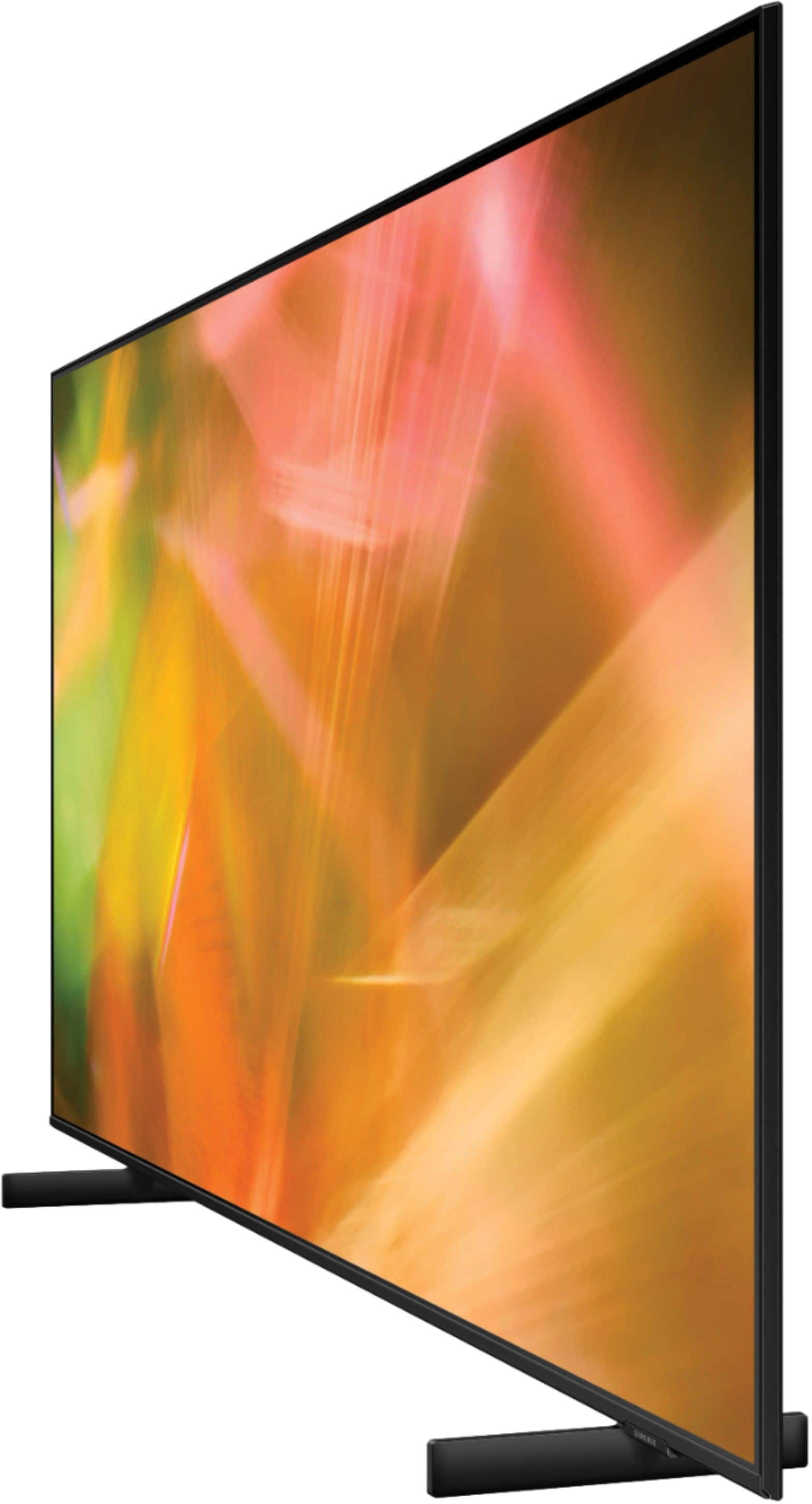
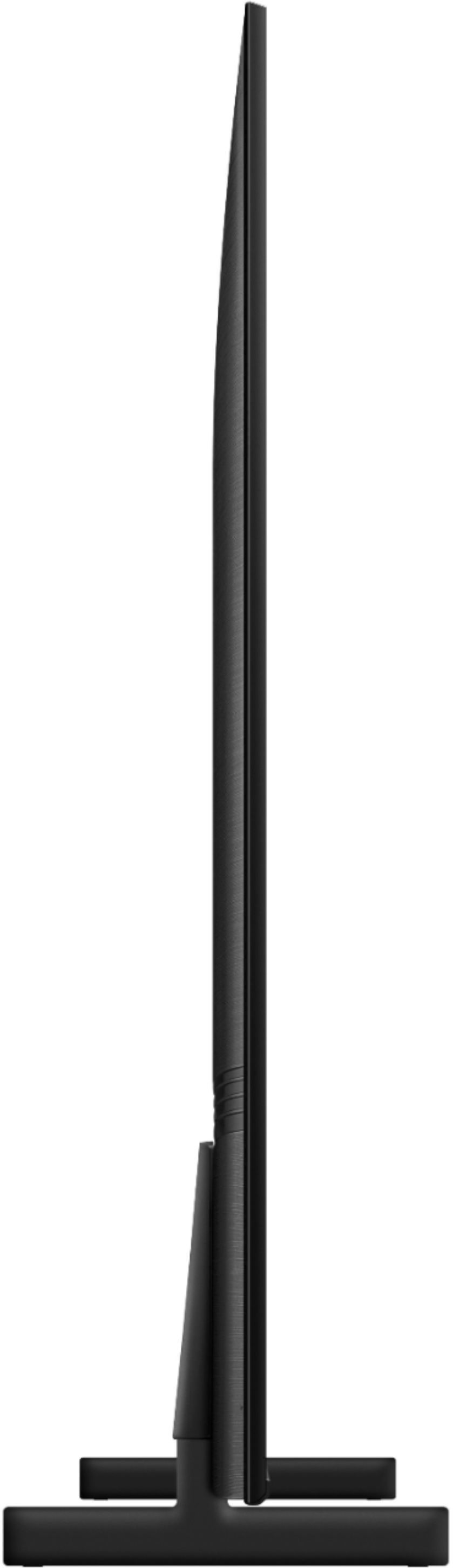
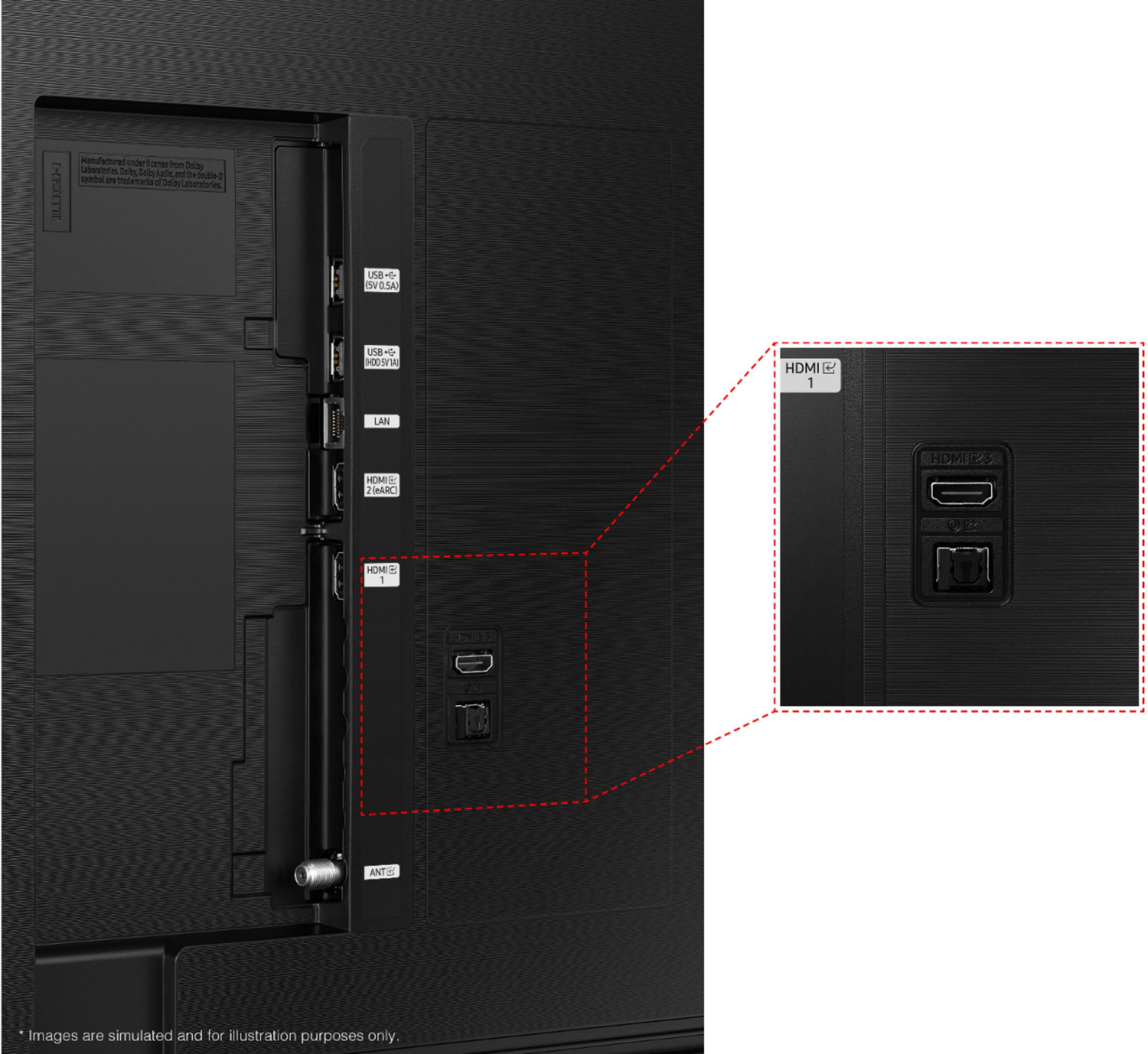







- Model:
- UN65AU8000FXZA
- SKU:
- 6453024
Rating by feature
- Picture Quality
Rating 4.7 out of 5 stars
- Sound Quality
Rating 4.4 out of 5 stars
- Brightness
Rating 4.7 out of 5 stars
Customers are saying
Customers are pleased with the picture quality, ease of use, and price of the 65" Class 8000 Series LED 4K UHD Smart Tizen TV. Many also appreciate the TV's design and setup process. However, some customers have expressed concerns about the remote control's functionality and the volume level. A few users also mentioned that the refresh rate could be improved.
This summary was generated by AI based on customer reviews.
Not what I expected.
||Posted . Owned for 1 month when reviewed.This reviewer received promo considerations or sweepstakes entry for writing a review.Picture quality isn't as vibrant as I expected. Picture always looks washed out even after adjusting settings.
No, I would not recommend this to a friendBrand response from Samsung
Posted .Hi there,
I’m sorry that the picture quality of Samsung’s AU8000 TV did not meet your expectations. Your feedback is appreciated and will be shared with our internal teams. We appreciate you and are here to help! Please try these troubleshooting tips to address these concerns.
First, let's make sure you are running the latest software. To do so, head to Settings>Support>Software Update and update from there if needed.
I see that you’ve already tried adjusting your image, but I did want to share the following adjustments with you, just in case:
Go to Home > Settings > Picture > Expert Settings and configure the TV settings to your taste with functions such as Brightness, Contrast, Sharpness, Color, Tint (G/R), and many more.
In addition, to fine-tuning your TV's Expert Picture Settings, you can also select the Picture Mode that provides the best viewing experience. Go to Home > Settings > Picture > Picture Mode and select the mode that best fits your usage:
1) Standard: This is the default mode suitable for general viewing environments.
2) Natural: Reduces eye strain for a comfortable viewing experience.
3) Movie: This is suitable for watching TV or movies in a dark room.
4) Dynamic: Makes the picture brighter and clearer in bright viewing environments.
5) Filmmaker Mode: You can watch the source content (e.g., movie) as it is. If the image is defined as Filmmaker Mode, it will automatically switch to Filmmaker Mode while watching.
If you have an external device connected, please check the following:
1) HDMI cables are recommended for optimal HD viewing.
2) If you have an analog cable box or satellite box, upgrade to a digital cable box or satellite box.
3) Change the output resolution of your devices, such as digital broadcast receivers, IPTV, and set-top boxes, to UHD or HD.
If these do not resolve your issue with a washed-out picture, please call us so we can troubleshoot together. Call us at 1-800-SAMSUNG, 8 AM - 12 AM EST, seven days a week. Or visit us on the Samsung website and click on the ‘Support’ link for:
1) LiveChat
2) Manuals, Software, & Warranty Info
~ Samsung Advisor
Samsung tv
||Posted . Owned for 1 year when reviewed.This reviewer received promo considerations or sweepstakes entry for writing a review.Tv lasted less than 2 years outside covered and under an awning … disappointed
No, I would not recommend this to a friendI do not recommend
||Posted . Owned for 7 months when reviewed.This reviewer received promo considerations or sweepstakes entry for writing a review.I've been buying Samsung TVs for twenty year. Never had an issue, until NOW. Initially was very annoyed, but realized that things happen and Samsung will take care of the issue with limited hassle to it being under warranty. The TV is 6 months old. It has been almost a month and have been given the biggest runaround in my life. Between Best Buy and Geek Squad and Samsung and Service Quick Third Party Provider, all awful. No customer service. Will never again buy from Best Buy or purchase a Samsung. You've been warned.
No, I would not recommend this to a friendBrand response from Samsung
Posted .Hi,
I’m sorry to hear Samsung's AU8000 TV has fallen short of expectations. So we can better understand the problems you are experiencing and provide you with troubleshooting assistance or warranty service, please reach out to Samsung Customer Support again at 1-800-SAMSUNG, 8AM - 12AM EST, 7 days a week. Our LiveChat agents are also available by clicking on the ‘Support’ link on our website.
We look forward to hearing from you!
~ Samsung Specialist
Ok tv
||Posted .This reviewer received promo considerations or sweepstakes entry for writing a review.Connection to your phone to tv was awsome sept for the colors blurred in with other colors especially the red and green colors
No, I would not recommend this to a friendBrand response from Samsung
Posted .Hi Blastnews,
Thank you for sharing the issues you are experiencing with your Samsung AU8000 Crystal UHD TV. So we can better understand the problems you are experiencing and provide you with troubleshooting assistance or warranty service, please contact Samsung Customer Support.
Call us at 1-800-SAMSUNG (ask for TVs), available 8AM - 12AM EST, 7 days a week.
For additional support resources, visit us on the Samsung website and click on the ‘Support’ link in the upper right corner of the homepage for:
1) Chat with Us/Product Help: To begin a chat or find solutions, choose ‘TVs & Home Theater’ and select your model & topic.
2) Register a Product: For access to easy warranty support, convenient opt-in to special promos and offers, faster troubleshooting and service, and quick notification of system updates.
3) Manuals & Software
4) Warranty Info
5) Contact Us
~ Samsung Solutions
Samsung
||Posted . Owned for 3 weeks when reviewed.This reviewer received promo considerations or sweepstakes entry for writing a review.Worked great the 1st couple of weeks. Since ... problems with intermittent volume loss of the sound bar. The only way to recover is to pull the plug. This happens at least 2 times a week. Netflix gets wiped off the home screen. I cant seem to replace it. I again unplug for a reset. It work for a bit. Very discouraging!!
No, I would not recommend this to a friendBrand response from Samsung
Posted .Hi RobertK,
I'm very sorry to hear about the issues you are experiecing with your AU8000 TV. Please know we are here to help.
First, let's ensure you are running the latest Firmware. Go to Settings> Support> Software Update.
Next, I apologize for the inconvenience you have had with the inconsistent sound volume.
The Auto Volume function automatically adjusts the sound to a certain level when changing channels or switching to another external input. Go to: Settings > Sound > Expert Settings > Auto Volume = On.
You may also want to perform a Sound Test under Support > Self Diagnosis > Start Sound Test.
Finally, if your issues continue, please reset the Smart Hub. Go to: Settings > Support > Device Care > Self Diagnosis > Reset Smart Hub.
If you need more help, please call us at 1-800-SAMSUNG, 8 AM - 12 AM EST, seven days a week. Our LiveChat agents are also available by clicking on the ‘Support’ link on our website.
~ Samsung Advisor
NOT AS GOOD
||Posted . Owned for 3 weeks when reviewed.This reviewer received promo considerations or sweepstakes entry for writing a review.While a newer (better?) version, doesn't have the clarity the older version had.
No, I would not recommend this to a friendBrand response from Samsung
Posted .Hi MichaelR,
We appreciate your feedback on the Samsung AU8000 TV's picture clarity compared to older versions. It’s unfortunate to hear you’re not fully satisfied with the TV’s image quality. If the picture you’re seeing is not to your liking, there are several picture settings you may want to try adjusting.
Go to Home > Settings > Picture > Picture Mode and select the mode that best fits your usage:
1) Standard: Default mode suitable for general viewing environments.
2) Natural: Reduces eye strain for a comfortable viewing experience.
3) Movie: Suitable for watching TV or movies in a dark room.
4) Dynamic: Makes the picture brighter and clearer in bright viewing environments.
5) Filmmaker Mode: You can watch the source content (e.g., movie) as it is. If the image is defined as Filmmaker Mode, it will automatically switch to Filmmaker Mode while watching.
You can also go to Settings > Picture > Expert Settings > to manually fine-tune your image.
If you need more help, Samsung is here for you. Call us at 1-800-SAMSUNG, 8 AM - 12 AM EST, seven days a week. Our LiveChat agents are also available by clicking on the ‘Support’ link on our website.
~ Samsung Advisor
My first Samsung
||Posted . Owned for 3 weeks when reviewed.This reviewer received promo considerations or sweepstakes entry for writing a review.The employee was Great explained everything about the TV and different choices of set's even prices and payments.
I would recommend this to a friendBrand response from Samsung
Posted .Hi Itswasagoodbuy,
I'm very glad to see that you are happy with this product. However, you have given this model a 3-star rating.
If there is anything we can do to assist you or provide solutions to improve your experience, please contact Samsung Support. Call us at 1-800-SAMSUNG (ask for TVs), available 8AM - 12AM EST, 7 days a week.
For additional support resources, visit us on the Samsung website and click on the ‘Support’ link in the upper right corner of the homepage for:
1) Contact Us: For additional Chat & Text options, choose ‘TVs & Home Theater’ and select your model & topic.
2) Manuals & Software
3) Warranty Info
4) Register a Product: For access to easy warranty support, convenient opt-in to special promos and offers, faster troubleshooting and service, and quick notification of system updates.
~ Samsung Solutions
Screens are flimsy junk buy LG
||Posted . Owned for 4 months when reviewed.This reviewer received promo considerations or sweepstakes entry for writing a review.I have been a huge supporter of Samsung products in the past. I purchased two of these Tv's due to great history with them never breaking down or need repairing, well one cracked after a couple of months of use. I thought it might be just faulty and Samsung will stand by their product, TV Specialists out of Eugene was sent to fix it but didn't after calling Samsung I soon realized they don't give a crap..... the only time I have had to to call Samsung for anything they failed miserably. not even a token gesture for being a loyal customer. I will not be buying anything Samsung again.... On a good note I stopped into best buy and talked to Mike the manager about my issue knowing he did not have to help out at all. Mike Stepped up like a Champ, I would have been happy with a Sorry to hear that and a $5.00 gift card, Mike was kind enough to give me a better deal on a already discounted replacement TV, NO not Samsung but LG better features and overall product. Thanks Best Buy and Mike your customer service was impeccable.
No, I would not recommend this to a friendBrand response from Samsung
Posted .Hi,
Thank you for your review of the Samsung AU8000 Crystal UHD TV and for sharing the issues that have caused you to return your unit. Your experience is very important to us and will be shared with our product team
Should you ever decide to give Samsung TVs another try and have questions or need assistance with settings, setup, or features, please know we are always here to help. Call us at 1-800-SAMSUNG (ask for TVs), available 8AM - 12AM EST, 7 days a week.
For additional support resources, visit us on the Samsung website and click on the ‘Support’ link in the upper right corner of the homepage for:
1) Chat with Us/Product Help: To begin a chat or find solutions, choose ‘TVs & Home Theater’ and select your model & topic.
2) Manuals, Software, & Warranty Info
We hope to regain you as a customer in the future.
~ Samsung Solutions
Not good
||Posted . Owned for less than 1 week when reviewed.This reviewer received promo considerations or sweepstakes entry for writing a review.This tv had Screen problems. So please buy carefully
No, I would not recommend this to a friendToo Laggy
||Posted . Owned for 3 weeks when reviewed.This reviewer received promo considerations or sweepstakes entry for writing a review.Tv was very laggy and took forver to seitch between apps and channels.
No, I would not recommend this to a friendBrand response from Samsung
Posted .Hello Grandview42,
I’m sorry to hear about the issues you’re experiencing with unresponsive apps. To ensure performance is fully optimized, please make sure your TV is running the latest firmware. To do so, go to Settings> Support> Software Update. You can easily update from there if necessary.
Next, I recommend utilizing the self-diagnostic tool, which checks memory, frees unused cached memory, and closes background apps. Go to Settings > Support > Device Care > Start Device Care.
If we can further help with any other issues, please know we are here for you. Just call us at 1-800-SAMSUNG, 8 AM - 12 AM EST, seven days a week. Our LiveChat agents are also available by clicking on the ‘Support’ link on our website.
~ Samsung Advisor
Samsung 65"
||Posted . Owned for 1 month when reviewed.This reviewer received promo considerations or sweepstakes entry for writing a review.Its the 2nd one of these tvs ive purchased. First one fell over and screen was unrepairable.
I would recommend this to a friendBrand response from Samsung
Posted .Hi CodyB,
I am very sorry for the unfortunate situation with your first TV. Please know, our warranty covers manufacturing defects in materials and workmanship encountered in normal, noncommercial use of this product, and does not apply to damage incurred during shipment, delivery and /or installation.
You can read more about our warranty here: https://www.samsung.com/us/support/service/warranty/UN65AU8000FXZA
Should you have any questions regarding features or settings with your new TV, please contact Samsung Customer Support. Call us at 1-800-SAMSUNG (ask for TVs), available 8AM - 12AM EST, 7 days a week.
For additional support resources, visit us on the Samsung website and click on the ‘Support’ link in the upper right corner of the homepage for:
1) Chat with Us/Product Help: To begin a chat or find solutions, choose ‘TVs & Home Theater’ and select your model & topic.
2) Register a Product: For access to easy warranty support, convenient opt-in to special promos and offers, faster troubleshooting and service, and quick notification of system updates.
3) Manuals & Software
4) Warranty Info
5) Contact Us
~ Samsung Solutions
TTvv
||Posted .This reviewer received promo considerations or sweepstakes entry for writing a review.Great TV but the image is not as clear. I rather spend a little extra for better tech.
No, I would not recommend this to a friendBrand response from Samsung
Posted .Hi QPinkD,
I am sorry to hear that the out of box experience is not meeting your expectations. The TV will upscale as best as possible any content sent to it. The closer your content is to 4K, the better the image will look on the screen.
Here are some tips to help improve the picture clarity:
1) HDMI cables are recommended for optimal HD viewing.
2) If you have an analog cable box or satellite box, upgrade to a digital cable box or satellite box.
3) Change the output resolution of your devices, such as digital broadcast receiver, IPTV, and set-top box to UHD or HD.
4) You can further adjust your sharpness, brightness, contrast, color, and more by going to Settings > Picture > Expert Settings
5) Choose a Picture Mode by going to Settings > Picture > Picture Mode and choose from Dynamic, Standard, Natural, Movie, or Filmmaker Mode.
Should you ever have questions or need help, please call us at 1-800-SAMSUNG (ask for TVs), available 8AM - 12AM EST, 7 days a week.
For additional support resources, visit us on the Samsung website and click on the ‘Support’ link in the upper right corner of the homepage for:
1) Chat with Us/Product Help: To begin a chat or find solutions, choose ‘TVs & Home Theater’ and select your model & topic.
2) Register a Product: For access to easy warranty support, convenient opt-in to special promos and offers, faster troubleshooting and service, and quick notification of system updates.
3) Manuals & Software
4) Warranty Info
5) Contact Us
~ Samsung Solutions
Not really
||Posted . Owned for 3 weeks when reviewed.This reviewer received promo considerations or sweepstakes entry for writing a review.Not as bright as expected. Bad in daylight. Black is not at its best
No, I would not recommend this to a friendBrand response from Samsung
Posted .Hi Great,
It’s unfortunate to hear you’re not fully satisfied with the brightness of your AU8000 TV’s picture. If the colors on your TV are correct but just a little too dark or bright, you can try adjusting Picture Modes, Contrast, Brightness, or Sharpness settings.
Changing to the Dynamic Picture Mode will make pictures brighter and clearer in bright viewing environments. To do so go to Settings > Picture > Picture Mode > Dynamic.
Or you manually adjust the Brightness, Contrast, and more. Press the HOME button on your remote, then navigate to Settings > Picture > Expert Settings.
You may also want to disable Power Saving Mode, which automatically adjusts the brightness to reduce the TV’s power consumption. Go to: Settings > General > Eco Solution> Power Saving Mode.
Ambient Light Detection will also automatically adjust the brightness level of the TV according to the ambient light level to reduce power consumption. If Ambient Light Detection has adjusted the screen brightness to a too bright or dark level, you can manually select Minimum Brightness to adjust the minimum screen brightness. Go to Settings > General > Eco Solution > Ambient Light Detection.
Please also be sure you are running the latest firmware. You can check to see what software version your TV is using and if there is an available update through the settings on your TV: Settings > Support > Software Update.
I hope this helps to improve your picture. Should you need further assistance, please get in touch with us at 1-800-SAMSUNG, 8 AM - 12 AM EST, seven days a week. Or visit us on the Samsung website and click on the ‘Support’ link for:
1) LiveChat with an agent
2) Manuals, Software, & Warranty Info
~ Samsung Advisor
Owner
||Posted . Owned for 3 weeks when reviewed.This reviewer received promo considerations or sweepstakes entry for writing a review.Were just disappointed in the fact that we couldn't get dish anywhere with this tv
I would recommend this to a friendBrand response from Samsung
Posted .Hi 1962,
I am sorry to hear that the streaming app you were looking for is not supported on the AU8000 Crystal UHD TV at this time. Samsung offers hundreds of apps in our App Store that you can download, and we are continuously adding more premium content and new services to our Smart TV platform.
If there is anything we can do to improve your experience with your new Crystal UHD TV, please call us at 1-800-SAMSUNG (ask for TVs), available 8AM - 12AM EST, 7 days a week.
For additional support resources, visit us on the Samsung website and click on the ‘Support’ link in the upper right corner of the homepage for:
1) Chat with Us/Product Help: To begin a chat or find solutions, choose ‘TVs & Home Theater’ and select your model & topic.
2) Register a Product: For access to easy warranty support, convenient opt-in to special promos and offers, faster troubleshooting and service, and quick notification of system updates.
3) Manuals & Software
4) Warranty Info
5) Contact Us
~ Samsung Solutions
Picture is contrastedly dark
||Posted . Owned for 1 month when reviewed.This reviewer received promo considerations or sweepstakes entry for writing a review.Dark contrasted picture on quite a few channels. Not what I was hoping to see on this tv.
No, I would not recommend this to a friendBrand response from Samsung
Posted .Hi,
Thank you for sharing your thoughts on the picture quality of your new 2021 AU8000 Crystal UHD TV. If the picture you are seeing out-of-the-box is not to your liking, there are several picture settings you may want to try adjusting.
You can select the Picture Mode that provides the best viewing experience. Go to Home > Settings > Picture > Picture Mode
1) Standard: Is the default mode suitable for general viewing environments.
2) Natural: Reduces eye strain for a comfortable viewing experience.
3) Movie: Is suitable for watching TV or movies in a dark room.
4) Dynamic: Makes the picture brighter and clearer in bright viewing environments.
You can also go to: Settings > Picture > Expert Settings > to manually fine tune your image.
For further assistance with settings adjustments, please contact Samsung Customer Support.
1-800-SAMSUNG (ask for TVs), available 8AM -12AM EST. 7 days a week. Or text “SUPPORT” to 800-726-7864 available 24 hours a day, 7 days a week.
For additional support resources, visit us on the Samsung website and click on the ‘Support’ link in the upper right corner of the homepage for:
1) More ‘Contact Us’ options – LiveChat, Facebook, Twitter, Samsung Community, Samsung Members app
2) Manuals & Software
3) Warranty Info
4) Product Registration: For access to easy warranty support, convenient opt-in to special promos and offers, faster troubleshooting and service, and quick notification of system updates.
~ Samsung Solutions
- Cons mentioned:Remote control
Ugh...Samsung 65" TV...Never Again
||Posted . Owned for 1 month when reviewed.This reviewer received promo considerations or sweepstakes entry for writing a review.Samsung does not support persons with hearing aids. I have add an unwanted sound box, splitter and tried over 3 headphones. The remote is not user friendly and to involved. The Best Buy sales people, 3, all stated it would not be a problem. Take the TV back!
No, I would not recommend this to a friendBrand response from Samsung
Posted .Hi!
Thank you for purchasing the Samsung AU8000 and sharing your experience using the remote and various functions within the TV.
The AU8000 features built in Bluetooth technology allowing you to wirelessly connect to Bluetooth compatible headphones, speakers, or hearing aids. They must be paired using the TV's Bluetooth function.
Go to: Settings > Sound > Sound Output > Bluetooth Speaker List.
Your TV also features Multi-output Audio which allows you output audio from both your TV speakers and Bluetooth headphones simultaneously. When this function is active, you can set the volume of the Bluetooth headphone higher than the volume of the TV speaker
Go to Settings > General > Accessibility > Multi-output Audio.
Should you ever have questions or need help, please call us at
1-800-SAMSUNG (ask for TVs), available 8AM -12AM EST M-F (9AM – 6PM EST Sat). Or text HELP to 62913.
For additional support resources, visit us on the Samsung website and click on the ‘Support’ link in the upper right corner of the homepage for:
1) More ‘Contact Us’ options – LiveChat, Facebook, Twitter, Samsung Community, Samsung Members app
2) Manuals & Software
3) Warranty Info
4) Product Registration: For access to easy warranty support, convenient opt-in to special promos and offers, faster troubleshooting and service, and quick notification of system updates.
~ Samsung Solutions
It's Ok
||Posted . Owned for 2 weeks when reviewed.This reviewer received promo considerations or sweepstakes entry for writing a review.The TV was ok, but it had connection issue. Overall it seemed to be an ok TV.
I would recommend this to a friendBrand response from Samsung
Posted .Hi RDCS08!
Thank you for sharing the issues you are experiencing with your Samsung AU8000 Crystal UHD TV. So we can better understand the problems you are experiencing and provide you with troubleshooting assistance or warranty service, please contact Samsung Customer Support.
1-800-SAMSUNG (ask for TVs), available 8AM -12AM EST M-F (9AM – 6PM EST Sat). Or text HELP to 62913.
For additional support resources, visit us on the Samsung website and click on the ‘Support’ link in the upper right corner of the homepage for:
1) More ‘Contact Us’ options – LiveChat, Facebook, Twitter, Samsung Community, Samsung Members app
2) Manuals & Software
3) Warranty Info
4) Product Registration: For access to easy warranty support, convenient opt-in to special promos and offers, faster troubleshooting and service, and quick notification of system updates.
~ Samsung Solutions
Samsung Tv
||Posted . Owned for 1 month when reviewed.This reviewer received promo considerations or sweepstakes entry for writing a review.Exactly what I paid for. Great deal. I wish the picture quality was better.
I would recommend this to a friendBrand response from Samsung
Posted .Hi there!
Thank you for purchasing the Samsung 65" AU8000 and for your review. Your experience regarding the picture quality is important to us. You may be able to improve the picture quality by using the settings available within your TV.
First, there are several preset picture modes and many custom settings that can optimize image quality for your viewing scenario.
Go to HOME > SETTINGS > PICTURE > PICTURE MODE and choose:
1) Dynamic: Makes the picture brighter and clearer in bright viewing environments.
2) Standard: This is the default mode suitable for general viewing environments.
3) Natural: Reduces eye strain for a comfortable viewing experience.
4) Movie: Suitable for watching TV or movies in a dark room.
You can further adjust your sharpness, brightness, contrast, color, tint, contrast, white balance, and more by going to Settings > Picture > Expert Settings
Should you ever have questions or need help, please call us at
1-800-SAMSUNG (ask for TVs), available 8AM -12AM EST, 7 days a week. Or text HELP to 62913.
For additional support resources, visit us on the Samsung website and click on the ‘Support’ link in the upper right corner of the homepage for:
1) More ‘Contact Us’ options – LiveChat, Facebook, Twitter, Samsung Community, Samsung Members app
2) Manuals & Software
3) Warranty Info
4) Product Registration: For access to easy warranty support, convenient opt-in to special promos and offers, faster troubleshooting and service, and quick notification of system updates.
~ Samsung Solutions
Regular
||Posted . Owned for 3 weeks when reviewed.This reviewer received promo considerations or sweepstakes entry for writing a review.Outer frame very fragile. Screen brightness disappoints
No, I would not recommend this to a friendBrand response from Samsung
Posted .Hi Regular,
I am sorry to hear that you are not completely satisfied with the out of box brightness levels of your picture. If the colors on your TV are correct but just a little too dark or bright you can try the different Picture Modes or manually adjust the Brightness settings to your liking.
Dynamic Picture Mode will make pictures brighter and clearer in bright viewing environments. Go to: Settings > Picture > Picture Mode > Dynamic
Or manually adjust the Brightness and other settings to your liking. Press the HOME button on your remote, then navigate to: Settings > Picture > Expert Settings
You may also want to disable Power Saving Mode which automatically adjusts the brightness to reduce the TV’s power consumption.
Go to Settings> General> Eco Solution> Power Saving Mode.
Ambient Light Detection will also automatically adjust the brightness level of the TV, according to the ambient light level, to reduce power consumption. If Ambient Light Detection has adjusted the screen brightness to a too bright or dark level, you can select Minimum Brightness to manually adjust the minimum screen brightness.
Go to Settings> General> Eco Solution> Ambient Light Detection
Please also be sure you are running the latest firmware. You can check to see what software version your TV is using and if there is an available update through the settings on your TV. Go to: Settings>Support>Software Update.
I hope this helps to improve your picture. Should you need further assistance, please contact Samsung Customer Support at 1-800-SAMSUNG (ask for TVs), available 8AM - 12AM EST, 7 days a week.
For additional support resources, visit us on the Samsung website and click on the ‘Support’ link in the upper right corner of the homepage for:
1) Chat with Us/Product Help: To begin a chat or find solutions, choose ‘TVs & Home Theater’ and select your model & topic.
2) Register a Product: For access to easy warranty support, convenient opt-in to special promos and offers, faster troubleshooting and service, and quick notification of system updates.
3) Manuals & Software
4) Warranty Info
5) Contact Us
~ Samsung Solutions
TV
||Posted . Owned for 3 weeks when reviewed.This reviewer received promo considerations or sweepstakes entry for writing a review.The Sanyo 65" TV purchased is ok and what I expected.
I would recommend this to a friendBrand response from Samsung
Posted .Hi!
Thank you for purchasing the Samsung 65" AU8000 Crystal UHD TV and for sharing your review. I'm very glad to see that you are happy with this product. However, you have given this model a 3-star rating.
If there is anything we can do to assist you or provide solutions to improve your experience, please contact Samsung Support at 1-800-SAMSUNG (ask for TVs), available 8AM - 12AM EST, 7 days a week.
For additional support resources, visit us on the Samsung website and click on the ‘Support’ link in the upper right corner of the homepage for:
1) Chat with Us/Product Help: To begin a chat or find solutions, choose ‘TVs & Home Theater’ and select your model & topic.
2) Register a Product: For access to easy warranty support, convenient opt-in to special promos and offers, faster troubleshooting and service, and quick notification of system updates.
3) Manuals & Software
4) Warranty Info
5) Contact Us
~ Samsung Solutions