Customer Ratings & Reviews
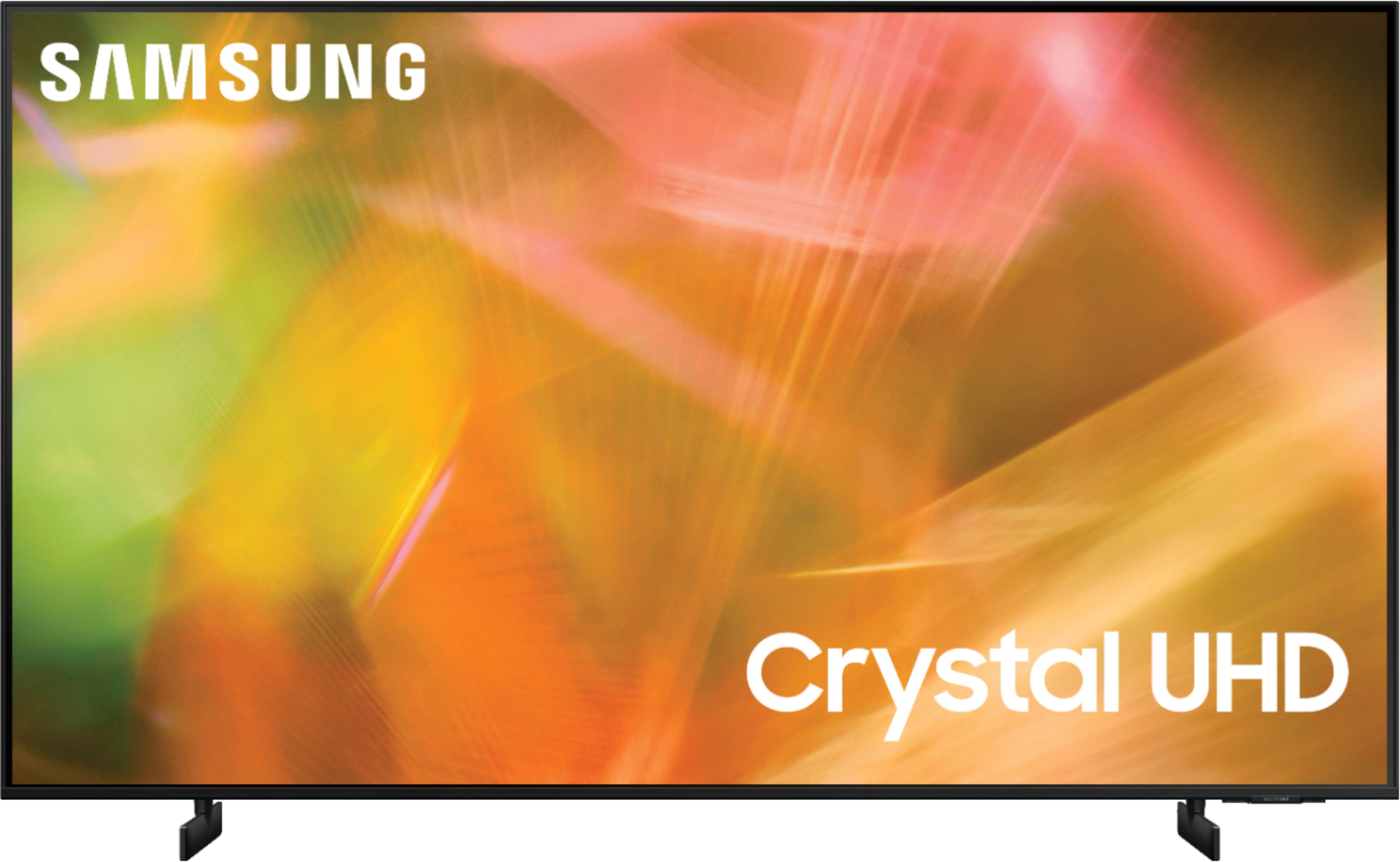
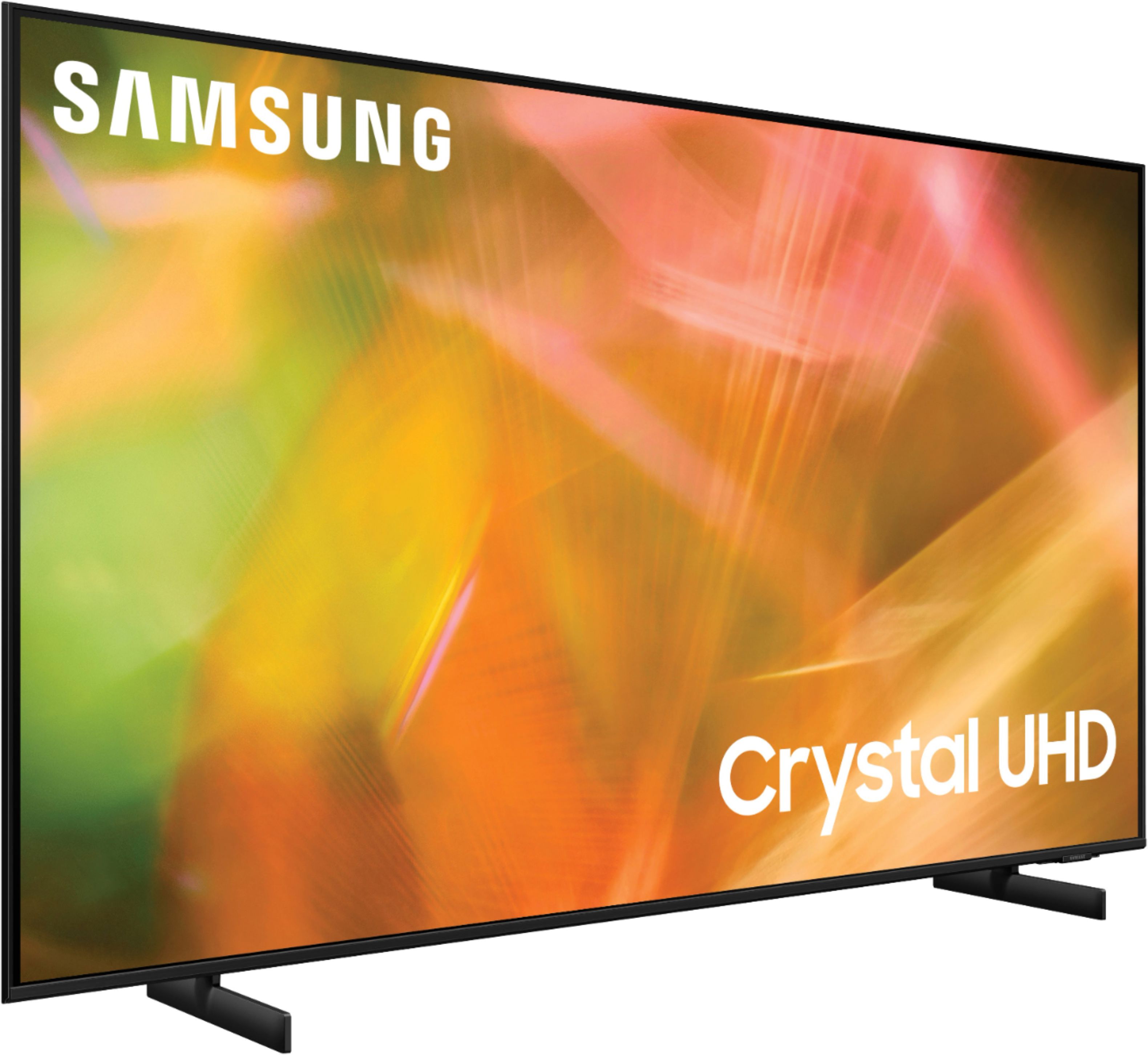
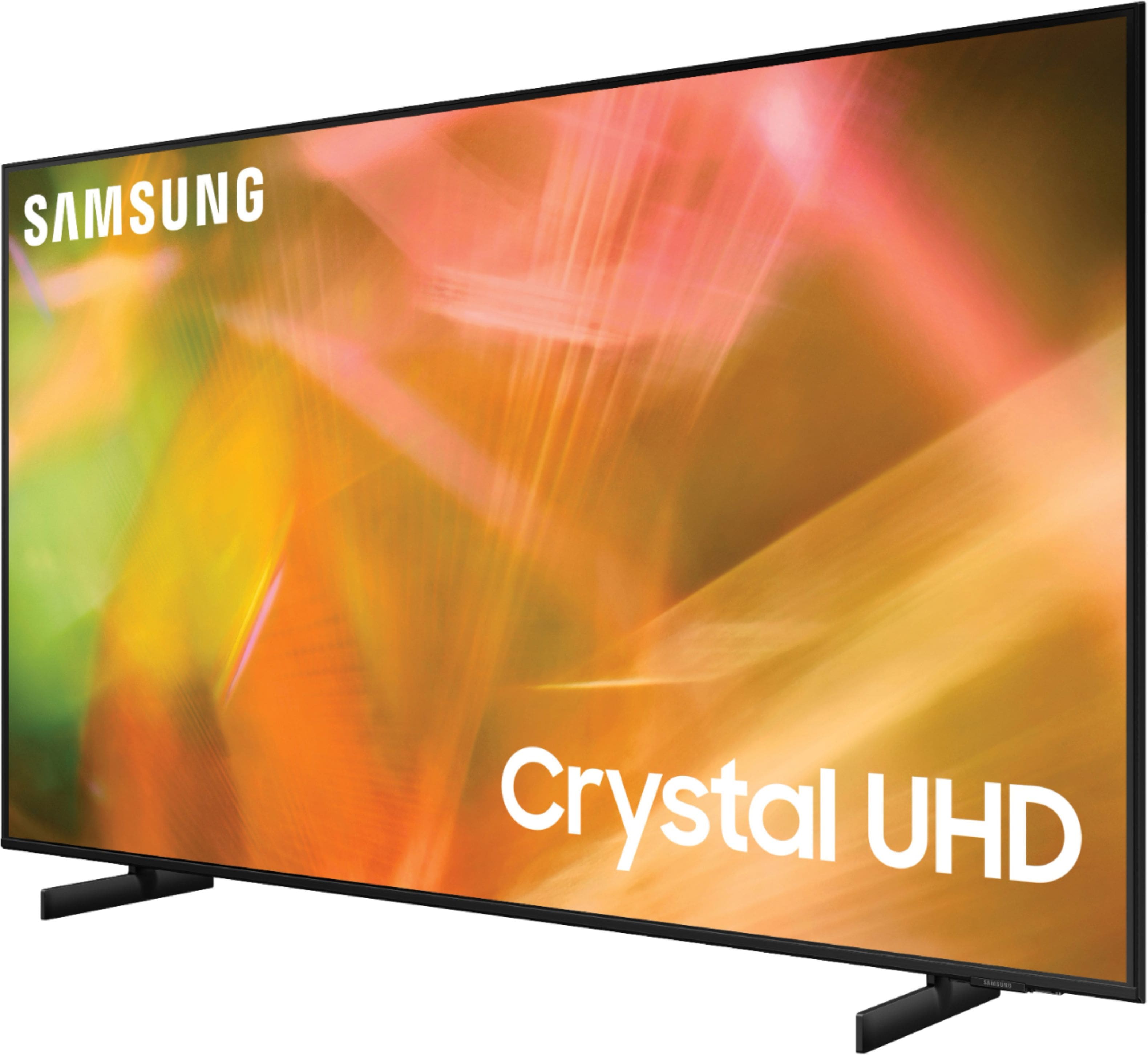








- Model:
- UN65AU8000FXZA
- SKU:
- 6453024
Rating by feature
- Picture Quality
Rating 4.7 out of 5 stars
- Sound Quality
Rating 4.4 out of 5 stars
- Brightness
Rating 4.7 out of 5 stars
Customers are saying
Customers are pleased with the picture quality, ease of use, and price of the 65" Class 8000 Series LED 4K UHD Smart Tizen TV. Many also appreciate the TV's design and setup process. However, some customers have expressed concerns about the remote control's functionality and the volume level. A few users also mentioned that the refresh rate could be improved.
This summary was generated by AI based on customer reviews.
Smoldering Garbage
||Posted . Owned for 9 months when reviewed.This reviewer received promo considerations or sweepstakes entry for writing a review.The picture quality is decent for the price, but this “smart tv” is smoldering garbage. We’ve had WiFi connection issues since day 1. Tech support, while technically existing, is all but nonexistent. I strongly encourage anyone contemplating is overpriced paperweight to spend their money elsewhere.
No, I would not recommend this to a friendBrand response from Samsung
Posted .Hi Nick,
We are sorry to hear that you are having issues with your AU8000 TV's Wi-Fi connection. Please know that we are here to help you. Please try the below tips to address this issue.
1. Use 5G Wi-Fi if possible
2. Try wired LAN if available
3. Try repositioning the router, so there are no obstacles between your TV and the router
Please also be sure you are running the latest firmware. You can check to see what software version your TV is using and if there is an available update through the settings on your TV. Go to Settings > Support > Software Update.
You may want to enable automatic updates for convenience.
Go to Settings > Support > Software Update, then select Auto Update.
Additionally, to optimize the TV’s performance, please also try running Device Care, which improves your app's performance by freeing up unused cached memory and closing background apps. Go to: Settings > Support > Open e-Manual, then select Device Care.
I hope these tips help improve your streaming experience. If you need further help, please call us at 1-800-SAMSUNG, 8 AM - 12 AM EST, seven days a week. Or visit us on the Samsung website and click on the ‘Support’ link for:
1) LiveChat with an agent
2) Manuals, Software, & Warranty Info
~ Samsung Advisor
poor sound
||Posted . Owned for 3 weeks when reviewed.This reviewer received promo considerations or sweepstakes entry for writing a review.first of all the HDMI cable I purchased did not fit the port of the TV and so returned the item and still having issues finding the right size cable. Now as far as the TVs I purchased the sound quality is not good at all, Now I either will have to purchase sound bars which I was not expecting and just adds to further cost. not happy about the options
No, I would not recommend this to a friendBrand response from Samsung
Posted .Hi unhappy,
Thank you for purchasing the AU8000 TV and for sharing your feedback regarding the sound quality. There are several sound settings you can adjust to suit your personal sound preferences.
Change the Sound Mode by going to: Settings > Sound > Sound Mode
You can also customize the sound with Expert Settings by going to: Settings > Sound > Expert Settings
To assist you with possible sound settings adjustments for a better audio experience, or choosing a Samsung Soundbar to complement your viewing enjoyment, please reach out to us at: 1-800-SAMSUNG (ask for TVs), available 8AM - 12AM EST, 7 days a week.
For additional support resources, visit us on the Samsung website and click on the ‘Support’ link in the upper right corner of the homepage for:
1) Contact Us: For additional Chat & Text options, choose ‘TVs & Home Theater’ and select your model & topic.
2) Manuals & Software
3) Warranty Info
4) Register a Product: For access to easy warranty support, convenient opt-in to special promos and offers, faster troubleshooting and service, and quick notification of system updates.
~ Samsung Solutions
entertainment system
||Posted . Owned for 1 month when reviewed.This reviewer received promo considerations or sweepstakes entry for writing a review.I like the T.V., but I am having trouble with the picture, and I don't know if it is the T.V. or my cable network. I get a garbled picture at times. My sound also cuts out at times. and the sound bar had to be connected through my old DVD player, because the cable Best Buy sent for the sound Bar did not work for the tech like it was suppose to.
No, I would not recommend this to a friendBrand response from Samsung
Posted .Hi unsatisfied,
Most cable and satellite boxes today can be connected with HDMI, and that’s a good thing, because HDMI offers the best picture and sound. If your cable box has component connections, the first thing you may want to do is contact your cable company and see if there is an upgraded box available. If not, you will need a component to HDMI adapter if the TV does not support component out of the box, and this may cause image issues.
1. Make sure the TV and cable or satellite box are turned off.
2. Connect an HDMI cable to your cable or satellite box’s HDMI out port, which should be located on the back.
3. Connect the other end of the HDMI cable to any of the empty HDMI ports on your Samsung TV. Note: Make sure to remember what number the port is so you can change your TV’s source to it in a moment.
4. Turn on your TV and the cable or satellite box. Now depending on your TV, a few different things may happen:
Your TV may automatically recognize that you connected a cable or satellite box and not only switch to the source, but change the name of the source to the name of your cable box. You can now watch TV and control the cable box with your Samsung Smart TV remote.
Note: This only works when using an HDMI connection.
If you continue to experience issues, you may want to follow these troubleshooting steps to check your connection.
1) Power off all HDMI devices connected to TV
2) Disconnect all HDMI cables from TV
3) Power off and unplug the TV's power cord from the wall outlet
4) Press and hold the TV power button for 30 seconds
5) Reconnect HDMI cables back to HDMI ports on TV
6) Re-plug the TV's power cord back into the wall outlet and check the TV.
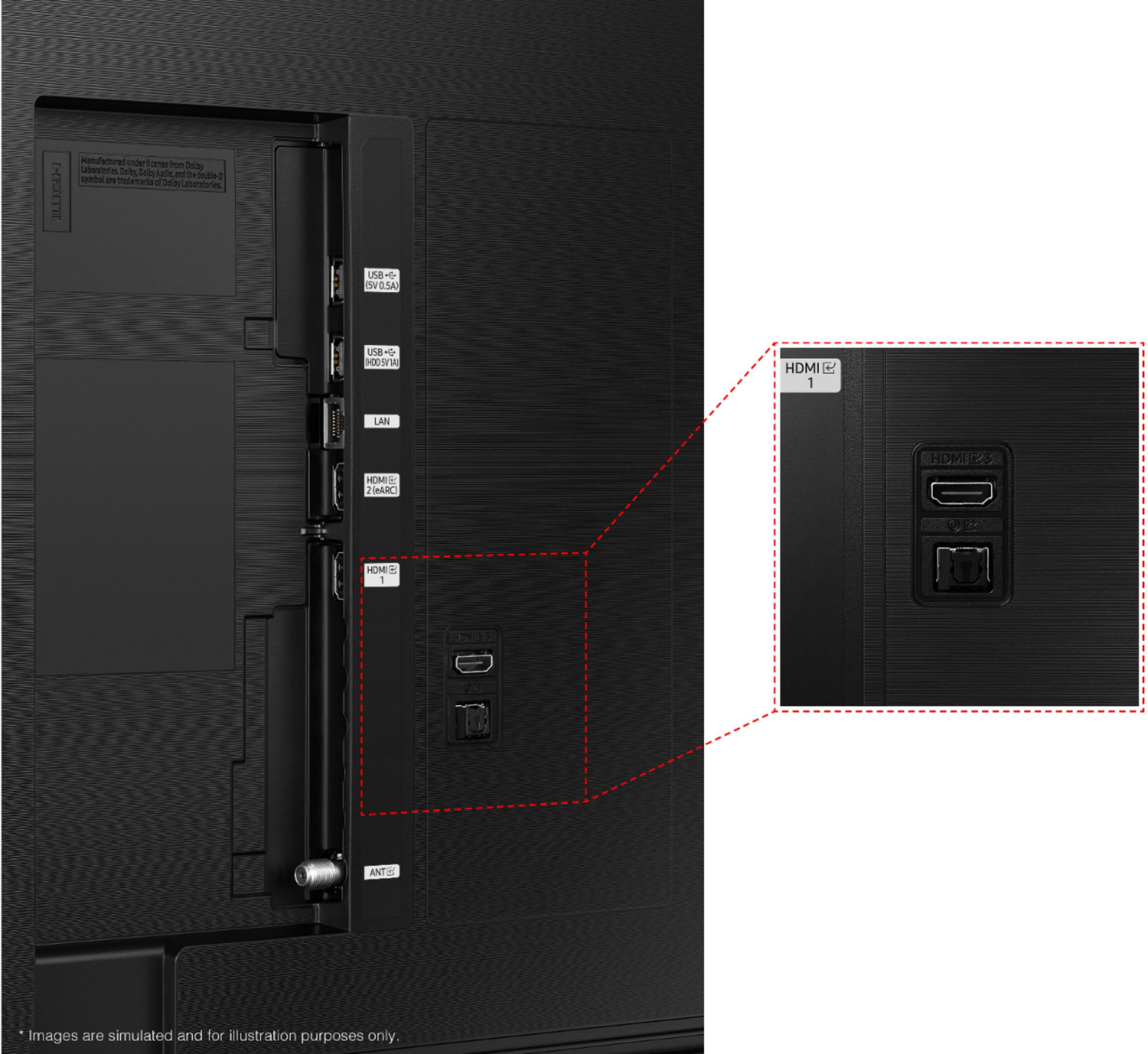
Please know that a soundbar can be connected to the AU8000 via both Optical or HDMI. Connecting your soundbar to the TV with HDMI will give you the best possible audio. Samsung soundbars include either the digital optical cable, or an HDMI cable depending on the model of soundbar. Both cables are compatible with Samsung TV's and you should not need to purchase an additional cable. For the best audio experience, we recommend connecting your soundbar direct to the TV when available.
If you need further assistance, please contact Samsung Customer Support, and a representative will gladly help you. Call us at 1-800-SAMSUNG (ask for TVs), available 8AM - 12AM EST, 7 days a week.
For additional support resources, visit us on the Samsung website and click on the ‘Support’ link in the upper right corner of the homepage for:
1) Contact Us: For additional Chat & Text options, choose ‘TVs & Home Theater’ and select your model & topic.
2) Manuals & Software
3) Warranty Info
4) Register a Product: For access to easy warranty support, convenient opt-in to special promos and offers, faster troubleshooting and service, and quick notification of system updates.
~ Samsung Solutions
Tv
||Posted . Owned for 3 weeks when reviewed.This reviewer received promo considerations or sweepstakes entry for writing a review.My tv started to jump once it was put on. I then call best buy they said to return it
I would recommend this to a friendBrand response from Samsung
Posted .Hi Lillove,
I am very sorry to hear that you are experiencing issues with your new TV. We would love the opportunity to troubleshoot the issues you are experiencing before returning the product. Please call us at 1-800-SAMSUNG (ask for TVs), available 8AM - 12AM EST, 7 days a week.
For additional support resources, visit us on the Samsung website and click on the ‘Support’ link in the upper right corner of the homepage for:
1) Chat with Us/Product Help: To begin a chat or find solutions, choose ‘TVs & Home Theater’ and select your model & topic.
2) Register a Product: For access to easy warranty support, convenient opt-in to special promos and offers, faster troubleshooting and service, and quick notification of system updates.
3) Manuals & Software
4) Warranty Info
5) Contact Us
~ Samsung Solutions
Deceived by size.
||Posted . Owned for 1 month when reviewed.This reviewer received promo considerations or sweepstakes entry for writing a review.The tv looked larger in the store. I was a little disappointed when we got it home.
No, I would not recommend this to a friendBrand response from Samsung
Posted .Hi,
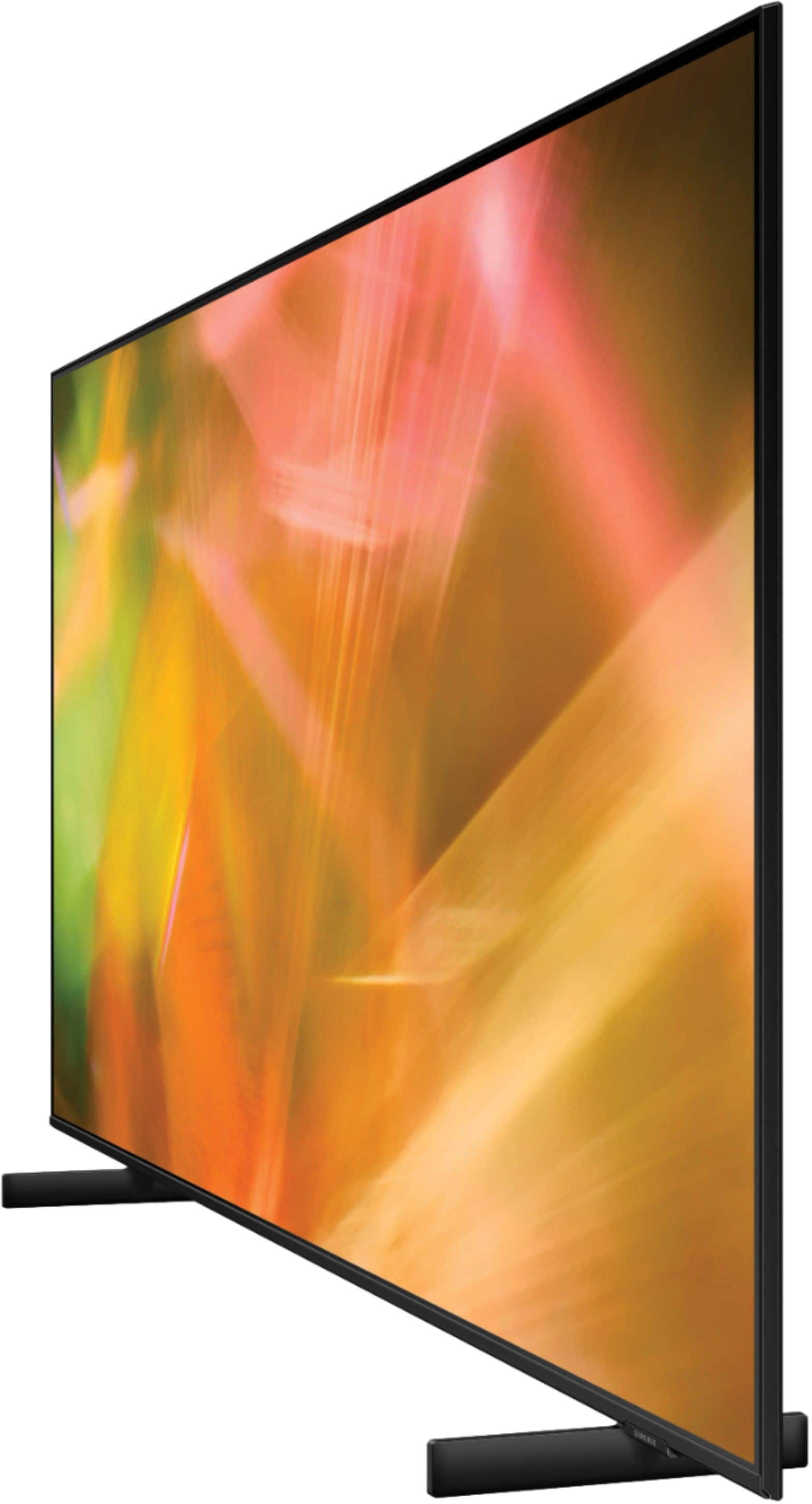
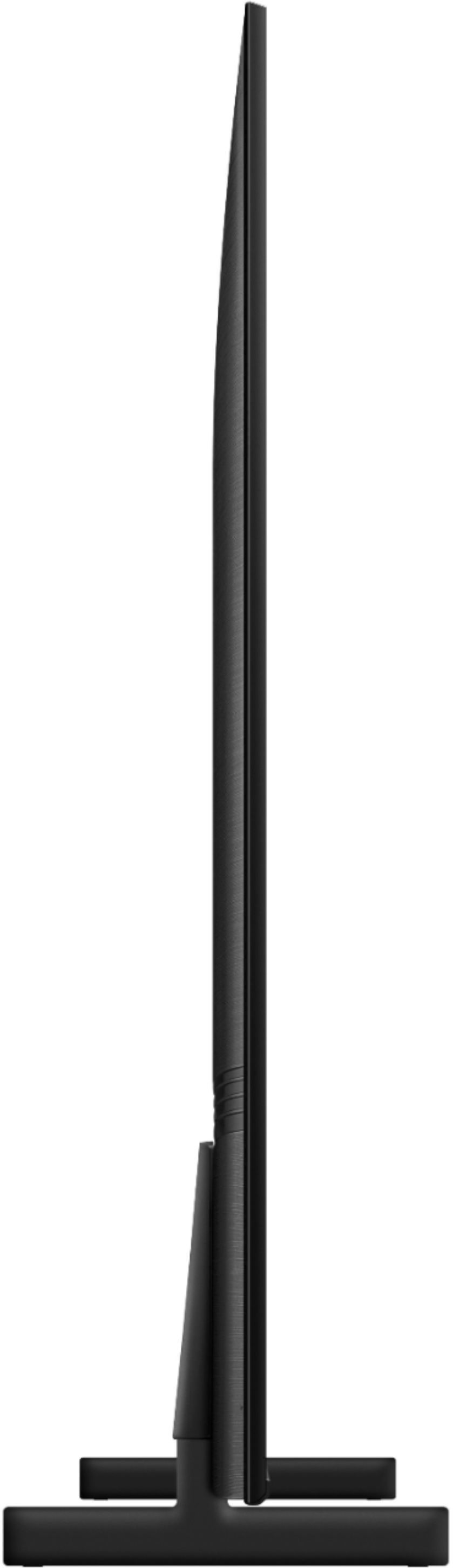
Thank you for purchasing the 65” AU8000 Crystal UHD TV. Please know that the industry standard when measuring screen size refers to the measurement of the screen when measured diagonally. The measurements of your 65” model are 57.1" x 32.7" x 1" (W x H x D) when measured without the stand.
Measurements can be found on the product page on the Samsung website by clicking on SPECS and then on SEE ALL SPECS.
Should you ever have questions or need help with TV features, specs, or operation, we are here to help. Call us at 1-800-SAMSUNG (ask for TVs), available 8AM - 12AM EST, 7 days a week.
For additional support resources, visit us on the Samsung website and click on the ‘Support’ link in the upper right corner of the homepage for:
1) Chat with Us/Product Help: To begin a chat or find solutions, choose ‘TVs & Home Theater’ and select your model & topic.
2) Register a Product: For access to easy warranty support, convenient opt-in to special promos and offers, faster troubleshooting and service, and quick notification of system updates.
3) Manuals & Software
4) Warranty Info
5) Contact Us
~ Samsung Solutions
Slow software, Sponsored ads!!
||Posted . Owned for 2 months when reviewed.This reviewer received promo considerations or sweepstakes entry for writing a review.I’ve waited 15 minutes one time for the software to unfreeze. It’s so slow sometimes. And these sponsored ads on the home menu. It’s so annoying. Never buying a Samsung again. Can’t wait to sell.
No, I would not recommend this to a friendBrand response from Samsung
Posted .Hi TheSlogan,
Thank you for your review of the AU8000 Crystal UHD TV and sharing your experience with slow response time from the remote and navigation through the menu.
To optimize the smart TV performance, please try Device Care option under the Support Menu. Go to Settings > Support > Device Care > Start Device Care
This service checks memory and frees up unused cached memory and closes background apps.
Please also be sure you are running the latest firmware. You can check to see what software version your TV is using and if there is an available update through the settings on your TV. Go to: Settings > Support > Software Update.
Should you need further assistance, please contact Samsung Customer Support at 1-800-SAMSUNG (ask for TVs), available 8AM - 12AM EST, 7 days a week.
For additional support resources, visit us on the Samsung website and click on the ‘Support’ link in the upper right corner of the homepage for:
1) Chat with Us/Product Help: To begin a chat or find solutions, choose ‘TVs & Home Theater’ and select your model & topic.
2) Register a Product: For access to easy warranty support, convenient opt-in to special promos and offers, faster troubleshooting and service, and quick notification of system updates.
3) Manuals & Software
4) Warranty Info
5) Contact Us
~ Samsung Solutions
I wouldn’t buy again.
||Posted . Owned for 1 month when reviewed.This reviewer received promo considerations or sweepstakes entry for writing a review.Poor picture quality. Very fuzzy during action scenes and sporting events. Not impressed with this model.
No, I would not recommend this to a friendBrand response from Samsung
Posted .Hi FloridaMan,
I am very sorry you are experiencing issues with a distorted picture. Please know we are here to help.
The issue may be due to not connecting correctly with an external device. Please check your connection with these steps:
1. Disconnecting and reconnect the power cables and HDMI cables on the back of your TV, then unplug the power cord and plug it back into the wall outlet
2. If the external device supports UHD video, use a dedicated HDMI cable (4K) for HDMI video playback.
3. If a component cable is used, make sure that the colored connectors are connected to the matching connectors on the external device and the TV.
4. Check the cable connection if you use a set-top box. The cable you need to check depends on the type of set-top box.
5. Make sure that your access point is connected to the Internet. If not, disconnecting and reconnecting its power cable may be required.
6. If the problem persists, check the video output settings in the settings menu of the external device, and ensure that your TV supports the video output mode.
The compression of video content may cause picture distortions, especially in fast-moving pictures from sports programs and action movies.
- If the signal reception is weak or poor, screen distortion may be visible, but it is not a malfunction.
- Mobile phones used close to the TV (within 3.2 ft) may cause noise on analog and digital channels.
If the same problem persists, run a diagnostic test. (Home > Settings > Support > Device Care > Self Diagnosis > Picture Test).
If you continue to have issues, please give us a chance to make this right by calling us at 1-800-SAMSUNG, 8 AM - 12 AM EST, seven days a week. LiveChat with an agent, as well as manuals, software, and warranty info, can be found at the ‘Support’ link on our Samsung website.
~ Samsung Advisor
Not recomended one of samsung failed product line
||Posted . Owned for 3 months when reviewed.This reviewer received promo considerations or sweepstakes entry for writing a review.Not 4K tv disappinted after purchase . Try to watch fs1 using fios quality for 4 k was really ugly . Not a good model rather i boughtes little entery level model to save money .
No, I would not recommend this to a friendBrand response from Samsung
Posted .Hi Joshi,
We appreciate you sharing your experience with the new 2021 AU8000 Crystal UHD TV. Your details and image will be shared with our internal teams. You may want to try adjusting image settings to improve your picture.
Your TV has several Picture Modes to choose from allowing you to enjoy content in optimal conditions. Go to Home > Settings > Picture > Picture Mode
1) Standard: Is the default mode suitable for general viewing environments.
2) Natural: Reduces eye strain for a comfortable viewing experience.
3) Movie: Is suitable for watching TV or movies in a dark room.
4) Dynamic: Makes the picture brighter and clearer in bright viewing environments.
You can further fine tune your image by navigating to Settings > Picture > Expert Settings.
Should you ever have questions or need help, please call us at 1-800-SAMSUNG (ask for TVs), available 8AM - 12AM EST, 7 days a week.
For additional support resources, visit us on the Samsung website and click on the ‘Support’ link in the upper right corner of the homepage for:
1) Contact Us: For additional Chat & Text options, choose ‘TVs & Home Theater’ and select your model & topic.
2) Manuals & Software
3) Warranty Info
4) Register a Product: For access to easy warranty support, convenient opt-in to special promos and offers, faster troubleshooting and service, and quick notification of system updates.
~ Samsung Solutions
Spent $680 on electronic waste
||Posted .This reviewer received promo considerations or sweepstakes entry for writing a review.Sold me a "new TV" that was bent and cracked when I got it home. Have spent 70 minutes (and counting) with "customer service" and gotten literally nowhere. Stay away.
No, I would not recommend this to a friendBrand response from Samsung
Posted .Hi,
I am very sorry to see that your screen exhibited damage upon opening and setup. Unfortunately, even if a TV is double-boxed and the packaging shows no evidence of harm, a TV can still be damaged during transit if proper care is not taken. For example, if the TV were sitting in an incorrect orientation -- laid on its side or tilted -- during transit, damage could have been done.
We recommend you contact Best Buy directly for assistance. Should you need assistance with a replacement TV, please contact Samsung Customer Support at 1-800-SAMSUNG (ask for TVs), available 8AM - 12AM EST, 7 days a week.
For additional support resources, visit us on the Samsung website and click on the ‘Support’ link in the upper right corner of the homepage for:
1) Chat with Us/Product Help: To begin a chat or find solutions, choose ‘TVs & Home Theater’ and select your model & topic.
2) Register a Product: For access to easy warranty support, convenient opt-in to special promos and offers, faster troubleshooting and service, and quick notification of system updates.
3) Manuals & Software
4) Warranty Info
5) Contact Us
~ Samsung Solutions
No good
||Posted . Owned for 3 months when reviewed.This reviewer received promo considerations or sweepstakes entry for writing a review.Static line in less than 2 months. Took it in cause I’m a total tech member to exchange and they wouldnt even do that. Dont wast your money with this tv or best buy
No, I would not recommend this to a friendBrand response from Samsung
Posted .Hi Julian,
Thank you for purchasing the Samsung AU8000 Crystal UHD TV. We appreciate your patience having to go through the process of exchanging the TV for a new one. The details you have provided regarding black lines through the screen are important to us and will be shared with our product teams.
Please know, Samsung is committed to providing the best possible product experience, quality, and value. We back this Samsung TV with a 1-year limited manufacturer's warranty, including authorized repair for manufacturer defect, if purchased brand-new directly from an authorized seller.
Should you need assistance with your new unit, please contact Samsung Customer Support at 1-800-SAMSUNG (ask for TVs), available 8AM - 12AM EST, 7 days a week.
For additional support resources, visit us on the Samsung website and click on the ‘Support’ link in the upper right corner of the homepage for:
1) Chat with Us/Product Help: To begin a chat or find solutions, choose ‘TVs & Home Theater’ and select your model & topic.
2) Register a Product: For access to easy warranty support, convenient opt-in to special promos and offers, faster troubleshooting and service, and quick notification of system updates.
3) Manuals & Software
4) Warranty Info
5) Contact Us
~ Samsung Solutions
bestbuy is horrible
||Posted . Owned for 3 weeks when reviewed.This reviewer received promo considerations or sweepstakes entry for writing a review.tv was broken upon taking it out of box bestbuy refused to warranty samsung refused to warranty bb cc refuesed to warranty nice paper weight
No, I would not recommend this to a friendBrand response from Samsung
Posted .ggf1320,
Thank you for purchasing the Samsung AU8000 and for sharing the issues you are experiencing with your unit. Your feedback is important to us and will be shared with our product teams.
Samsung is committed to providing the best possible product experience, quality, and value. We back this Samsung TV with a 1-year limited manufacturer's warranty, including authorized repair for manufacturer defect, if purchased brand-new directly from an authorized seller. You can see the full details of your warranty here: https://www.samsung.com/us/support/service/warranty/UN65AU8000FXZA
Please give us the opportunity to assist you by contacting Samsung Customer Support at 1-800-SAMSUNG, 8AM - 12AM EST, 7 days a week. Our LiveChat agents are also available by clicking on the ‘Support’ link on our website.
~ Samsung Specialist
Saurabh Shukla
||Posted . Owned for 2 months when reviewed.This reviewer received promo considerations or sweepstakes entry for writing a review.Terrible quality by Samsung the tv has a vertical line on the screen within a month of purchase and Samsung has not replaced the defective tv so far
No, I would not recommend this to a friendBrand response from Samsung
Posted .Hi Saurabh,
I am sorry to hear that you are seeing screen abnormalities on your new AU8000 Crystal UHD TV. Please run a Picture Test to determine if the problem is caused by the TV. Picture Test displays a high-definition picture you can examine for flaws or faults. Go to Settings > Support > Device Care > Self Diagnosis > Picture Test
If this occurs on all sources and the picture test, this will require service. Please reach out to Samsung Customer Support for additional assistance. You can reach us at 1-800-SAMSUNG (ask for TVs), available 8AM - 12AM EST, 7 days a week.
For additional support resources, visit us on the Samsung website and click on the ‘Support’ link in the upper right corner of the homepage for:
1) Chat with Us/Product Help: To begin a chat or find solutions, choose ‘TVs & Home Theater’ and select your model & topic.
2) Register a Product: For access to easy warranty support, convenient opt-in to special promos and offers, faster troubleshooting and service, and quick notification of system updates.
3) Manuals & Software
4) Warranty Info
5) Contact Us
~ Samsung Solutions
Damaged TV
||Posted . Owned for 1 week when reviewed.This reviewer received promo considerations or sweepstakes entry for writing a review.Best Buy delivered a damaged dead pixel ridden. Trying to get it corrected was exhausting.
No, I would not recommend this to a friendBrand response from Samsung
Posted .Arneisha,
We appreciate you sharing your delivery experience and having received a damaged unit. Please follow up directly with Best Buy for assistance in correcting this situation. We hope your issue is resolved in a timely manner.
Should you have questions or concerns regarding the usage or setup of your TV once your issue has been resolved, please contact Samsung Customer Support at 1-800-SAMSUNG, 8AM - 12AM EST, 7 days a week. Our LiveChat agents are also available by clicking on the ‘Support’ link on our website.
~ Samsung Specialist
Don’t buy
||Posted . Owned for 1 month when reviewed.This reviewer received promo considerations or sweepstakes entry for writing a review.It broke after 20 days and Best Buy won’t give me a new one.
No, I would not recommend this to a friendBrand response from Samsung
Posted .Hi Broken22,
Thank your for purchasing the Samsung 65" AU8000 Crystal UHD TV and for sharing your experience.
Please know, Samsung is committed to providing the best possible product experience, quality, and value. We back this Samsung TV with a 1-year limited manufacturer's warranty, including authorized repair for manufacturer defect, if purchased brand-new directly from an authorized seller.
Please give us the opportunity to assist you by contacting Samsung Customer Support at: 1-800-SAMSUNG (ask for TVs), available 8AM - 12AM EST, 7 days a week.
For additional support resources, visit us on the Samsung website and click on the ‘Support’ link in the upper right corner of the homepage for:
1) Contact Us: For additional Chat & Text options, choose ‘TVs & Home Theater’ and select your model & topic.
2) Manuals & Software
3) Warranty Info
4) Register a Product: For access to easy warranty support, convenient opt-in to special promos and offers, faster troubleshooting and service, and quick notification of system updates.
~ Samsung Solutions
Not good
||Posted .This reviewer received promo considerations or sweepstakes entry for writing a review.Not good they made them work & stop on the first week
No, I would not recommend this to a friendBrand response from Samsung
Posted .Hi Abulaithalfadl,
It’s unfortunate to hear about your experience with Samsung’s AU8000 TV. Samsung is committed to providing the best possible product experience, quality, and value. We back this Samsung TV with a 1-year limited manufacturer's warranty, including authorized repair for manufacturer defect, if purchased brand-new directly from an authorized seller.
Please give us the opportunity to assist you by contacting Samsung Customer Support at 1-800-SAMSUNG, 8 AM - 12 AM EST, seven days a week. Our LiveChat agents are also available by clicking on the ‘Support’ link on our website.
~ Samsung Advisor
don't
||Posted . Owned for 1 week when reviewed.This reviewer received promo considerations or sweepstakes entry for writing a review.haunted flutters and stutters turns off and on and off again fuzzy pic it's going back
No, I would not recommend this to a friendBrand response from Samsung
Posted .Hi,
Thank you for sharing your review of the Samsung AU8000 Crystal UHD TV. Samsung stands behind the quality and performance of our TVs with a limited 1-year manufacturer’s warranty when purchased brand-new from an authorized dealer.
Should you want to troubleshoot your issue first, please contact Samsung Customer Support at: 1-800-SAMSUNG (ask for TVs), available 8AM - 12AM EST, 7 days a week.
For additional support resources, visit us on the Samsung website and click on the ‘Support’ link in the upper right corner of the homepage for:
1) Contact Us: For additional Chat & Text options, choose ‘TVs & Home Theater’ and select your model & topic.
2) Manuals & Software
3) Warranty Info
4) Register a Product: For access to easy warranty support, convenient opt-in to special promos and offers, faster troubleshooting and service, and quick notification of system updates.
~ Samsung Solutions
Picture on screen display
||Posted . Owned for 1 month when reviewed.This reviewer received promo considerations or sweepstakes entry for writing a review.Linear horizontal distortion across screen awaiting for geek squad
No, I would not recommend this to a friendBrand response from Samsung
Posted .Bert,
I'm sorry to hear of the screen abnormalities you're seeing on your AU8000 TV, and we appreciate your patience while awaiting Geek Squad.
Should you have questions or concerns regarding the usage or setup of your TV once your issue has been resolved, please contact Samsung Customer Support at 1-800-SAMSUNG, 8AM - 12AM EST, 7 days a week. Or visit us on the Samsung website and click on the ‘Support’ link for:
1) LiveChat
2) Manuals, Software, & Warranty Info
~ Samsung Specialist
Tv
||Posted . Owned for less than 1 week when reviewed.This reviewer received promo considerations or sweepstakes entry for writing a review.Open package tv was cracked at bottom and couldn’t turn on.
No, I would not recommend this to a friendBrand response from Samsung
Posted .Hi Princess,
We are very sorry that your TV arrived cracked and would not turn on. Samsung prides itself on high-quality products and a great customer experience; please know we are here to help you.
We back this Samsung TV with a 1-year limited manufacturer's warranty, including authorized repair for manufacturer defect, if purchased brand-new directly from an authorized seller.
Please give us a chance to make this right by calling us at 1-800-SAMSUNG, 8 AM - 12 AM EST, seven days a week. LiveChat with an agent, as well as manuals, software, and warranty info, can be found at the ‘Support’ link on our Samsung website.
~ Samsung Advisor
No!!!!!!!!!@@@@@@@@@@@@
||Posted .This reviewer received promo considerations or sweepstakes entry for writing a review.Not quite happy with that tv!!!!!!!!!!!!!!!!!!!!!!
No, I would not recommend this to a friendBrand response from Samsung
Posted .Hi MartinR,
Thank you for your purchase and review of the Samsung AU8000 TV. Please know we are here to help you. If you are experiencing specific issues which caused you to give this a 1-star rating, please know Samsung Customer Support is here to help.
Please give us a call so we can make this right. Contact us at 1-800-SAMSUNG, 8 AM - 12 AM EST, seven days a week. LiveChat with an agent, as well as manuals, software, and warranty info, can be found at the ‘Support’ link on our Samsung website.
~ Samsung Advisor
Stay away
||Posted . Owned for 2 months when reviewed.This reviewer received promo considerations or sweepstakes entry for writing a review.Worst tv! Stay away, we bought 4 of these and they are so slow.
No, I would not recommend this to a friendBrand response from Samsung
Posted .Hi Bryant,
Thank you for your review of the AU8000 Crystal UHD TV and sharing your experience with slow navigation and remote response time.
To optimize the smart TV performance, please try Device Care option under the Support Menu. Go to Settings > Support > Device Care > Start Device Care
This service checks memory and frees up unused cached memory and closes background apps.
Please also be sure you are running the latest firmware. You can check to see what software version your TV is using and if there is an available update through the settings on your TV. Go to: Settings > Support > Software Update.
Should you need further assistance, please contact Samsung Customer Support at 1-800-SAMSUNG (ask for TVs), available 8AM - 12AM EST, 7 days a week.
For additional support resources, visit us on the Samsung website and click on the ‘Support’ link in the upper right corner of the homepage for:
1) Chat with Us/Product Help: To begin a chat or find solutions, choose ‘TVs & Home Theater’ and select your model & topic.
2) Register a Product: For access to easy warranty support, convenient opt-in to special promos and offers, faster troubleshooting and service, and quick notification of system updates.
3) Manuals & Software
4) Warranty Info
5) Contact Us
~ Samsung Solutions