Customer Ratings & Reviews
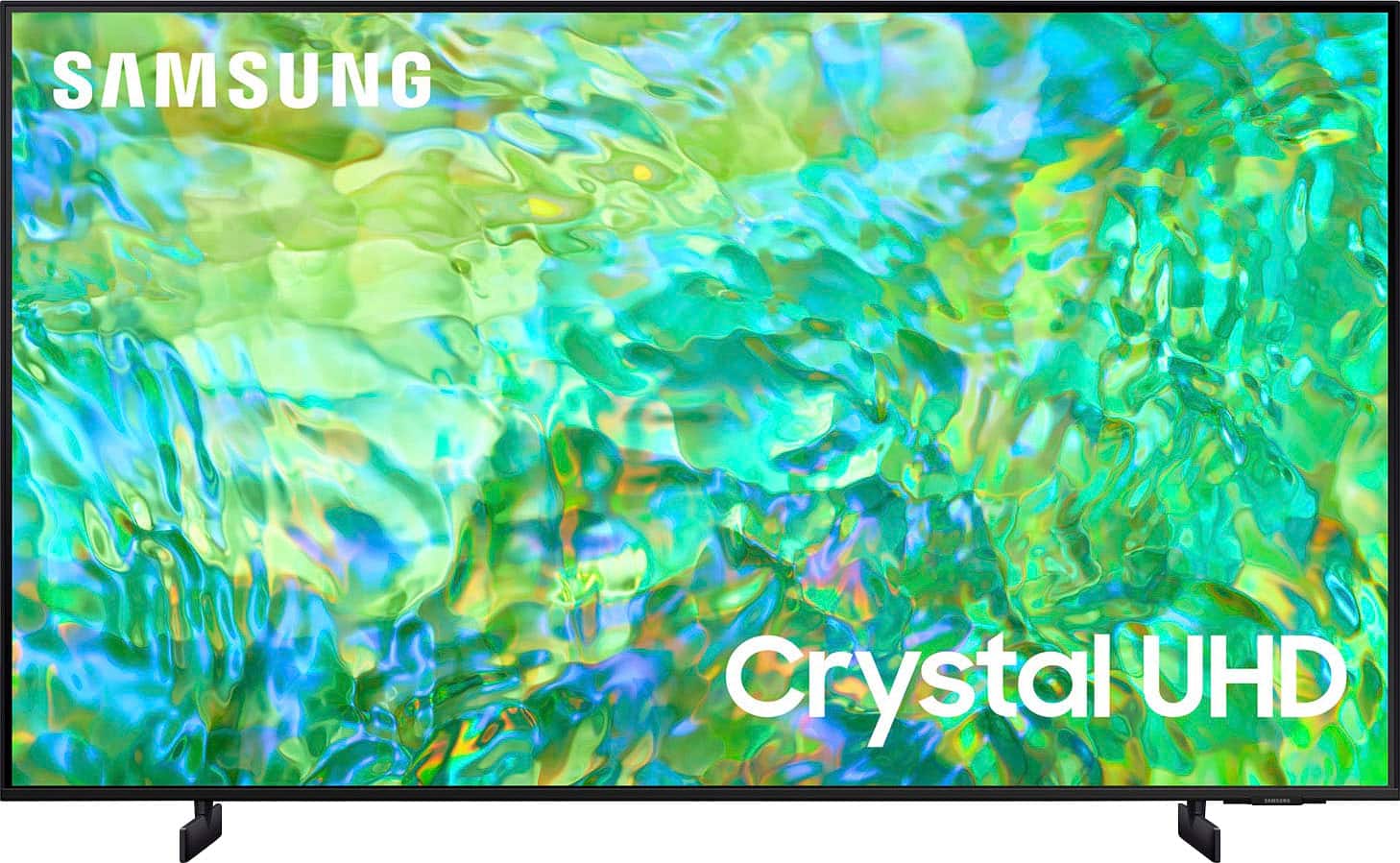
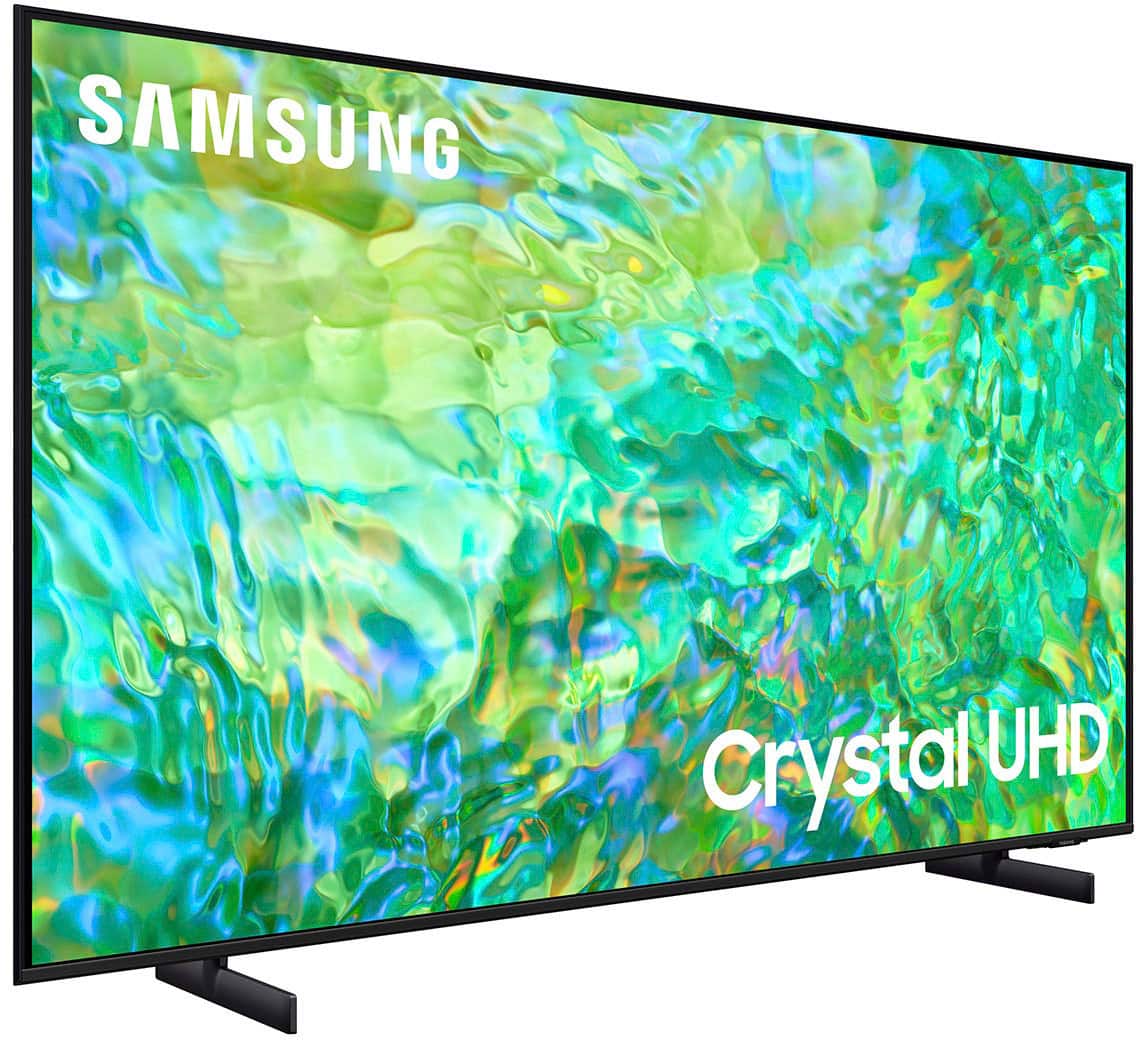
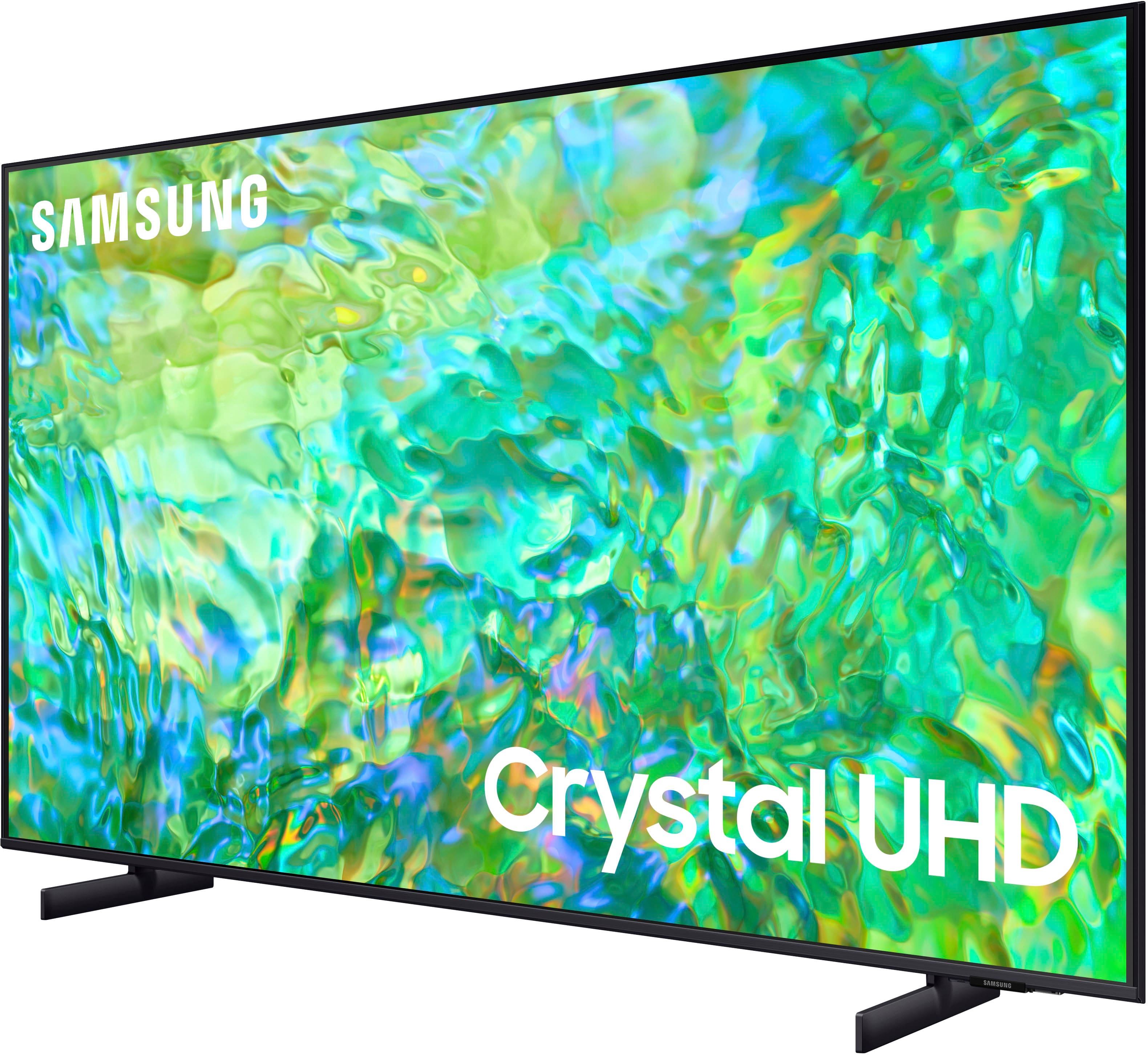
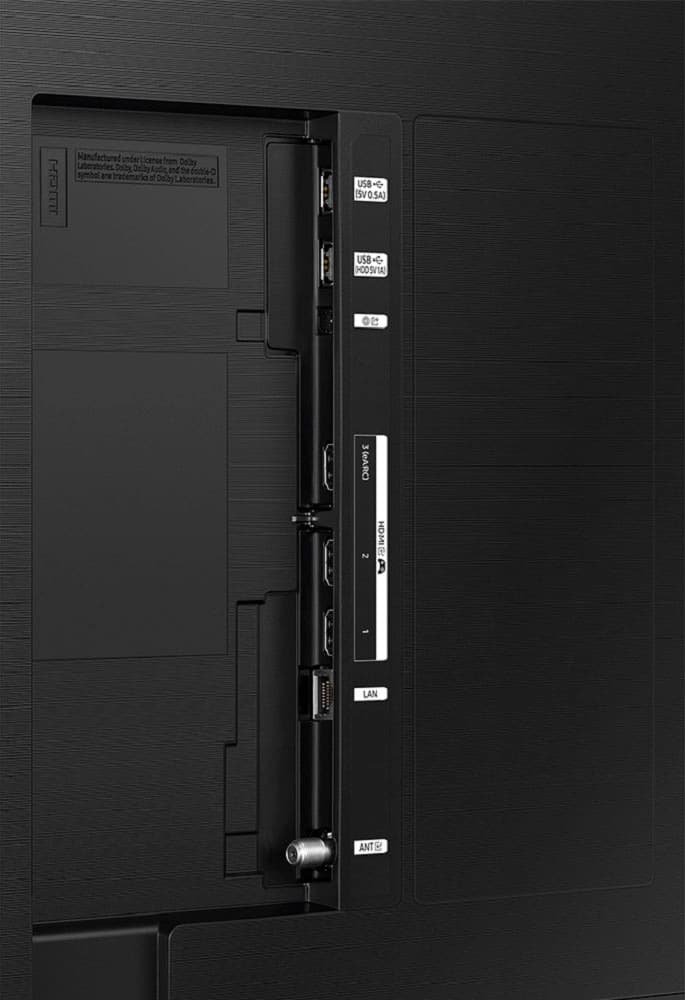



- Model:
- UN65CU8000FXZA
- SKU:
- 6537372
Rating by feature
- Picture Quality
Rating 4.7 out of 5 stars
- Sound Quality
Rating 4.4 out of 5 stars
- Brightness
Rating 4.7 out of 5 stars
Customers are saying
Customers find value in the 65" Class CU8000 Crystal UHD 4K Smart Tizen TV's exceptional picture quality, ease of use, and vibrant colors. The user-friendly remote control and sleek design are also frequently praised. While some users reported occasional performance issues, the overall positive feedback highlights the TV's strong performance and features at a competitive price. Many appreciate the TV's lightweight design and the abundance of features.
This summary was generated by AI based on customer reviews.
- Cons mentioned:Reliability
Broken in 5 Days
||Posted . Owned for 3 weeks when reviewed.This reviewer received promo considerations or sweepstakes entry for writing a review.Tv stopped working after 5 days - still not fixed under warranty 3 weeks later.
No, I would not recommend this to a friendBrand response from Samsung
Posted .Hi BrandonA,
I am very sorry that you experienced issues with your CU7000 Crystal UHD TV and are currently waiting for it to be serviced. I understand your frustration and appreciate your patience. Please give us a call if you do not have an appointment scheduled. You can call us at 1-800-SAMSUNG, 8 AM - 12 AM EST, seven days a week. Our LiveChat agents are also available by clicking on the ‘Support’ link on our website.
~ Samsung Advisor
Do not buy
||Posted . Owned for 1 month when reviewed.This reviewer received promo considerations or sweepstakes entry for writing a review.Garbage TV suddenly won't allow "smart" features (like using any app; think YouTube or Netflix). Will not connect to anything. Cannot update. Resetting does not work. Seems to be dependent on being connected to a Samsung account, but it can't connect to the Samsung account. It's functionally useless. I bought it on February 20th, it is now April 16th of the same year. Less than 2 months of use. Absolute trash. So glad Best Buy's return policy is a mere 15 days. Shows they really stand by what they sell.
No, I would not recommend this to a friendBrand response from Samsung
Posted .Hi JamesV,
Thank you for reaching out and letting us know about the issues you are experiencing on your CU8000 TV. Please give us a chance to assist you by calling us at 1-800-SAMSUNG, 8 AM - 12 AM EST, seven days a week. Our LiveChat agents are also available by clicking on the ‘Support’ link on our website.
~ Samsung Advisor
- Cons mentioned:Reliability
Don't buy.
||Posted .This reviewer received promo considerations or sweepstakes entry for writing a review.I just bought this Tv at Best Buy 04/14/24. A few hours it turned off. Won't turn back on. Returning it tomorrow.
No, I would not recommend this to a friendBrand response from Samsung
Posted .Hi Drew,
I'm sorry that your CU8 000 TV will not turn on. Please know we are here to help and have a few troubleshooting tips for you to try.
Check the red standby light, a little red light at the edge of the TV that you aim the remote at. If it is on, it means that your TV is receiving power, and the culprit is likely the remote. Please try to power the TV on through the button below the Samsung logo. If it powers on, I recommend changing the batteries on the remote and possibly replacing the remote.
If the red light below the TV is not on, please try the following:
1) Unplug the TV from its power source for 30 seconds. Then try to power it on again.
2) Try a different outlet that you have confirmed works properly
3) Press the Menu button on your remote. If the Menu appears, then this confirms your TV is powered on. Next, follow these steps:
・Confirm that the TV is set to the same source as the external device.
・Test the HDMI cable. Go to Settings > Support > Self Diagnosis > Signal Information > HDMI Cable Test > Start Test. If the test says, the cable is bad, replace the cable. Service is not required.
・Test different external devices. The final thing to rule out is the external device you're using. Try connecting a different device or using a different source port.
If the TV can display a picture in any other setup, then you've ruled the TV out as the cause of the issue. Keep trying various setups until you identify the device or cable that is not working and troubleshoot or replace it.
Finally, if the red standby light is blinking, please try unplugging the TV for 30 seconds and then try again. Also, confirm that the outlet you are using works with other devices.
If you need more help, Samsung is here for you. Please call us at 1-800-SAMSUNG, 8 AM - 12 AM EST, seven days a week. Our LiveChat agents are also available by clicking on the ‘Support’ link on our website.
~Samsung Advisor
Cant download youtube tv
||Posted . Owned for less than 1 week when reviewed.This reviewer received promo considerations or sweepstakes entry for writing a review.I bought the TV on game day. But the Tizen Interface has issues. I spent the first half of my Sunday games trying to download YouTube TV but I kept getting a hub era - still downloading. After troubleshooting from other users online this happened to many other people I tried all the different message to resolve without luck. I put it back in the box where it is now I’ll return it.
No, I would not recommend this to a friendBrand response from Samsung
Posted .Hi James,
I'm sorry that you are experiencing issues when trying to download the YouTube TV app on your CU8000 TV. Please know we are here to help you.
First, let's ensure you are running the latest Firmware on your TV. Go to Settings> Support> Software Update.
Next, let's try running a cold boot on your TV. To do so, hold down the Power button on the Samsung TV remote until the TV turns off and then on again. This should take about 5 seconds.
If you continue to have issues, please call us at 1-800-SAMSUNG, 8 AM - 12 AM EST, seven days a week. LiveChat with an agent, as well as manuals, software, and warranty info, can be found at the ‘Support’ link on our Samsung website.
~ Samsung Advisor
- Pros mentioned:Price
Sound or store?
||Posted . Owned for 1 month when reviewed.This reviewer received promo considerations or sweepstakes entry for writing a review.disappointed - not sure if it is the store or the product. Price was attractive.
No, I would not recommend this to a friend Samsung picture great. Easy to install
||Posted . Owned for 3 weeks when reviewed.This reviewer received promo considerations or sweepstakes entry for writing a review.Features are terrible. Little small remote with features on the remote not friendly at all for a senior adult. Hard to see that TV is off
No, I would not recommend this to a friendBrand response from Samsung
Posted .Hi Cookie3,
I'm sorry to hear that you are not satisfied with your CU8000 TV. Please know we are here to help you if you have any questions or need any help. I have a few tips that may help you:
First, to identify if your TV is off, look for the red light underneath the Samsung Logo at the bottom of your TV.
Next, you can learn how to use your remote directly from your TV. Just go to Home> (left directional button) Settings> Support> Remote Control Guide.
If you have any questions at all or need help with your TV, please do not hesitate to reach out to us. You can call us at 1-800-SAMSUNG, 8 AM - 12 AM EST, seven days a week. Our LiveChat agents are also available by clicking on the ‘Support’ link on our website.
~ Samsung Advisor
Not an upgrade
||Posted . Owned for 1 month when reviewed.This reviewer received promo considerations or sweepstakes entry for writing a review.I upgraded to a 65" from 55's for the latest Tec and convenience, was met with the worst picture quality, blurriness like an out of focus camera, every TV I have seen or owned in my life had better picture. This is suppose to be 4k and os only focused in the center......somtimes.
No, I would not recommend this to a friendBrand response from Samsung
Posted .Hi Twill,
I'm sorry to hear that you are experiencing issues with the CU8000 TV blurring. The issue may be due to not connecting correctly with an external device. Please check your connection with these steps:
1. Disconnect and reconnect the power cables and HDMI cables on the back of your TV, then unplug the power cord and plug it back into the wall outlet.
2. If the external device supports UHD video, use a dedicated HDMI cable (4K) for HDMI video playback.
3. If a component cable is used, make sure that the colored connectors are connected to the matching connectors on the external device and the TV.
4. If you are using a set-top box, check the cable connection. The cable you need to check depends on the type of set-top box.
5. Make sure that your access point is connected to the Internet. If not, disconnecting and reconnecting its power cable may be required.
6. If the problem persists, check the video output settings in the settings menu of the external device, and ensure that your TV supports the video output mode.
If you continue to have issues, please call us at 1-800-SAMSUNG, 8 AM - 12 AM EST, seven days a week. LiveChat with an agent, as well as manuals, software, and warranty info, can be found at the ‘Support’ link on our Samsung website.
~ Samsung Advisor
Quality
||Posted . Owned for 3 weeks when reviewed.This reviewer received promo considerations or sweepstakes entry for writing a review.Picture not really clear, color isn't the best but I'm stuck with it now
No, I would not recommend this to a friendSamsung tv
||Posted . Owned for 3 weeks when reviewed.This reviewer received promo considerations or sweepstakes entry for writing a review.Had the previous version of this TV decided to upgrade and now it doesn’t remember my Wi-Fi password ever
No, I would not recommend this to a friendBrand response from Samsung
Posted .Hi DeDe,
We appreciate your purchase and for being a loyal Samsung customer. I'm sorry to hear you are experiencing issues with your Wi-Fi disconnecting from the TV.
First, let's ensure you are running the latest Firmware. Go to Settings> Support> Software Update. To ensure you do not miss any Firmware Updates, I recommend enabling Auto Updates. Go to Settings> Support> Software Update> then select Auto Update.
Next, let's try running a cold boot on your TV. To do so, hold down the Power button on the Samsung TV remote until the TV turns off and then on again. This should take about 5 seconds.
I hope these tips help resolve your concerns. If you continue to have issues, please call us at 1-800-SAMSUNG, 8 AM - 12 AM EST, seven days a week. LiveChat with an agent, as well as manuals, software, and warranty info, can be found at the ‘Support’ link on our Samsung website.
~ Samsung Advisor
Defective
||Posted .This reviewer received promo considerations or sweepstakes entry for writing a review.It did not work!!! Took it out of box. Connected to power . Blue screen flickered . Reset over and over . Nothing happened . This is the second same model TV that did this. I wonder if there is a manufacturing defect!!
No, I would not recommend this to a friendHorrible TV BestBuy is horrible
||Posted . Owned for 1 month when reviewed.This reviewer received promo considerations or sweepstakes entry for writing a review.This TV is horrible haven't had it for 2 months and the sound went out and lines through the picture. What is worst Best Buy won't return this TV even though we have total Tec protection SCAM
No, I would not recommend this to a friendBrand response from Samsung
Posted .Hi Akash,
I'm sorry to hear that you are experiencing issues with the sound and display on your CU8000 TV. I have a few troubleshooting tips for you to try before calling us to set up a service appointment.
1. If any external devices are connected, check all input cable connections
2. If the issue persists, define precisely what is wrong with the display. For example, mosaics and blocks, multiple lines or white dots, and fixed horizontal or vertical lines.
3. Try changing channels using the remote control. Is the issue the same on all channels?
4. Press the Home button (looks like a house), select Source, and choose another input source. Is the issue the same on all sources?
5. If the same problem persists, run a diagnostic test. (Home > Settings > Support > Device Care > Self Diagnosis > Picture Test)
6. If the problem disappears during the test, check your TV signal (Home > Settings > Support > Device Care > Self Diagnosis > Signal Information) to check the signal strength. The signal strength must be more than 20 dB (more than 4 bars on the icon) for stable signal reception
If your sound is not working, please try the following:
1) Please check the volume control of your TV, and then check the volume control of any external devices (cable box or satellite box, DVD, Blu-ray, etc.) connected to your TV. Also, check the cable connection between any external device and the TV and then try the cable connection again.
2) Set Sound Output to the TV Speaker by going to Settings > All Settings> Sound > Sound Output.
3) Check whether Digital Output Audio Format is set to Pass-Through by going to Settings > All Settings> Sound > Expert Settings > Digital Output Audio Format > Auto.
4) Confirm you are running the latest Firmware. Go to Settings> Support> Software Update.
If you need more help, Samsung is here for you. Please call us at 1-800-SAMSUNG, 8 AM - 12 AM EST, seven days a week. Our LiveChat agents are also available by clicking on the ‘Support’ link on our website.
~ Samsung Advisor
Johnny be good
||Posted . Owned for 3 weeks when reviewed.This reviewer received promo considerations or sweepstakes entry for writing a review.I expexted a better picture and sound picture fuzzy
No, I would not recommend this to a friendBrand response from Samsung
Posted .Hi PatrickG,
We appreciate you sharing your experience with the CU8000 TV. Your feedback regarding image quality is essential to us and will be shared with our internal teams. If the image and sound you’re experiencing aren’t to your liking, there are several settings you may want to adjust.
Go to Home > left direction button > Settings > All Settings > Picture > Picture Mode and select the mode that best fits your usage:
1. Standard: Is the default mode suitable for general viewing environments
2. Dynamic: Makes the picture brighter and clearer in bright viewing environments
3. Eco: Provided to save energy
4. Movie: Suitable for watching TV or movies in a dark room
5. Filmmaker Mode: Provides source content just as the creators intended. If the image is defined as Filmmaker Mode, it’ll automatically switch to Filmmaker Mode while watching.
You can also fine-tune your picture with expert settings such as brightness, contrast, sharpness, and more (All Settings > Picture > Expert Settings).
Likewise, there are several Sound Modes available that you can choose from, go to Settings> All Settings> Sound> Sound Mode.
For further assistance with settings adjustments, please contact Samsung Customer Support at 1-800-SAMSUNG, 8 AM - 12 AM EST, seven days a week. Our LiveChat agents are also available by clicking on the ‘Support’ link on our website.
~ Samsung Advisor
Defective
||Posted . Owned for less than 1 week when reviewed.This reviewer received promo considerations or sweepstakes entry for writing a review.Bad tv defective out of box. Was then told they had more in stock and my order was ready for pickup. After driving an hour they did not have it in stock had to get different tv.
No, I would not recommend this to a friendBrand response from Samsung
Posted .Hi TylerO,
Thank you for letting us know that you received a broken CU8000 TV upon delivery and the issues you have had with an exchange. If you have not already done so, I recommend reaching out to your Best Buy again for more assistance.
Should you have questions regarding the usage or setup of your TV once you've received it, please contact Samsung Support at 1-800-SAMSUNG, 8AM - 12AM EST, 7 days a week. Our LiveChat agents are also available by clicking on the ‘Support’ link on our website.
~Samsung Advisor
Terrible TV
||Posted . Owned for 1 month when reviewed.This reviewer received promo considerations or sweepstakes entry for writing a review.Did not like this TV at all. The remote is terrible. You have to charge it, not battery operated. You have to buy the charger separate. Picture quality was noting like the LG that we purchased. Will only buy LG TV’s from now on.
No, I would not recommend this to a friendBrand response from Samsung
Posted .Hi DavidB,
We appreciate your feedback on the Samsung CU8000 TV picture quality and remote. Please know you can charge the CU8000 remote via USB-C or face up in direct sunlight. To adjust the picture quality, go to go to Home > Settings > All Settings > Picture > Picture Mode and select the mode that best fits your usage:
1) Standard: Default mode suitable for general viewing environments.
2) Natural: Reduces eye strain for a comfortable viewing experience.
3) Movie: Most suitable for watching TV or movies in a dark room.
4) Dynamic: Makes the picture brighter and clearer in bright viewing environments.
5) Filmmaker Mode: You can watch the source content (e.g., movie) as it is. If the image is defined as Filmmaker Mode, it will automatically switch to Filmmaker Mode while watching.
You can also go to Settings > All Settings> Picture > Expert Settings > to manually fine-tune your image.
If you need more help, Samsung is here for you. Call us at 1-800-SAMSUNG, 8 AM - 12 AM EST, seven days a week. Our LiveChat agents are also available by clicking on the ‘Support’ link on our website.
~ Samsung Advisor
Junk. Dead after 3 months.
||Posted . Owned for 2 months when reviewed.This reviewer received promo considerations or sweepstakes entry for writing a review.Bought this back in January of 2024 and now it's dead after 3 months. My last Samsung lasted only 7 years. And my first Samsung flat screen is going strong since 2008.
No, I would not recommend this to a friendBrand response from Samsung
Posted .Hi NicholasP,
It’s unfortunate to hear about your experience with Samsung’s CU8000 TV. Samsung is committed to providing the best possible product experience, quality, and value. We back this Samsung TV with a 1-year limited manufacturer's warranty, including authorized repair for manufacturer defect, if purchased brand-new directly from an authorized seller.
Please allow us to make this right by contacting Samsung Customer Support at 1-800-SAMSUNG, 8 AM - 12 AM EST, seven days a week. Our LiveChat agents are also available by clicking on the ‘Support’ link on our website.
~Samsung Advisor
Only worth it if it’s on sale
||Posted . Owned for 1 month when reviewed.This reviewer received promo considerations or sweepstakes entry for writing a review.Nothing special, smart tv freezes twice a week so you have to unplug it to restart. I’ve had better tvs. Glad I bought on sale
No, I would not recommend this to a friendBrand response from Samsung
Posted .Hi DeeRA,
I'm sorry to hear about your experience with the CU8000 TV. To ensure performance is fully optimized, please make sure your TV is running the latest firmware. To do so, go to Settings> Support> Software Update. You can easily update from there if necessary.
Next, I recommend utilizing the self-diagnostic tool, which checks memory, frees unused cached memory, and closes background apps. Go to Settings > Support > Device Care > Start Device Care.
I hope these tips help you enjoy your new product.
You can contact us for further help at 1-800-SAMSUNG, 8 AM - 12 AM EST, seven days a week. Our LiveChat agents are also available by clicking on the ‘Support’ link on our website.
~ Samsung Advisor
Static Screen issue seems Popular
||Posted . Owned for 1 month when reviewed.This reviewer received promo considerations or sweepstakes entry for writing a review.Worked for two months then started getting the same static screen everyone else under the 1 star reviews here is getting.
No, I would not recommend this to a friendBrand response from Samsung
Posted .Hi AndyX,
Thank you for purchasing the Samsung CU8000 TV and for sharing your experience with your TV not displaying properly. Please try the following troubleshooting steps:
1. If any external devices are connected, check all input cable connections
2. If the issue persists, define precisely what is wrong with the display. For example, mosaics and blocks, multiple lines or white dots, and fixed horizontal or vertical lines.
3. Try changing channels using the remote control. Is the issue the same on all channels?
4. Press the Home button (looks like a house), select Source, and choose another input source. Is the issue the same on all sources?
5. If the same problem persists, run a diagnostic test. (Home > Settings > Support > Device Care > Self Diagnosis > Picture Test)
6. If the problem disappears during the test, check your TV signal (Home > Settings > Support > Device Care > Self Diagnosis > Signal Information) to check the signal strength. The signal strength must be more than 20 dB (more than 4 bars on the icon) for stable signal reception
Should your issue persist, please contact Samsung Customer Support so we can better support you. You can call us at 1-800-SAMSUNG, 8 AM - 12 AM EST, seven days a week. Our LiveChat agents are also available by clicking on the ‘Support’ link on our website.
~ Samsung Advisor
Don't buy this TV. Wish we hadn't brought it.
||Posted . Owned for 1 month when reviewed.This reviewer received promo considerations or sweepstakes entry for writing a review.Horrible picture. Don't buy this TV. The color is white washed, and you can't adjust it.
No, I would not recommend this to a friendBrand response from Samsung
Posted .Hi AngieM,
We appreciate you sharing your experience with the CU8000 TV. Your feedback regarding image quality is essential to us and will be shared with our internal teams. Please try adjusting the below image settings to improve your picture.
Go to Home > Settings > All Settings > Picture > Picture Mode and select the mode that best fits your usage:
1) Standard: Default mode suitable for general viewing environments.
2) Natural: Reduces eye strain for a comfortable viewing experience.
3) Movie: Most suitable for watching TV or movies in a dark room.
4) Dynamic: Makes the picture brighter and clearer in bright viewing environments.
5) Filmmaker Mode: You can watch the source content (e.g., movie) as it is. If the image is defined as Filmmaker Mode, it will automatically switch to Filmmaker Mode while watching.
You can also go to Settings > All Settings> Picture > Expert Settings > to manually fine-tune your image.
If you need more help, Samsung is here for you. Call us at 1-800-SAMSUNG, 8 AM - 12 AM EST, seven days a week. Our LiveChat agents are also available by clicking on the ‘Support’ link on our website.
~ Samsung Advisor
- Pros mentioned:Picture quality, Remote control
Samsung '65 CU8000 LED 4K TV an excellent choice!
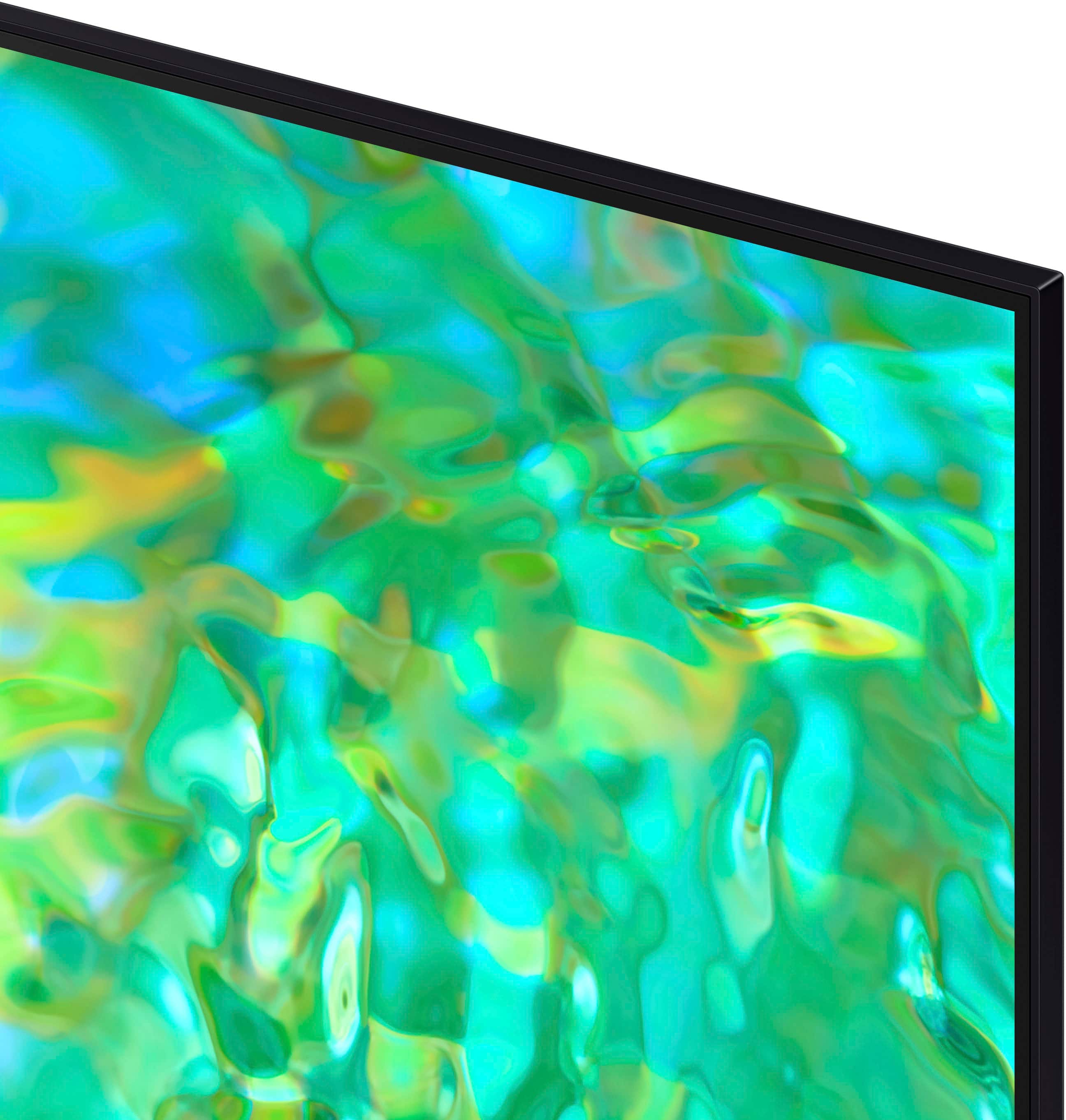
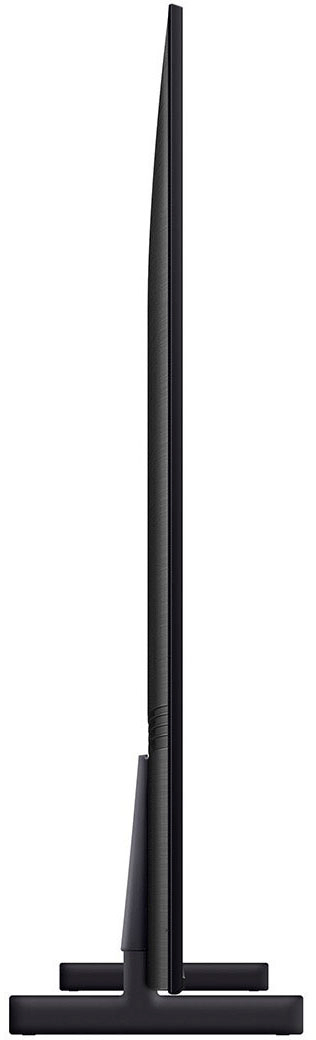
Posted .This reviewer received promo considerations or sweepstakes entry for writing a review.Samsung '65 CU8000 LED 4K TV an excellent choice for those seeking a large screen TV on a budget! My wife and I purchased this TV directly from Samsung and not Best Buy (just want to make this clear). Asthetically, the TV looks very nice despite presenting a minimalistic build. The bezel that surrounds the screen is very small and the feet supports are adequate and function as they should (beware that the support feet don't raise up the TV very much). The power cord is detachable, which I believe is pretty standard these days. The remote control has a built-in battery that can be charged solarly or via a USB cable. The picture quality is nice a very adequate for most users needs (there are a variety of settings to adjust for picture quality so the user can fine tune the TV to their needs). The TV speakers are, admittedly, sub-par and you will need a speaker bar or some other external sound source to obtain better sound output. As far as network connectivity, I haven't detected any issues with streaming from any media streaming service (of coarse network connectivity solely depends on you internet service provider and the type of internal network you have in your home wired or wireless). This TV is in my living room, so it's not connected to any gaming machine and I can't speak of it's performance for gaming purposes. Overall, my wife and I are very pleased with our new Samsung TV.
I would recommend this to a friend Worst buy
||Posted . Owned for less than 1 week when reviewed.This reviewer received promo considerations or sweepstakes entry for writing a review.Worst buy ever. Never will ever recommend best or worst buy again
No, I would not recommend this to a friendBrand response from Samsung
Posted .Hi MarioC,
We are very sorry that you are not satisfied with your experience using the Samsung CU8000 TV. Please give us the chance to make this right by contacting Samsung Customer Support at 1-800-SAMSUNG, 8 AM - 12 AM EST, seven days a week. Our LiveChat agents are also available by clicking on the ‘Support’ link on our website.
~Samsung Advisor