Customer Ratings & Reviews
- Model:
- UN65DU7200FXZA
- |
- SKU:
- 10413030
Customer reviews
Rating 4.7 out of 5 stars with 1525 reviews
(1,525 customer reviews)Rating by feature
- Picture Quality4.8
Rating 4.8 out of 5 stars
- Sound Quality4.6
Rating 4.6 out of 5 stars
- Brightness4.8
Rating 4.8 out of 5 stars
to a friend
Rated 1 out of 5 stars
Awful experience
||Posted . Owned for 2 months when reviewed.This reviewer received promo considerations or sweepstakes entry for writing a review.Does not turn on immediately like at beginning. 3 different “notices” show up when finally comes on and cannot get rid of notices. Constant “off and on“ ! Finally called Spectrum and TV not plugged in securely. Still have the other 2 issues.
This review is from Samsung - 65” Class DU7200 Series Crystal UHD 4K Smart Tizen TV (2024)
No, I would not recommend this to a friendBrand response from Samsung
Posted .Hi MarilynCzape,
I'm very sorry you are experiencing issues with your DU7200 TV. Please know we are available and happy to assist you with further troubleshooting or to set up a warranty appointment. You can contact Samsung Customer Support at 1-800-SAMSUNG, 8 AM - 12 AM EST, seven days a week. Our LiveChat agents are also available by clicking on the ‘Support’ link on our website.
~Samsung Advisor
Rated 1 out of 5 stars
Broken TV
||Posted . Owned for 1 month when reviewed.This reviewer received promo considerations or sweepstakes entry for writing a review.Received a broken 65inch Samsung TV from best buy and delivered by best buy. When I tried to exchange, Best Buy said it was 1 week from the returnable date. Best Buy won’t even exchange a tv that they broke during shipping.
This review is from Samsung - 65” Class DU7200 Series Crystal UHD 4K Smart Tizen TV (2024)
No, I would not recommend this to a friendBrand response from Samsung
Posted .Hi Kristi,
I'm very sorry to hear that your DU7200 TV was delivered damaged. Please refer to Best Buy for any questions on their return policy.
If there’s anything we can ever help with, please call us at 1-800-SAMSUNG, 8 AM - 12 AM EST, seven days a week. Or visit us on the Samsung website and click on the ‘Support’ link for:
1) LiveChat
2) Manuals, Software, & Warranty Info
~ Samsung Advisor
Rated 1 out of 5 stars
Thieves
||Posted .This reviewer received promo considerations or sweepstakes entry for writing a review.Was sold to me with heavy damage and then I was told it was ineligible for return because of made up “policies” that the customer isn’t made aware of until well after making the purchase.
This review is from Samsung - 65” Class DU7200 Series Crystal UHD 4K Smart Tizen TV (2024)
No, I would not recommend this to a friendBrand response from Samsung
Posted .Hi LostCustomer,
I'm very sorry to hear about your experience with Best Buy. I recommend reaching out to them directly to best assist you.
If there’s anything we can ever help with, please call us at 1-800-SAMSUNG, 8 AM - 12 AM EST, seven days a week. Or visit us on the Samsung website and click on the ‘Support’ link for:
1) LiveChat
2) Manuals, Software, & Warranty Info
~ Samsung Advisor
Rated 1 out of 5 stars
What a joke, no digital audio port
||Posted . Owned for 3 weeks when reviewed.This reviewer received promo considerations or sweepstakes entry for writing a review.I bought this TV just to find out theres no digital audio port. Its 2025 why isnt this an option? No soundbar in the future for anyone buying this tv. My old TV which is over 10 years old I replaced for this had a digital audio port. Come on
This review is from Samsung - 65” Class DU7200 Series Crystal UHD 4K Smart Tizen TV (2024)
No, I would not recommend this to a friendBrand response from Samsung
Posted .Hi Ryan,
Thank you for your feedback on the DU7200 TV! Your TV offers 3 HDMI ports and is Bluetooth and Wi-fi capable. If your sound system requires an optical out port, you can utilize an HDMI to Optical Converter, which is available at most Best Buy stores!
I hope this helps! If you ever have questions or need help, Samsung is here for you! Give us a call at 1-800-SAMSUNG, 8 AM - 12 AM EST, seven days a week. Our LiveChat agents are also available by clicking on the ‘Support’ link on our website.
~Samsung Advisor
Rated 1 out of 5 stars
Horrible
||Posted . Owned for 3 months when reviewed.This reviewer received promo considerations or sweepstakes entry for writing a review.Apple TV app stopped working on this TV no one will replace TV for me. Even upgraded my modem to see If that would fix issue. Samsung no help, Best Buy no help. Apple support has no issues with my account or app.
This review is from Samsung - 65” Class DU7200 Series Crystal UHD 4K Smart Tizen TV (2024)
No, I would not recommend this to a friendBrand response from Samsung
Posted .Hi Lindsey,
Thank you for reaching out to us. If apps are not working correctly, we recommend first checking for firmware updates on your TV. Go to Home > Settings > Support > Software Update. If you do have the latest firmware, then you can next try a cold boot. There are two ways to cold boot your TV:
1) Using the Remote: For most people, the easiest way is to hold down the Power button on the Samsung TV remote until the TV turns off and then on again. This should take about 5 seconds.
2) Using the Plug: If you do not have the remote, unplug your TV from the wall outlet or surge protector, leave it unplugged for 30 seconds, and then plug it back in.
Next, I recommend ensuring the Apple TV app is up to date by going to “Apps” on your Smart TV and selecting “Settings” from the top right corner. Next, select the Apple TV app and select "Update," if available. If the issue persists or if there is no Update available, we will try deleting and reinstalling the Apple TV app. To do so, navigate to “Apps” on your Smart TV and select “Settings” from the top right corner. Next, select the app. Finally, select Delete, and select Delete again to confirm.
Then we will reinstall the app by returning to “Apps” on your Smart TV and selecting “Settings” from the top right corner. Click on “Apple TV” and then select “Reinstall.”
For more help, please contact Samsung TV Support at 1-800-SAMSUNG, available 8 AM – 12 AM EST, seven days a week. For more contact options, click here: https://www.samsung.com/us/support/contact/
We look forward to hearing from you.
~Samsung Advisor
Rated 1 out of 5 stars
Sad
||Posted . Owned for 1 month when reviewed.This reviewer received promo considerations or sweepstakes entry for writing a review.We had the t installed three weeks ago. It totally failed. Called Best Buy, they made us contact manufacturer. Now it will be over 2 weeks before manufacturer can come fix it.
This review is from Samsung - 65” Class DU7200 Series Crystal UHD 4K Smart Tizen TV (2024)
No, I would not recommend this to a friendBrand response from Samsung
Posted .Hi CathyG,
Thank you for your patience while awaiting service. If you ever have questions or need support, we’re here to help. Call us at 1-800-SAMSUNG, available from 8AM - 12AM EST, seven days a week. You can also connect with a LiveChat agent by clicking the ‘Support’ link on our website.
~ Samsung Advisor
Rated 2 out of 5 stars
Review
||Posted . Owned for 3 weeks when reviewed.This reviewer received promo considerations or sweepstakes entry for writing a review.The volume come in at level five it’s really hard to hear unless you have the volume set for 6 or higher
This review is from Samsung - 65” Class DU7200 Series Crystal UHD 4K Smart Tizen TV (2024)
No, I would not recommend this to a friendBrand response from Samsung
Posted .Hi SheritaC,
Thank you for sharing your experience with low volume. There are several volume features you can adjust, which may improve your audio experience.
1) Auto Volume automatically adjusts the sound to a certain level when changing channels or switching to another external input. Go to Settings > All Settings> Sound > Expert Settings > Auto Volume.
2) Adaptive Sound automatically adjusts to a specific volume level while watching TV. The TV analyzes your volume usage history by time period to automatically adjust the volume when you use an app or switch to an external input source. Go to Settings> All Settings> Sound> Sound Mode> Adaptive Sound.
3) Several Sound Modes are likewise available to meet your personal preferences: Home > Settings > All Settings> Sound > Sound Mode.
Also, some sources have their own volume control, which might need to be set higher. Please check the volume control of the external device (cable box or satellite box, DVD, Blu-ray, etc.) connected to your TV. Also, check the cable connection between an external device and the TV and then try the cable connection again.
If you need more help, Samsung is here for you! Please call us at 1-800-SAMSUNG, 8 AM - 12 AM EST, seven days a week. Our LiveChat agents are also available by clicking on the ‘Support’ link on our website.
~ Samsung Advisor
Rated 1 out of 5 stars
Samsung 65” class
||Posted . Owned for 4 months when reviewed.This reviewer received promo considerations or sweepstakes entry for writing a review.It was working good, very easy to set up then it shut down after a week, just wouldn’t turn on.
This review is from Samsung - 65” Class DU7200 Series Crystal UHD 4K Smart Tizen TV (2024)
No, I would not recommend this to a friendBrand response from Samsung
Posted .Hi AbibaS,
I'm very sorry your DU7200 TV is no longer functional. Please give us a chance to assist you by calling us at 1-800-SAMSUNG, 8 AM - 12 AM EST, seven days a week. Or visit us on the Samsung website and click on the ‘Support’ link for:
1) LiveChat
2) Manuals, Software, & Warranty Info
~ Samsung Advisor
Rated 1 out of 5 stars
No Video After Just a Few Hours of Use
||Posted . Owned for 2 weeks when reviewed.This reviewer received promo considerations or sweepstakes entry for writing a review.This TV has a serious flaw. After just a few days of casual use for Airplay casting, the screen went completely black, though the audio still worked. This is extremely frustrating, and now I'm left with a 65-inch Bluetooth speaker.
This review is from Samsung - 65” Class DU7200 Series Crystal UHD 4K Smart Tizen TV (2024)
No, I would not recommend this to a friendBrand response from Samsung
Posted .Hi Frustrated,
Thank you for letting us know about the screen issues you are experiencing. Please know we are here for you and have a few recommendations. If your TV has a black screen even when it's on, it's quite possible it could actually be your external device and not your TV. Please try these troubleshooting steps for your blank screen issue:
1. Press the Home button on the remote.
If the menu appears, the TV is powered on but is either not on the correct source or not receiving a signal. If the menu does not appear, the TV may be having power issues.
Check the red standby light, a little red light at the edge of the TV that you aim the remote at. In normal use, the red standby light is on when the TV is off (indicating the TV is on standby), and the red standby light is off when the TV is in use (or doesn't have power).
2. Confirm that the TV is set to the same source as the external device.
For instance, if your cable box is connected to HDMI 1, set the TV source to HDMI 1.
If the TV is set to the correct source, but there is still no image, unplug and reconnect the AV connections one cable at a time from both ends of each cable. If there's any damage to the cable, it will need to be replaced.
After reconnecting the external device, please turn it off and back on.
3. Test the HDMI cable.
The test is designed for HDMI cords less than 6 feet long and may not give accurate results on longer cords.
To perform the test, make sure the TV's source is still on the HDMI setting for the cable you want to test, and then navigate to Settings > Support > Self Diagnosis > Signal Information > HDMI Cable Test > Start Test. If the test says the cable is bad, replace the cable. Service is not required.
4. Test different external devices.
The final thing to rule out is the external device you're using. Try connecting a different device or using a different source port.
If the TV can display a picture in any other setup, then you've ruled the TV out as the cause of the issue. Keep trying various setups until you identify the device or cable that is not working and troubleshoot or replace it.
The TV will need service if the issue persists after these steps. Please contact us so that we can better investigate your issue and assist you with a solution or replacement. Call us at 1-800-SAMSUNG, 8 AM - 12 AM EST, seven days a week. Our LiveChat agents are also available by clicking on the ‘Support’ link on our website.
~ Samsung Advisor
Rated 1 out of 5 stars
No good tv
||Posted . Owned for 3 months when reviewed.This reviewer received promo considerations or sweepstakes entry for writing a review.Didn’t last 30 days but due to delays in installing it we went past the warranty for store return by 4 days..
This review is from Samsung - 65” Class DU7200 Series Crystal UHD 4K Smart Tizen TV (2024)
No, I would not recommend this to a friendBrand response from Samsung
Posted .Hi FrankH,
Samsung stands behind the quality and performance of our TVs with a limited 1-year manufacturer’s warranty when purchased brand-new from an authorized dealer.
Please give us the chance to make this right by contacting Samsung Customer Support at 1-800-SAMSUNG, 8 AM - 12 AM EST, seven days a week. Our LiveChat agents are also available by clicking on the ‘Support’ link on our website.
~Samsung Advisor
Rated 1 out of 5 stars
Don't buy
||Posted . Owned for 1 month when reviewed.This reviewer received promo considerations or sweepstakes entry for writing a review.Completely stopped working after 1 month. Worst TV I have ever bought.
This review is from Samsung - 65” Class DU7200 Series Crystal UHD 4K Smart Tizen TV (2024)
No, I would not recommend this to a friendBrand response from Samsung
Posted .Hi JacobH,
I'm very sorry your DU7200 TV stopped working a month after purchase. Samsung stands behind the quality and performance of our TVs with a limited 1-year manufacturer’s warranty when purchased brand-new from an authorized dealer.
To schedule a warranty appointment, please call us at 1-800-SAMSUNG, 8 AM - 12 AM EST, seven days a week. Our LiveChat agents are also available by clicking on the ‘Support’ link on our website.
~ Samsung Advisor
Rated 1 out of 5 stars
Never again
||Posted . Owned for 1 month when reviewed.This reviewer received promo considerations or sweepstakes entry for writing a review.I felt robbed. Charged me 200 dollars for a delivery fee and 200 dollars for a mount.
This review is from Samsung - 65” Class DU7200 Series Crystal UHD 4K Smart Tizen TV (2024)
No, I would not recommend this to a friendBrand response from Samsung
Posted .Hi NicholiN,
I'm sorry to hear about the issues with your order. Please get in touch directly with Best Buy to resolve any overcharges. If you ever have questions or need help, Samsung is here for you! Give us a call at 1-800-SAMSUNG, 8 AM - 12 AM EST, seven days a week. Our LiveChat agents are also available by clicking on the ‘Support’ link on our website.
~Samsung Advisor
Rated 1 out of 5 stars
Bad Item
||Posted . Owned for 2 months when reviewed.This reviewer received promo considerations or sweepstakes entry for writing a review.Less than 2 months and already have a permanent black screen, I can hear it but not image at all
This review is from Samsung - 65” Class DU7200 Series Crystal UHD 4K Smart Tizen TV (2024)
No, I would not recommend this to a friendBrand response from Samsung
Posted .Hi JashuaC,
Thank you for reaching out to us. If your TV has a black screen even when it's on, it's quite possible it could actually be your external device and not your TV. Please try these troubleshooting steps for your blank screen issue:
1. Press the Home button on the remote.
If the menu appears, the TV is powered on but is either not on the correct source or not receiving a signal. If the menu does not appear, the TV may be having power issues.
Check the red standby light, a little red light at the edge of the TV that you aim the remote at. In normal use, the red standby light is on when the TV is off (indicating the TV is on standby), and the red standby light is off when the TV is in use (or doesn't have power).
2. Confirm that the TV is set to the same source as the external device.
For instance, if your cable box is connected to HDMI 1, set the TV source to HDMI 1.
If the TV is set to the correct source, but there is still no image, unplug and reconnect the AV connections one cable at a time from both ends of each cable. If there's any damage to the cable, it will need to be replaced.
After reconnecting the external device, please turn it off and back on.
3. Test the HDMI cable.
The test is designed for HDMI cords less than 6 feet long and may not give accurate results on longer cords.
To perform the test, make sure the TV's source is still on the HDMI setting for the cable you want to test, and then navigate to Settings > Support > Self Diagnosis > Signal Information > HDMI Cable Test > Start Test. If the test says the cable is bad, replace the cable. Service is not required.
4. Test different external devices.
The final thing to rule out is the external device you're using. Try connecting a different device or using a different source port.
If the TV can display a picture in any other setup, then you've ruled the TV out as the cause of the issue. Keep trying various setups until you identify the device or cable that is not working and troubleshoot or replace it.
The TV will need service if the issue persists after these steps. Please contact us so that we can better investigate your issue and assist you with a solution or replacement. You can call us at 1-800-SAMSUNG, 8 AM - 12 AM EST, seven days a week. Our LiveChat agents are also available by clicking on the ‘Support’ link on our website.
~ Samsung Advisor
Rated 1 out of 5 stars
Don't waste your money on this one.
||Posted . Owned for 3 weeks when reviewed.This reviewer received promo considerations or sweepstakes entry for writing a review.I will not recommend this to anyone. On occasion, it is slow and frequently keeps stacking in the middle of watching a movie. I tried to contact Samsung for a fix but got no help from them
This review is from Samsung - 65” Class DU7200 Series Crystal UHD 4K Smart Tizen TV (2024)
No, I would not recommend this to a friendBrand response from Samsung
Posted .Hi Nyanda,
Thank you for letting us know about the lagging issues you are experiencing on your DU7200 TV. Please try the troubleshooting steps below to resolve this issue.
To ensure performance is fully optimized, please make sure your TV is running the latest firmware. To do so, go to Settings> Support> Software Update. You can easily update from there if necessary.
Next, I recommend utilizing the self-diagnostic tool, which checks memory, frees unused cached memory, and closes background apps. Go to Settings > Support > Device Care > Start Device Care.
Finally, if your TV is freezing, please try running a cold boot. To do so, hold down the Power button on the Samsung TV remote until the TV turns off and then on again. This should take about 5 seconds.
If you’re experiencing issues with the Wi-Fi connection, we suggest you try the following:
1. Use 5Ghz Wi-Fi if possible
2. Try wired LAN if available
3. Try repositioning the router so there are no obstacles between your TV and the router
If you continue to have issues, please call us at 1-800-SAMSUNG, 8 AM - 12 AM EST, seven days a week. LiveChat with an agent, as well as manuals, software, and warranty info, can be found at the ‘Support’ link on our Samsung website.
~ Samsung Advisor
Rated 1 out of 5 stars
Bad app
||Posted . Owned for 1 month when reviewed.This reviewer received promo considerations or sweepstakes entry for writing a review.Bad prime app built in and best buy will not give me a. Ew TV unless I pay $42 first , for a store warranty?? Wow!
This review is from Samsung - 65” Class DU7200 Series Crystal UHD 4K Smart Tizen TV (2024)
No, I would not recommend this to a friendBrand response from Samsung
Posted .Hi JeffreyB,
Thank you for choosing Samsung and for letting us know about your concerns. To better understand your needs, please reach out to us at 1-800-SAMSUNG, 8 AM - 12 AM EST, seven days a week. Our LiveChat agents are also available by clicking on the ‘Support’ link on our website.
~ Samsung Advisor
Rated 1 out of 5 stars
Price matching
||Posted . Owned for 1 month when reviewed.This reviewer received promo considerations or sweepstakes entry for writing a review.Still waiting for my refund for the price of tv going down one week after purchase
This review is from Samsung - 65” Class DU7200 Series Crystal UHD 4K Smart Tizen TV (2024)
I would recommend this to a friendBrand response from Samsung
Posted .Hi StevenSween,
Please reach out to Best Buy Customer Service to assist you with your price adjustment.
If you ever have product questions or need help, Samsung is here for you! Give us a call at 1-800-SAMSUNG, 8 AM - 12 AM EST, seven days a week. Our LiveChat agents are also available by clicking on the ‘Support’ link on our website.
~Samsung Advisor
Rated 1 out of 5 stars
Disappointed
||Posted . Owned for 3 weeks when reviewed.This reviewer received promo considerations or sweepstakes entry for writing a review.Picture not clear and colors sucks will not buy a Samsung every again
This review is from Samsung - 65” Class DU7200 Series Crystal UHD 4K Smart Tizen TV (2024)
No, I would not recommend this to a friendBrand response from Samsung
Posted .Hi MarcusG,
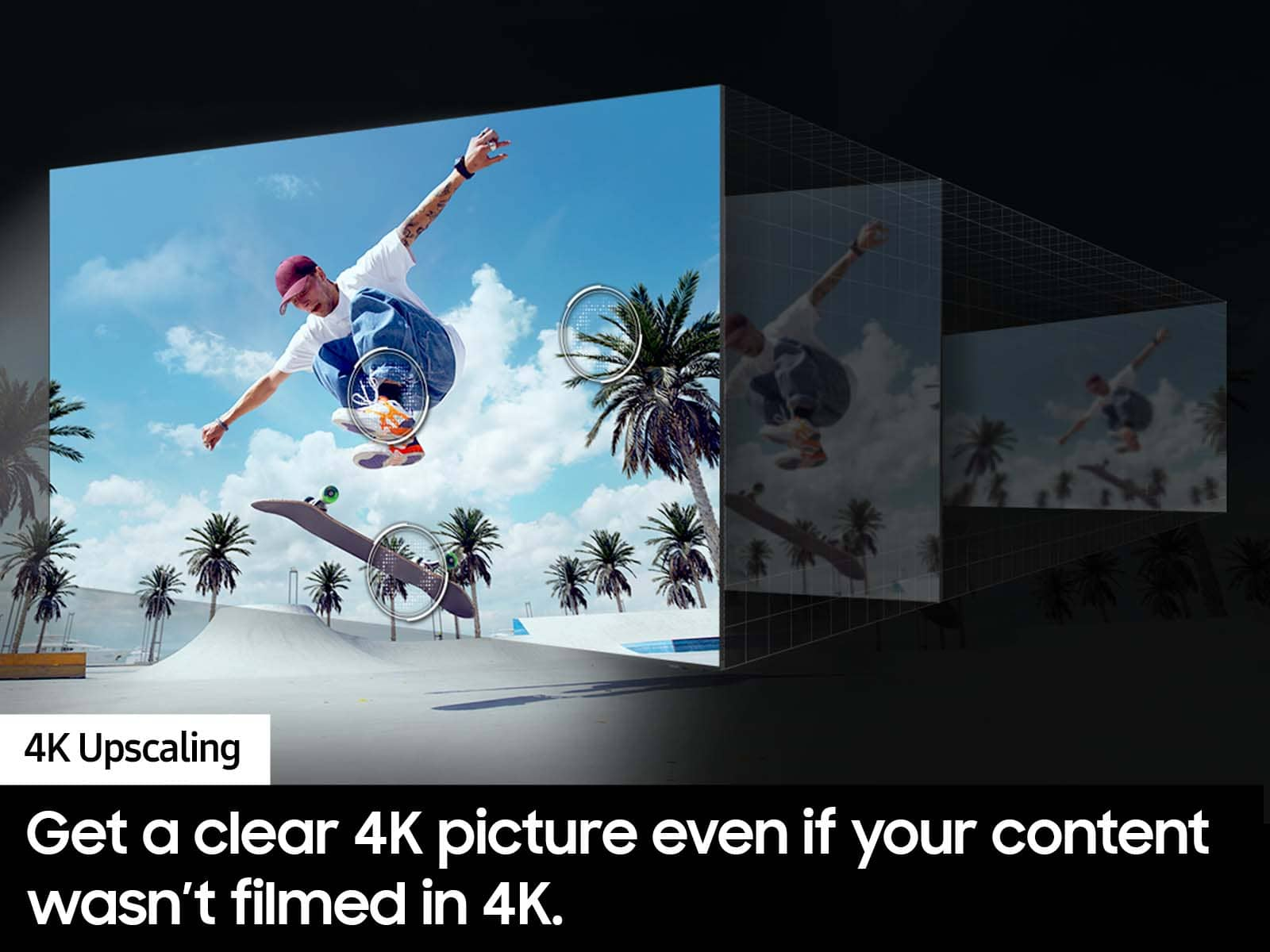
Thank you for sharing your thoughts on your DU7200 TV’s image quality. The TV will upscale any content sent to it as best as possible. The closer your content is to 4K, the better the image will look on the screen.
Here are some tips to help improve picture clarity:
1) HDMI cables are recommended for optimal HD viewing.
2) If you have an analog cable box or satellite box, upgrade to a digital cable box or satellite box.
3) Change the output resolution of your devices, such as digital broadcast receivers, IPTV, and set-top boxes, to UHD or HD.
4) You can further adjust your sharpness, brightness, contrast, color, and more by going to Settings > All Settings> Picture > Expert Settings
5) Choose a Picture Mode by going to Settings > All Settings> Picture > Picture Mode and choose from Dynamic, Standard, Natural, Movie, or Filmmaker Mode.
Should you ever have questions or need help with TV features, specs, or operations, we are here to help. You can call us at 1-800-SAMSUNG, 8 AM - 12 AM EST, seven days a week. Our LiveChat agents are also available by clicking on the ‘Support’ link on our website.
~ Samsung Advisor
Rated 1 out of 5 stars
Nice tv.
||Posted . Owned for 3 months when reviewed.This reviewer received promo considerations or sweepstakes entry for writing a review.Nice TV overall. .................................
This review is from Samsung - 65” Class DU7200 Series Crystal UHD 4K Smart Tizen TV (2024)
I would recommend this to a friendBrand response from Samsung
Posted .Hi SKH150,
Thank you for purchasing the Samsung DU7200 TV. I am glad you are enjoying your new television featuring our ultra-fast Crystal Processor 4K and HDR for stunning definition and a naturally crisp and vivid picture.
If there is anything we can do to help you with your new TV, do not hesitate to reach out to us. You can call us at 1-800-SAMSUNG, 8 AM - 12 AM EST, seven days a week. Our LiveChat agents are also available by clicking on the ‘Support’ link on our website.
~ Samsung Advisor
Rated 1 out of 5 stars
Wrong order
||Posted . Owned for 2 weeks when reviewed.This reviewer received promo considerations or sweepstakes entry for writing a review.Not good I’m getting tired with the tv,!!!! !! !
This review is from Samsung - 65” Class DU7200 Series Crystal UHD 4K Smart Tizen TV (2024)
No, I would not recommend this to a friendBrand response from Samsung
Posted .Hi AbdulM,
We are sorry that you are having issues with your DU7200 TV. Please give us a chance to make this right by contacting us at 1-800-SAMSUNG, 8 AM - 12 AM EST, seven days a week. Our LiveChat agents are also available by clicking on the ‘Support’ link on our website.
~Samsung Advisor
Rated 1 out of 5 stars
Tv 65”
||Posted . Owned for 3 weeks when reviewed.This reviewer received promo considerations or sweepstakes entry for writing a review.I retuned somebody pick up I don’t like the picture was coming out. Nothing wrong with.
This review is from Samsung - 65” Class DU7200 Series Crystal UHD 4K Smart Tizen TV (2024)
I would recommend this to a friendBrand response from Samsung
Posted .Hi DaviddG,
Thank you for your feedback on the DU7200 TV. Please know we are always available and could have assisted you with adjusting the picture on your screen. We are sorry to hear you were unsatisfied. Should you ever decide to give Samsung TVs another try and have questions or need help with settings, setup, or features, we would be happy to help. Call us at 1-800-SAMSUNG, 8 AM – 12 AM EST, seven days a week. LiveChat with an agent, as well as manuals, software, and warranty info, can be found at the ‘Support’ link on our Samsung website.
We hope to regain you as a customer in the future.
~ Samsung Advisor