Customer Ratings & Reviews


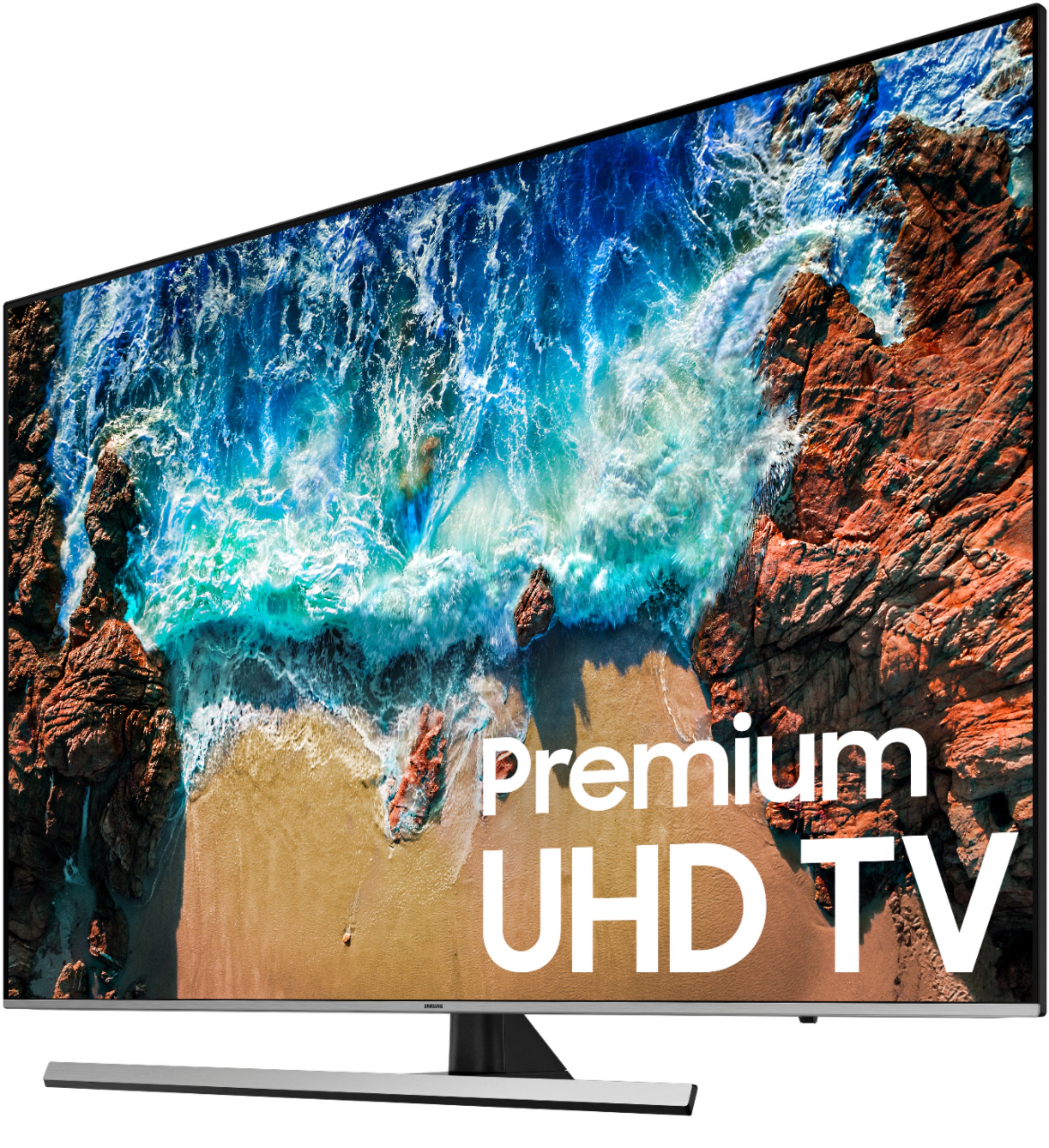
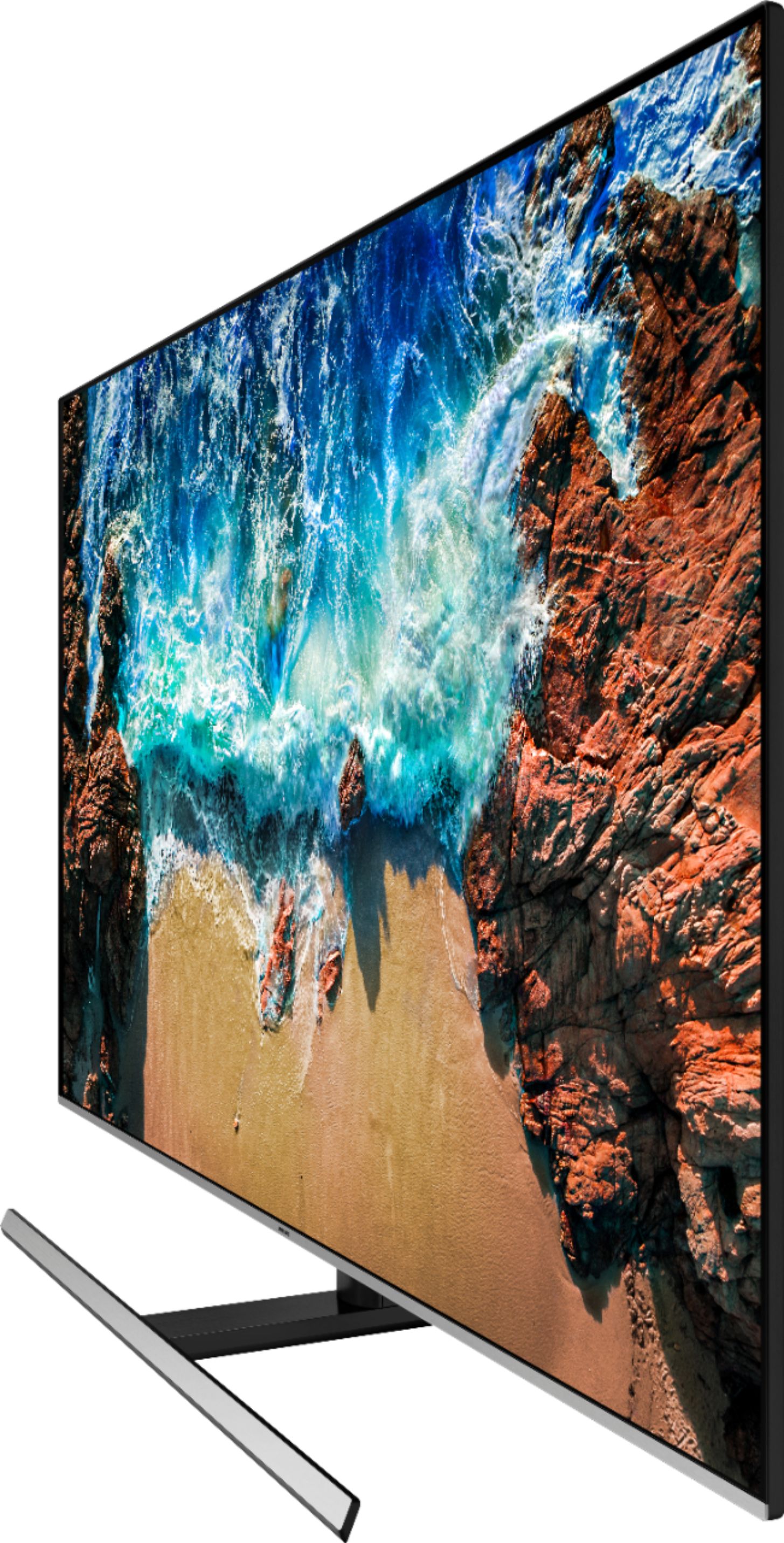



- Model:
- UN65NU8000FXZA
- SKU:
- 6199828
Rating by feature
- Picture Quality
Rating 4.7 out of 5 stars
- Sound Quality
Rating 4.3 out of 5 stars
- Brightness
Rating 4.8 out of 5 stars
Customers are saying
Customers are delighted by the picture quality, calling it "the finest" and "amazing". They also appreciate the easy setup and affordable price. The smart TV feature and remote control are also praised for their convenience. However, some customers have concerns about motion blur, speakers not being loud enough, durability issues, and the TV being expensive.
This summary was generated by AI based on customer reviews.
Dissapointed
||Posted .This reviewer received promo considerations or sweepstakes entry for writing a review.Coming from a plasma TV, this set just cannot compete with the black levels I was use to seeing. Should of paid more money and went with a OLED TV.
No, I would not recommend this to a friendGreat picture
||Posted . Owned for 1 year when reviewed.This reviewer received promo considerations or sweepstakes entry for writing a review.Has trouble with sound. Will start jumbling sounds and voices and you have to change channels then back to the channel you were watching.
I would recommend this to a friend- Cons mentioned:Motion
Not what I expected
||Posted .This reviewer received promo considerations or sweepstakes entry for writing a review.Unfortunately this tv isn't what I expected. The motion was a bit off and it didn't meet expectations.
No, I would not recommend this to a friendBrand response from Samsung
Posted .AJ05,
I am sorry to see that you are not happy with the motion image performance of your Samsung NU8000 TV.
Please try adjusting Auto Motion Plus to eliminate the motion blur.
You can change Auto Motion Plus settings by following these steps:
1) With the TV powered on, press the Home button on the Samsung remote to open the Home screen
2) Then select Settings > Picture > Expert Settings > Auto Motion Plus
(Note: This option may not be visible initially. Continue scrolling through the Expert Settings Menu to locate Auto Motion Plus)
3) Then select Auto Motion Plus again, and you will see the following three options:
a) Off: Auto Motion Plus will always be off
b) Auto: Auto Motion Plus will automatically activate and deactivate based on the type of program being watched
c) Custom: Allows custom adjustments and settings to be used
4) By selecting the Custom option, you can access these advanced settings:
a) Blur Reduction: Use the directional keys on the remote to adjust the Blur setting
b) Judder Reduction: Use the directional keys on the remote to adjust the Judder setting
c) LED Clear Motion: Select to turn On/Off
For further assistance on this feature or other usages, please contact Samsung Customer Support at 1-800-SAMSUNG and a representative will gladly help you. Or LiveChat with our product experts at: http://www.samsung.com/us/support/contact
We are likewise reachable via Facebook Messenger at: http://m.me/samsungsupport
You can also find us on Twitter at: https://twitter.com/messages/compose?recipient_id=18768513
- Samsung Ambassador
Not the best
||Posted . Owned for 1 year when reviewed.This reviewer received promo considerations or sweepstakes entry for writing a review.Notice a lot of lag between action scenes and returned for the Q9 as we were wanting quality with more life time.
No, I would not recommend this to a friendScreen broke easily.
||Posted . Owned for 1 year when reviewed.This reviewer received promo considerations or sweepstakes entry for writing a review.Screen broke easily when my daughter accidentally hit it with a toy.It’s so fragile. We only use it for 5 mo ths..
No, I would not recommend this to a friendSamsung ?
||Posted . Owned for 1.5 years when reviewed.This reviewer received promo considerations or sweepstakes entry for writing a review.Got this tv in 2018 and only lasted one an a half years!!! Don’t recommend it. Got a great Sony tv now.
No, I would not recommend this to a friendGood tv.
||Posted .This reviewer received promo considerations or sweepstakes entry for writing a review.Good tv but had a line down the middle of the tv from dead pixels and had to schedule samsung to come out and take a look at it.
No, I would not recommend this to a friendBrand response from Samsung
Posted .chs9090,
I am sorry that you experienced dead pixel issue and required warranty service.
If at any time you wish to check the status of your repair, please contact Samsung Customer Support via any of the below options:
1) Toll-free calling: 1-800-SAMSUNG
2) LiveChat or Email: https://www.samsung.com/us/support/#contact_us_for_support
3) Facebook Messenger: http://m.me/samsungsupport
4) Twitter: https://twitter.com/messages/compose?recipient_id=18768513
Again, my apologies for the inconveniences you have had. We do hope to hear from you.
-Samsung Ambassador
- Pros mentioned:Color, Picture qualityCons mentioned:Motion
decent mid ranged 4K tv
Posted .This reviewer received promo considerations or sweepstakes entry for writing a review.Compared this 65 inch tv with the Sony 800F and LGSK9000. I think I will keep it , although I am kinda regretting not going with the LG for $400 more. I have concluded that all these tvs have their pluses and minuses. The higher you pay the more you get. This unit is decent and well priced vs competitors. If I were to bump up my budget I would have gone with Sony 900F or perhaps Samsung QLED. With that said, here are the pluses for the NU8000: 1) good black levels - yesterday I clicked the pause button right after a show ended and the screen was displaying pure black. I thought the tv turned off. 2) good color out of the box. Like most tvs it is a little on the cool side. Could use more color presets. If you are good with RGB sliders (I am not) you can fine tune the gain and bias . In the end I went with standard with slight tint towards green. Depends on content but this looks good for skin tones and uniform colors. TV is wide gamut which is good for displaying colors but stuff that isn't color manged properly such as show banners might look over saturated. 3) good picture quality. Not too saturated or too much contrast - crystal clear for 4K content and sports (more on that below) 4) no bad pixels, banding, light bleeding or other screen issues on my unit 5) sound was better than I expected. It was okay for tv. I did watch one HBO show yesterday that I thought sounded terrible but everything else has been okay. 6) viewing angle is adequate. I have a sectional couch about 15 feet from the tv. All seats are good. If you go off angle than picture does drop off quickly. Here are the negatives: 1) It won't hold my wifi signal. Router is from BigCable Inc, only two years old and is 15 feet from tv. No excuse for dropping signal. 2) Samsung apps on Smart Hub stink. Direct TV Now app is still in beta and not functioning properly. Very annoying. Luckily I have 3rd gen Fire TV which works flawlessly. I also like the interface better on the Fire TV. 4) not a lot of apps in the Samsung app store. No PBS, no AMC. Again, Fire TV makes up for it. 3) Included within SmartHub are free Samsung streaming channels. These channels are total garbage and I wish I could deinstall them. 4) Since I am using HDMI source for Fire TV I sometimes change my source to the TV's SmartHub without shutting down Amazon Fire. Am I double streaming at that point? Not sure. I'm most likely just going to use the Fire TV and ditch Smart Hub for reasons above. Feel like that part of the tv is useless and a total waste of money. One final thought, Pay attention to 'Soap Opera Effect' I love how with auto motion turned on I feel like I am right there watching the action. Great for sports and even talk shows,. You can see every detail. Not so good for ty dramas and movies. Makes the show look like a tv/movie 'set' that you are watching rather then the story. Some people are more affected by this than others. All 4K tvs have this issue but some may deal with it better or worse. Samsung NU8000 allows you to turn it off or customize it, but I have no idea what the custom controls are doing. I just set it to auto or off depending on what I am watching. In the end I would recommend for price and picture quality ; but only if you have a Roku, Fire tv, or other device for reasons above.
I would recommend this to a friend - Pros mentioned:Color, Picture quality
Great TV with some issues
Posted .This reviewer received promo considerations or sweepstakes entry for writing a review.Let's just go with the pros and cons. The pros outweigh the cons, thus the 4 star rating, but I do have a lot to talk about in the cons section. Pros: **Picture quality - It's is among the best out there, and the reason I bought this TV. I use the calibration settings from RTINGS for the NU8000, with the exception of standard rather than movie mode, and brightness level up to about 25 unless you are in a pitch black basement. As is normal for calibration recommendations, it looks a little washed out and warm unless you up the brightness and change the mode. Don't be afraid to do so. A lot of people don't like calibrated TVs. **Good HDR, good color, good black level, good motion handling for sports and action movies, overall great image. Cons: **First, the advertisements. big problem. You can disable some by going into the menu Support -> Terms and Policy -> internet based advertisement and uncheck it. Then General -> smart features -> uncheck both smart hub autorun options. BUT you will still have to look at Samsung's rental suggestions. So these options aren't 100%. Samsung is really digging deep to monetize, but you guys already know that if you have a Galaxy phone. **Unreliable software and remote control connectivity - My first TV failed this way, eventually the remote would not power it up unless I would unplug it from the wall. When I did that, then it would slowly lose remote functionality until it would lock up. A full reset from the menu did not help. I was within the return period so I boxed the TV up and returned it, then got a replacement. Unfortunately the replacement did the same thing, but worse, I could not even get past the setup before I'd lose the control! It was stuck on the select English screen. I thought it had to be something else, some interference but I tried everything. Powering down and unplugging everything around the TV. Ultimately, Geek Squad came out and solved the problem using a special Samsung remote control that gave them access to a service menu to do a different kind of reset than the one that is in the user menus. That worked. The TV has been fine since. I am a person who NEVER recommends the extended warranty, but in this case, with this TV which IMHO is one of the best made picture wise, get the 5 year Geek Squad plan. Being an engineer myself I expected an unskilled kid to show up but I was rather impressed. I still like the TV because of the picture quality and recommend it because of that. You can really only do better with QLED, but then you have to worry about serious screen burn-in issues. (look it up - and don't fall asleep watching CNN) But I don't recommend this TV purchased from a mail order outlet, or purchased without an extended service plan that is *available immediately in the first year* like Geek Squad. Beware of service plans that don't kick in until year 2 because then you'll have to deal with Samsung if it doesn't work after the return period but before the 1st year is up. The Samsung guy I spoke to on the phone was clearly overseas, I could barely hear with a crackly distorted phone line, he barely spoke English, and it was clear he was working a script not working with any actual knowledge himself. Great TV but there's a little more risk to be closer to the bleeding edge. The Samsung 6500 series I've had in the gameroom for years and years keeps going without issues. But not as good motion handling, black levels or colors.
I would recommend this to a friend Good picture and sound. Not impressed with smart f
||Posted .This reviewer received promo considerations or sweepstakes entry for writing a review.Usually have to turn on, off, and back on to unfreeze. Would work better with a Roku connected.
No, I would not recommend this to a friendPoor
||Posted .This reviewer received promo considerations or sweepstakes entry for writing a review.Game mode is junk was told it was 120 hz it’s not it maxed at 60 I tried with game mode off on and auto and when using ps4 and ps4 pro the screen will get confused between game screen and cinema screen or if I’m sniping and sitting still it goes black trying to go to cinema then I have to run around blind to be able to get screen to reappear
No, I would not recommend this to a friendGreat happy customer
||Posted .This reviewer received promo considerations or sweepstakes entry for writing a review.It's a great television , sound is little low and remote reaction is a little late.
I would recommend this to a friendToo much flash lighting
||Posted .This reviewer received promo considerations or sweepstakes entry for writing a review.I thought I had made a purchase that would work after owning a Sony Xbr, but sadly, the dark scene performance is abysmal. Free sync is a cool inclusion, but I’m team nvidia and I doubt the Xbox will see much support on a game by game basis. Returned and picked up a Visio P Quantum which has fared much better
No, I would not recommend this to a friendBrand response from Samsung
Posted .KINGLAND,
Thank you for sharing your feedback with us.
I am sorry that the NU8000 TV did not work out for you.
Your overall customer experience feedback is important to us and will be shared with the product team.
Should you ever decide to give Samsung TV products another try and have concerns or questions, please know we are always here to help. You can contact our Customer Support toll-free at 1-800-SAMSUNG. Or copy-paste this link into your browser to LiveChat or Email us: https://www.samsung.com/us/support/#contact_us_for_support
We are likewise reachable by Facebook Messenger at: http://m.me/samsungsupport
You can also find us on Twitter at: https://twitter.com/messages/compose?recipient_id=18768513
Again, my sincerest apologies. We hope to regain you as a customer in the future.
-Samsung Ambassador.
Blurry programs
||Posted .This reviewer received promo considerations or sweepstakes entry for writing a review.There is a common problem with Samsung 4k TV's not being able to handle non 4K content well. I spent about $ 1,000. on a new TV and I was expecting to have and amazing picture experience. Instead I have a blurry disappointing experience. I would recommend that people not buy a 4k TV until cable providers and network tv have more 4k programing. I am now researching various fixes and may possibly have to buy a video processor to modify the 780 content to work with my 4k tv. LAME!
No, I would not recommend this to a friendBrand response from Samsung
Posted .Brett:
I am very sorry to hear that you are not getting the sharp, pristine picture quality you hoped for.
Our 2018 NU8 Series features Ultra slim array backlight, HDR 10 plus, Wide viewing angle, Auto game mode and more, all designed to give you the best in lifelike, crystal-clear viewing enjoyment.
Please know that the TV will upscale as best as possible any content sent to it. The closer the signal is to 4K, the better it will look coming out.
The NU8 also has several preset picture modes and many custom settings, allowing users to adjust images to their liking.
The Dynamic Mode is our typical store demo mode and is the brightest among all presets.
Standard Mode is ideal for home and everyday viewing.
Movie Mode is the closest setting to calibration the way the director intended as it uses less enhancements and will likely result in the truest picture.
In addition, the quality of the image on your screen depends on the source and the connection.
HDMI cables are recommended for optimal HD viewing; and when possible, 4K content will provide the best picture quality.
The quality of the streaming content depends largely on the speed of your internet, as most content providers have adaptive streaming that will automatically adjust the image quality based on the network bandwidth.
Please give us the opportunity to assist you with image quality adjustments by calling Samsung Customer Support toll-free at 1-800-SAMSUNG.
You can also contact us via LiveChat or email: http://www.samsung.com/us/support/contact
Or on Facebook Messenger at: http://m.me/samsungsupport .
...and on Twitter at: https://twitter.com/messages/compose?recipient_id=18768513
We look forward to hearing from you.
Fair
||Posted .This reviewer received promo considerations or sweepstakes entry for writing a review.Picture quality average not as good as what you would expect for price
No, I would not recommend this to a friendBrand response from Samsung
Posted .Doodlebug,
I am sorry to hear that you were not happy with picture quality.
Here are a few tips that may help you better enjoy the 4K viewing experience:
1. The TV will upscale as best as possible any content sent to it. The closer your content is to 4K, the better the image will look on the screen.
2. HDMI cables are recommended for optimal HD viewing.
3. The TV also offers custom settings, allowing you to adjust images to your preference.
4. The quality of streaming content depends largely on the speed of your internet, as most content providers have adaptive streaming that would automatically adjust the image quality based on the network bandwidth.
Please know that Samsung Customer Support is always happy to assist you with image quality adjustments tailored to your preferred viewing experience. Simply contact us via any of the following options:
• Toll-free calling: 1-800-SAMSUNG
• LiveChat or Email: https://www.samsung.com/us/support/#contact_us_for_support
• Facebook Messenger: http://m.me/samsungsupport
• Twitter: https://twitter.com/messages/compose?recipient_id=18768513
Again, thank you for taking the time to share your experience. We hope to hear from you soon.
- Samsung Ambassador
Good
||Posted .This reviewer received promo considerations or sweepstakes entry for writing a review.It was good til It appeared big dark spot on screen after 1 month
No, I would not recommend this to a friendBrand response from Samsung
Posted .Vvian:
I am so sorry to see that your screen has developed a dark spot.
Please reach out to us for troubleshooting this concern:
1) Phone: 1-800-SAMSUNG (ask for TVs)
Available 8AM - 12AM EST (Mon-Fri) / 9AM - 11PM EST (Sat-Sun)
2) LiveChat or Email: https://www.samsung.com/us/support/#contact_us_for_support
3) Facebook Messenger: https://www.facebook.com/samsungsupport
4) Twitter: https://twitter.com/SamsungSupport
5) The Samsung TV Community is also a great resource for getting help from Samsung moderators and customers: https://us.community.samsung.com/t5/TVs/bd-p/tv
If purchased brand-new from an authorized seller like Best Buy, your TV is covered by a manufacturer's 1-year limited warranty.
Tedious
||Posted .This reviewer received promo considerations or sweepstakes entry for writing a review.TV speaker is default setting not sound bar or wireless headphones!
No, I would not recommend this to a friendBrand response from Samsung
Posted .ER10,
Thank you for sharing your feedback.
You can find information on setting up sound options on page 98-99 of the eManual:
http://downloadcenter.samsung.com/content/UM/201805/20180530102420977/ENG_US_KM2ATSCN-2.0.0.pdf
I hope this helps to solve your issue. Please reach out to us should you have any questions, concerns, or need further assistance.
You can contact Samsung Customer Support at 1-800-SAMSUNG or via LiveChat or email. Simply copy-paste this link into your browser: http://www.samsung.com/us/support/contact
We are likewise reachable by Facebook Messenger at: http://m.me/samsungsupport
Or connect with us on Twitter at: https://twitter.com/messages/compose?recipient_id=18768513
-Samsung Ambassador
Screen looks good.
||Posted . Owned for 6 months when reviewed.This reviewer received promo considerations or sweepstakes entry for writing a review.Screen looks good. Keeps up well with movies and games.
I would recommend this to a friendGreat tv
||Posted .This reviewer received promo considerations or sweepstakes entry for writing a review.I like it because i make me feel happy on my home thanks
I would recommend this to a friendSamsung 65" series 8
||Posted .This reviewer received promo considerations or sweepstakes entry for writing a review.Good tv but remote wont work. Home button doesnt work.
No, I would not recommend this to a friend