Customer Ratings & Reviews
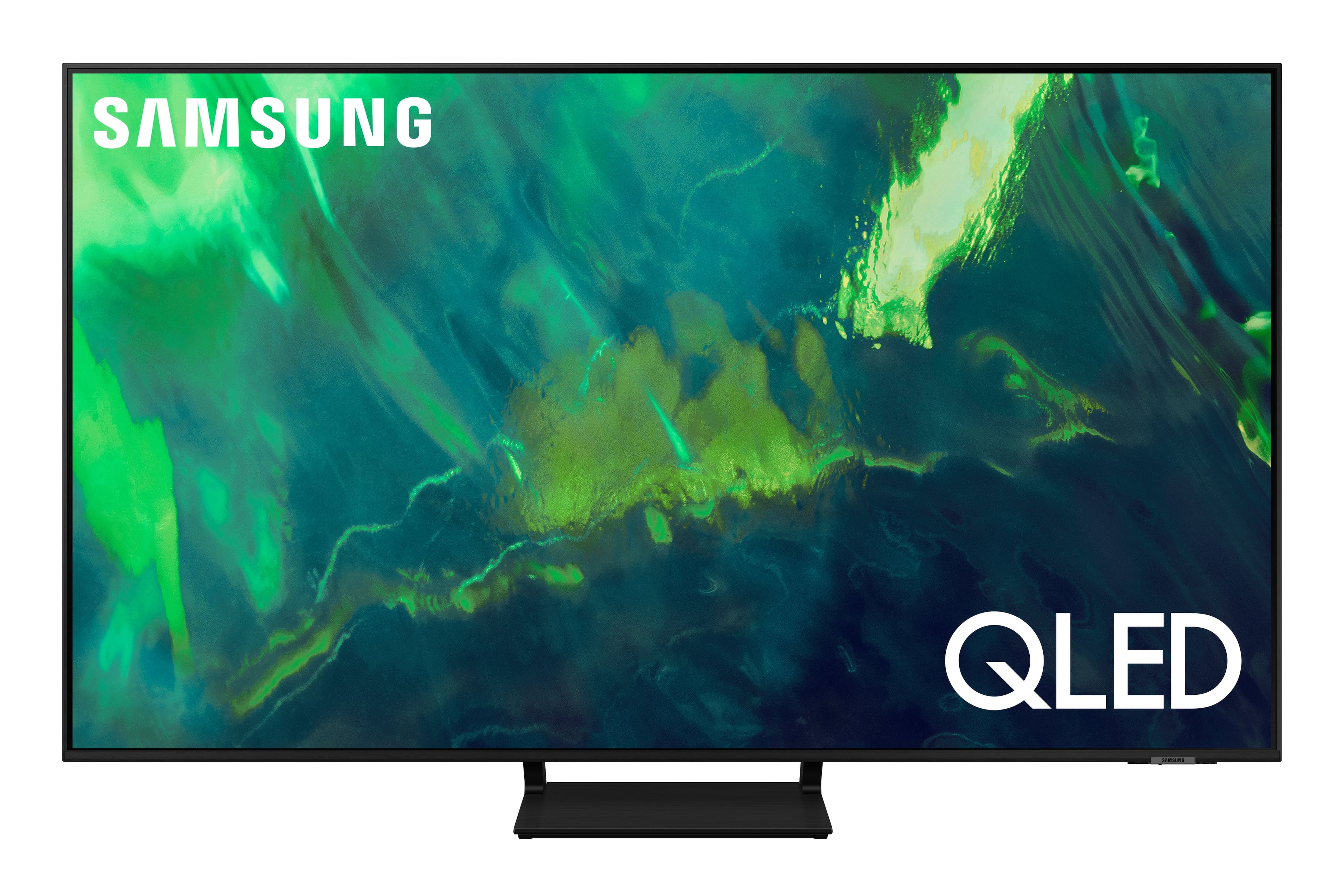
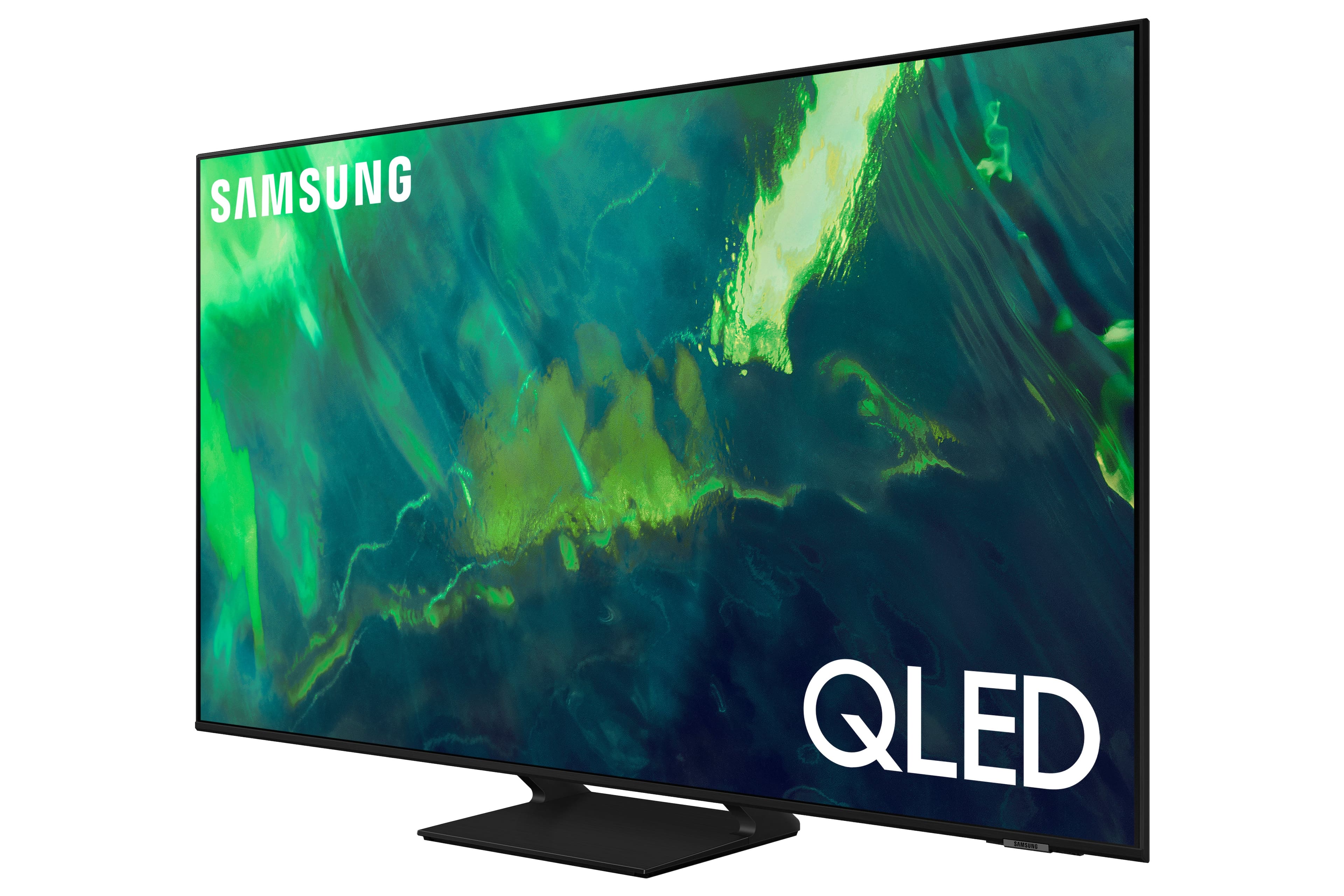


















- Model:
- QN65Q70AAFXZA
- SKU:
- 6451476
Rating by feature
- Picture Quality
Rating 4.8 out of 5 stars
- Sound Quality
Rating 4.4 out of 5 stars
- Brightness
Rating 4.8 out of 5 stars
Customers are saying
Customers enjoy the excellent picture quality, easy setup, and affordable price of the 65" Class Q70A Series QLED 4K UHD Smart Tizen TV. They appreciate the vibrant colors and find it to be a great TV for gaming. While some users have experienced minor issues like screen lines and clouding, overall, customers are pleased with their purchase.
This summary was generated by AI based on customer reviews.
new tv
||Posted . Owned for 1 month when reviewed.This reviewer received promo considerations or sweepstakes entry for writing a review.we ordered the tv with a center weighted stand and the tv that was delivered has feet on each side of the tv which we didn't want since the tv stand was a possible issue. The tv is great but we were disappointed to not get what we ordered.
I would recommend this to a friendBrand response from Samsung
Posted .dmsm,
Thank you for sharing your delivery experience with us. I recommend you contact Best Buy directly for assistance. I hope your issue is resolved quickly.
Should you ever need assistance or have questions about using your TV, please know we are here to help. You can reach Samsung Support at 1-800-SAMSUNG (ask for TVs), available 8AM -12AM EST, 7 days a week. Or text HELP to 62913.
For additional support resources, visit us on the Samsung website and click on the ‘Support’ link in the upper right corner of the homepage for:
1) More ‘Contact Us’ options – LiveChat, Facebook, Twitter, Samsung Community, Samsung Members app
2) Manuals & Software
3) Warranty Info
4) Product Registration: For access to easy warranty support, convenient opt-in to special promos and offers, faster troubleshooting and service, and quick notification of system updates.
~ Samsung Specialist
Not happy
||Posted . Owned for 1 month when reviewed.This reviewer received promo considerations or sweepstakes entry for writing a review.Didnt get any of the screws for the tv stand asked for them from the guys they said I shouldn’t need them. Super disappointed
No, I would not recommend this to a friendBrand response from Samsung
Posted .Nicole,
We appreciate your feedback regarding hardware missing from your Q70A TV. If purchased brand-new and unopened, please contact Samsung Customer Support and a representative will gladly help you. If purchased in open-box condition, we recommend contacting Best Buy directly for assistance. We hope your issue is resolved in a timely manner.
Should you have questions regarding the usage or setup of your TV once your issue has been resolved, please contact Samsung Support at 1-800-SAMSUNG, 8AM - 12AM EST, 7 days a week. Or visit us on the Samsung website and click on the ‘Support’ link for:
• LiveChat
• Manuals, Software, & Warranty Info
~ Samsung Specialist
Tv not complete.
||Posted . Owned for 2 weeks when reviewed.This reviewer received promo considerations or sweepstakes entry for writing a review.I was told Samsung 65 in. tv was copmlete. It wasn't. No stand. A total waste of time.
No, I would not recommend this to a friendLiving in the Pacific Northwest
||Posted . Owned for 3 weeks when reviewed.This reviewer received promo considerations or sweepstakes entry for writing a review.Returned the tv could not get a clear picture tried everything couldn't get the same quality picture like I saw in the store
No, I would not recommend this to a friendreturned it
||Posted . Owned for 1 week when reviewed.This reviewer received promo considerations or sweepstakes entry for writing a review.descent TV but I didn't like the picture it was a little blurry sometimes. I don't know if it was because it was an open box though.
No, I would not recommend this to a friendBrand response from Samsung
Posted .LeninP,
We value your feedback, and regret to hear that you weren’t completely satisfied with your Q70A TV’s picture quality. Please know we are always here to help, and we could have assisted in providing image adjustments to resolve any issues you were experiencing.
Should you ever decide to give Samsung TVs another try and have questions or need help with settings, setup, or features, please know we’re here to help. Call us at 1-800-SAMSUNG, 8AM - 12AM EST, 7 days a week.
LiveChat with an agent as well as manuals, software, and warranty info can be found at the ‘Support’ link on our Samsung website.
We hope to regain you as a customer in the future.
~ Samsung Specialist
Wont work after 11 months
||Posted . Owned for 11 months when reviewed.This reviewer received promo considerations or sweepstakes entry for writing a review.The remote stopped working and best buy will not help
No, I would not recommend this to a friendTerrible Picture Quality
||Posted . Owned for 1 year when reviewed.This reviewer received promo considerations or sweepstakes entry for writing a review.Terrible picture quality. Cloudy looking screen, Terrible uniformity. Stick with LG
No, I would not recommend this to a friendCheap and horrible TV
||Posted . Owned for 7 months when reviewed.This reviewer received promo considerations or sweepstakes entry for writing a review.Horrible quality, worst GUI and menu system, and people are orange. do not buy this.
No, I would not recommend this to a friend- Pros mentioned:Picture quality
Ok tv
||Posted . Owned for 1 month when reviewed.This reviewer received promo considerations or sweepstakes entry for writing a review.The volume is terrible without the sound bar. I had to inquire about the sound. They talked up how great the clarity is. These TVs are so thin they are moving towards soundbars for sound which is ridiculous. For as much as the TV was the sound bar should’ve been included.
No, I would not recommend this to a friendBrand response from Samsung
Posted .Hello Notagreatpurchase,
Thank you for choosing Samsung's Q70A QLED TV and for your review. There are several volume features you can enable/disable/adjust to your liking.
1) Auto Volume automatically adjusts the sound to a certain level when changing channels or switching to another external input.
2) Adaptive Volume automatically adjusts to a specific volume level while you are watching TV. The TV analyzes your volume usage history by time period to automatically adjust the volume when you use an app or switch to an external input source.
3) Several Sound Modes are likewise available to meet your personal preferences: Home > Settings > Sound > Sound Mode
Also, some sources have their own volume control which might be set too low. Please check the volume control of the external device (cable box or satellite box, DVD, Blu-ray, etc.) connected to your TV. Also, check the cable connection between an external device and the TV and then try cable connection again.
Should you ever have questions or need help, please call us at 1-800-SAMSUNG (ask for TVs), available 8AM -12AM EST, 7 days a week. Or text HELP to 62913.
For additional support resources, visit us on the Samsung website and click on the ‘Support’ link in the upper right corner of the homepage for:
1) More ‘Contact Us’ options – LiveChat, Facebook, Twitter, Samsung Community, Samsung Members app
2) Manuals & Software
3) Warranty Info
4) Product Registration: For access to easy warranty support, convenient opt-in to special promos and offers, faster troubleshooting and service, and quick notification of system updates.
~ Samsung Specialist
Samsung Q70A
||Posted . Owned for 3 weeks when reviewed.This reviewer received promo considerations or sweepstakes entry for writing a review.Returned, sound would be absent on some streaming services using a Nvidia Shield. Accessing TV menu would turn of the set sometimes
No, I would not recommend this to a friendBrand response from Samsung
Posted .Teck1:
Thank you for sharing your review of the Samsung Q70A TV. Your details regarding your issues with sound and turning off when accessing the menu are appreciated and will be shared with our internal teams.
Again, we appreciate you sharing your experience, should you ever decide to give Samsung TVs another try and have questions or need assistance with issues, settings, setup, or features, please know we are always here to help. Call us at 1-800-SAMSUNG (ask for TVs), available 8AM -12AM EST, 7 days a week. Or text HELP to 62913.
For additional support resources, visit us on the Samsung website and click on the ‘Support’ link in the upper right corner of the homepage for:
1) More ‘Contact Us’ options – LiveChat, Facebook, Twitter, Samsung Community, Samsung Members app
2) Manuals, Software, & Warranty Info
We hope to regain you as a customer in the future.
~ Samsung Solutions
Image quality not as expected
||Posted . Owned for 1 week when reviewed.This reviewer received promo considerations or sweepstakes entry for writing a review.Image quality is not as good as the Q60. Not worth the money in my opinion
No, I would not recommend this to a friendBrand response from Samsung
Posted .ChrisF,
Thank you for sharing your thoughts on the picture quality of your Q70A TV. To ensure you’ve got the latest image quality updates, please confirm that your TV is up to date with the latest firmware version. You can check by going to: Home > Menu > Settings > Support > Software Update.
If the picture you’re seeing is still not to your liking after updating firmware, there are several picture settings you may want to try adjusting.
Go to Home > Menu > Settings > All Settings > Picture > Picture Mode
...and select the mode that best fits your usage:
1) Standard: Is the default mode suitable for general viewing environments.
2) Movie: Is suitable for watching TV or movies in a dark room.
3) Dynamic: Makes the picture brighter and clearer in bright viewing environments.
4) Filmmaker Mode: You can watch the source content (e.g., movie) as it is. If the image is defined as Filmmaker Mode, it will automatically switch to Filmmaker Mode while watching.
You can also go to: Home > Menu > Settings > All Settings > Picture > Expert Settings to manually fine tune your image.
For further assistance with settings adjustments, please contact Samsung Customer Support at 1-800-SAMSUNG, 8AM - 12AM EST, 7 days a week. Our LiveChat agents are also available by clicking on the ‘Support’ link on our website.
~ Samsung Specialist
Dark scenes are terrible
||Posted . Owned for 2 weeks when reviewed.This reviewer received promo considerations or sweepstakes entry for writing a review.Every dark screen can see light bleed. Returned this one for a q80b and super happy I did
No, I would not recommend this to a friendBrand response from Samsung
Posted .Drew,
It’s unfortunate to hear that your experience with Samsung’s Q70A TV fell short of expectations. I also want to thank you for giving us a chance to make things right, and we greatly appreciate your patience in having deal with the inconvenience of an exchange.
Should you need help with your Q80B TV, please contact Samsung Customer Support at 1-800-SAMSUNG, 8AM - 12AM EST, 7 days a week. Our LiveChat agents are also available by clicking on the ‘Support’ link on our website.
~ Samsung Specialist
none
||Posted .This reviewer received promo considerations or sweepstakes entry for writing a review.Speaker not very loud for such a large tv. I had to purchase a soundbar.
No, I would not recommend this to a friendBrand response from Samsung
Posted .none,
Thank you for choosing the Q70A TV and for your review. There are several volume features you can enable/disable/adjust to your liking.
1) Auto Volume automatically adjusts the sound to a certain level when changing channels or switching to another external input.
2) Adaptive Volume automatically adjusts to a specific volume level while you are watching TV. The TV analyzes your volume usage history by time period to automatically adjust the volume when you use an app or switch to an external input source.
3) Several Sound Modes are likewise available to meet your personal preferences: Home > Settings > Sound > Sound Mode
Also, some sources have their own volume control which might be set too low. Please check the volume control of the external device (cable box or satellite box, DVD, Blu-ray, etc.) connected to your TV. Also, check the cable connection between an external device and the TV and then try cable connection again.
If you’d like more help with settings, please know we’re here to help! Call us at 1-800-SAMSUNG, 8AM - 12AM EST, 7 days a week. Or visit us on the Samsung website and click on the ‘Support’ link for:
• LiveChat
• Manuals, Software, & Warranty Info
~ Samsung Specialist
Not very good.
||Posted . Owned for less than 1 week when reviewed.This reviewer received promo considerations or sweepstakes entry for writing a review.I don't get the other reviews. The picture quality is, meh, and the clouding makes movies with darker scenes and wide-screen movies unwatchable. Taking it back this weekend. I'm a Samsung homer, but if this is any indication where things are headed may be time for a switch.
No, I would not recommend this to a friendBrand response from Samsung
Posted .Hi Matt,
We appreciate your review of the Samsung Q70A TV and your feedback regarding the picture quality. We take your feedback seriously and will be sending it to our internal teams.
There are a few settings I would like for you to try that may address the image quality issues you are experiencing.
First, please do ensure you’re running the latest firmware which includes updates to resolve this. Go to Home > Menu > Settings > Support > Software Update > Update Now and update from there if necessary.
There are also several volume features you can enable/disable/adjust to your liking.
1) Auto Volume automatically adjusts the sound to a certain level when changing channels or switching to another external input.
2) Adaptive Volume automatically adjusts to a specific volume level while you are watching TV. The TV analyzes your volume usage history by time period to automatically adjust the volume when you use an app or switch to an external input source.
3) Several Sound Modes are likewise available to meet your personal preferences: Home > Settings > Sound > Sound Mode.
Also, some sources have their own volume control which might be set too low. Please check the volume control of the external device (cable box or satellite box, DVD, Blu-ray, etc.) connected to your TV. Also, check the cable connection between an external device and the TV and then try the cable connection again.
Another feature of your TV is OTS Lite (Object Tracking Sound Lite) which means that there are strategically placed dynamic speakers that track the action and move the sound around you. If you have a Samsung Q-Series Soundbar, please take advantage of Q-Symphony which synchronizes both your TV speakers and soundbar to give you an excellent surround experience.
To further assist you with possible sound settings adjustments for a better audio experience, please reach out to us at 1-800-SAMSUNG (ask for TVs), available 8AM - 12AM EST, 7 days a week.
For additional support resources, visit us on the Samsung website and click on the ‘Support’ link in the upper right corner of the homepage for:
1) Contact Us: For additional Chat & Text options, choose ‘TVs & Home Theater’ and select your model & topic.
2) Manuals & Software
3) Warranty Info
4) Register a Product: For access to easy warranty support, convenient opt-in to special promos and offers, faster troubleshooting and service, and quick notification of system updates.
~ Samsung Advisor
Mistake
||Posted . Owned for 3 weeks when reviewed.This reviewer received promo considerations or sweepstakes entry for writing a review.Pictures blurry sometimes, and sound doesnt match lips
No, I would not recommend this to a friendBrand response from Samsung
Posted .Nettielou,
I’m sorry to hear you’re not fully satisfied with the clarity of your Q60B TV. Please try adjusting the Picture Clarity Settings to improve your image. Go to: Menu > Settings > Picture > Expert Settings > Picture Clarity Settings
- Off: Picture Clarity Settings will always be off
- Auto: Picture Clarity Settings will automatically activate and deactivate based on the type of program being watched
- Custom: Allows custom adjustments and settings to be used. By selecting the Custom option, you can access these advanced settings for Judder Reduction, LED Clear Motion, and Noise Reduction.
If you’re hearing an audio delay across all sources/channels and you have a receiver, soundbar, or other speakers connected to your TV, you can access the Audio Delay settings to increase the audio delay. Go to: Menu > Settings > All Settings > Sound > Expert Settings > Digital Output Audio Delay
Our 2022 TVs have an audio Pass-Through feature, which allows the audio signal to be sent out unprocessed to an external soundbar or receiver connected to the TV. The external device then processes the audio, thereby eliminating the added step of processing by the TV, which adds delay.
On your TV, go to: Menu > Settings > All Settings > Sound > Expert Settings > Digital Audio Output Format > Pass-Through
Please also be sure you’re running the latest firmware. You can check to see what software version your TV is using and if there is an available update through the settings on your TV. Go to: Menu > Settings > Support > Software Update.
If you’ve tried these steps and your issue persists, please contact us for troubleshooting and a Support agent will gladly assist. Call us at 1-800-SAMSUNG, 8AM - 12AM EST, 7 days a week. Or visit us on the Samsung website and click on the ‘Support’ link for:
1) LiveChat with an agent
2) Manuals, Software, & Warranty Info
~ Samsung Specialist
Sound
||Posted . Owned for 3 weeks when reviewed.This reviewer received promo considerations or sweepstakes entry for writing a review.We are having issues with the sound not syncing with the picture.
No, I would not recommend this to a friendBrand response from Samsung
Posted .Hi Unhappy,
Thank you for purchasing the Samsung Q70A TV and for sharing your experience with sound delays. Please be sure your firmware is up to date with version 1560.5 which includes updates to address any lip sync or audio delays that may be occurring. You can check this by going to: Settings > Support > Software Update.
Should you ever have questions or need help, please call us at 1-800-SAMSUNG (ask for TVs), available 8AM -12AM EST M-F (9AM – 6PM EST Sat). Or text HELP to 62913.
For additional support resources, visit us on the Samsung website and click on the ‘Support’ link in the upper right corner of the homepage for:
1) More ‘Contact Us’ options – LiveChat, Facebook, Twitter, Samsung Community, Samsung Members app
2) Manuals & Software
3) Warranty Info
4) Product Registration: For access to easy warranty support, convenient opt-in to special promos and offers, faster troubleshooting and service, and quick notification of system updates.
~ Samsung Specialist
Cracks and Pops; Build Quality Lacking
||Posted .This reviewer received promo considerations or sweepstakes entry for writing a review.Really disappointed. The TV cracks and pops intermittently and it's extremely distracting. The cracks and pops continue even after the TV has been on for an hour. Seems to be from thermal expansion. Hoping it will go away as we watch it more. If it continues, I will have to go through the warranty process. I'm sure they'll say thermal expansion is normal, but this is unacceptable.
No, I would not recommend this to a friendBrand response from Samsung
Posted .SadTVBuyer:
Thank you for purchasing the Samsung Q70A TV and for your review. The expansion and contraction of the TV's outer casing may cause a popping noise. This does not indicate a product malfunction. The TV is safe to use.
Should you ever have questions or need help, you can reach us at 1-800-SAMSUNG (ask for TVs), available 8AM -12AM EST, 7 days a week. Or text HELP to 62913.
For additional support resources, visit us on the Samsung website and click on the ‘Support’ link in the upper right corner of the homepage for:
1) More ‘Contact Us’ options – LiveChat, Facebook, Twitter, Samsung Community, Samsung Members app
2) Manuals & Software
3) Warranty Info
4) Product Registration: For access to easy warranty support, convenient opt-in to special promos and offers, faster troubleshooting and service, and quick notification of system updates.
~ Samsung Solutions
Ok but speakers blew out.
||Posted . Owned for 11 months when reviewed.This reviewer received promo considerations or sweepstakes entry for writing a review.Looks good enough. Speakers blew out at about 8-9 months in. Smart part is pretty good. Loads quickly and haven’t had any issues with any software. Speakers blew using an internal media source.
No, I would not recommend this to a friendBrand response from Samsung
Posted .Hi Antmeans,
It’s unfortunate to hear of your speaker issue on your Q70A TV. Samsung is committed to providing the best possible product experience, quality, and value. We back this Samsung TV with a 1-year limited manufacturer's warranty, including authorized repair for manufacturer defect, if purchased brand-new directly from an authorized seller. You can see the full details of your warranty here: https://www.samsung.com/us/support/service/warranty/QN65Q70AAFXZA
Please give us the opportunity to assist you by contacting Samsung Customer Support at 1-800-SAMSUNG, 8AM - 12AM EST, 7 days a week. Or visit us on the Samsung website and click on the ‘Support’ link for:
• LiveChat
• Manuals, Software, & Warranty Info
~ Samsung Specialist
Disappointed
||Posted .This reviewer received promo considerations or sweepstakes entry for writing a review.The image quality on motion images, especially faces, were continually pixelated. There wasn't any balance to the colors when changing channels. Returned to the store for a refund.
No, I would not recommend this to a friendBrand response from Samsung
Posted .DCostello,
I’m sorry to hear the picture quality of Samsung’s Q70A TV did not meet your expectations. Your feedback is appreciated and will be shared with our internal teams.
Should you ever decide to give Samsung TVs another try and have questions or need help with settings, setup, or features, please know we’re here to help. Call us at 1-800-SAMSUNG, 8AM - 12AM EST, 7 days a week.
LiveChat with an agent as well as manuals, software, and warranty info can be found at the ‘Support’ link on our Samsung website.
~ Samsung Specialist
Very disappointing for price point.
||Posted . Owned for 3 weeks when reviewed.This reviewer received promo considerations or sweepstakes entry for writing a review.Good specs, but did not live up to its hype. I'm a huge fan of Samsung, but I see pixels everywhere. Then, when the screen dims, the contrast sucks. There is a lot of clouding from the LEDs around the display. Sound quality could be better. Picture did not feel like QLED at 120hz refresh rate. For its price with what I got, I only give it one star. In my experience, it seems worth only half its price, which is where the base 4k with 60 hz FPS sits at for a Samsung 65". Perhaps I will have better luck with the Q80A with its full aray direct-lit display.
No, I would not recommend this to a friendBrand response from Samsung
Posted .Hi Truth!
We appreciate you sharing your experience with the new 2021 Q70A QLED 4K Smart TV. Your details and image will be shared with our internal teams. You may want to try adjusting image settings to improve your picture.
Your TV has several Picture Modes to choose from allowing you to enjoy content in optimal conditions. Go to Home > Settings > Picture > Picture Mode
1) Standard: Is the default mode suitable for general viewing environments.
2) Natural: Reduces eye strain for a comfortable viewing experience.
3) Movie: Is suitable for watching TV or movies in a dark room.
4) Dynamic: Makes the picture brighter and clearer in bright viewing environments.
5) Filmmaker Mode: You can watch the source content (e.g., movie) as it is. If the image is defined as Filmmaker Mode, it will automatically switch to Filmmaker Mode while watching. Filmmaker Mode™ is a trademark of UHD Alliance, Inc.
Intelligent Mode enables the TV to recognize and analyze the surroundings, noise, content, and your usage patterns to provide the best viewing experience. You can enable Intelligent Mode by going to Home > Settings > General > Intelligent Mode Settings. Adaptive Picture, which is among the options, optimizes brightness and provides the best picture quality in real time, based on the lighting condition and your content.
For optimal motion image performance, you may want to adjust the picture clarity setting by going to: Settings > Picture > Expert Settings > Picture Clarity Settings
- Off: Picture Clarity Settings will always be off
- Auto: Picture Clarity Settings will automatically activate and deactivate based on the type of program being watched
- Custom: Allows custom adjustments and settings to be used. By selecting the Custom option, you can access these advanced settings for Judder Reduction, LED Clear Motion, and Noise Reduction.
There are several sound settings you can adjust to suit your personal sound preferences.
Change the Sound Mode by going to: Settings > Sound > Sound Mode
You can also customize the sound with Expert Settings by going to: Settings > Sound > Expert Settings
I hope this helps you enjoy the experience of your new QLED TV. Should you ever have questions or need help, please call us at
1-800-SAMSUNG (ask for TVs), available 8AM -12AM EST M-F (9AM – 6PM EST Sat). Or text HELP to 62913.
For additional support resources, visit us on the Samsung website and click on the ‘Support’ link in the upper right corner of the homepage for:
1) More ‘Contact Us’ options – LiveChat, Facebook, Twitter, Samsung Community, Samsung Members app
2) Manuals & Software
3) Warranty Info
4) Product Registration: For access to easy warranty support, convenient opt-in to special promos and offers, faster troubleshooting and service, and quick notification of system updates.
~ Samsung Solutions