Customer Ratings & Reviews
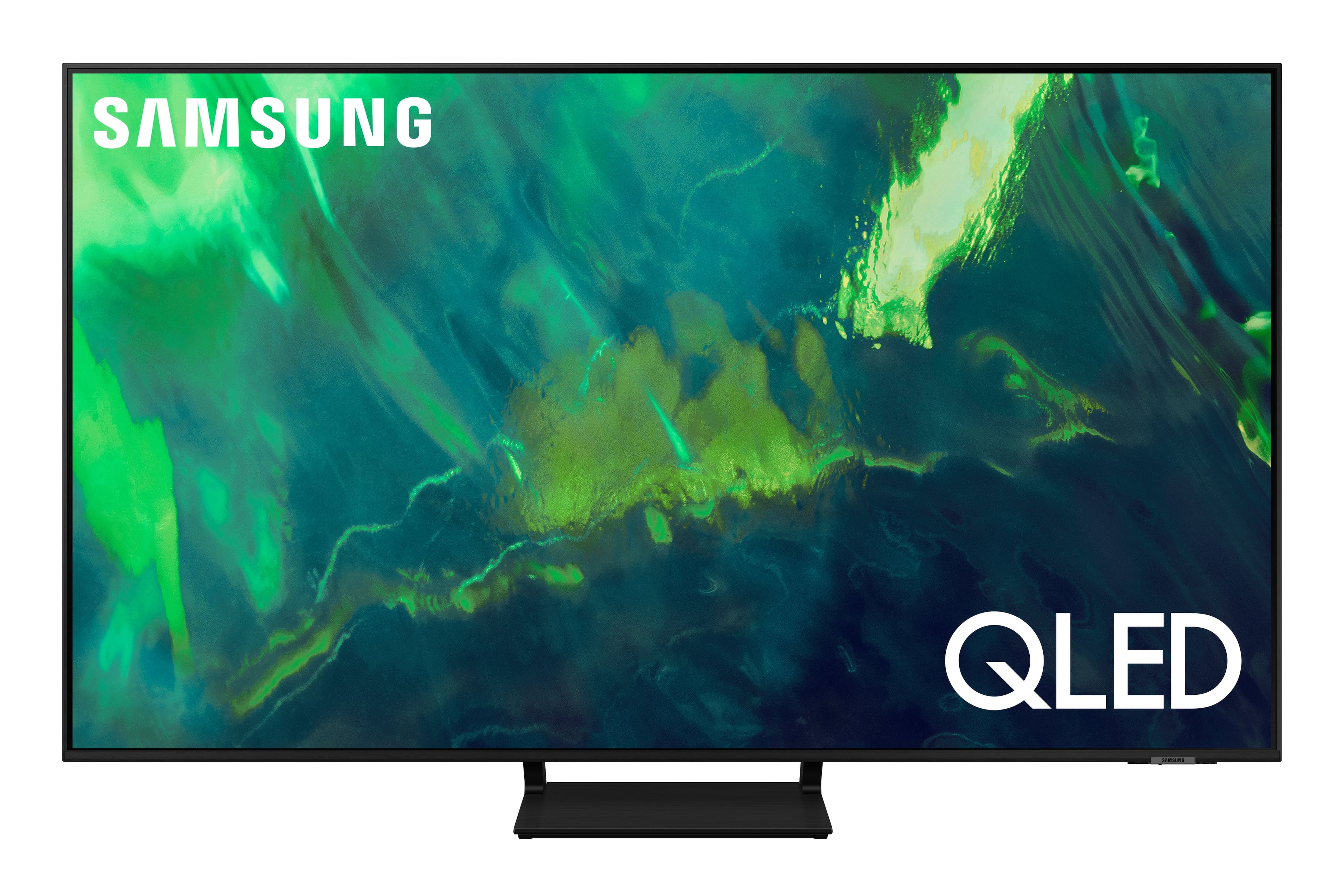
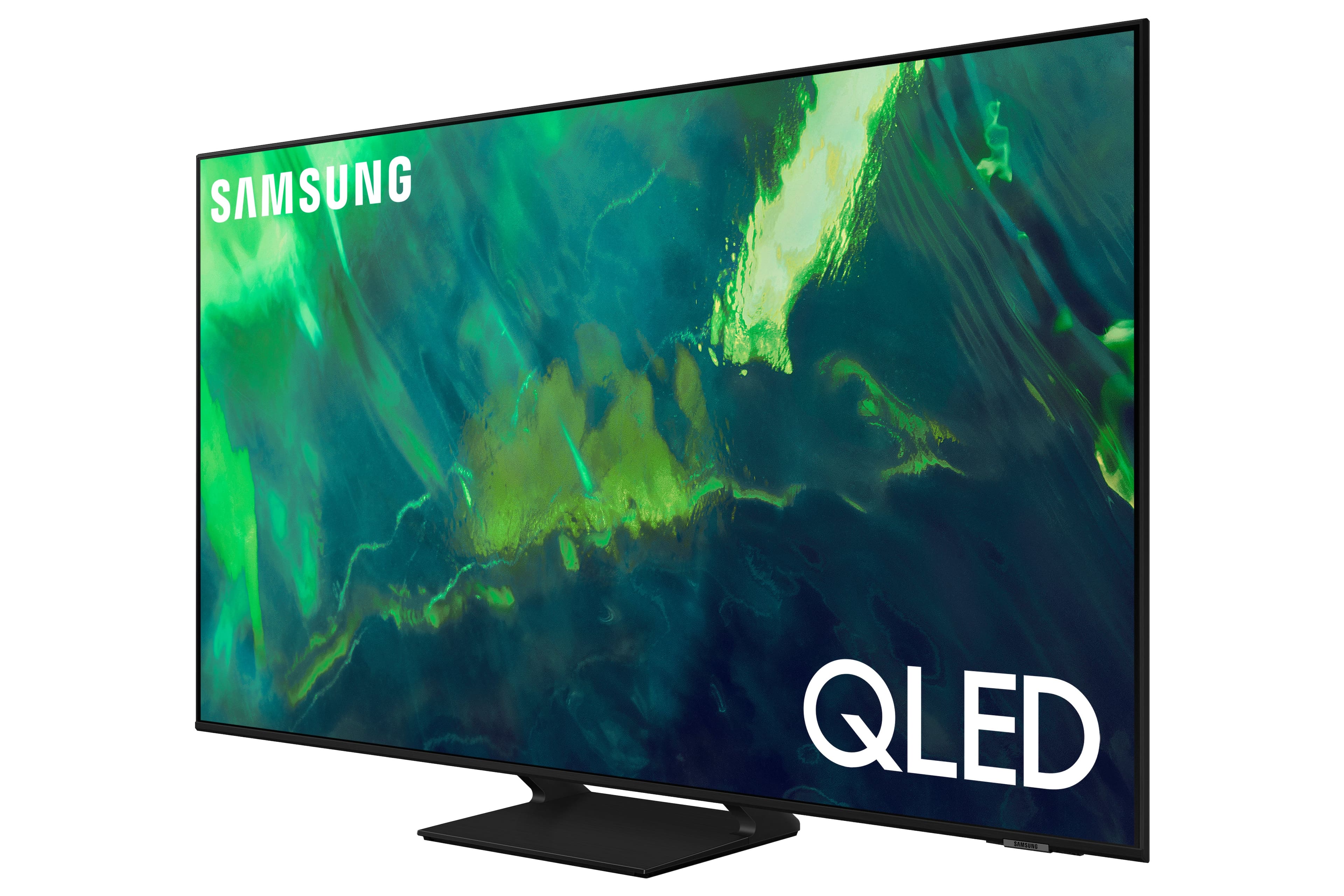


















- Model:
- QN65Q70AAFXZA
- SKU:
- 6451476
Rating by feature
- Picture Quality
Rating 4.8 out of 5 stars
- Sound Quality
Rating 4.4 out of 5 stars
- Brightness
Rating 4.8 out of 5 stars
Customers are saying
Customers enjoy the excellent picture quality, easy setup, and affordable price of the 65" Class Q70A Series QLED 4K UHD Smart Tizen TV. They appreciate the vibrant colors and find it to be a great TV for gaming. While some users have experienced minor issues like screen lines and clouding, overall, customers are pleased with their purchase.
This summary was generated by AI based on customer reviews.
Tv Flashes like a strobe
||Posted . Owned for 1 month when reviewed.This reviewer received promo considerations or sweepstakes entry for writing a review.Great graphics but whenever I watch certain shows, anime’s, or games my tv flashes. I even replaced my last one and the next one did the same. Real sad I had high hopes
No, I would not recommend this to a friendBrand response from Samsung
Posted .Tvsad,
Thank you for sharing the issues you are experiencing with your Samsung Q70A TV. So we can better understand the problems you are experiencing and provide you with troubleshooting assistance or warranty service, please contact Samsung Customer Support at 1-800-SAMSUNG (ask for TVs), available 8AM - 12AM EST, 7 days a week.
For additional support resources, visit us on the Samsung website and click on the ‘Support’ link in the upper right corner of the homepage for:
1) Chat with Us/Product Help: To begin a chat or find solutions, choose ‘TVs & Home Theater’ and select your model & topic.
2) Manuals, Software, & Warranty Info
We hope to hear from you.
~ Samsung Specialist
SamsungTV
||Posted . Owned for 3 weeks when reviewed.This reviewer received promo considerations or sweepstakes entry for writing a review.This TV did not fit my needs as it had to much glare from the windows in my house and the picture was OK. I returned it for a Sony
No, I would not recommend this to a friendBrand response from Samsung
Posted .SamsungTV,
I’m sorry to hear the picture quality of Samsung’s Q70A TV did not meet your expectations. Your feedback is appreciated and will be shared with our internal teams.
Should you ever decide to give Samsung TVs another try and have questions or need assistance with settings, setup, or features, please know we’re here to help. Call us at 1-800-SAMSUNG, 8AM - 12AM EST, 7 days a week.
LiveChat with an agent as well as manuals, software, and warranty info can be found at the ‘Support’ link on our Samsung website.
We hope to regain you as a customer in the future.
~ Samsung Specialist
SOUND WILL NOT SYNC WITH PICTURE
||Posted . Owned for 1 week when reviewed.This reviewer received promo considerations or sweepstakes entry for writing a review.Ordered this TV two weeks and after 2 weeks of trying I still cannot get the picture and sound to sync up. At first I thought maybe it was just the soundbar, but the issues are the same when that is disconnected. I have reset all the settings and I am using only the TV speakers and it's still on delay. That's unacceptable for a TV of this cost. I shouldn't have to do hours of troubleshooting, researching, and seeking assistance.
No, I would not recommend this to a friendBrand response from Samsung
Posted .BK1374,
Thank you for purchasing the Samsung Q70A TV and for sharing your experience with sound delays. Please be sure your firmware is up to date with version 1560.5 which includes updates to address lip sync or audio delays that you are experiencing. You can check this by going to: Settings > Support > Software Update.
If this firmware version is not yet available on your TV, you can download the update on a USB drive and manually update your TV:
1. On Samsung's website (upper right corner), go to: Support > Manuals & Software > Find your TV model.
2. Download the update and extract it to the root of a USB thumb drive. (Do not put it in any folders on the thumb drive.)
3. Connect the USB thumb drive to a USB port on your TV.
4. Navigate to Settings > Support > Software Update, select Update Now, and then select Yes.
5. Follow the on-screen instructions to install the updated software.
I hope this helps. Should you ever have questions or need help, please call us at 1-800-SAMSUNG (ask for TVs), available 8AM -12AM EST M-F (9AM – 6PM EST Sat). Or text HELP to 62913.
For additional support resources, visit us on the Samsung website and click on the ‘Support’ link in the upper right corner of the homepage for:
1) More ‘Contact Us’ options – LiveChat, Facebook, Twitter, Samsung Community, Samsung Members app
2) Manuals & Software
3) Warranty Info
4) Product Registration: For access to easy warranty support, convenient opt-in to special promos and offers, faster troubleshooting and service, and quick notification of system updates.
~ Samsung Specialist
T.v is ok
||Posted . Owned for 1 month when reviewed.This reviewer received promo considerations or sweepstakes entry for writing a review.It's ok. Not what I was hoping. Picture delays on clarity. The t.v remote takes awhile to be recognize .
No, I would not recommend this to a friendBrand response from Samsung
Posted .Zigg,
Thank you for choosing the Samsung Q70A TV and for sharing your feedback regarding your picture when watching fast motion. For optimal motion image performance, you may want to adjust the picture clarity setting by going to: Settings > Picture > Expert Settings > Picture Clarity Settings
- Off: Picture Clarity Settings will always be off
- Auto: Picture Clarity Settings will automatically activate and deactivate based on the type of program being watched
- Custom: Allows custom adjustments and settings to be used. By selecting the Custom option, you can access these advanced settings for Judder Reduction, LED Clear Motion, and Noise Reduction.
If you press any key on the remote, and the LED indicator at the top of your remote stays on for about 3 seconds rather than blinking, please try the following steps to reset your remote:
1) Long press the RETURN key and ENTER key together for about 10 seconds if your remote was once paired already with the TV, you do not need to re-pair it again. However, if it was not paired with the TV, pairing must be done after the reset.
2) The RETURN key is on the left side of your remote and looks like a curved, backwards pointing arrow.
3) The ENTER key is the button in the center of your directional ring.
You may also want to optimize the Smart TV performance and address your issue with remote response time with the self-diagnostic tool. This service checks memory and frees up unused cached memory and closes background apps. Go to Settings > Support > Device Care > Start Device Care
I hope these tips help. Should you need further assistance, please contact Samsung Support at 1-800-SAMSUNG (ask for TVs), available 8AM - 12AM EST, 7 days a week.
For additional support resources, visit us on the Samsung website and click on the ‘Support’ link in the upper right corner of the homepage for:
1) Contact Us: For additional Chat & Text options, choose ‘TVs & Home Theater’ and select your model & topic.
2) Manuals, Software, & Warranty Info
~ Samsung Specialist
Get Something Else
||Posted . Owned for 3 months when reviewed.This reviewer received promo considerations or sweepstakes entry for writing a review.Terrible TV and I so liked Samsung. Won't stay connect to wi-fi; several other devices right around it have no problem. PLEX app downloaded from Samsung is completely worthless and crashes frequently. Go Sony or some other brand.
No, I would not recommend this to a friendBrand response from Samsung
Posted .raven,
It's unfortunate to hear of the issues you're experiencing with your Q70A TV. Please do ensure your TV's firmware is updated to version 2001.3, as this includes various performance and connectivity updates. You can check this by going to: Settings > Support > Software Update.
You may also want to optimize the smart TV performance and further address your issue with the self-diagnostic tool. This service checks memory and frees up unused cached memory and closes background apps. Go to Settings > Support > Device Care > Start Device Care
If you're still experiencing issues with apps or Wi-Fi connectivity, this may be related to your network connection and quality. We suggest you try the following:
1. Use 5G Wi-Fi if possible
2. Try wired LAN if available
3. Try repositioning the router so there are no obstacles between your TV and the router
I hope these tips help resolve your concerns. Should you need further assistance, please call us at 1-800-SAMSUNG, 8AM - 12AM EST, 7 days a week. Or visit us on the Samsung website and click on the ‘Support’ link for:
1) LiveChat
2) Manuals, Software, & Warranty Info
~ Samsung Specialist
Disappointed in Samsung
||Posted . Owned for 1 month when reviewed.This reviewer received promo considerations or sweepstakes entry for writing a review.Very disappointed in this Samsung. TV kept shutting off. Lost sound. It continued this for a couple of days. Picture was appearing dark and weird like the pixels were damaged. Had to return this TV. Bought an LG
No, I would not recommend this to a friendBrand response from Samsung
Posted .HappySon,
I’m sorry to hear Samsung’s Q70A TV did not meet your expectations. Please know we are always here to help, and we could have provided troubleshooting, as well as settings adjustments to resolve any issues you were experiencing.
Should you ever decide to give Samsung TVs another try and have questions or need help with settings, setup, or features, please know we’re here to help. Call us at 1-800-SAMSUNG, 8AM - 12AM EST, 7 days a week.
LiveChat with an agent as well as manuals, software, and warranty info can be found at the ‘Support’ link on our Samsung website.
~ Samsung Specialist
Do not buy
||Posted . Owned for 1 month when reviewed.This reviewer received promo considerations or sweepstakes entry for writing a review.Worst tv ever not worth the price. Blurry on every channel and if you connect a Apple TV or anything to it doesn’t get any better still blurry. Samsung said it’s because you need the best internet so it’s not blurry
No, I would not recommend this to a friendBrand response from Samsung
Posted .Hi Donotbuy,
Thank you for choosing Samsung's Q70A TV and for sharing your experience with image quality. If the picture you are seeing out-of-the-box is not to your liking, there are several picture settings you may want to try adjusting.
You can select the Picture Mode that provides the best viewing experience. Go to Home > Settings > Picture > Picture Mode
1) Standard: Is the default mode suitable for general viewing environments.
2) Natural: Reduces eye strain for a comfortable viewing experience.
3) Movie: Is suitable for watching TV or movies in a dark room.
4) Dynamic: Makes the picture brighter and clearer in bright viewing environments.
5) Filmmaker Mode: You can watch the source content (e.g., movie) as it is. If the image is defined as Filmmaker Mode, it will automatically switch to Filmmaker Mode while watching.
Additionally, you may also want to try adjusting expert picture settings. Go to: Settings > Picture > Expert Settings and configure the TV settings to your taste with functions such as Brightness, Contrast, Sharpness, Color, Tint (G/R), Picture Clarity Settings, Local Dimming, Contrast Enhancer, and many more.
To ensure that your TV’s picture is optimized, be sure that you are always running the latest firmware update. You can check this by going to Settings > Support > Software Update or you can enable Auto Update for convenience.
I hope these tips help! For further assistance with settings adjustments, please contact Samsung Customer Support at 1-800-SAMSUNG (ask for TVs), available 8AM - 12AM EST, 7 days a week.
For additional support resources, visit us on the Samsung website and click on the ‘Support’ link in the upper right corner of the homepage for:
1) Chat with Us/Product Help: To begin a chat or find solutions, choose ‘TVs & Home Theater’ and select your model & topic.
2) Manuals, Software, & Warranty Info
~ Samsung Specialist
Screwed won’t last
||Posted . Owned for 3 weeks when reviewed.This reviewer received promo considerations or sweepstakes entry for writing a review.Terrible choice. The old one only lasted a year so I bought this identical model hoping to get some kind of warranty help......But no, they are only covered for a year......Never again will I buy a Samsung product
No, I would not recommend this to a friendBrand response from Samsung
Posted .Robert,
Thank you for your review. Please know Samsung stands behind the quality and performance of our TVs with a limited 1-year manufacturer’s warranty when purchased brand-new from an authorized dealer like Best Buy. For extended warranty services, I recommend you contact Best Buy directly for further information.
Should you have questions or concerns regarding the usage or setup of your TV, please contact Samsung Customer Support at 1-800-SAMSUNG (ask for TVs), available 8AM - 12AM EST, 7 days a week.
For additional support resources, visit us on the Samsung website and click on the ‘Support’ link in the upper right corner of the homepage for:
1) Contact Us: For additional Chat & Text options, choose ‘TVs & Home Theater’ and select your model & topic.
2) Manuals, Software, & Warranty Info
~ Samsung Specialist
Difficult to return
||Posted .This reviewer received promo considerations or sweepstakes entry for writing a review.TV was delivered defective. The true test is how do you respond when things go bad. This is not a user friendly experience.
No, I would not recommend this to a friendBrand response from Samsung
Posted .teapot19,
It’s unfortunate to hear of your experience with Samsung’s Q70A TV. Samsung is committed to providing the best possible product experience, quality, and value. We back this Samsung TV with a 1-year limited manufacturer's warranty, including authorized repair for manufacturer defect, if purchased brand-new directly from an authorized seller. You can see the full details of your warranty here: https://www.samsung.com/us/support/service/warranty/QN65Q70AAFXZA
Please give us the opportunity to assist you by contacting Samsung Customer Support at 1-800-SAMSUNG, 8AM - 12AM EST, 7 days a week. Our LiveChat agents are also available by clicking on the ‘Support’ link on our website.
~ Samsung Specialist
Did not work,
||Posted . Owned for 2 weeks when reviewed.This reviewer received promo considerations or sweepstakes entry for writing a review.when returning the television, employee informed me they had taken back 5 other Samsung TVs in last 2 days. Went with an LG
No, I would not recommend this to a friendBrand response from Samsung
Posted .Rainman008,
It’s unfortunate to hear of the issues that have caused you to return your Q70A TV. Your experience is very important to us and will be shared with our product team.
Should you ever decide to give Samsung TVs another try and have questions or need help with settings, setup, or features, please know we’re here to help. Call us at 1-800-SAMSUNG, 8AM - 12AM EST, 7 days a week.
LiveChat with an agent as well as manuals, software, and warranty info can be found at the ‘Support’ link on our Samsung website.
~ Samsung Specialist
Audio / video delay issue
||Posted . Owned for 1 week when reviewed.This reviewer received promo considerations or sweepstakes entry for writing a review.We have already returned one and are still having some issues with the second. Audio is not matching the video - and when corrected it changes by itself.
No, I would not recommend this to a friendBrand response from Samsung
Posted .Frustrated,
Thank you for purchasing the Samsung Q70A TV and for sharing your experience with sound delays. Please be sure your firmware is up to date with version 1708.0 which includes updates to address lip sync or audio delays that you are experiencing. You can check this by going to: Settings > Support > Software Update.
If this firmware version is not yet available on your TV, you can download the update on a USB drive and manually update your TV:
1. On Samsung's website (upper right corner), go to: Support > Manuals & Software > Find your TV model.
2. Download the update and extract it to the root of a USB thumb drive. (Do not put it in any folders on the thumb drive.)
3. Connect the USB thumb drive to a USB port on your TV.
4. Navigate to Settings > Support > Software Update, select Update Now, and then select Yes.
5. Follow the on-screen instructions to install the updated software.
Should you ever have questions or need help, please call us at 1-800-SAMSUNG (ask for TVs), available 8AM - 12AM EST, 7 days a week.
For additional support resources, visit us on the Samsung website and click on the ‘Support’ link in the upper right corner of the homepage for:
1) Contact Us: For additional Chat & Text options, choose ‘TVs & Home Theater’ and select your model & topic.
2) Manuals & Software
3) Warranty Info
4) Register a Product: For access to easy warranty support, convenient opt-in to special promos and offers, faster troubleshooting and service, and quick notification of system updates.
~ Samsung Specialist
samsung tv
||Posted . Owned for 6 months when reviewed.This reviewer received promo considerations or sweepstakes entry for writing a review.barely touched the screen and veins all over the place. worst part bestbuy or samsung refused to fix it.
No, I would not recommend this to a friendBrand response from Samsung
Posted .itsme,
I’m sorry to hear of the unfortunate situation with a crack having developed in your screen. Please know that a crack will not spontaneously develop; a physical impact – perhaps small but done at just a certain degree – would be the most likely explanation.
Our warranty covers manufacturing defects in materials and workmanship encountered in normal, noncommercial use of this product, and does not apply to damage incurred during shipment, delivery and /or installation.
You can read more about our warranty here: https://www.samsung.com/us/support/service/warranty/QN65Q70AAFXZA
For further questions or concerns, please contact Samsung Customer Support at 1-800-SAMSUNG, 8AM - 12AM EST, 7 days a week. Our LiveChat agents are also available by clicking on the ‘Support’ link on our website.
~ Samsung Specialist
- Pros mentioned:Picture quality
Great picture!!
Posted .This reviewer received promo considerations or sweepstakes entry for writing a review.This is the updated model of my previous tv that was 3 years old and got a spot on the screen. This tv is great, much clearer picture and much thinner. My other tv was pretty blurry when I got up close to it, but this one does not have that issue. I have geek squad coverage and they replaced the tv no cost. The geek squad is great, everyone that has been to my house has been super helpful and professional, a rarity these days. I’m very satisfied.
I would recommend this to a friend Horrible remote
||Posted . Owned for 1 month when reviewed.This reviewer received promo considerations or sweepstakes entry for writing a review.The remote is horrible! No way to change out the batteries when it dies. You have to put it in the sunlight for it to recharge.
No, I would not recommend this to a friendBrand response from Samsung
Posted .Ryan,
Thank you for choosing the Q70A TV and for your review. We appreciate your feedback on the Solar Cell Remote. In addition to sunlight, please know your remote can also be charged in any room while your lights are turned on. You can also use a standard charging cable if you prefer to charge your remote via USB-C.
Should you ever have questions or need help, please call us at 1-800-SAMSUNG (ask for TVs), available 8AM - 12AM EST, 7 days a week.
For additional support resources, visit us on the Samsung website and click on the ‘Support’ link in the upper right corner of the homepage for:
1) Contact Us: For additional Chat & Text options, choose ‘TVs & Home Theater’ and select your model & topic.
2) Manuals, Software, & Warranty Info
~ Samsung Specialist
Samsung 65 class Q70A series
||Posted . Owned for 3 weeks when reviewed.This reviewer received promo considerations or sweepstakes entry for writing a review.We only had it for one day and had to return it. Lines going down the middle. What a disappointment.
No, I would not recommend this to a friendBrand response from Samsung
Posted .Hi,
It’s unfortunate to hear of the issues that have caused you to return your Q70A TV. Your experience is very important to us and will be shared with our product team.
Please know we’re always here to help, and we could’ve provided additional troubleshooting assistance to resolve any issues you were experiencing.
Should you ever decide to give Samsung TVs another try and have questions or need help with settings, setup, or features, please know we’re here to help. Call us at 1-800-SAMSUNG, 8AM - 12AM EST, 7 days a week.
LiveChat with an agent as well as manuals, software, and warranty info can be found at the ‘Support’ link on our Samsung website.
We hope to regain you as a customer in the future.
~ Samsung Specialist
Samsung Q7
||Posted . Owned for 2 weeks when reviewed.This reviewer received promo considerations or sweepstakes entry for writing a review.The picture quality is very bad And I will not recommend for anyone very bad
No, I would not recommend this to a friendBrand response from Samsung
Posted .Hi there,
Thank you for sharing your thoughts on the picture quality of your new Q70A QLED TV. If the picture you are seeing out-of-the-box is not to your liking, there are several picture settings you may want to try adjusting.
You can select the Picture Mode that provides the best viewing experience. Go to Home > Settings > Picture > Picture Mode
1) Standard: Is the default mode suitable for general viewing environments.
2) Natural: Reduces eye strain for a comfortable viewing experience.
3) Movie: Is suitable for watching TV or movies in a dark room.
4) Dynamic: Makes the picture brighter and clearer in bright viewing environments.
5) Filmmaker Mode: You can watch the source content (e.g., movie) as it is. If the image is defined as Filmmaker Mode, it will automatically switch to Filmmaker Mode while watching.
You can also go to: Settings > Picture > Expert Settings > to manually fine tune your image.
For further assistance with settings adjustments, please contact Samsung Customer Support at 1-800-SAMSUNG (ask for TVs), available 8AM - 12AM EST, 7 days a week.
For additional support resources, visit us on the Samsung website and click on the ‘Support’ link in the upper right corner of the homepage for:
1) Chat with Us/Product Help: To begin a chat or find solutions, choose ‘TVs & Home Theater’ and select your model & topic.
2) Manuals, Software, & Warranty Info
~ Samsung Specialist
Ms
||Posted . Owned for less than 1 week when reviewed.This reviewer received promo considerations or sweepstakes entry for writing a review.TV sound and video was off. We tried 2 TV’s. Both TV’s had the same issue. Samsung said it was a bad TV off the line.
No, I would not recommend this to a friendBrand response from Samsung
Posted .Hi Lmor,
Thank you for purchasing the Samsung Q70A TV and for sharing your experience with sound delay issues. It could possibly be a source issue, but if you are hearing an audio delay across all sources/channels and you have a Home Theatre System or other speakers connected to your TV, you can access the Audio Delay settings to increase the audio delay. Go to: Settings > Sound > Expert Settings > Digital Output Audio Delay
Please know that our 2021 TVs do have an audio Pass-Through feature. This feature allows the audio signal to be sent out unprocessed to an external Soundbar or receiver connected to the TV. The external Soundbar or receiver then processes the audio, thereby eliminating the added step of processing by the TV, which adds delay.
On your TV go to: Settings > Sound > Expert Settings > Digital Audio Output Format > Pass-Through
If you have tried this and your issue persists, please reach out to Samsung Customer Support so that we can provide further troubleshooting. You can reach us at 1-800-SAMSUNG (ask for TVs), available 8AM -12AM EST, 7 days a week. Or text HELP to 62913.
For additional support resources, visit us on the Samsung website and click on the ‘Support’ link in the upper right corner of the homepage for:
1) More ‘Contact Us’ options – LiveChat, Facebook, Twitter, Samsung Community, Samsung Members app
2) Manuals & Software
3) Warranty Info
4) Product Registration: For access to easy warranty support, convenient opt-in to special promos and offers, faster troubleshooting and service, and quick notification of system updates.
~ Samsung Specialist
Poor picture quality
||Posted . Owned for 2 weeks when reviewed.This reviewer received promo considerations or sweepstakes entry for writing a review.TV picture quality is very poor, especially for watching sports.
No, I would not recommend this to a friendBrand response from Samsung
Posted .BrianB,
Thank you for choosing the Samsung Q70A TV and for sharing your feedback regarding your picture when watching fast motion. For optimal motion image performance, you may want to adjust the picture clarity setting by going to: Settings > Picture > Expert Settings > Picture Clarity Settings
- Off: Picture Clarity Settings will always be off
- Auto: Picture Clarity Settings will automatically activate and deactivate based on the type of program being watched
- Custom: Allows custom adjustments and settings to be used. By selecting the Custom option, you can access these advanced settings for Judder Reduction, LED Clear Motion, and Noise Reduction.
Should you need further assistance with features or other product usage, please reach out to Samsung Support at 1-800-SAMSUNG, 8AM - 12AM EST, 7 days a week. Or visit us on the Samsung website and click on the ‘Support’ link for:
• LiveChat
• Manuals, Software, & Warranty Info
~ Samsung Specialist
Buyer beware
||Posted .This reviewer received promo considerations or sweepstakes entry for writing a review.Unboxed to discover a broken screen. Flimsy in appearance in my opinion
No, I would not recommend this to a friendBrand response from Samsung
Posted .Jjjj,
We appreciate you sharing your delivery experience and having received a damaged unit. We recommend you contact Best Buy directly for assistance in correcting this situation. We hope your issue is resolved in a timely manner.
Should you have questions or concerns on usage or setup of your TV once your issue has been resolved, please call us at 1-800-SAMSUNG, 8AM - 12AM EST, 7 days a week. Our LiveChat agents are also available by clicking on the ‘Support’ link on our website.
~ Samsung Specialist
- Pros mentioned:Picture quality, Remote control
Amazing!!!
Posted .This reviewer received promo considerations or sweepstakes entry for writing a review.What a TV!! I was impressed the moment we took the TV out of the box. It is so super slim and sleek! Then I saw the controller, it is a solar charging controller that can also be charged via USB. I never saw anything like it before - so neat! Once we installed the TV, I could tell the difference in the picture from our previous TV right away! The colors are just bright and vibrant. I hooked up my gaming consoles (I am a gamer!) and the fact that when you change the source, it turns the console on, it blew my mind! Maybe I am impressed with the little things but wow. Ever since I started gaming on this TV, I do so much better. Not sure if it is because it can handle the upgraded console more so than our last TV (PS5) but it has made my game playing time so much more fun! I would recommend this TV to friends, family and strangers on the street. What an amazing TV!
I would recommend this to a friendBrand response from Samsung
Posted .Tina:
Thank you for choosing the 2021 Q70A QLED TV. I am glad to hear that your gaming experience has been enhanced with the picture quality and features such as FreeSync Premium Pro which lets you dominate the game with less lag, tearing and stuttering. Peak performance, exceptional high dynamic range visuals, and low latency give you effortlessly smooth gameplay.
Should you ever have questions or need help, you can reach us at 1-800-SAMSUNG (ask for TVs), available 8AM -12AM EST, 7 days a week. Or text HELP to 62913.
For additional support resources, visit us on the Samsung website and click on the ‘Support’ link in the upper right corner of the homepage for:
1) More ‘Contact Us’ options – LiveChat, Facebook, Twitter, Samsung Community, Samsung Members app
2) Manuals & Software
3) Warranty Info
4) Product Registration: For access to easy warranty support, convenient opt-in to special promos and offers, faster troubleshooting and service, and quick notification of system updates.
~ Samsung Solutions