Customer Ratings & Reviews

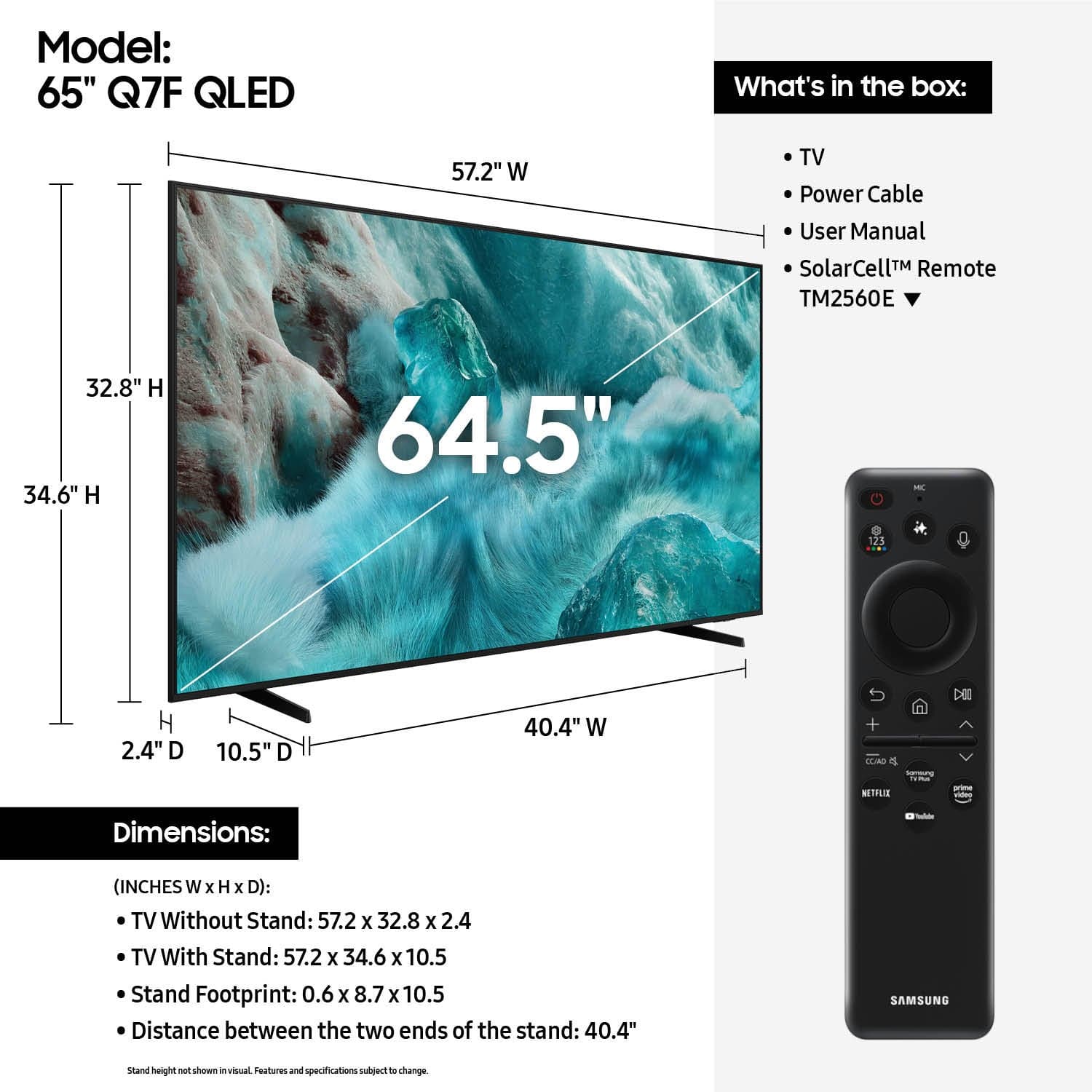











- Model:
- QN65Q7FAAFXZA
- SKU:
- 10187634
Rating by feature
- Picture Quality
Rating 4.8 out of 5 stars
- Sound Quality
Rating 4.6 out of 5 stars
- Brightness
Rating 4.8 out of 5 stars
- Pros mentioned:Picture quality
New TV
||Posted . Owned for 3 weeks when reviewed.This reviewer received promo considerations or sweepstakes entry for writing a review.TV works amazing, So glad I went with a Samsung TV.
I would recommend this to a friend - Pros mentioned:Picture quality
Excellent tv
||Posted . Owned for 1 month when reviewed.This reviewer received promo considerations or sweepstakes entry for writing a review.Bright colors. Clear picture. I couldnt be happier.
I would recommend this to a friend - Pros mentioned:Picture quality
Samsung never disappoints!
||Posted . Owned for 3 weeks when reviewed.This reviewer received promo considerations or sweepstakes entry for writing a review.Great picture! Great price! Picture is crystal clear.
I would recommend this to a friend - Pros mentioned:Picture quality
Great buy
||Posted . Owned for 1 month when reviewed.This reviewer received promo considerations or sweepstakes entry for writing a review.Great price for the television; however, not able to download local new station apps.
I would recommend this to a friend - Pros mentioned:Picture quality
Excellent Product
||Posted .This reviewer received promo considerations or sweepstakes entry for writing a review.This TV has excellent quality and it was a great price
I would recommend this to a friend - Pros mentioned:Picture quality
I like it
||Posted . Owned for 3 weeks when reviewed.This reviewer received promo considerations or sweepstakes entry for writing a review.Very good image clear and brilliant the sound is good too
I would recommend this to a friend - Pros mentioned:Picture quality
Excellent buy
||Posted . Owned for 1 month when reviewed.This reviewer received promo considerations or sweepstakes entry for writing a review.Clear, crisp picture. Vibrant colors while still staying true to life.
I would recommend this to a friend - Pros mentioned:Picture quality
TV for house
||Posted . Owned for 3 weeks when reviewed.This reviewer received promo considerations or sweepstakes entry for writing a review.Great the images are amazing the control is very easy to use
I would recommend this to a friend - Pros mentioned:Picture quality
My Samsung
||Posted . Owned for 1 month when reviewed.This reviewer received promo considerations or sweepstakes entry for writing a review.TV is exactly what I expected this is our 5th Samsung all have been excellent
I would recommend this to a friend TV Liz
||Posted . Owned for 1 month when reviewed.This reviewer received promo considerations or sweepstakes entry for writing a review.We are very pleased with the TV so far. When they came to install it, the gentleman was very nice and set everything up and showed us how it worked.
I would recommend this to a friend- Pros mentioned:Picture quality
Samsung
||Posted .This reviewer received promo considerations or sweepstakes entry for writing a review.It's a great picture very nice product I have really enjoyed it
I would recommend this to a friend - Pros mentioned:Picture quality
Nice TV
||Posted . Owned for 2 weeks when reviewed.This reviewer received promo considerations or sweepstakes entry for writing a review.I got this for the garage and I'm very pleased with this Tv.
I would recommend this to a friend - Pros mentioned:Picture quality
Perfection!
||Posted . Owned for 2 weeks when reviewed.This reviewer received promo considerations or sweepstakes entry for writing a review.Love the tv, quality is fantastic, would recommend to a friend.
I would recommend this to a friend Samsung
||Posted . Owned for 2 weeks when reviewed.This reviewer received promo considerations or sweepstakes entry for writing a review.I like this tv very good result picture quality is best
I would recommend this to a friendAsk me on Tuesday the 12th
||Posted . Owned for 2 weeks when reviewed.This reviewer received promo considerations or sweepstakes entry for writing a review.Had to give star to be able to write review! I still have not turned it on. As of May 4th in which I rescheduled because I still had not received the flouting console that goes under the tv also did let them know and understood this would be extra. May the 5th Dave the sub.contractor shows up totally unprepared an hour and fifteen minutes late said he did not know about cabinet. Then said I would have to reschedule.That I did for May the Sixth in which I got a have reschedule again lol.Yes folks this is real review. Be careful when scheduling to hang a flat screen tv on the wall!!! Seems they sub all this work out now.
No, I would not recommend this to a friendBrand response from Samsung
Posted .Will,
We appreciate you sharing your experience; however, we recommend contacting Best Buy directly for assistance in correcting this situation. We hope it’s resolved in a timely manner.
If you have any questions or need help with your TV once your issue is resolved, please contact Samsung Support at 1-800-SAMSUNG (8AM – 9PM EST Mon – Fri, 8AM – 6PM Sat – Sun). LiveChat agents are also available via the ‘Support’ link on our website.
~ Samsung Specialist
Samsung tv was delivered
||Posted . Owned for 1 week when reviewed.This reviewer received promo considerations or sweepstakes entry for writing a review.Had a new one brought to swap out one that had an issue. Driver's were great. They were very courteous and helped me get the old one out and new one in the house.
I would recommend this to a friendsamsung and best buy top quality
||Posted .This reviewer received promo considerations or sweepstakes entry for writing a review.great quality product. it started with delivery that was professional and accurate. i have had no issues with this system but i currently only own samsung tv products in three rooms. they have proven quality
I would recommend this to a friendLove the TV
||Posted . Owned for 1 month when reviewed.This reviewer received promo considerations or sweepstakes entry for writing a review.Great customer service. The young man was very knowledgeable Love the TV A bit pricey
I would recommend this to a friend- Pros mentioned:Picture quality
Samsung QLED
||Posted . Owned for 1 month when reviewed.This reviewer received promo considerations or sweepstakes entry for writing a review.Great picture. Crisp and clean. We are completely satisfied
I would recommend this to a friend - Pros mentioned:Picture quality
Samsung TV
||Posted . Owned for 1 month when reviewed.This reviewer received promo considerations or sweepstakes entry for writing a review.Easy setup, good picture, really fast at first but does slow down with time. Overall satisfied with the purchase.
I would recommend this to a friend