Skip to contentGo to Product SearchGo to Footer
Main Content

Customer Ratings & Reviews
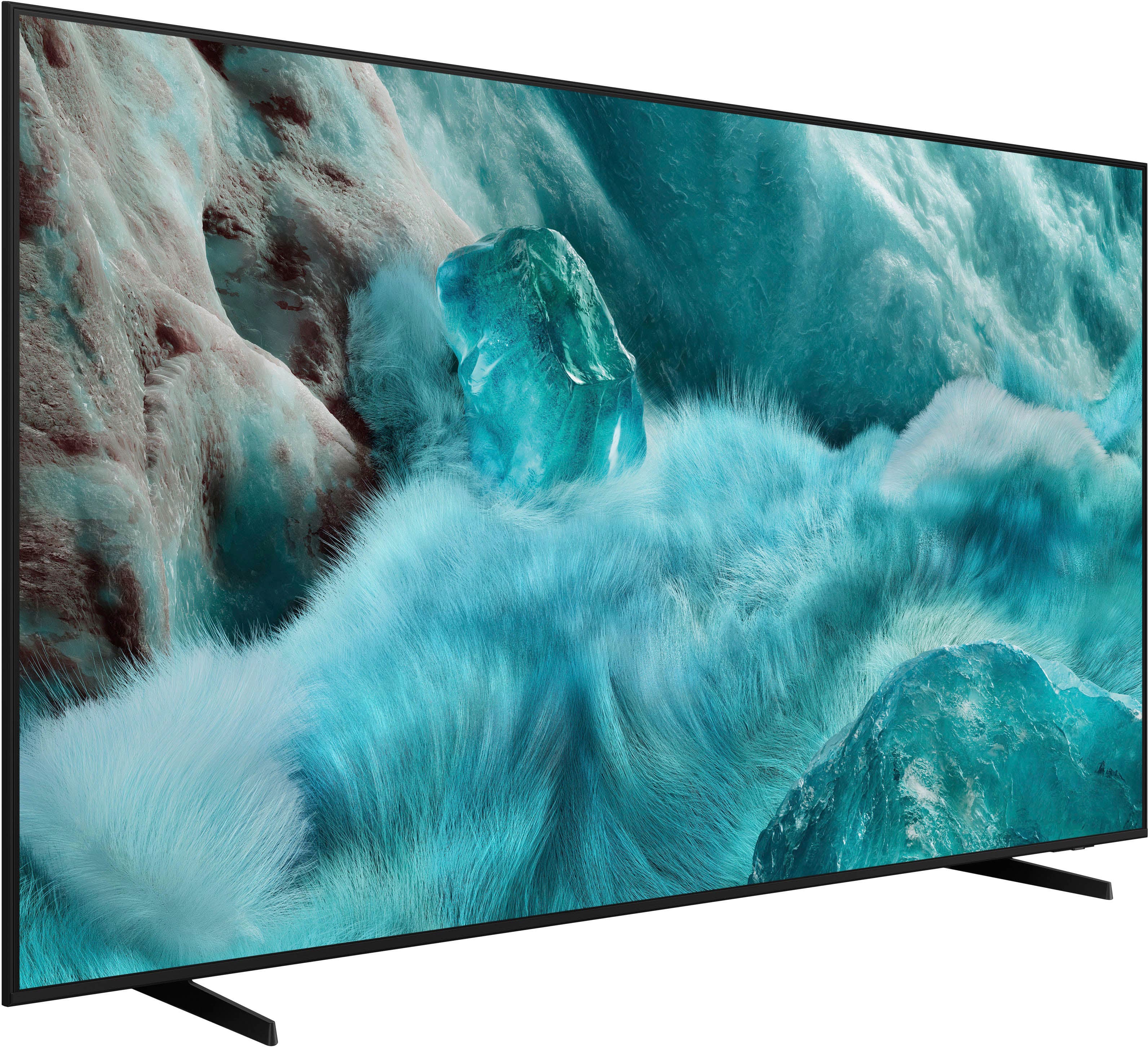
Your price for this item is $699.00

Customer reviews

Rating 4.8 out of 5 stars with 938 reviews

Rating Filter

Rating by feature

  • Picture Quality

    Rating 4.8 out of 5 stars

  • Sound Quality

    Rating 4.7 out of 5 stars

  • Brightness

    Rating 4.8 out of 5 stars

96%
would recommend
to a friend
The vast majority of our reviews come from verified purchases. Reviews from customers may include My Best Buy members, employees, and Tech Insider Network members (as tagged). Select reviewers may receive discounted products, promotional considerations or entries into drawings for honest, helpful reviews.
Page 47 Showing 921-938 of 938 reviews
  • Rated 1 out of 5 stars

    Entry level

    |
    |
    Posted . Owned for less than 1 week when reviewed.
    This reviewer received promo considerations or sweepstakes entry for writing a review.

    It is a entry level TV , no optical audio, did not like it.

    No, I would not recommend this to a friend
    • Brand response from Samsung
      Posted .

      DanielC,

      Thanks for your review. If there's anything we can do to improve your experience, please reach Samsung Support at 1-800-SAMSUNG, available from 8AM - 12AM EST, seven days a week. You can also chat with one of our agents by clicking the ‘Support’ link on our website for:
      • Live Chat
      • Manuals, Software, & Warranty Info

      ~ Samsung Specialist Samsung

  • Rated 1 out of 5 stars

    Don’t recommend. Get 2024 model.

    |
    |
    Posted . Owned for 2 weeks when reviewed.
    This reviewer received promo considerations or sweepstakes entry for writing a review.

    Returned this TV after 2 weeks because the picture was terrible for sports and any movie where objects or people were moving quickly. Watching the NHL playoffs, the players were “fuzzy” and when grouped together or during a face off, there were no edge lines around the players and they blurred together. Additionally, watching any sports, the picture seemed to “drag” and it was as if the picture was trying to catch up with the camera. Also, I purchased this TV because I was told the Spectrum app only worked on Samsung TV’s. The app is. It available on this model. Do not recommend this first generation technology. I ended up getting the 2024 model for half the price and love it.

    No, I would not recommend this to a friend
    • Brand response from Samsung
      Posted .

      Hi Nick,

      We’re sorry to hear that Samsung’s Q7F TV didn’t meet your expectations for picture quality. Your feedback is appreciated and will be shared with our product team as we continue to refine our technology and user experience.

      Just to note: the Spectrum app became available on our 2025 TV lineup as of 4/25.

      Should you decide to try Samsung TVs again in the future, we’re here to help with any setup, settings, or picture adjustments to ensure the best performance. You can reach us at 1-800-SAMSUNG, available daily from 8AM - 12AM EST. You can also visit the Samsung website and click on ‘Support’ for:
      • Live Chat
      • Manuals, Software, & Warranty Info

      ~ Samsung Specialist Samsung

  • Rated 1 out of 5 stars

    They gave me the wrong size t. V.

    |
    |
    Posted . Owned for 3 weeks when reviewed.
    This reviewer received promo considerations or sweepstakes entry for writing a review.

    They gave me a 57 inch. Instead of a 65 inch, the box lied.

    No, I would not recommend this to a friend
    • Brand response from Samsung
      Posted .

      Chauntae,

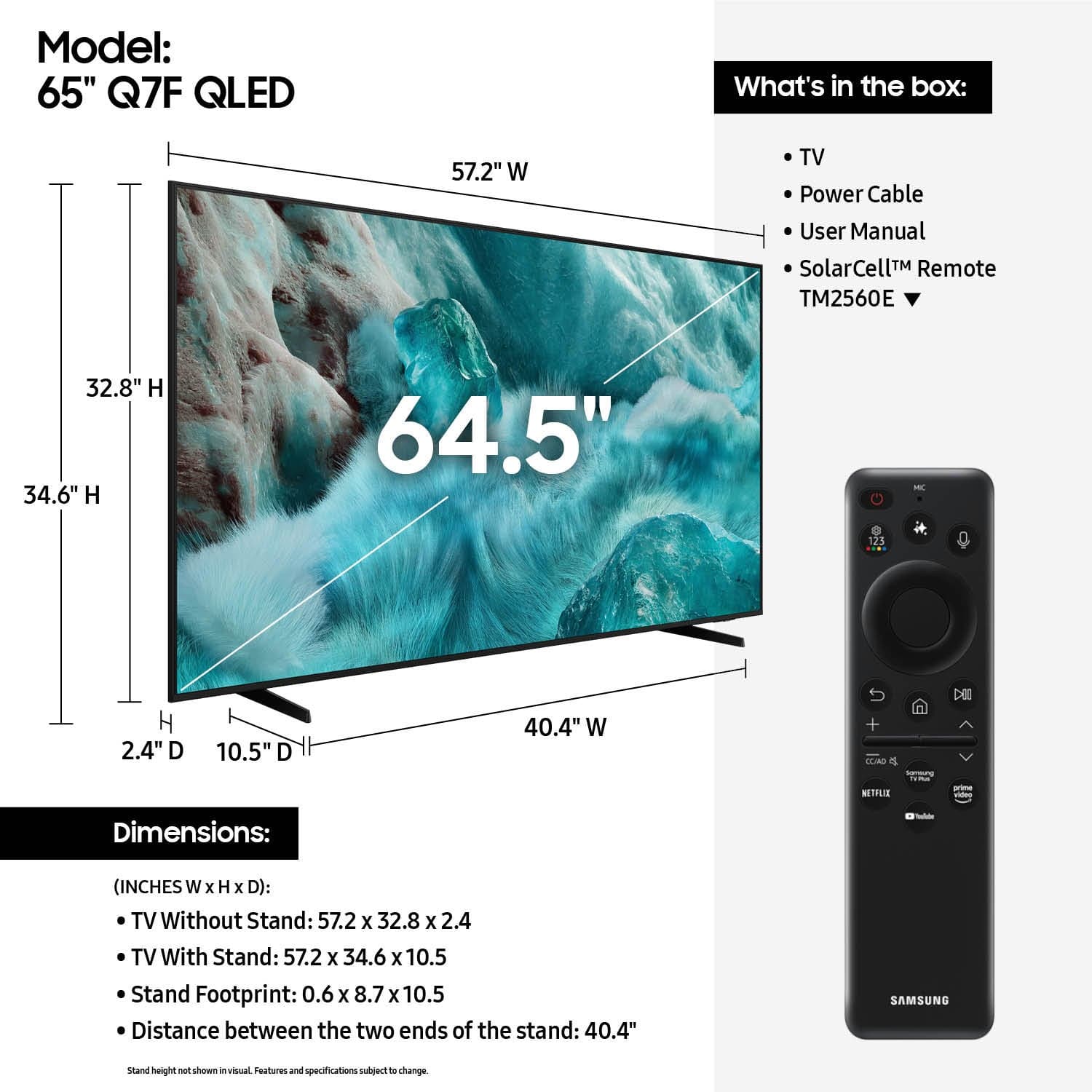
      Please know that the industry standard when measuring screen size refers to the measurement of the screen when measured diagonally. The measurements of your 65” model are 57.2" x 32.8" x 2.4" (W x H x D) when measured without the stand.

      Measurements can be found on the product page on Best Buy’s website by clicking on Specifications, then scrolling down to Dimensions.

      If you have any questions or need help, we’re always here. Call 1-800-SAMSUNG from 8AM - 12AM EST, seven days a week, or connect with a LiveChat agent anytime by selecting ‘Support’ on our website.

      ~ Samsung Specialist Samsung

  • Rated 2 out of 5 stars

    Picture died after 5 days

    |
    |
    Posted . Owned for 2 weeks when reviewed.
    This reviewer received promo considerations or sweepstakes entry for writing a review.

    Decent TV but the picture crapped out after about a week. Got a replacement and so far everything works but it was disappointing.

    No, I would not recommend this to a friend
    • Brand response from Samsung
      Posted .

      CHRISTIS,

      We appreciate you sharing the issues you initially experienced with Samsung’s Q7F TV. Thank you for your patience throughout the inconvenience of arranging an exchange.

      If you have any questions about your new unit or need assistance with setup or features, we’re here to help. You can reach us at 1-800-SAMSUNG, available daily from 8AM - 12AM EST. You can also chat with a LiveChat agent by clicking the ‘Support’ link on our website for:
      • Live Chat
      • Manuals, Software, & Warranty Info
      • Creating a Service ticket

      ~ Samsung Specialist Samsung

  • Rated 1 out of 5 stars

    Not happy

    |
    |
    Posted .
    This reviewer received promo considerations or sweepstakes entry for writing a review.

    Very disappointed. My tv died 14 days after purchase. Best Buy would not let me bring it back.

    No, I would not recommend this to a friend
    • Brand response from Samsung
      Posted .

      user905551,

      It’s unfortunate to hear about your experience with Samsung’s Q7F TV. We’re committed to delivering quality, value, and the best possible product experience. This TV is backed by a 1-year limited manufacturer’s warranty, which includes authorized repair for eligible defects when purchased brand-new from an authorized retailer. To review full warranty terms, you can enter your model number here: https://www.samsung.com/us/support/warranty/

      We’d appreciate the opportunity to assist further. Please contact Samsung Customer Support at 1-800-SAMSUNG (8AM – 12AM EST, 7 days a week), or connect with a LiveChat agent by clicking the ‘Support’ link on our website.

      ~ Samsung Specialist Samsung

  • Rated 1 out of 5 stars

    Very Bad Customer at Best Buy

    |
    |
    Posted .
    This reviewer received promo considerations or sweepstakes entry for writing a review.

    Purchased on 09/06 on 09/09 developed a blue line on screen. Called Best Buy and they said it wasn't their problem and I should contact Samsung.

    I would recommend this to a friend
    • Brand response from Samsung
      Posted .

      Thank you for sharing your experience. If your TV is displaying lines on the screen, we recommend the following steps to help isolate the issue:

      1. Check all input cable connections for any external devices (e.g., HDMI, streaming boxes, Blu-ray players)
      2. Switch channels or inputs to see if the issue appears across all sources
      3. Run a Picture Test to check for panel-related issues: Settings > Support > Device Care > Self Diagnosis > Picture Test
      4. Perform a cold boot by holding the power button on your remote for about 10 seconds
      5. Ensure your TV has the latest software installed: Settings > Support > Software Update

      If the issue continues after these steps, the TV may require service. For further assistance, please contact Samsung Support at 1-800-SAMSUNG, 8AM – 12AM EST, 7 days a week. LiveChat and additional support resources are also available through the Support link on our website.

      ~ Samsung Specialist Samsung

  • Rated 1 out of 5 stars

    Remote is worikg very bad tv also frozen slow

    |
    |
    Posted . Owned for 2 months when reviewed.
    This reviewer received promo considerations or sweepstakes entry for writing a review.

    Remote is bad Loks not professional tv is frozen also

    No, I would not recommend this to a friend
    • Brand response from Samsung
      Posted .

      Samkay,

      We appreciate your feedback regarding response time. For optimal performance, please ensure your TV is running the latest firmware. You can check this by going to: Home > left directional key > Settings > Support > Software Update

      To further optimize performance, try running Device Care, which checks memory, clears unused cached data, and closes background apps: Home > left directional key > Settings > Support > Device Care > Start Device Care

      If issues continue, please reach Samsung Support at 1-800-SAMSUNG, available 8AM – 12AM EST, 7 days a week.
      LiveChat is also available via the ‘Support’ link on our website.

      ~ Samsung Specialist Samsung

  • Rated 1 out of 5 stars

    Employees and customers service are the worst.

    |
    |
    Posted .
    This reviewer received promo considerations or sweepstakes entry for writing a review.

    Worst interaction ever. I gave 1 start because I couldn’t give 1-2 start.

    No, I would not recommend this to a friend
    • Brand response from Samsung
      Posted .

      GuyS,

      Please know that you're leaving a review and 1-star rating for the Q7F TV, but we’re sorry to hear of your experience with Best Buy, nonetheless. You may want to consider providing your feedback directly to the Best Buy store where the purchase was made.

      If you have questions about the TV itself, Samsung is here to help. You can reach us at 1-800-SAMSUNG, 8AM – 12AM EST, 7 days a week. LiveChat agents are also available by clicking the ‘Support’ link on our website.

      ~ Samsung Specialist Samsung

  • Rated 1 out of 5 stars

    Thumbs down

    |
    |
    Posted .
    This reviewer received promo considerations or sweepstakes entry for writing a review.

    I couldn't get the color right so I had to return it

    No, I would not recommend this to a friend
    • Brand response from Samsung
      Posted .

      LindaW,

      We're sorry to hear that your experience with the Q7F TV led to a return. If you experience any issues in the future, please know we’re here to help. Many common problems can be resolved with simple troubleshooting steps, and we’re happy to guide you through them if you decide to try Samsung again.

      If you choose to try another Samsung TV down the road, we’re ready to help with setup and support every step of the way. Call 1-800-SAMSUNG (8AM – 12AM EST, 7 days), or visit our website and click ‘Support’ to connect with a LiveChat agent.

      ~ Samsung Specialist Samsung

  • Rated 5 out of 5 stars

    Thrilled with the purchase of this TV.

    Posted .
    This reviewer received promo considerations or sweepstakes entry for writing a review.

    This is one awesome TV! Delivery was great and the setup was straight forward and easy. The videos from Best Buy on unpacking and setting up made it all a breeze. As for the TV itself, the picture is absolutely amazing. The picture and colors are super clear and crisp. At 65" it is as if the actors and athletes are right there in the room. Totally happy with this TV and Best Buy.

    I would recommend this to a friend
  • Rated 5 out of 5 stars

    Brand new TV

    Posted .
    This reviewer received promo considerations or sweepstakes entry for writing a review.

    I got it yesterday and it’s already installed on the wall. So far so good….hopefully won’t let me down cause my last Samsung tv last 5 years only. The cost to fix it was almost the price of a new one. Now I purchase a 5 years warranty.

    I would recommend this to a friend
  • Rated 5 out of 5 stars

    Like my Samsung Q7

    Posted .
    This reviewer received promo considerations or sweepstakes entry for writing a review.

    Purchased this tv as an upgrade to qled technology. Went for the Q7 which was a slight upgrade over the Q6 version with a small price upgrade. Love the picture as well as the features of this Samsung. Have a sound bar so tv sound wasn't an issue.

    I would recommend this to a friend
  • Rated 5 out of 5 stars

    TV upgrade

    Posted .
    This reviewer received promo considerations or sweepstakes entry for writing a review.

    Purchased the Samsung 65" Q7F series and we love it. Watched Avatar on it and it was fantastic.

    I would recommend this to a friend
  • Rated 5 out of 5 stars

    my TV

    Posted .
    This reviewer received promo considerations or sweepstakes entry for writing a review.

    this is a great TV and the install guy Austin knows what he is doing

    I would recommend this to a friend
  • Rated 5 out of 5 stars

    Love this tv

    Posted .
    This reviewer received promo considerations or sweepstakes entry for writing a review.

    Excellent quality. Best decision, good price !!!

    I would recommend this to a friend
  • Rated 5 out of 5 stars

    Samsung 65 QLED

    Posted .
    This reviewer received promo considerations or sweepstakes entry for writing a review.

    Great picture very clear and great sound. Delivery was very fast.

    I would recommend this to a friend
  • Rated 5 out of 5 stars

    Samsung QLED TV

    Posted .
    This reviewer received promo considerations or sweepstakes entry for writing a review.

    Great purchase , high quality TV and was delivered in a timely manner.

    I would recommend this to a friend
  • Rated 2 out of 5 stars

    Samsung

    Posted .
    This reviewer received promo considerations or sweepstakes entry for writing a review.

    I can’t say we will buy another Samsung. The price was great but the audio in the tv is terrible. On some shows where there is soft speaking you can’t hear what they are saying then it goes to commercials and the volume goes really loud .. so bizarre! We thought the Ai in the tv would help regulate sound and picture quality. Would not recommend . Thought about returning but too much trouble.

    No, I would not recommend this to a friend
    • Brand response from Samsung
      Posted .

      BeckkimT,

      Thank you for sharing your experience with volume fluctuations on your Samsung TV. Sudden changes in volume can often be related to audio settings or content differences between sources or apps.

      Please try the following adjustments to help stabilize your TV's audio:
      1. Enable Auto Volume. Go to: Settings > All Settings > Sound > Expert Settings > Auto Volume. This feature helps maintain a consistent volume level when switching channels or apps.
      2. Change Sound Mode. Try a different sound mode to see if one offers a more stable output: Settings > All Settings > Sound > Sound Mode (We recommend Standard or Amplify for more even performance.)
      3. Check External Devices. If you're using a soundbar, receiver, or other audio device, check that its volume leveling or dynamic range settings aren’t interfering with the TV’s audio.
      4. Update Firmware. Ensure your TV is running the latest software, as updates may include audio improvements: Settings > Support > Software Update > Update Now

      If the issue persists after these steps, please don’t hesitate to reach Samsung Customer Support at 1-800-SAMSUNG, 8AM – 12AM EST, 7 days a week. LiveChat is also available via the ‘Support’ link on our website.

      ~ Samsung Specialist Samsung