Customer Ratings & Reviews









- Model:
- QN65S95BAFXZA
- SKU:
- 6502215
Rating by feature
- Picture Quality
Rating 4.8 out of 5 stars
- Sound Quality
Rating 4.5 out of 5 stars
- Brightness
Rating 4.8 out of 5 stars
Customers are saying
Customers frequently mention the exceptional picture quality, vibrant colors, and impressive gaming experience of the 65” Class S95B OLED 4K Smart Tizen TV. They appreciate the great sound quality and sleek design of the TV. However, some customers have expressed concerns about the remote control's battery life and the occasional lag in the operating system.
This summary was generated by AI based on customer reviews.
- Pros mentioned:Picture quality
Samsung S95B Firmware Issues w Audio
||Posted . Owned for 1 month when reviewed.This reviewer received promo considerations or sweepstakes entry for writing a review.Picture is 5 stars - I love the picture quality! BUT, sound cuts in and out regardless of what I am watching (DirecTV, AppleTV2022,Samsung Channels)!!! I'm sure its a software issue... I simply unplug my TV and plug it back in to fix the problem. But the problem keeps reoccurring! SAMSUNG fix your software (Im a software developer, want me to fix it for you? lol)
No, I would not recommend this to a friendBrand response from Samsung
Posted .Kennyh,
I'm sorry to hear of the sound issues you're experiencing on your S95B TV. Please give us the opportunity to look into this for you so we can provide additional settings adjustments or troubleshooting assistance.
You can reach Samsung Support at 1-800-SAMSUNG, 8AM - 12AM EST, 7 days a week. Our LiveChat agents are also available by clicking on the ‘Support’ link on our website.
We look forward to hearing from you!
~ Samsung Specialist
Great color definition
||Posted . Owned for 3 weeks when reviewed.This reviewer received promo considerations or sweepstakes entry for writing a review.Haven’t used its capabilities much. It’s not user friendly to streaming apps.
I would recommend this to a friendBrand response from Samsung
Posted .LarryP,
We appreciate you sharing your experience. To further assist you in learning the various features, functions, and settings of your new TV and remote, you can download the S95B TV's User Manual, e-Manual, Remote Control Leaflet, and Quick Setup Guide on Samsung's website under ‘Support’ (top right corner) > Manuals & Software > TVs & Home Theater. From there, you can select the S95B under OLED TVs. The e-Manual is also embedded into the TV itself under Menu > Settings > Support > Open e-Manual.
If you need more help, Samsung is here for you. Please call us at 1-800-SAMSUNG, 8AM - 12AM EST, 7 days a week. Our LiveChat agents are also available by clicking on the ‘Support’ link on our website.
~ Samsung Specialist
Very poor quality of sound etc.
||Posted . Owned for 2 months when reviewed.This reviewer received promo considerations or sweepstakes entry for writing a review.No better than a 14 year old tv until it receives proper/correct adjustment of sound etc.
No, I would not recommend this to a friendNot user-friendly
||Posted .This reviewer received promo considerations or sweepstakes entry for writing a review.Remote not user friendly. Too many options for 1 key. That you can hardly get your fingertip on.
No, I would not recommend this to a friendBrand response from Samsung
Posted .JoanG,
I'm sorry to hear of the difficulties you've faced when using the S95B TV's remote. To assist you in learning the various functions and settings of your new Solar Cell remote, you can download the Solar Cell Remote Guide directly from Samsung’s website under ‘Support’ (top right corner) > Manuals & Software > TVs & Home Theater. From there, you can select the S95B under OLED TVs. This guide is also embedded into the TV itself under Menu > Settings > Support.
If you need more help, Samsung is here for you. Please call us at 1-800-SAMSUNG, 8AM - 12AM EST, 7 days a week. Our LiveChat agents are also available by clicking on the ‘Support’ link on our website.
~ Samsung Specialist
Good picture. Bad manufacturing quality.
||Posted . Owned for 2 weeks when reviewed.This reviewer received promo considerations or sweepstakes entry for writing a review.The TV has dead pixels after a few weeks of use. The popups on the menu and OS are horrible.
No, I would not recommend this to a friendBrand response from Samsung
Posted .PatrickK,
We appreciate your feedback regarding the screen abnormalities you’re seeing on your S95B TV. Please run a Picture Test to determine if the problem is caused by the TV. Picture Test displays a high-definition picture you can examine for flaws or faults. Go to Settings > Support > Device Care > Self Diagnosis > Picture Test
If this occurs on all sources and the picture test, this will require service. For help with setting up a service appointment, please contact Samsung Support at 1-800-SAMSUNG, 8AM - 12AM EST, 7 days a week. Our LiveChat agents are also available by clicking on the ‘Support’ link on our website.
~ Samsung Specialist
S95b
||Posted . Owned for 2 weeks when reviewed.This reviewer received promo considerations or sweepstakes entry for writing a review.The sound quit working so sent it back to best buy
I would recommend this to a friendBrand response from Samsung
Posted .KarenC,
It’s unfortunate to hear of the issues that have caused you to return your S95B TV. Your experience is very important to us and will be shared with our product team.
Please know we’re always here to help, and we could’ve provided additional troubleshooting assistance to resolve any issues you were experiencing.
Should you ever decide to give Samsung TVs another try and have questions or need help with settings, setup, or features, please know we’re here to help. Call us at 1-800-SAMSUNG, 8AM - 12AM EST, 7 days a week.
LiveChat with an agent as well as manuals, software, and warranty info can be found at the ‘Support’ link on our Samsung website.
We hope to regain you as a customer in the future.
~ Samsung Specialist
T
||Posted . Owned for 1 month when reviewed.This reviewer received promo considerations or sweepstakes entry for writing a review.Poor tvvvvvvvvvvvvvvvvvvvvvvvvvvvvvvvvvvvvvvvvvvvvv
No, I would not recommend this to a friendDon’t buy
||Posted . Owned for 1 month when reviewed.This reviewer received promo considerations or sweepstakes entry for writing a review.Update the tv and you’ll never forgive yourself doesn’t make sense
No, I would not recommend this to a friendBrand response from Samsung
Posted .Papicast,
We appreciate your review of Samsung’s S95B TV. So we can better understand the problems you're experiencing and provide you with troubleshooting assistance, please reach out to Samsung Customer Support at 1-800-SAMSUNG, 8AM - 12AM EST, 7 days a week. Our LiveChat agents are also available by clicking on the ‘Support’ link on our website.
We're looking forward to hearing from you!
~ Samsung Specialist
- Pros mentioned:Picture qualityCons mentioned:Dolby vision, Operating system
QD Oled Awesome-ness!
Posted .This reviewer received promo considerations or sweepstakes entry for writing a review.Delivery was perfect no damages, no color banding or dirty screen effect either while testing for them. The picture quality is jaw dropping (it may not be the most accurate but Samsung will always do Samsung things) whether it is movies, tv shows or gaming. The best way to describe it is that it has an incredible sense of depth and realism to the picture, it's almost like you're staring at reality instead of a tv screen. We can all recall the Qled vs Oled debates, and this tv is literally the best of both worlds which is nothing short of awesome. There are going to be naysayers but I honestly don't know if they are actually looking at this in person. With that being said though, the laggy and occasionally susceptible to freezing operating system and lack of dolby vision are the two negatives I can think of, and they are not minor ones either especially the dolby vision so Samsung can take some feedback from that. All in all, I think it will be pretty hard for anyone to be genuinely disappointed with this tv and it is worth every penny.
I would recommend this to a friendBrand response from Samsung
Posted .Ishran,
While it's great to hear you're enjoying the jaw-dropping image quality, it's unfortunate to hear you're experiencing issues with lag on your S95B TV. To ensure your TV is fully optimized, please be sure your firmware is up to date with version 1204.2 which includes various performance updates. You can check this by going to: Home > Menu > Settings > Support > Software Update > Update Now
If we can help with anything else, please call us at 1-800-SAMSUNG, 8AM - 12AM EST, 7 days a week. LiveChat with an agent as well as manuals, software, and warranty info can be found at the ‘Support’ link on our Samsung website.
Thank you for choosing Samsung!
~ Samsung Specialist
Dead
||Posted . Owned for 3 months when reviewed.This reviewer received promo considerations or sweepstakes entry for writing a review.Stopped working 3 months after I bought it. No power to the TV at all. Hope it is just one of those one in a million things... wating to see what my "totaltech" does for me.
I would recommend this to a friendBrand response from Samsung
Posted .Male,
It’s unfortunate to hear of your experience with Samsung’s S95B TV. Samsung is committed to providing the best possible product experience, quality, and value. We back this Samsung TV with a 1-year limited manufacturer's warranty, including authorized repair for manufacturer defect, if purchased brand-new directly from an authorized seller. You can see the full details of your warranty here: https://www.samsung.com/us/support/service/warranty/QN65S95BAFXZA
Please give us the opportunity to assist you by contacting Samsung Customer Support at 1-800-SAMSUNG, 8AM - 12AM EST, 7 days a week. Our LiveChat agents are also available by clicking on the ‘Support’ link on our website.
~ Samsung Specialist
Ghost in the Machine
||Posted . Owned for 1 month when reviewed.This reviewer received promo considerations or sweepstakes entry for writing a review.The ARC was not able to control my Yamaha receiver on a consistent basis and would randomly start my X Box 1 and Playstation. Noticed that the there were small halos around white letters on black background. Geek Squad could not identify problem but said the ARC issues would happen with Samsung. Exchanged for and LG. Not perfect but no gremlins. I would have to pony up the 3 grand for the new Sony but couldn't justify it as the LG is good enough
No, I would not recommend this to a friendBrand response from Samsung
Posted .Shadowman,
It’s unfortunate to hear of the issues that have caused you to return your S95B TV. Your experience is very important to us and will be shared with our product team.
Please know we’re always here to help, and we could’ve assisted in providing both troubleshooting and settings adjustments to resolve any issues you were experiencing.
Should you ever decide to give Samsung TVs another try and have questions or need help with settings, setup, or features, please know we’re here to help. Call us at 1-800-SAMSUNG, 8AM - 12AM EST, 7 days a week.
LiveChat with an agent as well as manuals, software, and warranty info can be found at the ‘Support’ link on our Samsung website.
~ Samsung Specialist
Only worked for 2 weeks
||Posted . Owned for 2 weeks when reviewed.This reviewer received promo considerations or sweepstakes entry for writing a review.Bought the TV on Nov 22 2022, had it professionally mounted the next day...watched it a total of 38 hours between then and Dec 6 2022...went to turn it on the night of 12/6 and it would not turn on..spent an hour on the phone with Samsung support to troubleshoot, they couldn't help, suggested I send it back, so I had to pay again to dismount and return...for an $1800 could not recommend any less...
No, I would not recommend this to a friendBrand response from Samsung
Posted .jaxraider,
We always aim to deliver a great experience, and it’s unfortunate to hear Samsung’s S95B TV did not meet your expectations. We greatly value your feedback and will share it with our product team.
Should you ever decide to give Samsung TVs another try and have questions or need help with settings, setup, or features, please know we’re here to help. Call us at 1-800-SAMSUNG, 8AM - 12AM EST, 7 days a week.
LiveChat with an agent as well as manuals, software, and warranty info can be found at the ‘Support’ link on our Samsung website.
We hope to regain you as a customer in the future.
~ Samsung Specialist
Not a great tv
||Posted . Owned for 1 week when reviewed.This reviewer received promo considerations or sweepstakes entry for writing a review.Clunky interface, not good for gamers , picture quality is sub par . Not sure why I got this tv but I regret it.
No, I would not recommend this to a friendBrand response from Samsung
Posted .Hi Rjb4815,
Thank you for your review of the Samsung S95B and your feedback regarding the interface, gamer, and picture quality; it will be shared with our internal teams.
Let's try a few troubleshooting tips which might help with some of your concerns. First, Please be sure your firmware is up to date with version 1211.2 which includes updates to improve response time. You can check this by going to Home > Menu > Settings > Support > Software Update. You can easily update from there if needed.
To provide you with the best image quality, your new TV features Expert Calibration when the Picture Mode is set to Movie (Home > Settings > Picture > Picture Mode > Movie). This will provide you with an accurate picture with professional-grade picture calibration that delivers true color.
- Super-precise color correction
- Calibrated for accuracy of both White Balance and Color Space
To enhance your experience when gaming we have a feature called Auto Game Mode. When you use Auto Game Mode (ALLM), your screen will automatically optimize your screen giving you a smoother gaming experience without motion blur and judder.
You may want to set the optimal resolution based on the brightness of HDR game content by going to Settings > All Settings > Connection > Game Mode Settings > Game HDR.
Additionally, you can adjust Surround Sound, Dynamic Black Equalizer, and Game Motion Plus Settings by going to Settings > All Settings > Connection > Game Mode Settings.
I hope this improves your gaming experience. Please contact Samsung Customer Support should you need assistance with other features, functions, or setup. Contact us at 1-800-SAMSUNG, 8 AM - 12 AM EST, 7 days a week. Our LiveChat agents are also available by clicking on the ‘Support’ link on our website.
~ Samsung Advisor
Bad experience
||Posted . Owned for 1 month when reviewed.This reviewer received promo considerations or sweepstakes entry for writing a review.I could not have had a worse experience. Open box TV was defective and BB was supposed to come back out to my house and swap for a different one. That never happened. Got VMs the day of delivery saying the store wouldn’t give them my TV. Such BS.
No, I would not recommend this to a friendBrand response from Samsung
Posted .JohnK,
I'm sorry to hear of your Open Box purchase experience. We recommend you contact Best Buy directly for assistance in correcting this situation. We hope your issue is resolved in a timely manner.
Should you have questions or concerns on usage or setup of your TV once your issue has been resolved, please call us at 1-800-SAMSUNG, 8AM - 12AM EST, 7 days a week. Our LiveChat agents are also available by clicking on the ‘Support’ link on our website.
~ Samsung Specialist
Nor happy
||Posted . Owned for 2 weeks when reviewed.This reviewer received promo considerations or sweepstakes entry for writing a review.Supposed to be crystal clear. Pixels looked the same as my old 65in Samsung.
No, I would not recommend this to a friendBrand response from Samsung
Posted .cYnS,
Thank you for sharing your thoughts on the picture quality of your S95B TV. To ensure you’ve got the latest image quality updates, please confirm that your TV is up to date with the latest firmware version. You can check by going to: Home > Menu > Settings > Support > Software Update.
If the picture you’re seeing is still not to your liking after updating firmware, there are several picture settings you may want to try adjusting.
Go to Home > Menu > Settings > All Settings > Picture > Picture Mode
...and select the mode that best fits your usage:
1) Standard: Is the default mode suitable for general viewing environments.
2) Movie: Is suitable for watching TV or movies in a dark room.
3) Dynamic: Makes the picture brighter and clearer in bright viewing environments.
4) Filmmaker Mode: You can watch the source content (e.g., movie) as it is. If the image is defined as Filmmaker Mode, it will automatically switch to Filmmaker Mode while watching.
You can also go to: Home > Menu > Settings > All Settings > Picture > Expert Settings to manually fine tune your image.
For further assistance with settings adjustments, please contact Samsung Customer Support at 1-800-SAMSUNG, 8AM - 12AM EST, 7 days a week. Or visit us on the Samsung website and click on the ‘Support’ link for:
• LiveChat
• Manuals, Software, & Warranty Info
~ Samsung Specialist
- Pros mentioned:Color
This is the way! The Real Next Gen TV
Posted .This reviewer received promo considerations or sweepstakes entry for writing a review.When QD was announced i didn't know that this technology would be an absolute game changer. I have a Sony A80J and i'm really happy with, but the S95B blow this completely out of the water. The brightness, color volume and the ABL are so much better. When putting the A80J and S95B side by side, it doesn't matter what content you play, the S95B is much much brighter, the color volume is superb and because of this, dark scenes have more highlight pop. In HDR the differences are night and day. No more agressive kicking in of the ABL in bright scenes. Really if you want to buy a new oled tv now. This is the way to go, or you could wait on the Sony A95K QD-Oled. Quantum Dot is here to stay.
I would recommend this to a friend - Pros mentioned:Picture quality
Wow--Beautiful TV!
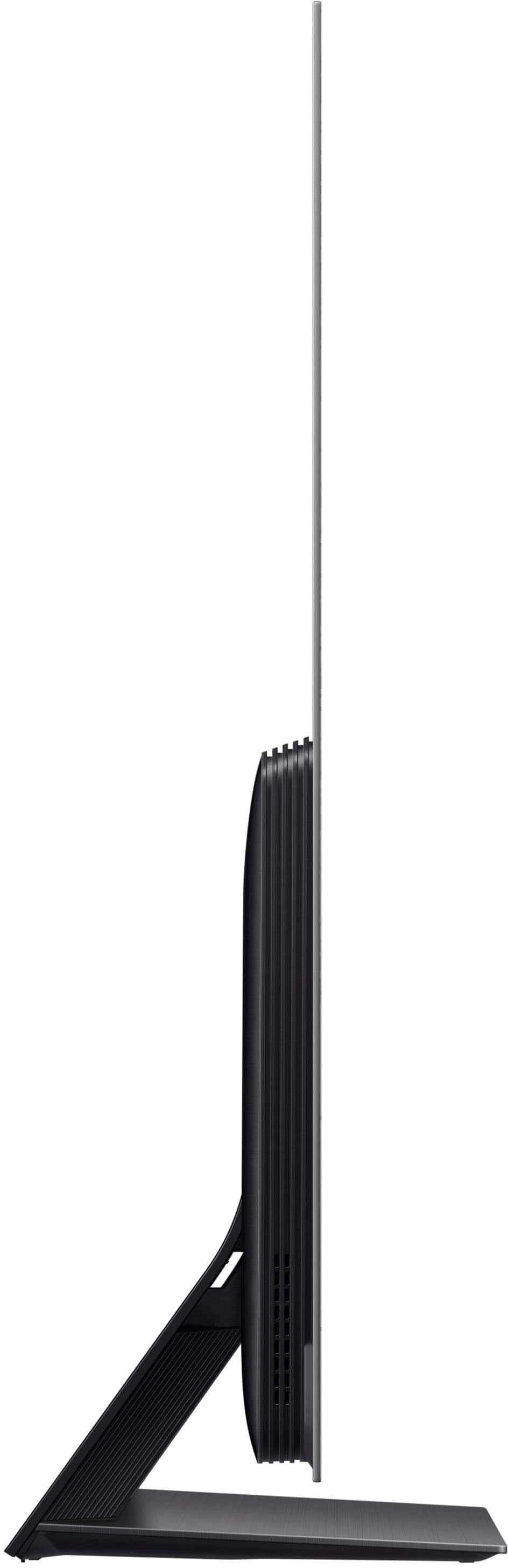
Posted .This reviewer received promo considerations or sweepstakes entry for writing a review.Upgrading from a 14-year-old 50" Pioneer plasma TV, this 65" Samsung OLED is beautiful and so incredibly thin! The picture is practically popping out of the screen, so bright and sharp! The default brightness was so bright it was practically burning my eyeballs, but luckily this can be adjusted down manually. It's also so thin it felt very fragile to lift up and wall mount. I read reviews complaining about the interface but I have not had any issues once I figured it out. I like the simple remote and the fact that it's solar powered (with a USB charge option) and the built-in sound seems plenty sufficient for my small living room. I debated for a long time between this TV and the 65" LG OLED C2 and I am happy with my choice!
I would recommend this to a friend - Pros mentioned:Picture quality
Just insane picture quality !!!
Posted .This reviewer received promo considerations or sweepstakes entry for writing a review.Holy smokes! Once you see this tv, you can't unsee this. I can't watch to my Q90T anymore and i was really happy with it. It is like going from a mercedes to a ferrari. I would recommend to make a few adjustments, like disabling energy efficient mode and configuring the brightness settings for hdr. But again. Holy smokes! The picture quality is insane. I see details and clarity i have never seen before. Samsung is back! Also gaming on PS5 is just razor sharp. super clean and the highlights in hdr are absolutely crazy. I hope they will make a 77 inch version soon, because i will buy this instantly.
I would recommend this to a friendBrand response from Samsung
Posted .Hi Vincent,
I’m thrilled to hear Samsung’s S95B OLED is providing you with an excellent gaming experience! With Motion Xcelerator Turbo+ eliminating lag and lessening blur, you also get exceptional next-gen gaming capabilities like HDMI 2.1 and Game Motion Plus that deliver the fluid, flowing action you want for your high-paced gameplay, films, shows and more.
If there’s anything we can ever help with, please call us at 1-800-SAMSUNG, 8AM - 12AM EST, 7 days a week. Or visit us on the Samsung website and click on the ‘Support’ link for:
1) LiveChat
2) Manuals, Software, & Warranty Info
~ Samsung Specialist
- Pros mentioned:Color
Looking for the best TV! Look no further!
Posted .This reviewer received promo considerations or sweepstakes entry for writing a review.So first things first. I have a 77 inch LG CX and a 55 inch Sony A90J. Both of them are awesome, but there are 2 things that are missing to these tv's perfect. These are the brightness and ABL that is kicking the brightness quickly down. When you watch movies in dark, this doesn't really matter, but gaming is a different ball game. Now here we are. I thought it would take at least 3 or 4 years to have this sorted out, but Samsung has done this now. I have compared the 3 tv's with each in standard settings and here is a list of why the QD-Oled is miles ahead of those 2. 1. Out of the box the tv has already incredible settings and don't really need calibration. This was way different with CX. 2. The brightness is insane! This LED level brightness. 3. ABL is almost non-existend, which also makes a huge difference. 4. There is more color depth and color volume. This has nothing to do with color saturarion. Yes, Samsung is notorious for this, but with the S95B, this is not the case. 5. Super smooth motion and is on par with Sony Oleds 6. This screen has NO pink tinting. My CX and A90J do have pink tinting. On the QD Oled this is perfectly clean and white. No banding or DSE. So in terms of picture quality, color, depth and brightness, this is just miles ahead of the WRGB Oleds. QD Oled has all the strengths of an Oled and the power of an LCD. Best of both worlds!
I would recommend this to a friendBrand response from Samsung
Posted .Hi Ryan,
Thanks for choosing Samsung’s S95B OLED TV! With roughly 8.3 million specially engineered self-illuminating pixels, contrast is limitless. The dramatic effect of these tiny ultra-fast switching lights is that each part of a picture can be distinctively different. Details emerge in the blacks, and whites appear pure white. At its absolute best in viewing settings with controlled lighting, the S95B gives you an intensely cinematic experience.
If there’s anything we can ever help with, please call us at 1-800-SAMSUNG, 8AM - 12AM EST, 7 days a week. Or visit us on the Samsung website and click on the ‘Support’ link for:
1) LiveChat
2) Manuals, Software, & Warranty Info
~ Samsung Specialist
Terrible purchase and even worse support
||Posted . Owned for less than 1 week when reviewed.This reviewer received promo considerations or sweepstakes entry for writing a review.Worst design in the history of TVs; zero support from BestBuy, zero support from Samsung.
No, I would not recommend this to a friendBrand response from Samsung
Posted .Disappointed,
I'm sorry to hear of your experience. So we can better understand the problems you are experiencing and provide you with troubleshooting assistance or warranty service, please reach out to Samsung Customer Support at 1-800-SAMSUNG, 8AM - 12AM EST, 7 days a week. Or visit us on the Samsung website and click on the ‘Support’ link for:
1) LiveChat
2) Manuals, Software, & Warranty Info
~ Samsung Specialist