Customer Ratings & Reviews
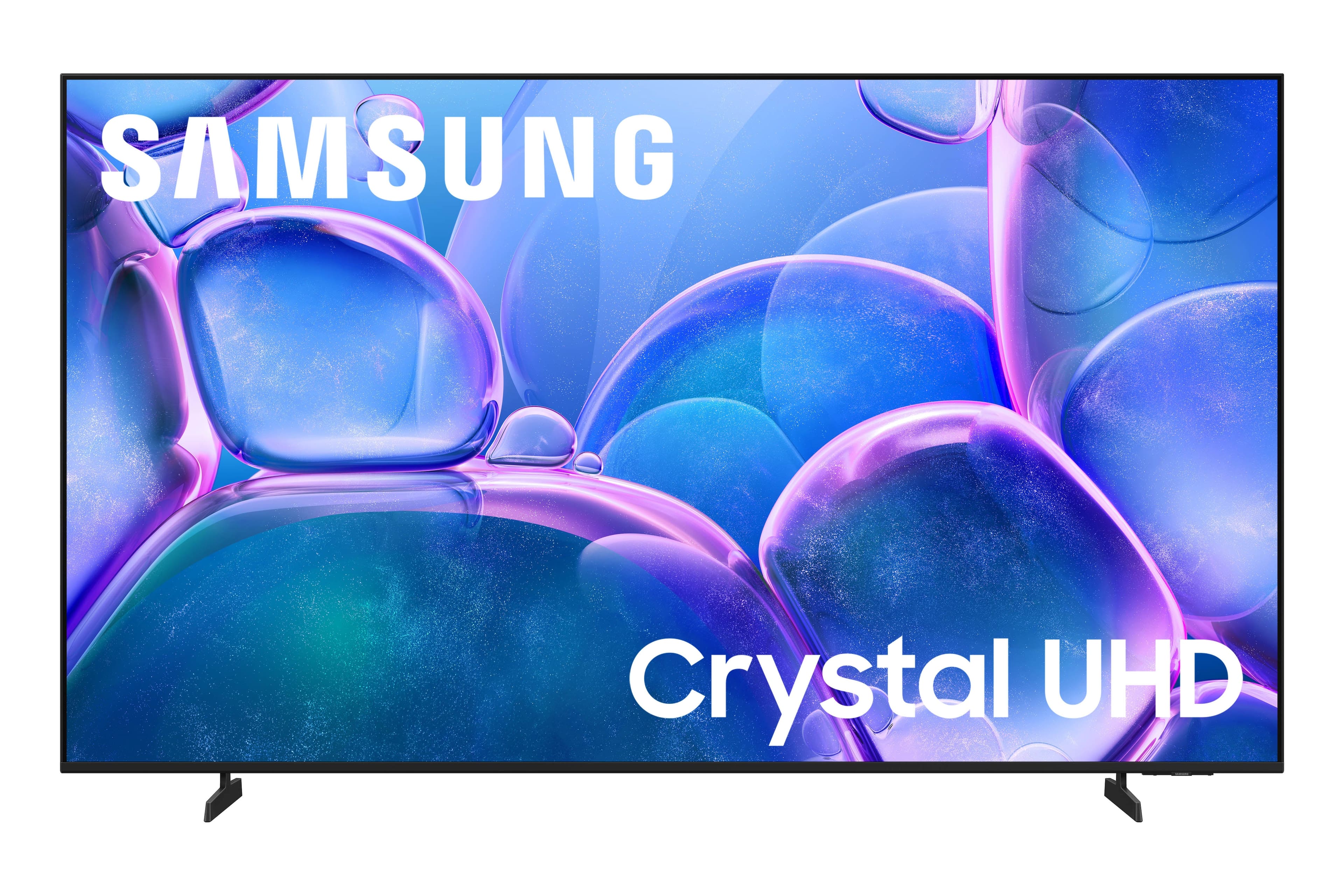



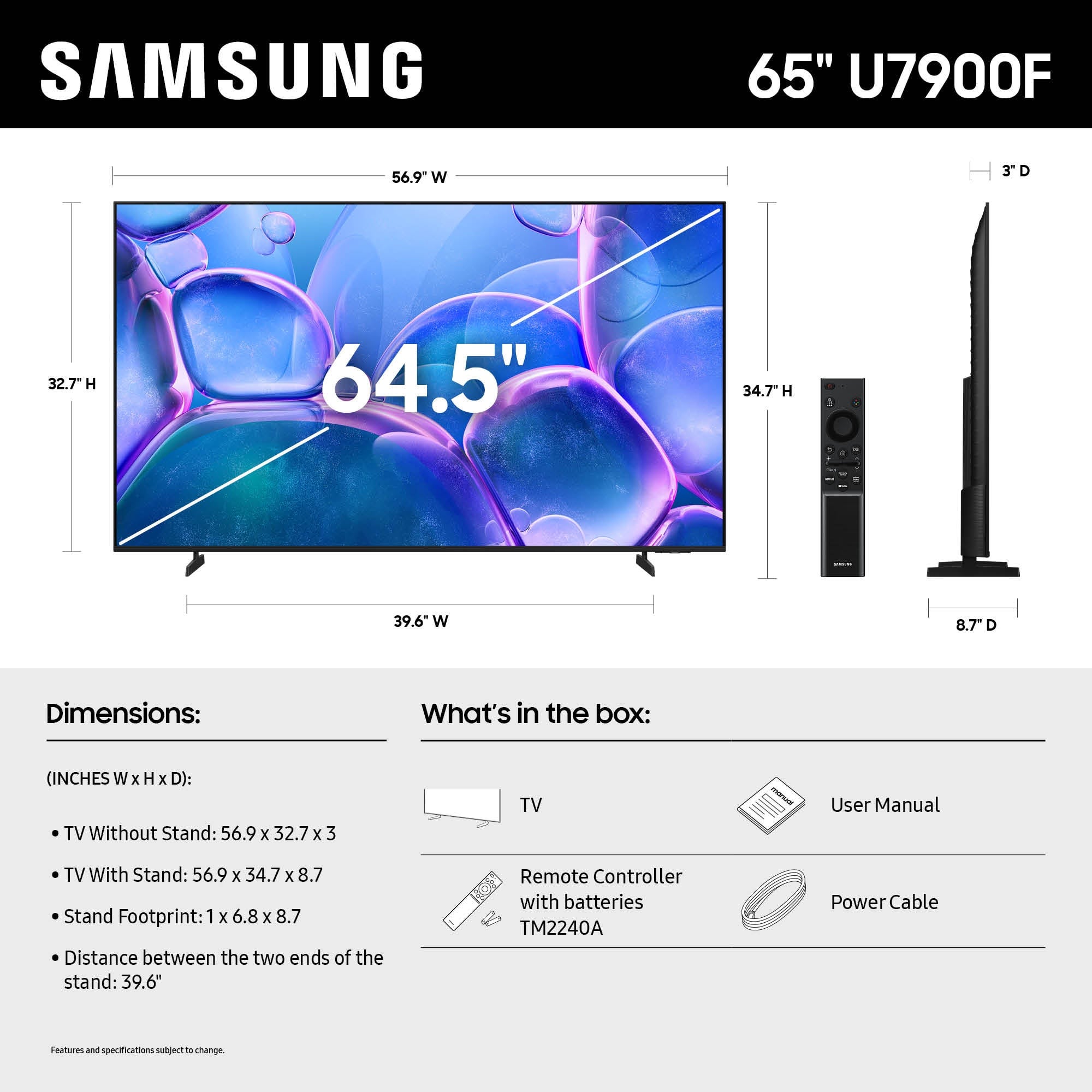




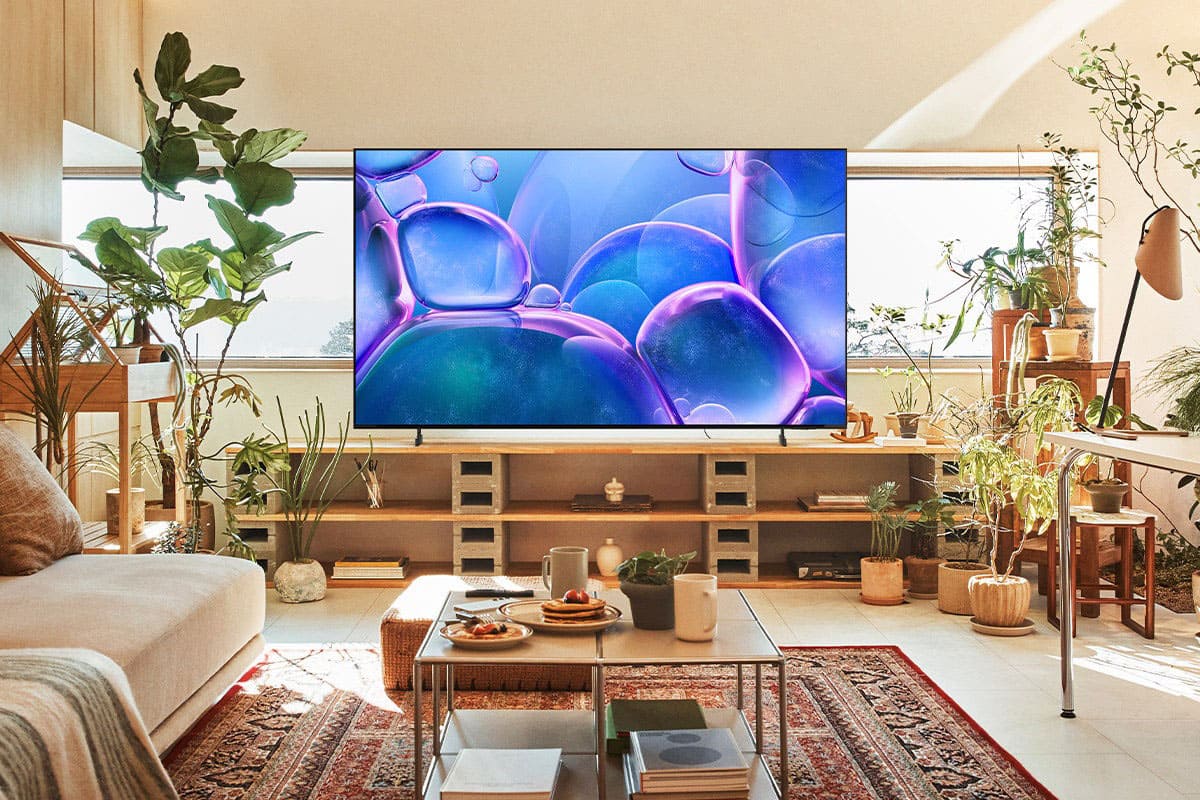


- Model:
- UN65U7900FFXZA
- SKU:
- 10751566
Rating by feature
- Picture Quality
Rating 4.8 out of 5 stars
- Sound Quality
Rating 4.6 out of 5 stars
- Brightness
Rating 4.8 out of 5 stars
DONT BUY!
||Posted .This reviewer received promo considerations or sweepstakes entry for writing a review.Dont buy tvs from best buy! I bought this tv and it came broken. They would not give me an exchange or return. Worst buy ever!! Never buying from best buy again!
No, I would not recommend this to a friendBrand response from Samsung
Posted .Hi Emily,
We regret to hear of your experience with Samsung’s U7900 TV. Please note that Samsung provides a 1-year limited manufacturer’s warranty for brand-new purchases from authorized sellers, covering defects in materials and workmanship. Damage or issues outside of this scope are not covered. Full warranty terms can be reviewed by entering your model number here: https://www.samsung.com/us/support/warranty/
If you believe your situation qualifies, we encourage you to contact Samsung Support at 1-800-SAMSUNG (8AM – 12AM EST daily) or through LiveChat on our website under ‘Support.’
~Samsung Advisor
I wouldn’t buy another one
||Posted .This reviewer received promo considerations or sweepstakes entry for writing a review.It makes popping sounds when we turn it on and when we turn it off and smelled hot a couple times. Had it delivered because it won’t fit n our vehicle so we can’t take it back and haven’t heard from Best Buy or Samsung. Maybe avoid this one. Maybe we got a lemon and they are amazing.
No, I would not recommend this to a friendBrand response from Samsung
Posted .Hi ChrisC,
Thank you for your review of the Samsung U7900 TV. A light popping or clicking sound may occasionally be heard due to the natural expansion and contraction of the TV’s outer casing as it warms up or cools down.
Please know that this is not a defect and does not indicate a malfunction. It’s a normal part of the TV’s operation, and your TV remains completely safe to use.
If you have any other questions, we’re here to help - please contact Samsung Support at 1-800-SAMSUNG, available daily from 8AM - 12AM EST. You can also visit the Samsung website and click on ‘Support’ for:
• Live Chat
• Manuals, Software, & Warranty Info
~ Samsung Advisor
Its cheap for a reason
||Posted .This reviewer received promo considerations or sweepstakes entry for writing a review.Had it less than 5 days and t con board went bad. 80 bucks had to get a new board and installed it myself. Not satisfied with the tv overall. I will be replacing it soon. Get what you pay for.
No, I would not recommend this to a friendBrand response from Samsung
Posted .Hi BHenry,
Thank you for sharing your experience. For the future, please know we back this TV with a 1-year manufacturer's warranty. If there’s anything we can assist with, please don’t hesitate to call us at 1-800-SAMSUNG, available daily from 8AM - 12AM EST. You can also visit the Samsung website and click on ‘Support’ for:
• Live Chat
• Manuals, Software, & Warranty Info
~ Samsung Advisor
Broken
||Posted .This reviewer received promo considerations or sweepstakes entry for writing a review.Tv was broken when pick up from Best Buy they was rude
No, I would not recommend this to a friendBrand response from Samsung
Posted .Hi TridinaB.
We’re sorry to hear that your Samsung TV arrived damaged, and we appreciate you letting us know. Since delivery-related concerns are handled by the retailer, we recommend contacting Best Buy directly for assistance with correcting the issue.
If you have questions about using or setting up your TV once the matter is resolved, please reach out to Samsung Support at 1-800-SAMSUNG, 8AM – 12AM EST, 7 days a week, or visit our website for LiveChat.
~Samsung Advisor
Samsung 65" tv
||Posted . Owned for 3 weeks when reviewed.This reviewer received promo considerations or sweepstakes entry for writing a review.This was an awful choice. Picture kept pixeling, and didn’t like the way it seemed 3d gone wrong.
No, I would not recommend this to a friendBrand response from Samsung
Posted .Hi BARBARAS,
Thank you for sharing your feedback. Please ensure your TV is running the latest Firmware, version 1132.0. Go to Settings> Support> Software Update. If this firmware version is not yet available on your TV, you can download the update on a USB drive and manually update your TV:
1. On Samsung's website (upper right corner), go to: Support > Manual & Software > Find your TV model, and click on the Firmware – Upgrade File.
2. When the file has finished downloading, locate it and then unzip it. There is normally one folder inside but there may be multiple files.
3. Copy or move all of the files that were included in the zip file to a USB flash drive, but do not place them inside any other folders. If you place the software folders inside a folder on the USB flash drive, the TV or monitor will not find them.
4. Connect the USB drive containing the software upgrade into a USB port on your device.
5. Using your device's remote, navigate to and select Settings, then select All Settings, and then select Support. Select Software Update, select Update Now, and then select Yes if prompted.
Your device will search the USB drive for update files. Follow the on-screen instructions to install the updated software. Updates usually take a few minutes; please do not turn off the TV until the update is complete. When the update is finished, it will restart automatically.
If you need additional support, Samsung is here to help. Please call us at 1-800-SAMSUNG, available daily from 8AM - 12AM EST. You can also chat with a LiveChat agent by clicking the ‘Support’ link on our website.
~ Samsung Advisor
Samsung
||Posted . Owned for 2 weeks when reviewed.This reviewer received promo considerations or sweepstakes entry for writing a review.Connection issues would not connect to Samsung app to set up
No, I would not recommend this to a friendBrand response from Samsung
Posted .Hi JoseR,
To best assist you, please reach out to us at 1-800-SAMSUNG, 8AM – 12AM EST, 7 days a week. LiveChat agents are also available through the ‘Support’ link on our website.
~ Samsung Advisor
- Pros mentioned:Picture quality
Great picture needs better software where it works
Posted .This reviewer received promo considerations or sweepstakes entry for writing a review.The picture is amazing.The only downside that I have noticed is the software response very slowly. And for some reason, it won't auto detect. When I turn on separate devices connected to the t v it dose not turn on tv and go to the correct input. Even my most basic roku t v did that. I'm assuming they need to get better.Software in the t v. Again the picture is amazing. Software is lacking.
I would recommend this to a friend Not the best tv
||Posted . Owned for 2 weeks when reviewed.This reviewer received promo considerations or sweepstakes entry for writing a review.The value is not the best! Volume is crackly in the picture takes forever to come up. Seems cheap
No, I would not recommend this to a friendBrand response from Samsung
Posted .Hi AliciaH,
Thank you for your review and for sharing your experience with audio interruptions on your U7900 TV. If you're experiencing sound issues such as crackling, the steps below are designed to help you troubleshoot across different connection types.
HDMI ARC / eARC Connection
1. Use a certified High-Speed HDMI cable with Ethernet and ensure it's firmly connected to the HDMI eARC ports on both the TV and soundbar/receiver.
2. Enable ARC/eARC settings on your TV:
o Settings > All Settings > Sound > Expert Settings > HDMI eARC Mode = Auto
o Settings > All Settings > General & Privacy > External Device Manager > Anynet+ (HDMI-CEC) = On
3. Adjust Digital Output Audio Format:
o Settings > All Settings > Sound > Expert Settings > Digital Output Audio Format
o Set this to Auto unless you're using a device that specifically requires Pass-Through.
4. Cold boot your TV by holding the power button on your remote for 5+ seconds.
Bluetooth Connection
1. Bluetooth connections can be sensitive to distance and interference. Keep the Bluetooth device close to the TV, and remove nearby sources of interference (e.g., wireless routers or other Bluetooth devices).
2. For improved stability, use a 5GHz Wi-Fi network if available.
3. If issues persist, we recommend switching to a wired connection (HDMI ARC or Optical) for a more reliable audio experience.
Wi-Fi / Wireless Speaker Connections
1. Make sure both your TV and audio device are on the same network band (5GHz is ideal for stability).
2. If you're using Samsung’s Wireless Audio features (e.g., Wi-Fi Speaker Surround Setup), ensure your speaker system is properly added in: Settings > All Settings > Sound > Sound Output > Wi-Fi Speaker Surround Setup
3. If signal issues continue, disconnect and reconnect the speaker from the network and re-add it to the TV.
Also Try:
• Update your TV's firmware: Settings > Support > Software Update > Update Now
• Run a Sound Test to verify internal sound functions: Settings > Support > Device Care > Self Diagnosis > Sound Test
If you’ve tried the steps above and are still experiencing issues, we’re here to help. You can call Samsung Support at 1-800-SAMSUNG, 8AM – 12AM EST, 7 days a week. Our LiveChat agents are also available by clicking the ‘Support’ link at Samsung.com.
~Samsung Advisor
Junk TV
||Posted .This reviewer received promo considerations or sweepstakes entry for writing a review.Video went out less than 24 hrs after setting up I’m done with Samsung products Still waiting for refund
No, I would not recommend this to a friendBrand response from Samsung
Posted .Hi DavidM,
We're very sorry to hear about your experience and hope that your refund is processed quickly. We hope you’ll consider Samsung again in the future. If you do, we’re always here to help with setup and support. Reach us at 1-800-SAMSUNG (8AM – 12AM EST, 7 days a week), or visit our website to chat live and access manuals or software.
~Samsung Advisor
Issues
||Posted . Owned for 2 weeks when reviewed.This reviewer received promo considerations or sweepstakes entry for writing a review.Poor quality there is a line running in the picture .
No, I would not recommend this to a friendBrand response from Samsung
Posted .Hi Tvblackout,
Thank you for sharing your experience with Samsung’s U7900F. If your TV is displaying lines on the screen, we recommend the following steps to help isolate the issue:
1. Check all input cable connections for any external devices (e.g., HDMI, streaming boxes, Blu-ray players)
2. Switch channels or inputs to see if the issue appears across all sources
3. Run a Picture Test to check for panel-related issues: Settings > Support > Device Care > Self Diagnosis > Picture Test
4. Perform a cold boot by holding the power button on your remote for about 10 seconds
5. Ensure your TV has the latest software installed: Settings > Support > Software Update
If the issue continues after these steps, the TV may require service. For further assistance, please contact Samsung Support at 1-800-SAMSUNG, 8AM – 12AM EST, 7 days a week. LiveChat and additional support resources are also available through the Support link on our website.
~ Samsung Advisor
Poor execution by Best Buy
||Posted . Owned for 3 weeks when reviewed.This reviewer received promo considerations or sweepstakes entry for writing a review.Would love to review this product, however Best Buy scheduled delivery/install 5 different days and still never delivered the TV. Finally had to cancel the order and go elsewhere.
No, I would not recommend this to a friendBrand response from Samsung
Posted .Hi RobertR,
We're sorry to hear about the delivery issues you encountered with Best Buy. If there’s anything we can assist with, please don’t hesitate to call us at 1-800-SAMSUNG, available daily from 8AM - 12AM EST. You can also visit the Samsung website and click on ‘Support’ for:
• Live Chat
• Manuals, Software, & Warranty Info
~Samsung Advisor
Don’t waste your money
||Posted . Owned for 3 weeks when reviewed.This reviewer received promo considerations or sweepstakes entry for writing a review.Very bad sound quality and the picture isn’t great either
No, I would not recommend this to a friendBrand response from Samsung
Posted .Hi AdrienN,
We appreciate your feedback on the picture quality of Samsung’s U7900F TV. If the image doesn’t quite match your preferences, there are several adjustments you can make to better suit your viewing environment and content type.
First, please ensure your TV is running the latest firmware, as updates may include important picture quality enhancements. Go to: Home > Left directional button > Settings > Support > Software Update > Update Now
To explore picture mode options, navigate to: Home > Left directional button > Settings > All Settings > Picture > Picture Mode. Options include:
• Standard – Ideal for general viewing
• Dynamic – Brighter and more vibrant for well-lit spaces
• Eco – Optimized for energy efficiency
• Movie – Best for viewing in low light
• Filmmaker Mode – Preserves the content creator’s intent and disables motion smoothing for supported content
You can further customize your image by going to: Settings > All Settings > Picture > Expert Settings, where you can adjust Brightness, Contrast, Color Tone, Sharpness, Contrast Enhancer and more.
If you’d like help finding the best picture settings for your preferences, please don’t hesitate to contact Samsung Support at 1-800-SAMSUNG, available 8AM – 12AM EST, 7 days a week. You can also LiveChat with an agent or explore additional resources on our website by clicking the ‘Support’ link.
~ Samsung Advisor
TV glitches
||Posted . Owned for 2 weeks when reviewed.This reviewer received promo considerations or sweepstakes entry for writing a review.TV is malfunctioning when using any application it glitches and lags while running.
No, I would not recommend this to a friendBrand response from Samsung
Posted .TylerN,
We appreciate your feedback regarding response time. For optimal performance, please ensure your TV is running the latest firmware. You can check this by going to: Home > left directional key > Settings > Support > Software Update
To further optimize performance, try running Device Care, which checks memory, clears unused cached data, and closes background apps: Home > left directional key > Settings > Support > Device Care > Start Device Care
If issues continue, please reach Samsung Support at 1-800-SAMSUNG, available 8AM – 12AM EST, 7 days a week.
LiveChat is also available via the ‘Support’ link on our website.
~ Samsung Specialist
Had to return
||Posted . Owned for 1 week when reviewed.This reviewer received promo considerations or sweepstakes entry for writing a review.TV did not handle live games or replays without shaking. Words did not match lips.
No, I would not recommend this to a friendBrand response from Samsung
Posted .Hi TimothyB,
Thank you for your feedback on the lip sync issues you're experiencing with your Samsung U7900 TV. This may be related to the content source, but if you're noticing the audio delay across all sources or channels, especially when using an external speaker setup (soundbar, receiver, etc.), there are a few settings that may help:
1. Adjust Digital Audio Delay. You can manually increase the audio delay to better match the video: Settings > All Settings > Sound > Expert Settings > Digital Output Audio Delay
2. Enable Audio Pass-Through. Samsung TVs include an audio pass-through option, which sends the audio signal directly to your connected soundbar or receiver without additional processing by the TV. This can reduce delay when using external audio devices: Settings > All Settings > Sound > Expert Settings > Digital Audio Output Format > Pass-Through
3. Check for Firmware Updates. Ensure your TV is running the latest software, which may include performance improvements related to sound or sync: Home > left directional key > Settings > Support > Software Update > Update Now
If the issue continues after these steps, please contact Samsung Support for additional troubleshooting or assistance. We’re here to help at 1-800-SAMSUNG, 8AM – 12AM EST, 7 days a week. LiveChat and additional support resources are also available through the Support link on our website.
~ Samsung Advisor
Nit ur fault best buy
||Posted .This reviewer received promo considerations or sweepstakes entry for writing a review.Less then 3 weeks and its not working anymore but geek squad its very helpfull
I would recommend this to a friendBrand response from Samsung
Posted .Hi DanielP,
We're very sorry to hear your U7900 TV is experiencing issues, but we are grateful that Geek Squad was able to assist you.
If you need additional support, Samsung is here to help. Please call us at 1-800-SAMSUNG, available daily from 8AM - 12AM EST. You can also chat with a LiveChat agent by clicking the ‘Support’ link on our website.
~ Samsung Advisor
Don’t waste your money.
||Posted .This reviewer received promo considerations or sweepstakes entry for writing a review.Truthfully? A fragile piece of crap. I lifted it out of the box - in the process the screen crumbled!!!
No, I would not recommend this to a friendBrand response from Samsung
Posted .Hi MarjorieG,
We’re sorry to hear your U7900 TV sustained damage during setup. While we understand this is frustrating, our warranty applies only to defects in materials and workmanship during normal use - it does not cover damage resulting from mounting or installation. You may want to reach out to Best Buy to assist you further.
If you have any questions or need help, we’re always here. Call 1-800-SAMSUNG from 8AM - 12AM EST, seven days a week, or connect with a LiveChat agent anytime by selecting ‘Support’ on our website.
~Samsung Advisor
- Pros mentioned:Picture quality
Good product
Posted .This reviewer received promo considerations or sweepstakes entry for writing a review.I recently purchased the Samsung - 65" Class U7900 Series UHD 4K Smart Tizen TV (2025) and I’m extremely happy with it. The picture quality is stunning — the 4K resolution is sharp, colors are vibrant, and the brightness is great even during the day. Watching movies and shows feels very immersive thanks to the large 65” screen. The Tizen smart system is fast and easy to use. Apps load quickly and navigating between streaming platforms is smooth and intuitive. The setup process was simple and straightforward. Sound quality is also very good for a flat-screen TV, but it pairs perfectly with a soundbar if you want a more cinematic experience. Overall, this TV offers excellent value for the price. Great design, amazing picture quality, and smooth performance. I definitely recommend it
I would recommend this to a friend - Pros mentioned:Brightness, Picture quality, Size
My Beautiful 65" Television
Posted .This reviewer received promo considerations or sweepstakes entry for writing a review.My Samsung 65" class U7900 4k smart tizen tv 2025 is what it stated to be. Clarity, Color, size, Quality, Sound,and Brightness etc. I'm enjoying my new tv. Thank you!
I would recommend this to a friend - Pros mentioned:Picture quality
Great Affordable TV
Posted .This reviewer received promo considerations or sweepstakes entry for writing a review.I recently tried the Samsung 65" U7900, and overall, it’s a solid budget TV for everyday watching. The picture looks clear and accurate for regular shows and streaming, thanks to the Crystal Processor 4K, and the Tizen system is easy to use with tons of apps and free Samsung TV Plus channels, which is a nice bonus. That said, it’s not the best in darker rooms—the black levels aren’t great, and it doesn’t get bright enough to handle glare well. It also only has two HDMI ports, which can be limiting if you have multiple devices. For the price, though, I think it’s a good buy if you just want a big screen for simple, everyday streaming without spending a lot
I would recommend this to a friend - Pros mentioned:Picture quality, Size
Samsung Smart TV
Posted .This reviewer received promo considerations or sweepstakes entry for writing a review.This item has worked out as needed and the size is perfect. The picture quality and operation of system is great. I have only had this TV for a few months, but I have not had any problems. It works well on my video game system while preforming great with my analog channel programming. It was easy to program to my internet.
I would recommend this to a friend