Customer Ratings & Reviews





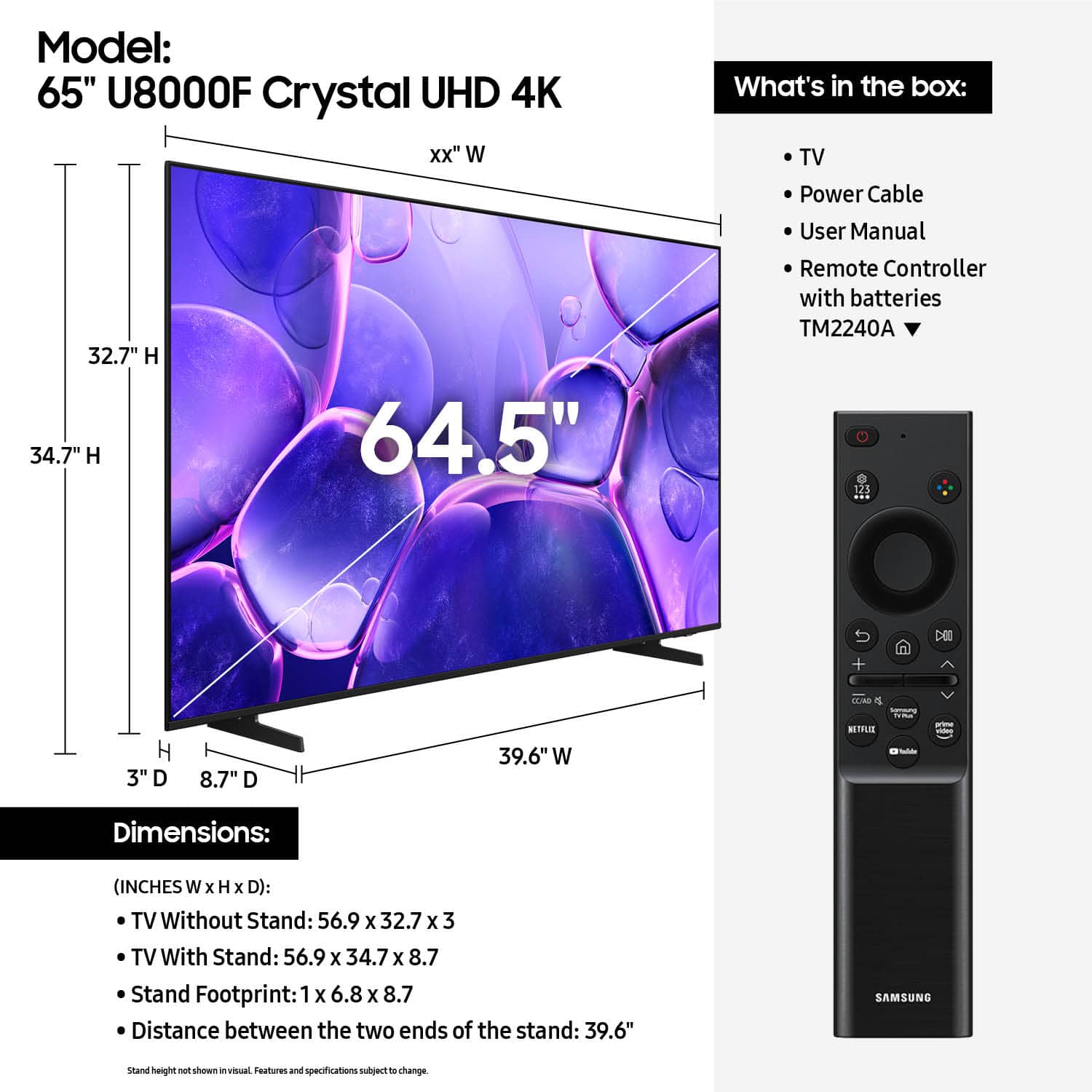










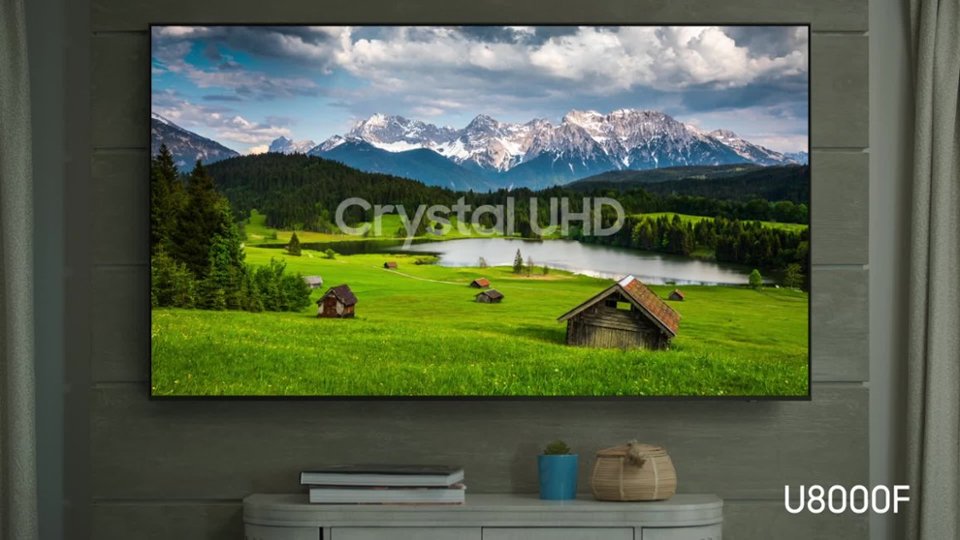


- Model:
- UN65U8000FFXZA
- SKU:
- 10672063
Rating by feature
- Picture Quality
Rating 4.8 out of 5 stars
- Sound Quality
Rating 4.6 out of 5 stars
- Brightness
Rating 4.7 out of 5 stars
A TV problem. But great customer service there.
||Posted . Owned for 2 weeks when reviewed.This reviewer received promo considerations or sweepstakes entry for writing a review.I had a problem with this TV. And had to return it. However, the gentleman that sold it to me. Was also, who was there. When I was returning it. He was very helpful, Both times! I will continue to do business there. Because of him>
No, I would not recommend this to a friendBrand response from Samsung
Posted .Hi EdwardL,
We appreciate your business and are sorry to hear that you had issues that resulted in a return. Should you give Samsung another look in the future, we’d be glad to assist with setup, settings, or features. You can contact us at 1-800-SAMSUNG, 8AM – 12AM EST daily, or LiveChat with a representative at the ‘Support’ link on our website.
~ Samsung Advisor
- Pros mentioned:Picture quality
Samsung tv
||Posted . Owned for 3 weeks when reviewed.This reviewer received promo considerations or sweepstakes entry for writing a review.So far so good... haven't had any problems so far..
I would recommend this to a friendBrand response from Samsung
Posted .Hi Stevenrebecca,
Thanks for taking a moment to review Samsung’s U8000F TV. If you’re experiencing specific issues that caused you to give this a 3-star rating, please know Samsung Customer Support is here to help. Reach out by calling 1-800-SAMSUNG between 8AM - 12AM EST, any day of the week. You can also chat with us online by visiting the ‘Support’ section of our website.
~ Samsung Advisor
Large TV
||Posted . Owned for 1 month when reviewed.This reviewer received promo considerations or sweepstakes entry for writing a review.Great TV for what we needed it for. Bright and clear.
I would recommend this to a friendDenise review
||Posted . Owned for 3 weeks when reviewed.This reviewer received promo considerations or sweepstakes entry for writing a review.I like Samsung products and would recommend this item.
I would recommend this to a friendSamsung tv
||Posted .This reviewer received promo considerations or sweepstakes entry for writing a review.Good TV for the money No optical audio connections though
I would recommend this to a friendTV Setup
||Posted . Owned for 1 month when reviewed.This reviewer received promo considerations or sweepstakes entry for writing a review.The setup was to expensive and the installer was not helpful
I would recommend this to a friendBrand response from Samsung
Posted .Hi LarrySmith,
We appreciate you sharing your user experience. To help you get the most from your TV, you can download the full e-Manual and more by visiting Samsung’s website then navigating to: Support > Manual & Software > TVs & Home Theater. From there, you can search for and select your U8000F TV model to view or download the available guides.
The e-Manual and Remote Control Guide are also conveniently built into your TV: Settings > Support > Tips and User Guides
If you need additional help, please contact Samsung Support at 1-800-SAMSUNG, 8AM – 12AM EST, 7 days a week. LiveChat agents are also available through the ‘Support’ link on our website.
~ Samsung Advisor
StudiedTVs for about 4mos bought it
||Posted . Owned for 3 weeks when reviewed.This reviewer received promo considerations or sweepstakes entry for writing a review.In the store it was my top pick. Got it home and hung on the wall only to see the bottom right corner turning black. Took it back to the store and it was out of stock or I would have gotten another one. Ended up with a LG model.
I would recommend this to a friendBrand response from Samsung
Posted .Hi RonN,
We appreciate your feedback and patience in dealing with the hassle of an exchange. We hope you’ll consider Samsung again in the future. If you do, we’re always here to help with setup and support. Reach us at 1-800-SAMSUNG (8AM – 12AM EST, 7 days a week), or visit our website to chat live and access manuals or software.
~ Samsung Advisor
We’re having trouble playing this.
||Posted . Owned for 5 months when reviewed.This reviewer received promo considerations or sweepstakes entry for writing a review.I had purchased a smaller Samsung and loved the speed of the processor etc. This unit was horrible!!!! Constantly drops the wifi. Having trouble playing this happens dozens of times a day. It doesn’t matter what streaming service we’re playing. No more Samsungs for me.
No, I would not recommend this to a friendBrand response from Samsung
Posted .Hi BrianS,
Thank you for reaching out to us. Please ensure your TV is running the latest Firmware, version 1132.0. Go to Settings> Support> Software Update. If this firmware version is not yet available on your TV, you can download the update on a USB drive and manually update your TV:
1. On Samsung's website (upper right corner), go to: Support > Manual & Software > Find your TV model, and click on the Firmware – Upgrade File.
2. When the file has finished downloading, locate it and then unzip it. There is normally one folder inside but there may be multiple files.
3. Copy or move all of the files that were included in the zip file to a USB flash drive, but do not place them inside any other folders. If you place the software folders inside a folder on the USB flash drive, the TV or monitor will not find them.
4. Connect the USB drive containing the software upgrade into a USB port on your device.
5. Using your device's remote, navigate to and select Settings, then select All Settings, and then select Support. Select Software Update, select Update Now, and then select Yes if prompted.
Your device will search the USB drive for update files. Follow the on-screen instructions to install the updated software. Updates usually take a few minutes; please do not turn off the TV until the update is complete. When the update is finished, it will restart automatically.
If you need additional support, Samsung is here to help. Please call us at 1-800-SAMSUNG, available daily from 8AM - 12AM EST. You can also chat with a LiveChat agent by clicking the ‘Support’ link on our website.
~ Samsung Advisor
Bad customer service
||Posted . Owned for less than 1 week when reviewed.This reviewer received promo considerations or sweepstakes entry for writing a review.TV works ok but customer service was found lacking. Ordered TV with home delivery and setup on 09/01 with a date of 09/17 for installation. Was informed on 09/16 that in those 16 days a tech could not be found to do the install and was given a new date of 10/04 which was unacceptable. We went back to store, picked up the TV and installed ourselves - canceling everything else. BEST BUY has been our go to for over 20+ yrs but no more. We will definitely shop around for our next purchase for good customer service instead of what we were given with this purchase. I will no longer recommend Best Buy to anyone for a purchase.
No, I would not recommend this to a friendBrand response from Samsung
Posted .Hi KathyB,
Thank you for sharing your experience with us. Please reach out to Best Buy to assist you. We hope your issues are resolved quickly.
Should you ever need assistance, Samsung is here for you. Reach out by calling 1-800-SAMSUNG between 8AM - 12AM EST, any day of the week. You can also chat with us online by visiting the ‘Support’ section of our website.
~ Samsung Advisor
Trial and error user guide.
||Posted . Owned for 3 weeks when reviewed.This reviewer received promo considerations or sweepstakes entry for writing a review.This TV is nice but the remote sucks really bad. Also the directions or operators guide is useless, its been a trial and error thing to figure out how it works. The hdmi connectors in the back are not wall mount friendly, I had to buy 90 degree hdmi plugs to connect some of my components to this TV because the connectors on the back of the TV point outward instead of downward like most TV,s. Outside of that the TV works fine.
No, I would not recommend this to a friendBrand response from Samsung
Posted .Hi yamadog,
We appreciate you sharing your user experience. To assist in learning the various functions, please know you can download the U8000F TV's full e-Manual (and more) on Samsung's website under Support > Manual & Software > TVs & Home Theater. You can search for and select the U8000F TV to download the guides you would like.
The e-Manual and Remote Control Guides are both also embedded into your TV itself under Settings > Support > Tips and User Guides.
If you need more help, Samsung is here for you. Please call us at 1-800-SAMSUNG, 8AM - 12AM EST, 7 days a week. Our LiveChat agents are also available by clicking on the ‘Support’ link on our website.
~ Samsung Advisor
Sagging Screen
||Posted . Owned for 1 month when reviewed.This reviewer received promo considerations or sweepstakes entry for writing a review.The graphics are great but the screen has a ripple defect that is disappointing.
I would recommend this to a friendBrand response from Samsung
Posted .Hi DayC,
Thank you for your feedback regarding the screen abnormalities you're seeing on your TV. To help determine if the issue is related to the panel itself, we recommend starting with a Picture Test, which displays a high-definition image you can examine for flaws: Settings > Support > Device Care > Self Diagnosis > Picture Test
If the issue appears during the test and across all sources (built-in apps, HDMI devices, etc.), it may indicate a panel-related concern.
You can also try displaying solid-color test videos (red, green, blue, black, white) from a USB drive or YouTube. This can help you identify whether any pixels are stuck or not functioning properly.
In some cases, unplugging the TV for a few minutes and rebooting it can help resolve stuck pixels caused by temporary display behavior.
If the problem persists after these steps, the TV may require service. To set up a service appointment, please contact Samsung Support at 1-800-SAMSUNG, 8AM – 12AM EST, 7 days a week. LiveChat and additional support resources are also available through the Support link on our website.
~ Samsung Advisor
- Pros mentioned:Picture quality
Poor pic quality
||Posted . Owned for 7 months when reviewed.This reviewer received promo considerations or sweepstakes entry for writing a review.Picture quality was good and poor sound quality returned the tv.
No, I would not recommend this to a friendBrand response from Samsung
Posted .Hi Sunshyne,
We appreciate your feedback. We hope you’ll consider Samsung again in the future. If you do, we’re always here to help with setup and support. Reach us at 1-800-SAMSUNG (8AM – 12AM EST, 7 days a week), or visit our website to chat live and access manuals or software.
~Samsung Advisor
DELIVERY RATING IS A 0/100
||Posted .This reviewer received promo considerations or sweepstakes entry for writing a review.I received my FIRST TV with a large dent/crack in the top of the screen. I had waited over a week to get it. Then after finally getting on the phone to get a replacement… they said it would be there 13 days LATER. On the day of, I go to fill out prep paperwork and they have put my OLD address on the delivery of the SECOND TV instead of the address the FIRST TV was delivered to… all of this because they wouldn’t let me return it in person. Great policy BestBuy. I guess we will see how the SECOND TV goes.
No, I would not recommend this to a friendBrand response from Samsung
Posted .Hi Parker,
I'm very sorry to hear about your delivery experience. Please know your patience is appreciated. If there’s anything we can assist with, please don’t hesitate to call us at 1-800-SAMSUNG, available daily from 8AM - 12AM EST. You can also visit the Samsung website and click on ‘Support’ for:
• Live Chat
• Manuals, Software, & Warranty Info
~ Samsung Advisor
Stopped working after a month
||Posted .This reviewer received promo considerations or sweepstakes entry for writing a review.Bought it on Black Friday. It worked fine, but not as good as other tvs I had before. It stopped working a month later. Ended up exchanging it for something different.
No, I would not recommend this to a friendBrand response from Samsung
Posted .Hi Lili,
We're sorry to hear about the issues you experienced, which resulted in a return of your U8000F TV. We hope you’ll consider Samsung again in the future. If you do, we’re always here to help with setup and support. Reach us at 1-800-SAMSUNG (8AM – 12AM EST, 7 days a week), or visit our website to chat live and access manuals or software.
~Samsung Advisor
Rip off
||Posted . Owned for 2 weeks when reviewed.This reviewer received promo considerations or sweepstakes entry for writing a review.Installer tried to up charge me at the house. I paid for appropriate installation and he said it was an extra where it was to be installed. They knew well ahead of time where it was to be installed. Will never do business with Best Buy again
No, I would not recommend this to a friendBrand response from Samsung
Posted .Hi SamuelS,
Thank you for sharing your experience with the TV and service process. For any installation or delivery concerns, we recommend contacting Best Buy directly.
If you ever have questions or need support, we’re here to help. Call us at 1-800-SAMSUNG, available from 8AM - 12AM EST, seven days a week. You can also connect with a LiveChat agent by clicking the ‘Support’ link on our website.
~ Samsung Advisor
Apps don’t work
||Posted . Owned for 3 weeks when reviewed.This reviewer received promo considerations or sweepstakes entry for writing a review.After two weeks my apps stopped working all of the sudden. Unfortunately this was two days after the return policy so I couldn’t return and Samsung can’t give me a replacement. So I have to cast everything from my phone or iPad to stream any app. Super inconvenient.
No, I would not recommend this to a friendBrand response from Samsung
Posted .Hi JUSTICES,
We appreciate your feedback regarding the performance of Smart Hub on your U8000F TV. Please try the following steps:
1. Reset Smart Hub – This restores Smart Hub to factory settings and can resolve many performance issues: Home > left directional key > Settings > Support > Device Care > Self Diagnosis > Reset Smart Hub
(Note: This will sign you out of all apps and reset Smart Hub preferences.)
2. Check for Firmware Updates – An outdated software version can impact Smart Hub functionality: Home > left directional key > Settings > Support > Software Update > Update Now
3. Run Device Care – This tool helps optimize performance by clearing cached memory and closing background processes: Home > left directional key > Settings > Support > Device Care > Start Device Care
If Smart Hub continues to have issues after performing these steps, please contact Samsung Support at 1-800-SAMSUNG, available 8AM – 12AM EST, 7 days a week. LiveChat support is also available through the ‘Support’ link on our website.
~ Samsung Advisor
Customer service nightmare
||Posted . Owned for 2 weeks when reviewed.This reviewer received promo considerations or sweepstakes entry for writing a review.Upper part of TV screen was cracked in 2 different places when I unpacked it. Getting hassles about having it sent to service before I can exchange a broken TV. Customer service experience very unsatisfactory. No picture when plugged in due to damage.
No, I would not recommend this to a friendBrand response from Samsung
Posted .Hi Zelda,
We're very sorry to hear that you received a damaged TV. Please continue to reach out to Best Buy to assist you with an exchange. If there’s anything we can assist with, please don’t hesitate to call us at 1-800-SAMSUNG, available daily from 8AM - 12AM EST. You can also visit the Samsung website and click on ‘Support’ for:
• Live Chat
• Manuals, Software, & Warranty Info
~ Samsung Advisor
samsung
||Posted . Owned for 3 weeks when reviewed.This reviewer received promo considerations or sweepstakes entry for writing a review.picture not clear, blurry and color quality was lacking
No, I would not recommend this to a friendBrand response from Samsung
Posted .Hi LeonardP,
Thank you for your feedback on the Samsung U8000F TV. If the picture appears unclear, dull, or lacks definition, there are several settings you can adjust to improve clarity and overall image quality. Go to: Settings > All Settings > Picture > Expert Settings, and review these key settings:
Picture Clarity Settings: While originally intended for motion handling, these can also impact overall clarity
• Off: Disables motion enhancements
• Auto: Automatically adjusts based on content
• Custom: Lets you fine-tune:
o Judder Reduction – Helps smooth out uneven motion
o LED Clear Motion – Boosts sharpness in fast-moving content
o Noise Reduction – Reduces distortion and enhances detail in lower-resolution sources
Core Picture Settings
• Brightness – Controls overall screen brightness
• Contrast – Enhances the difference between bright and dark areas
• Sharpness – Adjusts edge definition; closer to 20 increases detail
• Color – Enhances depth and intensity of colors
And don’t forget to check for the latest firmware, which may improve performance: Settings > Support > Software Update > Update Now
These adjustments can make a noticeable difference in overall clarity. If you need further help tailoring the settings to your preferences or environment, please contact Samsung Support at 1-800-SAMSUNG, 8AM – 12AM EST, 7 days a week. LiveChat is also available via the ‘Support’ link on our website.
~ Samsung Advisor
- Cons mentioned:Remote control
Not a desirable product
||Posted . Owned for 1 month when reviewed.This reviewer received promo considerations or sweepstakes entry for writing a review.Picture is average at best. Remote control is pathetic. Extremely basic product
No, I would not recommend this to a friendBrand response from Samsung
Posted .Hi Voiceofreason,
We appreciate your feedback on the picture quality of Samsung’s U8000F TV. If the image doesn’t quite match your preferences, there are several adjustments you can make to better suit your viewing environment and content type.
First, please ensure your TV is running the latest firmware, as updates may include important picture quality enhancements. Go to: Home > Left directional button > Settings > Support > Software Update > Update Now
To explore picture mode options, navigate to: Home > Left directional button > Settings > All Settings > Picture > Picture Mode. Options include:
• Standard – Ideal for general viewing
• Dynamic – Brighter and more vibrant for well-lit spaces
• Eco – Optimized for energy efficiency
• Movie – Best for viewing in low light
• Filmmaker Mode – Preserves the content creator’s intent and disables motion smoothing for supported content
You can further customize your image by going to: Settings > All Settings > Picture > Expert Settings, where you can adjust Brightness, Contrast, Color Tone, Sharpness, Contrast Enhancer and more.
If you’d like help finding the best picture settings for your preferences, please don’t hesitate to contact Samsung Support at 1-800-SAMSUNG, available 8AM – 12AM EST, 7 days a week. You can also LiveChat with an agent or explore additional resources on our website by clicking the ‘Support’ link.
~ Samsung Advisor
Horrible purchase
||Posted .This reviewer received promo considerations or sweepstakes entry for writing a review.Absolutely horrible service had to replace the same tv about 3 times because it was always delivered bent or cracked and when I finally revived a good one it didn’t look like the original tv I purchased was not satisfied at all. Wouldn’t recommend buying this mosel tv here you will never get what you paid for
No, I would not recommend this to a friendBrand response from Samsung
Posted .Hi TemeakerH,
We appreciate your patience while dealing with damaged units. If the image doesn’t quite match your preferences, there are several adjustments you can make to better suit your viewing environment and content type.
First, please ensure your TV is running the latest firmware, as updates may include important picture quality enhancements. Go to: Home > Left directional button > Settings > Support > Software Update > Update Now
To explore picture mode options, navigate to: Home > Left directional button > Settings > All Settings > Picture > Picture Mode. Options include:
• Standard – Ideal for general viewing
• Dynamic – Brighter and more vibrant for well-lit spaces
• Eco – Optimized for energy efficiency
• Movie – Best for viewing in low light
• Filmmaker Mode – Preserves the content creator’s intent and disables motion smoothing for supported content
You can further customize your image by going to: Settings > All Settings > Picture > Expert Settings, where you can adjust Brightness, Contrast, Color Tone, Sharpness, Contrast Enhancer and more.
If you’d like help finding the best picture settings for your preferences, please don’t hesitate to contact Samsung Support at 1-800-SAMSUNG, available 8AM – 12AM EST, 7 days a week. You can also LiveChat with an agent or explore additional resources on our website by clicking the ‘Support’ link.
~ Samsung Advisor