Customer Ratings & Reviews
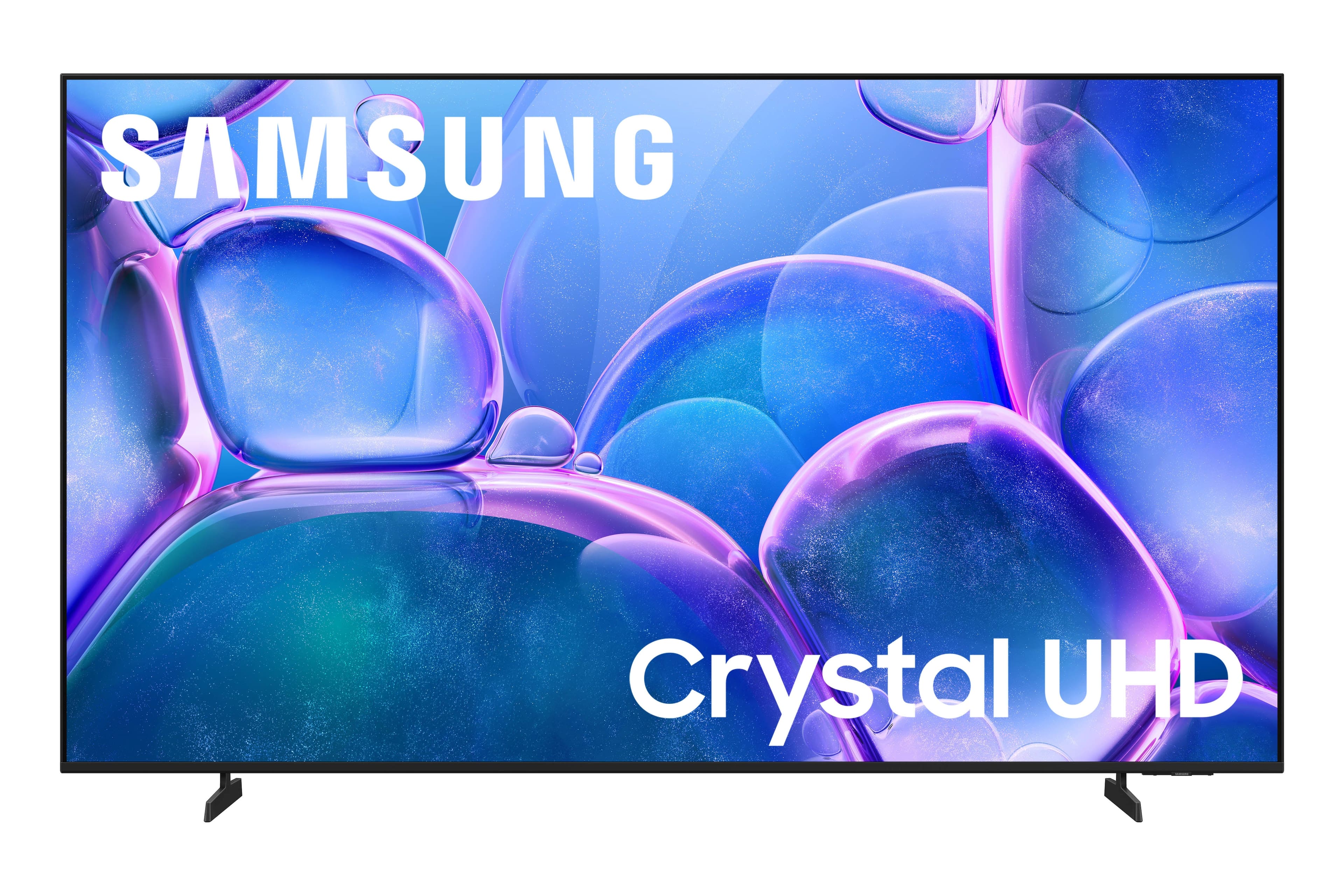



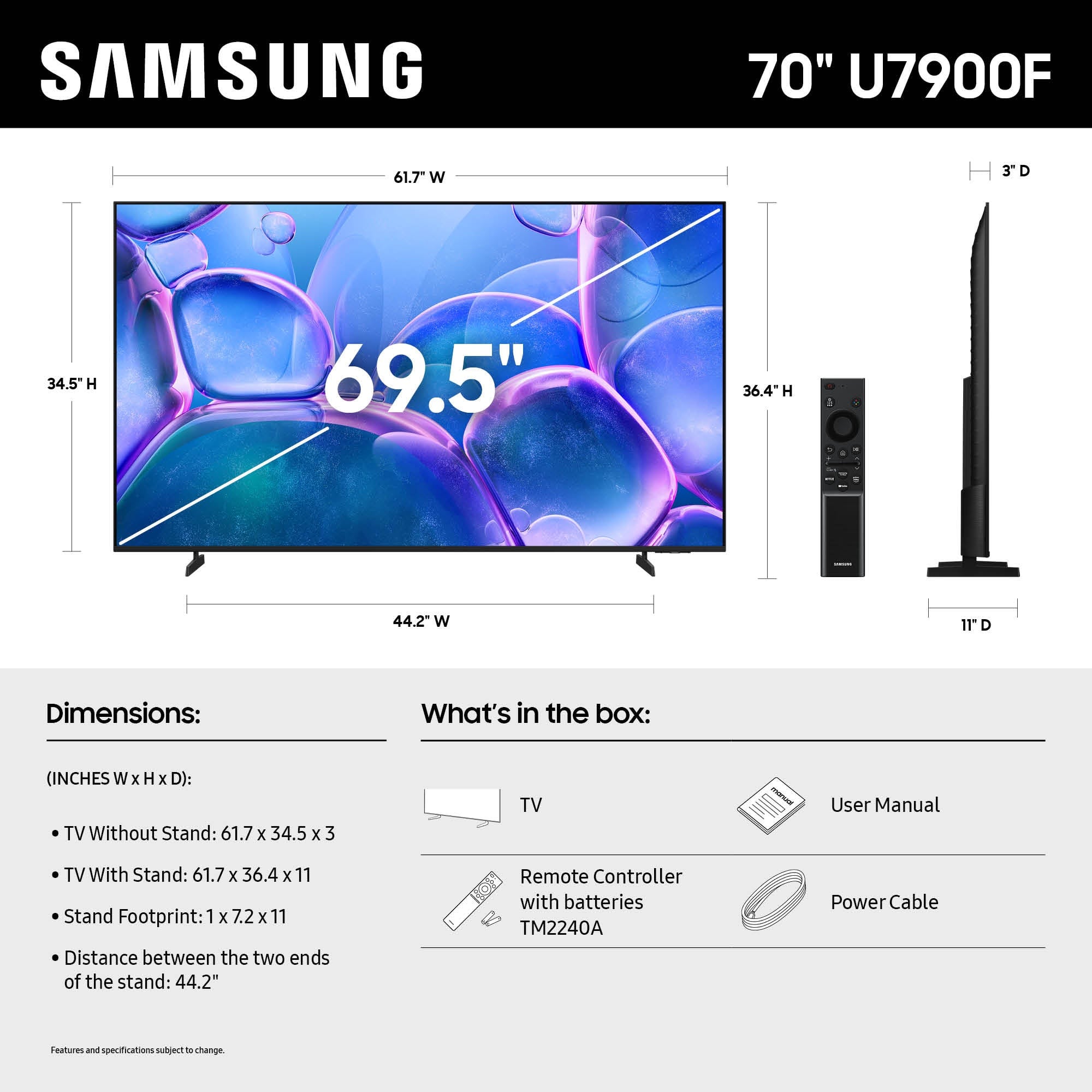




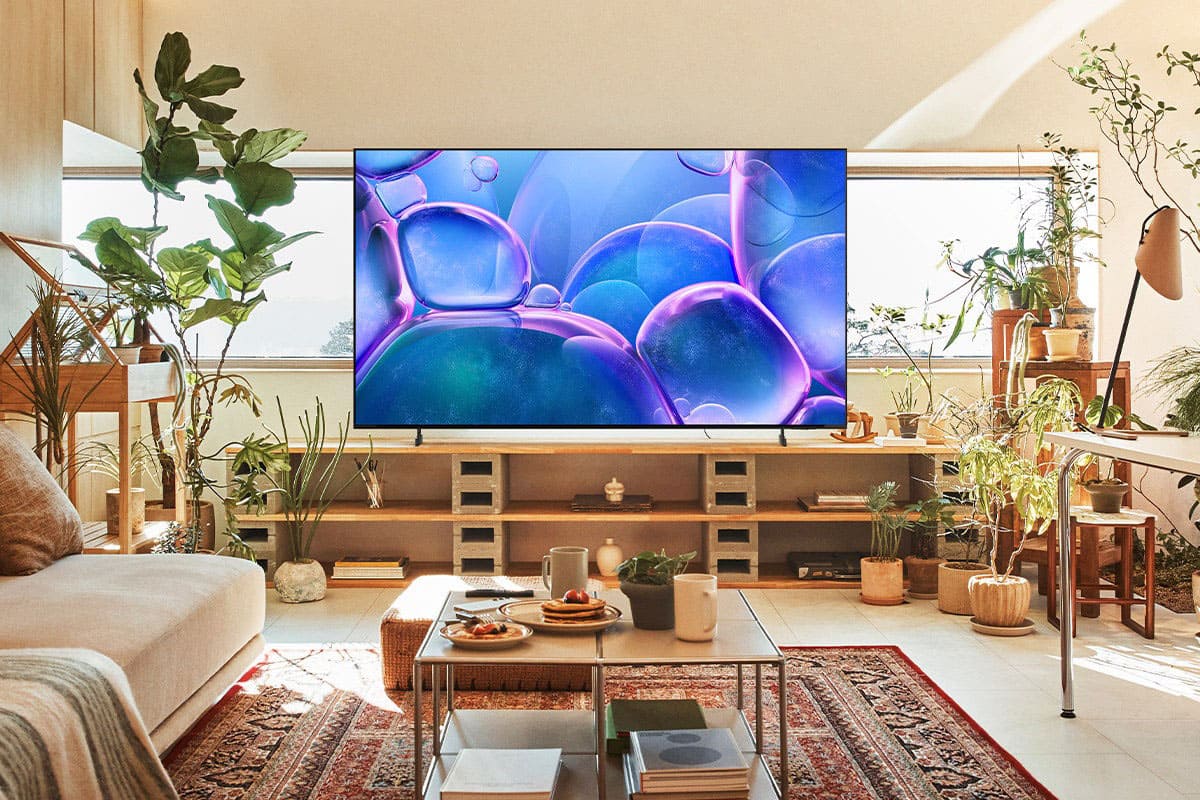


- Model:
- UN70U7900FFXZA
- SKU:
- 6639212
Rating by feature
- Picture Quality
Rating 4.7 out of 5 stars
- Sound Quality
Rating 4.5 out of 5 stars
- Brightness
Rating 4.7 out of 5 stars
Customers are saying
Customers find value in the 70" Class U7900 Series UHD 4K Smart Tizen TV (2025), particularly praising its amazing picture quality. The TV's size, brightness, and ease of setup are also appreciated by users. Overall, the positive aspects of the TV are well-received.
This summary was generated by AI based on customer reviews.
Home Delivery Nightmare
||Posted . Owned for 2 weeks when reviewed.This reviewer received promo considerations or sweepstakes entry for writing a review.On Black Friday, I ordered a 70" Samsung TV. On 12/2/25, the TV was delivered to my home with a broken screen. I loaded the TV into my truck and returned it to our local Best Buy. The manager at Best Buy said that this order was still showing a status of "out for delivery" so that can't take the TV back. So, I had to load this TV back into my truck and return home. Then, I called Customer Service and scheduled an exchange to happen on 12/24/25. Then Best Buy rescheduled this delivery to 1/8/26. On 1/7/26, I received a notice that the delivery needs to be rescheduled for a fourth time! Now, it's 5+ weeks and counting.
No, I would not recommend this to a friendBrand response from Samsung
Posted .ElaineW,
We appreciate you sharing your delivery experience and are sorry to hear that your TV arrived damaged. For issues related to shipping or delivery, we recommend reaching out to Best Buy directly so they can assist in resolving the situation.
Once your issue is resolved, if you have any questions about setup, usage, or features, please don’t hesitate to contact Samsung Support at 1-800-SAMSUNG (8AM – 12AM EST, 7 days a week), or connect with a LiveChat agent via the ‘Support’ link on our website.
~ Samsung Specialist
Marginal service
||Posted .This reviewer received promo considerations or sweepstakes entry for writing a review.Bought a 70 inch a 50 inch and a 32 inch, voice wouldn’t sync on news broadcast and the TV did a few other weird things too like going back to the homepage in the middle of a hockey game. Supposed to get a call within 12 hours so they can come out and replace it three days and still waiting. That was after a trip to town to the store who said I had to call the 800 number. The 800 number sent me back to the website and then spent 40 minutes on chat to get it accomplished. Chat sent it back to the local store to coordinate and schedule the replacement.
I would recommend this to a friendBrand response from Samsung
Posted .Leethal,
Thank you for sharing your experience, and we truly appreciate your patience as you await your service appointment. If you need any additional help after the service is completed, Samsung Support is here for you. You can always reach us at 1-800-SAMSUNG, available daily from 8AM - 12AM EST. You can also chat with a LiveChat agent by clicking the ‘Support’ link on our website for:
• Live Chat
• Manuals, Software, & Warranty Info
• Creating a Service ticket
~ Samsung Specialist
- Cons mentioned:Connectivity
Don't buy
||Posted . Owned for 1 month when reviewed.This reviewer received promo considerations or sweepstakes entry for writing a review.Keeps dropping the Internet connection. My other TV doesn't so it must be this TV's issue.
No, I would not recommend this to a friendBrand response from Samsung
Posted .Hi DebraR,
Thank you for sharing your experience with the internet connection on your Samsung U7900 TV. Whether you're using Wi-Fi or a wired (LAN) connection, there are a few steps you can take to help resolve the issue:
1. Power Cycle Your Equipment. Unplug both your TV and router/modem from the wall outlet. Wait at least 30 seconds, then plug them back in and allow both devices to fully restart.
2. Check the Network Status. On your TV, go to: Home > left directional key > Settings > All Settings > Connection > Network > Network Status. This will help determine if the issue lies with the network or the TV.
3. Try a Different Connection Type. If you're using Wi-Fi, try connecting an Ethernet (LAN) cable directly from your router to the TV to test the connection. If you're using a wired connection, try switching to Wi-Fi to see if the issue persists.
4. Reestablish the Network Connection. Go to: Settings > All Settings > Connection > Network > Open Network Settings, and follow the prompts to reconnect to your Wi-Fi or wired network.
5. Update Firmware. Software updates can often resolve network bugs. To check for the latest version: Settings > Support > Software Update > Update Now
If these steps don't resolve the issue, we’d be happy to provide further assistance. Please call Samsung Support at 1-800-SAMSUNG, 8AM - 12AM EST, 7 days a week. LiveChat is also available at the ‘Support’ link on our website.
~Samsung Advisor
Samsung U7900F 70"
||Posted .This reviewer received promo considerations or sweepstakes entry for writing a review.I would never buy a model of this type again. It only came with two HDMI ports and had no headphone jack. Also, the volume control is limited to high or low, but no in-between.
No, I would not recommend this to a friendBrand response from Samsung
Posted .Hi JimK,
We appreciate your feedback on the available inputs on the U7900 TV. If a headphone jack is important to your setup, this input is found exclusively on our S90F OLED series.
If the volume on your Samsung U7900 TV seems too low, we recommend checking for firmware updates: Settings > Support > Software Update > Update Now.
Then, go to: Settings > All Settings > Sound > Sound Mode and try Amplify to boost dialogue and upper tones.
To maintain consistent volume across channels and apps, enable Auto Volume under: Settings > All Settings > Sound > Expert Settings > Auto Volume = On
Samsung Q- and S-Series Soundbars with Q-Symphony can also enhance your sound experience. For further help, please contact Samsung Support at 1-800-SAMSUNG (8AM – 12AM EST, 7 days a week) or use LiveChat via the ‘Support’ link on our website.
~ Samsung Advisor
70 in samsung
||Posted . Owned for 3 weeks when reviewed.This reviewer received promo considerations or sweepstakes entry for writing a review.Bought this at the store and after installing it at home it worked great for about 9 hours and then quit working completely would not even power on. I returned to store but the unfortunately did not have another in stock so I wound up downsizing to a smaller model so far it has performed very well. I wanted the larger one but wasn't able to wait a week for another one.
I would recommend this to a friendBrand response from Samsung
Posted .GeorgeT,
We appreciate you sharing the issues you initially experienced with Samsung’s U7900F TV. Thank you for your patience throughout the inconvenience of arranging an exchange.
If you have any questions about your new unit or need assistance with setup or features, we’re here to help. You can reach us at 1-800-SAMSUNG, available from 8AM - 12AM EST, seven days a week. Or visit the Samsung website and click on the ‘Support’ link for:
• LiveChat with an agent
• Manuals, Software, and Warranty Info
• Creating a Service ticket
~ Samsung Specialist
Tv didn’t work
||Posted .This reviewer received promo considerations or sweepstakes entry for writing a review.Picked the tv up and went home to set it up. When plugged in it did not turn on. We went to return to the store to get a different one and they did not have one in stock and wanted to charge $99.99 to get another one.
No, I would not recommend this to a friendBrand response from Samsung
Posted .Hi Sara,
We're very sorry to hear about your experience and appreciate your patience. If there’s anything we can assist with, please don’t hesitate to call us at 1-800-SAMSUNG, available daily from 8AM - 12AM EST. You can also visit the Samsung website and click on ‘Support’ for:
• Live Chat
• Manuals, Software, & Warranty Info
~Samsung Advisor
Terrible wait time
||Posted . Owned for 2 weeks when reviewed.This reviewer received promo considerations or sweepstakes entry for writing a review.I'm not sure of this TV's performance as it was delivered with damage to the screen. Had to call customer service and they told me it would be another 30 days before they could swap it out.
No, I would not recommend this to a friendBrand response from Samsung
Posted .Hi AaronK,
We're sorry to hear that you received a damaged TV and appreciate your patience. If you need additional support, Samsung is here to help. Please call us at 1-800-SAMSUNG, available daily from 8AM - 12AM EST. You can also chat with a LiveChat agent by clicking the ‘Support’ link on our website for:
• Live Chat
• Manuals, Software, & Warranty Info
• Creating a Service ticket
~Samsung Advisor
Tv great... Best Buy NOT
||Posted .This reviewer received promo considerations or sweepstakes entry for writing a review.The tvs great. The staff for the eau claire store, however is not. I was double charged for the tv, causing my account to go negative and caused some of my bills to not be payed on time. Thanks best buy
I would recommend this to a friendBrand response from Samsung
Posted .Hi DoNotShopHere,
We're very sorry to hear about your in-store experience. You may want to reach out directly to the store to assist you. If there’s anything we can assist with, please don’t hesitate to call us at 1-800-SAMSUNG, available daily from 8AM - 12AM EST. You can also visit the Samsung website and click on ‘Support’ for:
• Live Chat
• Manuals, Software, & Warranty Info
~ Samsung Advisor
NEVER AGAIN
||Posted .This reviewer received promo considerations or sweepstakes entry for writing a review.Worst experience EVER as a business owner with Best Buy. I can honestly say I will do everything in my own power to never purchase an item after my last purchase
I would recommend this to a friendBrand response from Samsung
Posted .Hi MaxC,
We're very sorry to hear about your experience. If you have any questions or need help, please call us at 1-800-SAMSUNG, available 8AM – 12AM EST, 7 days a week. LiveChat support and additional help are available at the ‘Support’ link on our website.
~Samsung Advisor
The worst
||Posted . Owned for 1 month when reviewed.This reviewer received promo considerations or sweepstakes entry for writing a review.The wrong tv was in the box it was a used tv! I went back and for to Best Buy and had to pick the tv by myself and they won't refund my money
No, I would not recommend this to a friendBrand response from Samsung
Posted .Hi ErickaC,
We're very sorry to hear about your experience and hope you are able to work with Best Buy to resolve this issue. If there’s anything we can assist with, please don’t hesitate to call us at 1-800-SAMSUNG, available daily from 8AM - 12AM EST. You can also visit the Samsung website and click on ‘Support’ for:
• Live Chat
• Manuals, Software, & Warranty Info
~ Samsung Advisor
CRACKED
||Posted . Owned for 3 weeks when reviewed.This reviewer received promo considerations or sweepstakes entry for writing a review.Bought and the screen was cracked, returned to Best Buy and received a second one. Got home with the second one and the screen was also cracked.
No, I would not recommend this to a friendBrand response from Samsung
Posted .Hi BrandonD,
We're very sorry you received two cracked TVs and appreciate your patience in having to deal with the hassle of an exchange. If you need additional help, please contact Samsung Support at 1-800-SAMSUNG, 8AM – 12AM EST, 7 days a week. LiveChat agents are also available through the ‘Support’ link on our website.
~ Samsung Advisor
Problem
||Posted . Owned for 3 weeks when reviewed.This reviewer received promo considerations or sweepstakes entry for writing a review.Didn’t work coming out of box, took back was given hassle by 1 store and took to another where they put me in larger one
No, I would not recommend this to a friendBrand response from Samsung
Posted .Hi BreckH,
We're sorry to hear that your U7900 TV did not work out of the box and your return experience was not satisfactory. If there’s anything we can assist with, please don’t hesitate to call us at 1-800-SAMSUNG, available daily from 8AM - 12AM EST. You can also visit the Samsung website and click on ‘Support’ for:
• Live Chat
• Manuals, Software, & Warranty Info
~ Samsung Advisor
Quality Issue
||Posted .This reviewer received promo considerations or sweepstakes entry for writing a review.Picture quality is not at all good as per expectations.
No, I would not recommend this to a friendBrand response from Samsung
Posted .Hi GhanshyamY,
We appreciate your feedback on the picture quality of Samsung’s U7900 TV. If the image doesn’t quite match your preferences, there are several adjustments you can make to better suit your viewing environment and content type.
First, please ensure your TV is running the latest firmware, as updates may include important picture quality enhancements. Go to: Home > Left directional button > Settings > Support > Software Update > Update Now
To explore picture mode options, navigate to: Home > Left directional button > Settings > All Settings > Picture > Picture Mode. Options include:
• Standard – Ideal for general viewing
• Dynamic – Brighter and more vibrant for well-lit spaces
• Eco – Optimized for energy efficiency
• Movie – Best for viewing in low light
• Filmmaker Mode – Preserves the content creator’s intent and disables motion smoothing for supported content
You can further customize your image by going to: Settings > All Settings > Picture > Expert Settings, where you can adjust Brightness, Contrast, Color Tone, Sharpness, Contrast Enhancer and more.
If you’d like help finding the best picture settings for your preferences, please don’t hesitate to contact Samsung Support at 1-800-SAMSUNG, available 8AM – 12AM EST, 7 days a week. You can also LiveChat with an agent or explore additional resources on our website by clicking the ‘Support’ link.
~Samsung Advisor
Cracked screens
||Posted . Owned for 2 weeks when reviewed.This reviewer received promo considerations or sweepstakes entry for writing a review.I had two of these delivered. Both had cracked screens.
No, I would not recommend this to a friendBrand response from Samsung
Posted .Hi RichardB,
We’re sorry to hear your TV arrived damaged. Even with secure packaging, damage can occur during transit if the unit isn’t kept upright or handled properly. If you have not already done so, please reach out to Best Buy directly to assist you with an exchange.
If there’s anything we can assist with, please don’t hesitate to call us at 1-800-SAMSUNG, available daily from 8AM - 12AM EST. You can also visit the Samsung website and click on ‘Support’ for:
• Live Chat
• Manuals, Software, & Warranty Info
~Samsung Advisor
- Pros mentioned:Picture quality
New TV unlocked!
Posted .This reviewer received promo considerations or sweepstakes entry for writing a review.I love my new TV! It's bright and exciting. My grandson thinks the game app is fun. There was a little trouble to set up due to me not remembering my Samsung Account, but we figured it out. I'm very happy with all of the viewing options available.
I would recommend this to a friend - Pros mentioned:Picture quality
Amazing TV
Posted .This reviewer received promo considerations or sweepstakes entry for writing a review.This Samsung television is packed with all the features you need. It has a phenomenal display delivering a true ultra high definition. I love the sound quality and overall value for money.
I would recommend this to a friend having an 'olympic' moment with Best Buy & Samsung
Posted .This reviewer received promo considerations or sweepstakes entry for writing a review.i am watching the 'olympics' right now. thanks to Samsung & Best Buy, I am having an 'olympic' moment for the moment! thank you Best Buy! I 'love' this Samsung. Aloha!
I would recommend this to a friendCouldn't BEAT the Price!!
Posted .This reviewer received promo considerations or sweepstakes entry for writing a review.I've been eyeing this TV for a while and was pleasantly surprised when the price lowered around Cyber Monday. I snagged my opportunity. The delivery even allowed for weekdays and tracking. 10/10 purchase!
I would recommend this to a friendGreat Value TV
Posted .This reviewer received promo considerations or sweepstakes entry for writing a review.For the value, this is a great tv. It isn't the top of the line, but for our use it works perfectly.
I would recommend this to a friendToo few ports
Posted .This reviewer received promo considerations or sweepstakes entry for writing a review.Ordered this TV in the middle of December. Took about two months to come into the store. Went to set it up only to realize it doesn't have an optical input for my soundbar. Only has one regular HDMI and one earc HDMI. Plugged soundbar into the earc port only to find out the sounbar isn't compatible. So had to use Have a Blu-ray player to go into the second earcHDMI port. Now this leaves no port available or my ROKU(which technically I don't need on a smart TV) and no port for a game console. I can't imagine it would have cost Samsung more than a few dollars to at least include an optical port and a third HDMI. My fault for not checking all the specs, but I've never had a TV with only two ports. I've only owned Samsung TV's.
No, I would not recommend this to a friend