Year-End SaleEnds 1/1/26. Limited quantities. No rainchecks.

Skip to content
Main Content

Customer Ratings & Reviews
Your price for this item is $476.99
Clearance
The comparable value price is $529.99

Customer reviews

Rating 4.3 out of 5 stars with 2054 reviews

Rating Filter

Rating by feature

  • Picture Quality

    Rating 4.6 out of 5 stars

  • Sound Quality

    Rating 4.0 out of 5 stars

  • Brightness

    Rating 4.6 out of 5 stars

Pros mentioned filter

Cons mentioned filter

84%would recommend to a friend

Customers are saying

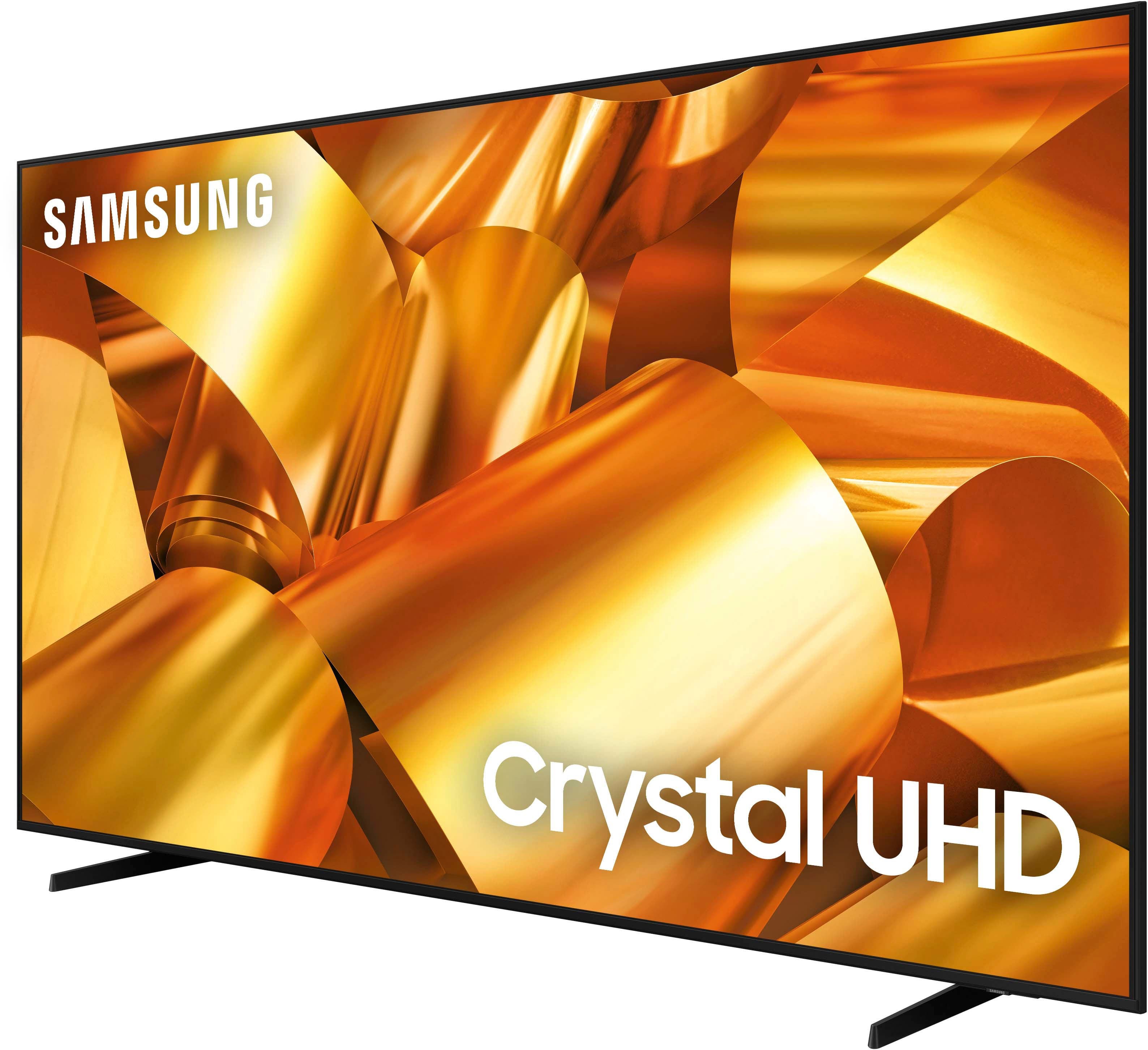
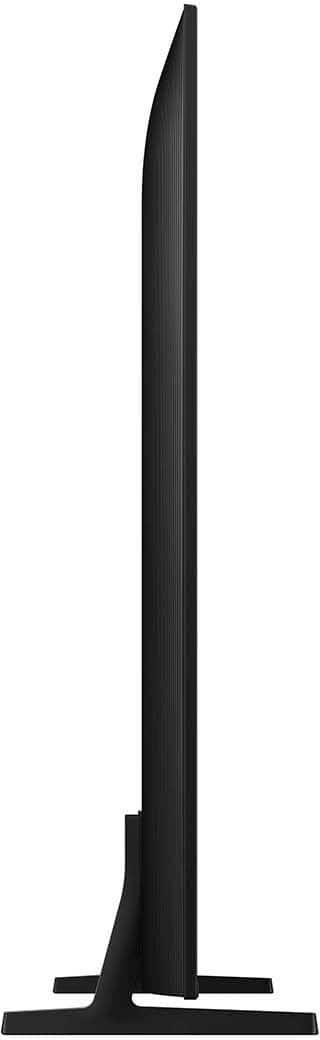
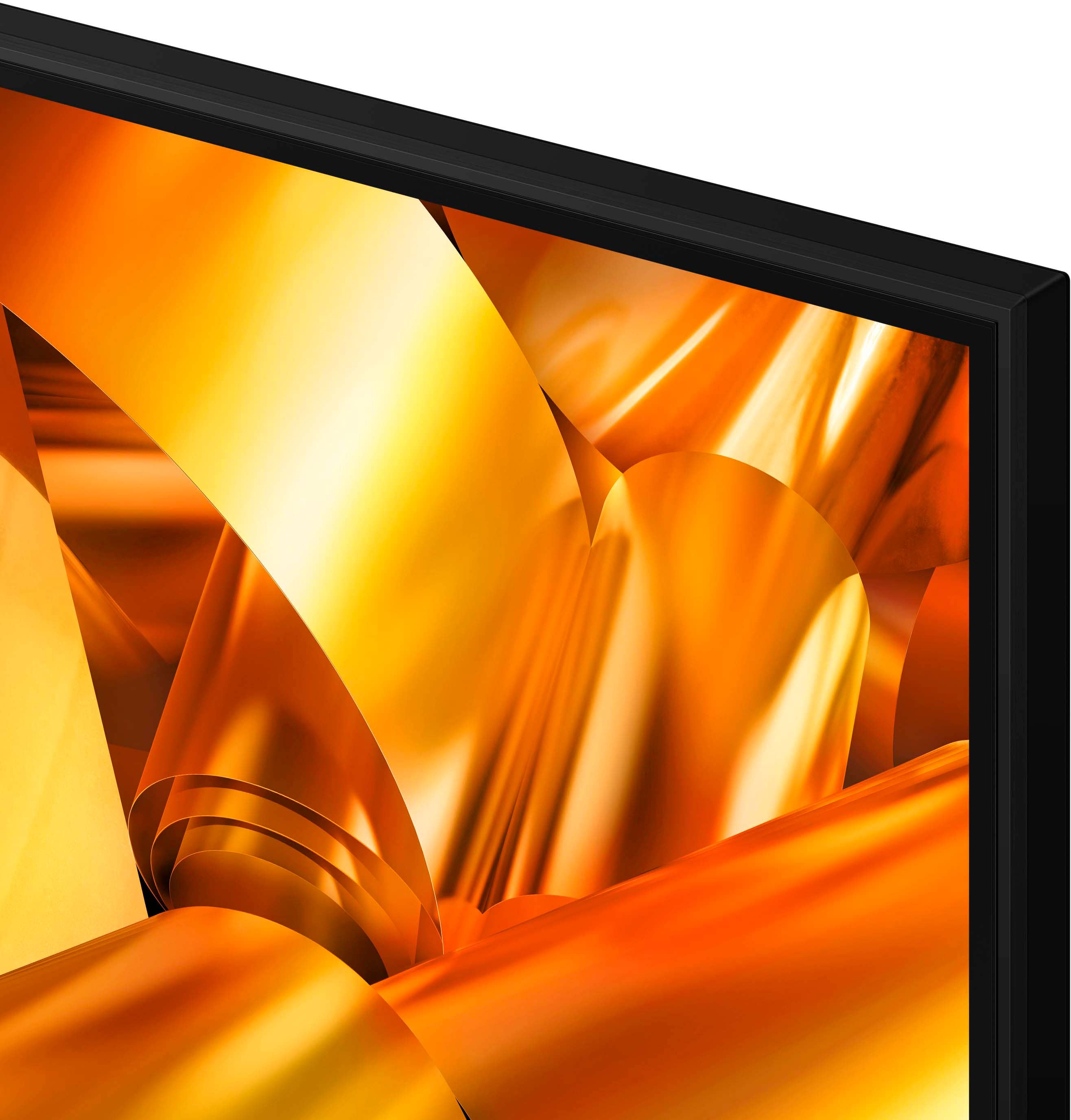
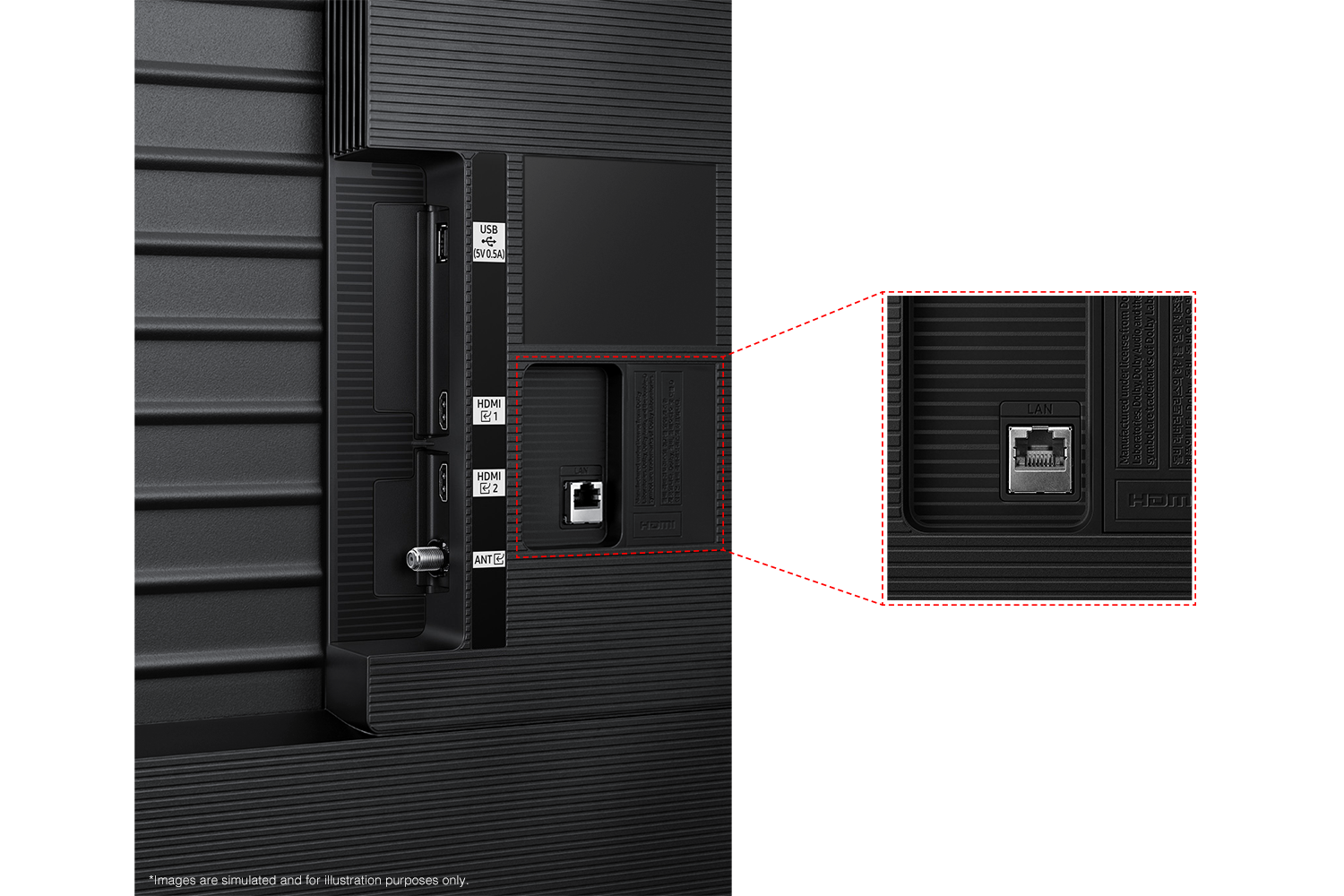
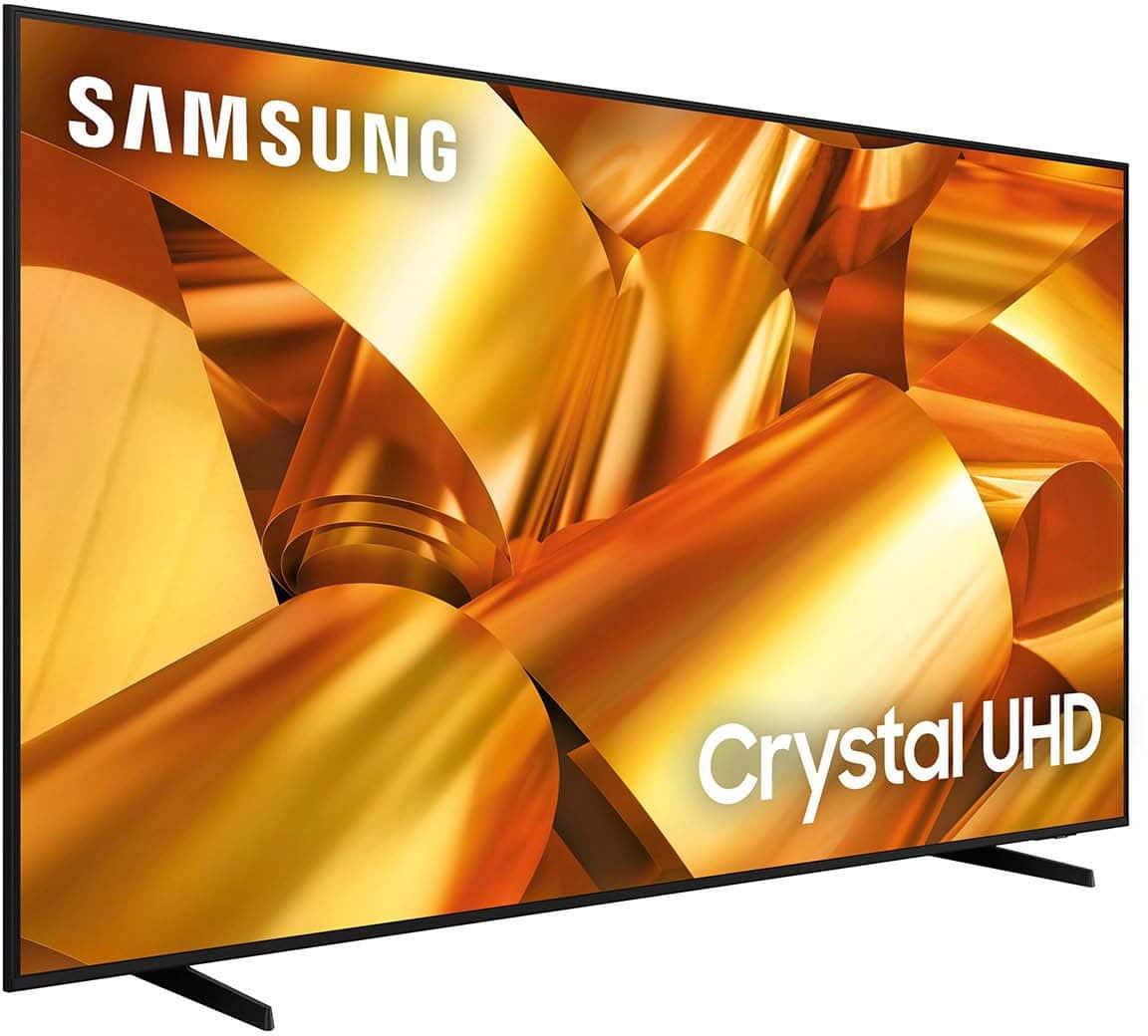
Customers are satisfied with the 75” Class DU6950 Series Crystal UHD 4K Smart Tizen TV (2024)'s exceptional picture quality, ease of setup, and its size. Many also appreciate the value for the price and the lightweight design, making it easy to install. However, some customers expressed concerns about the limited number of HDMI ports and the size of the remote control.

This summary was generated by AI based on customer reviews.

The vast majority of our reviews come from verified purchases. Reviews from customers may include My Best Buy members, employees, and Tech Insider Network members (as tagged). Select reviewers may receive discounted products, promotional considerations or entries into drawings for honest, helpful reviews.
Page 92 Showing 1,821-1,840 of 2,054 reviews
  • Rated 5 out of 5 stars

    5 stars tv

    |
    |
    Posted . Owned for 3 weeks when reviewed.
    This reviewer received promo considerations or sweepstakes entry for writing a review.

    Great tv for the price! Always had good luck with this brand.

    I would recommend this to a friend
  • Rated 5 out of 5 stars

    Good tv

    |
    |
    Posted . Owned for 3 weeks when reviewed.
    This reviewer received promo considerations or sweepstakes entry for writing a review.

    Very good tv is a good thing for the……………..:.::::::

    I would recommend this to a friend
  • Rated 1 out of 5 stars

    Defective out of the box and poor customer service

    |
    |
    Posted . Owned for 3 weeks when reviewed.
    This reviewer received promo considerations or sweepstakes entry for writing a review.

    Had problems from day one. I went in and spoke with geek squad and they told me it was most likely a particular part... i cant remember what now. They told me to just bring it in and they would switch it out. I didnt realize i only had 14 days to do it. I tried to bring it back to the store and they told me they there was nothing they could do for me. Pretty ridiculous considering i was told to bring it in and they would switch it out. They should have reminded me about their short return policy. Its all pretty ridiculous that best buy supplied me with a defective unit and now they wont switch it out and are making me go through geek squad AND the manufacturer. Step up your game best buy. I will never buy from you again.

    No, I would not recommend this to a friend
    • Brand response from Samsung
      Posted .

      NickM,

      Please know you are leaving a review for the DU6950 TV, not the service provided by Best Buy. Please follow up directly with Best Buy for further assistance. We hope your issue is resolved in a timely manner. Should you have questions regarding Samsung TVs or our warranty services, please contact Samsung Support at 1-800-SAMSUNG, 8 AM – 12 AM EST, 7 days a week. Our LiveChat agents are also available by clicking on the ‘Support’ link on our website.

      ~Samsung Pro Samsung

  • Rated 5 out of 5 stars

    I loved it

    |
    |
    Posted . Owned for 3 weeks when reviewed.
    This reviewer received promo considerations or sweepstakes entry for writing a review.

    Very good and fast service, nice staff. And cheap prices

    I would recommend this to a friend
  • Rated 5 out of 5 stars

    Great buy

    |
    |
    Posted . Owned for 1 month when reviewed.
    This reviewer received promo considerations or sweepstakes entry for writing a review.

    Television is nice and bright, easy to use set up.

    I would recommend this to a friend
  • Rated 3 out of 5 stars

    Great Visuals, Sound Quality Questionable

    |
    |
    Posted . Owned for 1 week when reviewed.
    This reviewer received promo considerations or sweepstakes entry for writing a review.

    Visually it was a great tv. The sound quality was not great. I decided to return it.

    No, I would not recommend this to a friend
    • Brand response from Samsung
      Posted .

      DemetriusM,

      Thank you for taking the time to provide feedback on your DU6950 TV. Please know that your feedback will be shared with our internal product teams. We take pride in our products and are sorry to hear that your experience was not up to our high standards.

      Should you ever decide to give Samsung TVs another try and have questions or need help with settings, setup, or features, we would be happy to help. Call us at 1-800-SAMSUNG, 8 AM – 12 AM EST, seven days a week. LiveChat with an agent, as well as manuals, software, and warranty info, can be found at the ‘Support’ link on our Samsung website.

      We hope to regain you as a customer in the future.

      ~ Samsung Pro Samsung

  • Rated 5 out of 5 stars

    Samsung tv

    |
    |
    Posted . Owned for 1 month when reviewed.
    This reviewer received promo considerations or sweepstakes entry for writing a review.

    Great samsung tv for the price. Only buy best buy.

    I would recommend this to a friend
  • Rated 5 out of 5 stars

    Great delivery service

    |
    |
    Posted . Owned for 3 weeks when reviewed.
    This reviewer received promo considerations or sweepstakes entry for writing a review.

    The quickness in delivery and overall great product!

    I would recommend this to a friend
  • Rated 5 out of 5 stars

    TV

    |
    |
    Posted . Owned for 1 week when reviewed.
    This reviewer received promo considerations or sweepstakes entry for writing a review.

    Love this tv differently going back soon to this place

    I would recommend this to a friend
  • Rated 5 out of 5 stars

    No Title

    |
    |
    Posted . Owned for 1 month when reviewed.
    This reviewer received promo considerations or sweepstakes entry for writing a review.

    Great price and delivery!xxxxxx. Xxxxxxx. Xxxxxxxx

    I would recommend this to a friend
  • Rated 5 out of 5 stars

    Good tv for this price

    |
    |
    Posted . Owned for 3 weeks when reviewed.
    This reviewer received promo considerations or sweepstakes entry for writing a review.

    Good tv for this price bouight during thanks giving

    I would recommend this to a friend
  • Rated 5 out of 5 stars

    Great

    |
    |
    Posted . Owned for 3 weeks when reviewed.
    This reviewer received promo considerations or sweepstakes entry for writing a review.

    Works great¡!!!!!!!!!!!!!!!!!!!!!!!!!!!!!!!!!!!!!!

    I would recommend this to a friend
  • Pros mentioned:
    Picture quality

    Rated 2 out of 5 stars

    TV Review

    |
    |
    Posted . Owned for 3 weeks when reviewed.
    This reviewer received promo considerations or sweepstakes entry for writing a review.

    The smart features turn the tv on randomly and hooking up my sound bar and streaming from my phone always are a struggle.

    No, I would not recommend this to a friend
    • Brand response from Samsung
      Posted .

      TylerS,

      Thank you for sharing your experience with the DU6950 TV. Please try the following troubleshooting steps:

      1. Unplug the TV from the wall outlet or surge protector and leave it unplugged for 30 seconds.
      2. Check the power cord to see if there is any visible damage.
      3. Plug the TV power cord back into the wall outlet. If you were using a surge protector, bypass it for now and use a wall outlet.
      4. Try to update the software. In some cases, a software update can correct the problem. There is a risk, however. If the TV turns off during the software update, it could damage the TV. Updates can take up to 30 minutes, depending on network speed, so if the TV is not turning off too frequently, try updating the software.
      5. Disable the Power On with Mobile option. TVs that can connect to SmartThings can be turned on using compatible devices, sometimes automatically. However, if abnormal "power on" signals are sent through the wireless network, they will trigger this function and make the TV turn on. If you do not want this function, navigate to Settings > All Settings> General > Network > Expert Settings > Power On with Mobile, and turn the setting off.

      If the TV continues to turn on by itself continuously, please contact our Samsung Customer Support. You can call us at 1-800-SAMSUNG, 8 AM - 12 AM EST, seven days a week. Our LiveChat agents are also available by clicking on the ‘Support’ link on our website.

      ~ Samsung Pro Samsung

  • Rated 2 out of 5 stars

    Device stopping frequently during watching tv

    |
    |
    Posted . Owned for 1 month when reviewed.
    This reviewer received promo considerations or sweepstakes entry for writing a review.

    I bought it in December 21, I was keeping the box just in case the tv doesn’t fit the expectations, after 1 month we decide to keep it cause it was giod, but recently the tv is presenting failures like restarting without reasons, before of that you will hear a sound like rumbling inside the tv then turning off and finally restarting again. I dont know qbout the warranty for be honest but this is disappointed.

    No, I would not recommend this to a friend
    • Brand response from Samsung
      Posted .

      Wireless,

      Thank you for taking the time to provide feedback on your DU6950 TV. Please know that your feedback will be shared with our internal product teams. We take pride in our products and are sorry to hear that your experience was not up to our high standards.

      Samsung is committed to providing the best possible product experience, quality, and value. We back this Samsung TV with a 1-year limited manufacturer's warranty, including authorized repair for manufacturer defect, if purchased brand-new directly from an authorized seller. You can see the full details of your warranty on Samsung's website. Go to Support (upper right corner) and select Warranty information. This will allow you to search for your product and view the full details of the included warranty.

      We also have a few troubleshooting tips that may help. First, let's ensure you are running the latest Firmware. Go to Settings> Support> Software Update. I recommend enabling auto-updates to ensure you do not miss any Firmware Updates. Go to Settings> Support> Software Update> then select Auto Update.

      Next, let's try running a cold boot on your TV. To do so, hold down the Power button on the Samsung TV remote until the TV turns off and then on again. This should take about 5 seconds.

      I hope these tips help resolve your concerns. If we can further help, please contact Samsung Customer Support at 1-800-SAMSUNG, 8 AM - 12 AM EST, seven days a week. Our LiveChat agents are also available by clicking on the ‘Support’ link on our website.

      ~Samsung Pro Samsung

  • Rated 1 out of 5 stars

    Sound is absolutely unacceptable

    |
    |
    Posted .
    This reviewer received promo considerations or sweepstakes entry for writing a review.

    Sound quality and volume is UNACCEPTABLE. I just bought this and hooked it up. Turned it on and picture is good but volume and sound quality is very very subpar. No bass etc. Im taking it back.

    No, I would not recommend this to a friend
    • Brand response from Samsung
      Posted .

      BradleyS,

      Thank you for sharing your thoughts regarding the DU6950 TV’s sound quality. If you have not returned your unit, we are available and happy to assist you with troubleshooting. We recommend adjusting the Sound Settings to improve your experience. You can change the Sound Mode by going to Settings > All Settings> Sound > Sound Mode.

      You can also customize the sound with Expert Settings by going to Settings > All Settings> Sound > Expert Settings.

      To assist you with possible sound settings adjustments for a better audio experience or choosing a Samsung Soundbar to complement your viewing enjoyment, please reach out to us at 1-800-SAMSUNG, 8 AM - 12 AM EST, seven days a week. Our LiveChat agents are also available by clicking on the ‘Support’ link on our website.

      ~Samsung Pro Samsung

  • Rated 3 out of 5 stars

    Get your money worth

    |
    |
    Posted . Owned for 1 month when reviewed.
    This reviewer received promo considerations or sweepstakes entry for writing a review.

    The picture of the television is fine but the sound is horrible!

    No, I would not recommend this to a friend
    • Brand response from Samsung
      Posted .

      KarenM,

      Thank you for sharing your thoughts regarding the DU6950 TV’s sound quality. We recommend adjusting the Sound Settings to improve your experience. You can change the Sound Mode by going to Settings > All Settings> Sound > Sound Mode.

      You can also customize the sound with Expert Settings by going to Settings > All Settings> Sound > Expert Settings.

      To assist you with possible sound settings adjustments for a better audio experience or choosing a Samsung Soundbar to complement your viewing enjoyment, please reach out to us at 1-800-SAMSUNG, 8 AM - 12 AM EST, seven days a week. Our LiveChat agents are also available by clicking on the ‘Support’ link on our website.

      ~ Samsung Pro Samsung

  • Rated 5 out of 5 stars

    Love it

    |
    |
    Posted .
    This reviewer received promo considerations or sweepstakes entry for writing a review.

    999999999999999999999999999999999999999999999999999

    No, I would not recommend this to a friend
  • Rated 3 out of 5 stars

    Don’t get it

    |
    |
    Posted .
    This reviewer received promo considerations or sweepstakes entry for writing a review.

    TV always is freezing and it’s always restarting itself

    No, I would not recommend this to a friend
    • Brand response from Samsung
      Posted .

      AlterneA,

      We appreciate your feedback, and for optimal performance, we ask that you please ensure you've got the latest firmware version installed on your DU6950 TV. You can check this by going to Home > Menu > Settings > Support > Software Update.

      You may also want to further optimize performance with the self-diagnostic tool, which checks memory, frees up unused cached memory, and closes background apps. Go to: Home > Menu > Settings > Support > Device Care > Start Device Care.

      If you need further assistance, we would be happy to help! Please feel free to contact Samsung Support at 1-800-SAMSUNG, available from 8 AM to 12 AM EST, seven days a week. You can also chat with us on Samsung.com for immediate assistance.

      ~Samsung Pro Samsung

  • Rated 3 out of 5 stars

    Not the best

    |
    |
    Posted . Owned for 2 months when reviewed.
    This reviewer received promo considerations or sweepstakes entry for writing a review.

    The TV crackles when you turn it on and move to different screens. Not the best Samsung I’ve bought before.

    No, I would not recommend this to a friend
    • Brand response from Samsung
      Posted .

      Candice,

      If you are hearing a loud static noise, it could be caused by electrical feedback. I recommend the following:

      1. Arranging the cables and making sure the TV has good ventilation will keep it quiet.

      2. Check the cables. Make sure all cables are connected firmly to the proper, color-coded inputs on the TV and on the external devices.

      3. Replace the audio connection cable.

      Replace the audio connection cable, even if it is an HDMI or RF coaxial cable. Then test again to see if the issue still occurs.

      4. Try connecting a different external device to the same input on the TV.

      Connect a different device to the same input on the TV using the same connection cables.

      For example, if a cable box is connected using the component connections, try connecting a DVD player to the same input with the same cables.

      If there is no buzzing, crackling, or humming with the second external device connected, the original device (the cable box in this example) is the source of the noise.

      If you need further assistance, we would be happy to help! Please feel free to contact Samsung Support at 1-800-SAMSUNG, available from 8 AM to 12 AM EST, seven days a week. You can also chat with us on Samsung.com for immediate assistance.

      ~Samsung Pro Samsung

  • Cons mentioned:
    Remote control

    Rated 2 out of 5 stars

    Samsung review

    |
    |
    Posted . Owned for 2 months when reviewed.
    This reviewer received promo considerations or sweepstakes entry for writing a review.

    Speackers suck controler is wack tv its self is nice tho. With sound bar.

    I would recommend this to a friend
    • Brand response from Samsung
      Posted .

      Sammyr21,

      Thank you for taking the time to provide feedback on your DU6900 TV. Please know that your feedback will be shared with our internal product teams. We take pride in our products and are sorry to hear that your experience was not up to our high standards.

      We recommend adjusting the Sound Settings to improve your experience. You can change the Sound Mode by going to Settings > All Settings> Sound > Sound Mode.

      You can also customize the sound with Expert Settings by going to Settings > All Settings> Sound > Expert Settings.

      If you need further assistance, we would be happy to help! Please feel free to contact Samsung Support at 1-800-SAMSUNG, available from 8 AM to 12 AM EST, seven days a week. You can also chat with us on Samsung.com for immediate assistance.

      ~Samsung Pro Samsung