Year-End SaleEnds 1/1/26. Limited quantities. No rainchecks.

Skip to content
Main Content

Customer Ratings & Reviews
Your price for this item is $476.99
Clearance
The comparable value price is $529.99

Customer reviews

Rating 4.3 out of 5 stars with 2054 reviews

Rating Filter

Rating by feature

  • Picture Quality

    Rating 4.6 out of 5 stars

  • Sound Quality

    Rating 4.0 out of 5 stars

  • Brightness

    Rating 4.6 out of 5 stars

Pros mentioned filter

Cons mentioned filter

84%would recommend to a friend

Customers are saying

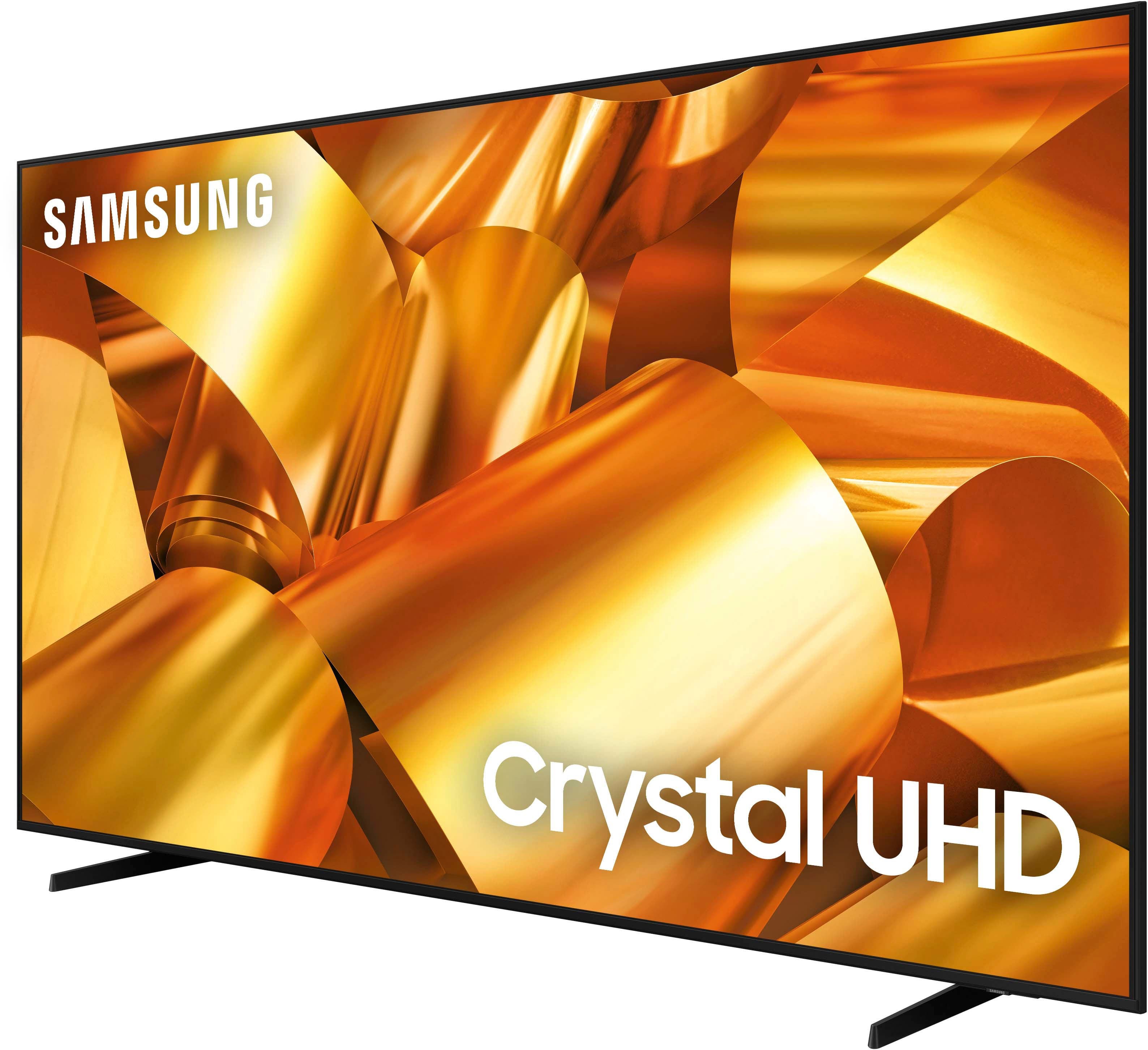
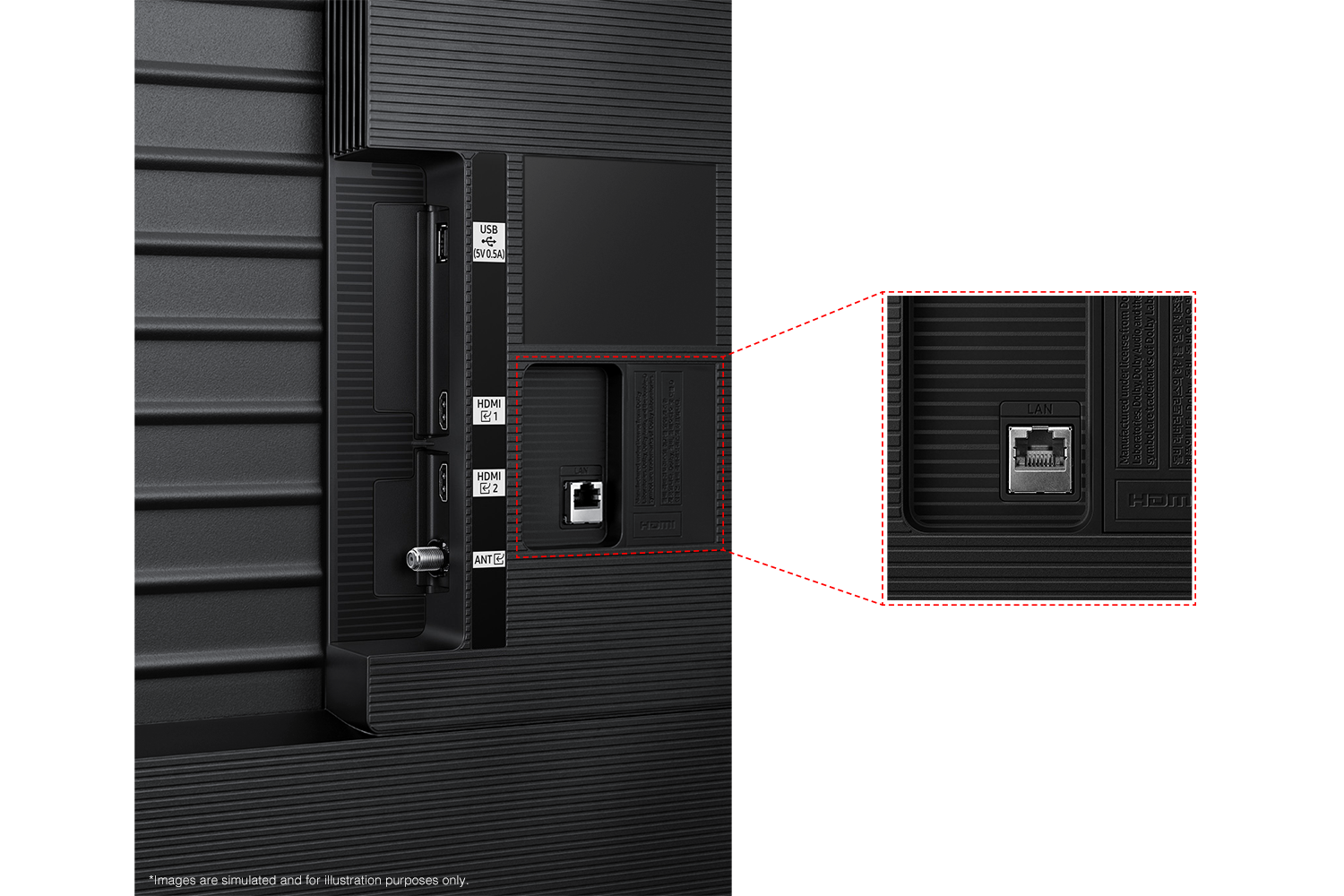
Customers are satisfied with the 75” Class DU6950 Series Crystal UHD 4K Smart Tizen TV (2024)'s exceptional picture quality, ease of setup, and its size. Many also appreciate the value for the price and the lightweight design, making it easy to install. However, some customers expressed concerns about the limited number of HDMI ports and the size of the remote control.

This summary was generated by AI based on customer reviews.

The vast majority of our reviews come from verified purchases. Reviews from customers may include My Best Buy members, employees, and Tech Insider Network members (as tagged). Select reviewers may receive discounted products, promotional considerations or entries into drawings for honest, helpful reviews.
Page 94 Showing 1,861-1,880 of 2,054 reviews
  • Rated 2 out of 5 stars

    Sound is awful

    |
    |
    Posted . Owned for 1 month when reviewed.
    This reviewer received promo considerations or sweepstakes entry for writing a review.

    Picture seems fine, sound is terrible and from what we have found out from Samsung is the sound is this way b/c there are no back speakers. There is no bass, the louder you make the volume the more pitchy it sounds. Very loud in treble. We've done the equalizing and sound test and it is awful. From reading other reviews sounds like we need a sound bar... which is ridiculous.

    No, I would not recommend this to a friend
    • Brand response from Samsung
      Posted .

      Ihateshoppinghere,

      Thank you for sharing your thoughts regarding the DU6950 TV’s sound quality. We recommend adjusting the Sound Settings to improve your experience. You can change the Sound Mode by going to Settings > All Settings> Sound > Sound Mode.

      You can also customize the sound with Expert Settings by going to Settings > All Settings> Sound > Expert Settings.

      To assist you with possible sound settings adjustments for a better audio experience or choosing a Samsung Soundbar to complement your viewing enjoyment, please reach out to us at 1-800-SAMSUNG, 8 AM - 12 AM EST, seven days a week. Or visit us on the Samsung website and click on the ‘Support’ link for: 1) LiveChat 2) Manuals, Software, & Warranty Info

      ~ Samsung Pro Samsung

  • Rated 2 out of 5 stars

    Not happy at all

    |
    |
    Posted . Owned for 3 weeks when reviewed.
    This reviewer received promo considerations or sweepstakes entry for writing a review.

    I purchased this from your clearance store. Was told it was a brand new tv that someone had ordered but never picked up. That's why it was discounted. The tv was not new. It actually had apps from the previous owner still on it! And, it freezes up and turn off within an hour every time it is turned on!

    No, I would not recommend this to a friend
    • Brand response from Samsung
      Posted .

      WilliamT,

      Please know you are leaving a review for the DU6950 TV, not the shopping experience provided by Best Buy. Please follow up directly with Best Buy for further assistance. We hope your issue is resolved in a timely manner. Should you have questions regarding Samsung TVs or would like assistance troubleshooting issues, please contact Samsung Support at 1-800-SAMSUNG, 8 AM – 12 AM EST, 7 days a week. Our LiveChat agents are also available by clicking on the ‘Support’ link on our website.

      ~Samsung Pro Samsung

  • Rated 2 out of 5 stars

    remote control is a joke

    |
    |
    Posted . Owned for 1 week when reviewed.
    This reviewer received promo considerations or sweepstakes entry for writing a review.

    the remote control is a joke, right? you really keep the real one hidden away? Samsung should be embarrassed to think their remote control is usable in any possible way. nice TV, but remote control is crap

    No, I would not recommend this to a friend
    • Brand response from Samsung
      Posted .

      BillTed,

      Samsung remotes are designed to be convenient and useful, but we understand if you’d prefer to use a third-party remote, whether it’s a universal remote, a game controller, or something else! Whether you are replacing a lost remote or using an alternative remote to help reduce clutter, a third-party remote is a great option to use to control your Samsung TV.

      If there’s anything we can ever help with, please call us at 1-800-SAMSUNG, 8AM - 12AM EST, 7 days a week. Or visit us on the Samsung website and click on the ‘Support’ link for:
      • LiveChat
      • Manuals, Software, & Warranty Info

      ~ Samsung Pro Samsung

  • Rated 1 out of 5 stars

    DON'T Buy From Best Buy

    |
    |
    Posted . Owned for 1 month when reviewed.
    This reviewer received promo considerations or sweepstakes entry for writing a review.

    Do not buy from Best Buy. Screen started to peel up in less than a month on the top right corner, exposing the backlight at the edge. Waited on hold for an hour just for them to tell me that because I bought it more than 15 days ago there was nothing they could do. I have had the TV less than 30 days when something went wrong Best Buy was no help. A $700 TV that we've had less than a month and we can't even use it now.

    No, I would not recommend this to a friend
    • Brand response from Samsung
      Posted .

      RileyJ,

      Samsung is committed to providing the best possible product experience, quality, and value. We back this Samsung TV with a 1-year limited manufacturer's warranty, including authorized repair for manufacturer defect, if purchased brand-new directly from an authorized seller. You can see the full details of your warranty here: https://www.samsung.com/us/support/service/warranty/UN43DU8000FXZA.

      Please give us the chance to make this right by contacting Samsung Customer Support at 1-800-SAMSUNG, 8 AM - 12 AM EST, seven days a week. Our LiveChat agents are also available by clicking on the ‘Support’ link on our website.

      ~Samsung Pro Samsung

  • Rated 3 out of 5 stars

    Samsung Electronics

    |
    |
    Posted . Owned for 1 month when reviewed.
    This reviewer received promo considerations or sweepstakes entry for writing a review.

    You have to adjust the sound to get it just right. The picture is good.

    I would recommend this to a friend
    • Brand response from Samsung
      Posted .

      JenniferD,

      Thank you for sharing your thoughts regarding the DU6950 TV’s sound quality. We recommend adjusting the Sound Settings to improve your experience. You can change the Sound Mode by going to Settings > All Settings> Sound > Sound Mode.

      You can also customize the sound with Expert Settings by going to Settings > All Settings> Sound > Expert Settings.

      To assist you with possible sound settings adjustments for a better audio experience or choosing a Samsung Soundbar to complement your viewing enjoyment, please reach out to us at 1-800-SAMSUNG, 8 AM - 12 AM EST, seven days a week. Or visit us on the Samsung website and click on the ‘Support’ link for:
      1) LiveChat
      2) Manuals, Software, & Warranty Info

      ~ Samsung Pro Samsung

  • Rated 2 out of 5 stars

    Don’t do it

    |
    |
    Posted . Owned for 3 weeks when reviewed.
    This reviewer received promo considerations or sweepstakes entry for writing a review.

    The audio quality of this tv is poor. It literally sounds like there is one small tweeter on the left side of the TV even when you turn the volume up. I purchased the tv not even a month ago and it’s cutting off randomly with no way of turning it back on manually or with the remote.

    No, I would not recommend this to a friend
    • Brand response from Samsung
      Posted .

      ShaunD,

      Thank you for sharing your thoughts regarding the DU6950 TV’s sound quality. We recommend adjusting the Sound Settings to improve your experience. You can change the Sound Mode by going to Settings > All Settings> Sound > Sound Mode.

      You can also customize the sound with Expert Settings by going to Settings > All Settings> Sound > Expert Settings.

      If your TV appears to turn off by itself, try disabling some of the TV's energy efficiency functions.

      See if Sleep Timer has been enabled. The Sleep Timer automatically turns the TV off after a specific period of time. Go to: Settings > All Settings> General > System Manager > Time > Sleep Timer

      If the Sleep Timer has not been enabled, see if Auto Power Off or Off Timer has been enabled and disable it.
      - Settings > All Settings> General > Power and Energy Saving > Auto Power Off
      - Settings > All Settings> General > System Manager > Time > Off Timer

      If you need further assistance, we would be happy to help! Please feel free to contact Samsung Support at 1-800-SAMSUNG, available from 8 AM to 12 AM EST, seven days a week. You can also chat with us on Samsung.com for immediate assistance.

      ~Samsung Pro Samsung

  • Rated 2 out of 5 stars

    Poor TV speakers

    |
    |
    Posted . Owned for 2 weeks when reviewed.
    This reviewer received promo considerations or sweepstakes entry for writing a review.

    The TV speakers are underwhelming to say the least. It’s a must to get a soundbar to compensate for the poor quality sound. However, I bought the TV at a steep discount. That more than made up for the lack of sound quality.

    No, I would not recommend this to a friend
    • Brand response from Samsung
      Posted .

      3Owls,

      Thank you for sharing your thoughts regarding the DU6950 TV’s sound quality. We recommend adjusting the Sound Settings to improve your experience. You can change the Sound Mode by going to Settings > All Settings> Sound > Sound Mode.

      You can also customize the sound with Expert Settings by going to Settings > All Settings> Sound > Expert Settings.

      To assist you with possible sound settings adjustments for a better audio experience or choosing a Samsung Soundbar to complement your viewing enjoyment, please reach out to us at 1-800-SAMSUNG, 8 AM - 12 AM EST, seven days a week. Our LiveChat agents are also available by clicking on the ‘Support’ link on our website.

      ~ Samsung Pro Samsung

  • Rated 3 out of 5 stars

    Samsung

    |
    |
    Posted . Owned for 3 weeks when reviewed.
    This reviewer received promo considerations or sweepstakes entry for writing a review.

    Not bad for price but I have a cheaper brand in garage that I paid half the price last year with better pic

    No, I would not recommend this to a friend
    • Brand response from Samsung
      Posted .

      HumbertoU,

      Thank you for sharing your thoughts on the picture quality of your DU6950 TV. I have a few recommendations that may improve your visual experience:

      Go to Home > Settings > All Settings > Picture > Picture Mode and select the mode that best fits your usage:

      1) Standard: Default mode suitable for general viewing environments.
      2) Natural: Reduces eye strain for a comfortable viewing experience.
      3) Movie: Most suitable for watching TV or movies in a dark room.
      4) Dynamic: Makes the picture brighter and clearer in bright viewing environments.

      You can also go to Settings > All Settings> Picture > Expert Settings > to manually fine-tune your image.

      If you need more help, Samsung is here for you. Call us at 1-800-SAMSUNG, 8 AM - 12 AM EST, seven days a week. Our LiveChat agents are also available by clicking on the ‘Support’ link on our website.

      ~ Samsung Pro Samsung

  • Cons mentioned:
    Remote control

    Rated 1 out of 5 stars

    Terrible sound quality

    |
    |
    Posted . Owned for 2 months when reviewed.
    This reviewer received promo considerations or sweepstakes entry for writing a review.

    The sound is better on my laptop than this TV. The remote lagged horribly whenever I tried to select anything. It seems to be a known issue, since when I reached out to Samsung, they didn't bother to try to fix it and just refunded me.

    No, I would not recommend this to a friend
    • Brand response from Samsung
      Posted .

      fherrera,

      Thank you for sharing your thoughts regarding the DU6950 TV’s sound quality. We recommend adjusting the Sound Settings to improve your experience. You can change the Sound Mode by going to Settings > All Settings> Sound > Sound Mode.

      You can also customize the sound with Expert Settings by going to Settings > All Settings> Sound > Expert Settings.

      For optimal performance, we ask that you please ensure you've got the latest firmware version installed on your TV. You can check this by going to Home > Menu > Settings > Support > Software Update.

      If you have not returned your unit, we are available and happy to assist you with troubleshooting or to set up a warranty appointment.

      You can reach Samsung Support at 1-800-SAMSUNG (ask for TVs), 8 AM – 12 AM EST, 7 days a week.

      ~Samsung Pro Samsung

  • Rated 1 out of 5 stars

    Save yorself the hassle and buy different!

    |
    |
    Posted . Owned for 2 months when reviewed.
    This reviewer received promo considerations or sweepstakes entry for writing a review.

    I sure wish i had spent more time looking at the 1 and 2 star reviews before i purchased this TV. My TV from the beginning shuts off, freezes, changes channels within 30 minutes of turning on every single time. Sometimes I've had to unplug it to get it back on correctly. I even bought the extra protection from the Geek Squad, but was told i needed to go through Samsung first to get it repaired. Now I'm in day 4 of a "Samsung" tech trying to fix it! SERIOUSLY, save yourself the trouble and buy a different TV. It's very obvious this is a SAMSUNG issue with this TV. There are multiple people reporting the very same problem!

    No, I would not recommend this to a friend
    • Brand response from Samsung
      Posted .

      BethJ,

      I am very sorry that you experienced issues with your DU6950 Crystal UHD TV and are currently waiting for it to be serviced. I understand your frustration and appreciate your patience. Should you have any issues with your TV after service is complete, please contact Samsung Customer Support. You can call us at 1-800-SAMSUNG, 8 AM - 12 AM EST, seven days a week. Our LiveChat agents are also available by clicking on the ‘Support’ link on our website.

      ~ Samsung Pro Samsung

  • Rated 3 out of 5 stars

    So so

    |
    |
    Posted . Owned for 2 months when reviewed.
    This reviewer received promo considerations or sweepstakes entry for writing a review.

    Turns off and restarts sometimes not often but when it does pretty annoying

    No, I would not recommend this to a friend
    • Brand response from Samsung
      Posted .

      IvanM,

      Thank you for purchasing the Samsung DU6950 TV. I’m sorry to hear you’re experiencing a power cycling issue where your TV turns on and off repeatedly.

      Please try a few troubleshooting steps that may help solve the issue:

      1) Check the power cable for damage and proper connection.

      2) If the cable is bent, broken, kinked, pinched, pressed excessively (possibly by a heavy object on top of it), or damaged, this is likely the cause of the issue. Replace the cable.

      3) Unplug the TV from the wall outlet for 30 seconds, then plug it back in.

      4) If the power cycling allows enough time between powering on and off, try updating the TV to the latest firmware. There is a risk, however. If the TV turns off during the software update, it could damage the TV. Updates can take up to 30 minutes, depending on network speed, so if the TV is not turning off too frequently, try updating the software.

      If the issue persists after these steps, then the TV will likely need service. Please contact us so that we can better investigate your issue and assist you with a solution or replacement. You can call us at 1-800-SAMSUNG, 8 AM - 12 AM EST, seven days a week. Our LiveChat agents are also available by clicking on the ‘Support’ link on our website.

      ~ Samsung Pro Samsung

  • Rated 1 out of 5 stars

    I received the worst customer service online

    |
    |
    Posted . Owned for 3 weeks when reviewed.
    This reviewer received promo considerations or sweepstakes entry for writing a review.

    The shipping team installed the legs on the TV to take a photo before leaving, I needed to remove the legs so I could install it on my wall as I needed, and when I sought help from customer service, they only told me the steps to install it on the wall or charge me like 300 dollars for someone to remove the legs from the TV, I ask you to pass me on to someone else so I can solve the problem that your equipment caused me and I He said that his supervisor would tell me the same thing, but that was not the case. He passed me on to his supervisor and I was waiting for more than 2 hours without any response until today!!!

    I would recommend this to a friend
    • Brand response from Samsung
      Posted .

      ArielB,

      Please know you are leaving a review for the DU6900 TV, not the service provided by Best Buy. Please follow up directly with Best Buy for further assistance. We hope your issue is resolved in a timely manner. Should you have questions regarding Samsung TVs, please contact Samsung Support at 1-800-SAMSUNG, 8 AM – 12 AM EST, 7 days a week. Our LiveChat agents are also available by clicking on the ‘Support’ link on our website.

      ~Samsung Pro Samsung

  • Rated 1 out of 5 stars

    Great picture but terrible construction

    |
    |
    Posted .
    This reviewer received promo considerations or sweepstakes entry for writing a review.

    Had it mounted to brackets. It was a great picture until the front glass fell out in 6 weeks time and was hanging from the electronic tabs on the bottom. Looks like the seal weakened. Took it down so know one would get hurt and returned it to Best Buy. They told me I had the protection plan and that I should put it back and call Geek Squad to the house to evaluate. You can’t be serious. I walked out of the store. Last time I am buying from Best Buy

    No, I would not recommend this to a friend
    • Brand response from Samsung
      Posted .

      PhilipV,

      I’m sorry to hear about the issues you’ve experienced with Samsung’s DU6950 TV. Your feedback is important to us and will be shared with our product teams.

      Samsung is committed to providing the best possible product experience, quality, and value. We back this Samsung TV with a 1-year limited manufacturer's warranty, including authorized repair for manufacturer defect, if purchased brand-new directly from an authorized seller. You can see the full details of your warranty on Samsung's website. Go to Support (upper right corner) and select Warranty information. This will allow you to search for your product and view the full details of the included warranty.

      Please give us the chance to make this right by contacting Samsung Customer Support at 1-800-SAMSUNG, 8 AM - 12 AM EST, seven days a week. Our LiveChat agents are also available by clicking on the ‘Support’ link on our website.

      ~Samsung Pro Samsung

  • Best Buy Employee

    Rated 1 out of 5 stars

    Screen continuously comes off

    |
    Best Buy Employee
    Posted .
    This reviewer received promo considerations or sweepstakes entry for writing a review.

    Want to love this tv, however since receiving the screen consistently comes off where we can see the lights from behind the panel on the full left side and half of the top. Seemed poorly made, but is still useable.

    No, I would not recommend this to a friend
    • Brand response from Samsung
      Posted .

      AlisaM,

      We appreciate you taking the time to let us know about your experience with your TV. So that we can better troubleshoot this issue and provide steps towards a solution, please contact Samsung Support at 1-800-SAMSUNG, 8AM - 12AM EST, 7 days a week. Or visit us on the Samsung website and click on the ‘Support’ link for:
      •  LiveChat
      •  Manuals, Software, & Warranty Info

      ~ Samsung Pro Samsung

  • Rated 1 out of 5 stars

    Disappointed

    |
    |
    Posted .
    This reviewer received promo considerations or sweepstakes entry for writing a review.

    I was excited to buy this, but the tv has turned out to be a piece of junk. The “functions” won’t stay active. You can be streaming Netflix or Prime, the tv will freeze and you will end up back on the tv Home Screen. You’ll have to reopen the streaming service to continue watching, it’s the same with a console. The screen will freeze and kick you back to the Home Screen, you’ll have to immediately pause your game so you don’t die while your TV resets. It’s is beyond annoying.

    No, I would not recommend this to a friend
    • Brand response from Samsung
      Posted .

      JeramieD,

      We appreciate your feedback, and for optimal performance, we ask that you please ensure you've got the latest firmware version installed on your DU6950 TV. You can check this by going to Home > Menu > Settings > Support > Software Update.

      You may also want to further optimize performance with the self-diagnostic tool, which checks memory, frees up unused cached memory, and closes background apps. Go to: Home > Menu > Settings > Support > Device Care > Start Device Care.

      If you need further assistance, we would be happy to help! Please feel free to contact Samsung Support at 1-800-SAMSUNG, available from 8 AM to 12 AM EST, seven days a week. You can also chat with us on Samsung.com for immediate assistance.

      ~Samsung Pro Samsung

  • Rated 3 out of 5 stars

    Tv

    |
    |
    Posted . Owned for 1 month when reviewed.
    This reviewer received promo considerations or sweepstakes entry for writing a review.

    Seems to be very slow loading, not the best picture

    No, I would not recommend this to a friend
    • Brand response from Samsung
      Posted .

      LloydB,

      For optimal performance, we ask that you please ensure you've got the latest firmware version installed on your DU6950 TV. You can check this by going to Home > Menu > Settings > Support > Software Update.

      You may also want to further optimize performance with the self-diagnostic tool, which checks memory, frees up unused cached memory, and closes background apps. Go to: Home > Menu > Settings > Support > Device Care > Start Device Care

      I also have a few recommendations that may improve your visual experience:

      Go to Home > Settings > All Settings > Picture > Picture Mode and select the mode that best fits your usage:

      1) Standard: Default mode suitable for general viewing environments.
      2) Natural: Reduces eye strain for a comfortable viewing experience.
      3) Movie: Most suitable for watching TV or movies in a dark room.
      4) Dynamic: Makes the picture brighter and clearer in bright viewing environments.
      5) Filmmaker Mode: You can watch the source content (e.g., movie) as it is. If the image is defined as Filmmaker Mode, it will automatically switch to Filmmaker Mode while watching.

      You can also go to Settings > All Settings> Picture > Expert Settings > to manually fine-tune your image.

      If you need more help, Samsung is here for you. Call us at 1-800-SAMSUNG, 8 AM - 12 AM EST, seven days a week. Our LiveChat agents are also available by clicking on the ‘Support’ link on our website.

      ~ Samsung Pro Samsung

  • Rated 2 out of 5 stars

    Samsung TV 75 in

    |
    |
    Posted . Owned for 1 week when reviewed.
    This reviewer received promo considerations or sweepstakes entry for writing a review.

    Sound quakity is bad and ao is the picture quality. While wqtxh Netflix TV paused and restared several times - this nevee was an issue with my 65 in Samsung. Im thinking of retuning it but obviously disconnecting and removing TV from eallnis goinf to be a pain.

    No, I would not recommend this to a friend
    • Brand response from Samsung
      Posted .

      Melissa,

      If you have not returned your unit, we are available and happy to assist you with troubleshooting.

      We recommend adjusting the Sound Settings to improve your experience. You can change the Sound Mode by going to Settings > All Settings> Sound > Sound Mode.

      You can also customize the sound with Expert Settings by going to Settings > All Settings> Sound > Expert Settings.

      Please try adjusting the below image settings to improve your picture.

      Go to Home > Settings > All Settings > Picture > Picture Mode and select the mode that best fits your usage:

      1) Standard: Default mode suitable for general viewing environments.
      2) Natural: Reduces eye strain for a comfortable viewing experience.
      3) Movie: Most suitable for watching TV or movies in a dark room.
      4) Dynamic: Makes the picture brighter and clearer in bright viewing environments.

      You can also go to Settings > All Settings> Picture > Expert Settings > to manually fine-tune your image.

      If you need more help, Samsung is here for you. Call us at 1-800-SAMSUNG, 8 AM - 12 AM EST, seven days a week. Our LiveChat agents are also available by clicking on the ‘Support’ link on our website.

      ~ Samsung Pro Samsung

  • Rated 2 out of 5 stars

    Issues

    |
    |
    Posted . Owned for 2 months when reviewed.
    This reviewer received promo considerations or sweepstakes entry for writing a review.

    I bought this TV and recived the 43” version free. The issue I’m having is i can be watching something, then the picture freezes, then the tv restarts. It does this ALL THE TIME!! My 43” works fine. This 75” is trash!!

    No, I would not recommend this to a friend
    • Brand response from Samsung
      Posted .

      Park,

      Thank you for letting us know about the issues you are having with your DU6950 TV freezing and restarting. For optimal performance, we ask that you please ensure you've got the latest firmware version installed on your TV. You can check this by going to Home > Menu > Settings > Support > Software Update.

      You may also want to further optimize performance with the self-diagnostic tool, which checks memory, frees up unused cached memory, and closes background apps. Go to: Home > Menu > Settings > Support > Device Care > Start Device Care.

      If you are still experiencing issues, please give Samsung Customer Support a call at 1-800-SAMSUNG, 8 AM - 12 AM EST, seven days a week. Our LiveChat agents are also available by clicking on the ‘Support’ link on our website.

      ~Samsung Pro Samsung

  • Rated 3 out of 5 stars

    Samsung 75

    |
    |
    Posted .
    This reviewer received promo considerations or sweepstakes entry for writing a review.

    Picture could be better. Also the sticker left lines up the screen.

    No, I would not recommend this to a friend
    • Brand response from Samsung
      Posted .

      user726315,

      We appreciate your thoughts on the picture quality of Samsung’s DU6950 TV. If the image you’re seeing isn’t to your liking, there are several picture settings you may want to adjust.

      Go to Home > left direction button > Settings > All Settings > Picture > Picture Mode
      ...and select the mode that best fits your usage:
      1. Standard: Is the default mode suitable for general viewing environments
      2. Dynamic: Makes the picture brighter and clearer in bright viewing environments
      3. Eco: Provided to save energy
      4. Movie: Suitable for watching TV or movies in a dark room
      5. Filmmaker Mode: Provides source content just as the creators intended. If the image is defined as Filmmaker Mode, it’ll automatically switch to Filmmaker Mode while watching.

      You can also fine-tune your picture with expert settings such as brightness, contrast, sharpness and more (All Settings > Picture > Expert Settings).

      For further assistance with settings adjustments, please contact Samsung Customer Support at 1-800-SAMSUNG, 8AM - 12AM EST, 7 days a week. Or visit us on the Samsung website and click on the ‘Support’ link for:
      • LiveChat
      • Manuals, Software, & Warranty Info

      ~ Samsung Specialist Samsung

  • Rated 1 out of 5 stars

    Disappointed with TV and Return Policy

    |
    |
    Posted . Owned for 1 month when reviewed.
    This reviewer received promo considerations or sweepstakes entry for writing a review.

    I purchased the Samsung 75” Class DU6950 Series Crystal UHD 4K Smart Tizen TV (2024) with high expectations, but I am extremely disappointed. The TV shuts off every 30-45 minutes while we’re watching, completely ruining the experience. This issue started from the very beginning, so it’s clearly a defect. When I tried to return the TV, I was told it must be in the original packaging. Who keeps bulky packaging for a 75-inch TV after setting it up? This is an unreasonable policy for a defective product. A company as big as Best Buy should stand behind the products they sell, especially when customers receive defective units. I regret this purchase and the hassle it’s caused. I expected better from both Samsung and Best Buy. I won’t be buying from here again unless they improve their policies and customer service.

    No, I would not recommend this to a friend
    • Brand response from Samsung
      Posted .

      Peterson,

      Thank you for letting us know about the issues you are having with your DU6950 TV turning off. For optimal performance, we ask that you please ensure you've got the latest firmware version installed on your DU6950 TV. You can check this by going to Home > Menu > Settings > Support > Software Update.

      You may also want to further optimize performance with the self-diagnostic tool, which checks memory, frees up unused cached memory, and closes background apps. Go to: Home > Menu > Settings > Support > Device Care > Start Device Care

      You may also want to disable some of the TV's energy efficiency functions.

      See if Sleep Timer has been enabled. The Sleep Timer automatically turns the TV off after a specific period of time. Go to: Settings > All Settings> General > System Manager > Time > Sleep Timer

      If the Sleep Timer has not been enabled, see if Auto Power Off or Off Timer has been enabled and disable it.
      - Settings > All Settings> General > Power and Energy Saving > Auto Power Off
      - Settings > All Settings> General > System Manager > Time > Off Timer

      If the TV continues to turn off by itself continuously, please get in touch with Samsung Customer Support at 1-800-SAMSUNG, 8 AM - 12 AM EST, seven days a week. Our LiveChat agents are also available by clicking on the ‘Support’ link on our website.

      ~ Samsung Pro Samsung