Customer Ratings & Reviews





- Model:
- UN75DU6950FXZA
- SKU:
- 6594898
Rating by feature
- Picture Quality
Rating 4.6 out of 5 stars
- Sound Quality
Rating 4.0 out of 5 stars
- Brightness
Rating 4.6 out of 5 stars
to a friend
Customers are saying
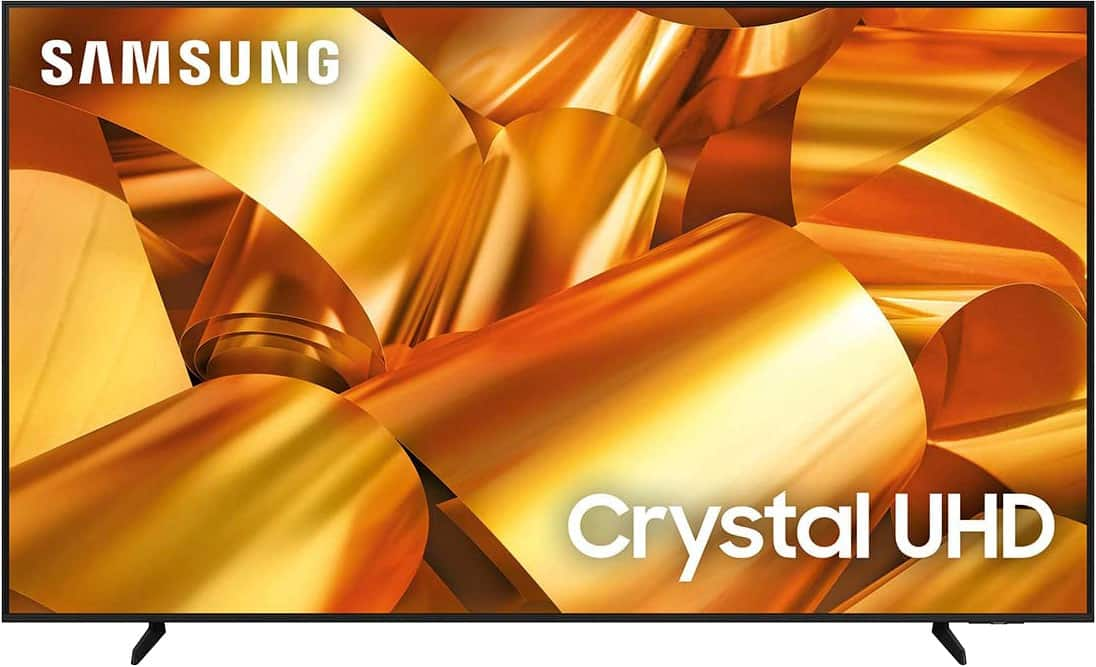
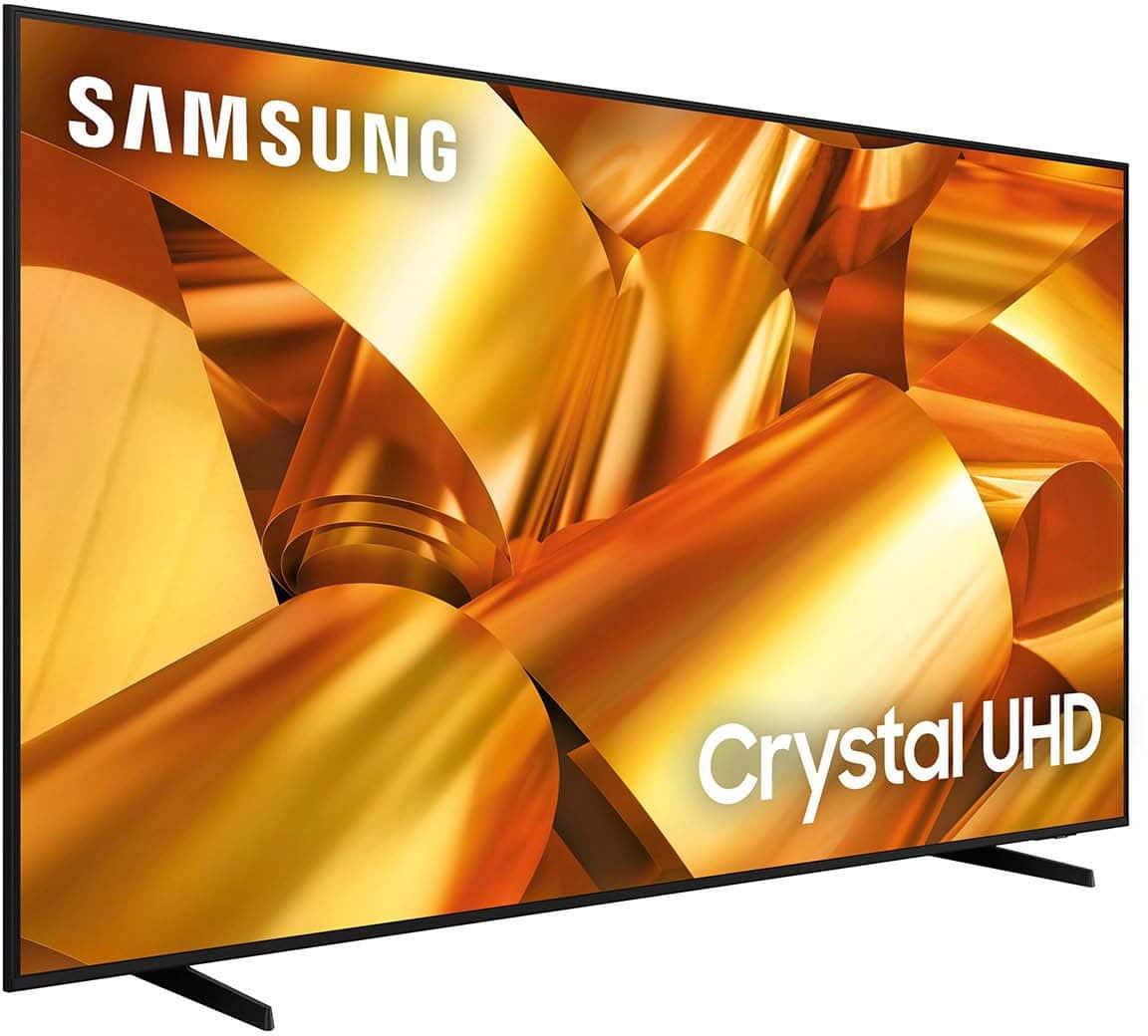
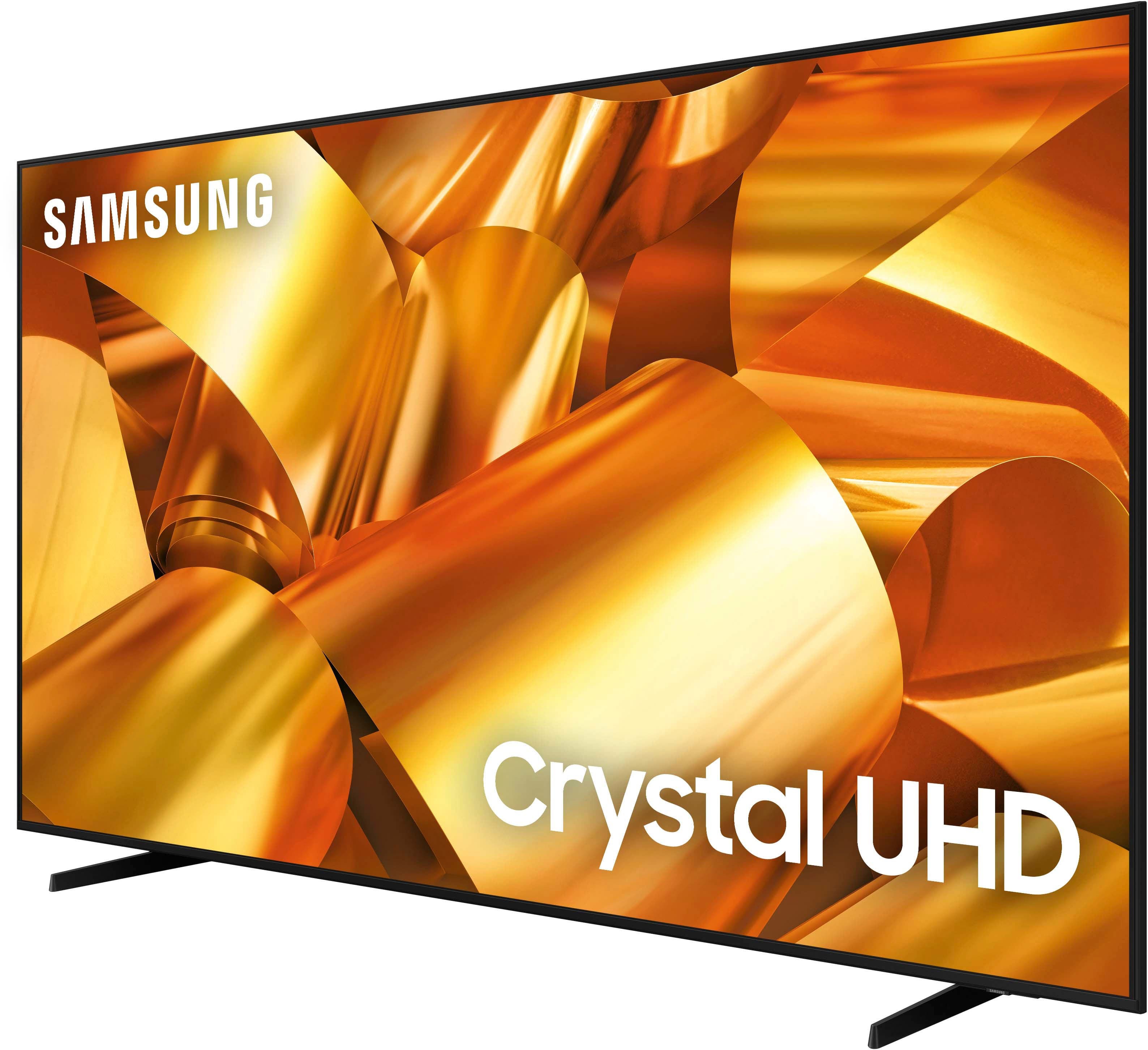
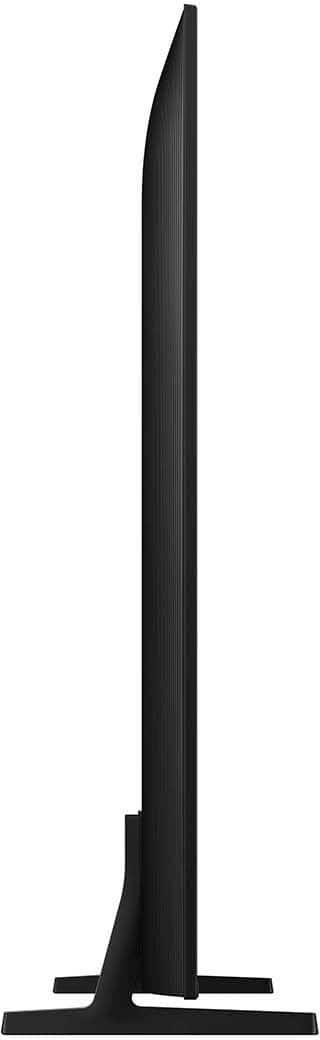
Customers have good things to say about the 75” Class DU6950 Series Crystal UHD 4K Smart Tizen TV (2024), particularly praising its picture quality, ease of use, and ideal size. The TV's color and overall quality are also appreciated, along with its manageable weight. However, some customers have expressed concerns about the number of ports and the remote control.
This summary was generated by AI based on customer reviews.
Poor Picture Quality!
||Posted . Owned for 7 months when reviewed.This reviewer received promo considerations or sweepstakes entry for writing a review.The TV was returned because I didn't like the picture quality. For a Samsung brand, it leaves a lot to be desired. It looks very dark and isn't exactly one of the cheapest TVs. The price-performance ratio isn't adequate for this TV, so I don't recommend it.
No, I would not recommend this to a friendBrand response from Samsung
Posted .NINIESKAC,
We appreciate you sharing your experience with the DU6950 TV. Your feedback regarding image quality is essential to us and will be shared with our internal teams. Should you ever decide to give Samsung TVs another try and have questions or need help with settings, setup, or features, we would be happy to help. Call us at 1-800-SAMSUNG, 8 AM – 12 AM EST, seven days a week. LiveChat with an agent, as well as manuals, software, and warranty info, can be found at the ‘Support’ link on our Samsung website.
We hope to regain you as a customer in the future.
~ Samsung Pro
Great Visuals, Sound Quality Questionable
||Posted . Owned for 1 week when reviewed.This reviewer received promo considerations or sweepstakes entry for writing a review.Visually it was a great tv. The sound quality was not great. I decided to return it.
No, I would not recommend this to a friendBrand response from Samsung
Posted .DemetriusM,
Thank you for taking the time to provide feedback on your DU6950 TV. Please know that your feedback will be shared with our internal product teams. We take pride in our products and are sorry to hear that your experience was not up to our high standards.
Should you ever decide to give Samsung TVs another try and have questions or need help with settings, setup, or features, we would be happy to help. Call us at 1-800-SAMSUNG, 8 AM – 12 AM EST, seven days a week. LiveChat with an agent, as well as manuals, software, and warranty info, can be found at the ‘Support’ link on our Samsung website.
We hope to regain you as a customer in the future.
~ Samsung Pro
so so
||Posted . Owned for 1 month when reviewed.This reviewer received promo considerations or sweepstakes entry for writing a review.Sound quality is not good.....but you get what you pay for. Bought a sound bar to compensate but it didn't have a optical output.
No, I would not recommend this to a friendBrand response from Samsung
Posted .CarlC,
Thank you for choosing the Samsung DU6950 TV and for taking the time to provide us with detailed feedback on your experience. Your opinion is important to us and will be shared with our internal product teams.
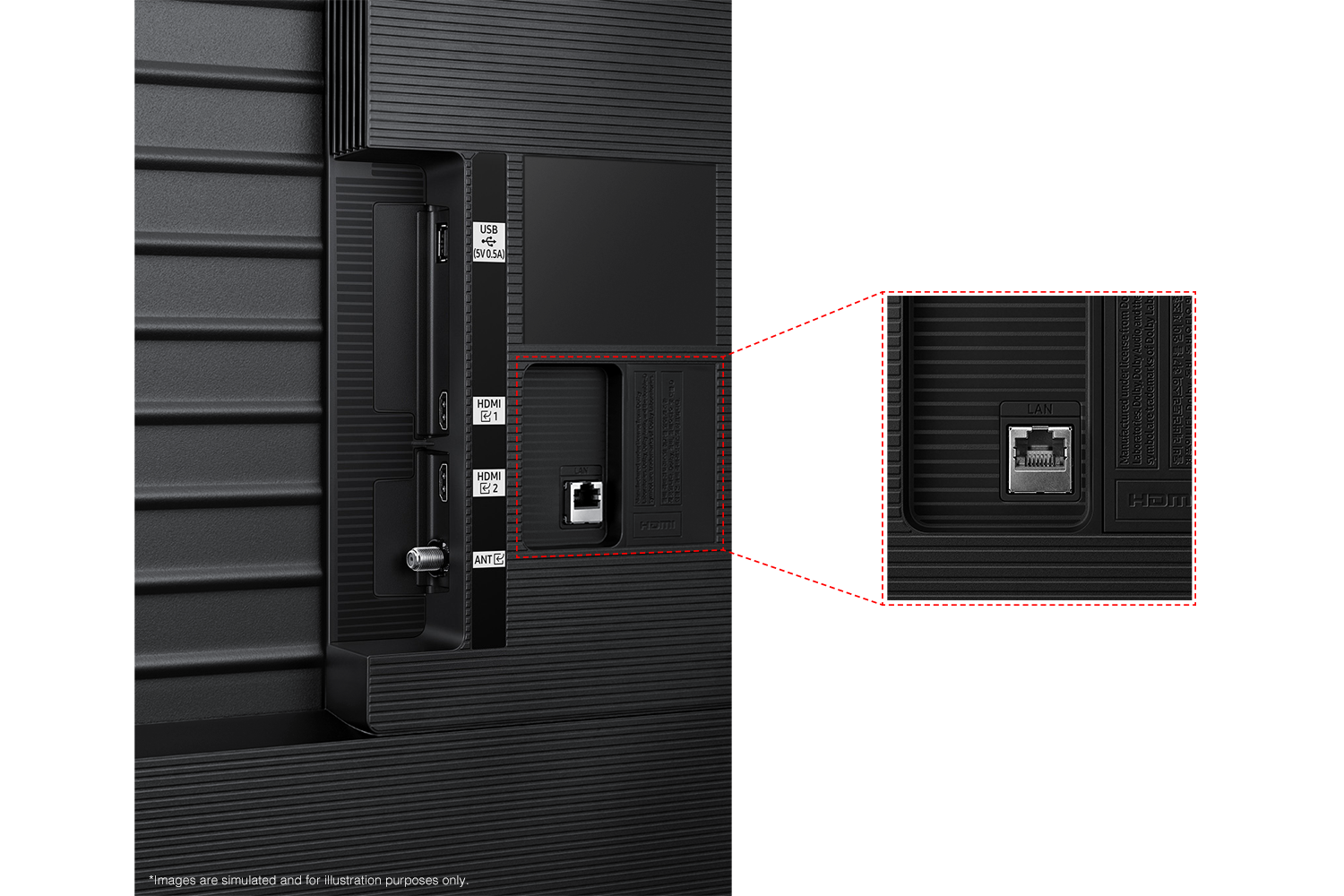
The DU6950 TV offers 2 HDMI ports and is Bluetooth and Wi-Fi capable, allowing a seamless connection across multiple devices at a time. If your external device requires an Optical port, we recommend utilizing an HDMI to Optical Converter. These can be found at your local electronics store. Please also keep in mind that an Optical port can be found on our DU8000F Series and above.
If you need further assistance, we would be happy to help! Please feel free to contact Samsung Support at 1-800-SAMSUNG, available from 8 AM to 12 AM EST, seven days a week. You can also chat with us on Samsung.com for immediate assistance.
~Samsung Pro
Great display, terrible audio
||Posted . Owned for 1 week when reviewed.This reviewer received promo considerations or sweepstakes entry for writing a review.Fantastic TV with fantastic display, however the sound quality is alarmingly horrible. I can't believe how bad the sound quality is.
I would recommend this to a friendBrand response from Samsung
Posted .JillianE,
Thank you for sharing your thoughts regarding the DU6950 TV’s sound quality. We recommend adjusting the Sound Settings to improve your experience. You can change the Sound Mode by going to Settings > All Settings> Sound > Sound Mode.
You can also customize the sound with Expert Settings by going to Settings > All Settings> Sound > Expert Settings.
To assist you with possible sound settings adjustments for a better audio experience or choosing a Samsung Soundbar to complement your viewing enjoyment, please reach out to us at 1-800-SAMSUNG, 8 AM - 12 AM EST, seven days a week. Or visit us on the Samsung website and click on the ‘Support’ link for:
1) LiveChat
2) Manuals, Software, & Warranty Info
~ Samsung Pro
Easy to set up
||Posted . Owned for 2 months when reviewed.This reviewer received promo considerations or sweepstakes entry for writing a review.The price is good but the sound is terrible. The image quality is also terrible
No, I would not recommend this to a friendBrand response from Samsung
Posted .altino,
We appreciate you sharing your experience with the DU6950 TV. Your feedback regarding image and sound quality is essential to us and will be shared with our internal teams. Please try adjusting the below image settings to improve your picture.
Go to Home > Settings > All Settings > Picture > Picture Mode and select the mode that best fits your usage:
1) Standard: Default mode suitable for general viewing environments.
2) Natural: Reduces eye strain for a comfortable viewing experience.
3) Movie: Most suitable for watching TV or movies in a dark room.
4) Dynamic: Makes the picture brighter and clearer in bright viewing environments.
You can also go to Settings > All Settings> Picture > Expert Settings > to manually fine-tune your image.
For sound adjustments, go to Settings> All Settings> Sound.
If you need more help, Samsung is here for you. Call us at 1-800-SAMSUNG, 8 AM - 12 AM EST, seven days a week. Our LiveChat agents are also available by clicking on the ‘Support’ link on our website.
~ Samsung Pro
Beautiful picture, terrible sound.
||Posted . Owned for 3 weeks when reviewed.This reviewer received promo considerations or sweepstakes entry for writing a review.Beautiful picture but the sound quality is horrible.
No, I would not recommend this to a friendBrand response from Samsung
Posted .JonD,
Thank you for sharing your thoughts regarding the DU6950 TV’s sound quality. We recommend adjusting the Sound Settings to improve your experience. You can change the Sound Mode by going to Settings > All Settings> Sound > Sound Mode.
You can also customize the sound with Expert Settings by going to Settings > All Settings> Sound > Expert Settings.
To assist you with possible sound settings adjustments for a better audio experience or choosing a Samsung Soundbar to complement your viewing enjoyment, please reach out to us at 1-800-SAMSUNG, 8 AM - 12 AM EST, seven days a week. Our LiveChat agents are also available by clicking on the ‘Support’ link on our website.
~ Samsung Pro
Something wrong with his wifi receiver.
||Posted . Owned for 3 weeks when reviewed.This reviewer received promo considerations or sweepstakes entry for writing a review.Tv keeps disconecting constantly from our wifi and have to unplug it to make keep working But keeps disconnecting often per day.
No, I would not recommend this to a friendBrand response from Samsung
Posted .Supermario,
We appreciate your feedback on the Samsung DU6900 TV. I'm sorry to hear you are experiencing issues with your Wi-Fi disconnecting from the TV.
First, let's ensure you are running the latest Firmware. Go to Settings> Support> Software Update. I recommend enabling auto-updates to ensure you do not miss any Firmware Updates. Go to Settings> Support> Software Update> then select Auto Update.
Next, let's try running a cold boot on your TV. To do so, hold down the Power button on the Samsung TV remote until the TV turns off and then on again. This should take about 5 seconds.
I hope these tips help resolve your concerns. If we can help with anything else, please call us at 1-800-SAMSUNG, 8 AM - 12 AM EST, seven days a week. LiveChat with an agent, as well as manuals, software, and warranty info, can be found at the ‘Support’ link on our Samsung website.
~ Samsung Pro
Decent TV for the price.
||Posted . Owned for 3 weeks when reviewed.This reviewer received promo considerations or sweepstakes entry for writing a review.Picture is much too dark for my liking. Sound quality is awful. A sound bar or some external speakers are a must to buy with this tv.
No, I would not recommend this to a friendBrand response from Samsung
Posted .Billie,
We appreciate you sharing your experience with the DU6950 TV. Your feedback regarding image and sound quality is essential to us and will be shared with our internal teams. If the image you’re seeing isn’t to your liking, there are several picture settings you may want to adjust.
Go to Home > left direction button > Settings > All Settings > Picture > Picture Mode and select the mode that best fits your usage:
1. Standard: Is the default mode suitable for general viewing environments
2. Dynamic: Makes the picture brighter and clearer in bright viewing environments
3. Eco: Provided to save energy
4. Movie: Suitable for watching TV or movies in a dark room
You can also fine-tune your picture with expert settings such as brightness, contrast, sharpness and more (All Settings > Picture > Expert Settings).
To adjust the sound on your TV, go to Settings > All Settings> Sound > Sound Mode or customize the sound with Expert Settings by going to Settings > All Settings> Sound > Expert Settings.
For further assistance with settings adjustments, please contact Samsung Customer Support. You can call us at 1-800-SAMSUNG, 8 AM - 12 AM EST, seven days a week. Our LiveChat agents are also available by clicking on the ‘Support’ link on our website.
~ Samsung Pro
Not the best
||Posted . Owned for 2 months when reviewed.This reviewer received promo considerations or sweepstakes entry for writing a review.The TV crackles when you turn it on and move to different screens. Not the best Samsung I’ve bought before.
No, I would not recommend this to a friendBrand response from Samsung
Posted .Candice,
If you are hearing a loud static noise, it could be caused by electrical feedback. I recommend the following:
1. Arranging the cables and making sure the TV has good ventilation will keep it quiet.
2. Check the cables. Make sure all cables are connected firmly to the proper, color-coded inputs on the TV and on the external devices.
3. Replace the audio connection cable.
Replace the audio connection cable, even if it is an HDMI or RF coaxial cable. Then test again to see if the issue still occurs.
4. Try connecting a different external device to the same input on the TV.
Connect a different device to the same input on the TV using the same connection cables.
For example, if a cable box is connected using the component connections, try connecting a DVD player to the same input with the same cables.
If there is no buzzing, crackling, or humming with the second external device connected, the original device (the cable box in this example) is the source of the noise.
If you need further assistance, we would be happy to help! Please feel free to contact Samsung Support at 1-800-SAMSUNG, available from 8 AM to 12 AM EST, seven days a week. You can also chat with us on Samsung.com for immediate assistance.
~Samsung Pro
Samsung review
||Posted . Owned for 2 months when reviewed.This reviewer received promo considerations or sweepstakes entry for writing a review.Speackers suck controler is wack tv its self is nice tho. With sound bar.
I would recommend this to a friendBrand response from Samsung
Posted .Sammyr21,
Thank you for taking the time to provide feedback on your DU6900 TV. Please know that your feedback will be shared with our internal product teams. We take pride in our products and are sorry to hear that your experience was not up to our high standards.
We recommend adjusting the Sound Settings to improve your experience. You can change the Sound Mode by going to Settings > All Settings> Sound > Sound Mode.
You can also customize the sound with Expert Settings by going to Settings > All Settings> Sound > Expert Settings.
If you need further assistance, we would be happy to help! Please feel free to contact Samsung Support at 1-800-SAMSUNG, available from 8 AM to 12 AM EST, seven days a week. You can also chat with us on Samsung.com for immediate assistance.
~Samsung Pro
Hugeeee TV worth it
||Posted . Owned for 1 month when reviewed.This reviewer received promo considerations or sweepstakes entry for writing a review.A great purchase! It’s huge, great quality! Sturdy and durable. 100% recommend!
I would recommend this to a friendBrand response from Samsung
Posted .Jhen,
Thank you for purchasing the Samsung DU6950 Crystal UHD TV. I am happy that you are enjoying your new TV with features such as Mega Contrast HDR, allowing incredible details to be revealed, drawing your eyes to the most important parts of whatever you’re watching.
You can contact Samsung Customer Support with any questions or concerns with usage, features, or how to best optimize your settings. Call us at 1-800-SAMSUNG, 8 AM - 12 AM EST, seven days a week. Our LiveChat agents are also available by clicking on the ‘Support’ link on our website.
~ Samsung Pro
No Optical Port!
||Posted . Owned for 2 weeks when reviewed.This reviewer received promo considerations or sweepstakes entry for writing a review.The first TV arrived smashed. Bestbuy included a soundbar but the tv has no optical port so the soundbar won’t work.
No, I would not recommend this to a friendBrand response from Samsung
Posted .RobertC,
Thank you for choosing the Samsung DU6950 TV and for taking the time to provide us with detailed feedback on your experience. Your opinion is important to us and will be shared with our internal product teams.
The DU6950 TV offers 2 HDMI ports and is Bluetooth and Wi-Fi capable, allowing a seamless connection across multiple devices at a time. If your external device requires an Optical port, we recommend utilizing an HDMI to Optical Converter. These can be found at your local electronics store. Please also keep in mind that an Optical port can be found on our DU8000F Series and above.
If you have any questions or would like any support with your audio experience or choosing a Samsung Soundbar to complement your viewing enjoyment, please reach out to us at 1-800-SAMSUNG, 8 AM - 12 AM EST, seven days a week. Our LiveChat agents are also available by clicking on the ‘Support’ link on our website.
~ Samsung Pro
Get your money worth
||Posted . Owned for 1 month when reviewed.This reviewer received promo considerations or sweepstakes entry for writing a review.The picture of the television is fine but the sound is horrible!
No, I would not recommend this to a friendBrand response from Samsung
Posted .KarenM,
Thank you for sharing your thoughts regarding the DU6950 TV’s sound quality. We recommend adjusting the Sound Settings to improve your experience. You can change the Sound Mode by going to Settings > All Settings> Sound > Sound Mode.
You can also customize the sound with Expert Settings by going to Settings > All Settings> Sound > Expert Settings.
To assist you with possible sound settings adjustments for a better audio experience or choosing a Samsung Soundbar to complement your viewing enjoyment, please reach out to us at 1-800-SAMSUNG, 8 AM - 12 AM EST, seven days a week. Our LiveChat agents are also available by clicking on the ‘Support’ link on our website.
~ Samsung Pro
Sound is awful.
||Posted . Owned for 1 month when reviewed.This reviewer received promo considerations or sweepstakes entry for writing a review.Picture is descent. Sound is terrible. Any money you save on this, you might as well put towards a sound bar.
I would recommend this to a friendBrand response from Samsung
Posted .NathanE,
Thank you for sharing your thoughts regarding the DU6950 TV’s sound quality. We recommend adjusting the Sound Settings to improve your experience. You can change the Sound Mode by going to Settings > All Settings> Sound > Sound Mode.
You can also customize the sound with Expert Settings by going to Settings > All Settings> Sound > Expert Settings.
To assist you with possible sound settings adjustments for a better audio experience or choosing a Samsung Soundbar to complement your viewing enjoyment, please reach out to us at 1-800-SAMSUNG, 8 AM - 12 AM EST, seven days a week. Or visit us on the Samsung website and click on the ‘Support’ link for:
1) LiveChat
2) Manuals, Software, & Warranty Info
~ Samsung Pro
So big should inform
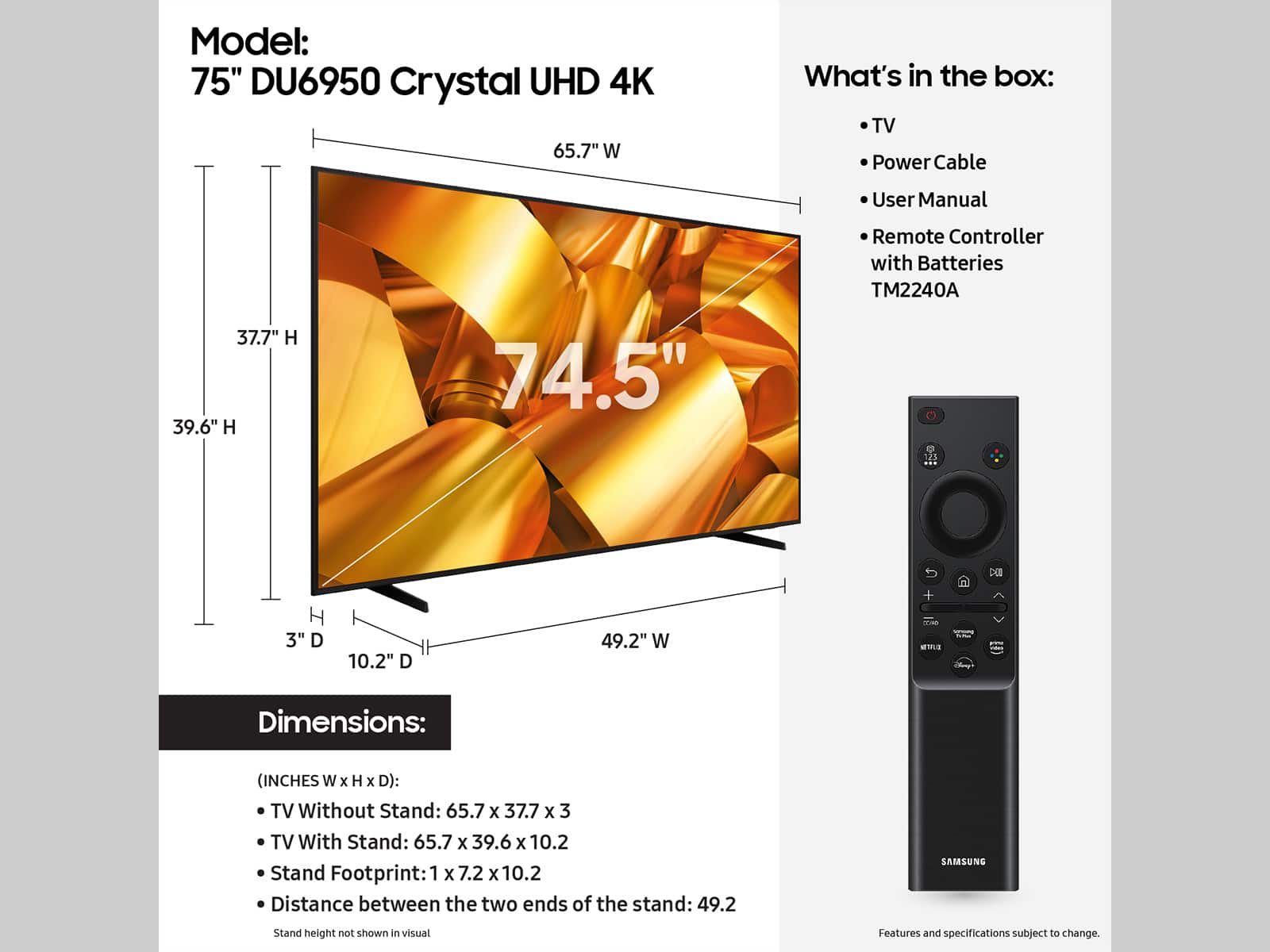
||Posted . Owned for 3 weeks when reviewed.This reviewer received promo considerations or sweepstakes entry for writing a review.Returned due tontoo large to fit in car!!! The car was a Cadillac SUV This was very sad for the intended reciever.
I would recommend this to a friendBrand response from Samsung
Posted .JamiR,
Should you ever decide to give Samsung TVs another try and have questions or need help with settings, setup, or features, we would be happy to help. Call us at 1-800-SAMSUNG, 8 AM – 12 AM EST, seven days a week. LiveChat with an agent, as well as manuals, software, and warranty info, can be found at the ‘Support’ link on our Samsung website.
We hope to regain you as a customer in the future.
~ Samsung Pro
Worse decision ever!!
||Posted . Owned for 2 months when reviewed.This reviewer received promo considerations or sweepstakes entry for writing a review.I purchased this item shortly before the Black Friday sale, only for the tv (that I rarely turn on) to not work two months later!! Samsung is giving me a complete run around in regards to a refund or replacement. However, they are trying to repair under warranty. The repair company came out on today with a part that they “assumed” would fix the issue. It did not! Now I’m waiting for a replacement screen to be ordered and brought out to my home. Dealing with the Samsung warranty has already been going on for nearly 3 weeks, and I’m still not able to enjoy my purchase. Please consider a different brand to possibly avoid this headache!!
No, I would not recommend this to a friendBrand response from Samsung
Posted .DeShawn,
I am very sorry that you experienced issues with your DU6900 Crystal UHD TV and are currently waiting for it to be serviced. I understand your frustration and appreciate your patience. Should you have any issues with your TV after service is complete, please contact Samsung Customer Support. You can call us at 1-800-SAMSUNG, 8 AM - 12 AM EST, seven days a week. Our LiveChat agents are also available by clicking on the ‘Support’ link on our website.
~ Samsung Pro
Nice picture terrible sound
||Posted . Owned for 1 month when reviewed.This reviewer received promo considerations or sweepstakes entry for writing a review.I don't care for the TV sound. We tried to make adjustments but it doesn't help \. we are using a wifi speaker.
I would recommend this to a friendBrand response from Samsung
Posted .JulieD,
Thank you for sharing your thoughts regarding the DU6950 TV’s sound quality. We recommend adjusting the Sound Settings to improve your experience. You can change the Sound Mode by going to Settings > All Settings> Sound > Sound Mode.
You can also customize the sound with Expert Settings by going to Settings > All Settings> Sound > Expert Settings.
To assist you with possible sound settings adjustments for a better audio experience or choosing a Samsung Soundbar to complement your viewing enjoyment, please reach out to us at 1-800-SAMSUNG, 8 AM - 12 AM EST, seven days a week. Our LiveChat agents are also available by clicking on the ‘Support’ link on our website.
~ Samsung Pro
Don’t get it
||Posted .This reviewer received promo considerations or sweepstakes entry for writing a review.TV always is freezing and it’s always restarting itself
No, I would not recommend this to a friendBrand response from Samsung
Posted .AlterneA,
We appreciate your feedback, and for optimal performance, we ask that you please ensure you've got the latest firmware version installed on your DU6950 TV. You can check this by going to Home > Menu > Settings > Support > Software Update.
You may also want to further optimize performance with the self-diagnostic tool, which checks memory, frees up unused cached memory, and closes background apps. Go to: Home > Menu > Settings > Support > Device Care > Start Device Care.
If you need further assistance, we would be happy to help! Please feel free to contact Samsung Support at 1-800-SAMSUNG, available from 8 AM to 12 AM EST, seven days a week. You can also chat with us on Samsung.com for immediate assistance.
~Samsung Pro
75” samsung
||Posted . Owned for less than 1 week when reviewed.This reviewer received promo considerations or sweepstakes entry for writing a review.Definitely needs a sound bar for the size. Randomly will shut off or log you out of a streaming app
No, I would not recommend this to a friendBrand response from Samsung
Posted .RhiannaH,
We appreciate your feedback on the Samsung DU6950 TV. We have a few troubleshooting tips that may help.
We recommend adjusting the Sound Settings to improve your experience. You can change the Sound Mode by going to Settings > All Settings> Sound > Sound Mode.
You can also customize the sound with Expert Settings by going to Settings > All Settings> Sound > Expert Settings.
Let's ensure you are running the latest Firmware. Go to Settings> Support> Software Update. I recommend enabling auto-updates to ensure you do not miss any Firmware Updates. Go to Settings> Support> Software Update> then select Auto Update.
Next, let's try running a cold boot on your TV. To do so, hold down the Power button on the Samsung TV remote until the TV turns off and then on again. This should take about 5 seconds.
I hope these tips help resolve your concerns.
If you need further assistance, we would be happy to help! Please feel free to contact Samsung Support at 1-800-SAMSUNG, available from 8 AM to 12 AM EST, seven days a week. You can also chat with us on Samsung.com for immediate assistance.
~Samsung Pro
Got a good deal
||Posted . Owned for 1 month when reviewed.This reviewer received promo considerations or sweepstakes entry for writing a review.Really liked it but now i have a line going through it and have to get tech support
I would recommend this to a friendBrand response from Samsung
Posted .DouglasH,
Thank you for purchasing the Samsung DU6950 TV and for sharing your experience with your TV not displaying properly. Please try the following troubleshooting steps:
1. If any external devices are connected, check all input cable connections
2. If the issue persists, define precisely what is wrong with the display. For example, mosaics and blocks, multiple lines or white dots, and fixed horizontal or vertical lines.
3. Try changing channels using the remote control. Is the issue the same on all channels?
4. Press the Home button (looks like a house), select Source, and choose another input source. Is the issue the same on all sources?
5. If the same problem persists, run a diagnostic test. (Home > Settings > Support > Device Care > Self Diagnosis > Picture Test)
6. If the problem disappears during the test, check your TV signal (Home > Settings > Support > Device Care > Self Diagnosis > Signal Information) to check the signal strength. The signal strength must be more than 20 dB (more than 4 bars on the icon) for stable signal reception
Should your issue persist, please contact Samsung Customer Support. You can call us at 1-800-SAMSUNG, 8 AM - 12 AM EST, seven days a week. Our LiveChat agents are also available by clicking on the ‘Support’ link on our website.
~ Samsung Pro