Customer Ratings & Reviews






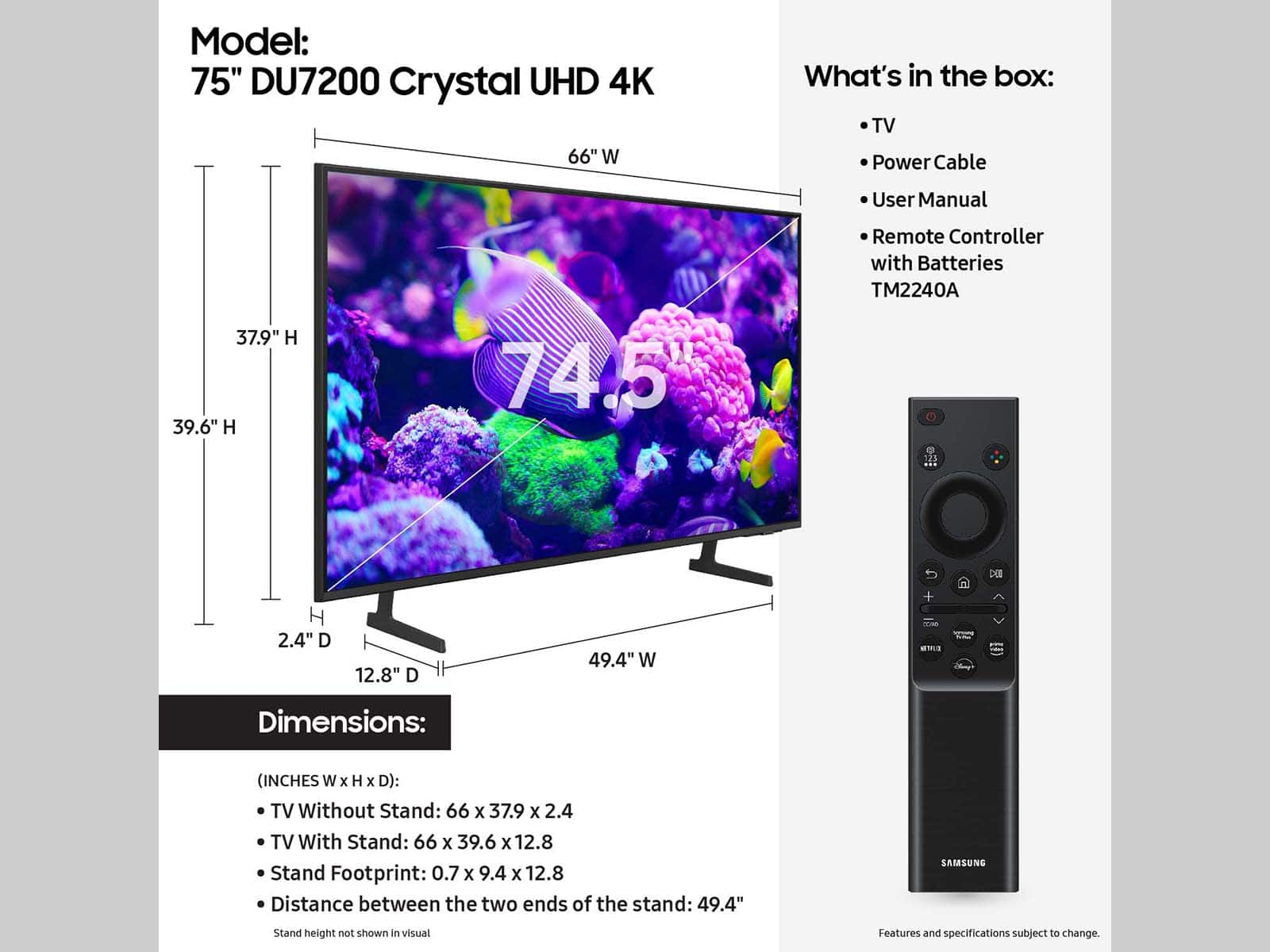





- Model:
- UN75DU7200FXZA
- SKU:
- 10413043
Rating by feature
- Picture Quality
Rating 4.7 out of 5 stars
- Sound Quality
Rating 4.5 out of 5 stars
- Brightness
Rating 4.7 out of 5 stars
to a friend
Samsung 75"
||Posted . Owned for 1 month when reviewed.This reviewer received promo considerations or sweepstakes entry for writing a review.Great product @ great price. Best Buy team was helpful.
I would recommend this to a friendNice tv
||Posted . Owned for 2 months when reviewed.This reviewer received promo considerations or sweepstakes entry for writing a review.It’s a very nice tv for the price. I’m very impressed with the quality of the pixels of this tv.
I would recommend this to a friendGood TV
||Posted . Owned for 1 week when reviewed.This reviewer received promo considerations or sweepstakes entry for writing a review.Great TV for this price range, seamlessly connect to PC's, casting devices, and others with easy set-up.
I would recommend this to a friendMr
||Posted . Owned for 2 weeks when reviewed.This reviewer received promo considerations or sweepstakes entry for writing a review.Brand new and working as should I believe…. So far okay
I would recommend this to a friendReturned
||Posted . Owned for 1 month when reviewed.This reviewer received promo considerations or sweepstakes entry for writing a review.I returned this tv because of poor sound volume and a faulty remote
I would recommend this to a friendBrand response from Samsung
Posted .Hi AmandaK,
It’s unfortunate to hear of the issues that have caused you to return your DU7200 TV. Your experience is very important to us and will be shared with our product team. Please know we’re always here to help, and we could’ve provided additional troubleshooting assistance to resolve any issues you were experiencing.
Should you ever decide to give Samsung TVs another try and have questions or need help with settings, setup, or features, please know we’re here to help. Call us at 1-800-SAMSUNG, 8AM - 12AM EST, 7 days a week.
LiveChat with an agent as well as manuals, software, and warranty info can be found at the ‘Support’ link on our Samsung website.
We hope to regain you as a customer in the future.
~Samsung Advisor
Outstanding Performance
||Posted . Owned for 6 months when reviewed.This reviewer received promo considerations or sweepstakes entry for writing a review.Excellent product with high resolution and graphics.
I would recommend this to a friendSamsung Tv
||Posted . Owned for 3 weeks when reviewed.This reviewer received promo considerations or sweepstakes entry for writing a review.It’s good value for the price. It’s color is bright and quality is good
I would recommend this to a friendBrand response from Samsung
Posted .Hi HyacinthB,
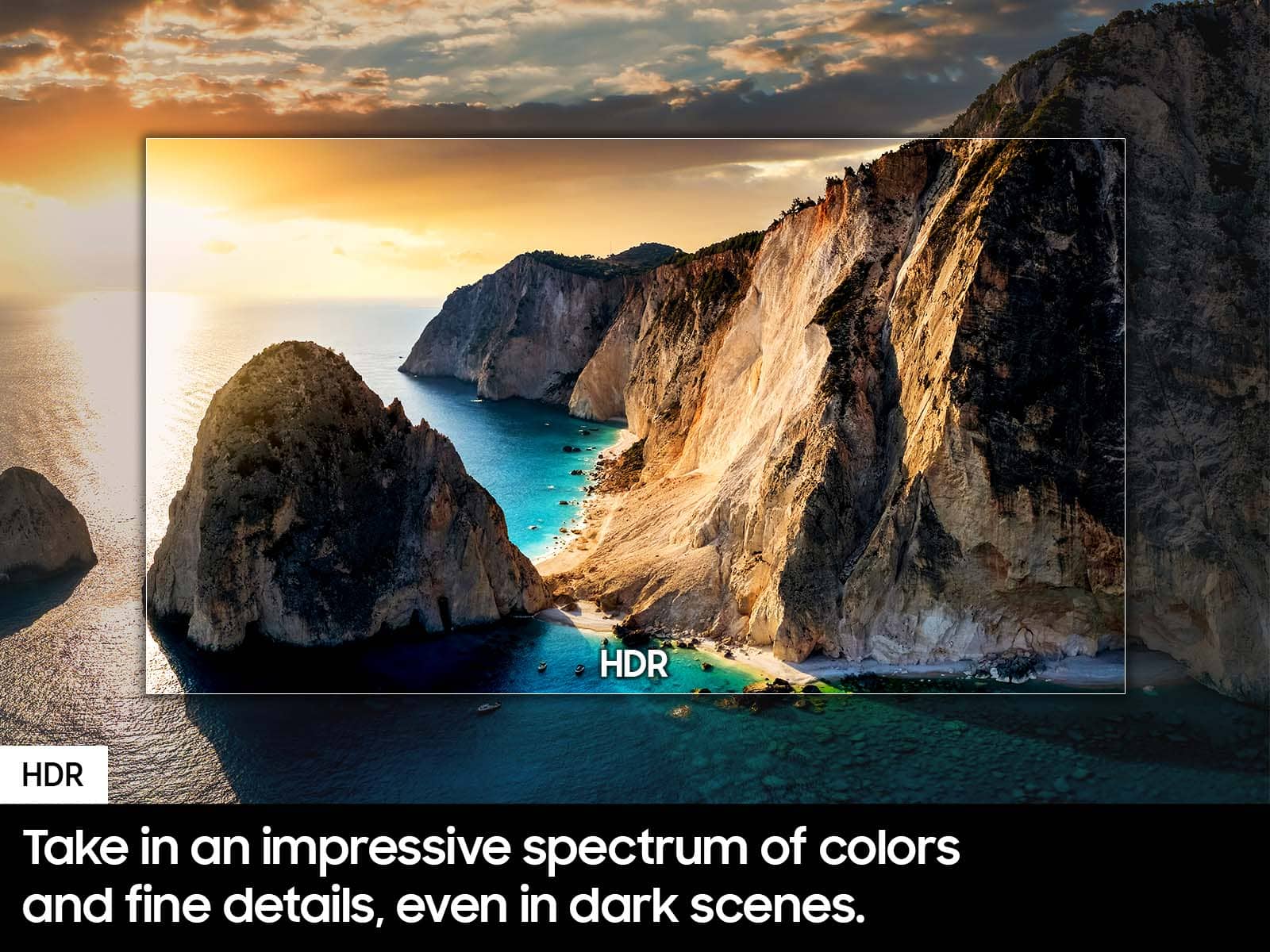
Thank you for purchasing the Samsung DU7200 Crystal UHD TV. I am happy that you are enjoying your new TV with features such as Mega Contrast HDR, allowing incredible details to be revealed, drawing your eyes to the most important parts of whatever you’re watching.
If you have any questions or need any help, please do not hesitate to reach out to us at 1-800-SAMSUNG, 8 AM - 12 AM EST, seven days a week. Our LiveChat agents are also available by clicking on our website's ‘Support’ link.
~ Samsung Advisor
Tv
||Posted . Owned for 1 month when reviewed.This reviewer received promo considerations or sweepstakes entry for writing a review.Nice tv. Like the features. Like bei g able to control it from the app.
I would recommend this to a friendNC
||Posted . Owned for less than 1 week when reviewed.This reviewer received promo considerations or sweepstakes entry for writing a review.Nice TV. New smart hub. Remote control designed very well.
I would recommend this to a friendPerfect
||Posted . Owned for 1 week when reviewed.This reviewer received promo considerations or sweepstakes entry for writing a review.És maravilhosa, eu recomendo , a loja foi perfeita , os trabalhadores perfeitos
I would recommend this to a friendHappy Customer
||Posted . Owned for 2 weeks when reviewed.This reviewer received promo considerations or sweepstakes entry for writing a review.The customer service was great, and they were very knowledgeable of the products.
I would recommend this to a friendGood
||Posted . Owned for 1 month when reviewed.This reviewer received promo considerations or sweepstakes entry for writing a review.Awesome video. Has what i need to watch my games at home.
I would recommend this to a friendAwesome Suace
||Posted . Owned for 3 weeks when reviewed.This reviewer received promo considerations or sweepstakes entry for writing a review.Best Buy is the greatest customer service was off da chain 10/10 must buy again!!
I would recommend this to a friendRichie
||Posted . Owned for 1 month when reviewed.This reviewer received promo considerations or sweepstakes entry for writing a review.My review is based on quality of Samsung TVs and other Tvs.
I would recommend this to a friendSamsung 75 inch tv
||Posted . Owned for 1 month when reviewed.This reviewer received promo considerations or sweepstakes entry for writing a review.Get TV purchase , worth the price .. great audio plus vedio clarity
I would recommend this to a friendTune time
||Posted . Owned for 3 weeks when reviewed.This reviewer received promo considerations or sweepstakes entry for writing a review.Purchased for me. A great gift that I received. Love it!
I would recommend this to a friendLoved it
||Posted . Owned for 1 month when reviewed.This reviewer received promo considerations or sweepstakes entry for writing a review.Very happy with my purchase got it on sale for the price and the function is pristine
I would recommend this to a friendLosing Pixels
||Posted . Owned for 4 months when reviewed.This reviewer received promo considerations or sweepstakes entry for writing a review.Screen has dots starting to show up on screen like leds are going out and TV is 3 months old. Been a loyal Samsung customer but this may make me switch if not taken care of under warranty.
No, I would not recommend this to a friendBrand response from Samsung
Posted .Hi JasonL,
Please give us the chance to make this right by contacting Samsung Customer Support at 1-800-SAMSUNG, 8 AM - 12 AM EST, seven days a week. Our LiveChat agents are also available by clicking on the ‘Support’ link on our website.
~Samsung Advisor
Must have!
||Posted . Owned for 1 week when reviewed.This reviewer received promo considerations or sweepstakes entry for writing a review.Love it! Super thin and very bright! Nice resolution!
I would recommend this to a friendSTAY AWAY
||Posted . Owned for 8 months when reviewed.This reviewer received promo considerations or sweepstakes entry for writing a review.This TV was a huge let down. Screen quality is what you would expect at this price point, however when it comes to connecting to the WiFi it’s another story. There’s always a 70% chance that the TV is not connected properly to our WiFi, but even when it is connected sometimes certain apps won’t work like discovery, peacock or even Netflix. If you’re thinking of buying this TV you better have an Apple TV or Roku to use other streaming services properly or at least as a back up.
No, I would not recommend this to a friend