Customer Ratings & Reviews




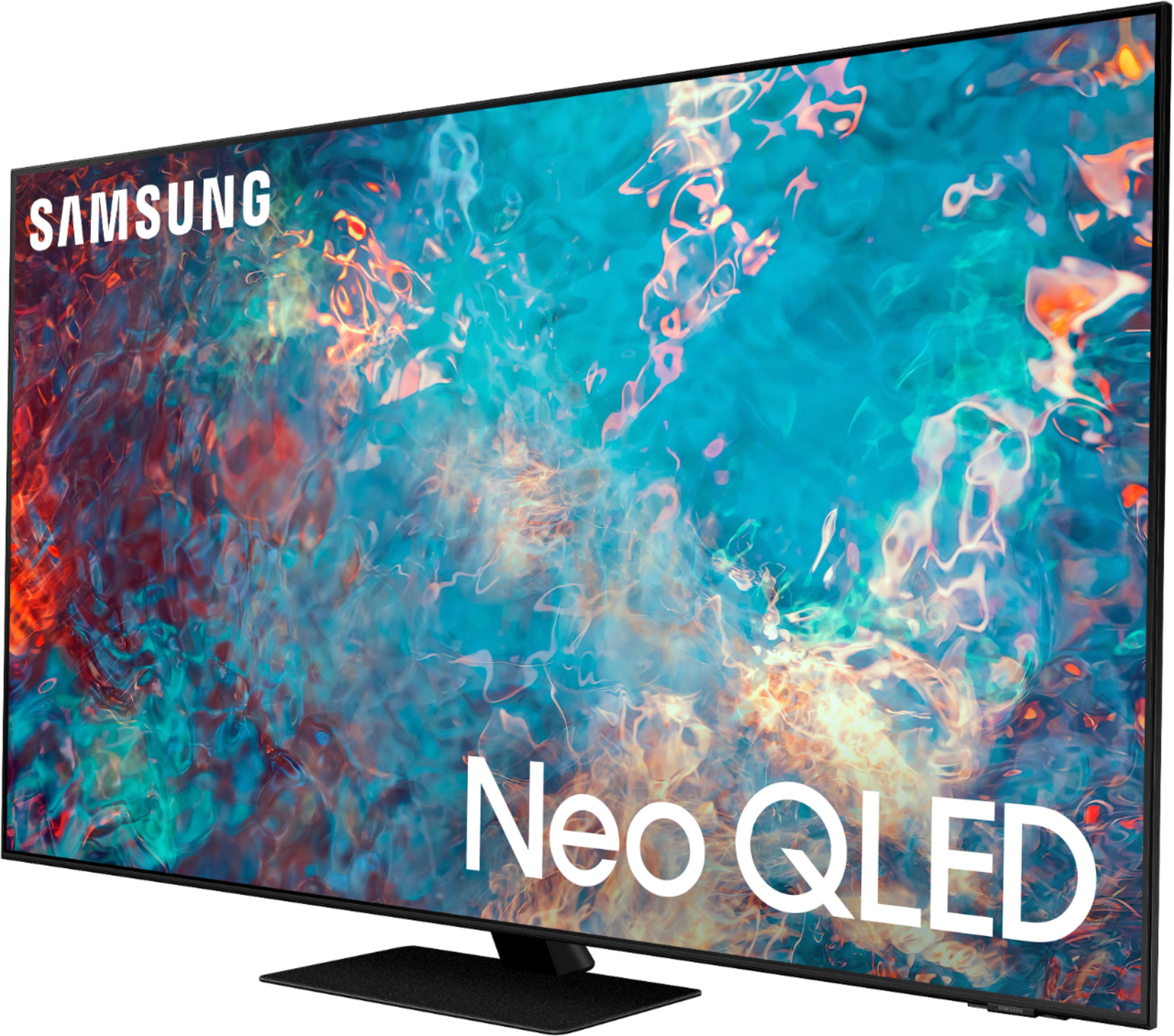









- Model:
- QN75QN85AAFXZA
- SKU:
- 6451490
Rating by feature
- Picture Quality
Rating 4.7 out of 5 stars
- Sound Quality
Rating 4.4 out of 5 stars
- Brightness
Rating 4.8 out of 5 stars
Customers are saying
Customers are impressed with the 75" Class QN85A Neo QLED 4K UHD Smart Tizen TV's picture quality, describing it as amazing and top-notch. They also appreciate the TV's color, calling it crisp and clear, and its easy setup. For some, the price is a concern, but they acknowledge that it is reasonable for the quality they are getting.
This summary was generated by AI based on customer reviews.
Solar Remotes do not work.
||Posted . Owned for 1 year when reviewed.This reviewer received promo considerations or sweepstakes entry for writing a review.We had to return this TV once and now the solar remote will not work. The solar remotes are defective and do not work, so stay away from any TV that Samsung has them with.
No, I would not recommend this to a friend- Pros mentioned:Picture quality
Best Picture. Better than the OLEDs I saw.
Posted .This reviewer received promo considerations or sweepstakes entry for writing a review.This TV is nothing short of incredible. I went to Best Buy no less than 4/5 times to look at TVs, did countless hours of online research, and this is what I settled on. I know that everyone has their own preferences, but I looked at this and several OLEDs that were more expensive, and I kept walking back to this TV. I literally kept going back and forth in the store (thankfully the BB employees were very patient with me). Despite the perceived technological upgrades over the LG OLEDs I was also considering, I could not get over how great the picture was on this TV. I realize that picture quality is really up to personal preference, but I couldn't be happier with it. At one point in my life I bought the highest rated (and priciest) Plasma (a Panasonic) and it was great in a basement, but the Samsung in the family room still looked better at 1/2 the cost. I've not totally configured or tweaked the settings on it yet, but right out of the box it's got a fantastic picture. Setup was a breeze with the Samsung mobile app. And integrates seamlessly with my Bose 900 soundbar connected via eARC HDMI. The TV recognized and basically set it up for me. I'm tech savvy and will likely do some tweaks to things over time, but so far I'm impressed. I cannot comment on the native sound quality as I hooked up the soundbar as soon as I mounted the TV. P.S. I'm an Apple fanboy, so I'm not married to the Samsung brand. Totally unbiased review.
I would recommend this to a friend Not Installed
||Posted .This reviewer received promo considerations or sweepstakes entry for writing a review.The third party cancelled the appointment. I bought the tV on 1-10-2022. It is still not installed.
No, I would not recommend this to a friendDont buy
||Posted . Owned for 3 weeks when reviewed.This reviewer received promo considerations or sweepstakes entry for writing a review.Don waste your time conplete junk, but i did like the operating system.
No, I would not recommend this to a friendowner
||Posted . Owned for 5 months when reviewed.This reviewer received promo considerations or sweepstakes entry for writing a review.We ordered a tv online for a remodel, no unreturnable
No, I would not recommend this to a friendnever use best buy again
||Posted . Owned for 1 month when reviewed.This reviewer received promo considerations or sweepstakes entry for writing a review.never hung up. we have tried 3 times. unnacceptable.
No, I would not recommend this to a friend- Pros mentioned:Picture quality
Great TV
Posted .This reviewer received promo considerations or sweepstakes entry for writing a review.Purchased to replace a TCL HD tv that crashed after just 2 years! I decided to go with a better brand and upgrade to the Neo QLED technology. This tv is outstanding. I can’t believe how much better this tv picture is. I also added a Samsung Q800 sound bar which was a nice upgrade as well.
I would recommend this to a friend Resolution
Posted .This reviewer received promo considerations or sweepstakes entry for writing a review.Good! Tv I can recommend you, It has a very good resolution
I would recommend this to a friendSamsung NeoQLED
Posted .This reviewer received promo considerations or sweepstakes entry for writing a review.It takes a while before the image is clear. Not with the price. Disappointed. Poor volume. Considering return or exchange. Definitely no match against the Pioneer I purchased. Unhappy Geek Squad no longer calibrates the TV.
No, I would not recommend this to a friendBrand response from Samsung
Posted .Samsungtv,
Thank you for purchasing the Samsung QN85A TV and for sharing details of your image quality. To optimize your picture quality, please be sure your firmware is up to date with version 1805.4 which includes picture quality updates. You can check this by going to: Settings > Support > Software Update.
If the picture you are seeing is still not to your liking after performing any necessary firmware updates, there are several picture settings you may want to try adjusting.
You can select the Picture Mode that provides the best viewing experience. Go to Home > Settings > Picture > Picture Mode
1) Standard: Is the default mode suitable for general viewing environments.
2) Natural: Reduces eye strain for a comfortable viewing experience.
3) Movie: Is suitable for watching TV or movies in a dark room.
4) Dynamic: Makes the picture brighter and clearer in bright viewing environments.
5) Filmmaker Mode: You can watch the source content (e.g., movie) as it is. If the image is defined as Filmmaker Mode, it will automatically switch to Filmmaker Mode while watching.
You can also go to: Settings > Picture > Expert Settings > to manually fine tune your image.
I hope you can use these adjustment recommendations to set the image to your liking. If you would like further assistance with settings, features, or functions, please reach out to Samsung Customer Support at 1-800-SAMSUNG (ask for TVs), available 8AM - 12AM EST, 7 days a week.
For additional support resources, visit us on the Samsung website and click on the ‘Support’ link in the upper right corner of the homepage for:
1) Contact Us: For additional Chat & Text options, choose ‘TVs & Home Theater’ and select your model & topic.
2) Manuals, Software, & Warranty Info
~ Samsung Specialist
As a filmmaker I feel Samsung has dropped the ball
Posted .This reviewer received promo considerations or sweepstakes entry for writing a review.I wish I wouldn't have upgraded from my 2019 Q80R. Don't get me wrong, the TV has some strengths like the new game mode, but for movies I feel an insane amount of buyers remorse. I'm a Cinematographer and Colorist that has exclusively backed Samsung for the last decade. The 2019 set has a FAR superior image to the 2021. The shadows on the 2021 are better, but the skin tone highlights introduce appalling false color and contrast shortcomings. The skin tone highlights have a strange blue/orange shift. The contrast in these highlights fall short of the HDR capabilities of the television and look horrendous. I'm watching films I've shot on Apple Movies, and Amazon Prime apps. The TV gets it wrong. Period. The sound passthrough also pops consistently. I don't recommend this set. It sucks.
No, I would not recommend this to a friendBrand response from Samsung
Posted .sixtring123:
Thank you for your review of the QN85A Neo QLED 4K TV and for your review. If the pre-set colors of the different Picture Modes are not to your liking, you can go to: Settings > Picture > Expert Settings > to manually fine tune your image.
We appreciate you sharing your experience with the sound popping when using sound passthrough. So we can better understand your issue, gather information regarding your setup, and provide troubleshooting assistance, please reach out to Samsung Customer Support.
You can reach us at 1-800-SAMSUNG (ask for TVs), available 8AM -12AM EST, 7 days a week. Or text HELP to 62913.
For additional support resources, visit us on the Samsung website and click on the ‘Support’ link in the upper right corner of the homepage for:
1) More ‘Contact Us’ options – LiveChat, Facebook, Twitter, Samsung Community, Samsung Members app
2) Manuals & Software
3) Warranty Info
4) Product Registration: For access to easy warranty support, convenient opt-in to special promos and offers, faster troubleshooting and service, and quick notification of system updates.
~ Samsung Solutions
Unwatchable
Posted .This reviewer received promo considerations or sweepstakes entry for writing a review.Watching this TV is like watching a black and white TV with an occasional touch of color. Much of the steaming content that I have watched previously on another 4K TV is so dark it is unwatchable. Regular TV channels (news, etc.) fairs better but still lacks a quality picture that you would expect. The details that are usually visible on a 4K TV are not there. I replaced an older QLED with the Neo QLED.
No, I would not recommend this to a friendBrand response from Samsung
Posted .FrustratedCustomer,
Thank you for purchasing the Samsung QN85A TV and for sharing details of your image quality. Quantum Matrix Technology is powered by exclusive Mini LED designed technology engineered to give you hyper-focused brightness and dimming in all the right areas. To optimize your picture quality, please be sure your firmware is up to date with version 1805.4 which includes picture quality updates. You can check this by going to: Settings > Support > Software Update.
If the picture you are seeing is still not to your liking after performing any necessary updates, there are several picture settings you may want to try adjusting.
You can select the Picture Mode that provides the best viewing experience. Go to Home > Settings > Picture > Picture Mode
1) Standard: Is the default mode suitable for general viewing environments.
2) Natural: Reduces eye strain for a comfortable viewing experience.
3) Movie: Is suitable for watching TV or movies in a dark room.
4) Dynamic: Makes the picture brighter and clearer in bright viewing environments.
5) Filmmaker Mode: You can watch the source content (e.g., movie) as it is. If the image is defined as Filmmaker Mode, it will automatically switch to Filmmaker Mode while watching.
You can also go to: Settings > Picture > Expert Settings > to manually fine tune your image.
Intelligent Mode also enables the TV to recognize and analyze the surroundings, noise, content, and your usage patterns to provide the best viewing experience. You can enable Intelligent Mode by going to Home > Settings > General > Intelligent Mode Settings. Adaptive Picture, which is among the options, optimizes brightness and provides the best picture quality in real time, based on the lighting condition and the content you're viewing.
I hope you can use these adjustment recommendations to set the image to your liking. If you would like further assistance with settings, features, or functions, please reach out to Samsung Customer Support at 1-800-SAMSUNG (ask for TVs), available 8AM - 12AM EST, 7 days a week.
For additional support resources, visit us on the Samsung website and click on the ‘Support’ link in the upper right corner of the homepage for:
1) Contact Us: For additional Chat & Text options, choose ‘TVs & Home Theater’ and select your model & topic.
2) Manuals & Software
3) Warranty Info
4) Register a Product: For access to easy warranty support, convenient opt-in to special promos and offers, faster troubleshooting and service, and quick notification of system updates.
~ Samsung Specialist