Customer Ratings & Reviews
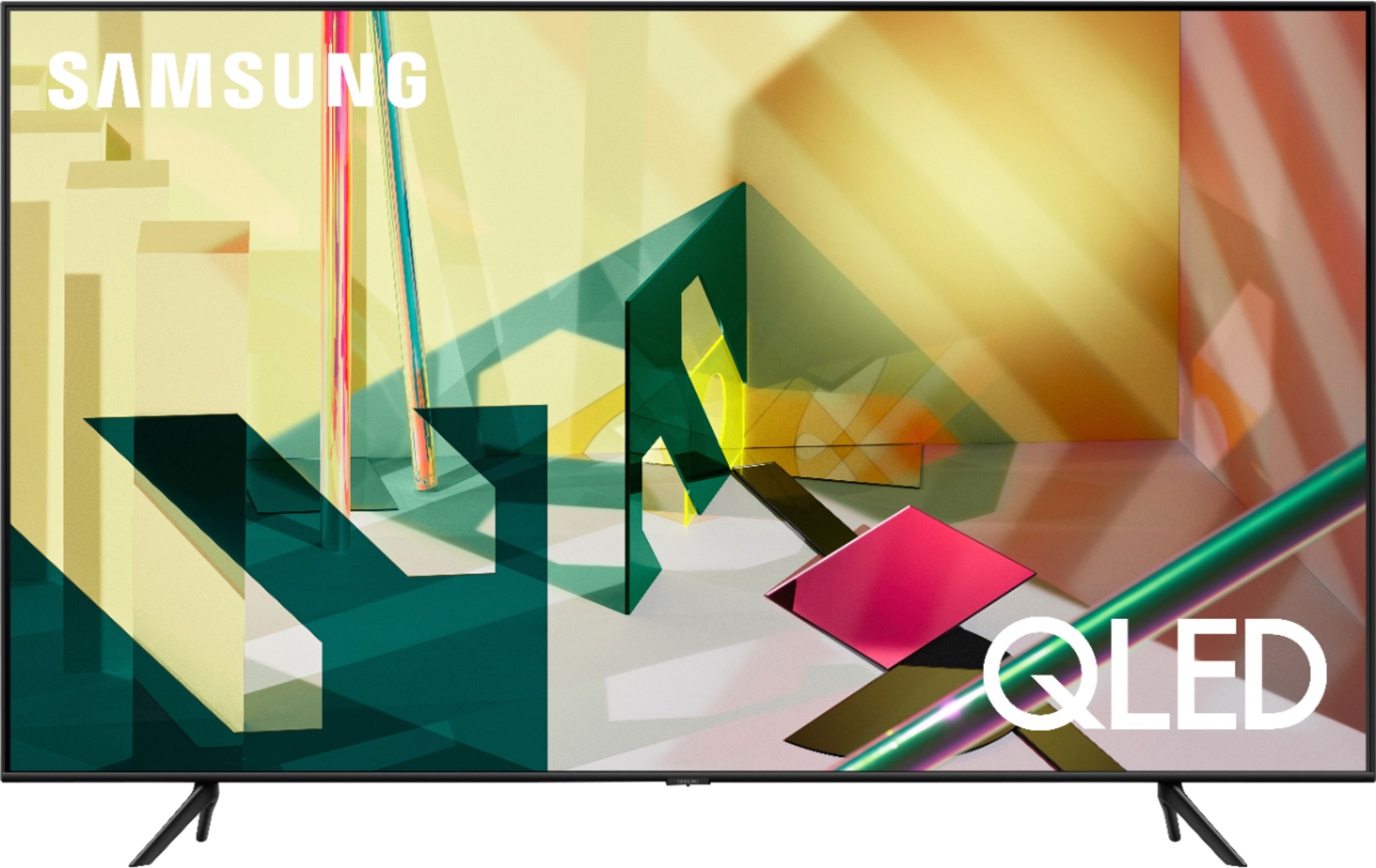








- Model:
- QN85Q70TAFXZA
- SKU:
- 6402400
Rating by feature
- Picture Quality
Rating 4.5 out of 5 stars
- Sound Quality
Rating 4.2 out of 5 stars
- Brightness
Rating 4.4 out of 5 stars
Customers are saying
Customers appreciate the 85" Class Q70T Series QLED 4K UHD Smart Tizen TV for its exceptional picture quality, large screen, and affordable price. Many users have commented on the vibrant colors and stunning visuals, making it an excellent choice for movie nights. While some have concerns about the remote control's limited buttons and the TV's weight, overall, customers are pleased with their purchase and find it to be a great value for the price.
This summary was generated by AI based on customer reviews.
Great TV
||Posted . Owned for 3 months when reviewed.This reviewer received promo considerations or sweepstakes entry for writing a review.Love this TV...Samsung makes the best TVs. Totally recommend.
I would recommend this to a friend4 Star
||Posted . Owned for 1 year when reviewed.This reviewer received promo considerations or sweepstakes entry for writing a review.Great Tv. The qualities are great, but somethings that i watch, the sound doesnt match the mouth when some speaks.
I would recommend this to a friendExcellent quality
||Posted . Owned for 2 weeks when reviewed.This reviewer received promo considerations or sweepstakes entry for writing a review.Awesome Audio and Video Quality, Worth paying for this Screen.
I would recommend this to a friendTv
||Posted . Owned for 2 weeks when reviewed.This reviewer received promo considerations or sweepstakes entry for writing a review.Great! Very happy! I would highly recommend this product.
I would recommend this to a friendExcellent
||Posted . Owned for 1 month when reviewed.This reviewer received promo considerations or sweepstakes entry for writing a review.Excellent service. Nice how they answered every question.
I would recommend this to a friendAffordable price
||Posted . Owned for 3 weeks when reviewed.This reviewer received promo considerations or sweepstakes entry for writing a review.Good for spending time with family and up to date technology.
I would recommend this to a friendGreat tv
||Posted . Owned for 2 weeks when reviewed.This reviewer received promo considerations or sweepstakes entry for writing a review.Love the tv. Fantastic clarity. Lots of extra features.
I would recommend this to a friendCD player
||Posted . Owned for 1 month when reviewed.This reviewer received promo considerations or sweepstakes entry for writing a review.Good value and quite functional CD player and fm radio
I would recommend this to a friendBest tv for the money right now
||Posted . Owned for 1 week when reviewed.This reviewer received promo considerations or sweepstakes entry for writing a review.Best tv for the money right now, great smart features
I would recommend this to a friendAmazing picture.
||Posted . Owned for 3 weeks when reviewed.This reviewer received promo considerations or sweepstakes entry for writing a review.Would buy another one these tv, if was slightly cheaper.
I would recommend this to a friendTv
||Posted . Owned for 1 month when reviewed.This reviewer received promo considerations or sweepstakes entry for writing a review.Poor quality ended up returning it. Didn’t like it . The Sony is much better product
No, I would not recommend this to a friend5097
||Posted . Owned for 3 weeks when reviewed.This reviewer received promo considerations or sweepstakes entry for writing a review.The Sanos tilt was mounted by the Geek Squad and have no issue since then,
I would recommend this to a friendDont buy
||Posted . Owned for more than 2 years when reviewed.This reviewer received promo considerations or sweepstakes entry for writing a review.Tv broke after 27 months. Wont turn on and of course now i have to pay to fix it. Pay that much money for a tv you expect it to last longer than that.
No, I would not recommend this to a friendJust Okay
||Posted . Owned for 1 year when reviewed.This reviewer received promo considerations or sweepstakes entry for writing a review.TV was okay but developed intermittent issues with video quality while still under warranty. Only reason I gave it 3 stars is that Samsung/ Best Buy replaced it and allowed an upgrade
No, I would not recommend this to a friend- Cons mentioned:Reliability
Horrible Geek squad warranty
||Posted . Owned for 1 month when reviewed.This reviewer received promo considerations or sweepstakes entry for writing a review.WHILE WATCHING TV. SUDDENLY stop working 6 WEEKS after purchase. It turns off by itself and has a vertical line across when it is turn on. GEEK SQUAD REFUSED TO FIX. STAY AWAY....DO NOT GET GEEK SQUAD PROTECTION plan. THEY TOLD ME TO CALL THE MANUFACTURER.
No, I would not recommend this to a friendBrand response from Samsung
Posted .Steeve:
I am very sorry that your TV is turning off by itself and you are seeing a line across your screen.
Samsung is committed to providing the best possible product experience, quality, and value. We back this Samsung TV with a 1-year limited manufacturer's warranty, including authorized repair for manufacturer defect, if purchased brand-new directly from an authorized seller.
Please reach out to Samsung Customer Support so that we can provide troubleshooting or begin warranty service.
1) Phone: 1-800-SAMSUNG (ask for TVs), available 8AM – 12AM EST 7 days a week
2) LiveChat: https://www.samsung.com/us/support/#contact_us_for_support
3) Facebook Messenger: https://www.facebook.com/samsungsupport
4) Twitter: https://twitter.com/SamsungSupport
5) The Samsung Members Community is also a great resource for getting help from Samsung moderators and customers: https://us.community.samsung.com
If you have not already done so, we invite you to register your new Samsung product at: https://www.samsung.com/us/account/signin/?redirect=https%3A%2F%2Fwww.samsung.com%2Fus%2Fsupport%2Fregister%2F
Registering your product gives you access to easy warranty support, convenient opt-in to special promos and offers, faster troubleshooting and service, and quick notification of system updates.
~ Samsung Solutions
average
||Posted . Owned for 1 month when reviewed.This reviewer received promo considerations or sweepstakes entry for writing a review.The sound bar doesnt work well, doesnt always connect, and the sound is nothing like the quality displayed in the store. The tv is great and the mount works well.
No, I would not recommend this to a friendBrand response from Samsung
Posted .Jbd2:
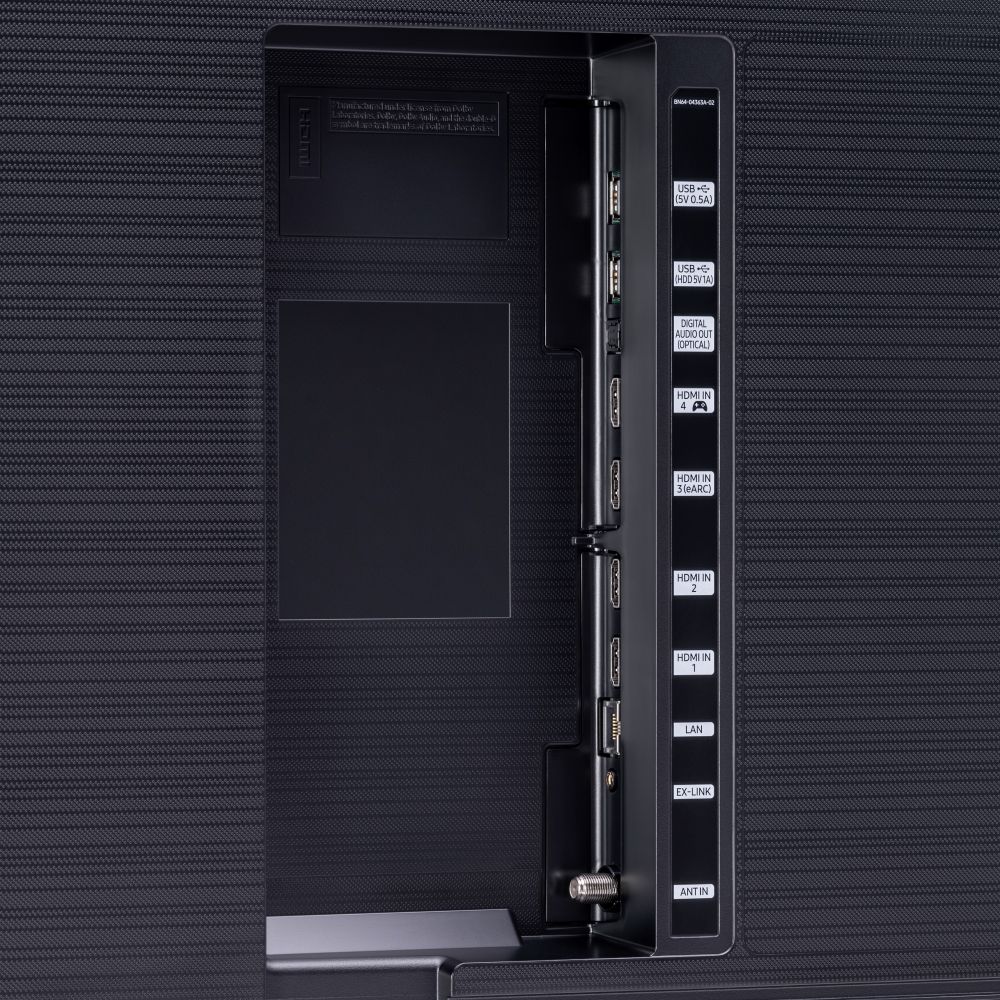
Thank you for purchasing the Q70T TV and for your review. We recommend using a wired connection rather than using Bluetooth. For the best sound quality and performance, connect your soundbar with a Digital Audio Out (Optical) or an HDMI (ARC) cable. HDMI is better if the only external device connected to your TV is your soundbar. Otherwise, Digital Audio Out is usually the better option, depending on your setup.
However, if you prefer to connect using Bluetooth, please keep the following in mind:
- Lip-sync errors may occur.
- You can only pair one Bluetooth TV to a soundbar at a time.
- The TV and Bluetooth device may disconnect, depending on the distance between them.
Electronic devices may cause radio interference and other issues. Devices that generate electromagnetic waves must be kept away from the soundbar, such as microwaves, wireless LAN devices, medical equipment, etc.
If you are using a Samsung soundbar and would like help with optimizing settings or adjustments,
If you need further assistance, please contact Samsung Customer Support, and a representative will gladly help you.
1) Phone: 1-800-SAMSUNG (ask for TVs), available 8AM – 12AM EST 7 days a week
If you are using a Samsung soundbar and would like help with optimizing settings or adjustments, ask for Soundbars.
2) LiveChat: https://www.samsung.com/us/support/#contact_us_for_support
3) Facebook Messenger: https://www.facebook.com/samsungsupport
4) Twitter: https://twitter.com/SamsungSupport
5) The Samsung Members Community is also a great resource for getting help from Samsung moderators and customers: https://us.community.samsung.com
If you have not already done so, we invite you to register your new Samsung product at: https://www.samsung.com/us/account/signin/?redirect=https%3A%2F%2Fwww.samsung.com%2Fus%2Fsupport%2Fregister%2F
Registering your product gives you access to easy warranty support, convenient opt-in to special promos and offers, faster troubleshooting and service, and quick notification of system updates.
~ Samsung Solutions
Junk
||Posted . Owned for 4 months when reviewed.This reviewer received promo considerations or sweepstakes entry for writing a review.Do not buy any Samsung smart TV. This is a piece of junk. All my samsung Tv had internet connection issue every time you turn the Tv off and on. You have to constantly log back to your internet Pw. To fix this you have to unplug and re-plug the Tv. Samsung had not even bother to fix this issue. A smart expensive TV so it can act like a brick.
No, I would not recommend this to a friendBrand response from Samsung
Posted .Alee:
Thank you for purchasing the Samsung Q70T TV and for your review. I am very sorry you are experiencing internet connection issues. A firmware update is available which may help improve your connection.
Using your TV's remote, navigate to Settings, and select Support. Select Software Update, and then select Update Now. New updates will be downloaded and installed on your TV. Updates usually take a few minutes; please do not turn off the TV until the update is complete. When the update is finished, the TV will restart automatically.
You may also want to enable automatic updates for future convenience.
Select Settings > Support > Software Update, then select Auto Update.
Should your problem persist, please contact Samsung Customer Support:
1) Phone: 1-800-SAMSUNG (ask for TVs), available 8AM – 12AM EST 7 days a week
2) LiveChat: https://www.samsung.com/us/support/#contact_us_for_support
3) Facebook Messenger: https://www.facebook.com/samsungsupport
4) Twitter: https://twitter.com/SamsungSupport
5) The Samsung Members Community is also a great resource for getting help from Samsung moderators and customers: https://us.community.samsung.com
If you have not already done so, we invite you to register your new Samsung product at: https://www.samsung.com/us/account/signin/?redirect=https%3A%2F%2Fwww.samsung.com%2Fus%2Fsupport%2Fregister%2F
Registering your product gives you access to easy warranty support, convenient opt-in to special promos and offers, faster troubleshooting and service, and quick notification of system updates.
~ Samsung Solutions
Large TV
||Posted .This reviewer received promo considerations or sweepstakes entry for writing a review.The sound occasionally goes louder then softer !! Randomly. We have no idea why
No, I would not recommend this to a friendBrand response from Samsung
Posted .Dawnc,
I am sorry to hear that you are experiencing sound issue with your new Q70T QLED Smart TV.
It is possibly a source issue. You can try auto volume by going to Settings > Sound > Expert Settings > Auto Volume = On
If the issue persists, please reach out to us via any of the following so that we can provide troubleshooting or begin warranty service:
1) Phone: 1-800-SAMSUNG (ask for TVs), available 8AM – 12AM EST 7 days a week
2) LiveChat: https://www.samsung.com/us/support/#contact_us_for_support
3) Facebook Messenger: https://www.facebook.com/samsungsupport
4) Twitter: https://twitter.com/SamsungSupport
5) The Samsung Members Community is also a great resource for getting help from Samsung moderators and customers: https://us.community.samsung.com
If you have not already done so, we invite you to register your new Samsung product at: https://www.samsung.com/us/account/signin/?redirect=https%3A%2F%2Fwww.samsung.com%2Fus%2Fsupport%2Fregister%2F
Registering your product gives you access to easy warranty support, convenient opt-in to special promos and offers, faster troubleshooting and service, and quick notification of system updates.
-Samsung Ambassador
Waiting for Best Buy to finish the job
||Posted . Owned for 1 month when reviewed.This reviewer received promo considerations or sweepstakes entry for writing a review.We are waiting over a month for the geek squad to finish the installation so it's pretty hard to review the item if it's not working properlyWe purchased it April 17 is still not working
I would recommend this to a friendFrustrated
||Posted . Owned for 1 month when reviewed.This reviewer received promo considerations or sweepstakes entry for writing a review.Our brand new 85 inch tv has spots shining through, the pixels/screen is defective. I had nothing but issues trying to get an answer from the actual Best Buy store one thing after another very frustrated.
I would recommend this to a friend