Customer Ratings & Reviews

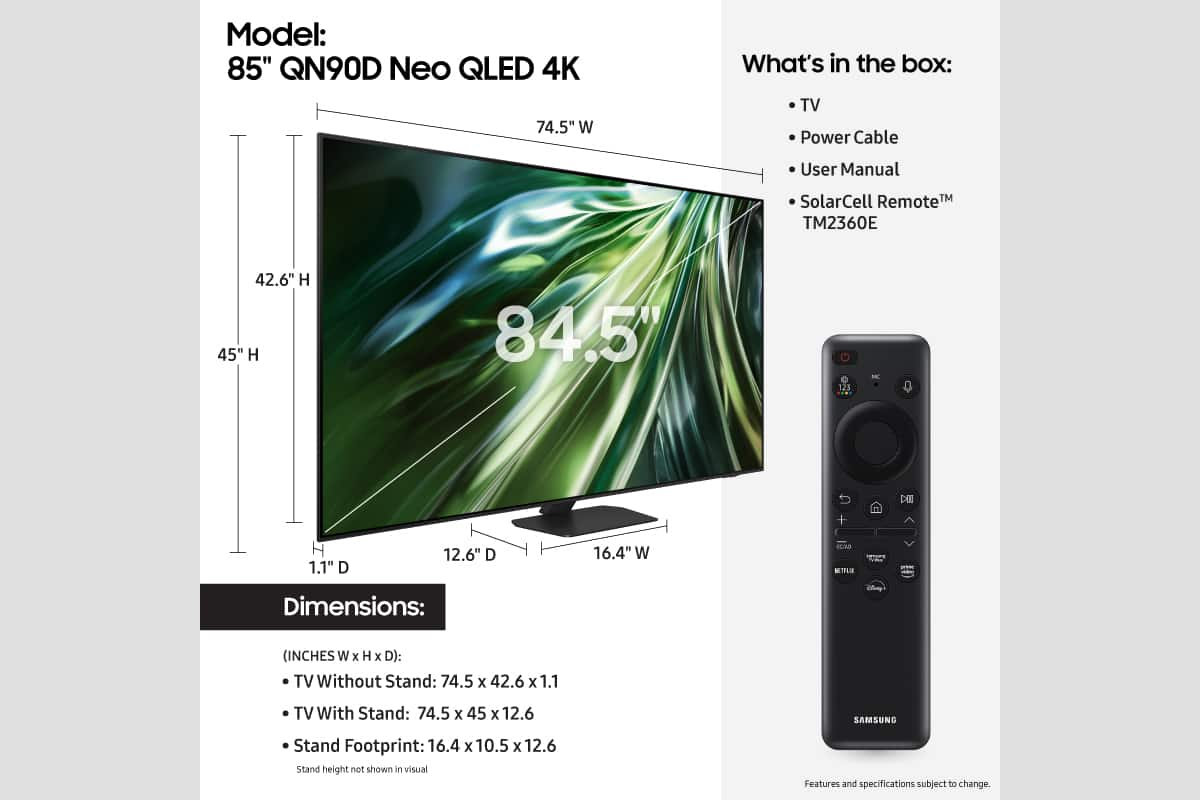











- Model:
- QN85QN90DAFXZA
- SKU:
- 10818465
Rating by feature
- Picture Quality
Rating 4.8 out of 5 stars
- Sound Quality
Rating 4.7 out of 5 stars
- Brightness
Rating 4.9 out of 5 stars
to a friend
QN85QN90D open box
Posted .This reviewer received promo considerations or sweepstakes entry for writing a review.It was as described, some small imperfections, but screen seems perfect, BB were great to work with
I would recommend this to a friendA tv that makes you desire more, it’s ok.
Posted .This reviewer received promo considerations or sweepstakes entry for writing a review.The picture is sub par, has a horrible glare, sound could be better, and it could be faster as In I believe the processor may be lacking
No, I would not recommend this to a friendNo longer compatible with Hulu or Sling TV
Posted .This reviewer received promo considerations or sweepstakes entry for writing a review.After a recent Samsung One UI software update, streaming services Hulu and Sling TV will no longer work. This is a major flaw for what used to be a great tv.
No, I would not recommend this to a friendBrand response from Samsung
Posted .MichaelS,
We appreciate your feedback on apps, and for optimal performance, we ask that you please ensure you've got the latest firmware version installed on your TV. You can check this by going to: Home > Menu > Settings > Support > Software Update.
You may also want to further optimize performance with the self-diagnostic tool, which checks memory, frees up unused cached memory, and closes background apps. Go to: Home > Menu > Settings > Support > Device Care > Start Device Care
I hope these tips help.
You can always contact us for further help at 1-800-SAMSUNG, 8AM - 12AM EST, 7 days a week. Our LiveChat agents are also available by clicking on the ‘Support’ link on our website.
~ Samsung Specialist