Customer Ratings & Reviews
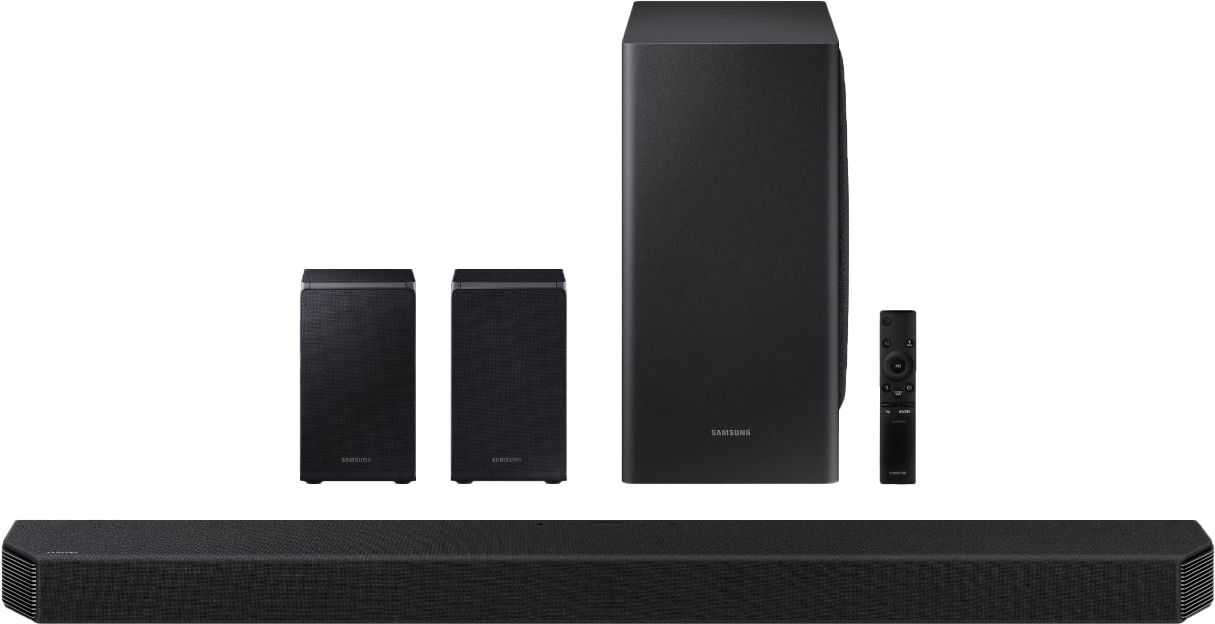
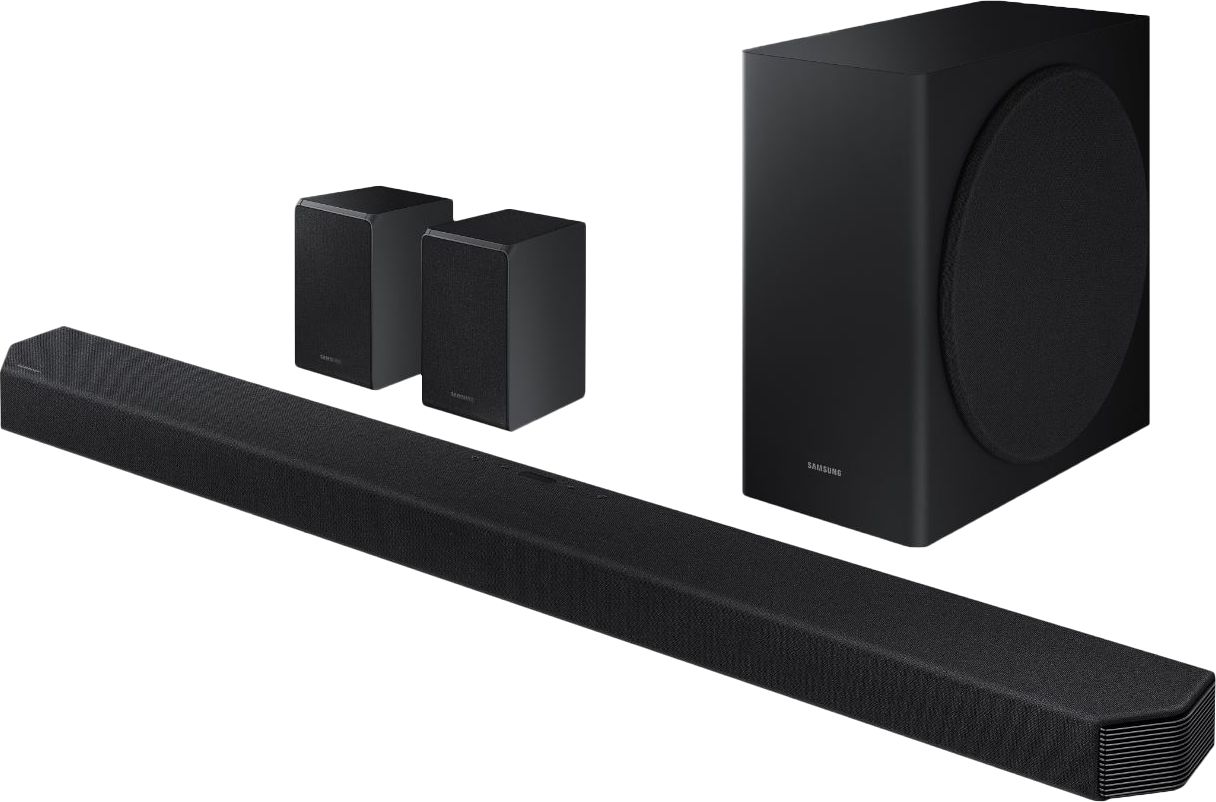
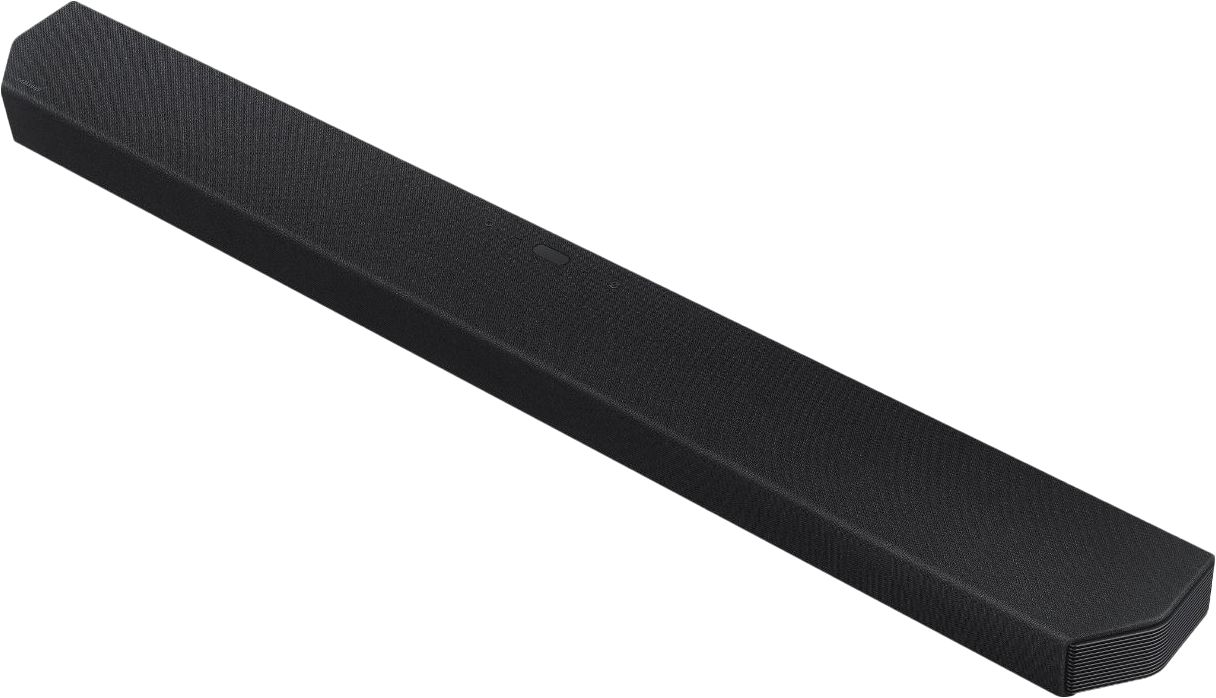

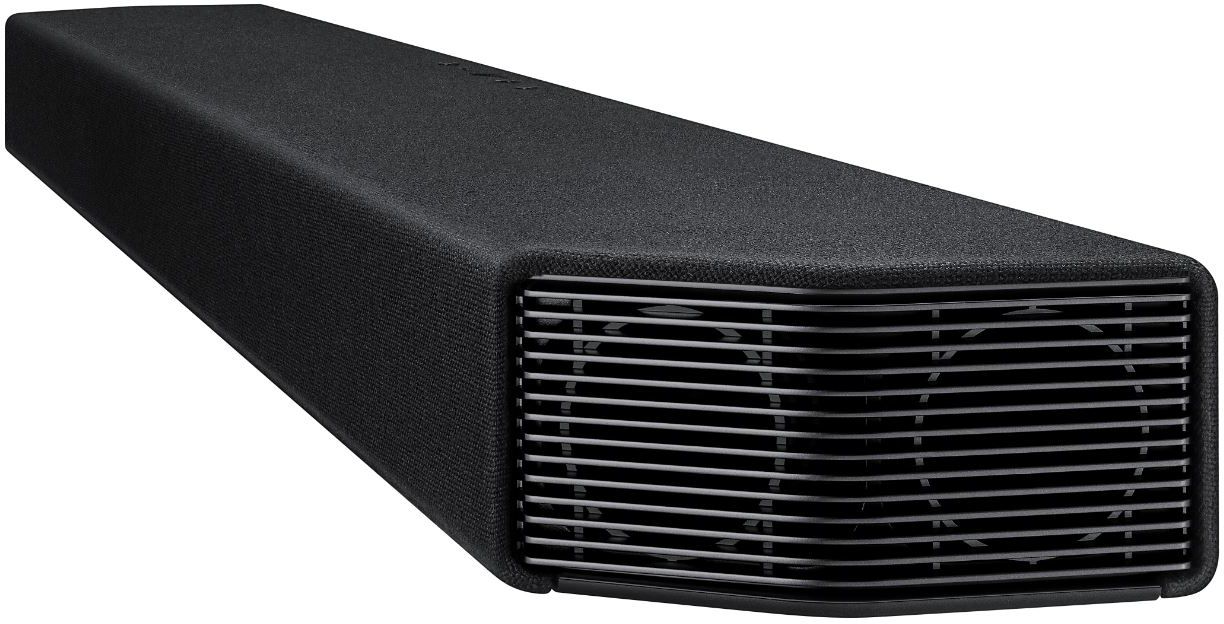


- Model:
- HW-Q950T
- SKU:
- 6420988
Rating by feature
- Value
Rating 3.6 out of 5 stars
- Quality
Rating 4.0 out of 5 stars
- Ease of Use
Rating 3.9 out of 5 stars
Customers are saying
Customers are satisfied with the phenomenal sound quality and easy setup process. However, some have concerns about the product's price, subwoofer performance, display location, connectivity issues, and lack of LPCM support.
This summary was generated by AI based on customer reviews.
Wanted to love it but not as advertised
||Posted . Owned for 2 months when reviewed.This reviewer received promo considerations or sweepstakes entry for writing a review.Was disappointed. Bought this to compare to my Sonos set up and test out the Q Symphony feature with my Q900TS. The Sonos Arc paired with the Sub and play 3’s as rears is a much better sound experience.
No, I would not recommend this to a friendWorst customer service ever
||Posted . Owned for 1 month when reviewed.This reviewer received promo considerations or sweepstakes entry for writing a review.I made a purchase of over $5500 and no sooner did I hand over the money everything went wrong. Starting with the appointment schedule and ending with the refund. Yes, refund. I sent everything back after the Geek Squad, the only professionals I dealt with during this whole ordeal, and they had incomplete direction as to the installation. They did not have an order to install my surround sound and told me they would have to come back. I cancelled my ordered and purchased my TV and theatre system directly from SAMSUNG!! I will never again go to BEST BUY, I'll give my money to someone else.
No, I would not recommend this to a friendBrand response from Samsung
Posted .Amanda:
Thank you for purchasing our top of the line Samsung 9.1.4ch HW-Q950T soundbar with Dolby Atmos and DTS:X bringing you 3D true surround sound. Your soundbar system is engineered with 20 speakers immersing you in sound.
Should you ever have any questions or concerns or need help with settings or features, please contact Samsung Customer Support.
1) Phone: 1-800-SAMSUNG, (available 8AM to 12AM EST - 7 days a week)
2) LiveChat: https://www.samsung.com/us/support/#contact_us_for_support
3) Facebook Messenger: https://www.facebook.com/samsungsupport
4) Twitter: https://twitter.com/SamsungSupport
5) The Samsung Members Community is also a great resource for getting help from Samsung moderators and customers: https://us.community.samsung.com
If you have not already done so, we invite you to register your new Samsung product at:
https://www.samsung.com/us/account/signin/?redirect=https%3A%2F%2Fwww.samsung.com%2Fus%2Fsupport%2Fregister%2F&user=dsr-registration
Registering your product gives you access to easy warranty support, convenient opt-in to special promos and offers, faster troubleshooting and service, and quick notification of system updates.
~ Samsung Solutions
Not worth the price
||Posted . Owned for 2 weeks when reviewed.This reviewer received promo considerations or sweepstakes entry for writing a review.Subwoofer almost non existent, crackling sound in rear surround speakers as well as the sub woofer, mode display is placed so you can't see it does not automatically turn on and off with TV
No, I would not recommend this to a friendBrand response from Samsung
Posted .Hi Claw,
Thank you for your review of this Samsung HW-Q950T Soundbar. I am very sorry that you are not completely happy with the bass performance.
There are two adjustments that can be made to maximize bass from the soundbar and subwoofer:
1) Using the WOOFER button on the remote, you can adjust the volume of the subwoofer between -6 to +6 by toggling the button up or down. To set the subwoofer volume level to 0, press the button in.
2) Adjust the bass control by pressing the SOUND CONTROL button (gear icon) on the remote control, then select BASS to increase the level. You can adjust the volume between -6 to +6 by using the Up/Down buttons.
For precise audio adjustments, you can use the 7-band frequency equalizer to optimize the sound for your room acoustics.
In all configurations (Optical, Bluetooth, ARC, and Wi-Fi) when the TV is turned ON, the Soundbar will turn ON. If your soundbar is not turning on, it could be due to another reason. For example, if the Soundbar was used to connect to another device (say a smart phone), then it will remember the last device (smart phone) and wait for a command from that device (the smartphone) and ignore the TV ON command.
You may want to try using a HDMI-ARC connection to the TV. When the TV turns ON, it will send a command to turn on the soundbar and forces the source on the soundbar to change to HDMI-ARC. This would make the soundbar change the source from the prior state it was in.
We appreciate your feedback on the mode placement and will share it with our design teams.
I am sorry to hear that you are experiencing crackling sounds in rear surround speakers. This issue is definitely not normal, and I apologize for the disappointment.
Samsung is committed to providing the best possible product experience, quality, and value. We back this model with a 1-year limited manufacturer's warranty if purchased brand-new directly from an authorized seller.
Please reach out to Samsung Customer Support directly so we can better diagnose your issue and provide you with troubleshooting assistance or warranty service.
1) Phone: 1-800-SAMSUNG, (available 8AM to 12AM EST - 7 days a week)
2) LiveChat: https://www.samsung.com/us/support/#contact_us_for_support
3) Facebook Messenger: https://www.facebook.com/samsungsupport
4) Twitter: https://twitter.com/SamsungSupport
5) The Samsung Members Community is also a great resource for getting help from Samsung moderators and customers: https://us.community.samsung.com
If you have not already done so, we invite you to register your new Samsung product at:
https://www.samsung.com/us/account/signin/?redirect=https%3A%2F%2Fwww.samsung.com%2Fus%2Fsupport%2Fregister%2F
Registering your product gives you access to easy warranty support, convenient opt-in to special promos and offers, faster troubleshooting and service, and quick notification of system updates.
~ Samsung Ambassador
- Cons mentioned:Price
Poor overall quality
||Posted . Owned for 1 week when reviewed.This reviewer received promo considerations or sweepstakes entry for writing a review.Soundbar is OK but woofer and 2 speakers are a waste. You have to place ears near them to hear anything. One expect better at this price range
No, I would not recommend this to a friendBrand response from Samsung
Posted .Hi Gomsy,
Thank you for sharing your review of the Samsung HW-Q950T Soundbar. I am sorry to see that you are not completely happy with the sound performance. You can try manually optimizing your audio experience by pressing the SOUND CONTROL button (looks like a gear) to access the setting items such as TREBLE, BASS, SYNC, CENTER LEVEL, SIDE LEVEL, FRONT TOP LEVEL, REAR LEVEL, REAR TOP LEVEL, and VIRTUAL ON/OFF. The selected item can be adjusted using the Up/Down buttons.
– To control the volume of the treble or bass sound, select TREBLE or BASS in Sound Settings, and then adjust the volume between -6~+6 by using the Up/Down buttons.
– Press and hold the SOUND CONTROL button for about 5 seconds to adjust the sound for each frequency band. 150Hz, 300Hz, 600Hz, 1.2kHz, 2.5kHz, 5kHz, and 10kHz are selectable using the Left/Right buttons and each can be adjusted to a setting between -6 to +6 using the Up/Down buttons. (Make sure the Sound mode is set to “STANDARD”.)
– To control the volume of each speaker select CENTER LEVEL, SIDE LEVEL, or FRONT TOP LEVEL in Sound Settings, and then adjust the volume between -6~+6 by using the Up/Down buttons.
– If the video on the TV and audio from the Soundbar are not synchronized, select SYNC in Sound Control, and then set the audio delay between 0~300 milliseconds by using the Up/Down buttons.
– SYNC is only supported for some functions.
– If Surround Speakers are connected, select REAR LEVEL and then use the Up/Down buttons to adjust the volume within a -6 to +6 range.
– The VIRTUAL Speaker function can be turned ON/OFF by using the Up/Down buttons.
I hope this helps. If there is anything we can do to improve your sound such as helping to optimize settings, please let us know. You can reach Samsung Customer Support at:
For further assistance, please contact Samsung Customer Support.
1) Phone: 1-800-SAMSUNG, (available 8AM to 12AM EST - 7 days a week)
2) LiveChat: https://www.samsung.com/us/support/#contact_us_for_support
3) Facebook Messenger: https://www.facebook.com/samsungsupport
4) Twitter: https://twitter.com/SamsungSupport
5) The Samsung Members Community is also a great resource for getting help from Samsung moderators and customers: https://us.community.samsung.com
If you have not already done so, we invite you to register your new Samsung product at:
https://www.samsung.com/us/account/signin/?redirect=https%3A%2F%2Fwww.samsung.com%2Fus%2Fsupport%2Fregister%2F
Registering your product gives you access to easy warranty support, convenient opt-in to special promos and offers, faster troubleshooting and service, and quick notification of system updates.
~ Samsung Ambassador
Disiponted
||Posted . Owned for 7 months when reviewed.This reviewer received promo considerations or sweepstakes entry for writing a review.Was disappointed ended up returning system and going with a wired system never could get rear wireless speakers to work
No, I would not recommend this to a friendPoor integration with Samsung QSymphony TV
||Posted . Owned for 4 months when reviewed.This reviewer received promo considerations or sweepstakes entry for writing a review.Poor integration with 2020 Samsung 4K TVs. I have a Q80t tv and when external sources are connected to tv and surround sound audio goes to soundbar via earc connection there is an audio lag that can’t be compensated for thru either the tv or soundbar config. Audio from the built in tv apps was fine so the issue is specific to external sources. This was confirmed via a Samsung service appointment where they tried replacing the tv circuit board but issue persisted. Not impressed. Returned item. Return process was smooth.
No, I would not recommend this to a friendBrand response from Samsung
Posted .Hi Itisme,
Thank you for your review of the Samsung HW-Q950T Soundbar System. We appreciate you sharing your experience with us.
Your feedback is very important to us and will be shared with our product team.
Please know that should you ever need assistance with settings or adjustments with a future Samsung purchase to optimize your sound experience, Samsung Customer Support is here to help:
1) Phone: 1-800-SAMSUNG / Available 8 AM - 12 AM EST 7 days a week
2) LiveChat: https://www.samsung.com/us/support/contact/
3) Text HELP to 62913
4) Samsung Members App
5) Facebook Messenger: https://www.facebook.com/samsungsupport
6) Twitter: https://twitter.com/SamsungSupport
7) The Samsung TV Community is also a great resource for getting help from Samsung moderators and customers: https://us.community.samsung.com/
Again, thank you for taking the time to share your experience. We hope to regain you as a customer in the near future.
~ Samsung Specialist
Disappointing
||Posted . Owned for 3 months when reviewed.This reviewer received promo considerations or sweepstakes entry for writing a review.Serious issues with rear speakers cutting in/out, and at times being staticcy. These are intermittent issues but nonetheless noticeable and disappointing. This seems to be a common problem with the rear speakers and Samsung knows about it, and has done nothing! I’ve tried adjusting location of speakers, changing location of internet router, resetting, updating firmware…nothing seems to fix this problem.
No, I would not recommend this to a friend- Pros mentioned:Sound quality

Nice Unit, but Could Be Better
|Posted .This reviewer received promo considerations or sweepstakes entry for writing a review.I can sum up the initial experience testing the Samsung HW-Q950T Soundbar in one word. Frustrating. At least, that was lasting impression. This unit replaced a Sony soundbar system that I’ve had for a couple of years. It was good, but in looking at the specs for the Samsung, I thought I could use an upgrade. First thing – it comes in a giant box. It’s also a behemoth. I would recommend having a helper bring the unit it and to help install it. I like feeling like I’m getting quality product, but I am stymied as to why this is SO heavy. It makes my Sony feel like a paperweight in comparison. Second, the soundbar is long. It took up the length of the shelf of my TV stand. You are either going to want to have it sitting in the open on a cabinet or mounted on the wall. It’s not going to fit in a smaller entertainment center. Third, oh my goodness…it’s a dog hair MAGNET. I took the woofer out of the box and set it on the floor; it seemed to instantly suck up all the dog hair in my carpet, even though I had recently vacuumed. I’m going to invest in some lint rollers to clean the unit. I can only imagine what dust will do to it. OK, now to setup and functionality… The manual is straightforward, almost to a fault. It really only gives you the basics. I had to figure out a lot on my own. After I had finished setup, I then found the online version of the manual was much more detailed. You can find it on the product page for this item on Samsung’s site. Setup is easier if you have a Samsung mobile phone and the Smart Things app. It’s designed to work with the app seamlessly. This presents other problems which I will talk about as we go along. The first set of instructions is the precise order you have to put the unit online in order to connect properly. It goes subwoofer --> left rear speaker --> right rear speaker --> soundbar. You can manually connect it as well, if for some reason the setup doesn’t take on its own. Then you need to connect it to your TV. I thought one of the benefits I was getting was being able to connect wirelessly. Unfortunately, these features are specific to Samsung TVs. My living room TV is a Hisense 4K, which doesn’t have Bluetooth or a wi-fi connection for use with this soundbar. I used the HDMI cable that came with the Soundbar to connect to the TV. I used existing HDMI cables I had to connect to my cable box and my Roku. This is where I realize the display in on THE TOP of the unit. Not only the TOP, but the backside of the TOP. The display is a very small window. Who designed this? I couldn’t see anything sitting in a chair right in front of my TV while I was installing this, let alone sitting in my recliner while watching a movie. My Sony had a front display that was easy to read from anywhere in the room. The Sony remote also had buttons for each input and all the functions. The Samsung remote is spartan in comparison. Which leads to the Smart Things app. The connection between the app and the soundbar was effortless. Didn’t provide a lot of instructions, though. I figured out that the inputs could be changed on the app. You also had to trust the app to make the connection since you couldn’t see the display on the soundbar. I also had to use the phone to adjust the volume and sound effects. The remote, anytime I hit VOL it would mute the TV. Right above the VOL button was dedicated MUTE button. I thought maybe something was wrong with the remote. I found, once I read the more detailed manual with a diagram, you have to press the button up or down for VOL and push in/out for MUTE. I am still confused by why you need TWO MUTE buttons on the same remote. A remote should be the simplest item in the box. Children should be able to use it – why are we making the remote an art piece rather than a practical item? If Mom & Dad are around to use their phones, you’re OK if you can’t figure out the remote. With the Smart Things app, the functionality isn’t intuitive. For my 4K input and HD audio test, I used my Roku Premiere (2017 version) to stream the Disney+ Ultra HD version of “The Avengers”. I had watched the movie enough times to know what it HAD sounded like with my previous set up. OK, now HERE is where the rubber meets the road. This is why I wanted to try a Samsung Soundbar. THE. SOUND. WAS. UNBELIEVEABLE! The floor shook. The sound enveloped the room with a richness I hadn’t heard before. I started hearing sounds and effects in the soundtrack that I hadn’t recalled hearing before. I would have happily watched the movie again to see what other details I could pick up, but it was late and the children trying to sleep weren’t appreciating feeling the sound reverberate in their rooms. The actual performance was great, but the experience of setting it up and the basic use of it overshadowed my enjoyment of the product at first. I debated whether or not to reinstall the Sony bar, regardless of the superiority of the Samsung in sound. I'm glad I didn't, though. In the month or so I've been using it, it's grown on me and now I wouldn't go back. I watched "WW84" via HBO Max (I liked the movie; your mileage may vary) and the sound was delightful.
I would recommend this to a friend Forget Samsung ,GO SONOS for SOUND!!!
||Posted .This reviewer received promo considerations or sweepstakes entry for writing a review.Very disappointed with this product from Samsung. Always disconnecting either from the subwoofer ,soundbar & rears. Samsung still can’t figure it out . The 2022 model 990b still has those same exact issues . Look it up on Google as well as on here.
No, I would not recommend this to a friendWenc
||Posted . Owned for 1 month when reviewed.This reviewer received promo considerations or sweepstakes entry for writing a review.Wasn't able to set back speakers to a higher volume, no control or app for help.
No, I would not recommend this to a friendBrand response from Samsung
Posted .Hi Wenc,
Thank you for sharing your review of the Samsung HW-Q850T Soundbar. I am sorry to see that you are not completely happy with the sound performance. You can try manually optimizing your audio experience by pressing the SOUND CONTROL button (looks like a gear) to access the setting items such as TREBLE, BASS, SYNC, CENTER LEVEL, SIDE LEVEL, FRONT TOP LEVEL, REAR LEVEL, REAR TOP LEVEL, and VIRTUAL ON/OFF. The selected item can be adjusted using the Up/Down buttons.
– To control the volume of the treble or bass sound, select TREBLE or BASS in Sound Settings, and then adjust the volume between -6~+6 by using the Up/Down buttons.
– Press and hold the SOUND CONTROL button for about 5 seconds to adjust the sound for each frequency band. 150Hz, 300Hz, 600Hz, 1.2kHz, 2.5kHz, 5kHz, and 10kHz are selectable using the Left/Right buttons and each can be adjusted to a setting between -6 to +6 using the Up/Down buttons. (Make sure the Sound mode is set to “STANDARD”.)
– To control the volume of each speaker select CENTER LEVEL, SIDE LEVEL, or FRONT TOP LEVEL in Sound Settings, and then adjust the volume between -6~+6 by using the Up/Down buttons.
– If the video on the TV and audio from the Soundbar are not synchronized, select SYNC in Sound Control, and then set the audio delay between 0~300 milliseconds by using the Up/Down buttons.
– SYNC is only supported for some functions.
– If Surround Speakers are connected, select REAR LEVEL and then use the Up/Down buttons to adjust the volume within a -6 to +6 range.
– The VIRTUAL Speaker function can be turned ON/OFF by using the Up/Down buttons.
You can also connect your soundbar to a mobile device via WI-FI using the SmartThings App. This will allow you to adjust some of your sound settings in your app.
Should you ever have any questions or concerns or need help with settings or features, please contact Samsung Customer Support.
For further assistance, please contact Samsung Customer Support.
1) Phone: 1-800-SAMSUNG, (available 8AM to 12AM EST - 7 days a week)
2) LiveChat: https://www.samsung.com/us/support/#contact_us_for_support
3) Facebook Messenger: https://www.facebook.com/samsungsupport
4) Twitter: https://twitter.com/SamsungSupport
5) The Samsung Members Community is also a great resource for getting help from Samsung moderators and customers: https://us.community.samsung.com
If you have not already done so, we invite you to register your new Samsung product at:
https://www.samsung.com/us/account/signin/?redirect=https%3A%2F%2Fwww.samsung.com%2Fus%2Fsupport%2Fregister%2F
Registering your product gives you access to easy warranty support, convenient opt-in to special promos and offers, faster troubleshooting and service, and quick notification of system updates.
~ Samsung Ambassador
Run away
||Posted . Owned for 10 months when reviewed.This reviewer received promo considerations or sweepstakes entry for writing a review.Piece of junk. I would not recommend this to anyone. Also customer support was absolutely no help at all. The tv speakers sound better. The subwoofer you don’t even know is there. It’s a joke. BUY THE SONOS!!! My brother has it it and it blow this thing away.
No, I would not recommend this to a friendNot worth it.
||Posted .This reviewer received promo considerations or sweepstakes entry for writing a review.The spin bat itself is amazing but the subwoofer and rear speakers are terrible. Even at full volume there is barely any base and almost nothing from the rear speakers. Very disappointed.
No, I would not recommend this to a friendBrand response from Samsung
Posted .Unbothered,
Thank you for purchasing the HW-Q950T soundbar and for your review. I am very sorry to hear that you are experiencing sound performance issues with the subwoofer and rear speakers. Please be sure your firmware release is (v. 1017.5).
Your issue may be caused by wireless interference. When there is a wireless device (e.g., wireless LAN) using the same frequency (5.8GHz) near the Soundbar, the wireless connection between the Subwoofer and Surround Speaker could become unstable. This will affect the quality of audio output.
In this case, the radio frequency channel of the Subwoofer and Surround Speaker can be changed as below :
1. With the power of the Soundbar on, vertically press and hold the WOOFER button on the remote controller for at least 5 seconds.
• The display shows “W-CH” and the currently set radio frequency channel.
2. Press the Up/Down button on the remote controller to change the radio frequency channel, and then press the Play button.
• The display shows “OK” and then the frequency is set to the changed channel.
• You can exit the setting mode by pressing any button other than Up/Down or Play.
The maximum transmission distance of the main unit’s wireless signal is about 32.8 ft (10 m), but may vary depending on your operating environment. If a steel-concrete or metallic wall is between the main unit and the wireless subwoofer, the system may not operate at all because the wireless signal cannot penetrate metal.
For optimal listening performance, make sure that the area around the wireless subwoofer and the Wireless Receiver Module is clear of any obstructions.
You can try manually optimizing your audio experience by pressing the SOUND CONTROL button (looks like a gear) to access the setting items such as TREBLE, BASS, SYNC, CENTER LEVEL, SIDE LEVEL, FRONT TOP LEVEL, REAR LEVEL, REAR TOP LEVEL, and VIRTUAL ON/OFF. The selected item can be adjusted using the Up/Down buttons.
To control the volume of the treble or bass sound, select TREBLE or BASS in Sound Settings, and then adjust the volume between -6~+6 by using the Up/Down buttons.
– Press and hold the (Sound Control) button for about 5 seconds to adjust the sound for each frequency band. 150Hz, 300Hz, 600Hz, 1.2kHz, 2.5kHz, 5kHz, and 10kHz are selectable using the Left/Right buttons and each can be adjusted to a setting between -6 to +6 using the Up/Down buttons. (Make sure the Sound mode is set to “STANDARD”.)
– To control the volume of the each speaker select CENTER LEVEL, SIDE LEVEL, or FRONT TOP LEVEL in Sound Settings, and then adjust the volume between -6~+6 by using the Up/Down buttons.
– If the video on the TV and audio from the Soundbar are not synchronized, select SYNC in Sound Control, and then set the audio delay between 0~300 milliseconds by using the Up/Down buttons.
– SYNC is only supported for some functions.
– If Surround Speakers are connected, select REAR LEVEL or REAR TOP LEVEL and then use the Up/Down buttons to adjust the volume within a -6 to +6 range.
– The VIRTUAL Speaker function can be turned ON/OFF by using the Up/Down
buttons
I hope these tips helps improve your sound experience. Should you need further assistance with features, functions, settings, or adjustments, please contact Samsung Customer Support at:
1) Phone: 1-800-SAMSUNG, (available 8AM to 12AM EST - 7 days a week)
2) LiveChat: https://www.samsung.com/us/support/#contact_us_for_support
3) Facebook Messenger: https://www.facebook.com/samsungsupport
4) Twitter: https://twitter.com/SamsungSupport
5) The Samsung Members Community is also a great resource for getting help from Samsung moderators and customers: https://us.community.samsung.com
If you have not already done so, we invite you to register your new Samsung product at:
https://www.samsung.com/us/account/signin/?redirect=https%3A%2F%2Fwww.samsung.com%2Fus%2Fsupport%2Fregister%2F
Registering your product gives you access to easy warranty support, convenient opt-in to special promos and offers, faster troubleshooting and service, and quick notification of system updates.
~ Samsung Ambassador
Samsung q950t
||Posted . Owned for 1 month when reviewed.This reviewer received promo considerations or sweepstakes entry for writing a review.The product was a great disappointment compared to our previous purchases of samsung products. The sub woofer has a delayed rattle noise which seems to be a design issue. I wish we'd saw the reviews on this item. We returned it with hopes the next model is better.
No, I would not recommend this to a friendHW-950T sound bar
||Posted . Owned for 2 months when reviewed.This reviewer received promo considerations or sweepstakes entry for writing a review.I have the QN75”QN85AAF tv and the HW-95T sound bar. I have called Samsung 3 or 4 times can not get the sound bar to recognize the eARC or audio cable it only will recognize WiFi The sound will not match tv. I did purchase the high speed cable.
No, I would not recommend this to a friendTrash
||Posted .This reviewer received promo considerations or sweepstakes entry for writing a review.Trash! Complete waste of $$. No bass, literally none at all when listening to anything atmos. Sync issues with the anynet when switching back and forth on my Q70. Save your time and $$ and buy the nakamichi shockwave 9.2.4! What a real soundbar should sound like
No, I would not recommend this to a friendBrand response from Samsung
Posted .Nysprtsfn:
Thank you for sharing your review of the Samsung HW-Q950T Soundbar. I am sorry to see that you are not completely happy with the sound performance. You can try manually optimizing your audio experience by pressing the SOUND CONTROL button (looks like a gear) to access the setting items such as TREBLE, BASS, SYNC, CENTER LEVEL, FRONT TOP LEVEL, REAR LEVEL, and VIRTUAL ON/OFF. The selected item can be adjusted using the Up/Down buttons.
To control the volume of the treble or bass sound, select TREBLE or BASS in Sound Settings, and then adjust the volume between -6~+6 by using the Up/Down buttons.
2020 Samsung TVs have a feature called Audio Pass Through. You can use this feature to correct your audio-sync issue.
On your TV go to: Settings > Audio > Expert Settings > Digital Audio Output Format > Pass-Through
I hope this helps. If your issue persists, please contact Samsung Customer Support.
1) Phone: 1-800-SAMSUNG, (available 8AM to 12AM EST - 7 days a week)
2) LiveChat: https://www.samsung.com/us/support/#contact_us_for_support
3) Facebook Messenger: https://www.facebook.com/samsungsupport
4) Twitter: https://twitter.com/SamsungSupport
5) The Samsung Members Community is also a great resource for getting help from Samsung moderators and customers: https://us.community.samsung.com
If you have not already done so, we invite you to register your new Samsung product at:
https://www.samsung.com/us/account/signin/?redirect=https%3A%2F%2Fwww.samsung.com%2Fus%2Fsupport%2Fregister%2F&user=dsr-registration
Registering your product gives you access to easy warranty support, convenient opt-in to special promos and offers, faster troubleshooting and service, and quick notification of system updates.
~ Samsung Solutions
Not worth it
||Posted . Owned for 1 month when reviewed.This reviewer received promo considerations or sweepstakes entry for writing a review.The sound bar was unbalanced, no matter what you did with the settings. The subwoofer had absolutely no kick to it whatsoever, I could pound my fist on a chair and make a louder noise than it did. It was very disappointing and ridiculous for this price.
No, I would not recommend this to a friendBrand response from Samsung
Posted .Hi HvacGuy,
Thank you for sharing your review of the Samsung HW-Q950T Soundbar. I am so sorry to see that you are not completely happy with the sound performance. You can try manually optimizing your audio experience by pressing the SOUND CONTROL button (looks like a gear) to access the setting items such as TREBLE, BASS, SYNC, CENTER LEVEL, SIDE LEVEL, FRONT TOP LEVEL, REAR LEVEL, REAR TOP LEVEL, and VIRTUAL ON/OFF. The selected item can be adjusted using the Up/Down buttons.
– To control the volume of the treble or bass sound, select TREBLE or BASS in Sound Settings, and then adjust the volume between -6~+6 by using the Up/Down buttons.
– Press and hold the SOUND CONTROL button for about 5 seconds to adjust the sound for each frequency band. 150Hz, 300Hz, 600Hz, 1.2kHz, 2.5kHz, 5kHz, and 10kHz are selectable using the Left/Right buttons and each can be adjusted to a setting between -6 to +6 using the Up/Down buttons. (Make sure the Sound mode is set to “STANDARD”.)
– To control the volume of each speaker select CENTER LEVEL, SIDE LEVEL, or FRONT TOP LEVEL in Sound Settings, and then adjust the volume between -6~+6 by using the Up/Down buttons.
– If the video on the TV and audio from the Soundbar are not synchronized, select SYNC in Sound Control, and then set the audio delay between 0~300 milliseconds by using the Up/Down buttons.
– SYNC is only supported for some functions.
– If Surround Speakers are connected, select REAR LEVEL and then use the Up/Down buttons to adjust the volume within a -6 to +6 range.
– The VIRTUAL Speaker function can be turned ON/OFF by using the Up/Down buttons.
– Using the WOOFER button on the remote, you can adjust the volume of the subwoofer between -6 to +6 by toggling the button up or down. To set the subwoofer volume level to 0, press the button in.
If you need further assistance, please know we are here to help. Please contact Samsung Customer Support so we can better understand your issue and assist you with step-by-step troubleshooting or warranty service.
For further assistance, please contact Samsung Customer Support.
1) Phone: 1-800-SAMSUNG, (available 8AM to 12AM EST - 7 days a week)
2) LiveChat: https://www.samsung.com/us/support/#contact_us_for_support
3) Facebook Messenger: https://www.facebook.com/samsungsupport
4) Twitter: https://twitter.com/SamsungSupport
5) The Samsung Members Community is also a great resource for getting help from Samsung moderators and customers: https://us.community.samsung.com
If you have not already done so, we invite you to register your new Samsung product at:
https://www.samsung.com/us/account/signin/?redirect=https%3A%2F%2Fwww.samsung.com%2Fus%2Fsupport%2Fregister%2F
Registering your product gives you access to easy warranty support, convenient opt-in to special promos and offers, faster troubleshooting and service, and quick notification of system updates.
~ Samsung Ambassador
Don’t waste your money
||Posted . Owned for 3 months when reviewed.This reviewer received promo considerations or sweepstakes entry for writing a review.Surround sound is Worthless. Also, the sub woofer frequently has to be unplugged and plugged back in when turning the tv on.
No, I would not recommend this to a friendBrand response from Samsung
Posted .Hi CUTTHECABLE,
Thank you for purchasing the HW-Q950T soundbar and for your review. I am very sorry to hear that you are sound experience is less than perfect. This may be due to connection difficulties with the subwoofer and rear speakers. Please be sure your firmware release is (v. 1017.5). You can update your firmware by Auto Update or by using a USB device.
Your issue may be caused by wireless interference. When there is a wireless device (e.g., wireless LAN) using the same frequency (5.8GHz) near the Soundbar, the wireless connection between the Subwoofer and Surround Speaker could become unstable. This will affect the quality of audio output.
In this case, the radio frequency channel of the Subwoofer and Surround Speaker can be changed as below :
1. With the power of the Soundbar on, vertically press and hold the WOOFER button on the remote controller for at least 5 seconds.
• The display shows “W-CH” and the currently set radio frequency channel.
2. Press the Up/Down button on the remote controller to change the radio frequency channel, and then press the Play button.
• The display shows “OK” and then the frequency is set to the changed channel.
• You can exit the setting mode by pressing any button other than Up/Down or Play.
The maximum transmission distance of the main unit’s wireless signal is about 32.8 ft. but may vary depending on your operating environment. If a steel-concrete or metallic wall is between the main unit and the wireless subwoofer, the system may not operate at all because the wireless signal cannot penetrate metal.
For optimal listening performance, make sure that the area around the wireless subwoofer and the Wireless Receiver Module is clear of any obstructions.
If your issue persists, please contact Samsung Customer Support at:
1) Phone: 1-800-SAMSUNG, (available 8AM to 12AM EST - 7 days a week)
2) LiveChat: https://www.samsung.com/us/support/#contact_us_for_support
3) Facebook Messenger: https://www.facebook.com/samsungsupport
4) Twitter: https://twitter.com/SamsungSupport
5) The Samsung Members Community is also a great resource for getting help from Samsung moderators and customers: https://us.community.samsung.com
If you have not already done so, we invite you to register your new Samsung product at:
https://www.samsung.com/us/account/signin/?redirect=https%3A%2F%2Fwww.samsung.com%2Fus%2Fsupport%2Fregister%2F
Registering your product gives you access to easy warranty support, convenient opt-in to special promos and offers, faster troubleshooting and service, and quick notification of system updates.
~ Samsung Ambassador
Improvement Needed
||Posted . Owned for 2 months when reviewed.This reviewer received promo considerations or sweepstakes entry for writing a review.Good Sound for Movies but really bad to listen Music. Rear Speakers and Subwoofer disconnected all the time.
No, I would not recommend this to a friendBrand response from Samsung
Posted .Hi MusicFan,
Thank you for purchasing the HW-Q950T soundbar and for your review. Your feedback regarding this model is important to us and will be shared with our internal teams.
I am very sorry to hear that you are experiencing connection difficulties with the subwoofer and rear speakers. Please be sure your firmware release is (v. 1017.5). You can update your firmware by Auto Update, or by using a USB device. You can find the update on the product page of your HW-Q950T on the Samsung website.
Your issue may be caused by wireless interference. When there is a wireless device (e.g., wireless LAN) using the same frequency (5.8GHz) near the Soundbar, the wireless connection between the Subwoofer and Surround Speaker could become unstable. This will affect the quality of audio output.
In this case, the radio frequency channel of the Subwoofer and Surround Speaker can be changed as below :
1. With the power of the Soundbar on, vertically press and hold the WOOFER button on the remote controller for at least 5 seconds.
• The display shows “W-CH” and the currently set radio frequency channel.
2. Press the Up/Down button on the remote controller to change the radio frequency channel, and then press the Play button.
• The display shows “OK” and then the frequency is set to the changed channel.
• You can exit the setting mode by pressing any button other than Up/Down or Play.
The maximum transmission distance of the main unit’s wireless signal is about 32.8 ft., but may vary depending on your operating environment. If a steel-concrete or metallic wall is between the main unit and the wireless subwoofer, the system may not operate at all because the wireless signal cannot penetrate metal.
For optimal listening performance, make sure that the area around the wireless subwoofer and the Wireless Receiver Module is clear of any obstructions.
If your issue persists, please contact Samsung Customer Support at:
For further assistance, please contact Samsung Customer Support.
1) Phone: 1-800-SAMSUNG, (available 8AM to 12AM EST - 7 days a week)
2) LiveChat: https://www.samsung.com/us/support/#contact_us_for_support
3) Facebook Messenger: https://www.facebook.com/samsungsupport
4) Twitter: https://twitter.com/SamsungSupport
5) The Samsung Members Community is also a great resource for getting help from Samsung moderators and customers: https://us.community.samsung.com
If you have not already done so, we invite you to register your new Samsung product at:
https://www.samsung.com/us/account/signin/?redirect=https%3A%2F%2Fwww.samsung.com%2Fus%2Fsupport%2Fregister%2F
Registering your product gives you access to easy warranty support, convenient opt-in to special promos and offers, faster troubleshooting and service, and quick notification of system updates.
~ Samsung Ambassador
Surround sound system
||Posted .This reviewer received promo considerations or sweepstakes entry for writing a review.Subwoofer went out in 6months wouldn’t recommend it
No, I would not recommend this to a friendBad soundbar
||Posted . Owned for less than 1 week when reviewed.This reviewer received promo considerations or sweepstakes entry for writing a review.Nothing but problems with this item, do not get this soundbar.
No, I would not recommend this to a friend