Customer Ratings & Reviews



- Model:
- HW-Q950T
- SKU:
- 6420988
Rating by feature
- Value
Rating 3.6 out of 5 stars
- Quality
Rating 4.0 out of 5 stars
- Ease of Use
Rating 3.9 out of 5 stars
Customers are saying
Customers are satisfied with the phenomenal sound quality and easy setup process. However, some have concerns about the product's price, subwoofer performance, display location, connectivity issues, and lack of LPCM support.
This summary was generated by AI based on customer reviews.
Don’t buy
||Posted . Owned for 3 weeks when reviewed.This reviewer received promo considerations or sweepstakes entry for writing a review.Do not buy total waste of time. I do not like this at all.
No, I would not recommend this to a friend- Pros mentioned:Easy setup

High Quality, Easy Setup
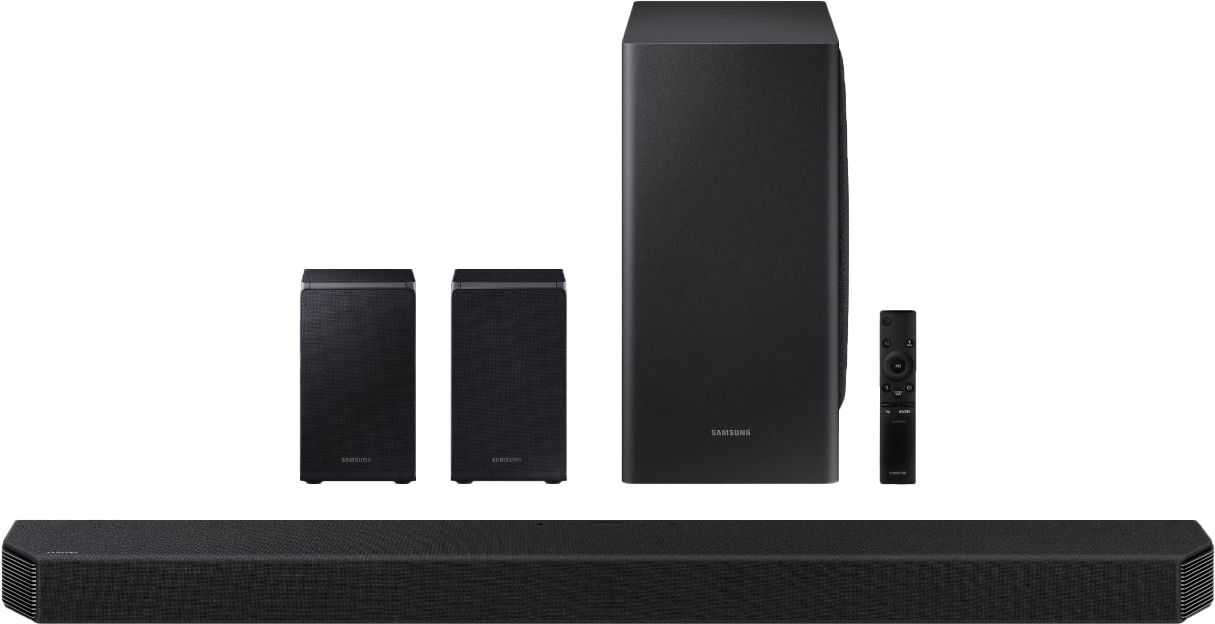
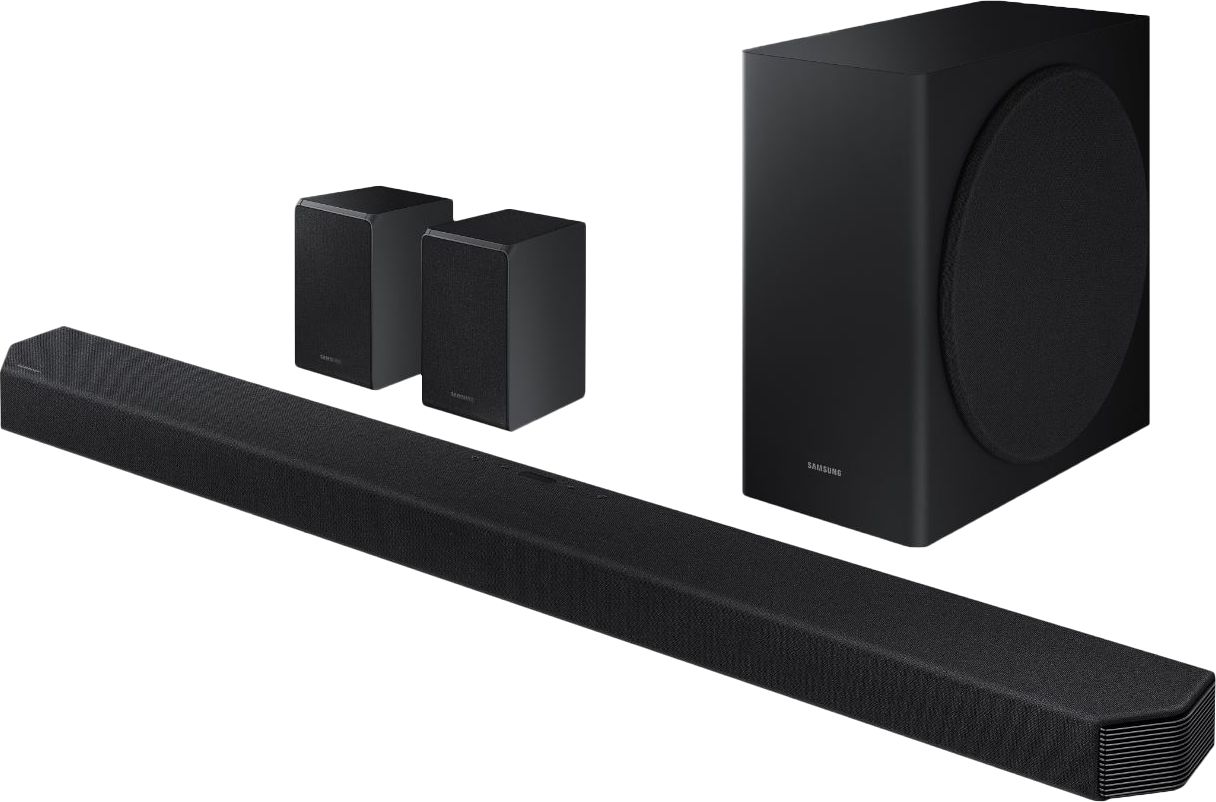
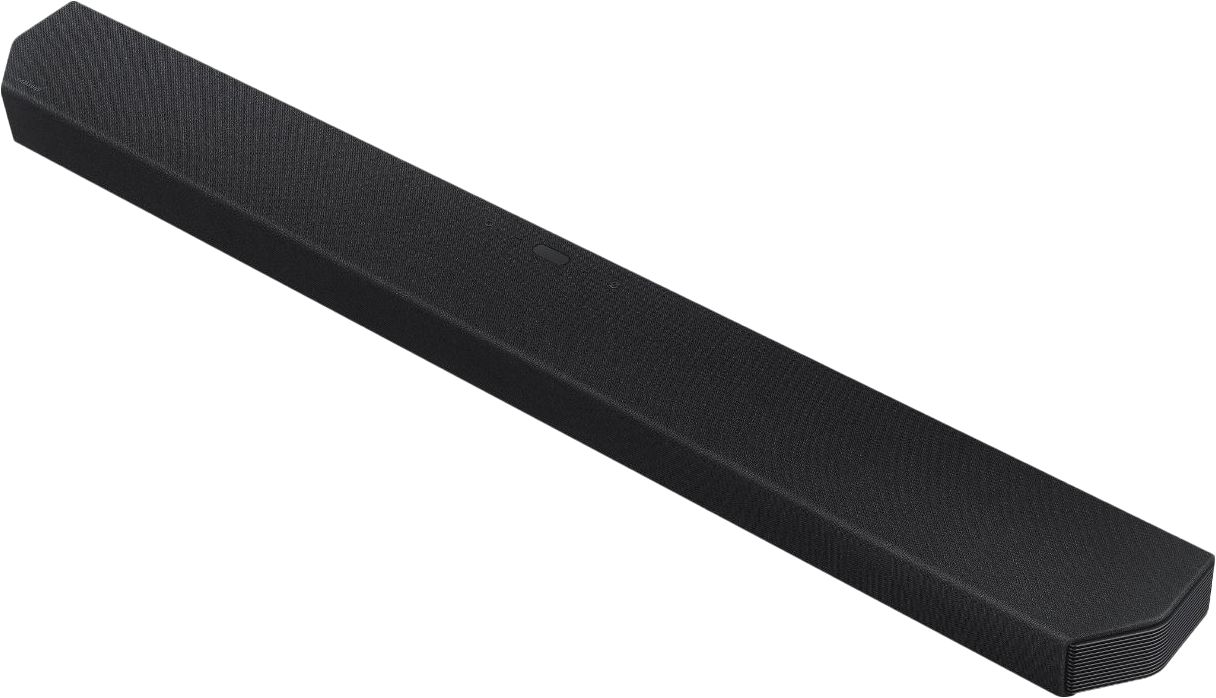
|Posted .This reviewer received promo considerations or sweepstakes entry for writing a review.The first thing to note is that the sound bar and subwoofer are huge so make sure you have room for it. My TV is on the fireplace mantel and it was a tight squeeze below the TV. Once I got it all placed, the setup was very easy. I put the rear speakers and subwoofer in pace and powered it on. It recognized the rear speakers, but I had to manually set up the subwoofer. One thing I found a bit odd and irritating is that the display is on the top and not front facing, so you have to be looking down on it to see the settings. IT would have been a good idea to either place the display in front or have an app to manage the settings. You can install the Smartthings app to manage some of the settings, but not all for some reason. I connected the soundbar via optical cable although the manual recommends an HDMI connection. The only reason I did not do that is my TV has a problem with the ARC connection. So it’s not the soundbar’s fault. The kit includes mounting hardware and an HDMI cable, so you don’t have to hunt for, or buy them. Once I got everything powered up and connected, I fired everything up and had no issues. The sound was great out of the box. I tweaked some of the levels for the rear speakers, center and side speakers until I got the sound I wanted. I would have liked the rear speakers to be a bit louder. I can probably fiddle with it a bit more to make that happen. The smartthings app has some basic EQ settings that can manage the sound type (Standard, Surround, Game and Adaptive) I connected my phone via Bluetooth and streamed music to it without a problem. It sounded clear and rich. Not quite high end sound system, but this could be because of the settings. As I said I will continue to fiddle with those until I get the sound I want. I believe it is certainly capable of sounding better. Having said that, the sound did fill the room quite nicely. The addition of Alexa is a big plus for me since I have them in nearly every room. I like being able to ask the sound bar to stream my favorite tunes. A couple of quirks aside (top display and lack of a full app) I really like this soundbar a lot and would recommend it if it’s within your budget.
I would recommend this to a friend - Pros mentioned:Sound quality
The sound bar you wished you had...
|Posted .This reviewer received promo considerations or sweepstakes entry for writing a review.I had tried another sound bar and thought it was great and way better than the TV sound. Then I got this sound bar with a subwoofer and rear wireless speakers. WOW. This is a completely different experience. I am very happy with this full experience that this sound bar package delivers. If you want a sound bar that has no comparison, then this is it. The sound bar is actually sort of long and would look awkward for a smaller TV. This sound bar has great sound and does not take shortcuts for the bass or the surround sound experience. I am a huge fan of the wireless ability for the subwoofer and the rear speakers. The only thing that one might want to know is that when you turn your TV off then the wireless speakers will have a faint blue light that blinks for a few minutes. It is not bothersome and would probably not even be noticed in a room with the lights still on. These speakers are a bit more expensive but if you have big expectations for quality, quality of sound, and experience, then this is the only way to go.
I would recommend this to a friend - Cons mentioned:Connectivity issues, Display location
The most expensive piece of junk I've purchased
Posted .This reviewer received promo considerations or sweepstakes entry for writing a review.1800$ for one of the most unstable, poorly supported piece of tech. Deeply regret purchasing this. Attempted use was in a 10 X 13ft room and a with a 14 x 14ft space in living room. - Sub and Satellites constantly disconnect -Smart Things integration is crazy slow -Device can only be turned off in Smart Things app, not turned on -Wifi is constantly disconnecting and reconnecting -If I have devices connect throgu hTV then ARC to Sound Bar then NOTHING can do ATMOS -If I have devices connected directly to the TWO HDMI in sound bar then connected to TV via ARC then ATMOS works but inputs are severely unstable needing to either remove certain devices or reboot everything in it's entirety. -Digital display is on the back of the TOP of the unit. It's basically useless as you can't see, from across the room what input it's on. -LED readout on front of the unit doesn't really help at all.
No, I would not recommend this to a friend Decide to make things better
Posted .This reviewer received promo considerations or sweepstakes entry for writing a review.The samsung hw-q950t soundbar using Earc to a LG C9 Tv is great. Yet there is still room for improvement. Missing Dialogue enhancer and night mode options is a huge con. I just wish there was a extra dialogue mode for my ear is hard of hearing.
I would recommend this to a friendFalse Promises
Posted .This reviewer received promo considerations or sweepstakes entry for writing a review.I initially owned the hw-n950, which is basically the 2018 version of the hw-q90r and hw-q950t. i was initially pleased but after 2 years of ownership there was no support with firmware fixes and the promised earc update to the n950 never happened. As for the q950t, it’s same story - it has the potential to be a great soundbar, although, it is plagued with issues right now that I wasn’t aware of when purchased. 1. basically it doesn’t support earc functionality (mainly dts:x due to bandwidth issues) and 2. it doesn’t support lpcm 5.1/7.1, it just downscales to pcm (which really is a joke at this price point). That being said, it is absolutely useless with the new generation of gaming consoles coming out. BTW.. Good luck trying to get any answers from Samsung on any of this. In the end, i will be returning this sound bar, because it’s not worth the hefty price tag and the uncertainty of support in the future.
No, I would not recommend this to a friendBrand response from Samsung
Posted .RJDouble:
Thank you for purchasing our top of the line Samsung 9.1.4ch HW-Q950T soundbar with Dolby Atmos and DTS:X bringing you 3D true surround sound. With Adaptive sound, your soundbar will be analyzing your content and automatically optimizing sound based on each scene.
We appreciate you sharing your thoughts on this soundbar and will share it with our teams.
Should you ever have any questions or concerns with this soundbar, please know we are always here to help.
1) Phone: 1-800-SAMSUNG, (available 8AM to 12AM EST - 7 days a week)
2) LiveChat: https://www.samsung.com/us/support/#contact_us_for_support
3) Facebook Messenger: https://www.facebook.com/samsungsupport
4) Twitter: https://twitter.com/SamsungSupport
5) The Samsung Members Community is also a great resource for getting help from Samsung moderators and customers: https://us.community.samsung.com
If you have not already done so, we invite you to register your new Samsung product at:
https://www.samsung.com/us/account/signin/?redirect=https%3A%2F%2Fwww.samsung.com%2Fus%2Fsupport%2Fregister%2F&user=dsr-registration
Registering your product gives you access to easy warranty support, convenient opt-in to special promos and offers, faster troubleshooting and service, and quick notification of system updates.
~ Samsung Solutions
- Pros mentioned:Sound quality
Very poor bass: HW-Q950T Soundbar with Q800T TV
Posted .This reviewer received promo considerations or sweepstakes entry for writing a review.Very poor bass: HW-Q950T Soundbar with Q800T TV This literally took 3 hours to get working correctly, but there isn't much bass coming from the sub. I've maxed out the bass on the soundbar and the woofer volume. It hasn't made much of an impact. Using eArc on Surround Setting with Q Symphony. With this, there is only the Adaptive or Game Sound selectiona available from the TV. Surround sounds great but not having a sub is a huge let down. Current Settings Treble 0 Bass 6 Center 0 Side Level 3 Wide 6 Front top 6 Rear level 6 Rear top 6 Virtual Off Any ideas? Should I just return?
No, I would not recommend this to a friendBrand response from Samsung
Posted .Scott:
Thank you for your review of this Samsung HW-Q950T Soundbar. I am very sorry that you are not completely happy with the bass performance.
There are two adjustments that can be made to maximize bass from the soundbar and subwoofer:
1) Using the WOOFER button on the remote, you can adjust the volume of the subwoofer between -6 to +6 by toggling the button up or down. To set the subwoofer volume level to 0, press the button in.
2) Adjust the bass control by pressing the SOUND CONTROL button (gear icon) on the remote control, then select BASS to increase the level. You can adjust the volume between -6 to +6 by using the Up/Down buttons.
For precise audio adjustments, you can use the 7-band frequency equalizer to optimize the sound for your room acoustics.
I hope this helps. For further assistance with features, settings, adjustments, or functions please contact Samsung Customer Support.
1) Phone: 1-800-SAMSUNG, (available 8AM to 12AM EST - 7 days a week)
2) LiveChat: https://www.samsung.com/us/support/#contact_us_for_support
3) Facebook Messenger: https://www.facebook.com/samsungsupport
4) Twitter: https://twitter.com/SamsungSupport
5) The Samsung Members Community is also a great resource for getting help from Samsung moderators and customers: https://us.community.samsung.com
If you have not already done so, we invite you to register your new Samsung product at:
https://www.samsung.com/us/account/signin/?redirect=https%3A%2F%2Fwww.samsung.com%2Fus%2Fsupport%2Fregister%2F
Registering your product gives you access to easy warranty support, convenient opt-in to special promos and offers, faster troubleshooting and service, and quick notification of system updates.
~ Samsung Solutions
Not worth the money
Posted .This reviewer received promo considerations or sweepstakes entry for writing a review.Just bought it about a week ago I keep getting crackling and distorted sounds from subwoofer and distortion from rear speakers sometimes also when its loud it gets distorted very disappointed and the subwoofer doesn't have allot of power and.i have it turned all the way up to 6 not worth the money
No, I would not recommend this to a friendBrand response from Samsung
Posted .Joshua:
I am very sorry to see that you are experiencing sound distortion with your HW-Q950T Soundbar. Your issue may be the result of a bad signal from the TV or a poor connection. It could also be caused by interference by mobile devices placed nearby. (1) Be sure to move phones and tablets at least 3 feet away, (2) Make sure that all cables are firmly connected to the soundbar at both ends, (3) Finally, check if the issue is occurring on all sources connected to the soundbar. If it is only occurring on one source, replace the cable that the device is connected with.
You can try optimizing audio performance for your specific content by pressing the SOUND MODE button on your remote, and then selecting the desired sound effect by choosing STANDARD, SURROUND SOUND, GAME, or ADAPTIVE SOUND.
You can further adjust TREBLE and BASS via the SOUND CONTROL button (looks like a gear symbol).
Should your issue persist, please contact Samsung Customer Support and a representative will gladly assist you.
1) Phone: 1-800-SAMSUNG, (available 8AM to 12AM EST - 7 days a week)
2) LiveChat: https://www.samsung.com/us/support/#contact_us_for_support
3) Facebook Messenger: https://www.facebook.com/samsungsupport
4) Twitter: https://twitter.com/SamsungSupport
5) The Samsung Members Community is also a great resource for getting help from Samsung moderators and customers: https://us.community.samsung.com
If you have not already done so, we invite you to register your new Samsung product at:
https://www.samsung.com/us/account/signin/?redirect=https%3A%2F%2Fwww.samsung.com%2Fus%2Fsupport%2Fregister%2F
Registering your product gives you access to easy warranty support, convenient opt-in to special promos and offers, faster troubleshooting and service, and quick notification of system updates.
~ Samsung Solutions
- Cons mentioned:Defective product
DO NOT BUY
Posted .This reviewer received promo considerations or sweepstakes entry for writing a review.im a professional av installer in ny area. this unit should have never been approved for consumer sales. after spending 2 hours figuring our the problem, i finally called samsung customer service. they are a joke. when i told the advisor of my issue, he just hung up. called again and found someone willing to help, however he was clueless. im returning this piece of garbage and buy sonos.
No, I would not recommend this to a friendBrand response from Samsung
Posted .Seruzy:
Thank you for your review of HW-Q950T Samsung Soundbar System. I am very sorry to hear that you experienced issues with installation. We appreciate your feedback and will share it with our internal teams.
If should have any further questions or feedback, please let us know. You can reach Samsung Customer Support at:
1) Phone: 1-800-SAMSUNG, (available 8AM to 12AM EST - 7 days a week)
2) LiveChat: https://www.samsung.com/us/support/#contact_us_for_support
3) Facebook Messenger: https://www.facebook.com/samsungsupport
4) Twitter: https://twitter.com/SamsungSupport
5) The Samsung Members Community is also a great resource for getting help from Samsung moderators and customers: https://us.community.samsung.com
~ Samsung Solutions
Awful system that just glitches
Posted .This reviewer received promo considerations or sweepstakes entry for writing a review.Awful System. I saw people are complaining about "no bass" but now I understand what they meant. The sub is working and has a punch, But for some reason when there is no action in the movie it completely removes bass, it gives that awful impression that there is no bass at all and it sounds is like crappy TV speaker. In addition, the system does NOT have a night mode, so one second you barely hear anything, another you jump off the couch because it's blasting like crazy. I upgrading from another Samsung soundbar and it doesn't have any of those issues
No, I would not recommend this to a friendBrand response from Samsung
Posted .Hi Bell,
Thank you for sharing your review of the Samsung HW-Q950T Soundbar. I am sorry to see that you are not completely happy with the sound performance. You can try manually optimizing your audio experience by pressing the SOUND CONTROL button (looks like a gear) to access the setting items such as TREBLE, BASS, SYNC, CENTER LEVEL, SIDE LEVEL, FRONT TOP LEVEL, REAR LEVEL, REAR TOP LEVEL, and VIRTUAL ON/OFF. The selected item can be adjusted using the Up/Down buttons.
– To control the volume of the treble or bass sound, select TREBLE or BASS in Sound Settings, and then adjust the volume between -6~+6 by using the Up/Down buttons.
– Press and hold the SOUND CONTROL button for about 5 seconds to adjust the sound for each frequency band. 150Hz, 300Hz, 600Hz, 1.2kHz, 2.5kHz, 5kHz, and 10kHz are selectable using the Left/Right buttons and each can be adjusted to a setting between -6 to +6 using the Up/Down buttons. (Make sure the Sound mode is set to “STANDARD”.)
– To control the volume of each speaker select CENTER LEVEL, SIDE LEVEL, or FRONT TOP LEVEL in Sound Settings, and then adjust the volume between -6~+6 by using the Up/Down buttons.
– If the video on the TV and audio from the Soundbar are not synchronized, select SYNC in Sound Control, and then set the audio delay between 0~300 milliseconds by using the Up/Down buttons.
– SYNC is only supported for some functions.
– If Surround Speakers are connected, select REAR LEVEL and then use the Up/Down buttons to adjust the volume within a -6 to +6 range.
– The VIRTUAL Speaker function can be turned ON/OFF by using the Up/Down buttons.
If you need further assistance, please know we are here to help. You can reach Samsung Customer Support at:
For further assistance, please contact Samsung Customer Support.
1) Phone: 1-800-SAMSUNG, (available 8AM to 12AM EST - 7 days a week)
2) LiveChat: https://www.samsung.com/us/support/#contact_us_for_support
3) Facebook Messenger: https://www.facebook.com/samsungsupport
4) Twitter: https://twitter.com/SamsungSupport
5) The Samsung Members Community is also a great resource for getting help from Samsung moderators and customers: https://us.community.samsung.com
If you have not already done so, we invite you to register your new Samsung product at:
https://www.samsung.com/us/account/signin/?redirect=https%3A%2F%2Fwww.samsung.com%2Fus%2Fsupport%2Fregister%2F
Registering your product gives you access to easy warranty support, convenient opt-in to special promos and offers, faster troubleshooting and service, and quick notification of system updates.
~ Samsung Ambassador