Customer Ratings & Reviews
- Model:
- MZ-V9E2T0B/AM
- SKU:
- 6571724
Rating by feature
- Value
Rating 4.7 out of 5 stars
- Quality
Rating 4.9 out of 5 stars
- Ease of Use
Rating 4.8 out of 5 stars
Customers are saying
Customers enjoy the product's extremely fast speeds and good performance, particularly for gaming. Its easy installation and setup are also highly appreciated, alongside its good price point and ability to upgrade storage. The SSD is considered great and runs cooler than some alternatives. However, a minor concern raised by some customers is the absence of DRAM.
This summary was generated by AI based on customer reviews.
- Pros mentioned:Speed, Storage
Best bang for your buck
||Posted . Owned for 3 weeks when reviewed.This reviewer received promo considerations or sweepstakes entry for writing a review.Installing on my pc was a breeze! An extra 2tb was needed cause I filled up my standard 1tb really fast and was running out of room with new updates. The read and write speeds are extremely fast just as advertised
I would recommend this to a friend - Pros mentioned:Ease of use, Storage
Not a stick of gum!
||Posted . Owned for 1 week when reviewed.This reviewer received promo considerations or sweepstakes entry for writing a review.This nifty little M.2 SSD has served me phenomenally as a boot drive, and works really well for storing bulky programs that I need to have up and running quickly. Installs with little effort, and runs smoothly. If you have multiple slots available to you, consider snagging yourself a few of these for some extra storage.
I would recommend this to a friend - Pros mentioned:Storage
Works as expected
||Posted . Owned for 1 year when reviewed.This reviewer received promo considerations or sweepstakes entry for writing a review.It's storage. Can't fit a bike, but can fit my school projects. Laptop I put it in.
I would recommend this to a friend - Pros mentioned:Speed
Great addition or for solo storage use
||Posted . Owned for 6 months when reviewed.This reviewer received promo considerations or sweepstakes entry for writing a review.I’ve been using these SSD’s for years and it really has been one of the best parts of my PC. For users new to SSD’s, these work wonders when used to boot your PC in a matter of seconds. Will always reccomend
I would recommend this to a friend Product is good
||Posted .This reviewer received promo considerations or sweepstakes entry for writing a review.Works greats recommend to anyone looking for a ssd.
I would recommend this to a friend- Pros mentioned:Performance
Quality!
||Posted . Owned for 1 year when reviewed.This reviewer received promo considerations or sweepstakes entry for writing a review.Samsung makes quality SSD's. This thing is still ticking, after my PC died & I'm having it moved into my new one. Would definitely recommend! It works as advertised & then some!
I would recommend this to a friend - Pros mentioned:Speed
Extremely Hot Running SSD
||Posted . Owned for 1 week when reviewed.This reviewer received promo considerations or sweepstakes entry for writing a review.I purchased this drive to act as a storage drive in my laptop. The laptop in question is an Alienware m18 R2, so its not a cramped, high temp laptop which should be ideal for this NVME. Out of the box, the drive works just fine. Plugged it in, booted the computer and simply initialized it in Storage Manager and we were off. Installed a few games on it, played them a bit and all is well. Then I decided to run some benchmarks and tests on it to see how well it was doing, and I was a little surprised. The CrystalDiskMark test came back just fine, offering roughly the advertised performance, but it was the temperatures that caught me by surprise. When running the test, the drive reached a crazy 106c. That can't be healthy. For a sanity check I ran the same test on my Samsung 9A1 (equivalent to a 980 Pro) and got much higher speeds, but the temperatures never broke 60c. The SSDs are located right next to each other, with the same amount of airflow. The other SSD does have a small heatsink on it, but nothing that I would imagine makes 40c worth of difference.
No, I would not recommend this to a friendBrand response from Samsung
Posted .Comprodigy:
Thank you for purchasing the 990 EVO SSD.
Samsung NVMe SSDs maintain optimal performance thanks to Samsung’s advanced design and manufacturing capabilities coupled with an integrated, heat dissipating thermal label. In rare instances of extreme workloads (transfer of several hundreds of GB), performance may be throttled through Samsung’s dynamic thermal throttling algorithm to protect the SSDs integrity.
Please be aware, however, that an external heat source such as a high-powered graphics card, or CPU placed in close proximity to the SSD, can adversely affect airflow around a Samsung NVMe SSD which may lead to performance degradation. Therefore, please ensure there is appropriate airflow around your SSD.
Should you have any further questions or concerns we can help you with, please contact Samsung Customer Support.
1) Call: 1-800-SAMSUNG (ask for Memory). Available 9AM - 12AM EST (Mon-Fri)
2) Email: samsungmemorysupport@sea.samsung.com
3) LiveChat 9AM-6PM EST (Mon-Fri) - https://www.livehelpnow.net/lhn/lcv.aspx?d=34834&ms=&zzwindow=0&lhnid=29783
Thank you for choosing Samsung, we hope to hear from you.
- Samsung Memory
- Pros mentioned:Speed
“Reliable and Eco-Friendly: Samsung Impresses!”
||Posted . Owned for 3 weeks when reviewed.This reviewer received promo considerations or sweepstakes entry for writing a review.So far, my Samsung hard drive has been fantastic! I put it in a less-used machine since it’s an eco-drive, but I don’t think that’ll cause any problems. Samsung makes some really great products.
I would recommend this to a friend - Pros mentioned:Speed
Great
||Posted . Owned for 2 weeks when reviewed.This reviewer received promo considerations or sweepstakes entry for writing a review.great speed and size would recommend to everyone in need
I would recommend this to a friend More memory
||Posted .This reviewer received promo considerations or sweepstakes entry for writing a review.Still needing to connect to my Mac mini. But I will say that I’m positive it will do its job
I would recommend this to a friend- Pros mentioned:Performance, Speed

Fast Affordable Storage
|Posted .This reviewer received promo considerations or sweepstakes entry for writing a review.Samsung has been a mainstay in the storage industry for quite some time. With a 5 year warranty and gold standard reliability and performance, the only thing that will steer me away is a good deal. Luckily Samsung has the EVO series to help with that. Don’t think this is a slouch because it carries the EVO moniker. You’re still looking at an advertised 5,000 MB/s read speeds and 4,200 MB/s write speeds. Real life speeds are actually right on the money. CrystalDiskMark gave me 5,072 MB/s reads on a 1GiB test and clocked in a bit lower on the reads at 3,714 MB/s. The reads do fall a bit short of advertised speed, but synthetic loads are just that, synthetic. Real world is a bit different. Before running this through the PCIe slot on my desktop PC, I wanted to export the data off my old drive into my new one. Using high speed USB 3.2 port and an external enclosure, I was easily maxing out the 10Gbps that my enclosure can handle, with speeds tapping out just below 1 GB/s on both read and write. If you plan to use this as an external drive for your PC or mac to handle video footage or move around your media library from one PC to another, you likely won’t be held back by the drive. It's also worth checking out Samsung Magician software that you can use to update, monitor, and manage your drive. From the dashboard you get feedback such as drive health (TBW or terabytes written), temperature, and the latest updates from your most recent scans. If you’ve setup your drive with an NTFS or RAW partition, you can also setup over provisioning which helps with performance and drive health. Most people may end up using the built in data migration that comes with the software to move data from an older drive to their new 990 EVO drive. It would be nice to see companies provide compatibility with other drives and more advance disk management tools with their software, but it’s easy enough to use for the every day person to monitor drive health and transfer from their old drive to the new one. All in, this is a great drive if you don’t need bleeding edge speed out of your SSD, but still want the reliability and warranty that comes with buying Samsung. Also support for PCIe 5.0 provides some future proofing as well as the industry will inevitably move towards this newer standard over the years.
I would recommend this to a friend - Pros mentioned:Performance, Speed
Speedy & performant drive w/great software support
|Posted .This reviewer received promo considerations or sweepstakes entry for writing a review.____ *Pros: -Speedy and consistent performance. -Samsung Magician software is fantastic. -5-year warranty. -Samsung has a good track record for providing firmware updates. ____ *Neutral: -Didn’t come with a mounting screw. _____ *Cons: -None I’m a long-time user and big fan of Samsung’s SSD hard drives, and the 990 Evo 2TB didn’t let me down. Samsung SSDs have been very reliable, and out of the 15+ drives I bought from Samsung throughout the two past decades, only one drive has ever failed, and it was within the warranty period. That drive was replaced by Samsung in a no-fuss, hassle-free manner. Based on Samsung’s track record, I expect the 990 Evo to last way past its 5-year warranty period. I installed my 2TB 990 Evo into my MSI Aegis ZS gaming desktop system which has a MSI B550-A Pro ATX motherboard, an AMD Ryzen 7 5800X CPU, and 48GB of RAM. The motherboard has two NVME slots, and the 990 Evo was installed into the secondary slot underneath the GPU. Samsung didn’t include a mounting screw, but my motherboard fortunately had one. To initialize the drive in Windows 11, I pressed Windows + X and clicked on Disk Management. After I set it up as a basic, GPT drive, Windows 11 reported a true capacity of 1863.0 GB. I then used an app called AOMEI Partition Assistant to clone my 1TB NVME drive that contains all my game installations to the 990 Evo. Afterward, I uninstalled the 1TB drive and renamed the drive letter of the 990 Evo to the older drive’s driver letter (E:/), and all my games launched and played just fine. The performance of the 990 Evo has been great. I’ve been playing Fallout 4 and Fallout 76 recently due to the excitement caused by the Fallout TV show that recently came out, and the games loaded very quickly; ditto for in-game loading screens and cutscenes. I tested other games as well, such as Baldur’s Gate 3, Resident Evil 4 Remake, Cyberpunk 2077, and Horizon Forbidden West, and it’s been all good. I even ran some emulators off the drive, and it greatly sped up the initial loading procedure where shaders are being compiled. The 990 Evo 2TB model is currently going for $159.99 on BestBuy, and I would heartily recommend it to friends and family, and there are several reasons for it. One, it’s Samsung, which is a big and major player in the field. Samsung has a proven track record for performance, reliability, and warranty support that other companies are unable to match in all the categories. Second, the Samsung Magician software offers a clean and performant experience that makes firmware updates and drive maintenance easy to do. Third, Samsung is relatively quick to respond to issues and release firmware updates, standing by their products. To sum it up, it’s a 5-Star Win.
I would recommend this to a friend - Pros mentioned:Installation, Speed, Storage
Samsung EVO FTW
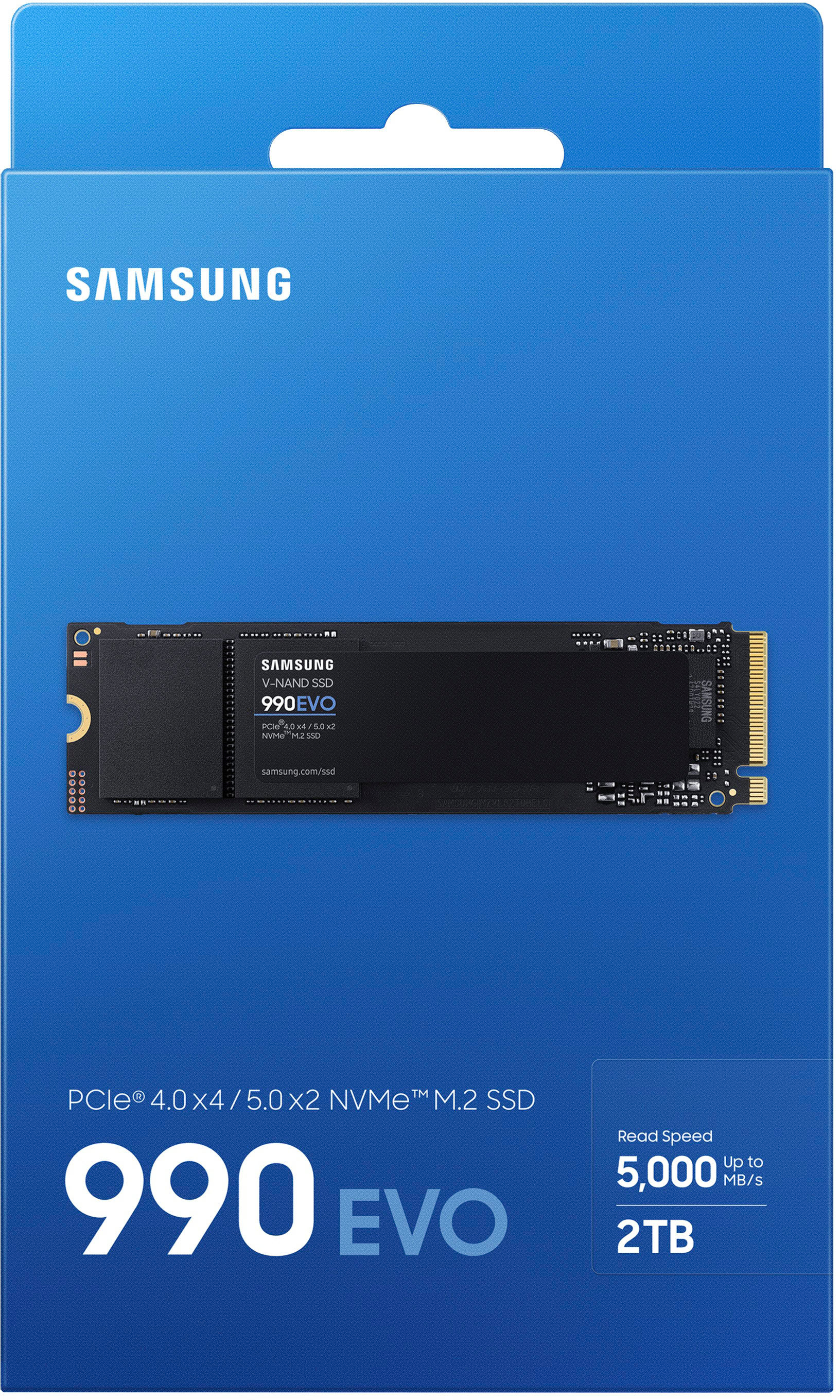
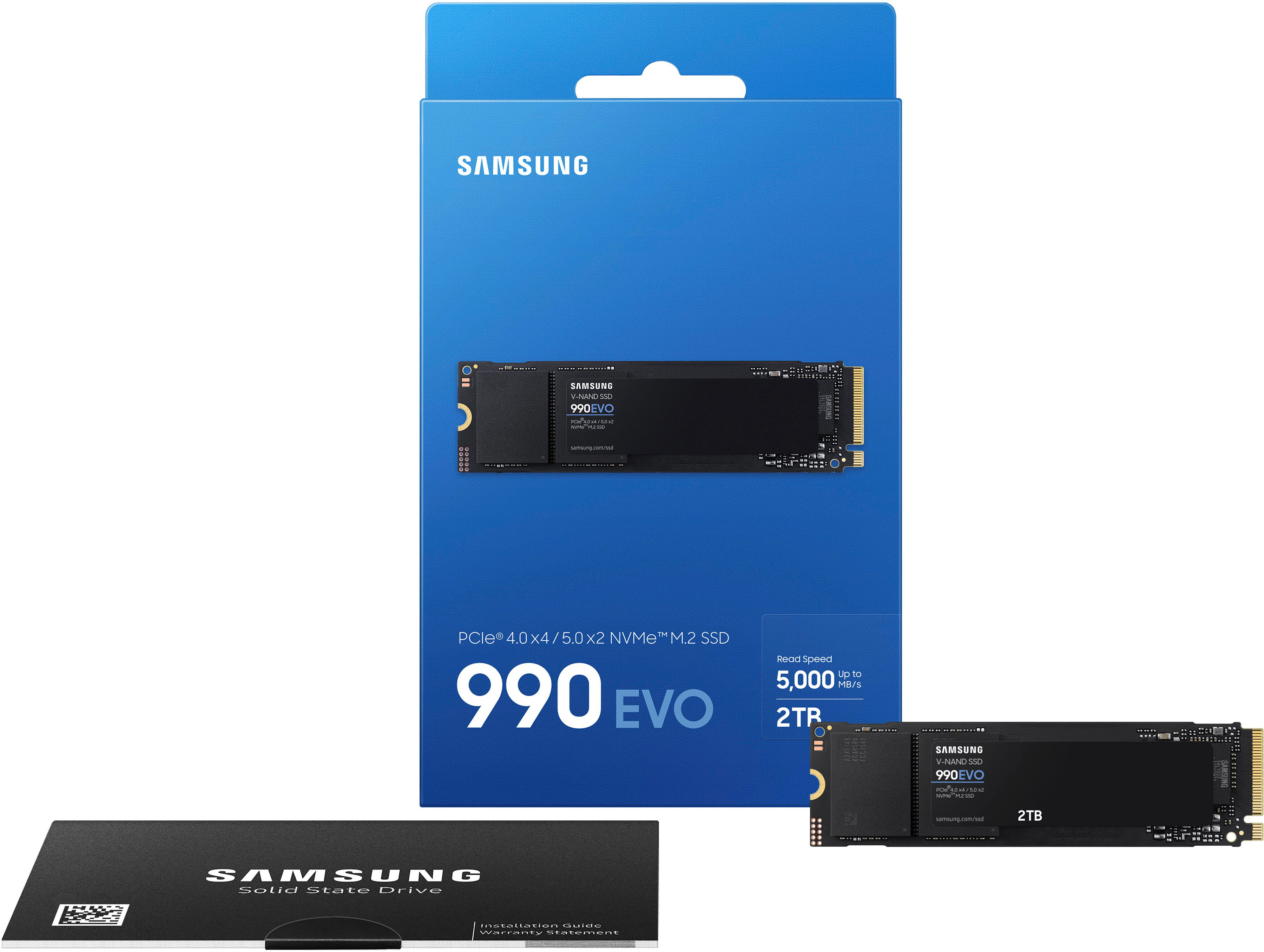
|Posted .This reviewer received promo considerations or sweepstakes entry for writing a review.I was looking to increase my storage for games, I had a 1TB Samsung 970 EVO as my boot drive and a secondary 2TB SSD already. I was looking to expand my 2TB to a 4TB, for convenience initially, but with the price on those I ended up upgrading my 970 EVO to the Samsung 990 EVO 2TB. It gives me another TB of storage and was the more budget friendly option. The card mentions PCIe Gen 5, but my current motherboard only supports up to PCIe Gen 4. The packaging is simple, carboard with some plastic holding the drive in place for visibility, plus some manuals and other printed information. If you're adding a drive, check your motherboard for the screw or possibly in the box as drives don't include one, just a heads up for those who may need to know. Installation is easy, slide the drive into to slot at a slight angle, apply light pressure to push it down and screw it in to place. As this is a boot drive and used for offline single player games primarily, I installed this to the slot further away from my CPU. My system detected the drive without any issues and I installed Windows using the USB boot drive I set up beforehand. With Windows 10/11 working the way it does, I didn't mind using the further slot as it wouldn't impact start up too much. I've been running with the drive for nearly a week and everything has been smooth. Running winsat disk on the drive I typically see over 4000MB/s. I had also copied some docs, photos, vids and music to the secondary drive, I moved these all back to my primary drive and these transferred over in no time. As mentioned, I can't speak about the 5th Gen speed, however the 4th Gen is a step up as my 970 Evo only supported 3rd Gen. I ran on the 970 EVO for years without any issues, which made it easy choice going with the 990 EVO knowing that I can rely on the drive to work.
I would recommend this to a friend - Pros mentioned:Performance, SpeedCons mentioned:Dram
Reliable Budget SSD
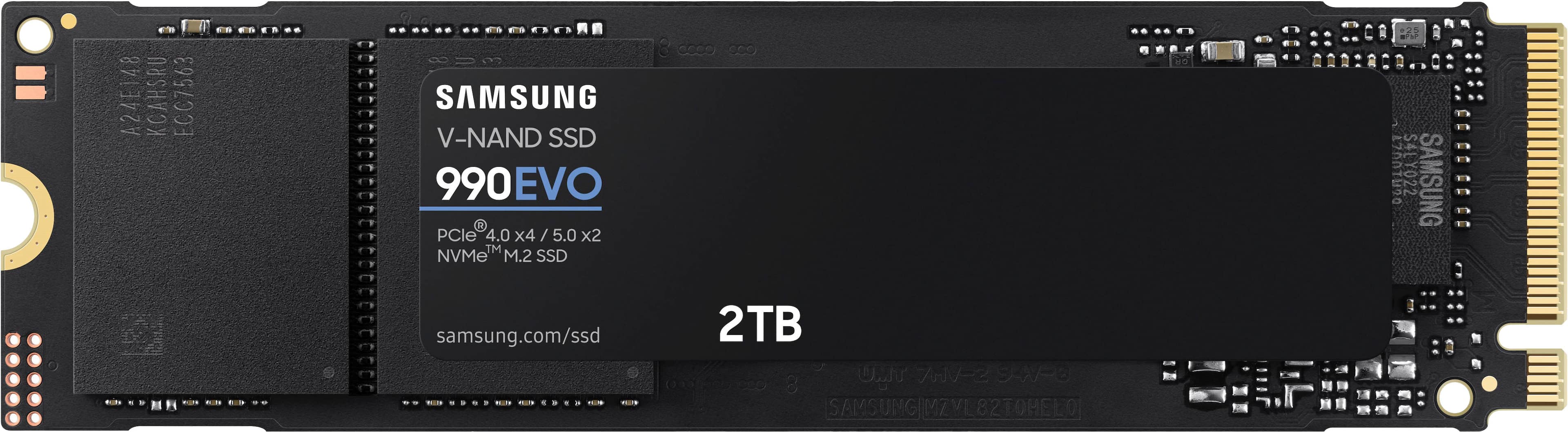
|Posted .This reviewer received promo considerations or sweepstakes entry for writing a review.Pros Consistent Speed Single sided design can fit smaller chassis Customizable with Samsung Magician Encryption support 5-year warranty Dual PCIe 4x4 and 5x2 modes Cons PCIe Gen 5 offers no advantage Write speeds lower than advertised No DRAM The Samsung 990 Evo is mainly a spec bump from the previous 980 Evo. Targeted at the budget crowd it doesn’t have DRAM and performance, while respectable, is on the lower end. It is a PCIe 5x2 capable drive, but it doesn’t add any real benefit as the rated speed is well withing the PCIe 4x4 specs. The single sided chip design comes in handy where space is a premium such as in an Ultrabook. Samsung claims the sticker serves as a heat spreader. In testing, idle temps have been stable but a bit on the high side hovering between 49-52C. However, stress testing by writing a 1TB test file did not cause any notable change in temps suggesting the sticker might be helping. CrystalDiskMark shows Performance is consistently 200-500MBs slower than the rated write speeds. Read speeds have varied from about 150MBs below the rated speed to 100MBs above. Interestingly, Samsung Magician benchmarks report even slower speeds with both read and write speeds below spec. While it is unlikely you will notice the difference, it is a bit of a surprise to see a Samsung SSD test below the rated speed. Like retail Samsung SSDs, the 990 Evo is compatible with the Magician software allowing easy OS migration as well as over provision the drive for reliability or turning off power saving for maximum performance. The drive also supports encryption which is nice if you are installing it in a laptop. Overall, the 990 Evo is not a standout SSD but still good, nonetheless. Considering Samsung’s track record over the years with SSDs this drive will likely be consistent and reliable for years to come. It also comes with a 5-year warranty to back it up. It would make a good upgrade for an Ultrabook or a budget gaming system. If you are looking for a budget SSD with decent performance, the Samsung 990 Evo could be a good fit.
I would recommend this to a friend - Pros mentioned:Installation, Performance, Speed
Fast, Reliable, and Plenty of Storage
||Posted . Owned for 2 weeks when reviewed.This reviewer received promo considerations or sweepstakes entry for writing a review.The Samsung 990 EVO 2TB SSD is an excellent upgrade. Installation was quick and simple, and my system recognized it right away. The speeds are impressive—boot times are nearly instant, games and apps load quickly, and overall performance feels much snappier. With PCIe Gen 4x4 support (and compatibility with Gen 5x2), it’s future-proof while still delivering great performance today. The 2TB capacity gives me plenty of space for games, software, and media without worrying about running out. Samsung drives are known for their reliability, and this one feels no different. If you want speed and storage in one solid package, the 990 EVO is a fantastic choice.
I would recommend this to a friend - Pros mentioned:Speed, Storage
Great general duty drive from Samsung
|Posted .This reviewer received promo considerations or sweepstakes entry for writing a review.I needed a bigger drive for a newer tower gaming rig and decided to try this one out. I have a spare M.2 slot on the motherboard and figured this would be an easy way to add storage without adding another actual drive to the case. Packaging was easy to open and the drive is about as straightforward as can be expected. I set it up in an external enclosure first to get some readings. My SSK external enclosure works very well and I have been happy with the speed of several M.2 drives I've used in it. I had a 980 PRO 2TB drive in it until not long ago and ran CrystalDiskMark 8 to see how they compared. To my surprise, the drives had very similar numbers, I guess I shouldn't have been surprised since the USB-C is the bottleneck! I found out very quickly that the USB is nowhere near the speed of the motherboard slot! Once installed in the machine, the speed of the PRO was very apparent. Not that the EVO wasn't fast, but the PRO really knocked everything else out of the water! I started working on computers when a hard drive was optional and a luxury for most machines, so even a decent 7200rpm drive is still pretty fast compared to those old 10MB Seagates we would put on IBM XT's and Wyse 286 machines! The EVO is quite fast and can handle large sets of data easily. It copied 64GB of files in just above a minute, making it more than fast enough for my needs. So far, I have seen nothing that would make it a bad deal for the price. We are seeing such a huge jump in speed and drop in price on these drives and it truly is getting to the point that you can have the capacity you need without breaking the bank and still enjoy speed never before seen at this level. Unless you NEED the ultimate speed of a PRO drive, spending a lot less will give you amazing results and without running them side-by-side, you will probably not know the difference.
I would recommend this to a friend - Pros mentioned:Installation, Performance
Smooth installation and fast speeds!
|Posted .This reviewer received promo considerations or sweepstakes entry for writing a review.I have zero experience building PC, but I am a PC gamer and I bought a pre-build gaming desktop with a 4070 but it only came with 1TB storage. I quickly used that up with some of my favorite games, and never really looked into adding additional memory because I thought it was too complicated for someone like me with no experience. However, I got a chance to try this internal SSD from Samsung, and I so I had to take the time to research and install it. I am honestly suprised at how easy and fast the installation was. My PC makes it easy because the motherboard has the SSD slot labeled, and it honestly took less than 3 minutes to remove the screw, insert the SSD and tighten the screw again. The next step was setting it up with my PC. Fortunately, YouTube has lots of videos on how to do this, so I just followed up and in less than 5 minutes, my SSD was installed and ready for games and files. Had I known this was so simple and easy I probably would of done this the same day I bought my PC. Overall, I highly recommend this because it was super easy to install as someone who had no experience, and after a week of running games, it runs just as smooth as the games I have in the original hard drive. Super happy I won’t run out of space anytime soon!
I would recommend this to a friend - Pros mentioned:Speed
The 970 EVO Plus Successor
|Posted .This reviewer received promo considerations or sweepstakes entry for writing a review.To start off, I didn't know what to expect given that this is the first NVME I've tried without DRAM cache. It's also sort of unique as it's both a PCI 4.0 x4 and PCI 5.0 x2 drive with similar bandwidth throughput on each type of setup. I was interested in this drive because it seems to be current successor to the former 970 EVO Plus which has been one of the most stable and popular models that Samsung had released in the past five years. In fact, I've used the 2TB version of the 970 EVO PLUS in my main PC for the last two. To give the drive a fair shot, I decided to completely pull out my 970 EVO PLUS 2TB and replace it with the 990 EVO as a main drive to really see the pros and cons of what the generational successor can do. INITIAL THOUGHTS: Reformatting windows on a new drive is nothing new to me and I generally have a good idea of what the previous drive could do when re-installing. Nothing has really been glaring and I believe they operate in the same general ballpark when writing to drive. If anything, the 990 EVO is slightly slower when installing programs and opening them at the same time, but that could just be placebo.. I couldn't really tell the difference 95% of the time. Since this is a drive without DRAM, the cache for writing to drive is going to have to access the PC's "host memory buffer". I can't say if this is a bad or good thing given that I'm using 6400mhz DDR5 XMP on a Intel I9 12900k machine. I didn't really notice anything bad and it seems to benchmark a bit higher than my previous drive too! PROS: I cannot really test the functionality beyond PCI 4.0 x4 wired to CPU, but the drive can apparently use 5.0 in x2 mode. Intel doesn't really support PCI 5.0 on modern hardware unless you sacrifice the main 5.0 x16 Lane and split it into x8/x8.. and even then, it's reliant on motherboard support itself. more of a Intel z790 feature. The 4.0 x4 mode works solid.. I think the DRAMLESS functionality is fine for normal users and gamers. Drive runs cool at around 40-45C and has a 85c thermal threshold according to HWINFO. 5000MB/S read speed is faster than previous 970 EVO PLUS. NVME 2.0 Spec. Supports modern sleep. CONS: The drive will innately bottleneck heavily if your using the drive for both write and read at the same time.. sometimes slower than 970 EVO PLUS from what certain mainstream benchmarks show. I would not recommend this to someone who wants a productivity drive. Write speed also benchmarks lower than spec.. IE 4200 MB/s spec seems to hover 3700 MB/s on a fresh install.. Just a slight upgrade over previous 970 EVO PLUS model. Can bottleneck to similar levels or even worse. NEUTRAL: It's suppose to be more power efficient, but you're trading out high spec performance. This is not the best PCI 4.0 drive, but it's certainly better than the previous PCI 3.0 model. I could see this NVME as a laptop drive, but I don't know if slower spec DDR5 ram will impact performance due to host memory buffer. Most laptops run 4800mhz or 5600mhz JEDEC with slower timings. SUBJECTIVE: I think its a bit snappier than my previous drive if reading/loading programs, but it's also not an insane difference and I generally expected that. Time will tell if the drive holds up as well as my previous 970 EVO PLUS. OVERALL: I think the 990 EVO is a great drive. I wouldn't say its the best option or value on the market, but it fits into the "Jack of all trades" category. Power efficiency and low heat is the selling point here. If you want speed or productivity, look else where. Gamers might like this drive as load times won't really matter. Solid 4/5.
I would recommend this to a friend - Pros mentioned:Performance, Speed
bring on the downloads
|Posted .This reviewer received promo considerations or sweepstakes entry for writing a review.Samsung has been my goto brand for drive storage for years, I have never been disappointed in pricing, speed, reliability or any other aspect. This drive was installed in a new gaming laptop as a second drive for more storage. Packaging was good/safe as is typical. The hardest part of the install is finding and keeping track of all the laptop screws and where they go. Powered up the laptop. Windows found it and did it’s thing and boom, there’s a new D: drive for storage available to me. I ran some benchmarking tools just to confirm the drive was performing as advertised. My primary drive is a 980 pro m.2. Both benchmarked as expected. I’m using the 990 evo strictly as a drive for games at the moment and in use I notice no difference in load time or game play. The price difference isn’t much but the 990 EVO is a good option if you are looking to save a couple bucks on storage. IMHO I will probably stick with the pro versions for the OS drive, but for additional space I have no problem running the EVO.
I would recommend this to a friend - Cons mentioned:Dram
Good Drive, But Ignore the Gen 5 Advertising
|Posted .This reviewer received promo considerations or sweepstakes entry for writing a review.Samsung's SSD lineup can be confusing, but the important thing to know is that drives in the EVO series typically lack a few high-end performance features compared to the PRO drives in exchange for a lower price. That trend continues with the 990 EVO, which still hits a great balance of price and performance - but it might be best to ignore the "Gen 5" terminology in the specs and marketing. ===PROS=== - The 990 EVO is a "hybrid" drive, meaning it can run in both PCIe 4.0 and 5.0 modes depending on the capabilities of your computer. I tested the 990 EVO on a high-end gaming desktop that supports PCIe 5.0, as well as a new ASUS Zephyrus G16 laptop that supports PCIe 4.0. What I found was that speeds were nearly identical -- there was no benefit gained with the drive running in a PCIe 5.0 slot. Still, speeds are very fast, though not as fast as top-of-the-line NVMe SSDs. On this 2 TB model, sequential read speeds top out at over 5,000 MB/s, and sequential write speeds land at about 3,800 MB/s. See the attached benchmark screenshot for more details. Random read/write speeds are significantly slower, but that is simply the nature of this drive since it does not have on-board DRAM (more on this below). For gaming and day-to-day computing tasks, these speeds are still incredible and infinitely better than a standard mechanical drive or even a 2.5-inch SATA-based SSD. - The 2 TB model of the 990 EVO has endurance rating of 1,200 TBW (terabytes written), which is right in line with the high-end 2 TB Samsung 990 PRO. - For the past week, I've been using the 990 EVO as my primary game storage drive in my new ASUS ROG Zephyrus G16 gaming laptop. I've loaded several games to it so far including Cyberpunk 2077, Horizon Forbidden West, and Alan Wake 2. Load times are excellent and indistinguishable from a higher-end Samsung PRO drive I have in my desktop PC. ===CONS=== - Like some other Samsung EVO drives, the 990 EVO does not have on-board DRAM, which causes a hit to performance in some scenarios. Having DRAM basically provides a map of the drive for your computer so it can quickly find the data it needs to access. Without DRAM, this "map" is stored on the SSD's flash storage itself, which is slower than DRAM. In real-world usage, this slowdown should only be noticeable in the largest of workflows (like 4K video editing). - Interestingly, the Samsung Magician software reported that my drive already had nearly 400 GB of data written to it out of the box. I received this drive brand new, so it's unclear how or why it may have been used before I received it. Maybe during factory quality control testing? ===OVERALL=== For the average gamer and home user, there are practically no downsides to this drive. It is perfect to use as a boot drive for Windows or to store games and other media. However, don't buy this drive looking to get true PCIe 5.0 performance - it's basically a 4.0 drive with 5.0 support. For those who frequently work with very large files and transfer a ton of data every day, you will probably want to look for a true Gen 5 drive or a faster Samsung PRO drive. But for everyone else, the 990 EVO drive will last a very long time and provide plenty of speed.
I would recommend this to a friend