Save up to 50% on 3-Day Sale deals.Ends 12/7.Shop now

Skip to content
Gift Ideas
Main Content

Customer Ratings & Reviews
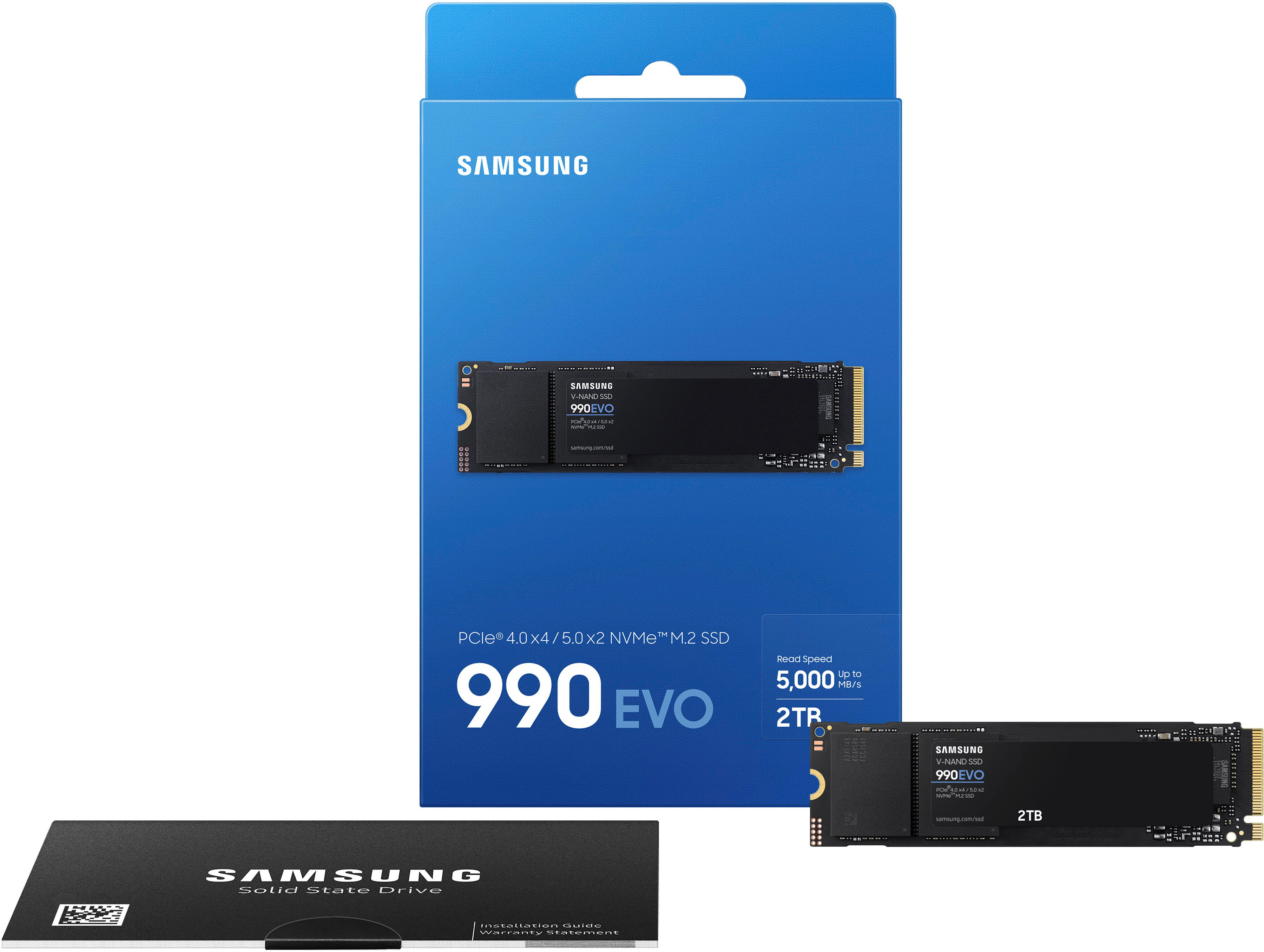
3-Day Deal
Your price for this item is $159.99
The comparable value price is $209.99

Customer reviews

Rating 4.8 out of 5 stars with 264 reviews

Rating Filter

Rating by feature

  • Value

    Rating 4.7 out of 5 stars

  • Quality

    Rating 4.9 out of 5 stars

  • Ease of Use

    Rating 4.8 out of 5 stars

Pros mentioned filter

Cons mentioned filter

97%would recommend to a friend

Customers are saying

Customers are pleased with the 990 EVO SSD's performance, large storage capacity, and ease of installation. Many appreciate its good price and the speed at which it operates. While some users noted that the drive can get warm during extended use, the majority of feedback highlights its positive attributes. The SSD is praised for its ease of use and ability to significantly improve system speed.

This summary was generated by AI based on customer reviews.

The vast majority of our reviews come from verified purchases. Reviews from customers may include My Best Buy members, employees, and Tech Insider Network members (as tagged). Select reviewers may receive discounted products, promotional considerations or entries into drawings for honest, helpful reviews.
Page 13 Showing 241-260 of 264 reviews
  • Pros mentioned:
    Performance, Speed
    Tech Insider Network Member

    Rated 5 out of 5 stars

    Great choice for on board storage

    |
    Tech Insider Network Member
    Posted .
    This reviewer received promo considerations or sweepstakes entry for writing a review.

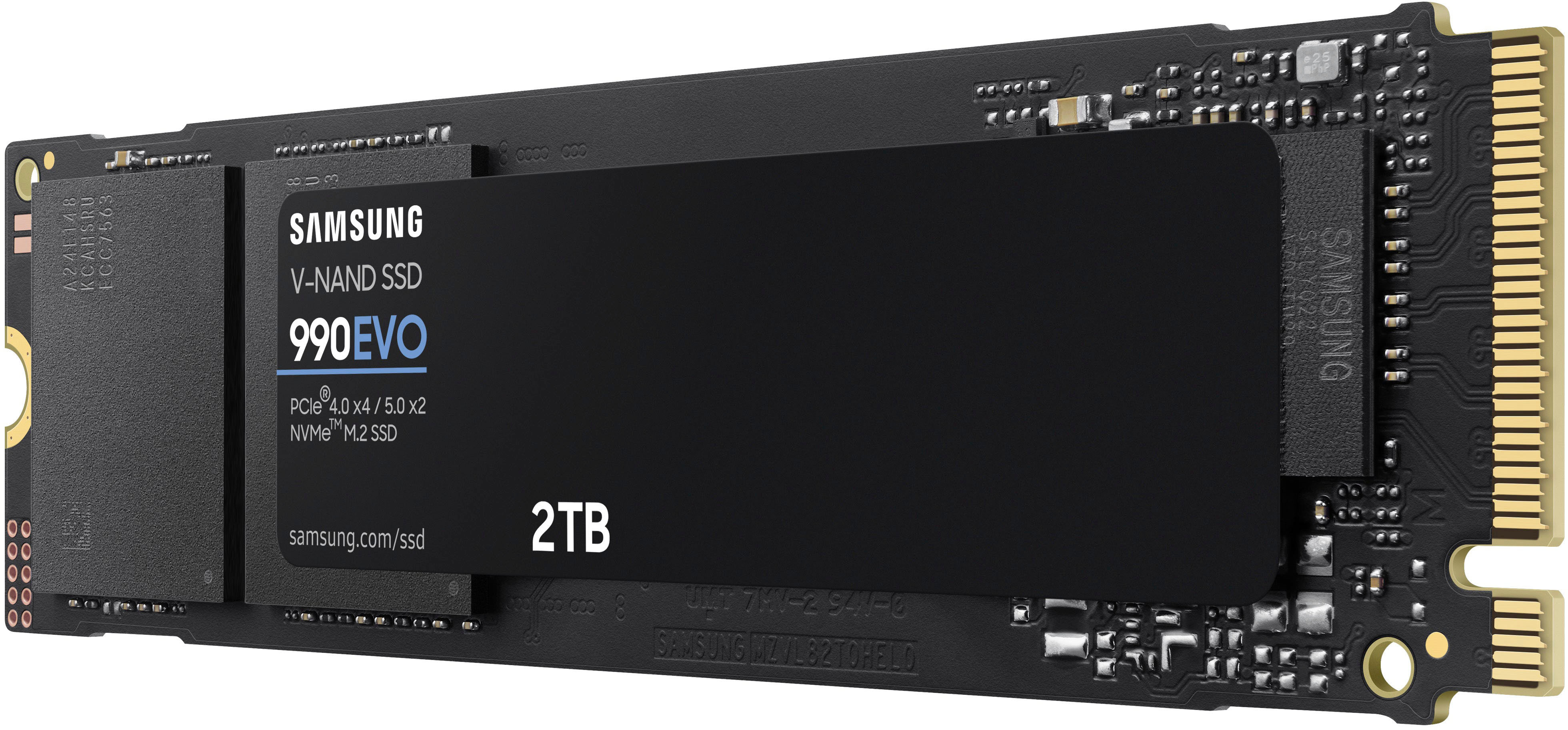
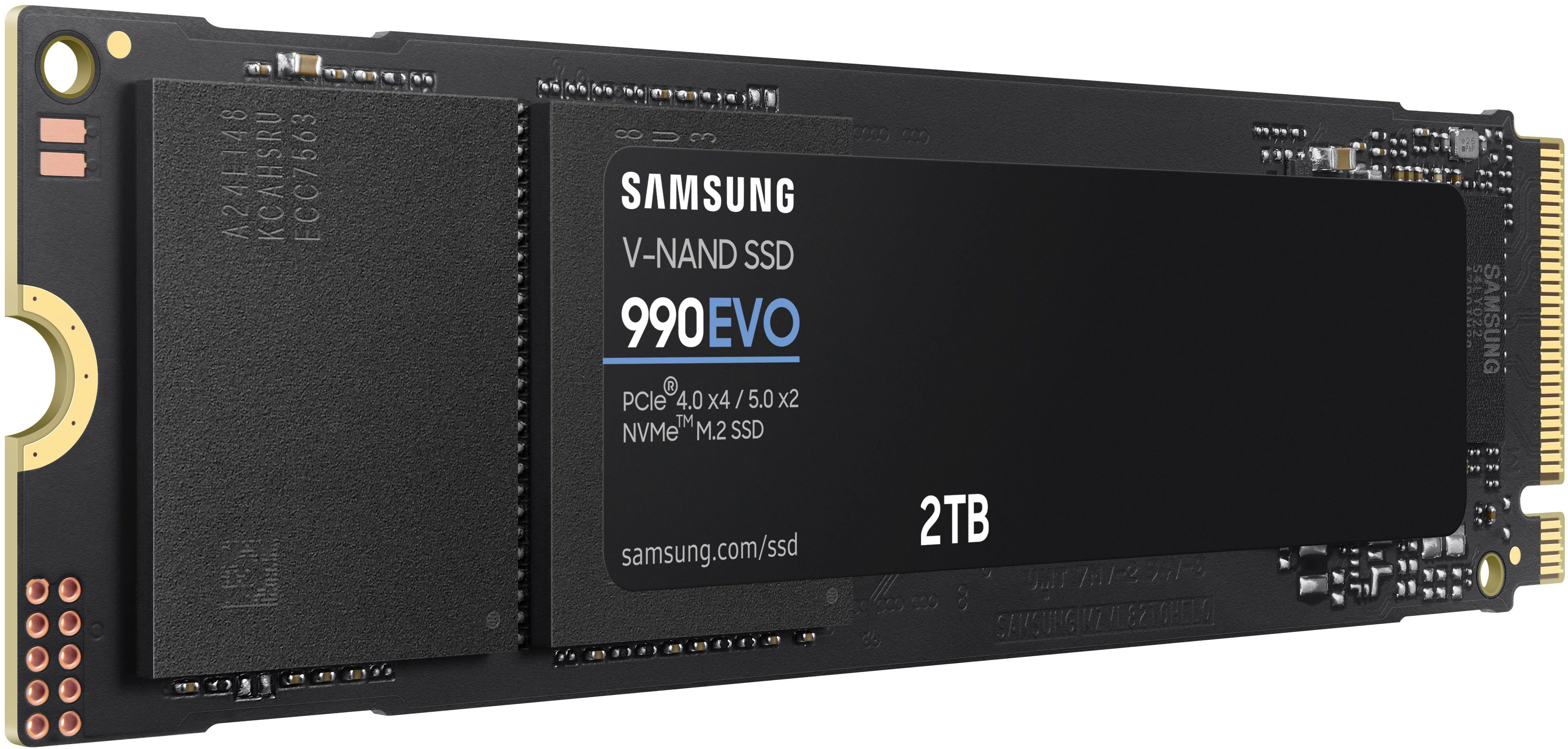
    I must say that I love these little SSds. Super small and able to hold so much data. The Samsung - 990 EVO SSD 2TB Internal SSD PCIe arrived quickly and well secured in the box by Samsung. I was not worried about any damage to such a lightweight drive. Using a external enclosure, I cloned my existing 1TB SSD PCIe to the Samsung and then swapped them. After unlocking the drive with BitLocker, the computer came right up and everything was exactly as it should be, just with more space. After a few days of daily use, I have had no errors on the PC (a HP Omen gaming machine) and everything was found as expected. No missing shortcuts or anything. For longevity, you really cannot go wrong with Samsung. They are one of the better names in the computer storage game. If you are looking to upgrade your on board storage (or using an enclosure), I highly recommend the Samsung - 990 EVO SSD 2TB Internal SSD PCIe. The price point is good and the reliability should give you peace of mind. Just be sure not to lose the retaining screw!

    I would recommend this to a friend
  • Rated 3 out of 5 stars

    Tricky installation.

    |
    |
    Posted . Owned for 3 weeks when reviewed.
    This reviewer received promo considerations or sweepstakes entry for writing a review.

    Had some issues getting this to work, would only function on Gen 5 PCIE but I thought these were supposed to be backwards compatible.

    No, I would not recommend this to a friend
    • Brand response from Samsung
      Posted .

      VictorO:

      I’m sorry for the difficulties with your SSD’s setup. The Samsung 990 EVO SSD is backwards compatible. It supports both PCIe 4.0 and PCIe 3.0 interfaces. Should you need further assistance, please contact Samsung Customer Support directly:

      1) Call: 1-800-SAMSUNG (ask for Memory). Available 9AM - 12AM EST (Mon-Fri)
      2) Email: samsungmemorysupport@sea.samsung.com
      3) LiveChat 9AM-9PM EST (Mon-Fri) - https://www.livehelpnow.net/lhn/lcv.aspx?d=34834&ms=&zzwindow=0&lhnid=29783

      Thank you for sharing your experience! We greatly value your feedback and will be shared with our product team.

      - Samsung Memory Samsung

  • Rated 3 out of 5 stars

    a little misleading

    |
    |
    Posted . Owned for 1 month when reviewed.
    This reviewer received promo considerations or sweepstakes entry for writing a review.

    i thought i was getting a gen 5 ssd turns out it was gen4 but the listing is kind of worded wierd. i would have not got it knowing that.

    No, I would not recommend this to a friend
    • Brand response from Samsung
      Posted .

      WilliamV:

      I’m sorry to hear that your experience did not match your expectations. We value your feedback regarding the speed of your 990 EVO SSD. Your feedback is very important to us and will be shared with our product team.

      Should you ever have questions or need assistance using this product, please know we are always here to help.

      1) Call: 1-800-SAMSUNG (ask for Memory). Available 9AM - 12AM EST (Mon-Fri)
      2) Email: samsungmemorysupport@sea.samsung.com
      3) LiveChat 9AM-6PM EST (Mon-Fri) - https://www.livehelpnow.net/lhn/lcv.aspx?d=34834&ms=&zzwindow=0&lhnid=29783

      The Samsung Members Community is also a great resource for getting help from Samsung moderators and customers:  https://us.community.samsung.com/

      Thanks for choosing Samsung for your memory storage needs!

      - Samsung Memory Samsung

  • Pros mentioned:
    Performance, Speed
    Tech Insider Network Member

    Rated 5 out of 5 stars

    Fast SSD and a great price

    |
    Tech Insider Network Member
    Posted .
    This reviewer received promo considerations or sweepstakes entry for writing a review.

    Samsung not only makes awesome TV's and other devices, have always been one of my first choices for SSD. The 990 Evo was another great choice. I actually had the 1tb on my laptop . Then I went and bought this one because I wanted more space. it's a great all around drive. With top read speed of 5000mb/s . You get a top sequential write speed of 4200mb/s. Another good thing about this SSD is that it can work with PCIe4.0 or 5.0. if you're not sure of what your motherboard can handle, the Samsung 990 Evo should work . Obviously speeds are different with 4.0 and 5.0 . I've had no issues with this ssd and I do minimal gaming on it, once again no issues and it was a huge upgrade compared to the old big hard drives, this is so much faster. I get faster loading times . I feel like the old style hdd use up a lot of space and create more heat. One thing I do recommend is placing a thermal pad underneath the drive before you fully close it down with the screw. Although this is not a gaming SSD but since I do play a little bit with this one I don't want to run the risk of it overheating. There's is only one thing I don't like from the drive is that it's according to what specs say it's not a drive that consumed less power and that's the other reason I use the thermal pad

    I would recommend this to a friend
  • Pros mentioned:
    Speed, Storage
    Tech Insider Network Member

    Rated 5 out of 5 stars

    Fast Storage Drive Using as Gen4x4 in Laptop

    |
    Tech Insider Network Member
    Posted .
    This reviewer received promo considerations or sweepstakes entry for writing a review.

    I used this as a second storage drive on a gaming laptop. It was recognized and runs as a Gen4 x 4 lanes. It was found in BIOS correctly, and easily setup in Disk Management utility. This drive performed about as fast as the system drive in Reading benchmarks, just a tiny bit slower in Writing benchmarks, but noticeably ran cooler, with no heatsink attached, runs cooler than 970 EVO PRO. This would be just fine as a main drive in a gaming laptop, swapping out to increase storage on the system drive slot. This is my first DRAM-less SSD, and I like that it can be used in a Gen5x2 lanes if your device has that slot. Thats why its listed as a hybrid SSD I guess. I loaded and played games on it, trying one with Directstorage feature and that worked fine. Samsung Magician software had no problem interacting with this drive. Keep in mind this has about 5gb/s bandwidth versus some of the faster 7gb/s bandwidth, so transferring some size of files might be slower than expected for a drive labelled Gen5. I would recommend for sizing up in gaming laptops or all around use laptops, or adding as secondary drive as I have done.

    I would recommend this to a friend
  • Rated 1 out of 5 stars

    bad SSD after 6 month of use

    |
    |
    Posted . Owned for 5 months when reviewed.
    This reviewer received promo considerations or sweepstakes entry for writing a review.

    This drive worked for only 6 month and finally stopped working , I have lost all my data this

    No, I would not recommend this to a friend
    • Brand response from Samsung
      Posted .

      Jk2022:

      I’m very sorry for the difficulties you’ve experienced with your 990 EVO SSD. We completely understand your frustrations, and we are here to help.

      Please contact Samsung Customer Support directly so that we can better investigate your issue and assist you towards a resolution or replacement.

      1) Call: 1-800-SAMSUNG (ask for Storage Devices). Available 9AM - 12AM EST (Mon-Fri)
      2) Email: samsungmemorysupport@sea.samsung.com
      3) LiveChat 9AM-9PM EST (Mon-Fri) - https://www.livehelpnow.net/lhn/lcv.aspx?d=34834&ms=&zzwindow=0&lhnid=29783


      Samsung stands behind the quality and performance of every 990 EVO SSD we manufacture with a limited 5-year manufacturer’s warranty when purchased brand-new, directly from any authorized dealer, like Best Buy.

      We look forward to hearing from you soon.

      - Samsung Memory Samsung

  • Rated 1 out of 5 stars

    I'm screwed, without a screw

    |
    |
    Posted .
    This reviewer received promo considerations or sweepstakes entry for writing a review.

    Shipped to me, opened it up and lo and behold for the price you do NOT get the small screw to hold it in place. So, now I must find a place that will sell one and cant use it until I do. Useless without it so cant give it anything but 1 star

    No, I would not recommend this to a friend
    • Brand response from Samsung
      Posted .

      RobertC:

      Thank you for purchasing the Samsung 990 EVO SSD. Please know that these drives are not delivered with mounting screws since motherboard manufacturers typically provide the specific screws and spacers that fit the proprietary needs of each motherboard.

      Should you ever have questions or need assistance using this product, please contact Samsung Customer Support.

      1) Call: 1-800-SAMSUNG (ask for Memory). Available 9AM - 12AM EST (Mon-Fri)
      2) Email: samsungmemorysupport@sea.samsung.com
      3) LiveChat 9AM-9PM EST (Mon-Fri) - https://www.livehelpnow.net/lhn/lcv.aspx?d=34834&ms=&zzwindow=0&lhnid=29783

      Thanks for choosing Samsung for your memory storage needs!

      - Samsung Memory Samsung

  • Pros mentioned:
    Speed
    Tech Insider Network Member

    Rated 5 out of 5 stars

    Efficient and Affordable

    |
    Tech Insider Network Member
    Posted .
    This reviewer received promo considerations or sweepstakes entry for writing a review.

    Samsung’s newest entry in the 990 line up is not a performance-oriented part, but rather one focused on efficiency and value. The 990 EVO meets the performance needs of all but the most extreme content creators while being more efficient at a lower price point than the performance oriented “Pro” line. This is a great drive for games and everyday use, especially as a second drive in a system, or to replace an undersized OEM drive in a laptop. Laptop use seems to be a target market for this drive, as it does boast power efficiency as a key selling point. Installation is as easy as any other m.2 SSD. Fit it in the slot, push it down gently, and either screw it in or flip a latch on your motherboard. It comes completely unformatted so you will need to create a partition and format it in your OS of choice before it will get a drive letter and be useable. If you need to clone a drive to upgrade to this one, Samsung offers excellent drive cloning software. You may need to purchase an m.2 external SSD enclosure to do the drive clone, and then replace your old drive with this new one. In testing, the drive performed well for an EVO line model. I was able to move a 120GB game from a 980 Pro SSD to this one in about a minute, for a 2GB/sec (2,000 megabytes per second) sustained write rate. Read rates are also fast, coming in at around the advertised 5GB/sec, which is more than enough for most users. One little note here, while the drive advertises as “PCIe 5.0” in places, it’s only x2, so this drive is not any faster than a PCIe 4x4 drive, and is slower than the 980 Pro 2TB PCIe 4x4 model. It does cost less and use less power than that drive however. Another perk for Samsung drives is the excellent Samsung Magician software. This software lets you manage all installed Samsung drives in your system, keep them up to date, and measure their health and usage over time. Overall, the 990 EVO drive will meet the needs of almost every user, and is especially well suited for laptops that cannot generally take advantage of more expensive and power hungry performance drives like the Pro line. In a desktop, this drive performs well enough in every day real-world tasks to offer a cheaper option for those who don’t need to stare at synthetic benchmarks all day. If you are just looking to add some fast storage, or upgrade an undersized drive in a laptop, this one should be on your list.

    I would recommend this to a friend
  • Rated 1 out of 5 stars

    Didn't Work in My Motherboard

    |
    |
    Posted . Owned for 1 week when reviewed.
    This reviewer received promo considerations or sweepstakes entry for writing a review.

    Attempted to install this in my new Gigabyte Aorus Z790 motherboard in all 4 slots and couldn't get it recognized. Whereas, I installed a WD m.2 drive without a problem.

    No, I would not recommend this to a friend
    • Brand response from Samsung
      Posted .

      EddieP:

      I’m sorry to hear that your out-of-box experience fell short of your expectations.

      There are several reasons why this may be happening.

      1. Your PC may fail to detect the SSD automatically; please search for new devices in Windows Device Manager.
      2. When Hot Plug-in for each port in BIOS settings is set to Off by default, Windows may fail to detect the SSD. In this case, reboot the system, enter BIOS setup, and go to the configuration menu to ensure that Hot Plug-in for each port is set to "Enable“.
      How to enter BIOS setup for different mainboards:
      • GIGABYTE -->F12, ASUS --> F8, ASRock --> F11, Biostar --> F9, MSI --> F11, Intel --> F10
      3. When SSD is not properly connected, the system may fail to detect the SSD. Disconnect and reconnect
      4. When the partition has not been defined, it may cause failure in detecting the SSD.
      Go to Device Manager to set up a partition, format the drive, and then reboot.
      • Management> Disk Management> Select SSD> Set up partition and format.

      For further assistance, step-by-step troubleshooting or warranty service, please contact Samsung Memory Support directly.

      1) Call: 1-800-SAMSUNG (ask for Memory). Available 9AM - 12AM EST (Mon-Fri)
      2) Email: samsungmemorysupport@sea.samsung.com
      3) LiveChat 9AM-9PM EST (Mon-Fri) - https://www.livehelpnow.net/lhn/lcv.aspx?d=34834&ms=&zzwindow=0&lhnid=29783

      The Samsung Members Community is also a great resource for getting help from Samsung moderators and customers:  https://us.community.samsung.com/

      - Samsung Memory Samsung

  • Pros mentioned:
    Performance, Speed
    Tech Insider Network Member

    Rated 5 out of 5 stars

    Great upgrade for my Dell 2 in 1!

    |
    Tech Insider Network Member
    Posted .
    This reviewer received promo considerations or sweepstakes entry for writing a review.

    I thought my new laptop had an NVMe drive in it, so I wouldn’t need any sort of upgrade for a while. What I found was the storage in my new machine was not the latest tech, maybe chosen more for reliability? This drive changes everything I do on the computer, booting takes a few seconds now, it wakes from sleep faster than I can open the lid! I can not say if it is running with “Modern Standby” like they claim, but I did not lose any battery life for sure, I’m not sure if I gained any, since storage is hardly a high-power item in the laptop. This drive would be a great upgrade for anyone with a laptop or desktop computer that can run NVMe 4.0, but have a drive that is not up to spec. I read some online reviews that said the speed from it was not good, but I disagree, this is a drive made for real computing with real people with a 5 year warranty. I don’t think Samsung was interested in topping all of the review performance charts with this one and wanted to make a solid reliable drive folks don’t have to think about after they buy and install. Time will tell, of course, but all of my previous Samsung drives have been rock-solid, so I expect years of reliability from the 990 EVO as well. What a difference this upgrade made, very nice. I would recommend this drive to a friend!

    I would recommend this to a friend
  • Pros mentioned:
    Installation, Speed
    Tech Insider Network Member

    Rated 5 out of 5 stars

    SSD 2TB WAS AN EASY UPGRADE

    |
    Tech Insider Network Member
    Posted .
    This reviewer received promo considerations or sweepstakes entry for writing a review.

    The Samsung 990 EVO SSD 2TB Internal card was an extremely easy to install upgrade to my ACER laptop ... it was a much-needed upgrade for my 3 year old laptop! I experienced no issues with this SAMSUNG 990 EVO SSD during installation, nor in the 2+ weeks following install; all is running real well! I do NOT do gaming on my laptop, and use my ACER only for personal and estate business. It seems to have improved the oversall speed of my Office and personal applications and they load faster. I'm using the 990 EVO SSD as a "data" drive, not a boot drive. It made it easier for me so I could start using quickly, versus having to replace my existing drive and reinstalling applications, etc. The Disk Management utility software was easy to setup and use and it correctly found the BIOS. I downloaded the application from the Samsung website. The software lets you benchmark the performance and view the disk. While the software showed you could clone the original (or boot) drive, I only wanted to use this EVO SSD as a data drive. I think this is a nice little SSD and look forward to future error-free use!

    I would recommend this to a friend
  • Pros mentioned:
    Performance
    Tech Insider Network Member

    Rated 5 out of 5 stars

    PS5 Usage - Easy to Install

    |
    Tech Insider Network Member
    Posted .
    This reviewer received promo considerations or sweepstakes entry for writing a review.

    There's not much to say about this SSD. Samsung make high quality products and this is not an exception. I purchased this SSD to replace a 1TB SSD I had in my PS5. Just be aware that this SSD does not include a heatsink. However, so far so good. If you are installing this in a PS5 and you already have an SSD installed, I would recommend purchasing an external HDD to move all of your data to briefly during the swap. Unless you have enough room on the internal memory to move the data over. But I assume that's not the case since you are in fact expanding the storage capacity of your PS5. I've tested games on both the internal storage and the SSD. I have not see any quality degradation when playing processor intense games like Warzone, Harry Potter and Minecraft. The Samsung drive has been keeping up thus far and I am glad for it. For installation into the PS5, just go on Youtube and search for a video. It's not terribly difficult. You'll need a smaller phillips head screwdriver and that's about it. If you're looking to expand your storage capacity of your PS5, I would highly recommend this Samsung SSD.

    I would recommend this to a friend
  • Pros mentioned:
    Speed, Storage
    Tech Insider Network Member

    Rated 5 out of 5 stars

    Some of the best SSD's around

    |
    Tech Insider Network Member
    Posted .
    This reviewer received promo considerations or sweepstakes entry for writing a review.

    If you’re a PC builder, enthusiast or just want to add extra storage to your computer the 990 EVO NVMe M.2 SSD is hard to beat. If you have a spare M.2 slot on your motherboard the 990 can easily be snapped in to add a quick 2TB of storage. With read and write speeds up to 5,000 MB/s a second access times over a traditional SSD are very noticeable. Plus, M.2 drives are easier to mount, take up less space and use less energy. The 990 has a special heat spreader label to help keep the drive cooler for optimum performance. These drives are especially good as a boot drive or the only primary drive in your PC. The OS boots quicker than a regular SSD and many times faster than a traditional mechanical hard drive. If you are a gamer you’ll also notice better load and save times which means less time waiting around for your game to start. I’ve found Samsung drives to some of the most reliable that I’ve used and with the 5 year warranty on this drive it seems that they are backing up the quality.

    I would recommend this to a friend
  • Pros mentioned:
    Performance
    Cons mentioned:
    Dram
    Tech Insider Network Member

    Rated 3 out of 5 stars

    Good enough general drive, but a little overpriced

    |
    Tech Insider Network Member
    Posted .
    This reviewer received promo considerations or sweepstakes entry for writing a review.

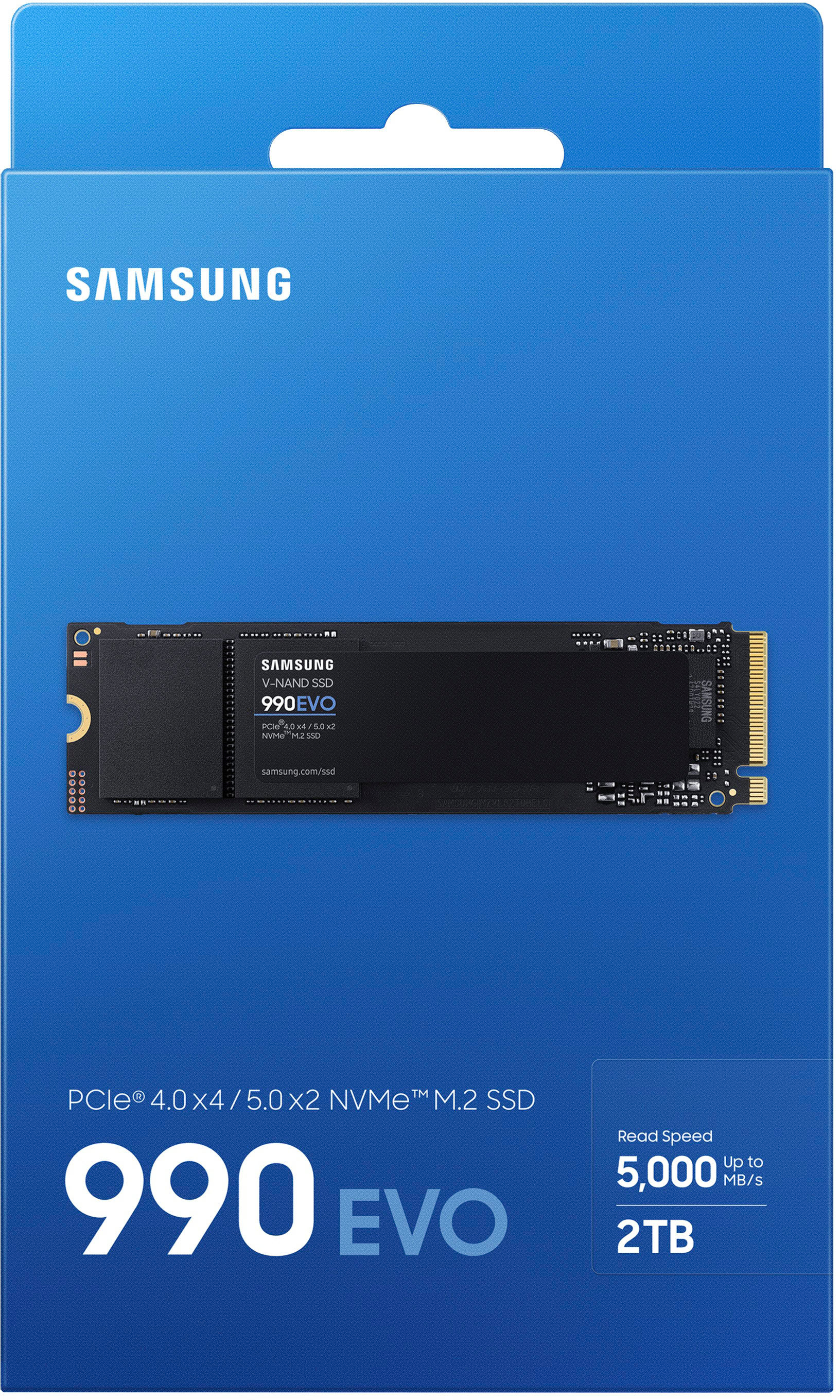
    GOOD - Decent all around performance - Can operate in PCIe 4.0 and 5.0 mode - Five-year warranty BAD - Below recommended PS5 performance - PCIe 5.0 mode isn't - No DRAM - Smaller write cache - Slightly more expensive than similar performing drives TLDR The 990 Evo is a decent drive for mainstream use. Though it lags behind the "high-performance" drives, 90% of computer users wouldn't notice the difference anyway. However, if you're looking for a "good enough" NVMe for your laptop or desktop, you can find quite a few drives of similar performance for $10 - $20 less than the 990 Evo. DETAILS The 990 Evo is the replacement for the older 970 Evo, using new layered flash and updated controller. It's not a high-performance drive, nor an entry-level one, instead aiming for mainstream use. Thankfully the drive uses TLC flash rather than slower QLC flash. That it can operate in PCIe 4.0 and 5.0 isnot that big of deal. Yes, it can operate at faster PCIe 5.0 signalling, but two 5.0 lanes has roughly the same bandwidth as four 4.0 lanes. The 5.0 mode can lower drive latency a bit in some situations, but in sustained reads and writes, the performance difference is practically negligible. The box advertises read speeds up to 5000 MBps, but that comes with a big caveat. Unlike past Evo drives, the 990 Evo lacks DRAM to hold the storage map of what data is located where on the drive. This means the data map has to be stored on the drive itself, which is slower to access and causes more write wear on the drive itself. The 990 Evo does support HMB, which moves the drive map to main system memory for faster access. If used with a HMB-capable computer, reaching the 5000 MBps read speed should happen. However, the PS5 doesn't support HMB, and the drive performance suffers accordingly, dropping down around 4800 MBps. You can still use the 990 Evo in a PS5, you'll just get warning messages that loading performance may suffer on some games. The write cache is another place compromises were made on the 990 Evo to meet the lower price point, as it's quite a bit smaller than many other 2TB drives. This means it can't sustain big data writes for as long as other drives and drops down under 2000 MBps write speeds once the cache is saturated. However, while this is a real-world concern in some cases, unless you're regularly writing 100s of GBs of data to your drive, it's not a bottleneck to concern yourself with. For a general purpose drive, there's nothing inherently wrong with the 990 Evo, except maybe the price. Performance is in line with others in the market segment. It also has a five-year warranty, which is longer than the three years of some other drives. But Samsung has a history of charging just a little bit more for their products than competing models. This often puts the 990 Evo $10 - $20 more than other similarly performing mainstream drives and only $10 - $20 less than higher performing drives from other companies. If you find it on sale, it'd be a great buy, but for someone worried about eking every ounce of value from their money, it's often not the most economical choice.

    I would recommend this to a friend
    • Brand response from Samsung
      Posted .

      Jaron:

      We value your feedback, and regret to hear that you’re not completely satisfied with your SSD’s performance. Your experience is very important to us and we will share your feedback with our product team.

      As there are various factors that could affect speed, I would encourage you to call Samsung Customer Support if you need further assistance to troubleshoot your issue.

      1) Call: 1-800-SAMSUNG (ask for Memory). Available 9AM - 12AM EST (Mon-Fri)
      2) Email: samsungmemorysupport@sea.samsung.com
      3) LiveChat 9AM-6PM EST (Mon-Fri) - https://www.livehelpnow.net/lhn/lcv.aspx?d=34834&ms=&zzwindow=0&lhnid=29783

      The Samsung Members Community is also a great resource for getting help from Samsung moderators and customers:  https://us.community.samsung.com/

      Thank you for choosing Samsung.

      - Samsung Memory Samsung

  • Pros mentioned:
    Storage
    Tech Insider Network Member

    Rated 5 out of 5 stars

    I want to upgrade all my machines with this SSD

    |
    Tech Insider Network Member
    Posted .
    This reviewer received promo considerations or sweepstakes entry for writing a review.

    The reason I acquired this SSD is that I needed to upgrade a 10-year-old computer system that I use as a Digital-Audio Workstation. I had been using a Samsung SATA drive in this system, but I wanted the increased read/write capability and storage space with this Samsung 990 SSD. I have upgraded other computers with Samsung SSDs, and these upgrades have always worked out very well. My upgrade process was a little complex in that my old OS was Windows 10 in an Intel environment (which did not meet the specs to upgrade to Windows 11), and I wanted to create a build based on AMD. I was hesitant to simply relocate the old SATA drive onto the new ASRock board because I worried about hardware changes messing everything up. So, I cloned the old drive onto another (Toshiba) SATA drive, put it on the ASRock board, and successfully updated to Windows 11. The reason I tell you all this is that I hit a small stumbling block after I placed the Samsung 990 SSD into the new motherboard: the Samsung Magician software could not deal with my temporary Toshiba SATA drive, so I could not use the Magician software to transfer everything to the new Samsung 990 SSD. The solution, if you have a similar situation with a noncompatible drive, is to use an older version of the Samsung Data Migration Tool. This tool has been integrated into Samsung Magician, but apparently will not work on non-Samsung drives. Fortunately, I had a copy from my earlier upgrades, and it flawlessly copied everything from my Toshiba SATA drive to the Samsung 990 SSD. My system runs beautifully now, and the upgrade effort was definitely worth it. Read/write speed is extremely fast, and the 2 TB capacity means I will not have to worry about space for a long time. Samsung SSDs just keep getting better and better, and in my opinion you just can't go wrong when you upgrade to their drives.

    I would recommend this to a friend
  • Pros mentioned:
    Performance
    Tech Insider Network Member

    Rated 5 out of 5 stars

    Very fast SSD, solved a texture streaming issue

    |
    Tech Insider Network Member
    Posted .
    This reviewer received promo considerations or sweepstakes entry for writing a review.

    I was actually surprised by how fast this thing is. When I've played Borderlands 2, even on other NVMe SSDs, I've noticed texture streaming issues - a lot of the time, when I load into a level, I'll see incredibly low-resolution textures for a moment before the high-res ones load in. On this SSD? It instantly loads in the high-resolution textures, and even seems to load faster on top of that. I know that Borderlands 2 is a really old game to reference, but I bring it up since it's had issues with texture streaming even installed on some other fairly recent high-end SSDs. I'm not entirely sure why this one's different, but I appreciate it regardless. In terms of newer games, it's pretty much the same story. Horizon Forbidden West and Cyberpunk 2077 both load a bit faster and have fewer texture streaming issues, especially with the highest-quality textures any game has to offer. Though, funnily enough, while both of these games showed improvement, they didn't show *quite* as much improvement as Borderlands 2? I can't say I really experienced a "night-and-day" type of improvement by installing this SSD, since I already had a really good SSD before this. I didn't really notice any improvement with boot times, nor with file transfer speed. Though, I don't think that's the fault of the SSD. I can definitely say this thing isn't being a bottleneck, based on Task Manager. However, I would *absolutely* recommend this, just because it solved an issue I didn't even think *could* be solved. I'm genuinely impressed, and a little baffled, by how well it performs. I kind of want another one for my laptop now. Definitely get this for your gaming rig.

    I would recommend this to a friend
  • Pros mentioned:
    Speed
    Tech Insider Network Member

    Rated 5 out of 5 stars

    Good value for extra storage

    |
    Tech Insider Network Member
    Posted .
    This reviewer received promo considerations or sweepstakes entry for writing a review.

    This Samsung EVO is a good solution for more general storage needs such as large games, photos, and miscellaneous files. Its not quite as fast as the Samsung 990 Pro bigger brother, but its also at a discount in comparison. Unlike most M2 drives, this one has the advantage of being compatible with both PCIe Gen 4 & 5 while maintaining around the same speed. This is good for those with limited PCIe Gen 4 lanes or who plan to upgrade to a PCIe Gen 5 system and will be able to take advantage of the new architecture. My motherboard currently supports both. I do have it plugged into my PCIe Gen 4 slot. For me, as I stated, this is more ideal as a storage drive for my larger games I don’t want to crowd my primary SSD with which provides performance for my system and other applications. I was running a 3TB 3.5” platter HD on my desktop, but its slow and takes up space and extra cables. For reference, here are the different speeds (in MB) of my Hard Drives using Crystal Diskmark: Samsung 990 Pro: 7456 Read/ 6819 Write Samsung 990 Evo: 3553 Read/3008 Write Western Digital 3.5” HD: 149 Read/ 143 Write As you can see it’s a great upgrade for my 3.5” drive. However, I personally wouldn’t use this as my primary drive since upgrading to the Pro has a significant performance increase for a slightly higher price tag. Samsung does make quality hard drives and memory, and I wouldn’t expect to use a warranty with them, but its nice to know they offer 5 years of coverage on them. Overall it’s a great secondary drive.

    I would recommend this to a friend
  • Pros mentioned:
    Installation

    Rated 5 out of 5 stars

    Great update to my PS5

    Posted .
    This reviewer received promo considerations or sweepstakes entry for writing a review.

    This was a great upgrade to my PS5. It was so easy to install, even I could do it. It integrated easily and smoothly with the games. Now I don’t have to delete games when I have a large update (COD). Also, I can have more games readily available and not stored in my library.

    I would recommend this to a friend
  • Tech Insider Network Member

    Rated 5 out of 5 stars

    Another great Samsung SSD!

    |
    Tech Insider Network Member
    Posted .
    This reviewer received promo considerations or sweepstakes entry for writing a review.

    I upgrade lots of laptops for friends and family, most of the time adding bigger hard drives than what comes standard, or replacing a mechanical hard drive with a large SSD. I always use Samsung SSDs - I have used several dozen of them over the years. I have never had one fail or cause any problems at all. They just work. The new 990 EVO is another in a long line of successes. Relatively budget priced, large capacity, great performance. This is what I would call a "mainstream" SSD. It's performance is suitable for all but the most demanding tasks. For a general use computer, or even a midrange gaming computer, the performance is perfect. And of course compared to a mechanical hard drive, it is light-years better, Two terabytes is the current "sweet spot for price vs. size. If you are replacing an older or smaller hard drive with this Samsung, I think Samsung's data transfer program is one of the best out there. Of course you will need a way to connect the new drive to your computer to copy everything over, so for that just buy a USB enclosure to hold the new drive while you make the swap. Best Buy can help you find one that will work with your setup.

    I would recommend this to a friend
  • Pros mentioned:
    Speed, Storage

    Rated 5 out of 5 stars

    Back to gaming! :)

    Posted .
    This reviewer received promo considerations or sweepstakes entry for writing a review.

    Impressive performance for the cost (it was on sale). My daughter's gaming system needed more room for her gaming library. Although I installed it in a PCIe 3x4 slot, rather than 4x4 or 5x3, it met my speed expectations of 3,500 MBs rate.

    I would recommend this to a friend