Customer Ratings & Reviews

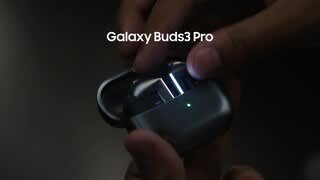


- Model:
- SM-R630NZAAXAR
- SKU:
- 12558964
Rating by feature
- Sound Quality
Rating 4.8 out of 5 stars
- Battery Life
Rating 4.6 out of 5 stars
- Connectivity
Rating 4.8 out of 5 stars
Customers are saying
Customers commend the excellent sound quality and comfortable fit of these earbuds, which are frequently highlighted as standout features. Users also appreciate the impressive battery life, sleek design, and seamless connectivity with other devices. While the product is highly regarded, some users have noted that the touch controls and maximum volume levels could be improved for a better experience.
This summary was generated by AI based on customer reviews.
- Pros mentioned:Sound quality
Excellent
||Posted . Owned for 1 month when reviewed.This reviewer received promo considerations or sweepstakes entry for writing a review.Excellent purchase and headphones with good sound and good battery performance.
I would recommend this to a friend - Pros mentioned:Sound quality
Tips Don't Fit
||Posted .This reviewer received promo considerations or sweepstakes entry for writing a review.Decent sound but all 3 sets of tips are a poor fit according to the app test. Contacted Samsung and they said no other tips are avaliable.
No, I would not recommend this to a friendBrand response from Samsung
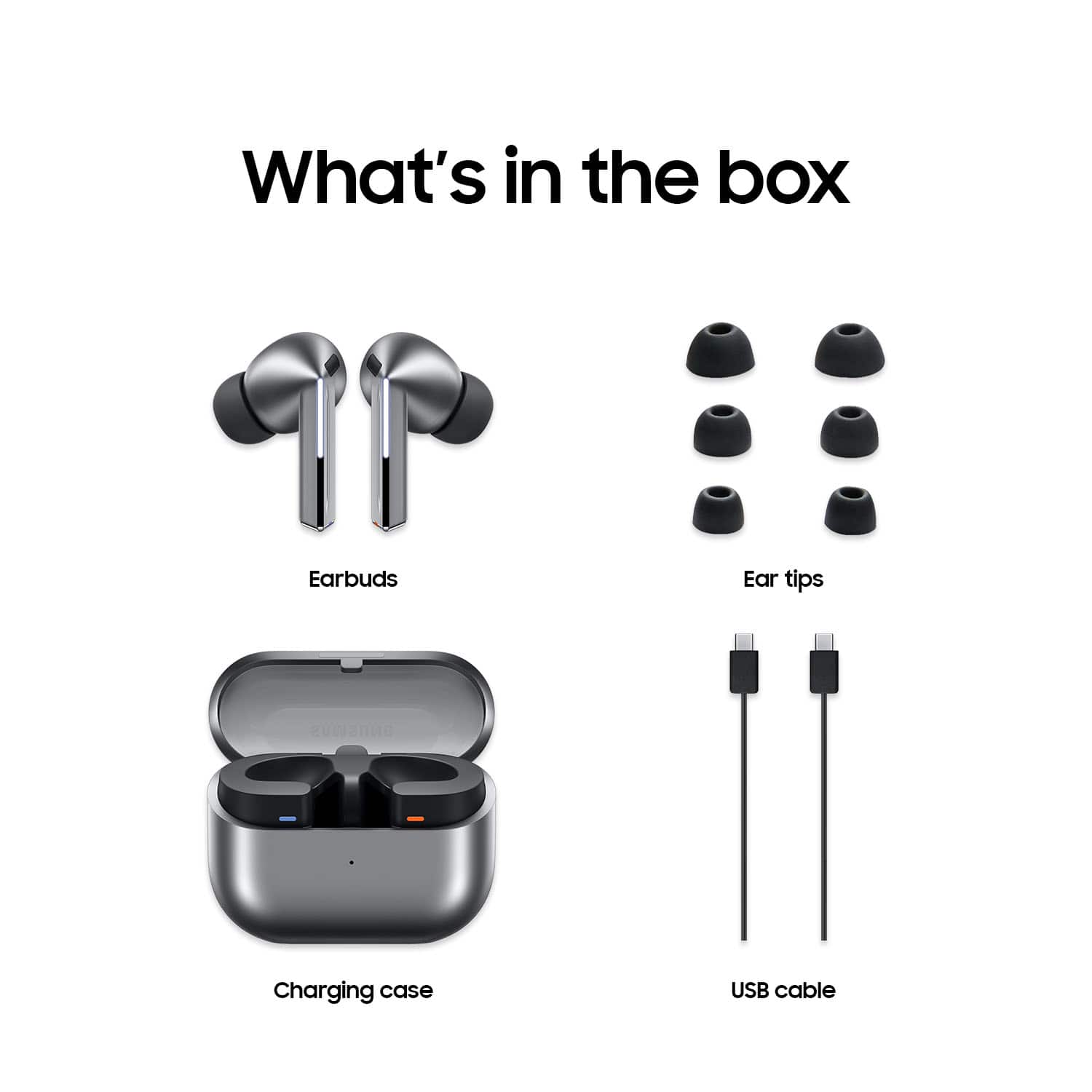
Posted .Aloha ThomasB, thank you for sharing your thoughts with us about your experience using the Samsung Galaxy Buds3 Pro. We value your feedback as we continue to make improvements on the performance and functionality of our product line. It's important to wear your earbuds properly for many reasons. You'll get better sound quality from them, they'll fit more comfortably, and they'll stay in your ears. Wearing them improperly can cause discomfort, sound leaks, and makes them more likely to fall out. The Galaxy Buds3 Pro come with different sized ear tips. The first thing you want to do is make sure they have the right size tips for your ears. You want them to fit so that there isn't a gap between your ear and the ear tip. This helps to avoid sound leaks and ensure optimal audio. Once you have the right tips on your buds: 1. Check the bottom of the earbuds for directional marks. You will see an L and an R. 2. Insert the R bud into your right ear with the R facing you. 3. Insert the L bud into your left ear with the L facing you. 4. Angle the blade slightly so that the microphone on the bottom is pointing towards your mouth rather than straight down. 5. You can adjust the buds by rotating them forwards and backwards until the fit feels right. You can also run an earbud fit test in the Galaxy Wearable app to ensure you have the proper fit. To run an Earbud fit test, 1. Open the Galaxy Wearable app on your connected phone. 2. From the Buds3 Pro screen, tap Sound quality and effects. 3. Tap Earbud fit test. 4. The screen will display either In ear or Not in ear. Make sure both buds are in your ears, and then tap Start. 5. The buds will chime for a few seconds, and then the app will display your results. It may say Poor fit or Good fit. If the fit is poor, make small adjustments and then tap Try again. 6. Continue running the fit test and making adjustments until you get a good fit result for both buds. If you would like more information regarding achieving the perfect fit, feel free to review "How to wear your Samsung Galaxy Buds3 and 3 Pro." If you would like any further assistance afterward, please do not hesitate to contact Support at your earliest convenience. Thanks for being an unwavering Samsung customer. - Debra

- Pros mentioned:Sound quality
Nice touch
||Posted . Owned for 1 month when reviewed.This reviewer received promo considerations or sweepstakes entry for writing a review.They are perfect and the sound quality is very impressive. This was the best purchase I've ever made
I would recommend this to a friend Good product
||Posted . Owned for 1 month when reviewed.This reviewer received promo considerations or sweepstakes entry for writing a review.Not bad for the price, wish it have multi point connect
I would recommend this to a friend- Pros mentioned:Sound quality
Very good Choice
||Posted . Owned for 2 weeks when reviewed.This reviewer received promo considerations or sweepstakes entry for writing a review.Great earbuds, the sound is very good and with a galaxy you go to another Level.
I would recommend this to a friend - Pros mentioned:Sound quality
Itsme, fool
||Posted . Owned for 2 weeks when reviewed.This reviewer received promo considerations or sweepstakes entry for writing a review.Unfortunately, samsung did not out-do itself with their latest "flagship " earbuds. Although the sound quality was great, thats where great ended. The new shape is awkward, the touch controls are more nuisance then useful, and the rubber ear piece is really difficult to remove without tearing them. Not to mention there's only 2 different sizes, so better hope they fit. Im still using my old buds 2 pro, and i much prefer them.
No, I would not recommend this to a friendBrand response from Samsung
Posted .Aloha Nate, thank you for finding the opportunity to share your sentiments with us about your experience using the Samsung Galaxy Buds3 Pro. We value your feedback as we are committed to constant innovation as we strive to improve the design and functionality of our product line. Samsung provides a 12-month warranty on our products for manufacturing defects in materials and workmanship. It's important to wear your earbuds properly for many reasons. You'll get better sound quality from them, they'll fit more comfortably, and they'll stay in your ears. Wearing them improperly can cause discomfort, sound leaks, and makes them more likely to fall out. The Galaxy Buds3 Pro come with different sized ear tips, as you know. The first thing you want to do is make sure they have the right size tips for your ears. You want them to fit so that there isn't a gap between your ear and the ear tip. This helps to avoid sound leaks and ensure optimal audio. Once you have the right tips on your buds: 1. Check the bottom of the earbuds for directional marks. You will see an L and an R. 2. Insert the R bud into your right ear with the R facing you. 3. Insert the L bud into your left ear with the L facing you. 4. Angle the blade slightly so that the microphone on the bottom is pointing towards your mouth rather than straight down. 5. You can adjust the buds by rotating them forwards and backwards until the fit feels right. You can also run an earbud fit test in the Galaxy Wearable app to ensure you have the proper fit. To run an Earbud fit test, 1. Open the Galaxy Wearable app on your connected phone. 2. From the Buds3 Pro screen, tap Sound quality and effects. 3. Tap Earbud fit test. 4. The screen will display either In ear or Not in ear. Make sure both buds are in your ears, and then tap Start. 5. The buds will chime for a few seconds, and then the app will display your results. It may say Poor fit or Good fit. If the fit is poor, make small adjustments and then tap Try again. 6. Continue running the fit test and making adjustments until you get a good fit result for both buds. If you would like more information regarding achieving the perfect fit, feel free to review "How to wear your Samsung Galaxy Buds3 and 3 Pro." When changing the ear tips on your Galaxy Buds3 Pro or Buds3 FE, make sure to choose the tips that fit your ears, and change them properly using the steps below. Be careful when handling the tips, and avoid using your fingernails when pulling off the tips as they may tear. Also check out, "How to change the tips on your Galaxy Buds3 Pro" to learn how to easily change out your ear tips. Feel free to contact Support afterward if you would like any further assistance. Thank you for being a staunch Samsung customer. - Debra
- Pros mentioned:Sound quality
Best ever
||Posted . Owned for 3 weeks when reviewed.This reviewer received promo considerations or sweepstakes entry for writing a review.Love the noise cancelation,when im not around anyone.
I would recommend this to a friend - Pros mentioned:Sound quality
Earphones
||Posted . Owned for 1 month when reviewed.This reviewer received promo considerations or sweepstakes entry for writing a review.Great and very clear sounds, the base is very good, am happy with this article, and also the costumer service was good ,thanks so much
I would recommend this to a friend - Pros mentioned:Sound quality
Samsung Ear Buds
||Posted . Owned for 3 weeks when reviewed.This reviewer received promo considerations or sweepstakes entry for writing a review.Excellent clarity and tge noise canceling works well.
I would recommend this to a friend - Pros mentioned:Sound quality
Its good, but....
||Posted . Owned for 1 month when reviewed.This reviewer received promo considerations or sweepstakes entry for writing a review.Con, its bulky causing to hurt the ears after a little while. Pro, you can pass vacuum while on the phone.
I would recommend this to a friend - Pros mentioned:Sound quality
Nice earbuds
||Posted . Owned for 2 weeks when reviewed.This reviewer received promo considerations or sweepstakes entry for writing a review.This are really nice, great sound, easy to adjust volume and answer calls. Still learning , but would recommend this item. Location of earbuds is ok.
I would recommend this to a friend Awesomeness
||Posted . Owned for 2 weeks when reviewed.This reviewer received promo considerations or sweepstakes entry for writing a review.I purchased these for a friend who loves them! I'm samsung anything forever and these are the latest and greatest! Helps with translation on job and in life!
I would recommend this to a friendJust my observation.
||Posted . Owned for 1 month when reviewed.This reviewer received promo considerations or sweepstakes entry for writing a review.It seems to have a.problem with charging some times the magnet hold it to charge an some times it don't. Also lose volume in between call. An music is bad when using one piece witch i think it nice to use one piece when walk around
I would recommend this to a friendBrand response from Samsung
Posted .Hi there DavidM, thank you for taking the opportunity to share your recent experience with using the Samsung Galaxy Buds3 Pro. We value your feedback as it allows us the opportunity to improve the functionality and design of our product line. Samsung provides a 12-month warranty for manufacturing defects in materials and workmanship. If your Galaxy Buds3 Pro are not charging properly, I have included a few steps that may help resolve what you may be experiencing with your charging. 1. Use the included charging cable and connect to a USB charger, 2. Check to be sure the case is charging correctly, 3. Verify there is no debris in the charging cradle pin connectors., 4. Check to be sure there is no debris in the charging connect on the Galaxy Buds. 5. Check the Wear app to determine if one bud is not charging and check the bud is fully inside the charging case. Please take a moment to check out, "No, low, or poor audio quality on Samsung earbuds" to help resolve what you may be experiencing with your audio quality. Feel free to reach out to Support afterward if you would like any further assistance. Thank you for being a faithful Samsung customer. - Debra
- Pros mentioned:Fit
solid choice
||Posted . Owned for 1 month when reviewed.This reviewer received promo considerations or sweepstakes entry for writing a review.Excellent upgrade to the buds pro 2. Case is much better and the fit feels secure. Bought because I lost my old pair.
I would recommend this to a friend - Pros mentioned:Sound quality
Best Galaxy earbuds
||Posted . Owned for 4 months when reviewed.This reviewer received promo considerations or sweepstakes entry for writing a review.Best quality, clear sound , excellent noise cancelation definitely i recomended
I would recommend this to a friend - Pros mentioned:Sound quality
Good earphones with firmware issue.
||Posted . Owned for 2 weeks when reviewed.This reviewer received promo considerations or sweepstakes entry for writing a review.The Earbuds sound is excellent. The noise cancellation is really good and can be compared to over-the-head headphones as well. The main issue with these earbuds is that there is a charging issue where you get a message saying that the earbuds have stopped charging and the light on the case keeps blinking. You have to leave it for a while and the issue is resolved on its own.
I would recommend this to a friendBrand response from Samsung
Posted .Greetings Vysakh, thank you for finding the time out of your day to share your sentiments with us about your Samsung Galaxy Buds3 Pro. Your feedback is appreciated as we strive to be innovative and improve the design and functionality of our products. Our goal is for our customers to feel like they are having the most ideal experiences while using our products. Samsung provides a 12-month warranty on our products for manufacturing defects in materials and workmanship. We would be more than happy to assist you with what you may be experiencing with your charging case and without being able to ask you any follow up questions to probe further, I suggest reaching out to Support. Thank you for being a dedicated Samsung customer. - Debra
- Pros mentioned:Sound quality
Good
||Posted . Owned for 5 months when reviewed.This reviewer received promo considerations or sweepstakes entry for writing a review.Very good quality is very good clear and very good based on content Tesco
I would recommend this to a friend - Pros mentioned:Sound quality
New to Bud Pro
||Posted . Owned for 1 month when reviewed.This reviewer received promo considerations or sweepstakes entry for writing a review.The sound is superb. Noone can hear outside noise when I am speaking with them through my Buds! One of my best purchases.
I would recommend this to a friend Roger's Review
||Posted . Owned for 2 weeks when reviewed.This reviewer received promo considerations or sweepstakes entry for writing a review.it's an excellent product, i'm happy cuz the buy was very easy and the customers service was top, 5/5
I would recommend this to a friend- Pros mentioned:Sound quality
Worth it
||Posted . Owned for 3 weeks when reviewed.This reviewer received promo considerations or sweepstakes entry for writing a review.Cons - Adjusting volume is finnicky or frustrating at times. Pros - Great noise cancellation, easy to setup.
I would recommend this to a friend