Customer Ratings & Reviews


- Model:
- SM-R630NZAAXAR
- SKU:
- 12558964
Rating by feature
- Sound Quality
Rating 4.8 out of 5 stars
- Battery Life
Rating 4.6 out of 5 stars
- Connectivity
Rating 4.8 out of 5 stars
Customers are saying
Customers regard the sound quality as the standout feature of this product, with many users also praising its comfortable fit and impressive battery life. While the design, connectivity, and overall feature set receive positive feedback, some users have expressed minor concerns regarding the sensitivity of the touch controls and the maximum volume levels. Overall, the product is highly regarded for its performance and user experience.
This summary was generated by AI based on customer reviews.
- Pros mentioned:Sound quality
Samsung
||Posted . Owned for 3 weeks when reviewed.This reviewer received promo considerations or sweepstakes entry for writing a review.very nice style w functional features to give sound quality.
I would recommend this to a friend - Pros mentioned:Sound quality
Very Happy .
||Posted . Owned for 3 weeks when reviewed.This reviewer received promo considerations or sweepstakes entry for writing a review.I really enjoy the sound. You can change bass etc.
I would recommend this to a friend Decent buy
||Posted .This reviewer received promo considerations or sweepstakes entry for writing a review.Works great, not sure about the price. The battery isn't the worst but could be better. Sometimes the buds don't want to sit right in my ear even after I change the ear tips.
I would recommend this to a friend- Pros mentioned:Sound quality
Ear buds
||Posted . Owned for 2 months when reviewed.This reviewer received promo considerations or sweepstakes entry for writing a review.Great, ear buds sound is soild Answers calls fast etc
I would recommend this to a friend Love them!
||Posted .This reviewer received promo considerations or sweepstakes entry for writing a review.Just upgraded and absolutely love them. Definitely did not disappoint!
I would recommend this to a friendProbuds 3
||Posted . Owned for 1 month when reviewed.This reviewer received promo considerations or sweepstakes entry for writing a review.Love them, works like they are described. I would recommend
I would recommend this to a friendAmazing!
||Posted . Owned for 1 month when reviewed.This reviewer received promo considerations or sweepstakes entry for writing a review.Love these headphones! Totally recommend these for any android users.
I would recommend this to a friendSamsung buds
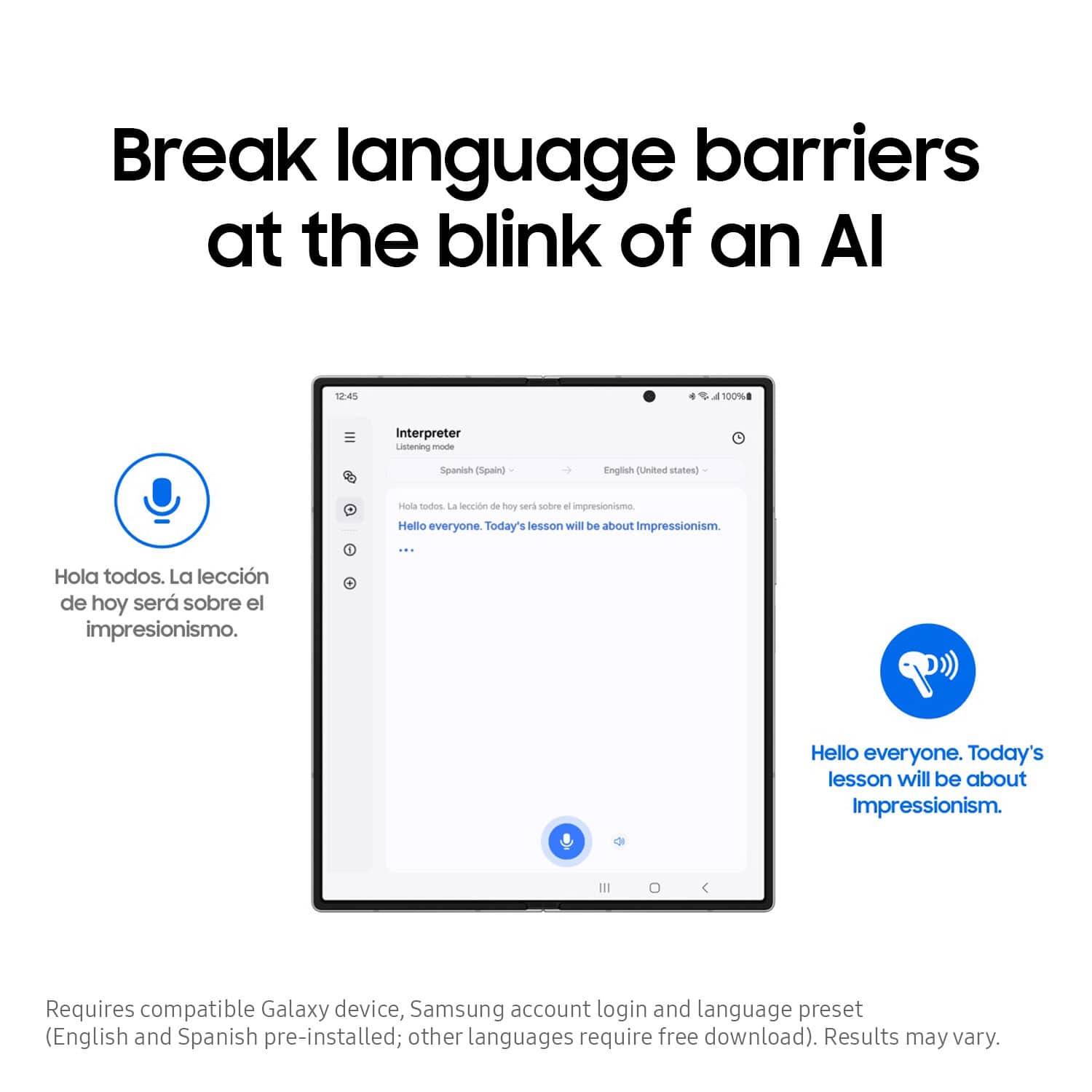
||Posted . Owned for 2 weeks when reviewed.This reviewer received promo considerations or sweepstakes entry for writing a review.I love them i am still trying to learn how to set up the real time translation.
I would recommend this to a friendBest earbuds
||Posted . Owned for 11 months when reviewed.This reviewer received promo considerations or sweepstakes entry for writing a review.They are the best headphones ive used in the last 5 years
I would recommend this to a friend- Pros mentioned:Sound quality
Very happy
||Posted . Owned for 1 month when reviewed.This reviewer received promo considerations or sweepstakes entry for writing a review.Really good noice cancelation exelent.............
I would recommend this to a friend High quality
||Posted . Owned for 3 weeks when reviewed.This reviewer received promo considerations or sweepstakes entry for writing a review.My husband loves these earbuds. His voice is just as clear as if he was holding the handset to his mouth on phone calls.
I would recommend this to a friendBestBuy
||Posted . Owned for 7 months when reviewed.This reviewer received promo considerations or sweepstakes entry for writing a review.Excellent headphones. Fast service. Excellent staff.
I would recommend this to a friendSamsung Pro3
||Posted . Owned for 3 weeks when reviewed.This reviewer received promo considerations or sweepstakes entry for writing a review.Only issue I have was one head phone didn't work or charge!
I would recommend this to a friendGreat
||Posted .This reviewer received promo considerations or sweepstakes entry for writing a review.Best Buy had Christmas sale . We scored this ear buds for good price . Kid loves them.
I would recommend this to a friendNice looking and sounds great
||Posted .This reviewer received promo considerations or sweepstakes entry for writing a review.I love how quickly it connects and all the options available while I'm working and listening to music.
I would recommend this to a friend- Pros mentioned:Sound quality
A bit disappointed
||Posted .This reviewer received promo considerations or sweepstakes entry for writing a review.They slip out easy. Good sound but not comfortable to wear.
No, I would not recommend this to a friendBrand response from Samsung
Posted .Good day CynthiaM, thanks for sharing your thoughts with us about your experience using the Samsung Galaxy Buds3 Pro. We appreciate your constructive input as we improve our product line. Wearing your earbuds properly is very important for many reasons. You'll get better sound quality from them, they'll fit more comfortably, and they'll stay in your ears. Wearing them improperly can cause discomfort, sound leaks, and makes them more likely to fall out. As you know, the Galaxy Buds3 Pro come with different sized ear tips. The first thing you want to do is make sure they have the right size tips for your ears. You want them to fit so that there isn't a gap between your ear and the ear tip. This helps to avoid sound leaks and ensure optimal audio. Once you have the right tips on your buds: 1. Check the bottom of the earbuds for directional marks. You will see an L and an R. 2. Insert the R bud into your right ear with the R facing you. 3. Insert the L bud into your left ear with the L facing you. 4. Angle the blade slightly so that the microphone on the bottom is pointing towards your mouth rather than straight down. 5. You can adjust the buds by rotating them forwards and backwards until the fit feels right. You can also run an earbud fit test in the Galaxy Wearable app to ensure you have the proper fit. To run an Earbud fit test, 1. Open the Galaxy Wearable app on your connected phone. 2. From the Buds3 Pro screen, tap Sound quality and effects. 3. Tap Earbud fit test. 4. The screen will display either In ear or Not in ear. Make sure both buds are in your ears, and then tap Start. 5. The buds will chime for a few seconds, and then the app will display your results. It may say Poor fit or Good fit. If the fit is poor, make small adjustments and then tap Try again. 6. Continue running the fit test and making adjustments until you get a good fit result for both buds. If you would like more information regarding fit, feel free to check out "How to wear your Samsung Galaxy Buds3 and 3 Pro." Please feel free to contact Support if you have any questions for us after reviewing this resource or if you would like any further assistance. Thank you for being a loyal Samsung customer. - Debra

They're alright
||Posted .This reviewer received promo considerations or sweepstakes entry for writing a review.Was alright, did not fit my ears well and had an odd pitch noise on left ear when using ANC.
No, I would not recommend this to a friendBest Buy Does not honor their own price match guar
||Posted . Owned for 1 month when reviewed.This reviewer received promo considerations or sweepstakes entry for writing a review.The product is excellent. I am very unhappy with best buy though. They are supposed to have a "price match guarantee" and I found it much cheaper at another retailer plus the other retailer was giving $100 credit for my old ear buds and best buy only have me $60. Best buy would not honor the price match so I got cheated out of $150 by Best Buy.
I would recommend this to a friendAwesome
||Posted . Owned for 1 year when reviewed.This reviewer received promo considerations or sweepstakes entry for writing a review.Awesome headphones especially if you have multiple samsung devices!
I would recommend this to a friendGalaxy Ear Pods
||Posted . Owned for 1 month when reviewed.This reviewer received promo considerations or sweepstakes entry for writing a review.These are my first pair of ear pods. It is an adjustment to using these instead of my usual over the ear Bluetooth. I've experienced some discomfort, and had to purchase after market " over the ear " hoops that attach to the pods, and prevent them from falling from my ear. Im still trying to fogure out how to operatethe translator app. which was a factor in my purchasing these ear pods.
No, I would not recommend this to a friendBrand response from Samsung
Posted .Hi MaytagDryer, thanks for taking the time to share your thoughts with us about your experience using the Samsung Galaxy Buds3 Pro. As we strive to be innovative and make improvements on the design and functionality of our products, your feedback is invaluable. It's important to wear your earbuds properly for many reasons. You'll get better sound quality from them, they'll fit more comfortably, and they'll stay in your ears. Wearing them improperly can cause discomfort, sound leaks, and makes them more likely to fall out. As you know, the Galaxy Buds3 Pro come with different sized ear tips. The first thing you want to do is make sure they have the right size tips for your ears. You want them to fit so that there isn't a gap between your ear and the ear tip. This helps to avoid sound leaks and ensure optimal audio. Once you have the right tips on your buds: 1. Check the bottom of the earbuds for directional marks. You will see an L and an R. 2. Insert the R bud into your right ear with the R facing you. 3. Insert the L bud into your left ear with the L facing you. 4. Angle the blade slightly so that the microphone on the bottom is pointing towards your mouth rather than straight down. 5. You can adjust the buds by rotating them forwards and backwards until the fit feels right. You can also run an earbud fit test in the Galaxy Wearable app to ensure you have the proper fit. To run an Earbud fit test, 1. Open the Galaxy Wearable app on your connected phone. 2. From the Buds3 Pro screen, tap Sound quality and effects. 3. Tap Earbud fit test. 4. The screen will display either In ear or Not in ear. Make sure both buds are in your ears, and then tap Start. 5. The buds will chime for a few seconds, and then the app will display your results. It may say Poor fit or Good fit. If the fit is poor, make small adjustments and then tap Try again. 6. Continue running the fit test and making adjustments until you get a good fit result for both buds. If you would like more information regarding fit, feel free to check out "How to wear your Samsung Galaxy Buds3 and 3 Pro." If you would like any further assistance after reviewing the resource that has been shared, do not hesitate to contact Support at your earliest convenience. Thank you for being a cherished Samsung customer. - Debra