Customer Ratings & Reviews

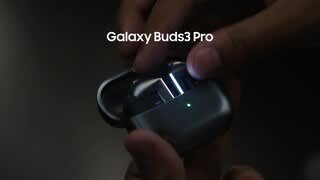


- Model:
- SM-R630NZAAXAR
- SKU:
- 12558964
Rating by feature
- Sound Quality
Rating 4.8 out of 5 stars
- Battery Life
Rating 4.6 out of 5 stars
- Connectivity
Rating 4.8 out of 5 stars
Customers are saying
Customers regard the sound quality as the standout feature of this product, with many users also praising its comfortable fit and impressive battery life. While the design, connectivity, and overall feature set receive positive feedback, some users have expressed minor concerns regarding the sensitivity of the touch controls and the maximum volume levels. Overall, the product is highly regarded for its performance and user experience.
This summary was generated by AI based on customer reviews.
Review
||Posted . Owned for 2 months when reviewed.This reviewer received promo considerations or sweepstakes entry for writing a review.Works good but can slip through ears from time to time
I would recommend this to a friendSamsung
||Posted . Owned for 1 month when reviewed.This reviewer received promo considerations or sweepstakes entry for writing a review.Parts are missing even with mentioning excellent condition
No, I would not recommend this to a friendShop Somewhere Else If You Can
||Posted . Owned for 1 month when reviewed.This reviewer received promo considerations or sweepstakes entry for writing a review.I bought a pair of Galaxy Pro 2 Ear Buds. They failed. I am a Total Tech Member ($179) per year. Because of my membership, they were under warranty for a replacement. I took them in and the rep asked if I wanted to updgrade, saying the 3's were a great upgrade. He assured me that if they didn't work for me, I could return and get the original ones replaced per waranty. I paid the extra $60 or so and upgraded. The Galaxy Pro 3's are inferior to the 2's. Noise cancelling doesn't even compare. I went in to my local store (Evansville) and asked for my warranty replacement and my money refunded for the updgrade, as promised by the rep. The lady at customer service processed my request and informed me that I owed them an additional $40. I informed her that this was a warranty return and that the additional money would make a total of $100 I would have to spend on a product that originally cost $119. She called the manager. Dude was dishevled and overweight. He informed me there was nothing he was going to do to honor my original warranty swap that is supposed to be part of the Total Tech program. We also have a home in Southern MO. I have found on more than one occassion that the store in Evansville is petty and unhelpful. I am sick of it.
No, I would not recommend this to a friendBrand response from Samsung
Posted .Howdy CtimW, thank you for sharing your thoughts with us about your experience using the Samsung Galaxy Buds3 Pro. We value your feedback as we strive to innovate while improving the design and functionality of our product line. As you are aware, Samsung provides a 12-month warranty for manufacturing defects in materials and workmanship. Please feel free to check out, "Use Active noise canceling on your Samsung earbuds" and "Automatic noise adjustments on the Galaxy Buds3 Pro" to help resolve what you may be experiencing with your device. If you would like further assistance afterward or if you have any questions for us, do not hesitate to contact Support. Thank you for being a steadfast Samsung customer. - Debra

Samsung
||Posted . Owned for less than 1 week when reviewed.This reviewer received promo considerations or sweepstakes entry for writing a review.Work Great)____________________________________________
I would recommend this to a friendI would not buy samsung earbuds in the future
||Posted .This reviewer received promo considerations or sweepstakes entry for writing a review.It comes off ear easy it has lot static noise sometimes i.like the old version better
No, I would not recommend this to a friendBrand response from Samsung
Posted .Salutations Unsatisfiedzonycustumer, thanks for sharing your thoughts about your experience using the Samsung Galaxy Buds3 Pro. As we strive to make improvements on the design and functionality of our products, your feedback is invaluable. Samsung provides a 12-month warranty on our products for manufacturing defects in materials and workmanship. It's important to wear your earbuds properly for many reasons. You'll get better sound quality from them, they'll fit more comfortably, and they'll stay in your ears. Wearing them improperly can cause discomfort, sound leaks, and makes them more likely to fall out. As you know, the Galaxy Buds3 Pro come with different sized ear tips. The first thing you want to do is make sure they have the right size tips for your ears. You want them to fit so that there isn't a gap between your ear and the ear tip. This helps to avoid sound leaks and ensure optimal audio. Once you have the right tips on your buds: 1. Check the bottom of the earbuds for directional marks. You will see an L and an R. 2. Insert the R bud into your right ear with the R facing you. 3. Insert the L bud into your left ear with the L facing you. 4. Angle the blade slightly so that the microphone on the bottom is pointing towards your mouth rather than straight down. 5. You can adjust the buds by rotating them forwards and backwards until the fit feels right. You can also run an earbud fit test in the Galaxy Wearable app to ensure you have the proper fit. To run an Earbud fit test, 1. Open the Galaxy Wearable app on your connected phone. 2. From the Buds3 Pro screen, tap Sound quality and effects. 3. Tap Earbud fit test. 4. The screen will display either In ear or Not in ear. Make sure both buds are in your ears, and then tap Start. 5. The buds will chime for a few seconds, and then the app will display your results. It may say Poor fit or Good fit. If the fit is poor, make small adjustments and then tap Try again. 6. Continue running the fit test and making adjustments until you get a good fit result for both buds. If you would like more information regarding fit, feel free to check out "How to wear your Samsung Galaxy Buds3 and 3 Pro." Also check out, "No, low, or poor audio quality on Samsung earbuds." Let us know if you have any questions or if you would like any further assistance by reaching out to Support. Thank you for being a devoted Samsung customer. - Debra
Ear buds
||Posted . Owned for 8 months when reviewed.This reviewer received promo considerations or sweepstakes entry for writing a review.Not that good.They would always be falling out of my ear when I'm laying down. I'm a mobile mechanic, and I have to get on the ground a lot and they would always fall out
No, I would not recommend this to a friendBrand response from Samsung
Posted .Howdy CodyC, thanks for taking the time out of your day to share your sentiments with us about your experience using the Samsung Galaxy Buds3 Pro. We appreciate your constructive input as we improve our product line. Wearing your earbuds properly is very important for many reasons. You'll get better sound quality from them, they'll fit more comfortably, and they'll stay in your ears. Wearing them improperly can cause discomfort, sound leaks, and makes them more likely to fall out. As you know, the Galaxy Buds3 Pro come with different sized ear tips. The first thing you want to do is make sure they have the right size tips for your ears. You want them to fit so that there isn't a gap between your ear and the ear tip. This helps to avoid sound leaks and ensure optimal audio. Once you have the right tips on your buds: 1. Check the bottom of the earbuds for directional marks. You will see an L and an R. 2. Insert the R bud into your right ear with the R facing you. 3. Insert the L bud into your left ear with the L facing you. 4. Angle the blade slightly so that the microphone on the bottom is pointing towards your mouth rather than straight down. 5. You can adjust the buds by rotating them forwards and backwards until the fit feels right. You can also run an earbud fit test in the Galaxy Wearable app to ensure you have the proper fit. To run an Earbud fit test, 1. Open the Galaxy Wearable app on your connected phone. 2. From the Buds3 Pro screen, tap Sound quality and effects. 3. Tap Earbud fit test. 4. The screen will display either In ear or Not in ear. Make sure both buds are in your ears, and then tap Start. 5. The buds will chime for a few seconds, and then the app will display your results. It may say Poor fit or Good fit. If the fit is poor, make small adjustments and then tap Try again. 6. Continue running the fit test and making adjustments until you get a good fit result for both buds. If you would like more information regarding fit, feel free to check out "How to wear your Samsung Galaxy Buds3 and 3 Pro." If you would like further assistance after reviewing the resource shared, feel free to reach out to Support. We're always happy to help! Thank you for being a valued Samsung customer. - Debra
Love it
||Posted . Owned for 3 weeks when reviewed.This reviewer received promo considerations or sweepstakes entry for writing a review.One of the best upgrades I've made, huge improvement.
I would recommend this to a friendBuy, especially if youre a samsung enthusiast
||Posted . Owned for 1 week when reviewed.This reviewer received promo considerations or sweepstakes entry for writing a review.The tips arent the best but other than that these are very nice.
I would recommend this to a friendGood product
||Posted . Owned for 1 week when reviewed.This reviewer received promo considerations or sweepstakes entry for writing a review.Is fenomenal i give 5 star on the product i recommend to buy it.
I would recommend this to a friend- Pros mentioned:Sound quality
Predecessors Are Better
||Posted . Owned for 2 weeks when reviewed.This reviewer received promo considerations or sweepstakes entry for writing a review.Sound is decent. The quality for price is too much. The fit is pretty bad in the ear.
No, I would not recommend this to a friendBrand response from Samsung
Posted .We appreciate you reaching out to share your feedback on the Galaxy Buds3 Pro, Darren. Designed for true audio lovers, the Buds3 Pro's comfortable, new shape and improved hardware deliver the high-resolution audio experience your ears have been craving. We're glad to see that you've enjoyed the sound of these buds. We also noted your concerns about the fit of the buds. Galaxy Buds3 Pro comes with different-sized ear tips. The first thing you want to do is make sure they have the right size tips for your ears. You want them to fit so that there isn't a gap between your ear and the ear tip. This helps to avoid sound leaks and ensure optimal audio. If you need instructions for changing the tips, check out our guide for the Buds3 Pro tips. You can also run an earbud fit test in the Galaxy Wearable app to ensure you have the proper fit. Again, your feedback is very much appreciated. If you have any further concerns or questions, please do not hesitate to reach out to us at Support. -Kelvin
- Pros mentioned:Sound quality
Very disappointed
||Posted . Owned for 3 weeks when reviewed.This reviewer received promo considerations or sweepstakes entry for writing a review.Sound quality was good, nice features but the earbuds were extremely uncomfortable. Using the controls on the stem was also very difficult. Overall, I wouldn't recommend them.
No, I would not recommend this to a friendBrand response from Samsung
Posted .Good day RonD, thank you for finding the free time out of your busy day to share your thoughts with us about your Samsung Galaxy Buds3 Pro. We value your honesty as we improve the design and functionality of our product line while we stay committed to constant innovation. Samsung provides a 12-month warranty on our products for manufacturing defects in materials and workmanship. It's important to wear your earbuds properly for many reasons. You'll get better sound quality from them, they'll fit more comfortably, and they'll stay in your ears. Wearing them improperly can cause discomfort, sound leaks, and makes them more likely to fall out. As you know, the Galaxy Buds3 Pro come with different sized ear tips. The first thing you want to do is make sure they have the right size tips for your ears. You want them to fit so that there isn't a gap between your ear and the ear tip. This helps to avoid sound leaks and ensure optimal audio. Once you have the right tips on your buds: 1. Check the bottom of the earbuds for directional marks. You will see an L and an R. 2. Insert the R bud into your right ear with the R facing you. 3. Insert the L bud into your left ear with the L facing you. 4. Angle the blade slightly so that the microphone on the bottom is pointing towards your mouth rather than straight down. 5. You can adjust the buds by rotating them forwards and backwards until the fit feels right. You can also run an earbud fit test in the Galaxy Wearable app to ensure you have the proper fit. To run an Earbud fit test, 1. Open the Galaxy Wearable app on your connected phone. 2. From the Buds3 Pro screen, tap Sound quality and effects. 3. Tap Earbud fit test. 4. The screen will display either In ear or Not in ear. Make sure both buds are in your ears, and then tap Start. 5. The buds will chime for a few seconds, and then the app will display your results. It may say Poor fit or Good fit. If the fit is poor, make small adjustments and then tap Try again. 6. Continue running the fit test and making adjustments until you get a good fit result for both buds. If you would like more information regarding fit, feel free to check out "How to wear your Samsung Galaxy Buds3 and 3 Pro." If you would like any further assistance after reviewing the resource that has been shared, do not hesitate to contact Support at your earliest convenience. Thank you for being an unwavering Samsung customer. - Debra
Charging issues
||Posted .This reviewer received promo considerations or sweepstakes entry for writing a review.Everything works great except for the charging. Issues with both esrbuds having issues charging
No, I would not recommend this to a friendBrand response from Samsung
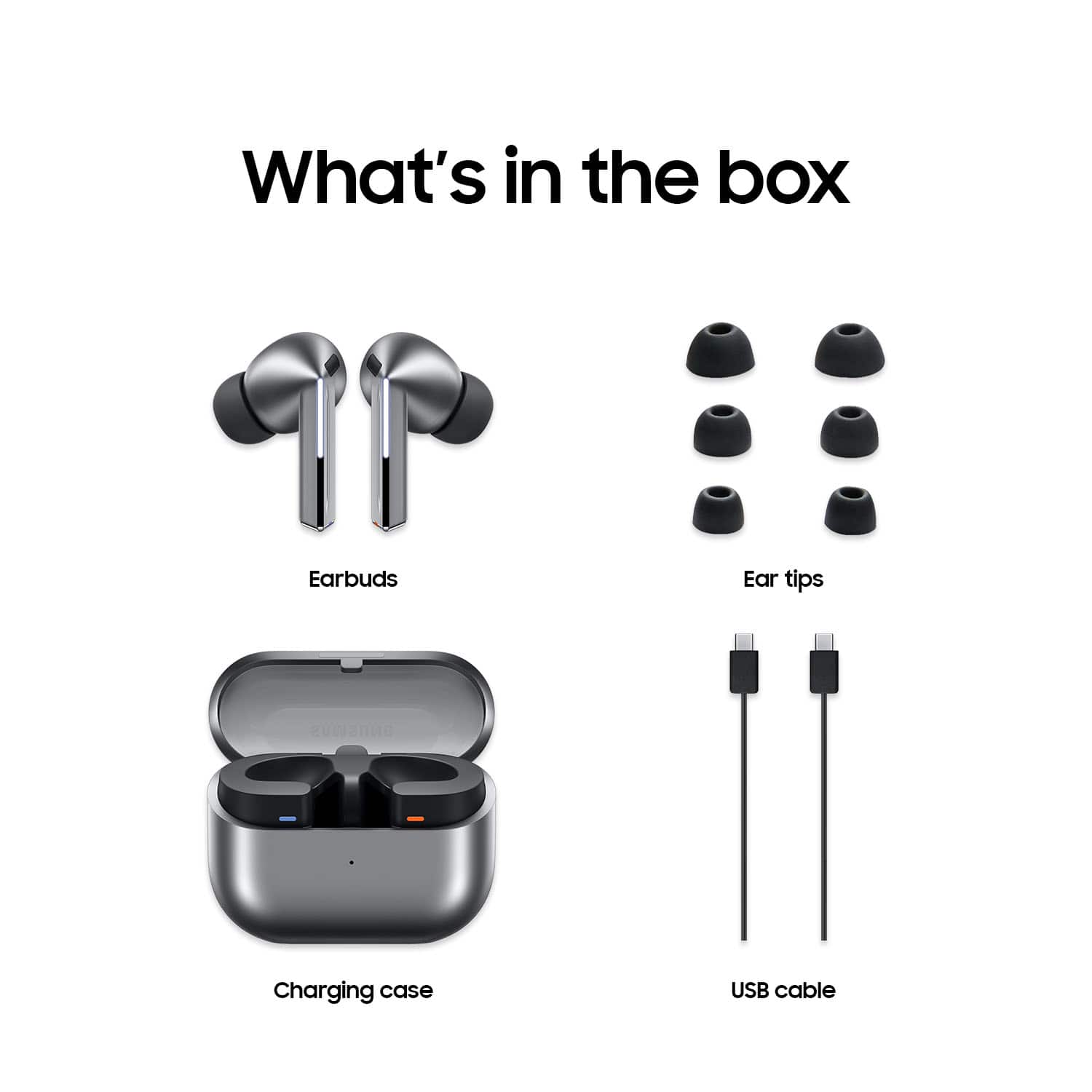
Posted .Hey there MatthewR, thank you for finding the time to share your thoughts with us about your experience using the Samsung Galaxy Buds3 Pro. We appreciate your feedback as we strive to be innovative wile improving the design and functionality of our product line. Samsung provides a 12-month warranty on our products for manufacturing defects in materials and workmanship. If your Galaxy Buds3 Pro are not charging properly, I have included a few steps that may help resolve what you may be experiencing with your charging. 1. Use the included charging cable and connect to a USB charger, 2. Check to be sure the case is charging correctly, 3. Verify there is no debris in the charging cradle pin connectors., 4. Check to be sure there is no debris in the charging connect on the Galaxy Buds. 5. Check the Wear app to determine if one bud is not charging and check the bud is fully inside the charging case. If you would like further assistance or if you have any questions for us, please feel free to contact Support. Thank you for being a valued Samsung customer. - Debra
Do not buy, they are junk
||Posted . Owned for 1 year when reviewed.This reviewer received promo considerations or sweepstakes entry for writing a review.They quit working after 2 months, sent them in still under warranty to Samsung and they wouldn't do anything unless I paid them $200. It was said that the charge case had gotten water damage. I never warranty items because I take care of my things. I'll never buy another Samsung item again after the interaction I had with them on this.
No, I would not recommend this to a friendBrand response from Samsung
Posted .Greetings JordanB, thanks for sharing your thoughts with us about your experience using the Samsung Galaxy Buds3 Pro. Your feedback is invaluable to us as we continue to make improvements on our product line to suit the needs of our customers. As you are aware, Samsung provides a 12-month warranty on your device for manufacturing defects in materials and workmanship. Without having more information available regarding what you may be experiencing and without being able to ask you follow up questions to probe further, I recommend contacting Support if you would like additional assistance with troubleshooting your device. Thank you for being a valued Samsung customer. - Debra
- Pros mentioned:Sound quality
Mediocre earbuds
||Posted . Owned for 1 year when reviewed.This reviewer received promo considerations or sweepstakes entry for writing a review.Best earbuds by way of sound quality but construction and durability and crap. Not worth close to 200 dollars
No, I would not recommend this to a friendBrand response from Samsung
Posted .Aloha TylerL, thank you for taking the time to contact us about your experience using the Samsung Galaxy Buds3 Pro. The advertised Galaxy Buds3 Pro are durable, featuring an IP57 rating for dust and water resistance which allow them to withstand submersion in fresh water up to 1 meter for 30 minutes. Without having any details available regarding what may be occurring with your device and without being able to ask you any follow up questions to probe further, I suggest contacting Support if you would like to share additional feedback with us or if you would like further assistance. Thank you for choosing Samsung! - Debra
Headphones
||Posted . Owned for less than 1 week when reviewed.This reviewer received promo considerations or sweepstakes entry for writing a review.Amazing ear buds use it for working out as well as for work
I would recommend this to a friendSmelling bad
||Posted .This reviewer received promo considerations or sweepstakes entry for writing a review.Smells like burnt plastic. Has good functionality.
No, I would not recommend this to a friendBrand response from Samsung
Posted .Salutations SHj1, thanks for taking the time to share your feedback with us about your experience using the Samsung Galaxy Buds3 Pro. We value your candor as we continue to improve our product line based on consumer feedback. Any smell associated with a new device is typically a temporary odor from manufacturing and should dissipate soon. If you would like to share any other feedback with us or if you would like any further assistance, please feel free to reach out to Support at your earliest convenience. Thanks for being a valued Samsung customer. - Debra
Do not purchase as open box
||Posted . Owned for 3 weeks when reviewed.This reviewer received promo considerations or sweepstakes entry for writing a review.I purchased these as an open box item that was marked as excellent. When I received the first pair, they were scratched, dirty, had ear wax in the case, and missing the pieces that go into the ear. None of which falls under the “excellent” guidelines. I went back to the store and exchanged them for another pair. This pair would distort every call a few minutes into the call. Very unhappy with the open box process at Best Buy!
No, I would not recommend this to a friendSamsung Galaxy Bud Pro3 review
||Posted .This reviewer received promo considerations or sweepstakes entry for writing a review.I love everything about the Samsung Galaxy Buds Pro 3 except for the way it fits in my ear. I can't get them to stay in my ear for me than 15min when the Pro 2 would fit in my ear until I pulled them out. I paid a lot of money for the Bud Pro 3, and for it to fall out of my ear every 15min or less sucks. I've also tried switching out the tips, and they still fall out. I would've expected the 3rd series of the Bud Pro to be better in that aspect, but it's not; they actually went backward.
No, I would not recommend this to a friendBrand response from Samsung
Posted .Good day ManeurV, thank you for finding the free time out of your busy day to share your thoughts with us about your Samsung Galaxy Buds3 Pro. We value your honesty as we improve the design and functionality of our product line. Samsung provides a 12-month warranty for manufacturing defects in materials and workmanship. It's important to wear your earbuds properly for many reasons. You'll get better sound quality from them, they'll fit more comfortably, and they'll stay in your ears. Wearing them improperly can cause discomfort, sound leaks, and makes them more likely to fall out. As you know, the Galaxy Buds3 Pro come with different sized ear tips. The first thing you want to do is make sure they have the right size tips for your ears. You want them to fit so that there isn't a gap between your ear and the ear tip. This helps to avoid sound leaks and ensure optimal audio. Once you have the right tips on your buds: 1. Check the bottom of the earbuds for directional marks. You will see an L and an R. 2. Insert the R bud into your right ear with the R facing you. 3. Insert the L bud into your left ear with the L facing you. 4. Angle the blade slightly so that the microphone on the bottom is pointing towards your mouth rather than straight down. 5. You can adjust the buds by rotating them forwards and backwards until the fit feels right. You can also run an earbud fit test in the Galaxy Wearable app to ensure you have the proper fit. To run an Earbud fit test, 1. Open the Galaxy Wearable app on your connected phone. 2. From the Buds3 Pro screen, tap Sound quality and effects. 3. Tap Earbud fit test. 4. The screen will display either In ear or Not in ear. Make sure both buds are in your ears, and then tap Start. 5. The buds will chime for a few seconds, and then the app will display your results. It may say Poor fit or Good fit. If the fit is poor, make small adjustments and then tap Try again. 6. Continue running the fit test and making adjustments until you get a good fit result for both buds. If you would like more information regarding fit, feel free to check out "How to wear your Samsung Galaxy Buds3 and 3 Pro" and "How to change the tips on your Galaxy Buds3 Pro." Feel free to reach out to Support afterward if you would like any further assistance. Thank you for being an unwavering Samsung customer. - Debra
- Pros mentioned:Sound quality
Great product not fit
||Posted . Owned for 1 month when reviewed.This reviewer received promo considerations or sweepstakes entry for writing a review.I love the aound quality and the noise cancelation also white noise. But they keep falling out of my ears when im doing things!
I would recommend this to a friendBrand response from Samsung
Posted .Aloha CelesteL, thanks for taking the time out of your busy day to share your thoughts with us about your Samsung Galaxy Buds3 Pro. As we strive to be innovative and make improvements on the design and functionality of our product line, your feedback is invaluable. Samsung provides a 12-month warranty on our products for manufacturing defects in materials and workmanship. It's important to wear your earbuds properly for many reasons. You'll get better sound quality from them, they'll fit more comfortably, and they'll stay in your ears. Wearing them improperly can cause discomfort, sound leaks, and makes them more likely to fall out. As you know, the Galaxy Buds3 Pro come with different sized ear tips. The first thing you want to do is make sure they have the right size tips for your ears. You want them to fit so that there isn't a gap between your ear and the ear tip. This helps to avoid sound leaks and ensure optimal audio. Once you have the right tips on your buds: 1. Check the bottom of the earbuds for directional marks. You will see an L and an R. 2. Insert the R bud into your right ear with the R facing you. 3. Insert the L bud into your left ear with the L facing you. 4. Angle the blade slightly so that the microphone on the bottom is pointing towards your mouth rather than straight down. 5. You can adjust the buds by rotating them forwards and backwards until the fit feels right. You can also run an earbud fit test in the Galaxy Wearable app to ensure you have the proper fit. To run an Earbud fit test, 1. Open the Galaxy Wearable app on your connected phone. 2. From the Buds3 Pro screen, tap Sound quality and effects. 3. Tap Earbud fit test. 4. The screen will display either In ear or Not in ear. Make sure both buds are in your ears, and then tap Start. 5. The buds will chime for a few seconds, and then the app will display your results. It may say Poor fit or Good fit. If the fit is poor, make small adjustments and then tap Try again. 6. Continue running the fit test and making adjustments until you get a good fit result for both buds. If you would like more information regarding fit, feel free to check out "How to wear your Samsung Galaxy Buds3 and 3 Pro." Please let us know if you have any questions or if you would like any further assistance after reviewing the resources shared by reaching out to Support. Thank you for being a steadfast Samsung customer. - Debra
Speaker was low
||Posted . Owned for 1 month when reviewed.This reviewer received promo considerations or sweepstakes entry for writing a review.It work good for the first 2 hours then the sun was too low
No, I would not recommend this to a friendBrand response from Samsung
Posted .Hello RUNAKOA, thank you for taking the time to share your thoughts with us about your experience using the Samsung Galaxy Buds3 Pro. We value your feedback as we improve our product line. Samsung provides a 12-month warranty on your device for manufacturing defects in materials and workmanship. Please take a moment to check out, "No, low, or poor audio quality on Samsung earbuds" to help resolve what you've described to be experiencing. If you have any questions or if you would like further assistance afterward, please feel free to contact Support at your earliest convenience. Thank you for being a faithful Samsung customer. - Debra