Customer Ratings & Reviews


- Model:
- SM-R630NZAAXAR
- SKU:
- 12558964
Rating by feature
- Sound Quality
Rating 4.8 out of 5 stars
- Battery Life
Rating 4.6 out of 5 stars
- Connectivity
Rating 4.8 out of 5 stars
Customers are saying
Customers regard the sound quality as the standout feature of this product, with many users also praising its comfortable fit and impressive battery life. While the design, connectivity, and overall feature set receive positive feedback, some users have expressed minor concerns regarding the sensitivity of the touch controls and the maximum volume levels. Overall, the product is highly regarded for its performance and user experience.
This summary was generated by AI based on customer reviews.
Won't buy again
||Posted . Owned for 2 weeks when reviewed.This reviewer received promo considerations or sweepstakes entry for writing a review.The volume is inconsistent. A Song will be loud the next one quite. The earbuds fall out nearly evertime I move my hair. I wish I returned them and got a different ear bud.
No, I would not recommend this to a friendBrand response from Samsung
Posted .Good day AmandaV, thank you for finding the time out of your day to share your thoughts with us about your Samsung Galaxy Buds3 Pro. Your feedback is invaluable to us as we strive to provide the best products with superior functionality on the market to our customers. Samsung provides a 12-month warranty on our products for manufacturing defects in materials and workmanship. Inconsistent volume on the Galaxy Buds3 Pro's often stems from blocked speaker mesh, improper fit, or ANC interference. Please clean your buds thoroughly and ensure a snug fit with correct ear tips are being utilized. Also check out, "How to wear your Samsung Galaxy Buds3 and 3 Pro." Your Galaxy Buds3 Pro provide up to 26 hours of play time per charge, which can be extended to up to 30 hours with a fully charged case. Take a moment to review "All about your Samsung earbuds’ battery life" to learn some tips on charging your battery as well as a few precautions. If you have any questions for us afterward or if you would like any further assistance, please feel free to reach out to Support. Thank you for being a loyal Samsung customer. - Debra

Hate them! Wish i could return them
||Posted . Owned for 5 months when reviewed.This reviewer received promo considerations or sweepstakes entry for writing a review.The Galaxy Buds Pro 3 are a major step backward in design and function. Despite using the correct tip size, the fit is terrible—they constantly fall out, even with minimal movement. The stem-style design feels clunky, awkward in the ear, and causes misalignment that you constantly have to adjust just to hear properly. Call quality is awful—people say I sound muffled, like I’m underwater or far away. And if they drop (which happens often due to the poor fit), they glitch badly: loud static, squealing, and minutes before they start working again. For premium earbuds, that’s unacceptable. I loved the Galaxy Buds Live because they were stemless, lightweight, and surprisingly secure. The open design was more comfortable for long wear, and while ANC wasn’t perfect, at least they didn’t sound broken. Samsung should go back to that level of thoughtful design and execution—these feel like a downgrade in every way.
No, I would not recommend this to a friendBrand response from Samsung
Posted .Hello JerseyGirl, thank you for taking the opportunity to share your experience with using the Samsung Galaxy Buds3 Pro with us, We appreciate your feedback we we strive to improve the design and functionality of our product line. Samsung offers a 12-month warranty for manufacturing defects in materials and workmanship. It's important to wear your earbuds properly for many reasons. You'll get better sound quality from them, they'll fit more comfortably, and they'll stay in your ears. Wearing them improperly can cause discomfort, sound leaks, and makes them more likely to fall out. As you know, the Galaxy Buds3 Pro come with different sized ear tips. The first thing you want to do is make sure they have the right size tips for your ears. You want them to fit so that there isn't a gap between your ear and the ear tip. This helps to avoid sound leaks and ensure optimal audio. Once you have the right tips on your buds: 1. Check the bottom of the earbuds for directional marks. You will see an L and an R. 2. Insert the R bud into your right ear with the R facing you. 3. Insert the L bud into your left ear with the L facing you. 4. Angle the blade slightly so that the microphone on the bottom is pointing towards your mouth rather than straight down. 5. You can adjust the buds by rotating them forwards and backwards until the fit feels right. You can also run an earbud fit test in the Galaxy Wearable app to ensure you have the proper fit. To run an Earbud fit test, 1. Open the Galaxy Wearable app on your connected phone. 2. From the Buds3 Pro screen, tap Sound quality and effects. 3. Tap Earbud fit test. 4. The screen will display either In ear or Not in ear. Make sure both buds are in your ears, and then tap Start. 5. The buds will chime for a few seconds, and then the app will display your results. It may say Poor fit or Good fit. If the fit is poor, make small adjustments and then tap Try again. 6. Continue running the fit test and making adjustments until you get a good fit result for both buds. If you would like more information regarding fit, feel free to check out "How to wear your Samsung Galaxy Buds3 and 3 Pro." Also check out, "No, low, or poor audio quality on Samsung earbuds" to help resolve what you may be experiencing with your audio quality. Let us know if you have any questions afterward or if you would like any further assistance by contacting Support. Thank you for being an unwavering Samsung customer. - Debra
Terrible Junk
||Posted . Owned for 10 months when reviewed.This reviewer received promo considerations or sweepstakes entry for writing a review.This is our second set of Samsung earbuds, and they haven't even lasted a year. I don't suggest buying anything other than a phone from Samsung.
No, I would not recommend this to a friendBrand response from Samsung
Posted .Hey Kamm, thanks for taking the opportunity to share your candor with us regarding your experience using the Samsung Galaxy Buds3 Pro. We appreciate your feedback as we continue to improve our product line to align with the needs of our customer base. Samsung provides a 12-month warranty on your device for manufacturing defects in materials and workmanship. We would love nothing more than to be able to assist you with whatever you may be experiencing with your device but without having any details available and without being able to ask you any follow up questions to probe further, I recommend contacting Support for further assistance and/or help with troubleshooting your device. Thank you for being a loyal Samsung customer. - Debra
Absolute garbage
||Posted . Owned for 2 months when reviewed.This reviewer received promo considerations or sweepstakes entry for writing a review.Got these Galaxy Buds3 Pro at Best Buy under 40 days ago. Absolute garbage. Constant connection and charging issues. If one drops, it makes an unbearable high-pitched screech that takes hours in the case to fix. Do not buy!
No, I would not recommend this to a friendBrand response from Samsung
Posted .Salutations Wellington, thanks for reaching out to share your feedback with us regarding your experience using the Samsung Galaxy Buds3 Pro. We value your candor as we continue to make improvements on our product line to best suit your needs. Samsung offers a 12-month warranty on your device for manufacturing defects in materials and workmanship. Please check out, "Connection issues with Samsung earbuds" to help resolve what you may be experiencing with your connectivity. Reach out to Support afterward if you would like any additional assistance. Thank you for being a devoted Samsung customer. - Debra

Good sound riddled with bugs and glitches
|Posted . Owned for 2 months when reviewed.This reviewer received promo considerations or sweepstakes entry for writing a review.[Employee of bestbuy] Had these headphones for a little over 2 months but the constant hardware and software issues keep me from enjoying an otherwise good product. Things like the right earbud not being able to charge no matter how many times you clean the port, inconsistent connections, and update features locked behind the latest phone just to entice the buyer to get an $800+ phone is incredibly anti-consumer.
No, I would not recommend this to a friendBrand response from Samsung
Posted .Aloha Faye, thank you for finding the opportunity to share your sentiments with us about your Samsung Galaxy Buds3 Pro. We value your feedback as we are committed to improve the design and functionality of our product line. Samsung provides a 12-month warranty for manufacturing defects in materials and workmanship. If your Galaxy Buds3 Pro are not charging properly, I have included a few steps that may help resolve what you may be experiencing with your charging. 1. Use the included charging cable and connect to a USB charger, 2. Check to be sure the case is charging correctly, 3. Verify there is no debris in the charging cradle pin connectors., 4. Check to be sure there is no debris in the charging connect on the Galaxy Buds. 5. Check the Wear app to determine if one bud is not charging and check the bud is fully inside the charging case. If you have any questions for us or if you would like any further assistance, please do not hesitate to contact Support at your earliest convenience. Thank you for being a staunch Samsung customer. - Debra
Qc issues make them unappealing
||Posted . Owned for 7 months when reviewed.This reviewer received promo considerations or sweepstakes entry for writing a review.If it wasn't for quality control issues on these, I would've stuck with these for my s24.
No, I would not recommend this to a friendBrand response from Samsung
Posted .Hi there JacobB, thanks for taking the time to review your Samsung Galaxy Buds3 Pro. We appreciate your honesty as we strive to provide the best products with superior functionality on the market to our customers. Samsung provides a 12-month warranty on our products for manufacturing defects in materials and workmanship. Without having more details available regarding what you may be experiencing with your device and without being able to ask you any follow up questions to probe further, I recommend reaching out to Support if you would like any further assistance with troubleshooting your device. Thank you for being a loyal Samsung customer. - Debra
Try for yourself
||Posted .This reviewer received promo considerations or sweepstakes entry for writing a review.To me... It doesnt lost as long athe the old ones. Within 2-3 hours and it starts to beep
No, I would not recommend this to a friendBrand response from Samsung
Posted .Aloha RacquelleW, thank you for finding the opportunity to share your sentiments with us about your Samsung Galaxy Buds3 Pro. We value your feedback as we are committed to constant innovation as we strive to improve the design and functionality of our product line. Samsung provides a 12-month warranty for manufacturing defects in materials and workmanship. Your Galaxy Buds3 Pro provide up to 26 hours of play time per charge, which can be extended to up to 30 hours with a fully charged case. If you're experiencing less than optimal battery life on your Galaxy Buds3 Pro, check out "All about your Samsung earbuds’ battery life" to help resolve what you may be experiencing with your device. Feel free to contact Support afterward if you have any questions or if you would like any further assistance. Thank you for being a staunch Samsung customer. - Debra
I love samsung but these earbuds are just not good
||Posted . Owned for less than 1 week when reviewed.This reviewer received promo considerations or sweepstakes entry for writing a review.For over 200 dollar earbuds I expected much more. The controls on the earbuds themselves work only intermittently. The earbuds do offer interchangeable silicone cups, but even after trying all options the earbuds are still extremely uncomfortable.
No, I would not recommend this to a friendBrand response from Samsung
Posted .Hi LayneT, thanks for taking the time to share your thoughts with us about your experience using the Samsung Galaxy Buds3 Pro. As we strive to be innovative and make improvements on the design and functionality of our products, your feedback is invaluable. It's important to wear your earbuds properly for many reasons. You'll get better sound quality from them, they'll fit more comfortably, and they'll stay in your ears. Wearing them improperly can cause discomfort, sound leaks, and makes them more likely to fall out. As you know, the Galaxy Buds3 Pro come with different sized ear tips. The first thing you want to do is make sure they have the right size tips for your ears. You want them to fit so that there isn't a gap between your ear and the ear tip. This helps to avoid sound leaks and ensure optimal audio. Once you have the right tips on your buds: 1. Check the bottom of the earbuds for directional marks. You will see an L and an R. 2. Insert the R bud into your right ear with the R facing you. 3. Insert the L bud into your left ear with the L facing you. 4. Angle the blade slightly so that the microphone on the bottom is pointing towards your mouth rather than straight down. 5. You can adjust the buds by rotating them forwards and backwards until the fit feels right. You can also run an earbud fit test in the Galaxy Wearable app to ensure you have the proper fit. To run an Earbud fit test, 1. Open the Galaxy Wearable app on your connected phone. 2. From the Buds3 Pro screen, tap Sound quality and effects. 3. Tap Earbud fit test. 4. The screen will display either In ear or Not in ear. Make sure both buds are in your ears, and then tap Start. 5. The buds will chime for a few seconds, and then the app will display your results. It may say Poor fit or Good fit. If the fit is poor, make small adjustments and then tap Try again. 6. Continue running the fit test and making adjustments until you get a good fit result for both buds. If you would like more information regarding fit, feel free to check out "How to wear your Samsung Galaxy Buds3 and 3 Pro." If you would like any further assistance after reviewing the resource that has been shared, do not hesitate to contact Samsung Support at your earliest convenience. Thank you for being a cherished Samsung customer. - Debra
Poor quality
||Posted . Owned for 3 weeks when reviewed.This reviewer received promo considerations or sweepstakes entry for writing a review.The earbuds are always falling out. The sound quality is poor at times you have great sound quality if you're in a silent area If you have great sound quality during conversations, the response is muffled through the earbuds and it is difficult to hear yourself Speak. would not purchase again
No, I would not recommend this to a friendBrand response from Samsung
Posted .Howdy Sauceetho, thanks for sharing your sentiments with us about your experience using the Samsung Galaxy Buds3 Pro. We appreciate your constructive input as we improve our product line. Wearing your earbuds properly is very important for many reasons. You'll get better sound quality from them, they'll fit more comfortably, and they'll stay in your ears. Wearing them improperly can cause discomfort, sound leaks, and makes them more likely to fall out. As you know, the Galaxy Buds3 Pro come with different sized ear tips. The first thing you want to do is make sure they have the right size tips for your ears. You want them to fit so that there isn't a gap between your ear and the ear tip. This helps to avoid sound leaks and ensure optimal audio. Once you have the right tips on your buds: 1. Check the bottom of the earbuds for directional marks. You will see an L and an R. 2. Insert the R bud into your right ear with the R facing you. 3. Insert the L bud into your left ear with the L facing you. 4. Angle the blade slightly so that the microphone on the bottom is pointing towards your mouth rather than straight down. 5. You can adjust the buds by rotating them forwards and backwards until the fit feels right. You can also run an earbud fit test in the Galaxy Wearable app to ensure you have the proper fit. To run an Earbud fit test, 1. Open the Galaxy Wearable app on your connected phone. 2. From the Buds3 Pro screen, tap Sound quality and effects. 3. Tap Earbud fit test. 4. The screen will display either In ear or Not in ear. Make sure both buds are in your ears, and then tap Start. 5. The buds will chime for a few seconds, and then the app will display your results. It may say Poor fit or Good fit. If the fit is poor, make small adjustments and then tap Try again. 6. Continue running the fit test and making adjustments until you get a good fit result for both buds. If you would like more information regarding fit, feel free to check out "How to wear your Samsung Galaxy Buds3 and 3 Pro." If you would like further assistance after checking out the resource shared, please feel free to contact Support at your leisure. Thank you for being a loyal Samsung customer. - Debra
Samsung Earbuds 3pro
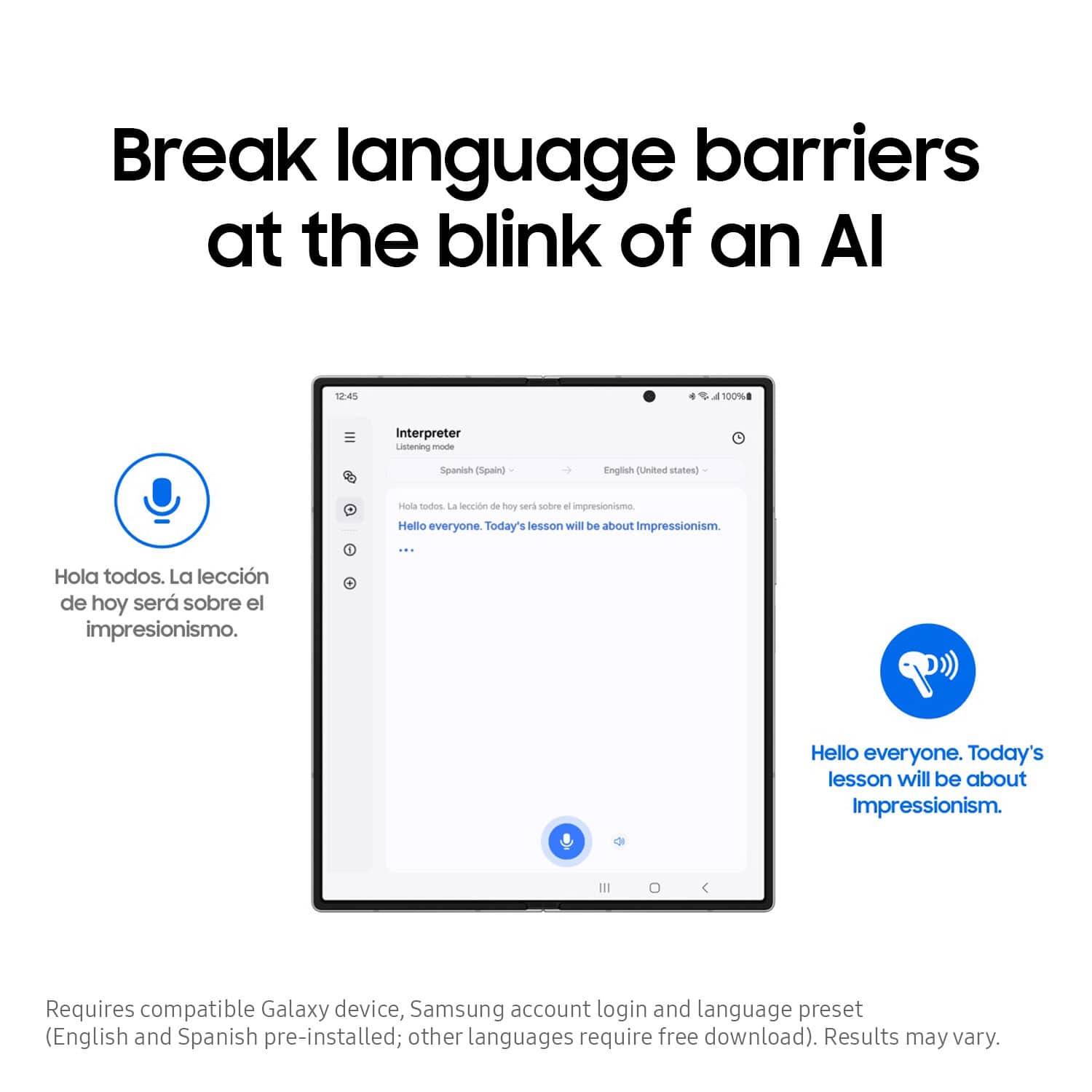
||Posted . Owned for 2 weeks when reviewed.This reviewer received promo considerations or sweepstakes entry for writing a review.I'm not a fan. I'm not sure if I just don't understand them or if they aren't what I thought I was purchasing. Mostly for the translation . Nothing has translated so far.
I would recommend this to a friendBrand response from Samsung
Posted .Howdy ReginaB, thanks for taking the available time out of your day to share your thoughts with us about your Samsung Galaxy Buds3 Pro. We appreciate your candor as we make every effort to improve the design and functionality of our product line. The Galaxy Buds3 Pro require a compatible Galaxy device in order to unlock the full functionality of this device. Without having any details available regarding what you may be experiencing or what troubleshooting steps you have taken with your device, I recommend reaching out to Support for further assistance and/or help with troubleshooting your device. Thank you for being a valued Samsung customer. - Debra
Weird popping sound
||Posted . Owned for 1 month when reviewed.This reviewer received promo considerations or sweepstakes entry for writing a review.I had to return the first pair i bought due to a weird static sound, almost like a popping sound. The second pair has worked better. But still kind of iffy.
No, I would not recommend this to a friendBrand response from Samsung
Posted .Hello JosephP, thank you for finding the time out of your lively day to share your sentiments with us about your Samsung Galaxy Buds3 Pro. We appreciate your feedback as it allows us to improve the design and functionality of our product line while we remain committed to constant innovation. Our goal is for our customers to feel like they are having the most marvelous experiences when using our products. Samsung provides a 12-month warranty on our products for manufacturing defects in materials and workmanship. If your Galaxy Buds earbuds have no or low volume and poor sound quality on one or both buds, there may be a couple reasons why. You might be wearing the earbuds incorrectly, or the buds could have accumulated dust or debris. Additionally, the audio quality could be affected by outdated software, a low battery, and several other things. Please feel free to check out, "No, low, or poor audio quality on Samsung earbuds" to help resolve what you have described to be experiencing with your Galaxy Buds3 Pro. Feel free to reach out to Support afterward if you would like any further assistance. Thank you for being a treasured Samsung customer. - Debra
A little finicky
||Posted .This reviewer received promo considerations or sweepstakes entry for writing a review.Overall a good earbud but is a little finicky when it comes to connectivity and commands.
I would recommend this to a friendBrand response from Samsung
Posted .Hi there Mlrous, thanks for taking the time to review your Samsung Galaxy Buds3 Pro. We appreciate your honesty as we strive to provide the best products with superior functionality on the market to our customers. Samsung provides a 12-month warranty on our products for manufacturing defects in materials and workmanship. We would be more than happy to assist you with what you may be experiencing with your device, however, we need more details than we currently have available before we can do so. Please feel free to reach out to Support if you would like any further assistance. Thank you for being a loyal Samsung customer. - Debra
Samsung pro 3
||Posted .This reviewer received promo considerations or sweepstakes entry for writing a review.Its decent headphones cut out battery life isn't that good
I would recommend this to a friendBrand response from Samsung
Posted .Salutations Spoke, thanks for taking the time to share your experience using your Samsung Galaxy Buds3 Pro. We appreciate your candor as we make every effort to improve the design and functionality of our product line. Samsung provides a 12-month warranty on our products for manufacturing defects in materials and workmanship. The Galaxy Buds3 Pro can provide up to 26 hours of play. Please take a moment to review, "The battery life of your Samsung earbuds" if you would like to learn more about battery expectations. If your Galaxy Buds3 Pro case isn't charging the earbuds, here's a few things you can so right away to help resolve what you may be experiencing with your device:
1. Check for debris on the charging contacts inside the case and on the earbuds.
2. Ensure that your case is charging correctly.
3. Clean the contacts with a soft, dry cloth. Dust, wax, or other debris can build up on the charging contacts, preventing proper contact and charging.
If you would like further assistance after reviewing the resource shared, do not hesitate to reach out to Samsung Support. We're happy to assist you further! Thank you for being a faithful Samsung customer. - Debra
Doesn't hold a charge
||Posted . Owned for 1 month when reviewed.This reviewer received promo considerations or sweepstakes entry for writing a review.Doesn't hold a charge for long. Sound is also terrible on in calls
No, I would not recommend this to a friendBrand response from Samsung
Posted .Hi there AntonioH, thank you for taking the time to share your recent experience with using the Samsung Galaxy Buds3 Pro. We value your insights as it allows us the opportunity to improve the functionality and design of our product line to better align with our customer's needs. Samsung provides a 12-month warranty for manufacturing defects in materials and workmanship. If your Galaxy Buds3 Pro are not charging properly, I have included a few steps that may help resolve what you may be experiencing with your charging. 1. Use the included charging cable and connect to a USB charger, 2. Check to be sure the case is charging correctly, 3. Verify there is no debris in the charging cradle pin connectors., 4. Check to be sure there is no debris in the charging connect on the Galaxy Buds. 5. Check the Wear app to determine if one bud is not charging and check the bud is fully inside the charging case. Check out, "Samsung earbuds do not turn on or charge" and "No, low, or poor audio quality on Samsung earbuds" to help resolve what you have described to be experiencing with your device. If you have any questions for us or if you would like any further assistance afterward, please do not hesitate to contact Support at your leisure. Thank you for being a cherished Samsung customer. - Debra
Overpriced trash
||Posted . Owned for 7 months when reviewed.This reviewer received promo considerations or sweepstakes entry for writing a review.Buds are not comfortable, difficult to swap cushions, and constantly fall out of my ear canal. I dropped, and lost one in a rain storm, jumping over a puddle. Cannot pair with another solo one….just out the cost.
No, I would not recommend this to a friendBrand response from Samsung
Posted .Howdy Jamie, thanks for sharing your thoughts with us about your experience using the Samsung Galaxy Buds3 Pro. We value your candor as we strive to improve the functionality and performance of our product line. It's important to wear your earbuds properly for many reasons. You'll get better sound quality from them, they'll fit more comfortably, and they'll stay in your ears. Wearing them improperly can cause discomfort, sound leaks, and makes them more likely to fall out. The Galaxy Buds3 Pro come with different sized ear tips. The first thing you want to do is make sure they have the right size tips for your ears. You want them to fit so that there isn't a gap between your ear and the ear tip. This helps to avoid sound leaks and ensure optimal audio. Once you have the right tips on your buds: 1. Check the bottom of the earbuds for directional marks. You will see an L and an R. 2. Insert the R bud into your right ear with the R facing you. 3. Insert the L bud into your left ear with the L facing you. 4. Angle the blade slightly so that the microphone on the bottom is pointing towards your mouth rather than straight down. 5. You can adjust the buds by rotating them forwards and backwards until the fit feels right. You can also run an earbud fit test in the Galaxy Wearable app to ensure you have the proper fit. To run an Earbud fit test, 1. Open the Galaxy Wearable app on your connected phone. 2. From the Buds3 Pro screen, tap Sound quality and effects. 3. Tap Earbud fit test. 4. The screen will display either In ear or Not in ear. Make sure both buds are in your ears, and then tap Start. 5. The buds will chime for a few seconds, and then the app will display your results. It may say Poor fit or Good fit. If the fit is poor, make small adjustments and then tap Try again. 6. Continue running the fit test and making adjustments until you get a good fit result for both buds. If you would like more information regarding fit, feel free to review "How to wear your Samsung Galaxy Buds3 and 3 Pro." Also feel free to check out, "Use a single Samsung earbud with your phone" and "How to change the tips on your Galaxy Buds3 Pro" if you would like to utilize the earbud you have available. If you have any questions or if you would like any further assistance afterward, please feel free to contact Support. Thank you for being a steadfast Samsung customer. - Debra
Disappointing from Samsung
||Posted . Owned for 1 week when reviewed.This reviewer received promo considerations or sweepstakes entry for writing a review.I was really disappointed with these. They sound okay, but not worth their price. And the battery life isn't very good.
No, I would not recommend this to a friendBrand response from Samsung
Posted .Howdy DarylD, thank you for taking the time to share you experience with using the Samsung Galaxy Buds3 Pro. We appreciate your candor as we make every effort to improve the design and functionality of our product line. Samsung provides a 12-month warranty for manufacturing defects in materials and workmanship. If your Galaxy earbuds have no or low volume and poor sound quality on one or both buds, there may be a couple reasons why. You might be wearing the earbuds incorrectly, or the buds could have accumulated dust or debris. Additionally, the audio quality could be affected by outdated software, a low battery, and several other things. Please take a moment to review, "No, low, or poor audio quality on Samsung earbuds" to conduct some troubleshooting steps on your device to help resolve what you may be experiencing with your audio quality. The Galaxy Buds3 Pro can provide up to 26 hours of play time per charge, which can be extended to up to 30 hours with a fully charged case. Feel free to also check out, "The battery life of your Samsung earbuds" if you would like to learn more. Feel free to reach out to Support afterward if you have any questions or if you would like any further assistance. Thank you for being a staunch Samsung customer. - Debra
Good, but has ANC issues
||Posted . Owned for 3 weeks when reviewed.This reviewer received promo considerations or sweepstakes entry for writing a review.Generally a pretty good option for Android users, but will have awful artifacts while using ANC sometimes. Basically there are times where instead of protecting your ears, it will amplify an already loud noise instead. I've bought and returned two different pairs because of this. Not ideal for use with tools. I really wish they would fix this. I've never had this occur with AirPods Pro 2 or Pixel Buds Pro 2.
No, I would not recommend this to a friendi returned them
||Posted . Owned for 2 weeks when reviewed.This reviewer received promo considerations or sweepstakes entry for writing a review.i liked the way they look bus the fit and feel was not good ,not enough eartip sizes
No, I would not recommend this to a friendBrand response from Samsung
Posted .Good day Droid, thank you for finding the free time out of your busy day to share your thoughts with us about your Samsung Galaxy Buds3 Pro. We value your honesty as we improve the design and functionality of our product line. Samsung provides a 12-month warranty on our products for manufacturing defects in materials and workmanship. It's important to wear your earbuds properly for many reasons. You'll get better sound quality from them, they'll fit more comfortably, and they'll stay in your ears. Wearing them improperly can cause discomfort, sound leaks, and makes them more likely to fall out. As you know, the Galaxy Buds3 Pro come with different sized ear tips. The first thing you want to do is make sure they have the right size tips for your ears. You want them to fit so that there isn't a gap between your ear and the ear tip. This helps to avoid sound leaks and ensure optimal audio. Once you have the right tips on your buds: 1. Check the bottom of the earbuds for directional marks. You will see an L and an R. 2. Insert the R bud into your right ear with the R facing you. 3. Insert the L bud into your left ear with the L facing you. 4. Angle the blade slightly so that the microphone on the bottom is pointing towards your mouth rather than straight down. 5. You can adjust the buds by rotating them forwards and backwards until the fit feels right. You can also run an earbud fit test in the Galaxy Wearable app to ensure you have the proper fit. To run an Earbud fit test, 1. Open the Galaxy Wearable app on your connected phone. 2. From the Buds3 Pro screen, tap Sound quality and effects. 3. Tap Earbud fit test. 4. The screen will display either In ear or Not in ear. Make sure both buds are in your ears, and then tap Start. 5. The buds will chime for a few seconds, and then the app will display your results. It may say Poor fit or Good fit. If the fit is poor, make small adjustments and then tap Try again. 6. Continue running the fit test and making adjustments until you get a good fit result for both buds. If you would like more information regarding fit, feel free to check out "How to wear your Samsung Galaxy Buds3 and 3 Pro." Please do not hesitate to reach out to Support afterward if you would like any further assistance with troubleshooting your device. Thank you for being an unwavering Samsung customer. - Debra
Case sucks
||Posted . Owned for 1 month when reviewed.This reviewer received promo considerations or sweepstakes entry for writing a review.After every use the case takes around 1 hour to actually star charging the bud
No, I would not recommend this to a friendBrand response from Samsung
Posted .Salutations FranciscoE, thanks for taking the opportunity to review your Samsung Galaxy Buds3 Pro. Your feedback allows us to remain committed to constant innovation as we strive to improve the design and functionality of our product line. Samsung provides a 12-month warranty for manufacturing defects in materials and workmanship. The Galaxy Buds3 Pro provide up to 26 hours of play time per charge, which can be extended to up to 30 hours with a fully charged case. Feel free to check out, "All about your Samsung earbuds’ battery life" if you would like to learn more about your battery life. If you would like to share any other feedback with us or if you would like any further assistance afterward, please feel free to reach out to Support. Thank you for being a dedicated Samsung customer. - Debra
Galaxy buds pro 3
||Posted . Owned for 1 year when reviewed.This reviewer received promo considerations or sweepstakes entry for writing a review.Charging isnt the best and the ear pods hurt your ears
No, I would not recommend this to a friendBrand response from Samsung
Posted .Howdy Louivee, thank you for taking the time to share your feedback with us about your experience using the Samsung Galaxy Buds3 Pro. We value your feedback as we continue to improve the functionality and performance of our product line. Samsung offers a 12-month warranty on your device for manufacturing defects in materials and workmanship. Wearing your earbuds properly is important for many reasons. You'll get better sound quality from them, they'll fit more comfortably, and they'll stay in your ears. Wearing them improperly can cause discomfort, sound leaks, and makes them more likely to fall out. As you know, the Galaxy Buds3 Pro come with different sized ear tips. The first thing you want to do is make sure they have the right size tips for your ears. You want them to fit so that there isn't a gap between your ear and the ear tip. This helps to avoid sound leaks and ensure optimal audio. Once you have the right tips on your buds: 1. Check the bottom of the earbuds for directional marks. You will see an L and an R. 2. Insert the R bud into your right ear with the R facing you. 3. Insert the L bud into your left ear with the L facing you. 4. Angle the blade slightly so that the microphone on the bottom is pointing towards your mouth rather than straight down. 5. You can adjust the buds by rotating them forwards and backwards until the fit feels right. You can also run an earbud fit test in the Galaxy Wearable app to ensure you have the proper fit. To run an Earbud fit test, 1. Open the Galaxy Wearable app on your connected phone. 2. From the Buds3 Pro screen, tap Sound quality and effects. 3. Tap Earbud fit test. 4. The screen will display either In ear or Not in ear. Make sure both buds are in your ears, and then tap Start. 5. The buds will chime for a few seconds, and then the app will display your results. It may say Poor fit or Good fit. If the fit is poor, make small adjustments and then tap Try again. 6. Continue running the fit test and making adjustments until you get a good fit result for both buds. If you would like more information regarding your Buds3 Pro fit, feel free to check out "How to wear your Samsung Galaxy Buds3 and 3 Pro." If your Galaxy Buds3 Pro are not charging properly, I have included a few steps that may help resolve what you may be experiencing with your charging. 1. Use the included charging cable and connect to a USB charger, 2. Check to be sure the case is charging correctly, 3. Verify there is no debris in the charging cradle pin connectors., 4. Check to be sure there is no debris in the charging connect on the Galaxy Buds. 5. Check the Wear app to determine if one bud is not charging and check the bud is fully inside the charging case. If you have any questions for us or if you would like any further assistance, please do not hesitate to contact Support at your earliest convenience. Thank you for being a faithful Samsung customer. - Debra