Customer Ratings & Reviews
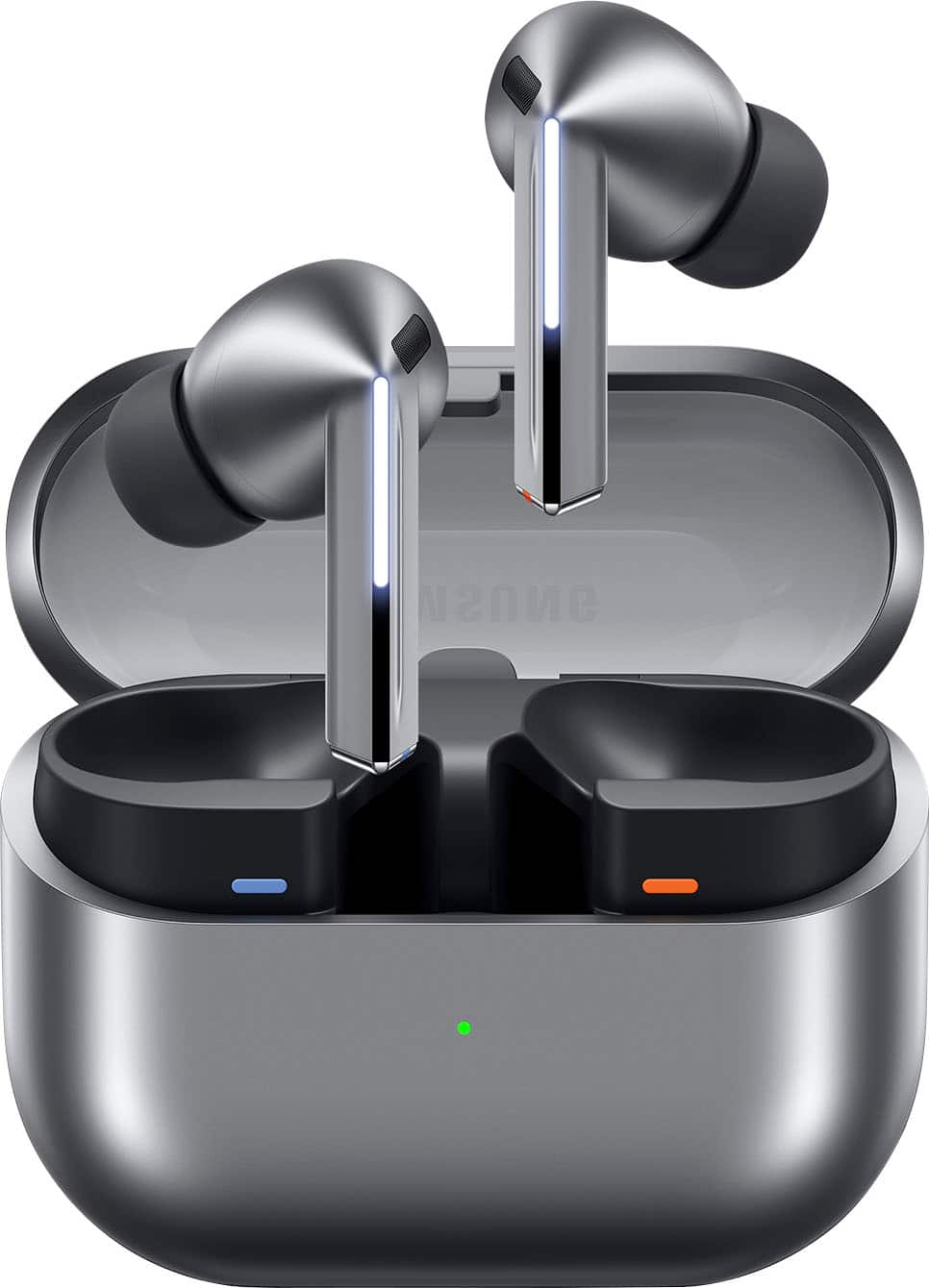

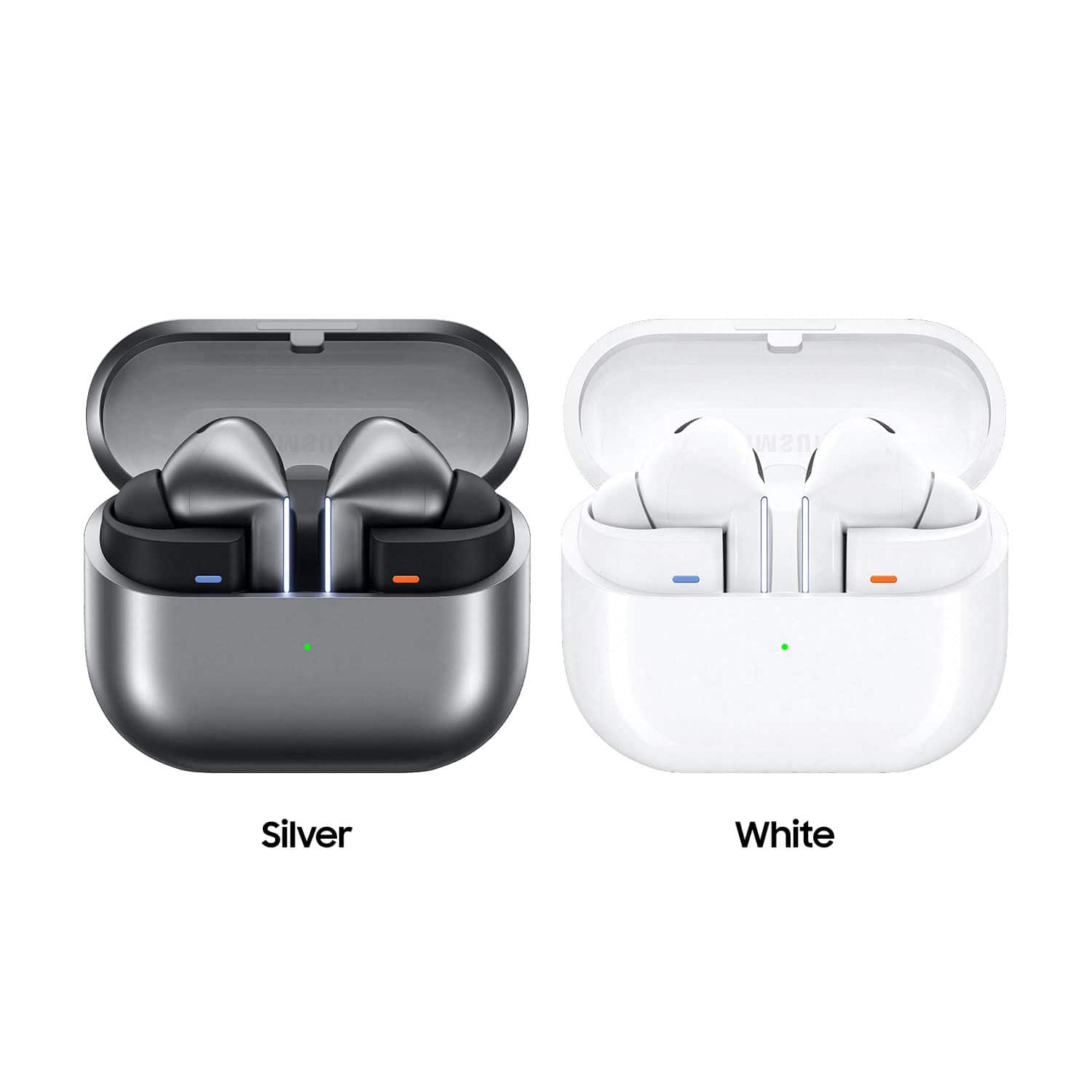
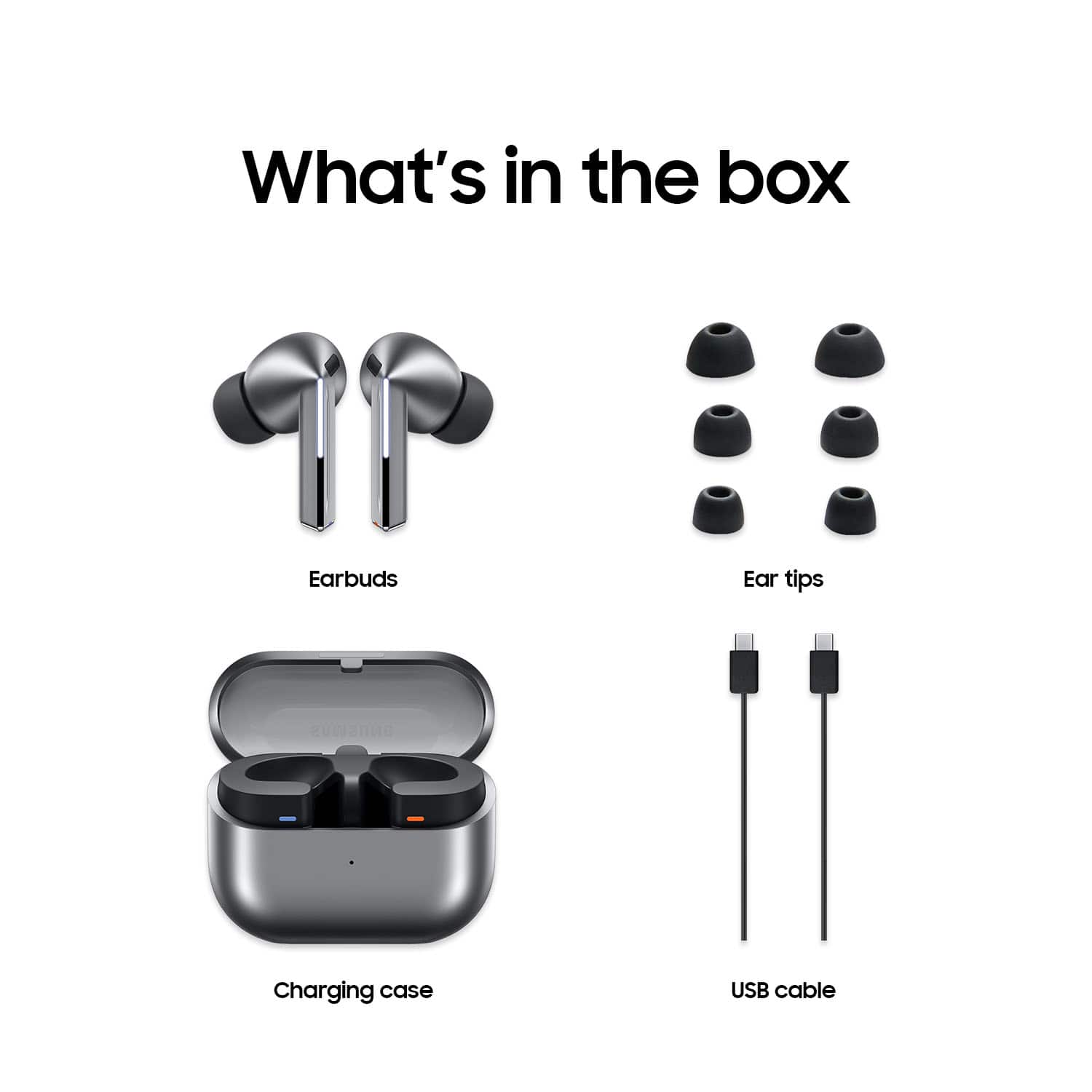
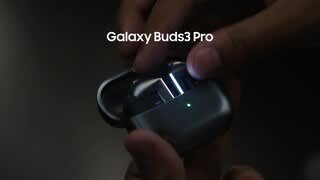


- Model:
- SM-R630NZAAXAR
- SKU:
- 12558964
Rating by feature
- Sound Quality
Rating 4.8 out of 5 stars
- Battery Life
Rating 4.6 out of 5 stars
- Connectivity
Rating 4.8 out of 5 stars
Customers are saying
Customers regard the sound quality as the standout feature of this product, with many users also praising its comfortable fit and impressive battery life. While the design, connectivity, and overall feature set receive positive feedback, some users have expressed minor concerns regarding the sensitivity of the touch controls and the maximum volume levels. Overall, the product is highly regarded for its performance and user experience.
This summary was generated by AI based on customer reviews.
Wish they were worth it.
||Posted . Owned for 1 week when reviewed.This reviewer received promo considerations or sweepstakes entry for writing a review.Not great. Sound is ok and the AI functionality is cool but the ANC is bad and the transparency mode is atrocious. Really wanted to love these but with the constant high pitched noice that happened randomly and the transparency mode that amplifies high pitch sounds like metallic banging and air moving (think loud hissing when car Ac runs) alas I had to return them. Will be looking into other headphones if not just a new pair of Beats Fit Pro. Battery life also sucks.
No, I would not recommend this to a friendBrand response from Samsung
Posted .Hi there Johnh, thanks for taking the time to review your Samsung Galaxy Buds3 Pro. We appreciate your honesty as we strive to provide the very best products with superior functionality on the market to our customers while we remain committed to constant innovation. Our goal is for our customers to feel like they are having the most unforgettable experiences while using our products. Samsung provides a 12-month warranty on our products for manufacturing defects in materials and workmanship. If your earbuds have no or low volume and poor sound quality on one or both buds, there may be a couple reasons why. You might be wearing the earbuds incorrectly, or the buds could have accumulated dust or debris. Additionally, the audio quality could be affected by outdated software, a low battery, and several other things. Please take a moment to review, "No, low, or poor audio quality on Samsung earbuds" and "The battery life of your Samsung earbuds" to help resolve what you may be experiencing with your Buds3 Pro. If you have any questions for us after reviewing these resources or if you would like any further assistance, do not hesitate to contact Samsung Support. Thank you for being a loyal Samsung customer. - Debra

Good sound poor charging
||Posted . Owned for 2 months when reviewed.This reviewer received promo considerations or sweepstakes entry for writing a review.Sounds great but when it comes to charging them its a hit or miss. Xm4 from sony was a better vhoice bc i knew once i put them in to charge they were gonna be charged when i took them back out. That is not the case with these.
No, I would not recommend this to a friendBrand response from Samsung
Posted .Hi there Isaac, thank you for taking the opportunity to share your recent experience with using the Samsung Galaxy Buds3 Pro. We value your feedback as it allows us the opportunity to improve the functionality and design of our product line. Samsung provides a 12-month warranty for manufacturing defects in materials and workmanship. If your Galaxy Buds3 Pro are not charging properly, I have included a few steps that may help resolve what you may be experiencing with your charging. 1. Use the included charging cable and connect to a USB charger, 2. Check to be sure the case is charging correctly, 3. Verify there is no debris in the charging cradle pin connectors., 4. Check to be sure there is no debris in the charging connect on the Galaxy Buds. 5. Check the Wear app to determine if one bud is not charging and check the bud is fully inside the charging case. Let us know if you have any questions for us afterward or if you would like any further assistance by contacting Support. Thank you for being a loyal Samsung customer. - Debra
Work but break
||Posted . Owned for 3 weeks when reviewed.This reviewer received promo considerations or sweepstakes entry for writing a review.Work well but break. This is 4th pair in last year and a half.
No, I would not recommend this to a friendBrand response from Samsung
Posted .Aloha GenaA, thank you for finding the opportunity to share your sentiments with us about your Samsung Galaxy Buds3 Pro. We value your feedback as we strive to improve the design and functionality of our product line. Samsung provides a 12-month warranty on our products for manufacturing defects in materials and workmanship. We also offer extended warranty options that would cover eligible devices. It's great for the unexpected situations like leaving your device behind on public transportation, having it stolen, taking an unexpected dip in the neighbor's pool, to dropping it and shattering the screen while bringing in groceries. Without having more details available regarding what you may be experiencing with your device and without being able to ask you any follow up questions to probe further, I suggest contacting Support. Thank you for being a staunch Samsung customer. - Debra
Galaxy buds 3
||Posted . Owned for 3 months when reviewed.This reviewer received promo considerations or sweepstakes entry for writing a review.Good product just not as comfortable as older models
I would recommend this to a friendBrand response from Samsung
Posted .Hey there ALEXG, thanks for taking the available time out of your day to share your thoughts with us about your Samsung Galaxy Buds3 Pro. We appreciate your candor as we make every effort to improve the design and functionality of our product line. It's important to wear your earbuds properly for many reasons. You'll get better sound quality from them, they'll fit more comfortably, and they'll stay in your ears. Wearing them improperly can cause discomfort, sound leaks, and makes them more likely to fall out. As you know, the Galaxy Buds3 Pro come with different sized ear tips. The first thing you want to do is make sure they have the right size tips for your ears. You want them to fit so that there isn't a gap between your ear and the ear tip. This helps to avoid sound leaks and ensure optimal audio. Once you have the right tips on your buds: 1. Check the bottom of the earbuds for directional marks. You will see an L and an R. 2. Insert the R bud into your right ear with the R facing you. 3. Insert the L bud into your left ear with the L facing you. 4. Angle the blade slightly so that the microphone on the bottom is pointing towards your mouth rather than straight down. 5. You can adjust the buds by rotating them forwards and backwards until the fit feels right. You can also run an earbud fit test in the Galaxy Wearable app to ensure you have the proper fit. To run an Earbud fit test, 1. Open the Galaxy Wearable app on your connected phone. 2. From the Buds3 Pro screen, tap Sound quality and effects. 3. Tap Earbud fit test. 4. The screen will display either In ear or Not in ear. Make sure both buds are in your ears, and then tap Start. 5. The buds will chime for a few seconds, and then the app will display your results. It may say Poor fit or Good fit. If the fit is poor, make small adjustments and then tap Try again. 6. Continue running the fit test and making adjustments until you get a good fit result for both buds. If you would like more information regarding fit, feel free to check out "How to wear your Samsung Galaxy Buds3 and 3 Pro." Feel free to reach out to Support if you would like any further assistance. Thank you for being a valued Samsung customer. - Debra
Not good
||Posted . Owned for 3 weeks when reviewed.This reviewer received promo considerations or sweepstakes entry for writing a review.It stopped charging and the charge goes really fast and is only been 30 days I own these
No, I would not recommend this to a friendBrand response from Samsung
Posted .Aloha AlejandroZ, thank you for finding the opportunity to share your sentiments with us about your Samsung Galaxy Buds3 Pro. We value your feedback as we strive to improve the design and functionality of our product line. Samsung provides a 12-month warranty on our products for manufacturing defects in materials and workmanship. The Galaxy Buds3 Pro can provide up to 26 hours of play time per charge, which can be extended to up to 30 hours with a fully charged case. Feel free to check out, "The battery life of your Samsung earbuds" if you would like to learn more. If your Galaxy Buds3 Pro case isn't charging the earbuds, here's a few things you can so right away to help resolve what you may be experiencing with your device:
1. Check for debris on the charging contacts inside the case and on the earbuds.
2. Ensure that your case is charging correctly.
3. Clean the contacts with a soft, dry cloth. Dust, wax, or other debris can build up on the charging contacts, preventing proper contact and charging.
Let us know if you have any questions or if you would like any further assistance afterward by contacting Samsung Support. Thank you for being a staunch Samsung customer. - Debra
Nothing but issues
||Posted . Owned for 5 months when reviewed.This reviewer received promo considerations or sweepstakes entry for writing a review.I have used Jabra in the past. Decided to try the galaxy 3 pro. Have had nothing but issues with charging cutting in and out. Samsung requires you to send them off and wait. Never had these issues with jabra. Will not be buying the Samsung earbuds again.
No, I would not recommend this to a friendBrand response from Samsung
Posted .Hey KEVINS, thank you for finding the time out of your day to share your sentiments with us about your Samsung Galaxy Buds3 Pro. Your feedback is invaluable to us as we strive to provide the best products with superior functionality on the market to our customers. Samsung provides a 12-month warranty for manufacturing defects in materials and workmanship. If your Galaxy Buds3 Pro are not charging properly, I have included a few steps that may help resolve what you may be experiencing with your charging. 1. Use the included charging cable and connect to a USB charger, 2. Check to be sure the case is charging correctly, 3. Verify there is no debris in the charging cradle pin connectors., 4. Check to be sure there is no debris in the charging connect on the Galaxy Buds. 5. Check the Wear app to determine if one bud is not charging and check the bud is fully inside the charging case. Feel free to reach out to Support if you have any questions for us or if you would like any further assistance. Thank you for being a trustworthy Samsung customer. - Debra
Right ear bud stopped charging
||Posted . Owned for 2 months when reviewed.This reviewer received promo considerations or sweepstakes entry for writing a review.Third pair of Galaxy Buds where the right earbud just stops charging. Don't waste your money on their garbage headphones.
No, I would not recommend this to a friendBrand response from Samsung
Posted .Good day STEPHEN, thank you for taking the opportunity to share your recent experience with using the Samsung Galaxy Buds3 Pro. We appreciate your feedback as it allows us the opportunity to improve the functionality and design of our product line. Samsung provides a 12-month warranty for manufacturing defects in materials and workmanship. If your Galaxy Buds3 Pro are not charging properly, I have included a few steps that may help resolve what you may be experiencing with your charging. 1. Use the included charging cable and connect to a USB charger, 2. Check to be sure the case is charging correctly, 3. Verify there is no debris in the charging cradle pin connectors., 4. Check to be sure there is no debris in the charging connect on the Galaxy Buds. 5. Check the Wear app to determine if one bud is not charging and check the bud is fully inside the charging case. If you have any questions for us or if you would like any further assistance, please do not hesitate to contact Samsung Support at your earliest convenience. Thank you for being a faithful Samsung customer. - Debra
Charging issue
||Posted . Owned for 6 months when reviewed.This reviewer received promo considerations or sweepstakes entry for writing a review.Due to the design, they don't charge the case doesnt charge the earbuds. I took care of these and had no issues , wasted my money on these for them bot to work properly
No, I would not recommend this to a friendBrand response from Samsung
Posted .Hi there Ange, thanks for sharing your experience with us about using the Samsung Galaxy Buds3 Pro. We value your feedback as we strive to improve the design and functionality of our product line. Samsung provides a 12-month warranty for manufacturing defects in materials and workmanship. If your Galaxy Buds3 Pro are not charging properly, I have included a few steps that may help resolve what you may be experiencing with your charging. 1. Use the included charging cable and connect to a USB charger, 2. Check to be sure the case is charging correctly, 3. Verify there is no debris in the charging cradle pin connectors., 4. Check to be sure there is no debris in the charging connect on the Galaxy Buds. 5. Check the Wear app to determine if one bud is not charging and check the bud is fully inside the charging case. If you have any questions for us or if you would like any further assistance, please do not hesitate to contact Support at your earliest convenience. Thanks for being a loyal Samsung customer. - Debra
Stay far away from samsung products
||Posted . Owned for 2 months when reviewed.This reviewer received promo considerations or sweepstakes entry for writing a review.Stay Away! These came out of the package with a buzzing noise, then the case and headphones died and would not charge within 2 months. Samsung claims to have a 1 year warranty on these, but refused to cover any repair costs for them. They wanted to charge $180 (more than I even paid for them) to get them back working.
No, I would not recommend this to a friendBrand response from Samsung
Posted .Hey Ripcitypilot, thank you for finding the time to share your sentiments with us about your experience using the Samsung Galaxy Buds3 Pro. Your feedback is invaluable to us as we strive to provide the best products to our customers while we remain committed to constant innovation. Samsung provides a 12-month warranty on our products for manufacturing defects in materials and workmanship. If your Galaxy Buds earbuds have no or low volume and poor sound quality on one or both buds, there may be a couple reasons why. You might be wearing the earbuds incorrectly, or the buds could have accumulated dust or debris. Additionally, the audio quality could be affected by outdated software, a low battery, and several other things. Please take a moment to review, "No, low, or poor audio quality on Samsung earbuds" to help resolve what you've described to be experiencing with your device. Let us know afterward if you have any questions or if you would like any further assistance. Thank you for being a trustworthy Samsung customer. - Debra
3
||Posted . Owned for 1 month when reviewed.This reviewer received promo considerations or sweepstakes entry for writing a review.The sound is not very good, it's unpleasant when you put uncomfortable ones in your ears.
No, I would not recommend this to a friendBrand response from Samsung
Posted .Howdy Tair, thanks for taking the time out of your hectic day to share your thoughts with us about your Samsung Galaxy Buds3 Pro. We appreciate your feedback as we strive in providing the best products with superior functionality on the market for our customers. Samsung provides a 12-month warranty for manufacturing defects in materials and workmanship. It's important to wear your earbuds properly for many reasons. You'll get better sound quality from them, they'll fit more comfortably, and they'll stay in your ears. Wearing them improperly can cause discomfort, sound leaks, and makes them more likely to fall out. As you know, the Galaxy Buds3 Pro come with different sized ear tips. The first thing you want to do is make sure they have the right size tips for your ears. You want them to fit so that there isn't a gap between your ear and the ear tip. This helps to avoid sound leaks and ensure optimal audio. Once you have the right tips on your buds: 1. Check the bottom of the earbuds for directional marks. You will see an L and an R. 2. Insert the R bud into your right ear with the R facing you. 3. Insert the L bud into your left ear with the L facing you. 4. Angle the blade slightly so that the microphone on the bottom is pointing towards your mouth rather than straight down. 5. You can adjust the buds by rotating them forwards and backwards until the fit feels right. You can also run an earbud fit test in the Galaxy Wearable app to ensure you have the proper fit. To run an Earbud fit test, 1. Open the Galaxy Wearable app on your connected phone. 2. From the Buds3 Pro screen, tap Sound quality and effects. 3. Tap Earbud fit test. 4. The screen will display either In ear or Not in ear. Make sure both buds are in your ears, and then tap Start. 5. The buds will chime for a few seconds, and then the app will display your results. It may say Poor fit or Good fit. If the fit is poor, make small adjustments and then tap Try again. 6. Continue running the fit test and making adjustments until you get a good fit result for both buds. If you would like more information regarding fit, feel free to check out "How to wear your Samsung Galaxy Buds3 and 3 Pro." Feel free to reach out to Support if you have any questions or if you would like any further assistance. Thank you for being a devoted Samsung customer. - Debra
A bit backwards
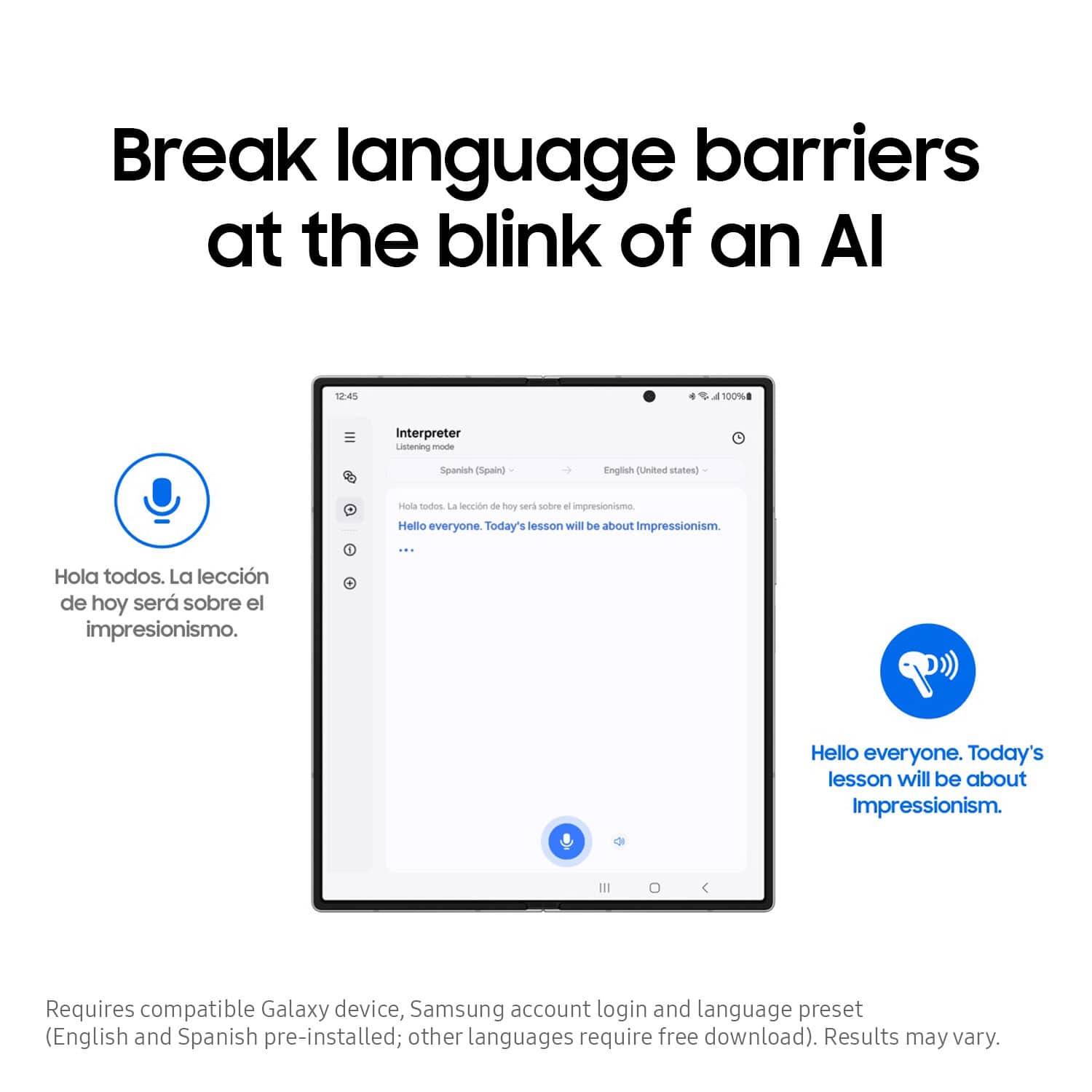
||Posted . Owned for 1 month when reviewed.This reviewer received promo considerations or sweepstakes entry for writing a review.Overall it's a good set, though I'm still trying to figure out the translation feature. What's disappointing about these earbuds though are that once their case is closed, they're no longer detectable on the finder app, which to me appears to be a bit backwards.
I would recommend this to a friendBrand response from Samsung
Posted .Greetings DisappointedEars, thank you for finding the opportunity to share your sentiments with us about your Samsung Galaxy Buds3 Pro. We appreciate your feedback as it provides us the opportunity to remain innovative while improving the functionality of our product line. Samsung provides a 12-month warranty on our products for manufacturing defects in materials and workmanship. Transitioning to new devices can feel mind-boggling at times. This is why we offer a plethora of resources that our customers can take advantage of to help with that learning curve. We currently offer interactive simulators and video tutorials to help you get to know your new device and its features. We also offer device manuals and software updates, if you find yourself in need of those as well. To find your Galaxy Buds3 Pro when they are out of the case, use the "Find My Earbuds" feature within the Galaxy Wearable app. If the earbuds are within Bluetooth range, you can make them play a sound to help locate them. If they are not within range, the app will show their last known location on a map. If you would like to share any other feedback with us or if you would like any further assistance, please let us know by contacting Support. Thank you for being a trustworthy Samsung customer. - Debra
Do not buy
||Posted . Owned for 1 month when reviewed.This reviewer received promo considerations or sweepstakes entry for writing a review.Right earbud stopped working within three weeks, would not charge so was unusable. Best Buy would not return or exchange because it was past the 15 day return window. Had to contact Samsung and rather than exchanging for new pair since earbuds are now a month old, have to send back to them for repair and wait. At a month from purchase should not need repair unless I received a defective item. Very disappointed and surprised that Samsung does not stand by their products.
No, I would not recommend this to a friendBrand response from Samsung
Posted .Greetings Helene, thank you for finding the time to share your sentiments with us about your experience using the Samsung Galaxy Buds3 Pro. Your feedback is appreciated as we strive to be innovative while improving the design and functionality of our products. Samsung provides a 12-month warranty on our products for manufacturing defects in materials and workmanship. Please feel free to review, "Use a single Samsung earbud with your phone," "Sync the Samsung earbuds to each other," and "Restart or reset your Samsung earbuds" to help resolve what you've described to be experiencing with your earbuds. Let us know if you have any questions afterward or if you would like any further assistance by reaching out to Support at your earliest convenience. Thank you for being a dedicated Samsung customer. - Debra
Samsung buds pro
||Posted .This reviewer received promo considerations or sweepstakes entry for writing a review.Had to purchase an over ear thing to keep them from falling out
I would recommend this to a friendBrand response from Samsung
Posted .Salutations KimberlyR, thanks for taking the time out of your schedule to share your thoughts with us about your Samsung Galaxy Buds3 Pro. We appreciate your candor as we make every effort to improve the design and functionality of our product line. It's important to wear your earbuds properly for many reasons. You'll get better sound quality from them, they'll fit more comfortably, and they'll stay in your ears. Wearing them improperly can cause discomfort, sound leaks, and makes them more likely to fall out. As you know, the Galaxy Buds3 Pro come with different sized ear tips. The first thing you want to do is make sure they have the right size tips for your ears. You want them to fit so that there isn't a gap between your ear and the ear tip. This helps to avoid sound leaks and ensure optimal audio. Once you have the right tips on your buds: 1. Check the bottom of the earbuds for directional marks. You will see an L and an R. 2. Insert the R bud into your right ear with the R facing you. 3. Insert the L bud into your left ear with the L facing you. 4. Angle the blade slightly so that the microphone on the bottom is pointing towards your mouth rather than straight down. 5. You can adjust the buds by rotating them forwards and backwards until the fit feels right. You can also run an earbud fit test in the Galaxy Wearable app to ensure you have the proper fit. To run an Earbud fit test, 1. Open the Galaxy Wearable app on your connected phone. 2. From the Buds3 Pro screen, tap Sound quality and effects. 3. Tap Earbud fit test. 4. The screen will display either In ear or Not in ear. Make sure both buds are in your ears, and then tap Start. 5. The buds will chime for a few seconds, and then the app will display your results. It may say Poor fit or Good fit. If the fit is poor, make small adjustments and then tap Try again. 6. Continue running the fit test and making adjustments until you get a good fit result for both buds. If you would like more information regarding fit, feel free to check out "How to wear your Samsung Galaxy Buds3 and 3 Pro." Feel free to reach out to Support afterward if you would like any further assistance. Thank you for choosing Samsung! - Debra
Too painful to enjoy
||Posted . Owned for 3 weeks when reviewed.This reviewer received promo considerations or sweepstakes entry for writing a review.The buds are too wide. They wouldn't properly enter the ear. The noise cancelation wouldn't work as a result. I got blisters/ear ulcers as a result of using these
No, I would not recommend this to a friendBrand response from Samsung
Posted .Hi YahairaM, thanks for sharing your thoughts with us about your experience using the Samsung Galaxy Buds3 Pro. As we strive to be innovative and make improvements on the design and functionality of our products, your feedback is invaluable. Samsung provides a 12-month warranty on our products for manufacturing defects in materials and workmanship. It's important to wear your earbuds properly for many reasons. You'll get better sound quality from them, they'll fit more comfortably, and they'll stay in your ears. Wearing them improperly can cause discomfort, sound leaks, and makes them more likely to fall out. As you know, the Galaxy Buds3 Pro come with different sized ear tips. The first thing you want to do is make sure they have the right size tips for your ears. You want them to fit so that there isn't a gap between your ear and the ear tip. This helps to avoid sound leaks and ensure optimal audio. Once you have the right tips on your buds: 1. Check the bottom of the earbuds for directional marks. You will see an L and an R. 2. Insert the R bud into your right ear with the R facing you. 3. Insert the L bud into your left ear with the L facing you. 4. Angle the blade slightly so that the microphone on the bottom is pointing towards your mouth rather than straight down. 5. You can adjust the buds by rotating them forwards and backwards until the fit feels right. You can also run an earbud fit test in the Galaxy Wearable app to ensure you have the proper fit. To run an Earbud fit test, 1. Open the Galaxy Wearable app on your connected phone. 2. From the Buds3 Pro screen, tap Sound quality and effects. 3. Tap Earbud fit test. 4. The screen will display either In ear or Not in ear. Make sure both buds are in your ears, and then tap Start. 5. The buds will chime for a few seconds, and then the app will display your results. It may say Poor fit or Good fit. If the fit is poor, make small adjustments and then tap Try again. 6. Continue running the fit test and making adjustments until you get a good fit result for both buds. If you would like more information regarding fit, feel free to check out "How to wear your Samsung Galaxy Buds3 and 3 Pro." Let us know if you have any questions or if you would like any further assistance by reaching out to Support. Thank you for being a cherished Samsung customer. - Debra
Samsung ear buds
||Posted . Owned for 3 weeks when reviewed.This reviewer received promo considerations or sweepstakes entry for writing a review.Battery doesn't last long enough other than that fairly good
No, I would not recommend this to a friendBrand response from Samsung
Posted .Hi RogerO, thanks for taking the time out of your day to share your thoughts with us about your Samsung Galaxy Buds3 Pro. As we strive to be innovative and make improvements on the design and functionality of our products, your feedback is invaluable. Samsung provides a 12-month warranty for manufacturing defects in materials and workmanship. While all of Samsung's earbuds are built to last the entire day, the buds' battery life and charging times may differ depending on the model you have and how you use them. The Buds3 Pro provide up to 26 hours of play time per charge, which can be extended to up to 30 hours with a fully charged case. Feel free to check out, "All about the Galaxy Buds3 and Buds3 Pro earbuds" if you would like to learn more. If you would like any further assistance afterward, please feel free to contact Support. Thank you for being a cherished Samsung customer. - Debra
AWFUL
||Posted . Owned for 2 months when reviewed.This reviewer received promo considerations or sweepstakes entry for writing a review.These are the worst. They won't stay charged and they have poor reception
No, I would not recommend this to a friendBrand response from Samsung
Posted .Aloha CHERYLM, thank you for finding the time to share your sentiments with us about your Samsung Galaxy Buds3 Pro. We value your feedback as we strive to improve the design and functionality of our product line. Samsung provides a 12-month warranty on our products for manufacturing defects in materials and workmanship. The Galaxy Buds3 Pro can provide up to 26 hours of play time per charge, which can be extended to up to 30 hours with a fully charged case. Feel free to check out, "The battery life of your Samsung earbuds" if you would like to learn more. If your Galaxy Buds3 Pro case isn't charging your earbuds, here's a few things you can so right away to help resolve what you may be experiencing with your device:
1. Check for debris on the charging contacts inside the case and on the earbuds.
2. Ensure that your case is charging correctly.
3. Clean the contacts with a soft, dry cloth. Dust, wax, or other debris can build up on the charging contacts, preventing proper contact and charging.
Let us know if you have any questions or if you would like any further assistance afterward by contacting Support. Thank you for being a staunch Samsung customer.
- Debra
Worst headphones I’ve purchased in years.
||Posted . Owned for 3 months when reviewed.This reviewer received promo considerations or sweepstakes entry for writing a review.Where to begin. I’ve tried all of the ear pieces and none are working at a satisfactory level to keep these headphones from falling out of my ears. I’ve never had this issue before. At the time of this review Samsung has yet to add these to their app to connect with. So it’s just straight Bluetooth with no ability to adjust settings. To make matters slightly worse, if you were to drop these headphones on the ground. Don’t immediately put them back in your ear unless you want a deafening pitch of a noise hitting your ear drums. I’m super disappointed, for the price especially.
No, I would not recommend this to a friendBrand response from Samsung
Posted .Hi Denny, thanks for taking the time out of your day to share your thoughts with us about your Samsung Galaxy Buds3 Pro. As we strive to be innovative and make improvements on the design and functionality of our products, your feedback is invaluable. It's important to wear your earbuds properly for many reasons. You'll get better sound quality from them, they'll fit more comfortably, and they'll stay in your ears. Wearing them improperly can cause discomfort, sound leaks, and makes them more likely to fall out. As you know, the Galaxy Buds3 Pro come with different sized ear tips. The first thing you want to do is make sure they have the right size tips for your ears. You want them to fit so that there isn't a gap between your ear and the ear tip. This helps to avoid sound leaks and ensure optimal audio. Once you have the right tips on your buds: 1. Check the bottom of the earbuds for directional marks. You will see an L and an R. 2. Insert the R bud into your right ear with the R facing you. 3. Insert the L bud into your left ear with the L facing you. 4. Angle the blade slightly so that the microphone on the bottom is pointing towards your mouth rather than straight down. 5. You can adjust the buds by rotating them forwards and backwards until the fit feels right. You can also run an earbud fit test in the Galaxy Wearable app to ensure you have the proper fit. To run an Earbud fit test, 1. Open the Galaxy Wearable app on your connected phone. 2. From the Buds3 Pro screen, tap Sound quality and effects. 3. Tap Earbud fit test. 4. The screen will display either In ear or Not in ear. Make sure both buds are in your ears, and then tap Start. 5. The buds will chime for a few seconds, and then the app will display your results. It may say Poor fit or Good fit. If the fit is poor, make small adjustments and then tap Try again. 6. Continue running the fit test and making adjustments until you get a good fit result for both buds. If you would like more information regarding fit, feel free to check out "How to wear your Samsung Galaxy Buds3 and 3 Pro" and "How to connect your Samsung Galaxy earbuds." If you would like any further assistance after reviewing the resources that has been shared, do not hesitate to contact Support at your earliest convenience. Thank you for being a cherished Samsung customer. - Debra
Meh....problems charging
||Posted . Owned for 2 months when reviewed.This reviewer received promo considerations or sweepstakes entry for writing a review.Not great for what is supposed to be a active earbud. I go for a run and any tiny bit of residual sweat will cause a charging error. You have to meticulously dry them and then still wait quite a while before they will charge properly.
No, I would not recommend this to a friendBrand response from Samsung
Posted .Aloha GusC, thanks for taking the time out of your busy day to share your thoughts with us about your Samsung Galaxy Buds3 Pro. As we strive to be innovative and make improvements on the design and functionality of our product line, your feedback is invaluable. Samsung provides a 12-month warranty for manufacturing defects in materials and workmanship. Sweat and/or moisture interfering with the charging contacts can be quickly resolved by cleaning the charging pins on both of your earbuds as well as your case with a dry cloth to ensure that they are completely dry before returning your Buds3 Pros to your charging case. If you would like to share any other feedback with us or if you would like any further assistance, please feel free to reach out to Support. Thank you for being a steadfast Samsung customer. - Debra
Worked great, till they didn't
||Posted . Owned for 4 months when reviewed.This reviewer received promo considerations or sweepstakes entry for writing a review.Bought them in October of 24, 5 months ago, right ear bud wont connect anymore.
No, I would not recommend this to a friendBrand response from Samsung
Posted .Hello there KellyS, thank you for finding the available time out of your lively day to share your sentiments with us about your Samsung Galaxy Buds3 Pro. We value your feedback as it allows us the opportunity to improve the functionality and design of our product line. Samsung provides a 12-month warranty on our products for manufacturing defects in materials and workmanship. Feel free to review, "Sync the Samsung earbuds to each other" and "Restart or reset your Samsung earbuds" to help resolve what you have described to be experiencing with your Galaxy Buds3 Pro. If you would like further assistance afterward, let us know by reaching out to Support. Thank you for being a steadfast Samsung customer. - Debra
Rude
||Posted . Owned for 1 month when reviewed.This reviewer received promo considerations or sweepstakes entry for writing a review.I purchased these to replace a pair i lost. I love the product but hated the whole buying process. Ordered on line to pick up in store. The guy who gave me my order was rude. Never said there there was only a 15 day return policy. I was 5 days over to receive my money back.
I would recommend this to a friend