Customer Ratings & Reviews
- Model:
- SM-R530NZAAXAR
- |
- SKU:
- 10127431
Customer reviews
Rating 3.9 out of 5 stars with 352 reviews
(352 customer reviews)Rating by feature
- Sound Quality4.4
Rating 4.4 out of 5 stars
- Battery Life4.5
Rating 4.5 out of 5 stars
- Connectivity4.6
Rating 4.6 out of 5 stars
Customers are saying
Customers appreciate the Galaxy Buds3 Wireless Earbud Headphones for their clear sound quality, satisfactory battery life, and comfortable design. Many users have issues with the fit of the earbuds. Some find the touch controls to be unintuitive, and others have to increase the volume to a high level.
This summary was generated by AI based on customer reviews.
- Cons mentioned:Fit
Rated 1 out of 5 stars
Pain
||Posted . Owned for 2 months when reviewed.This reviewer received promo considerations or sweepstakes entry for writing a review.They didn't fit in one of my ears all that comfortably. Forcing it would cause painful discomfort. Avoid if you have narrow ears.
This review is from Samsung - Galaxy Buds3 Wireless Earbud Headphones - Silver
No, I would not recommend this to a friendBrand response from Samsung
Posted .Howdy Elvi, thanks for taking the time out of your day to share your thoughts with us about your Samsung Galaxy Buds3. We appreciate your feedback as we strive in providing the best products with superior functionality on the market for our customers. If you're wearing your earbuds properly, you'll get better sound quality from them, they'll fit more comfortably, and they'll stay in your ears. Wearing them improperly can cause discomfort, sound leaks, and makes them more likely to fall out. No one wants to lose an earbud, especially while out jogging, so be sure to wear them with the proper fit. Being that the Galaxy Buds3 are open-type buds rather than canal types, so they do not have earbud tips. All you have to do to get started is simply place them in your ears. 1. Check the bottom of the earbuds for directional marks. You will see an L and an R. 2. Insert the R bud into your right ear with the R facing you. 3. Insert the L bud into your left ear with the L facing you. 4. Angle the blade slightly so that the microphone on the bottom is pointing towards your mouth rather than straight down. 5. You can adjust the buds by rotating them forwards and backwards until the fit feels right. Please take a moment to review, "How to wear your Samsung Galaxy Buds3 and 3 Pro" if you would like more information regarding obtaining the perfect fit. Let us know if you have any questions for us or if you would like any further assistance by contacting Support. Thank you for being a devoted Samsung customer. - Debra
Rated 5 out of 5 stars
Nice
||Posted . Owned for 3 weeks when reviewed.This reviewer received promo considerations or sweepstakes entry for writing a review.Nice...............................................
This review is from Samsung - Galaxy Buds3 Wireless Earbud Headphones - Silver
I would recommend this to a friendRated 5 out of 5 stars
Samsung buds
||Posted . Owned for 1 month when reviewed.This reviewer received promo considerations or sweepstakes entry for writing a review.It was a good buying experience, also, the cashier is really chill
This review is from Samsung - Galaxy Buds3 Wireless Earbud Headphones - Silver
I would recommend this to a friendRated 5 out of 5 stars
Great quality
||Posted . Owned for 2 months when reviewed.This reviewer received promo considerations or sweepstakes entry for writing a review.This AirPods is extremely great and really love it
This review is from Samsung - Galaxy Buds3 Wireless Earbud Headphones - Silver
I would recommend this to a friendRated 5 out of 5 stars
pods
||Posted . Owned for 1 month when reviewed.This reviewer received promo considerations or sweepstakes entry for writing a review.gave them as a gift said they are the best she has every had
This review is from Samsung - Galaxy Buds3 Wireless Earbud Headphones - Silver
I would recommend this to a friendRated 5 out of 5 stars
Good
||Posted . Owned for 1 week when reviewed.This reviewer received promo considerations or sweepstakes entry for writing a review.Works great. Im able to move around and the headphones dont fall out.
This review is from Samsung - Galaxy Buds3 Wireless Earbud Headphones - Silver
I would recommend this to a friendRated 5 out of 5 stars
Samsung but 3
||Posted . Owned for 2 weeks when reviewed.This reviewer received promo considerations or sweepstakes entry for writing a review.Very good product 10/10 totally recommended excellent
This review is from Samsung - Galaxy Buds3 Wireless Earbud Headphones - Silver
I would recommend this to a friendRated 5 out of 5 stars
Excellent
||Posted . Owned for 3 weeks when reviewed.This reviewer received promo considerations or sweepstakes entry for writing a review.Good item #dddddfggggccvvbbbbbbbbbbbnmmmkkoooooooo
This review is from Samsung - Galaxy Buds3 Wireless Earbud Headphones - Silver
I would recommend this to a friendRated 2 out of 5 stars
Galaxy buds
||Posted . Owned for 1 month when reviewed.This reviewer received promo considerations or sweepstakes entry for writing a review.I would suggest the pro version, for a better fit. 1 ear, it never stays in. Battery life is between 4 to 5 hrs of constant use.
This review is from Samsung - Galaxy Buds3 Wireless Earbud Headphones - Silver
No, I would not recommend this to a friendBrand response from Samsung
Posted .Salutations MartinA, thanks for taking the opportunity to review your Samsung Galaxy Buds3. Your feedback allows us to remain committed to constant innovation as we strive to improve the design and functionality of our product line. Samsung provides a 12-month warranty on our products for manufacturing defects in materials and workmanship. If you're wearing your earbuds properly, you'll get better sound quality from them, they'll fit more comfortably, and they'll stay in your ears. Wearing them improperly can cause discomfort, sound leaks, and makes them more likely to fall out. No one wants to lose an earbud, especially while out jogging, so be sure to wear them with the proper fit. Being that the Galaxy Buds3 are open-type buds rather than canal types, so they do not have earbud tips. All you have to do to get started is simply place them in your ears. 1. Check the bottom of the earbuds for directional marks. You will see an L and an R. 2. Insert the R bud into your right ear with the R facing you. 3. Insert the L bud into your left ear with the L facing you. 4. Angle the blade slightly so that the microphone on the bottom is pointing towards your mouth rather than straight down. 5. You can adjust the buds by rotating them forwards and backwards until the fit feels right. Feel free to check out, "How to wear your Samsung Galaxy Buds3 and 3 Pro" if you would like more information. Also check out, "All about your Samsung earbuds’ battery life" to learn more about extending the life of your battery. Feel free to contact Support afterward if you have any questions. Thank you for being a dedicated Samsung customer. - Debra
Rated 1 out of 5 stars
Sad they didnt stay in my ears.
||Posted .This reviewer received promo considerations or sweepstakes entry for writing a review.Didn't stay in my ears, kept falling out. Other than that they worked great.
This review is from Samsung - Galaxy Buds3 Wireless Earbud Headphones - Silver
No, I would not recommend this to a friendRated 1 out of 5 stars
Ear bud DISAPPOINTED
||Posted .This reviewer received promo considerations or sweepstakes entry for writing a review.These Ear buds have been nothing but disappointing. The first pair just stopped working it was under a year so theybsent a replacement. Not even a year later and the right ear bud doesn't work!!
This review is from Samsung - Galaxy Buds3 Wireless Earbud Headphones - Silver
No, I would not recommend this to a friendRated 1 out of 5 stars
Be very careful
||Posted .This reviewer received promo considerations or sweepstakes entry for writing a review.Very poor sound I'm sure this was ref. I didn't like it at all
This review is from Samsung - Galaxy Buds3 Wireless Earbud Headphones - Silver
No, I would not recommend this to a friendBrand response from Samsung
Posted .Aloha User843695, thanks for taking the opportunity to share your thoughts with us about your experience using the Samsung Galaxy Buds3. We appreciate your candor as we continue to make improvements on the performance and functionality of our product line. Samsung offers a 12-month warranty on our products for manufacturing defects in materials and workmanship. Please feel free to review, "No, low, or poor audio quality on Samsung earbuds" to help resolve what you may be experiencing with your earbuds. If you have any questions for us or if you would like any further assistance, please feel free to reach out to Support. Thanks for choosing Samsung! - Debra
Rated 1 out of 5 stars
Unfortunately, these are pretty bad.
||Posted . Owned for 2 months when reviewed.This reviewer received promo considerations or sweepstakes entry for writing a review.Sorry to say, they are not worth asking price. They look nice but thatsball sadly. They feel light and cheap, holding them feels clumsy. Taking them out of the case is difficult. The long piece that you hold has edges and they shift either left or right. Hard to explain until you use them for a bit. Didnt last 2 days with me. Sound wasnt great either. Cheap quality overall, not for asking price.
This review is from Samsung - Galaxy Buds3 Wireless Earbud Headphones - Silver
No, I would not recommend this to a friendBrand response from Samsung
Posted .Howdy Crivrex, thanks for taking the available time out of your day to share your thoughts with us about your Samsung Galaxy Buds3. We appreciate your candor as we make every effort to improve the design and functionality of our product line. Samsung provides a 12-month warranty on our products for manufacturing defects in materials and workmanship. We would be more than happy to assist you with whatever you may be experiencing with your Galaxy Buds3, however, we would need more details regarding what may be occurring before we can do so properly. Please feel free to reach out to Support at your leisure if you would like any further assistance with troubleshooting your device or if you would like to share any other feedback with us. Thank you for being a valued Samsung customer. - Debra
- Cons mentioned:Fit
Rated 1 out of 5 stars
Nope
||Posted . Owned for 3 weeks when reviewed.This reviewer received promo considerations or sweepstakes entry for writing a review.Hot garbage. Falls out of your ears made of hard plastic no rubber inserts like the pro 3 series. Returned it and purchased the pros
This review is from Samsung - Galaxy Buds3 Wireless Earbud Headphones - Silver
No, I would not recommend this to a friendBrand response from Samsung
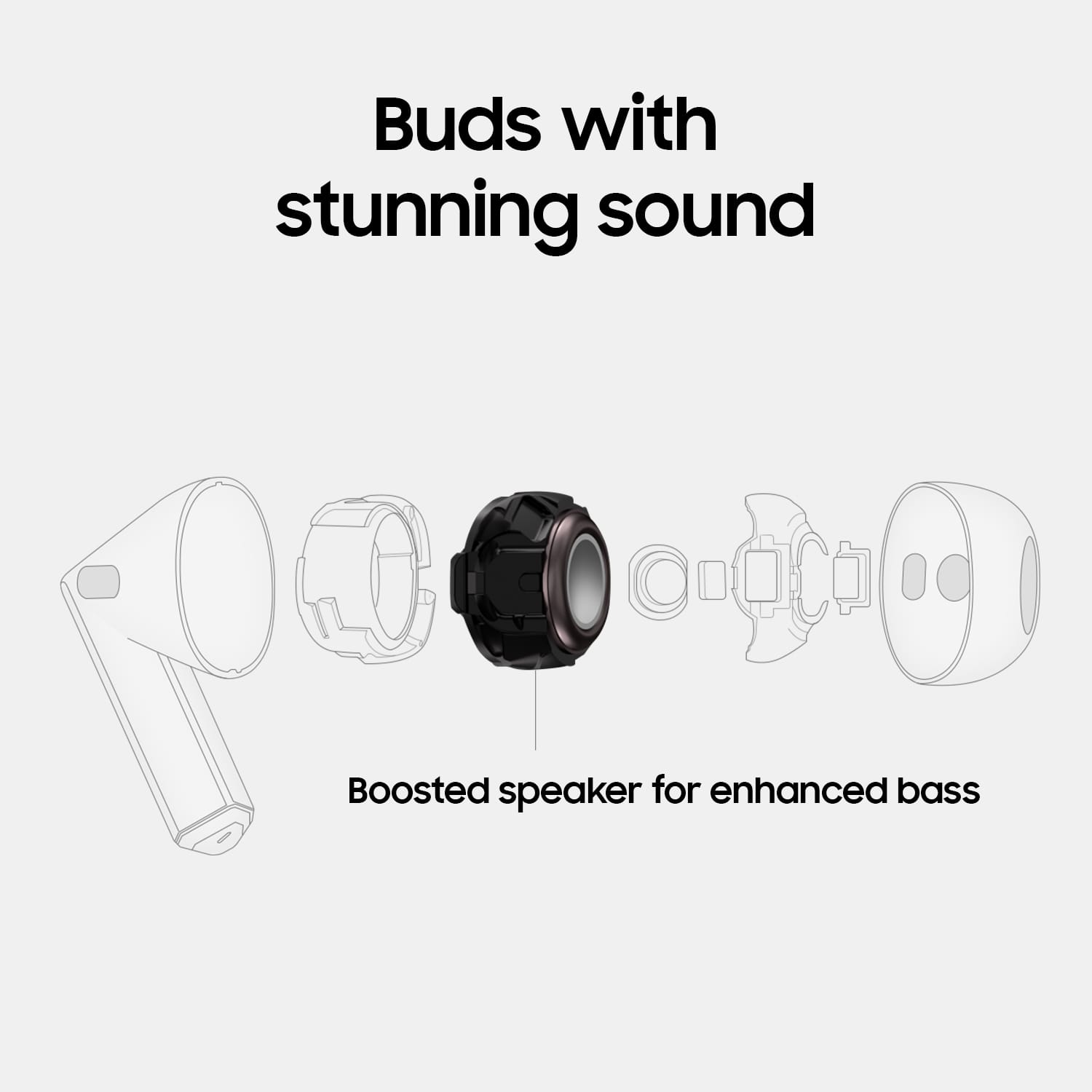
Posted .Thanks for sharing your candid feedback on the Galaxy Buds3, Tyson. Your feedback is always appreciated as we continue to make improvements. Equipped with a new 11mm speaker and 1.5x amp-enhanced diaphragm, Galaxy Buds3 steps up your sound from dull to dynamic. Enjoy amazing audio quality no matter how your Buds sit in your ears. Adaptive Equalizer with Galaxy AI tailors your sound based on how you wear your Buds so you can enjoy immersive audio while on the go. The Galaxy Buds3 are designed as open-type earbuds, which means they do not have traditional earbud tips. To use them, simply place them in your ears. At the bottom of each earbud, you will find directional markings indicating "L" for the left bud and "R" for the right bud. Insert the R bud into your right ear with the "R" facing you, and the L bud into your left ear with the "L" facing you. For optimal audio quality, angle the microphone on the bottom slightly toward your mouth instead of letting it point straight down. You can then adjust the fit by rotating the earbuds forward and backward until they feel comfortable. Again, we appreciate you sharing your experience with the Galaxy Buds3 and we hope that you are enjoying the Buds2 Pro as well. For any further concerns or questions, please do not hesitate to reach out to us at Support. -Kelvin
Rated 1 out of 5 stars
That has sex
||Posted . Owned for 1 month when reviewed.This reviewer received promo considerations or sweepstakes entry for writing a review.They hurt my ears and they're not comfortable and I get a headache from them.They're not good at all
This review is from Samsung - Galaxy Buds3 Wireless Earbud Headphones - Silver
No, I would not recommend this to a friendBrand response from Samsung
Posted .Salutations CedricC, thanks for taking the opportunity to review your Samsung Galaxy Buds3. Your feedback allows us to remain committed to constant innovation as we strive to improve the design and functionality of our product line. Our goal is for our customers to feel like they are having the most marvelous experiences when using our products. Samsung provides a 12-month warranty on our products for manufacturing defects in materials and workmanship. It's important to wear your earbuds properly for many reasons. You'll get better sound quality from them, they'll fit more comfortably, and they'll stay in your ears. Wearing them improperly can cause discomfort, sound leaks, and makes them more likely to fall out. No one wants to lose an earbud, especially while out jogging, so be sure to wear them with the proper fit. The Galaxy Buds3 are open-type buds rather than canal types, so they do not have earbud tips. All you have to do to get started is simply place them in your ears. 1. Check the bottom of the earbuds for directional marks. You will see an L and an R., 2. Insert the R bud into your right ear with the R facing you., 3. Insert the L bud into your left ear with the L facing you., 4. Angle the blade slightly so that the microphone on the bottom is pointing towards your mouth rather than straight down., 5. You can adjust the buds by rotating them forwards and backwards until the fit feels right. When you have a free moment available, check out "How to wear your Samsung Galaxy Buds3 and 3 Pro." If you have any questions or if you would like any further assistance, let us know by contacting Samsung Support. Thank you for being a dedicated Samsung customer. - Debra
Rated 2 out of 5 stars
No Apple connectivity for AI
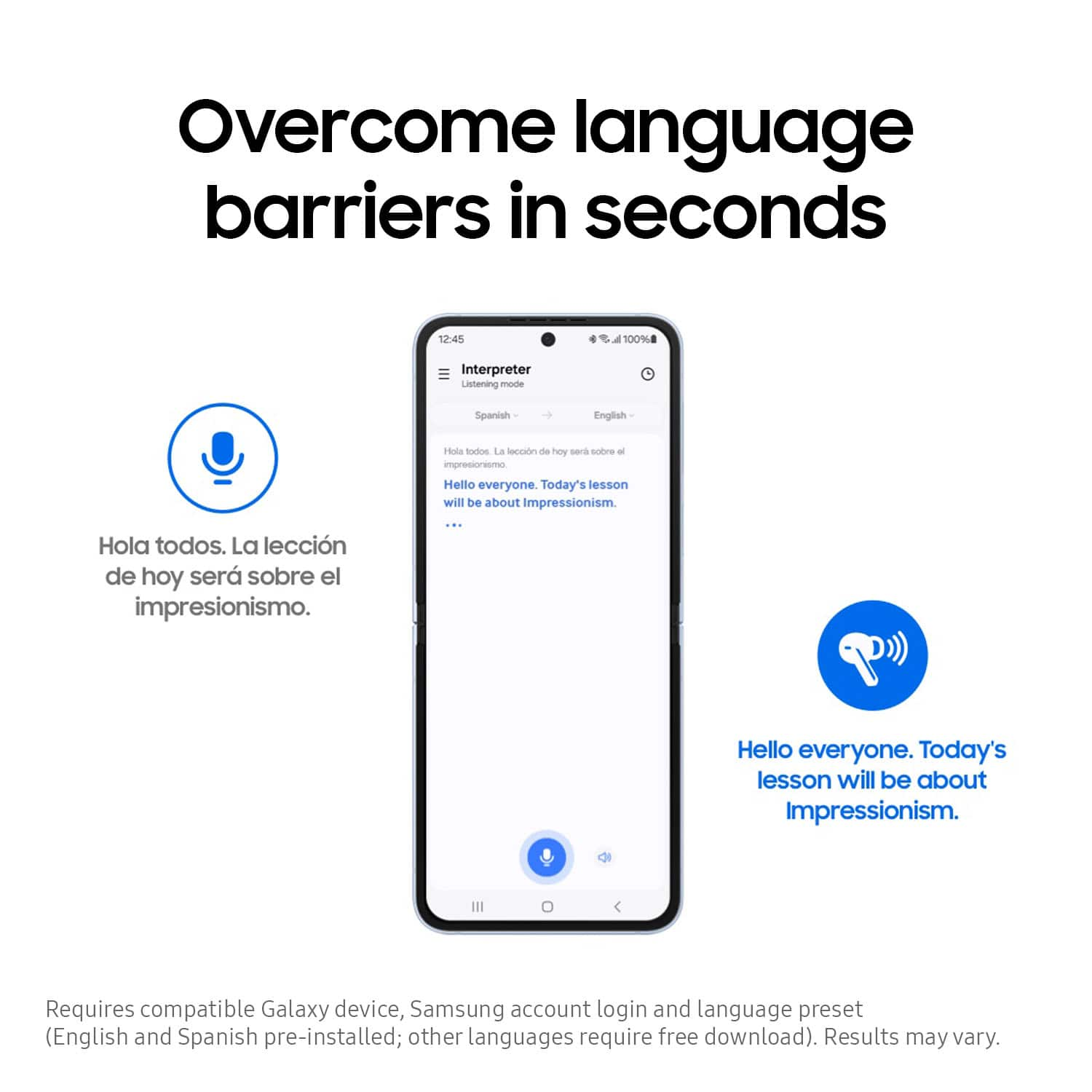
||Posted . Owned for 3 weeks when reviewed.This reviewer received promo considerations or sweepstakes entry for writing a review.Does not work with Apple products for real time translation. This should be acknowledged.
This review is from Samsung - Galaxy Buds3 Wireless Earbud Headphones - Silver
No, I would not recommend this to a friendBrand response from Samsung
Posted .Greetings HenrypM, thank you for finding the opportunity to share your sentiments with us about your Samsung Galaxy Buds3. We appreciate your feedback as it provides us the opportunity to remain innovative while improving the functionality of our product line. The Galaxy Buds3 series require a compatible Samsung Galaxy phone in order to utilize select Galaxy AI features, like Live Translate and Real-Time Interpreter with Galaxy AI. If you would like to share any other feedback with us or if you would like any further assistance, please feel free to reach out to Support at your earliest convenience. Thank you for being a trustworthy Samsung customer. - Debra
Rated 1 out of 5 stars
not recommend
||Posted . Owned for 1 month when reviewed.This reviewer received promo considerations or sweepstakes entry for writing a review.keeps fall, keeps disconnected ...not comfortable at all
This review is from Samsung - Galaxy Buds3 Wireless Earbud Headphones - Silver
No, I would not recommend this to a friendBrand response from Samsung
Posted .Howdy SamahD, thanks for taking the available time out of your day to share your thoughts with us about your Samsung Galaxy Buds3. We appreciate your candor as we make every effort to improve the design and functionality of our product line. Samsung provides a 12-month warranty on our products for manufacturing defects in materials and workmanship. If you're wearing your earbuds properly, you'll get better sound quality from them, they'll fit more comfortably, and they'll stay in your ears. Wearing them improperly can cause discomfort, sound leaks, and makes them more likely to fall out. No one wants to lose an earbud, especially while out jogging, so be sure to wear them with the proper fit. Being that the Galaxy Buds3 are open-type buds rather than canal types, so they do not have earbud tips. All you have to do to get started is simply place them in your ears. 1. Check the bottom of the earbuds for directional marks. You will see an L and an R. 2. Insert the R bud into your right ear with the R facing you. 3. Insert the L bud into your left ear with the L facing you. 4. Angle the blade slightly so that the microphone on the bottom is pointing towards your mouth rather than straight down. 5. You can adjust the buds by rotating them forwards and backwards until the fit feels right. Feel free to check out, "How to wear your Samsung Galaxy Buds3 and 3 Pro" if you would like more information. Also, check out "Connection issues with Samsung earbuds" to help resolve what you may be experiencing with your connectivity. Please do not hesitate to contact Support afterward if you would like any further assistance. Thank you for being a valued Samsung customer. - Debra
- Cons mentioned:Fit
Rated 1 out of 5 stars
Buds 3
||Posted . Owned for 1 week when reviewed.This reviewer received promo considerations or sweepstakes entry for writing a review.Ear buds hurt my ears. Your ear has to be perfect for these to fit correctly. I opted for the pro option
This review is from Samsung - Galaxy Buds3 Wireless Earbud Headphones - Silver
No, I would not recommend this to a friendBrand response from Samsung
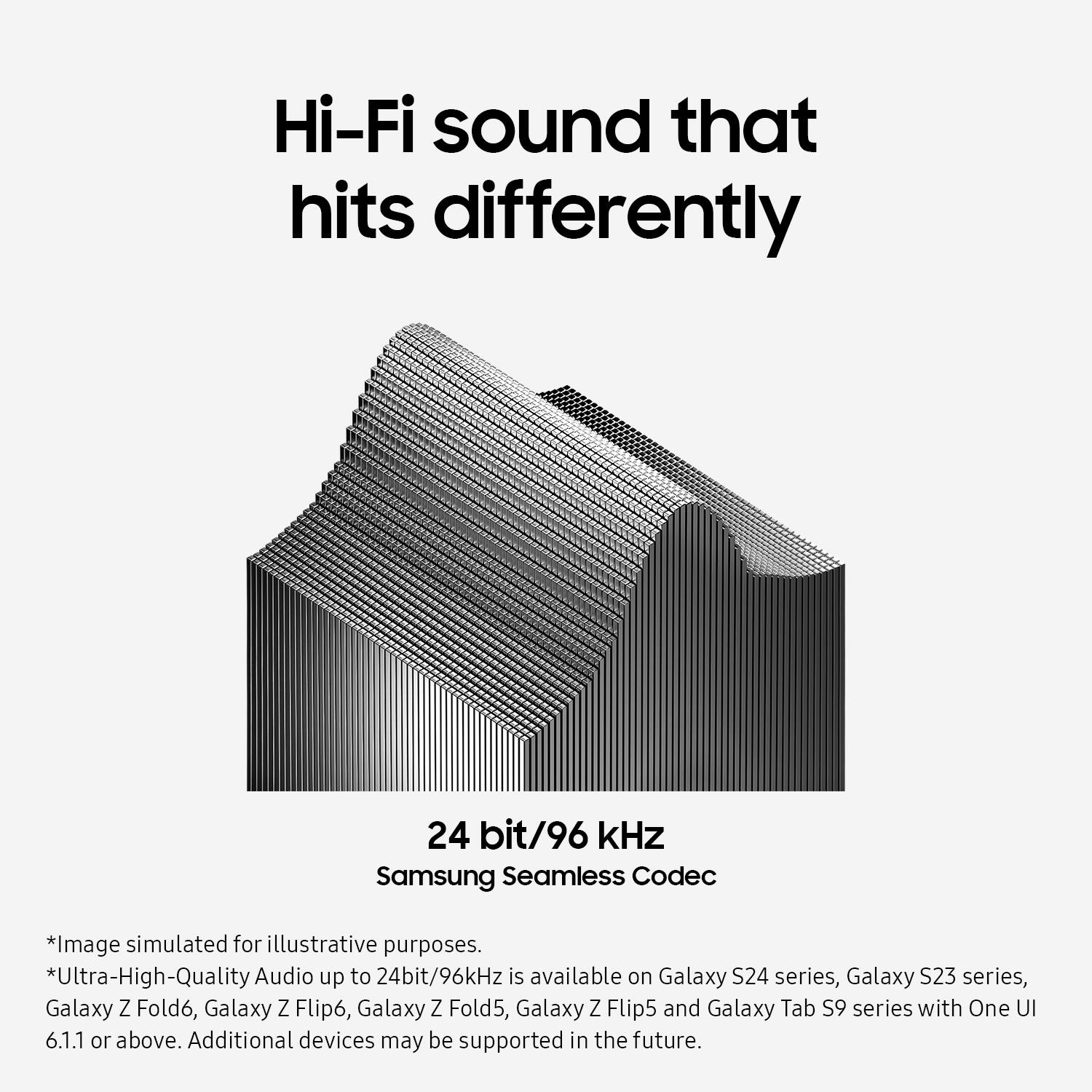
Posted .Thanks for reaching out to share your thoughts on the Galaxy Buds3 with us, Shyk. From phone calls to listening to a new playlist during your morning workout, the Samsung Seamless Codec retains high-quality streaming across devices with up to 24bit / 96kHz audio. It is crucial to wear your earbuds correctly for several reasons. Proper wear ensures better sound quality, a more comfortable fit, and prevents them from falling out. Wearing them incorrectly can lead to discomfort, sound leaks, and an increased risk of them falling out, especially during activities like jogging. The Galaxy Buds3 are open-type buds and do not have earbud tips, so you simply need to place them in your ears to get started. Check the bottom of the earbuds for directional marks indicating "L" and "R." Insert the R bud into your right ear with the "R" facing you, and the L bud into your left ear with the "L" facing you. Angle the blade slightly so that the microphone on the bottom is pointing towards your mouth rather than straight down. You can adjust the buds by rotating them forwards and backwards until they fit comfortably. If you have any further concerns or questions, please do not hesitate to reach out to us at Support. -Kelvin
- Cons mentioned:Fit
Rated 1 out of 5 stars
Ear buds.
||Posted . Owned for 1 week when reviewed.This reviewer received promo considerations or sweepstakes entry for writing a review.Terrible fit. Does not stay in place and do not fit in my ears and comes out.
This review is from Samsung - Galaxy Buds3 Wireless Earbud Headphones - Silver
No, I would not recommend this to a friendBrand response from Samsung
Posted .We appreciate your reaching out, Carlos. We always look forward to receiving reviews from our customers. We noticed that you contacted us regarding your Galaxy Buds3. Whether it's for phone calls or listening to a new playlist during your morning workout, the Samsung Seamless Codec ensures high-quality streaming across devices with up to 24bit / 96kHz audio. It's important to wear your earbuds properly for several reasons. Wearing them correctly ensures better sound quality, and a more comfortable fit, and prevents them from falling out. Improper wear can cause discomfort, and sound leaks, and increases the likelihood of them falling out, which is especially inconvenient when you're jogging. The Galaxy Buds3 are open-type buds, so they do not have earbud tips. To get started, simply place them in your ears and follow these steps:
1. Check the bottom of the earbuds for directional marks, where you will see an L and an R.
2. Insert the R bud into your right ear with the R facing you.
3. Insert the L bud into your left ear with the L facing you.
4. Angle the blade slightly so that the microphone on the bottom is pointing towards your mouth rather than straight down.
5. You can adjust the buds by rotating them forward and backward until the fit feels right. If you have any further concerns or questions, please be sure to reach out to us at Support. -Kelvin
- Pros mentioned:Battery life, Sound quality
Rated 4 out of 5 stars
Excellent sound; iffy noise cancellation
|Posted .This reviewer received promo considerations or sweepstakes entry for writing a review.The first thing to say is that these earbuds simply sound fantastic. Volume is responsive and dynamic, trebles and highs come through clearly, and bass is amazingly punchy and well-represented. I'm accustomed to a loss in audio clarity and fidelity when using earbuds, but that's not the case here. Phone calls were great (and my hearers claimed I was clear as a bell, too), music is a pleasure to listen to, and podcasts and audiobooks sounded excellent. You can even use a Samsung app to adjust a pretty robust EQ to fine-tune the experience. I thought sound was fine out-of-the-box, but the fact that you can customize it further (and that you can some pretty ample options to do so) make this buds that much better. Connection is easy and signal strength is excellent. I never lost my connection, even when I had to run upstairs and left my phone in the living room. And the device simply connected to my phone with no hassle. Set up is truly easy with these buds. I also thought battery life was excellent. To put it one way - I never had the buds die on me, and that was while using them throughout the day while working. I charged them at the end of each work day, but for a good 8 hours (9 including lunch break), these buds held out. Controls take a little getting used to. I often found myself just using my phone to adjust things, since I kept forgetting how many pinches I needed to do X or Y, but the controls are still easier top use (and locate) than on earbuds with shorter "prongs." You eventually get used to what side you need to swipe on, and what you need to squeeze. The only real drawback is the somewhat so-so performance of active noise cancellation. You can tell it's working, but a lot of ambient noise is still able to intrude through anyway. Don't expect a complete, self-contained sound bubble from these buds. They do screen out a lot of background noise, but there are some frequencies that still slip through. In short, get these buds if you're an Android user and an audiophile, but don't expect wonders from the noise cancellation. There are additional features available for Samsung smartphone users, but don't expect to be able to access these additional features if you're not using a Samsung phone. That's okay, though, since the audio experience is good enough to not make you feel like you're missing out.
This review is from Samsung - Galaxy Buds3 Wireless Earbud Headphones - Silver
I would recommend this to a friend