Customer Ratings & Reviews



- Model:
- SM-R530NZAAXAR
- SKU:
- 10127431
Rating by feature
- Sound Quality
Rating 4.5 out of 5 stars
- Battery Life
Rating 4.5 out of 5 stars
- Connectivity
Rating 4.6 out of 5 stars
Customers are saying
Customers appreciate the Galaxy Buds3 Wireless Earbud Headphones for their clear sound quality, satisfactory battery life, and comfortable design. Many users have issues with the fit of the earbuds. Some find the touch controls to be unintuitive, and others have to increase the volume to a high level.
This summary was generated by AI based on customer reviews.
Ear Buds works great
||Posted . Owned for 1 month when reviewed.This reviewer received promo considerations or sweepstakes entry for writing a review.Great product and the spund cancellation us awesome
I would recommend this to a friendSamsung quality
||Posted .This reviewer received promo considerations or sweepstakes entry for writing a review.Nice earbuds, definitely recommending, easy to use,
I would recommend this to a friendNot as great
||Posted . Owned for 1 week when reviewed.This reviewer received promo considerations or sweepstakes entry for writing a review.Not as good as the Buds 2 but its better than most
I would recommend this to a friend- Cons mentioned:Fit
Complete junk!
||Posted . Owned for 3 months when reviewed.This reviewer received promo considerations or sweepstakes entry for writing a review.I was willing to give these a try and yet again let down. O ly had these 3 months and have taken good care of them. Aside from them wanting to fall out of my ears but slipping slow enough I was able to readjust them, I have been experiencing connectivity issues with my phone, left bud is popping like a speaker is blown, right bud has charging issues. Good thing I got the geek squad 2 year service plan! Samsung really dropped the ball on these. Don't waste your money
No, I would not recommend this to a friendBrand response from Samsung
Posted .Aloha Tony, thanks for taking the time out of your busy day to share your thoughts with us about your Samsung Galaxy Buds3. As we strive to be innovative and make improvements on the design and functionality of our product line, your feedback is invaluable. Samsung provides a 12-month warranty on our products for manufacturing defects in materials and workmanship. If you're wearing your earbuds properly, you'll get better sound quality from them, they'll fit more comfortably, and they'll stay in your ears. Wearing them improperly can cause discomfort, sound leaks, and makes them more likely to fall out. No one wants to lose an earbud, especially while out jogging, so be sure to wear them with the proper fit. Being that the Galaxy Buds3 are open-type buds rather than canal types, so they do not have earbud tips. All you have to do to get started is simply place them in your ears. 1. Check the bottom of the earbuds for directional marks. You will see an L and an R. 2. Insert the R bud into your right ear with the R facing you. 3. Insert the L bud into your left ear with the L facing you. 4. Angle the blade slightly so that the microphone on the bottom is pointing towards your mouth rather than straight down. 5. You can adjust the buds by rotating them forwards and backwards until the fit feels right. Feel free to check out, "How to wear your Samsung Galaxy Buds3 and 3 Pro" if you would like more information. Also check out, "Connection issues with Samsung earbuds" and "No, low, or poor audio quality on Samsung earbuds" to conduct some simple troubleshooting steps that may help resolve what you have described to be experiencing with your Galaxy Buds3. If you would like any further assistance, feel free to reach out to Support. Thank you for being a steadfast Samsung customer. - Debra

- Cons mentioned:Fit
Buds 3 non pro
||Posted . Owned for 9 months when reviewed.This reviewer received promo considerations or sweepstakes entry for writing a review.They fall out all the time, hard to clean, dont waste your money, get the pro version.
No, I would not recommend this to a friendBrand response from Samsung
Posted .Hello there SamuelM, thank you for sharing us your thoughts with us about your experience with using the Samsung Galaxy Buds3. We value your feedback as we improve the design and functionality of our product line. If you're wearing your earbuds properly, you'll get better sound quality from them, they'll fit more comfortably, and they'll stay in your ears. Wearing them improperly can cause discomfort, sound leaks, and makes them more likely to fall out. No one wants to lose an earbud, especially while out jogging, so be sure to wear them with the proper fit. Being that the Galaxy Buds3 are open-type buds rather than canal types, so they do not have earbud tips. All you have to do to get started is simply place them in your ears. 1. Check the bottom of the earbuds for directional marks. You will see an L and an R. 2. Insert the R bud into your right ear with the R facing you. 3. Insert the L bud into your left ear with the L facing you. 4. Angle the blade slightly so that the microphone on the bottom is pointing towards your mouth rather than straight down. 5. You can adjust the buds by rotating them forwards and backwards until the fit feels right. Feel free to check out, "How to wear your Samsung Galaxy Buds3 and 3 Pro" and "How to change the tips on your Galaxy Buds3 Pro" if you would like more information. If you have any other questions, feel free to reach out to Support. Thank you for being a valued Samsung customer. - Debra
- Cons mentioned:Fit
The pinch buttons are not a welcome change
||Posted . Owned for less than 1 week when reviewed.This reviewer received promo considerations or sweepstakes entry for writing a review.Surprised that these hurt my ears with the fit...plan on returning. Don't like the pinch function, I feel like they fall out when you try to use that function to pause, play, turn on/off ANC, etc.
No, I would not recommend this to a friendBrand response from Samsung
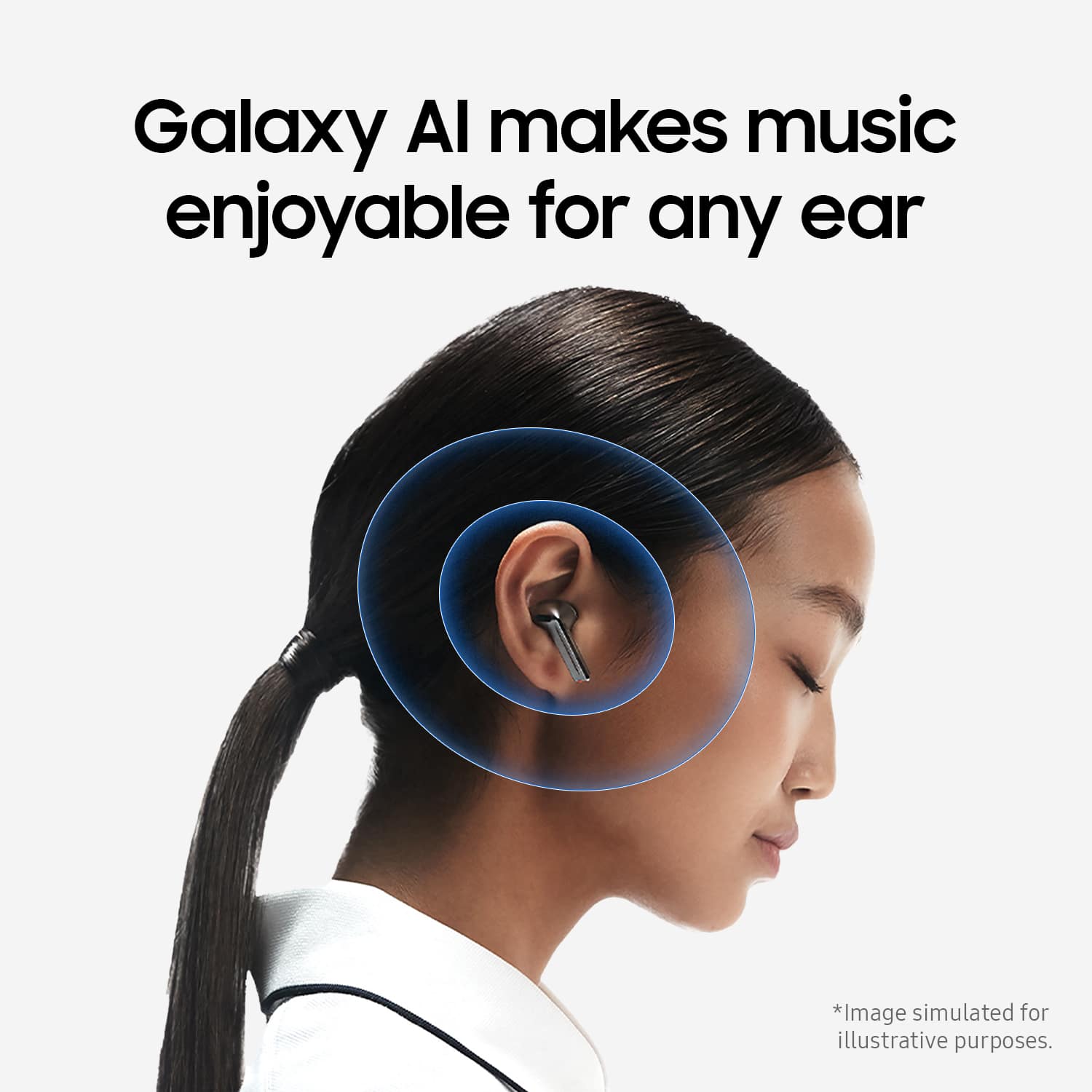
Posted .It's great to hear from you, Mal. We always look forward to getting feedback from our customers. We see that your review is about the Galaxy Buds3. The Buds3 allows you to Enjoy amazing audio quality no matter how your Buds sit in your ears. Adaptive Equalizer with Galaxy AI tailors your sound based on how you wear your Buds so you can enjoy immersive audio while on the go. With the Galaxy Buds3 and Buds3 Pro, you can control your music, phone calls, and several other features by using the Pinch Control. We hate to see that your buds have been falling out while trying to use this feature. We recommend performing a fit test so that you can ensure that you are wearing the buds properly. The Earbud Fit Test for the Buds3 Pro ensures optimal comfort and audio performance by assessing the fit of the earbuds in your ears. Open the Galaxy Wearable App. Tap on Sound quality and effects. Tap on Earbud fit test then press on Start. Once again, we appreciate your candid feedback. If you have any further concerns or questions, please be sure to reach out to us at Support. -Kelvin
- Cons mentioned:Fit
not good
||Posted . Owned for 1 month when reviewed.This reviewer received promo considerations or sweepstakes entry for writing a review.the ambient sound is not good, and you can still hear fans and tvs in the background, even when the ambientsound is all the way up.. the galaxy bud 3 were far superior. they dont fit well in the ears. no wings, had to buy my own. they fall out easily. sound is much lower than the older model. The Adaptive noise cancellation keeps picking up my breathing so it will hollow out the sound while listening to music even though nobody is talking
No, I would not recommend this to a friendBrand response from Samsung
Posted .Howdy Sammie, thanks for taking the time out of your hectic day to share your thoughts with us about your Samsung Galaxy Buds3. We appreciate your feedback as we strive in providing the best products with superior functionality on the market for our customers while staying committed to constant innovation. Our goal is for our customers to feel like they are having the most amazing experiences when using our products. Samsung provides a 12-month warranty on our products for manufacturing defects in materials and workmanship. The "ambient" feature on your Galaxy Buds3 allows you to hear your surroundings clearly by letting in external sounds, while the "noise cancelling" actively blocks out background noise, letting you focus on your audio without distractions. If you're wearing your earbuds properly, you'll get better sound quality from them, they'll fit more comfortably, and they'll stay in your ears. Wearing them improperly can cause discomfort, sound leaks, and makes them more likely to fall out. No one wants to lose an earbud, especially while out jogging, so be sure to wear them with the proper fit. Being that the Galaxy Buds3 are open-type buds rather than canal types, so they do not have earbud tips. All you have to do to get started is simply place them in your ears. 1. Check the bottom of the earbuds for directional marks. You will see an L and an R. 2. Insert the R bud into your right ear with the R facing you. 3. Insert the L bud into your left ear with the L facing you. 4. Angle the blade slightly so that the microphone on the bottom is pointing towards your mouth rather than straight down. 5. You can adjust the buds by rotating them forwards and backwards until the fit feels right. Feel free to check out, "How to wear your Samsung Galaxy Buds3 and 3 Pro" if you would like to learn more. If you would like to share any other feedback with us or if you would like any further assistance, do not hesitate to reach out to Support. Thank you for being a devoted Samsung customer. - Debra
Really uncomfortable without any upside
||Posted . Owned for 1 month when reviewed.This reviewer received promo considerations or sweepstakes entry for writing a review.I'm a Samsung super fan and have been wearing the Buds Live for years now. I love a headphone that fits well without a rubber tip. The Live have been phenomenal for this and thought "why not upgrade ?" Well, these are arguably more stable in my ears, but way less comfortable with worse sound, worse noise cancelling, and an absolute zero from whatever the AI they have branded with these. Go on Amazon and buy another pair of the Live Buds if you're like me and looking for a non-rubber tipped ear bud.
No, I would not recommend this to a friendBrand response from Samsung
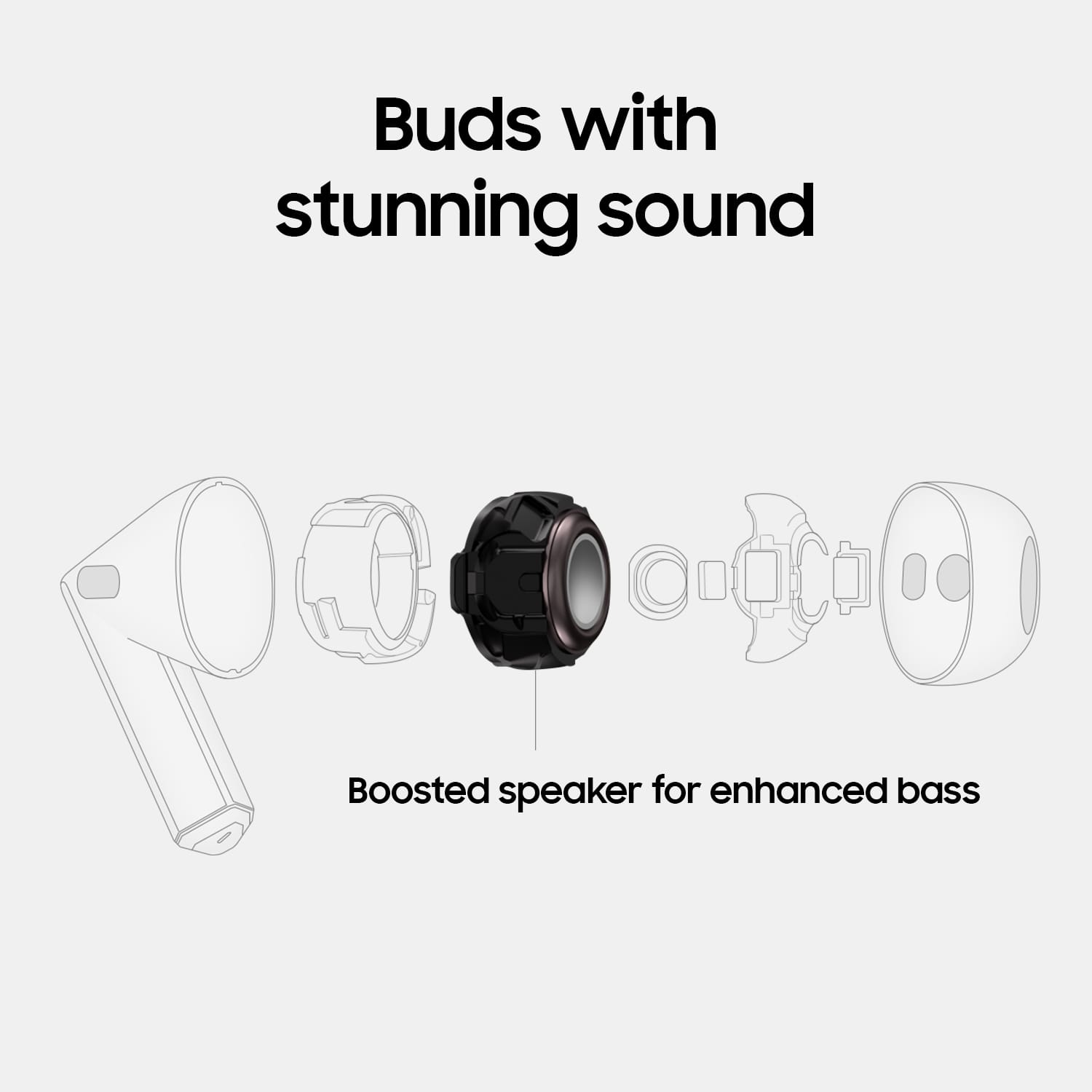
Posted .Hey Andrew. Thank you for taking the time to provide your honest feedback on the Galaxy Buds3; your input is valuable as we strive for continuous improvement. The Galaxy Buds3 features a new 11mm speaker and a 1.5x amp-enhanced diaphragm, elevating your audio experience from dull to dynamic. Unlike canal-type earbuds, the Galaxy Buds3 are open-type and do not include earbud tips. To use them, simply place them in your ears: check the bottom of the earbuds for directional marks labeled "L" for the left bud and "R" for the right bud, insert the R bud into your right ear with the "R" facing you, and the L bud into your left ear with the "L" facing you. Angle the microphone at the bottom of the bud slightly towards your mouth instead of pointing straight down, and you can adjust the earbuds by rotating them forward or backward until you find a comfortable fit. Additionally, please ensure that your device's software and related apps are updated to the latest version for optimal performance. Once again, we appreciate your feedback. If you have any further concerns or need additional assistance, please be sure to reach out to us at Support. -Kelvin
great headphones
||Posted .This reviewer received promo considerations or sweepstakes entry for writing a review.these headphones are great I've already ordered them twice
I would recommend this to a friend- Cons mentioned:Fit
Horrible Fit
||Posted .This reviewer received promo considerations or sweepstakes entry for writing a review.I was really hoping to like these coming from the Buds + which I enjoyed but they simply didn't hold in my ear AT ALL. Didn't even think it was worth connecting to try the audio because of how poor the fit was. I'm immediately returning and hoping the Bud 3 Pro is better, but any sort of movement with these has them falling out. I read similar reviews saying the same and figured I'd try for myself but I had 0 luck.
No, I would not recommend this to a friendBrand response from Samsung
Posted .We appreciate you taking the time to reach out to us, Troy. Your feedback is essential as we continue to make improvements. We see that you reached out to share your experience with the Galaxy Buds3. Wearing your earbuds correctly is important for several reasons: it improves sound quality, enhances comfort, and ensures they stay securely in your ears. If worn incorrectly, earbuds can cause discomfort, lead to sound leaks, and increase the likelihood of falling out. Nobody wants to lose an earbud, especially while jogging, so it’s essential to achieve a proper fit. For the Galaxy Buds3, which are open-type earbuds and do not have ear tips, getting started is simple: just place them in your ears. Check the bottom of the earbuds for directional markings; you will see an "L" for the left bud and an "R" for the right bud. Insert the right (R) bud into your right ear with the "R" facing you, and the left (L) bud into your left ear with the "L" facing you. Slightly angle the buds so that the microphone on the bottom points toward your mouth rather than straight down, and adjust them by rotating them forward and backward until you find a comfortable fit. By following these steps, you'll enjoy a better listening experience. We hope that this helps. If you have any other concerns or questions, please be sure to reach out to us at Support. -Kelvin
Great for user that doesnt like the tip in their e
||Posted . Owned for 2 months when reviewed.This reviewer received promo considerations or sweepstakes entry for writing a review.Veen waiting for a headphone like this for Samsung since Apple had their first gen airpods . Glad ti have something that works seemlessly with my phone
I would recommend this to a friendBuds review
||Posted .This reviewer received promo considerations or sweepstakes entry for writing a review.These buds are awesome. I would recommend over and over again
I would recommend this to a friend- Pros mentioned:Sound quality
Why are they so big
||Posted . Owned for 6 months when reviewed.This reviewer received promo considerations or sweepstakes entry for writing a review.Audio is great when perfectly fitted to your ears. Just don't move and youll be fine...
No, I would not recommend this to a friendBrand response from Samsung
Posted .Aloha SeanC, thanks for taking the time to share your thoughts with us about your Samsung Galaxy Buds3. As we strive to be innovative and make improvements on the design and functionality of our products, your feedback is invaluable. By wearing your earbuds properly, you'll get better sound quality from them, they'll fit more comfortably, and they'll stay in your ears. Wearing them improperly can cause discomfort, sound leaks, and makes them more likely to fall out. No one wants to lose an earbud, especially while out jogging, so be sure to wear them with the proper fit. Being that the Galaxy Buds3 are open-type buds rather than canal types, so they do not have earbud tips. All you have to do to get started is simply place them in your ears. 1. Check the bottom of the earbuds for directional marks. You will see an L and an R. 2. Insert the R bud into your right ear with the R facing you. 3. Insert the L bud into your left ear with the L facing you. 4. Angle the blade slightly so that the microphone on the bottom is pointing towards your mouth rather than straight down. 5. You can adjust the buds by rotating them forwards and backwards until the fit feels right. Please take a moment to review, "How to wear your Samsung Galaxy Buds3 and 3 Pro" if you would like more. Feel free to reach out to Support afterward if you have any questions or if you would like any further assistance. Thank you for being a loyal Samsung customer. - Debra
- Pros mentioned:Battery life, Comfort, ConnectivityCons mentioned:Touch controls

Great addition to my Samsung ecosystem
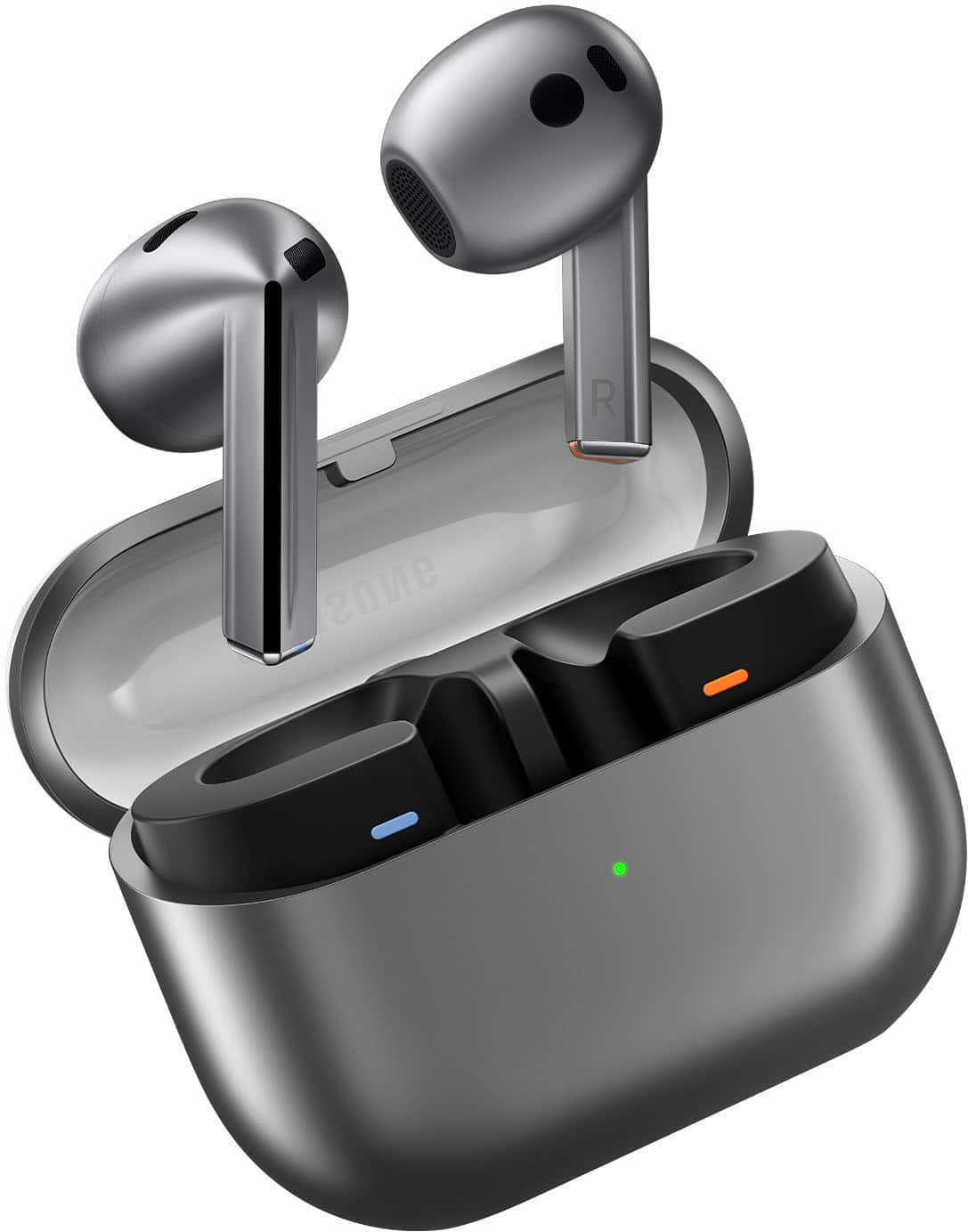
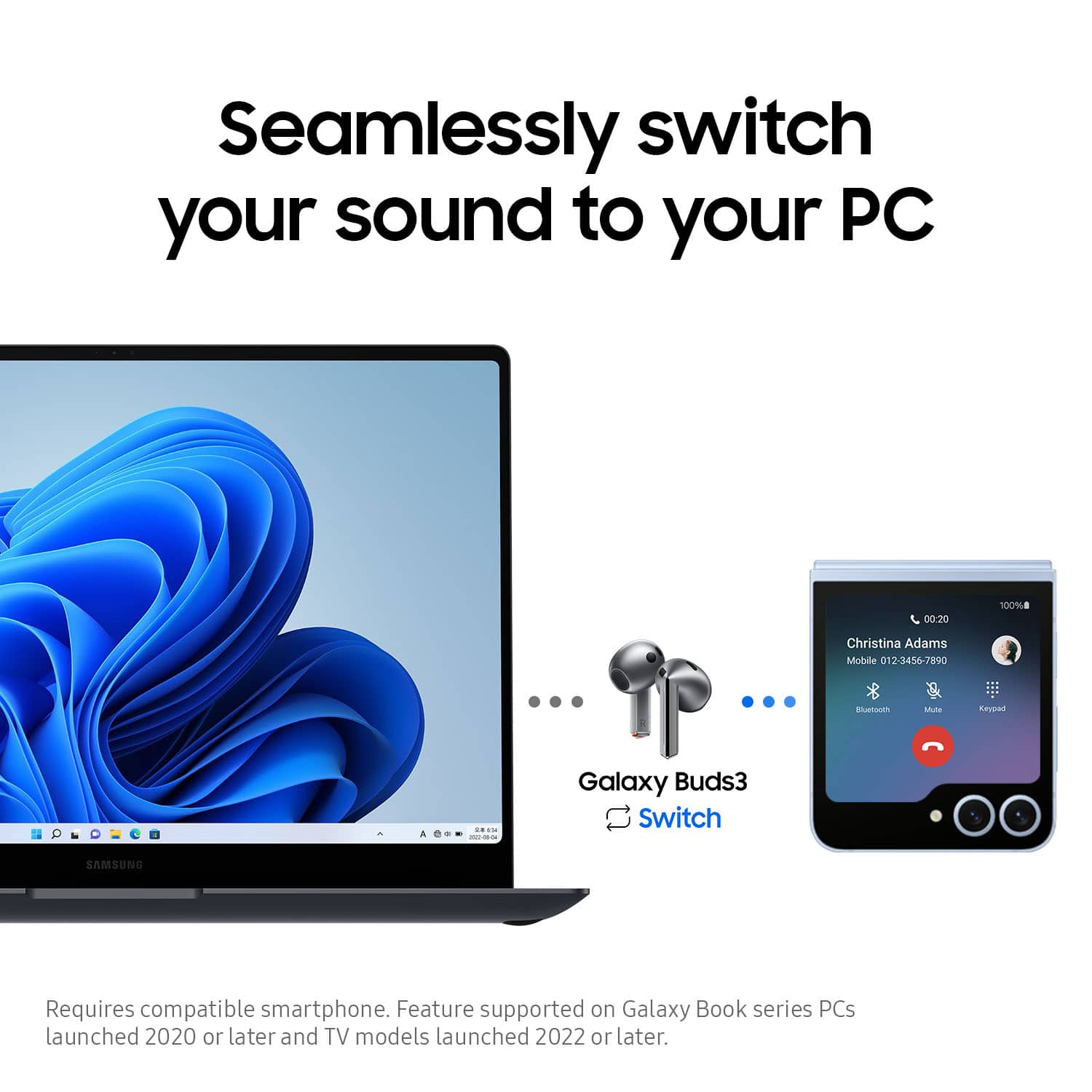
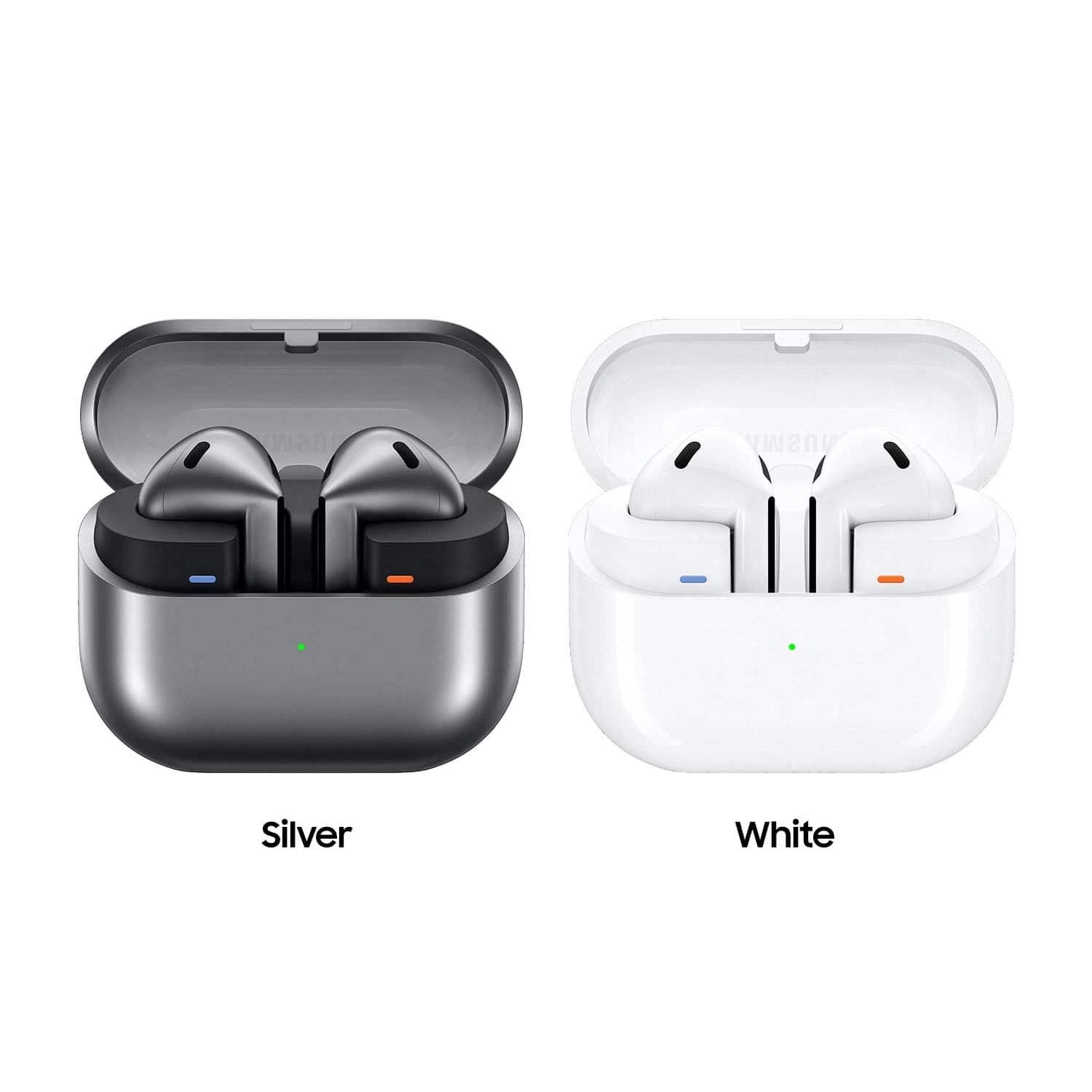
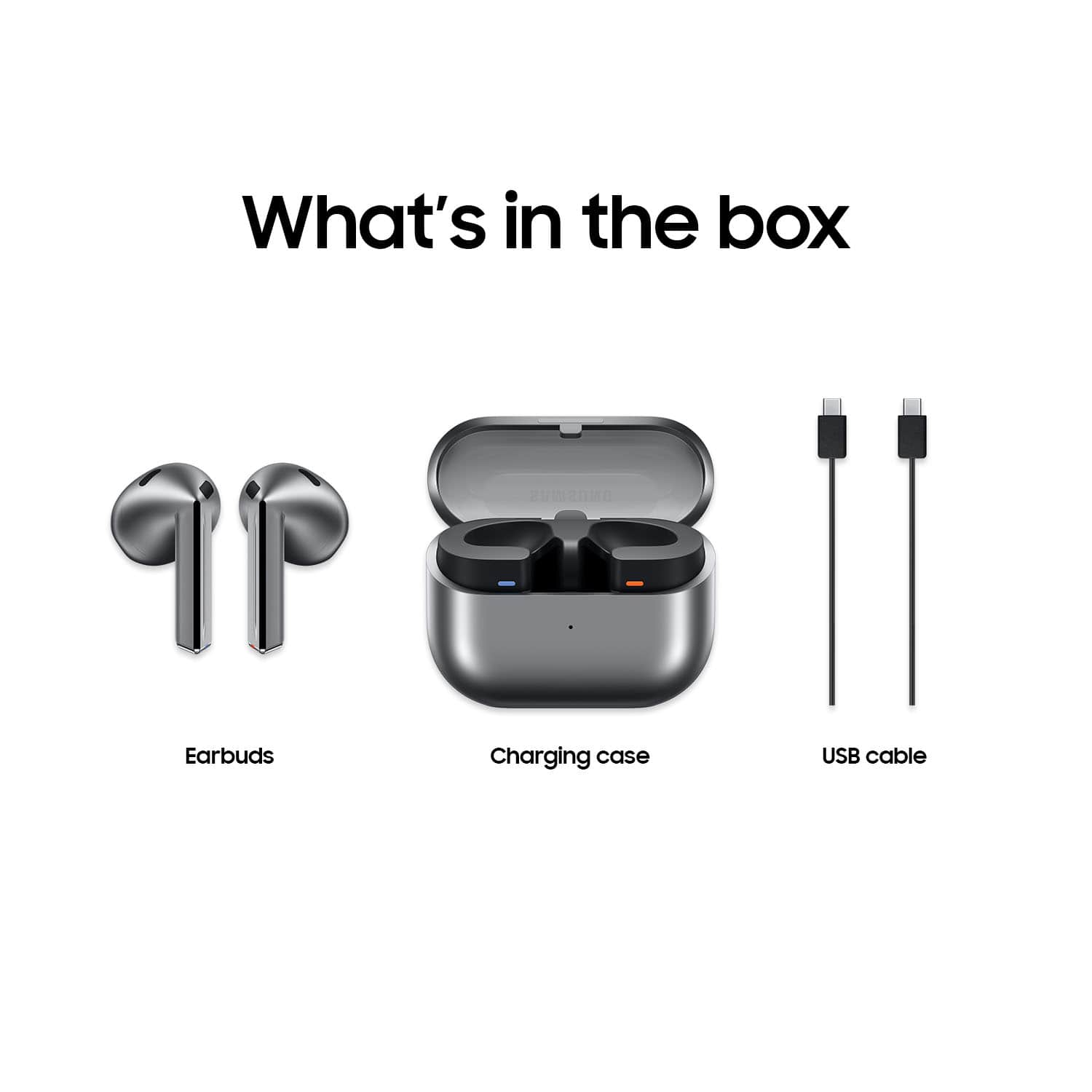
|Posted .This reviewer received promo considerations or sweepstakes entry for writing a review.In the box is the charge case, buds, USB-C to USB-C charge cable (no brick), quick start guide, and warranty card. First Impression - I like the design of charge case and the see through charge case lid. I also like that the each bud is color coded on the bottom, one is burnt orange and the other is blue for left and right. Comfort - The ear buds are comfortable and there were times where I forgot that they were there except when they moved. They moved when I jumped (getting in and out of the work truck). Normal walking and activities the buds did not move. Sound Quality - The sound quality is good in low noise areas, however, when I am in the work truck, even with noise cancellation, the sound was not so great. The call feature is also excellent. I was talking to my husband while in the grocery store and he could hear the sounds of the register and babies in the background LOUD and clear. Functionality - The connectivity is excellent. The case recognizes my phone (Samsung Z Fold 4) and my laptop (Samsung Laptop and Alienware Laptop) immediately when I opened the lid. I didn’t have to manually pair or anything. Battery Life - So far, I have charged the case out of the box and I have worn the headphones for at least 24 hours and the case is still showing 100 percent battery life. Please note, I have been wearing the buds and have not put them back in the case yet. The buds are currently 58 percent left and 56 percent right. Overall, I am pleased with the ear buds and so far the only negative thoughts that I have is for the control of the gestures for song controls, volume controls and noise cancellation with pinch control. It is really not a horrible feature because now I am used to it but it was definitely hard to do it at first. (Please note, this is my first type of buds that are made this type of way, normally I wear the other types of in-ear ear buds.) I would recommend to friends and family.
Love it
||Posted . Owned for 8 months when reviewed.This reviewer received promo considerations or sweepstakes entry for writing a review.Great value for the price and the brand is worth it in itself
I would recommend this to a friend- Cons mentioned:Fit
Bad design
||Posted . Owned for 2 months when reviewed.This reviewer received promo considerations or sweepstakes entry for writing a review.They keep falling off my ears. It is a poor design. I tried changing them but couldn't
No, I would not recommend this to a friendBrand response from Samsung
Posted .Howdy CesarraulC, thanks for taking the time out of your hectic day to share your thoughts with us about your Samsung Galaxy Buds3. We appreciate your feedback as we strive in providing the best products with superior functionality on the market for our customers. Samsung provides a 12-month warranty on our products for manufacturing defects in materials and workmanship. If you're wearing your earbuds properly, you'll get better sound quality from them, they'll fit more comfortably, and they'll stay in your ears. Wearing them improperly can cause discomfort, sound leaks, and makes them more likely to fall out. No one wants to lose an earbud, especially while out jogging, so be sure to wear them with the proper fit. Being that the Galaxy Buds3 are open-type buds rather than canal types, so they do not have earbud tips. All you have to do to get started is simply place them in your ears. 1. Check the bottom of the earbuds for directional marks. You will see an L and an R. 2. Insert the R bud into your right ear with the R facing you. 3. Insert the L bud into your left ear with the L facing you. 4. Angle the blade slightly so that the microphone on the bottom is pointing towards your mouth rather than straight down. 5. You can adjust the buds by rotating them forwards and backwards until the fit feels right. Feel free to check out, "How to wear your Samsung Galaxy Buds3 and 3 Pro" if you would like more information. Let us know if you have any other questions for us by reaching out to Support at your earliest convenience. Thank you for being a devoted Samsung customer. - Debra
Battery,Sound Quality
||Posted . Owned for 8 months when reviewed.This reviewer received promo considerations or sweepstakes entry for writing a review.Battery life doesnt last long. Cant hear out the left ear bud at time. Sound Quality not good.
No, I would not recommend this to a friendBrand response from Samsung
Posted .Greetings Harold, thank you for finding the time out of your bustling day to share your sentiments with us about your Samsung Galaxy Buds3. Your feedback is appreciated as we strive to be innovative while improving the design and functionality of our product line. Samsung provides a 12-month warranty on our products for manufacturing defects in materials and workmanship. The Galaxy Buds3 provide up to 24 hours of play time per charge, which can be extended to up to 30 hours with a fully charged case. Feel free to check out, "All about your Samsung earbuds’ battery life" to learn what factors may be impacting your battery life. Also take a moment to review, "No, low, or poor audio quality on Samsung earbuds" to help resolve what you may be experiencing with your audio quality. If you have any questions afterward or if you would like any further assistance, please let us know by reaching out to Support. Thank you for being a dedicated Samsung customer. - Debra
Amazing
||Posted . Owned for 6 months when reviewed.This reviewer received promo considerations or sweepstakes entry for writing a review.Best Buy is the best electronic place in the country
I would recommend this to a friendDon't be cheap spend the little extra for the pros
||Posted . Owned for 2 months when reviewed.This reviewer received promo considerations or sweepstakes entry for writing a review.Should have gotten the buds 3 pro. Not bad sounding but not a lot of the features that buds pro have
I would recommend this to a friendBrand response from Samsung
Posted .Greetings Uno1, thank you for finding the unobstructed time out of your bustling day to share your sentiments with us about your Samsung Galaxy Buds3. Your feedback is appreciated as we strive to be innovative while improving the design and functionality of our product line. If you would like to share additional feedback with us or if you would like any further assistance, do not hesitate to contact Support. Thank you for being a dedicated Samsung customer. - Debra
Amazing
||Posted . Owned for 5 months when reviewed.This reviewer received promo considerations or sweepstakes entry for writing a review.Love these would recommend to anyone. These are one of the best ear buds ive owned
I would recommend this to a friend