Customer Ratings & Reviews




- Model:
- SM-R530NZAAXAR
- SKU:
- 12901715
Rating by feature
- Sound Quality
Rating 4.5 out of 5 stars
- Battery Life
Rating 4.5 out of 5 stars
- Connectivity
Rating 4.6 out of 5 stars
to a friend
Possible bad set.
||Posted . Owned for 2 weeks when reviewed.This reviewer received promo considerations or sweepstakes entry for writing a review.Right ear bud would not charge or connect tried tech support ended up returning. Not super comfortable in ears.
No, I would not recommend this to a friendBrand response from Samsung
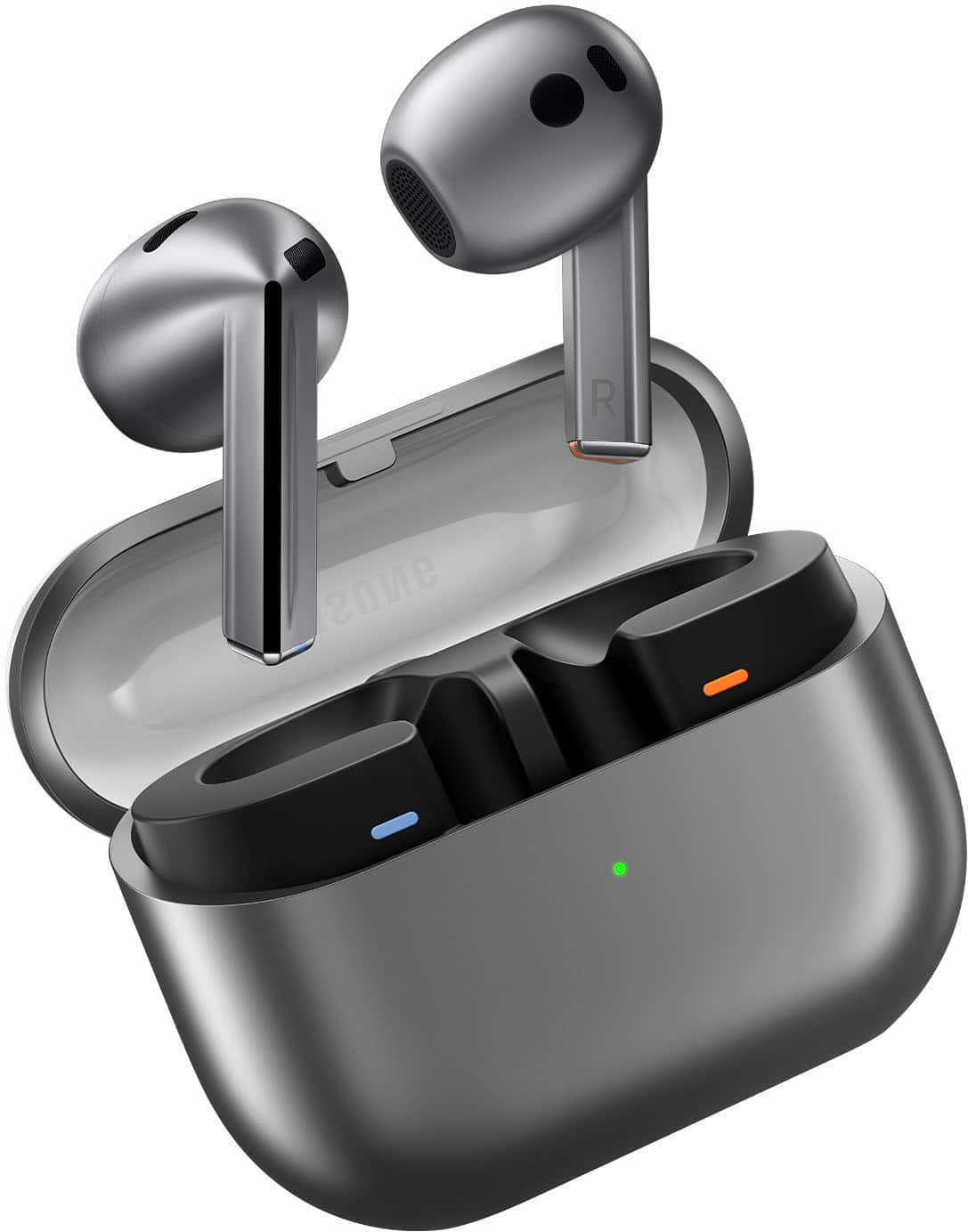
Posted .Hi there Zombie, thanks for taking the time out of your day to share your thoughts with us about your Samsung Galaxy Buds3. Your feedback allows us to continue to strive in providing the best products with superior functionality on the market to our customers while we remain committed to constant innovation. Our goal is for our customers to feel like they are having the most enlightening experiences while using our products. Samsung provides a 12-month warranty on our products for manufacturing defects in materials and workmanship. If one or both of your Galaxy earbuds are not charging or turning on, the issue may be with the earbuds themselves or the charging case. Using a charger that isn't approved by Samsung may cause charging malfunctions; it's also possible that the earbuds may be damaged. You can try fully charging the case, checking the earbuds for damage, or restarting the earbuds. Please take a moment to review, "Samsung earbuds do not turn on or charge" to help resolve what you have described to be experiencing with your Buds3. If you're wearing your earbuds properly, you'll get better sound quality from them, they'll fit more comfortably, and they'll stay in your ears. Wearing them improperly can cause discomfort, sound leaks, and makes them more likely to fall out. No one wants to lose an earbud, especially while out jogging, so be sure to wear them with the proper fit. Being that the Galaxy Buds3 are open-type buds rather than canal types, so they do not have earbud tips. All you have to do to get started is simply place them in your ears. 1. Check the bottom of the earbuds for directional marks. You will see an L and an R. 2. Insert the R bud into your right ear with the R facing you. 3. Insert the L bud into your left ear with the L facing you. 4. Angle the blade slightly so that the microphone on the bottom is pointing towards your mouth rather than straight down. 5. You can adjust the buds by rotating them forwards and backwards until the fit feels right. Feel free to check out, "How to wear your Samsung Galaxy Buds3 and 3 Pro" if you would like more information. Let us know if you have any questions for us afterward or if you would like any further assistance by reaching out to Samsung Support at your leisure. Thank you for being a faithful Samsung customer. - Debra

Good not great
||Posted . Owned for 3 weeks when reviewed.This reviewer received promo considerations or sweepstakes entry for writing a review.They sound amazing but feel really loose in my ears. Was scared they was going to fall off when working out.
I would recommend this to a friendBrand response from Samsung
Posted .Hi there JeanP, thanks for taking the time to review your Samsung Galaxy Buds3. We appreciate your honesty as we strive to provide the very best products with superior functionality on the market to our customers while we remain committed to constant innovation. Our goal is for our customers to feel like they are having the most unforgettable experiences while using our products. If you're wearing your earbuds properly, you'll get better sound quality from them, they'll fit more comfortably, and they'll stay in your ears. Wearing them improperly can cause discomfort, sound leaks, and makes them more likely to fall out. No one wants to lose an earbud, especially while out jogging, so be sure to wear them with the proper fit. Being that the Galaxy Buds3 are open-type buds rather than canal types, so they do not have earbud tips. All you have to do to get started is simply place them in your ears. 1. Check the bottom of the earbuds for directional marks. You will see an L and an R. 2. Insert the R bud into your right ear with the R facing you. 3. Insert the L bud into your left ear with the L facing you. 4. Angle the blade slightly so that the microphone on the bottom is pointing towards your mouth rather than straight down. 5. You can adjust the buds by rotating them forwards and backwards until the fit feels right. Feel free to check out, "How to wear your Samsung Galaxy Buds3 and 3 Pro" if you would like more information. Let us know if you have any questions for us or if you would like any further assistance by reaching out to Samsung Support at your leisure. Thank you for being a loyal Samsung customer. - Debra
Samsung Galaxy Buds 3
||Posted . Owned for 3 weeks when reviewed.This reviewer received promo considerations or sweepstakes entry for writing a review.Excellent sound by far one of the best sets of music headphones that I have bought very light very comfortable to wear
I would recommend this to a friend
Good earbuds
|Posted . Owned for 1 week when reviewed.This reviewer received promo considerations or sweepstakes entry for writing a review.[Employee of bestbuy] good earbuds, the voice command feature is pretty cool but the earbuds are not comfortable, any facial movements will cause the earbuds to fall out.
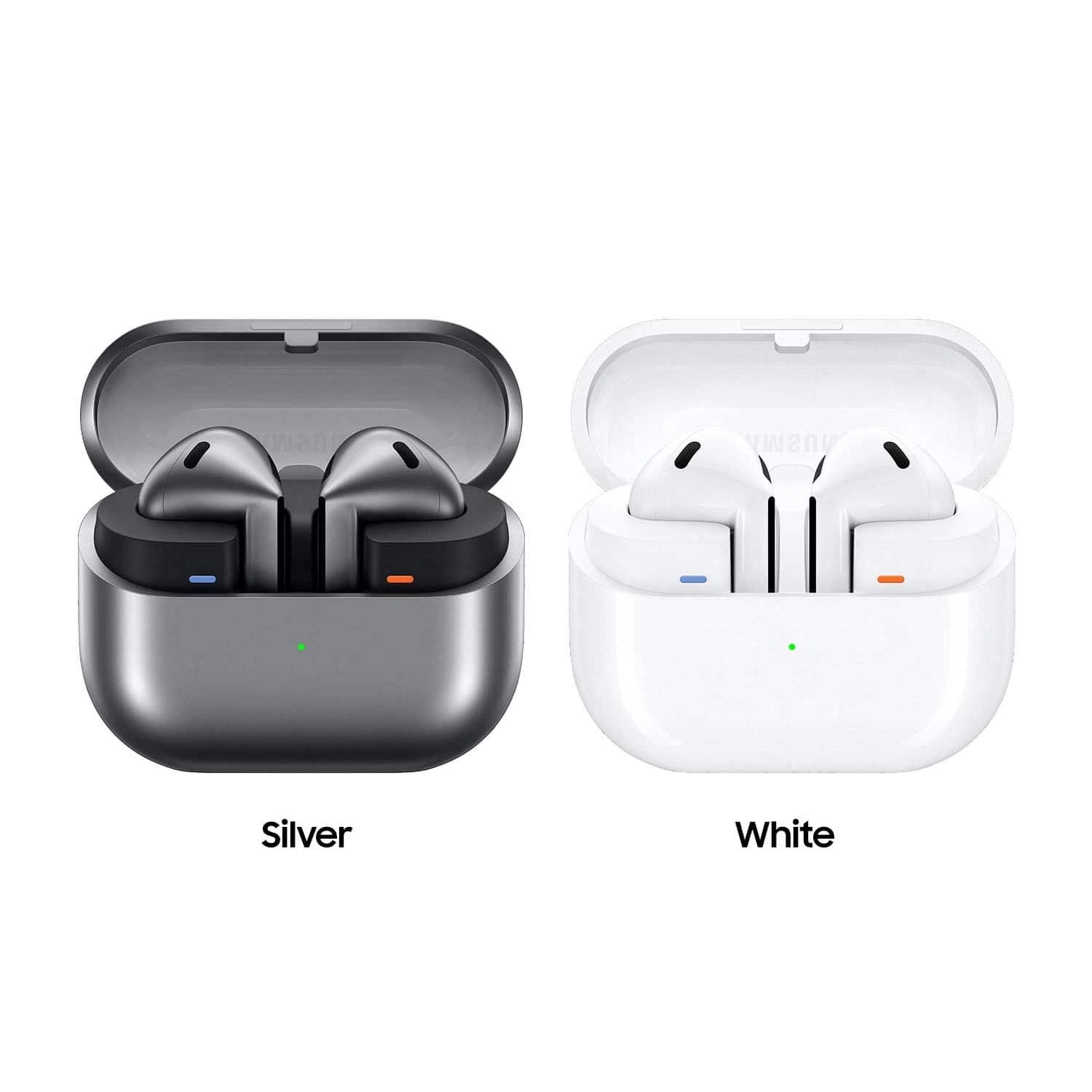
No, I would not recommend this to a friendSilver Earbuds....Nice
||Posted . Owned for 1 year when reviewed.This reviewer received promo considerations or sweepstakes entry for writing a review.Attractive with great sound. Easy to use. They stay in my ear. Easy changeover from listening to Music, Audible to answering a call.
I would recommend this to a friendLove my galaxybuds3
||Posted . Owned for 4 months when reviewed.This reviewer received promo considerations or sweepstakes entry for writing a review.Super comfortable for all day use and the battery lasts for hours. Very happy with them.
I would recommend this to a friendSounds great
||Posted . Owned for 1 week when reviewed.This reviewer received promo considerations or sweepstakes entry for writing a review.Earphones sound much better than airpods can get loud at times but i prefer the buds pro 3 since you actually get more sound with the silicon tips in your ear canal
I would recommend this to a friendSamsung wireless headphones
||Posted .This reviewer received promo considerations or sweepstakes entry for writing a review.Bought these for my wife. She loves them. Great sound and bass. Samsung never fails.
I would recommend this to a friendBanging Earbuds
||Posted .This reviewer received promo considerations or sweepstakes entry for writing a review.I love them. The battery level is given and easy to find. I use them daily. My ears a little small but not a big deal at all.
I would recommend this to a friendMIMI
||Posted . Owned for 1 month when reviewed.This reviewer received promo considerations or sweepstakes entry for writing a review.I love the way it fits and feels so comfortable and the sound is amazing
I would recommend this to a friendThumbs Up
||Posted . Owned for 3 weeks when reviewed.This reviewer received promo considerations or sweepstakes entry for writing a review.I love these earbuds. The setup was easy and they sound great.
I would recommend this to a friendMy Buds
||Posted . Owned for 1 month when reviewed.This reviewer received promo considerations or sweepstakes entry for writing a review.This is by far the best Samsung ear buds mad I only gave them 4 stars because they won't stay in my ear.
I would recommend this to a friendReturned
||Posted . Owned for less than 1 week when reviewed.This reviewer received promo considerations or sweepstakes entry for writing a review.I received mine a couple of days ago and returned them back . Unfortunately, i received a defective item . The sensor of the pinch doesn't work, so i have difficulty playing music and pausing as well as answering calls.aside from these, they fit perfectly on ears without jumping out like previous version (beans)and quality of sound as usual for samsung amazing. Waiting to receive replacement for them
I would recommend this to a friendBrand response from Samsung
Posted .Aloha HagerM, thanks for taking the available time out of your busy day to share your thoughts with us about your Samsung Galaxy Buds3. We appreciate your honesty as we strive to provide the very best products with superior functionality on the market to our customers while we remain committed to constant innovation. Our goal is for our customers to feel like they are having the most unforgettable experiences while using our products. Samsung provides a 12-month warranty on our products for manufacturing defects in materials and workmanship. If you would like to share additional feedback with us regarding your recent purchase or if you would like any further assistance after you receive your replacement Buds3, please do not hesitate to reach out to Samsung Support for further assistance. Thank you for being a steadfast Samsung customer. - Debra
Graet for the price
||Posted . Owned for 3 weeks when reviewed.This reviewer received promo considerations or sweepstakes entry for writing a review.The are great the sounds for music and phone call Just little bit loose for the ear but is okay
I would recommend this to a friendLittle disappointing
||Posted . Owned for 1 year when reviewed.This reviewer received promo considerations or sweepstakes entry for writing a review.Sounds great. But have a whistling sound coming out of the left side
No, I would not recommend this to a friendGentle in my ears.
||Posted . Owned for less than 1 week when reviewed.This reviewer received promo considerations or sweepstakes entry for writing a review.Silicone tips. They are not a part of these buds. But for me, that is what makes them appealing. The sound is really good. The features are better than i expected. The noise cancellation is probably close to 75% of tipped buds, which was shocking to me. And i will not be fighting ear infections constantly with these. I am very pleased with them.
I would recommend this to a friendGood, but could be so much better
||Posted . Owned for less than 1 week when reviewed.This reviewer received promo considerations or sweepstakes entry for writing a review.Case design is good. I like the stem design, but the buds themselves feel cheap and flimsy. The pinch function works, but volume slide barely works if at all. Maybe a future software update will fix? Yet to be seen. Call sound quality is often lacking. In-ear fit is problematic and doesn't allow for good noise cancelation. Hopefully it can be adjusted with future updates as well.
I would recommend this to a friendBrand response from Samsung
Posted .Greetings ChrisD, thank you for finding the time out of your day to share your sentiments with us about your Samsung Galaxy Buds3. Your feedback is appreciated as we strive to be innovative and improve the design and functionality of our products. Samsung provides a 12-month warranty on our products for manufacturing defects in materials and workmanship. If your Galaxy Buds have no or low volume and poor sound quality on one or both buds, there may be a couple reasons why. You might be wearing the earbuds incorrectly, or the buds could have accumulated dust or debris. Additionally, the audio quality could be affected by outdated software, a low battery, and several other things. Feel free to check out, "No, low, or poor audio quality on Samsung earbuds" to conduct some troubleshooting steps on your device to help resolve what you may be experiencing. If you're wearing your earbuds properly, you'll get better sound quality from them, they'll fit more comfortably, and they'll stay in your ears. Wearing them improperly can cause discomfort, sound leaks, and makes them more likely to fall out. No one wants to lose an earbud, especially while out jogging, so be sure to wear them with the proper fit. Being that the Galaxy Buds3 are open-type buds rather than canal types, so they do not have earbud tips. All you have to do to get started is simply place them in your ears. 1. Check the bottom of the earbuds for directional marks. You will see an L and an R. 2. Insert the R bud into your right ear with the R facing you. 3. Insert the L bud into your left ear with the L facing you. 4. Angle the blade slightly so that the microphone on the bottom is pointing towards your mouth rather than straight down. 5. You can adjust the buds by rotating them forwards and backwards until the fit feels right. Feel free to check out, "How to wear your Samsung Galaxy Buds3 and 3 Pro" if you would like more information. Feel free to reach back out if you have any questions or if you would like any further assistance. Thank you for being a dedicated Samsung customer. - Debra
Good Sound- Unsure Fit
||Posted . Owned for 3 weeks when reviewed.This reviewer received promo considerations or sweepstakes entry for writing a review.Fit is so so. Not sure they will stay in during physical activity. No way to adjust fit. The "touch" features are useful.
I would recommend this to a friendSolid buds
||Posted . Owned for 1 month when reviewed.This reviewer received promo considerations or sweepstakes entry for writing a review.Fit's well in the ears, above average sound quality and some really easy to use software for 3D Audio or noise cancellation.
I would recommend this to a friendNot satisfied
||Posted . Owned for 1 month when reviewed.This reviewer received promo considerations or sweepstakes entry for writing a review.Not what I expected. Earbuds continously falls out of your ear.does not get voice commands like it stated
No, I would not recommend this to a friend