Customer Ratings & Reviews



- Model:
- SM-R530NZAAXAR
- SKU:
- 6585611
Rating by feature
- Sound Quality
Rating 4.5 out of 5 stars
- Battery Life
Rating 4.5 out of 5 stars
- Connectivity
Rating 4.6 out of 5 stars
Customers are saying
Customers appreciate the Galaxy Buds3 Wireless Earbud Headphones for their clear sound quality, satisfactory battery life, and comfortable design. Many users have issues with the fit of the earbuds. Some find the touch controls to be unintuitive, and others have to increase the volume to a high level.
This summary was generated by AI based on customer reviews.
- Cons mentioned:Fit
Ok...
Posted .This reviewer received promo considerations or sweepstakes entry for writing a review.They felt a lot from my ears and the connectivity was not that good.
I would recommend this to a friend - Pros mentioned:Sound qualityCons mentioned:Fit
Bad fit in ear and will fall out.
Posted .This reviewer received promo considerations or sweepstakes entry for writing a review.As many reviews have stated, the fit is bad and will fall out of ears so I won't recommend these for, running, jogging or working out. Get the Pro3 buds, they have tips so they can fit the comfort of your ear. Sound is amazing tho.
No, I would not recommend this to a friendBrand response from Samsung
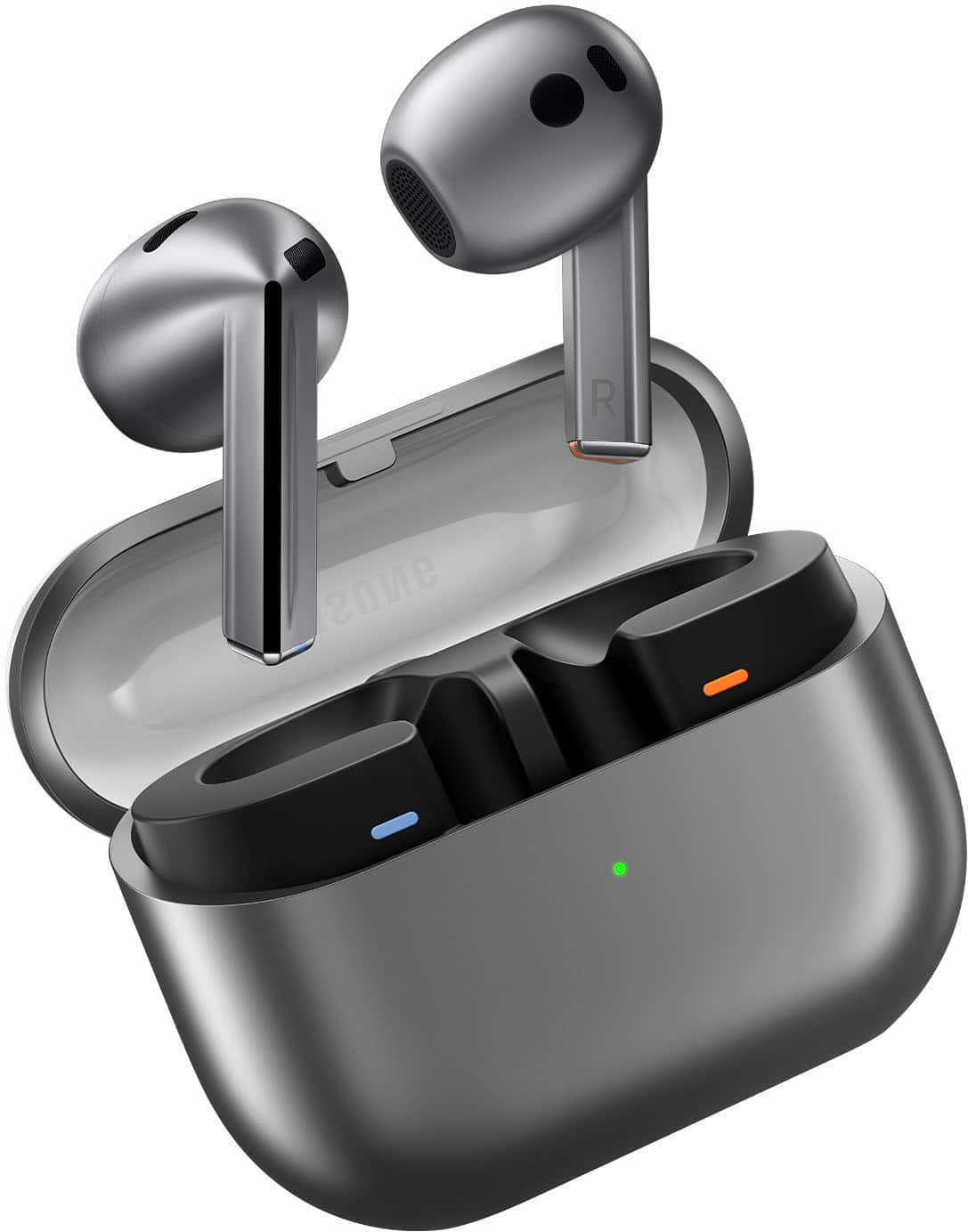
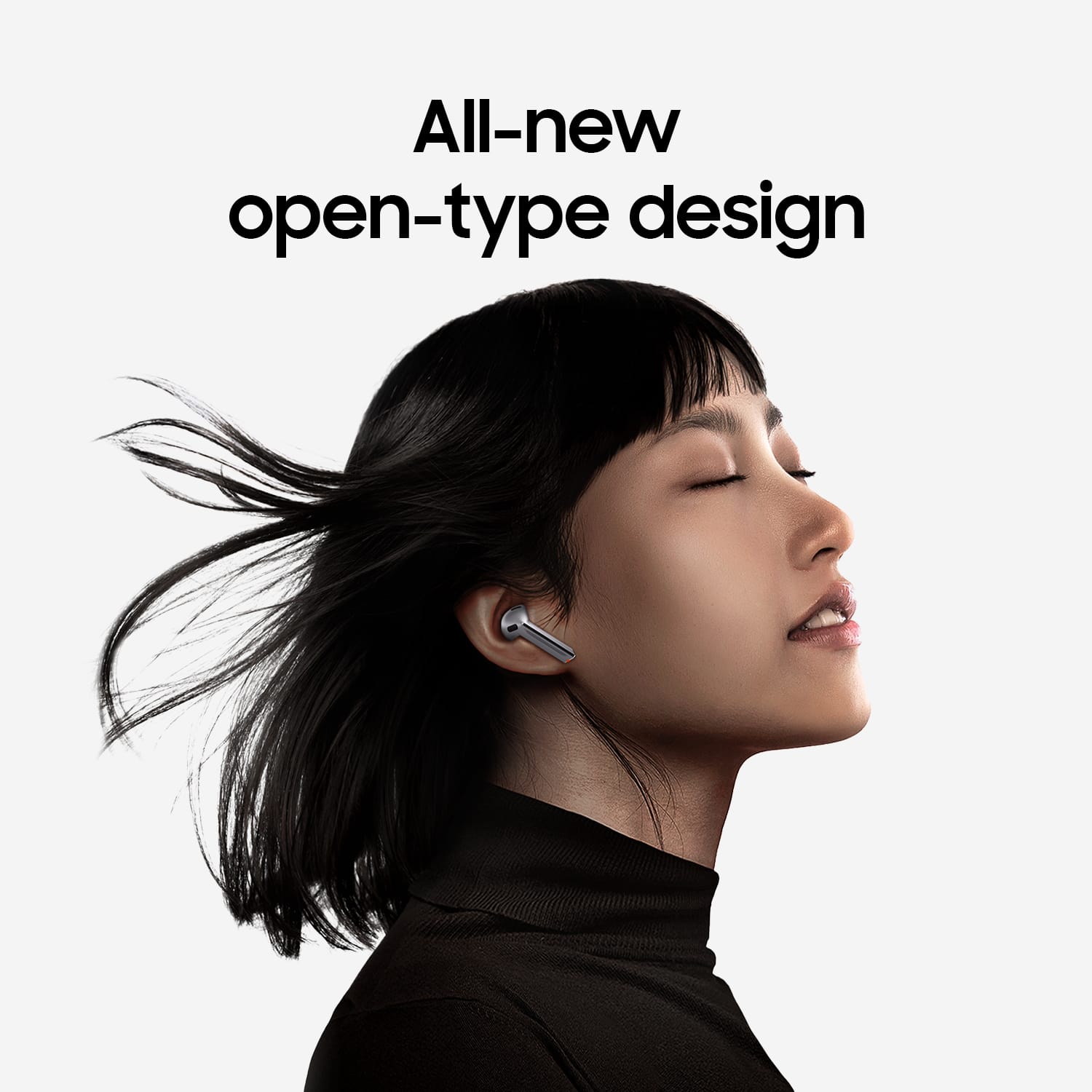
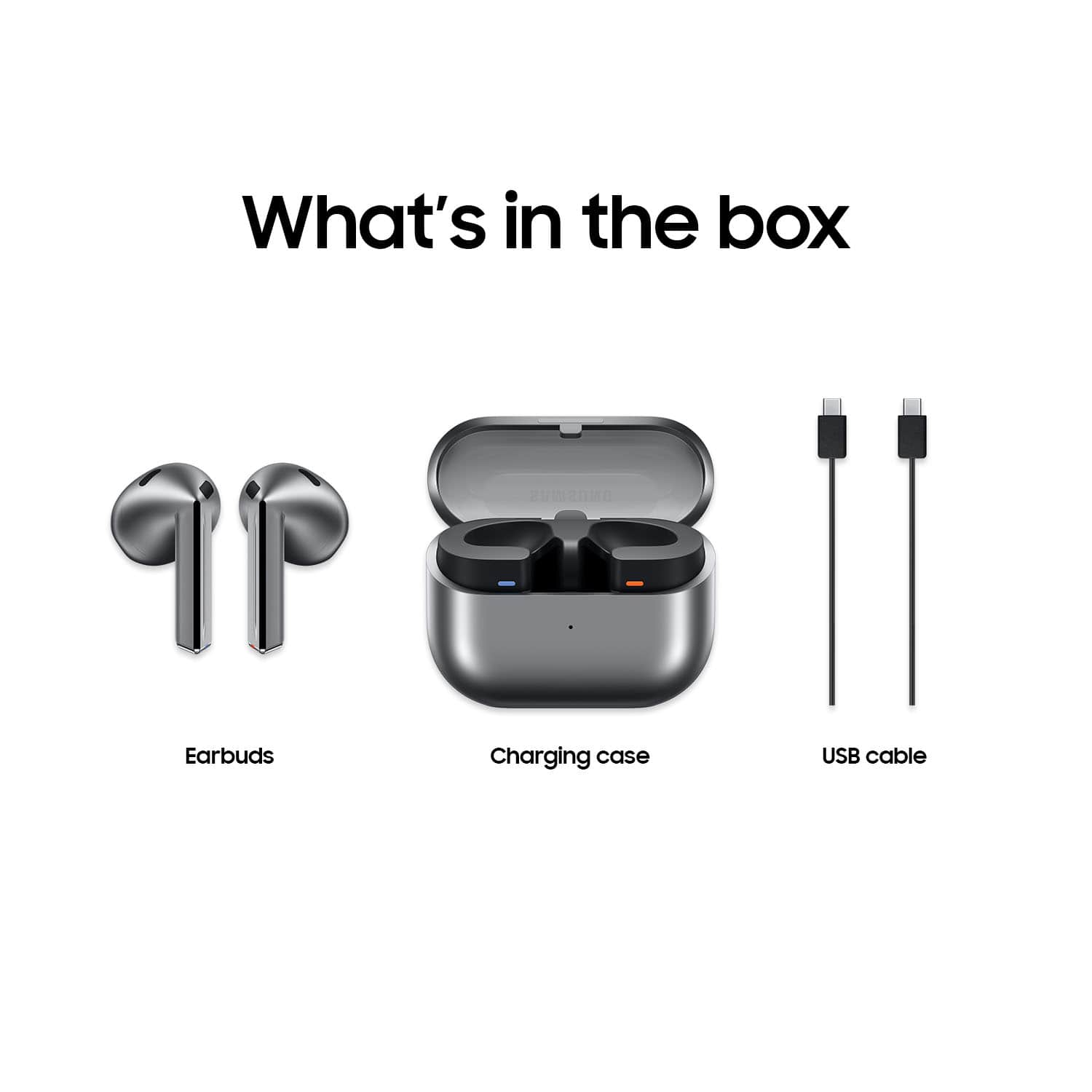
Posted .Greetings Branden, thank you for finding the time out of your day to share your sentiments with us about your Samsung Galaxy Buds3. Your feedback is appreciated as we strive to be innovative and improve the design and functionality of our products. Our goal is for our customers to feel like they are having the most ideal experiences while using our products. Samsung provides a 12-month warranty on our products for manufacturing defects in materials and workmanship. If you're wearing your earbuds properly, you'll get better sound quality from them, they'll fit more comfortably, and they'll stay in your ears. Wearing them improperly can cause discomfort, sound leaks, and makes them more likely to fall out. No one wants to lose an earbud, especially while out jogging, so be sure to wear them with the proper fit. Being that the Galaxy Buds3 are open-type buds rather than canal types, so they do not have earbud tips. All you have to do to get started is simply place them in your ears. 1. Check the bottom of the earbuds for directional marks. You will see an L and an R. 2. Insert the R bud into your right ear with the R facing you. 3. Insert the L bud into your left ear with the L facing you. 4. Angle the blade slightly so that the microphone on the bottom is pointing towards your mouth rather than straight down. 5. You can adjust the buds by rotating them forwards and backwards until the fit feels right. Feel free to check out, "How to wear your Samsung Galaxy Buds3 and 3 Pro" if you would like more information regarding fit. Please do not hesitate to contact Support afterward if you would like to share any other feedback with us or if you would like any further assistance. Thank you for being a dedicated Samsung customer. - Debra

Definitely an upgrade. Just nothing crazy.
Posted .This reviewer received promo considerations or sweepstakes entry for writing a review.There nice. Nothing out of this world but there a nice 200 dollar pair of headphones. People are extremely picky and nit pick anything they can. They sound nice have enough base for being non in ear fit. But there comfortable. Only negative kinda is it takes time to get use to the touch controls
I would recommend this to a friend- Pros mentioned:Sound quality
Awesome buds
Posted .This reviewer received promo considerations or sweepstakes entry for writing a review.Great pair of earbuds. They sound great and while the ANC isnt the best given they don't seal in your ear, they surprisingly do reduce more noise than I would of thought
I would recommend this to a friend - Pros mentioned:Sound quality
Samsung earbuds 3
Posted .This reviewer received promo considerations or sweepstakes entry for writing a review.The product offers exceptional sound quality and noise cancellation capabilities. Samsung is renowned for delivering high-fidelity audio experiences.
I would recommend this to a friend - Pros mentioned:Sound quality
Get yours
Posted .This reviewer received promo considerations or sweepstakes entry for writing a review.I got them yesterday. I like them, very good quality and sound
I would recommend this to a friend Great set of earbuds
Posted .This reviewer received promo considerations or sweepstakes entry for writing a review.These are a great set of earbuds. They sure deliver in major ways. I love the clear yet detailed sound quality these have. The fit is also great. Ive tried them with the noise canceling and they do block some noise even if they are open ear design. Last the design even though an apple copy cat i can say these are just as good if not better than apples airpods 3. If you have always loved apple earbuds design youll love these. Only these hold the edge.
I would recommend this to a friend- Pros mentioned:Sound quality
Good headphones
Posted .This reviewer received promo considerations or sweepstakes entry for writing a review.Good quality, got used kind and they work pretty good.
I would recommend this to a friend Excellent
Posted .This reviewer received promo considerations or sweepstakes entry for writing a review.Samsung finally got it right, love these ear buds! If you like the airpods 1st gen 2nd gen, you will love these. I used the gen 2 airpods for years with my Samsung phone until now. Very happy with my purchase!
I would recommend this to a friendNot worth the price.
Posted .This reviewer received promo considerations or sweepstakes entry for writing a review.These aren't great and for the price point there are several companies that do this better in every single way. Not only do they not fit well at all but they are extremely uncomfortable. The fit leaves space between you and the outside world to the point of noise suppression not even doing anything. Ambient noise swarmed every aspect of these headphones. It took me 24 hours to give up on them. I tried everything that I could to get them to fit but couldn't. They are horrible headphones. Here is to hoping that the Pro version is better.
No, I would not recommend this to a friendBrand response from Samsung
Posted .Hey TonyW, thank you for finding the time out of your bustling day to share your sentiments with us about your Samsung Galaxy Buds3. Your feedback is invaluable to us as we strive to provide the very best products with superior functionality on the market to our customers while we remain committed to constant innovation. Our goal is for our customers to feel like they are having the most memorable experiences while using our products. Samsung provides a 12-month warranty on our products for manufacturing defects in materials and workmanship. If you're wearing your earbuds properly, you'll get better sound quality from them, they'll fit more comfortably, and they'll stay in your ears. Wearing them improperly can cause discomfort, sound leaks, and makes them more likely to fall out. No one wants to lose an earbud, especially while out jogging, so be sure to wear them with the proper fit. Being that the Galaxy Buds3 are open-type buds rather than canal types, so they do not have earbud tips. All you have to do to get started is simply place them in your ears. 1. Check the bottom of the earbuds for directional marks. You will see an L and an R. 2. Insert the R bud into your right ear with the R facing you. 3. Insert the L bud into your left ear with the L facing you. 4. Angle the blade slightly so that the microphone on the bottom is pointing towards your mouth rather than straight down. 5. You can adjust the buds by rotating them forwards and backwards until the fit feels right. Feel free to check out, "How to wear your Samsung Galaxy Buds3 and 3 Pro" if you would like more information. Let us know if you have any questions for us or if you would like any further assistance by contacting Samsung Support. Thank you for being a trustworthy Samsung customer. - Debra
Excellent fit
Posted .This reviewer received promo considerations or sweepstakes entry for writing a review.great product and fit. Color is sleek and not bulky case
I would recommend this to a friend- Cons mentioned:Fit
Does not fit in my ear
Posted .This reviewer received promo considerations or sweepstakes entry for writing a review.I wanted to love these Buds. I went ahead and ordered because the Buds Pro 3 was backordered. Boyyy do I regret it. They literally do not fit in my ear. So disappointing.
No, I would not recommend this to a friendBrand response from Samsung
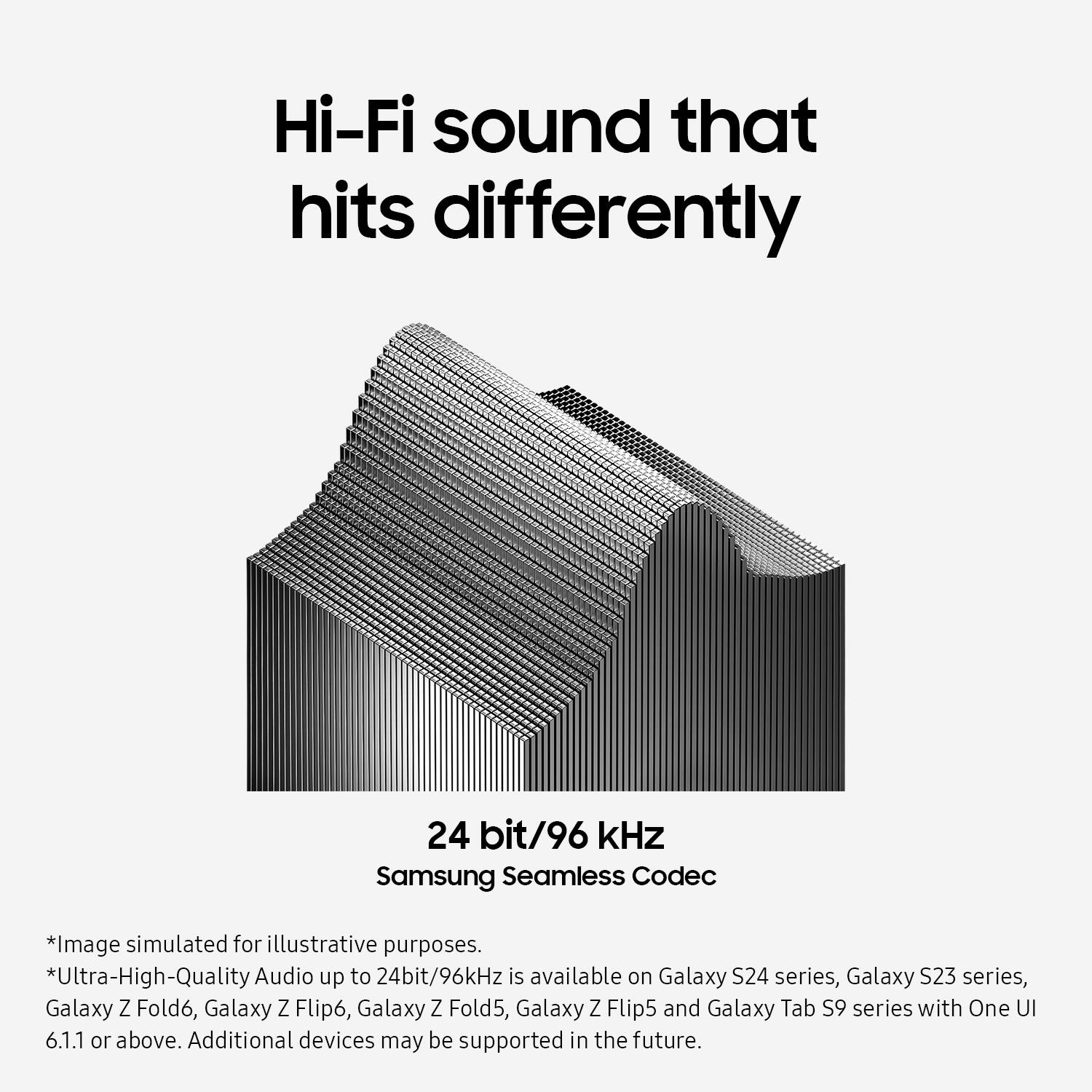
Posted .Thank you for sharing your feedback on the Galaxy Buds3, Chelley. From phone calls to listening to a new playlist during your morning workout, the Samsung Seamless Codec retains high-quality streaming across devices with up to 24bit / 96kHz audio. The Galaxy Buds3 are open-type buds, meaning they do not have earbud tips like canal-type earbuds. To get started, simply place them in your ears, checking the bottom of each earbud for directional marks—an "L" for the left bud and an "R" for the right bud. Insert the R bud into your right ear with the "R" facing you, and insert the L bud into your left ear with the "L" facing you. Angle the earbuds slightly so that the microphone on the bottom points toward your mouth rather than straight down. You can adjust the buds by rotating them forward and backward until they fit comfortably. If you need any further assistance with this or anything else, please reach out to us at Support. -Kelvin
- Pros mentioned:Sound quality
Poor Mic Quality
Posted .This reviewer received promo considerations or sweepstakes entry for writing a review.Sound quality is good.... bass sounds unnatural.... but the microphone quality is awful.... i couldnt even have a decent conversation with my friends without them saying i sound muffled.... not worth $180
No, I would not recommend this to a friendBrand response from Samsung
Posted .Thanks for sharing your honest review of the Galaxy Buds3, Eric. Enjoy amazing audio quality no matter how your Buds sit in your ears. Adaptive Equalizer with Galaxy AI tailors your sound based on how you wear your Buds so you can enjoy immersive audio while on the go. We always appreciate hearing how our customers feel about our products. If your buds have no or low volume and poor sound quality on one or both buds, there may be a couple of reasons why. You might be wearing the earbuds incorrectly, or the buds could have accumulated dust or debris. Additionally, the audio quality could be affected by outdated software, a low battery, and several other things. Samsung offers a 12-month limited warranty for manufacturer defects. We also provide the option to add additional coverage with Samsung Care+ on eligible devices, which offers extended protection and additional support. Check out the link attached for options to help troubleshoot this. If this persists after doing so, please reach out to us at Support so that we can take a further look into what could be causing this. -Kelvin
- Cons mentioned:Fit
GARBAGE
Posted .This reviewer received promo considerations or sweepstakes entry for writing a review.I bought them today and returned them today they're horrible they keep falling out my ear .. you cant turn head without them falling out.
No, I would not recommend this to a friendBrand response from Samsung
Posted .Thanks for sharing your feedback of the Galaxy Buds3, Kevin. Your feedback is invaluable as we continue to make changes and improvements. The Galaxy Buds3 offer an impressive audio experience with several standout features. They provide immersive sound quality, enhanced by an Adaptive Equalizer that adjusts audio settings for optimal listening. The new design not only looks appealing but also supports high-resolution audio streaming, ensuring clarity and depth in sound. Wearing earbuds correctly is essential for several reasons. Proper usage enhances sound quality, ensuring a better listening experience. It also contributes to a more comfortable fit, allowing for extended use without discomfort. Additionally, correctly fitted earbuds are less likely to fall out, which is particularly important during activities like jogging. On the other hand, improper wear can lead to discomfort, sound leakage, and an increased risk of losing an earbud. Therefore, achieving the right fit is crucial for both enjoyment and practicality. The Galaxy Buds3 are designed as open-type earbuds, which means they do not include traditional ear tips. To use them, simply place the buds in your ears without any additional setup. Each earbud is marked with directional indicators, L for the left and R for the right, ensuring correct placement. When inserting the earbuds, make sure the R bud is positioned in your right ear and the L bud in your left, both facing towards you. For optimal microphone performance, angle the earbuds slightly so that the microphone points towards your mouth. You can further adjust the fit by rotating the buds until they feel comfortable. Again, we appreciate your candid feedback and hope this helps! If you have any further concerns or questions, please be sure to reach out to us at Support. -Kelvin
bad fit
Posted .This reviewer received promo considerations or sweepstakes entry for writing a review.Only use them to watch TV thru bluethooth, when sitting on couch. Very uncomfortable & don't fit right. Could never use if exercising or running.
No, I would not recommend this to a friendBrand response from Samsung
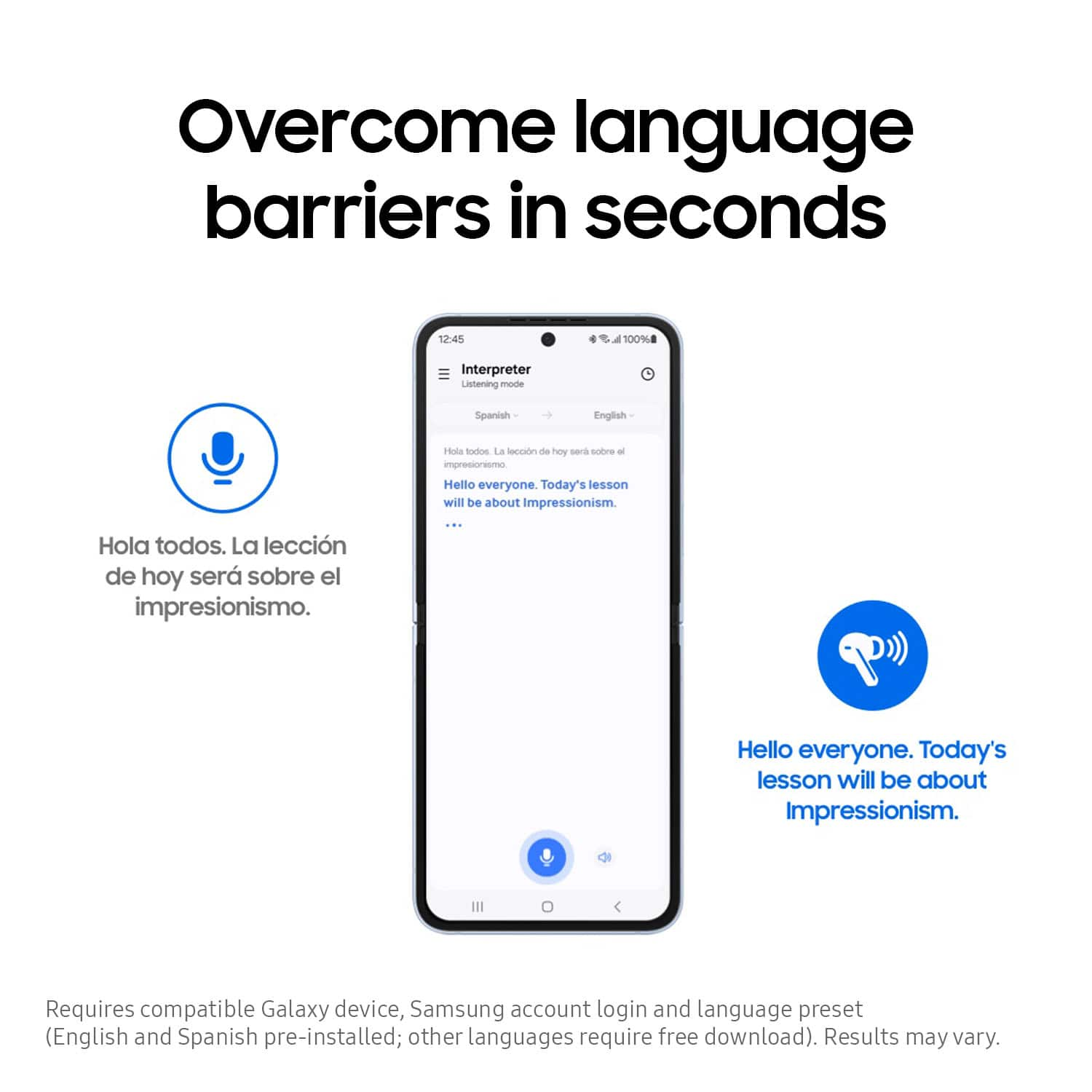
Posted .Thank you for contacting us! We appreciate your feedback on the Galaxy Buds3. The Galaxy Buds3 is designed to offer an immersive audio experience with an adaptive equalizer that adjusts the sound based on your surroundings. These buds also feature Live Translate, allowing real-time translations during conversations in different languages. Whether you are taking phone calls or enjoying your favorite playlist during your morning workout, the Samsung Seamless Codec ensures high-quality streaming across devices with support for up to 24-bit/96kHz audio. This means you can experience clear and detailed sound reproduction, making your listening experience more enjoyable. The Buds3 are designed to provide a comfortable and secure fit for extended wear. If you experience discomfort while wearing your buds, try these tips to get a better fit. The Galaxy Buds3 are open-type buds, so they do not have earbud tips. To get started, simply place them in your ears and check the bottom of the earbuds for directional marks. You will see an L and an R. Insert the R bud into your right ear with the R facing you, and insert the L bud into your left ear with the L facing you. Angle the blade slightly so that the microphone on the bottom is pointing towards your mouth rather than straight down. You can adjust the buds by rotating them forwards and backwards until the fit feels right. If you have any further concerns or inquiries, please do not hesitate to reach out to us at Support. -Kelvin
Wind noise overpowers noise cancelation
Posted .This reviewer received promo considerations or sweepstakes entry for writing a review.Wind noise, even during a gentle breeze, is not handled by noise cancelization. Annoying when outdoors.
No, I would not recommend this to a friendBrand response from Samsung
Posted .Hi JPofGTOWN. We appreciate you taking the time to share your honest feedback about the Galaxy Buds3. To ensure that Active Noise Cancelling functions properly with your Galaxy Buds Pro, it’s important to wear the earbuds correctly. If they do not fit snugly in your ears, their effectiveness may be reduced. Make sure the earbuds fit tightly without any gaps. Additionally, verify that the ear tips are properly installed. The latch at the bottom of each earbud should align with the groove of the ear tip, and the tip should completely cover the latch. If you’re still looking for an improved fit, consider trying larger ear tips. Samsung products are covered by a 12-month limited warranty against manufacturing defects in material and workmanship. You also have the option to purchase additional coverage with Samsung Care+ for eligible devices, which provides extended protection and extra support. If this continues to be your experience, please be sure to reach out to us at Support so that we can further assist you. -Kelvin