Customer Ratings & Reviews

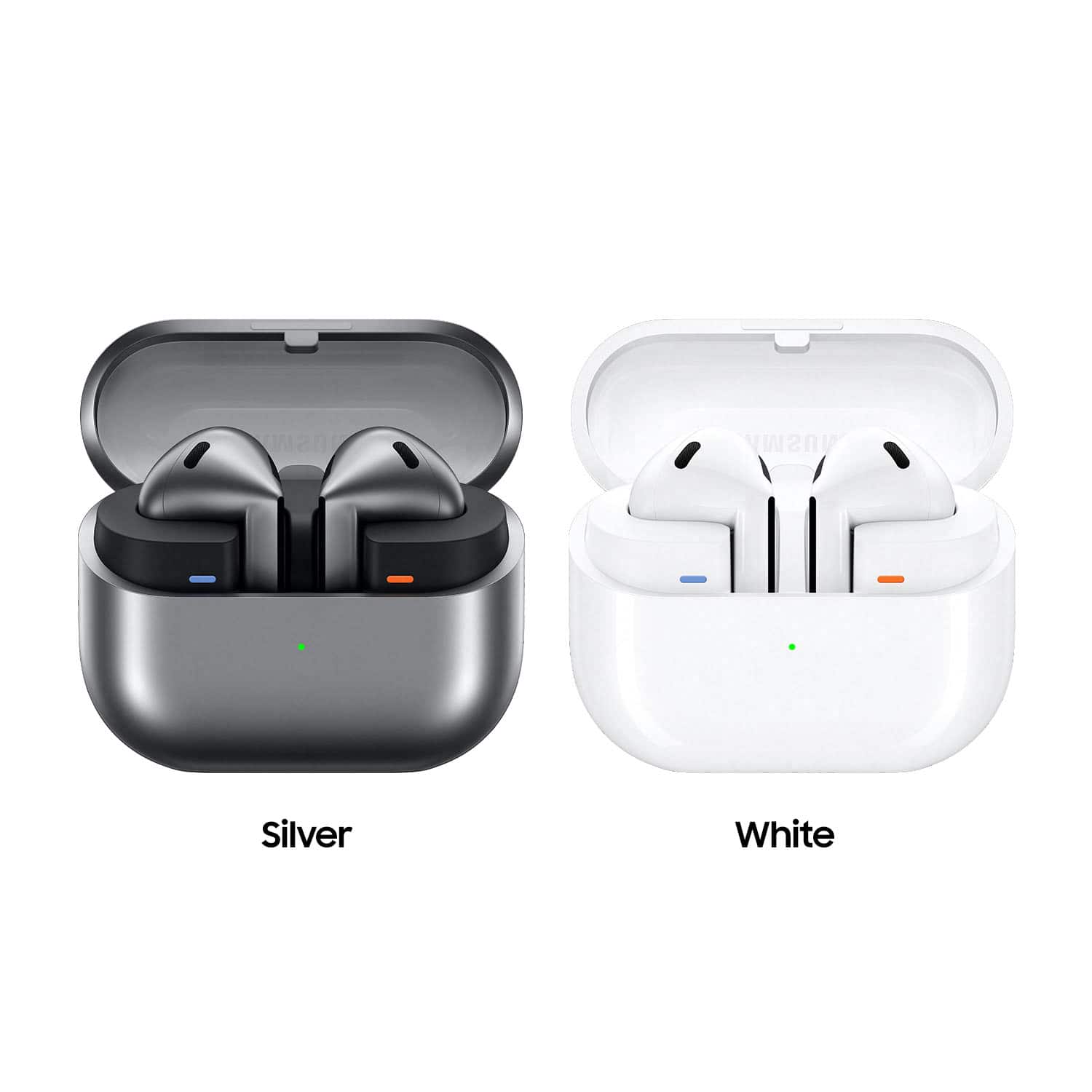
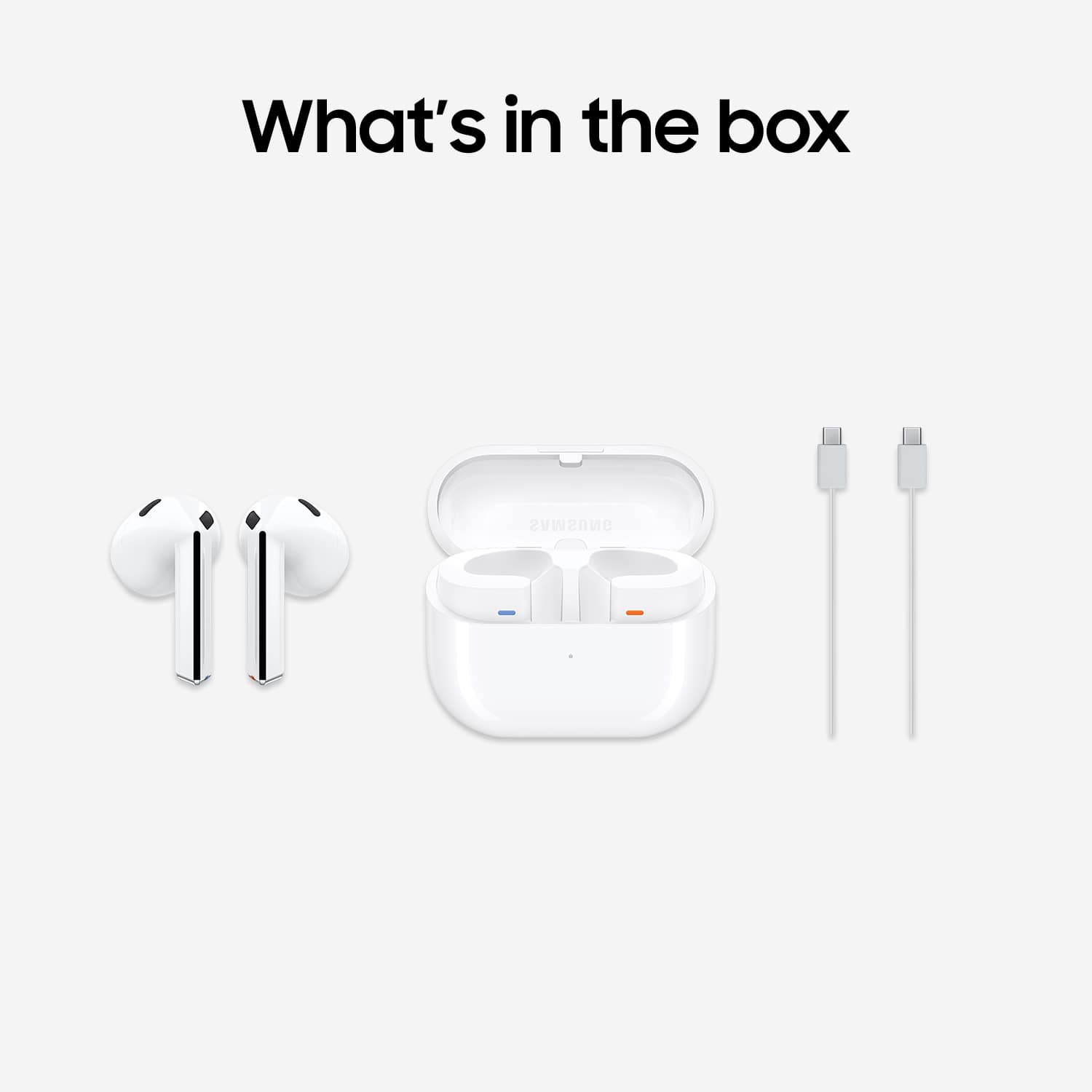

- Model:
- SM-R530NZWAXAR
- SKU:
- 10851266
Rating by feature
- Sound Quality
Rating 4.5 out of 5 stars
- Battery Life
Rating 4.5 out of 5 stars
- Connectivity
Rating 4.6 out of 5 stars
to a friend
No Apple connectivity for AI
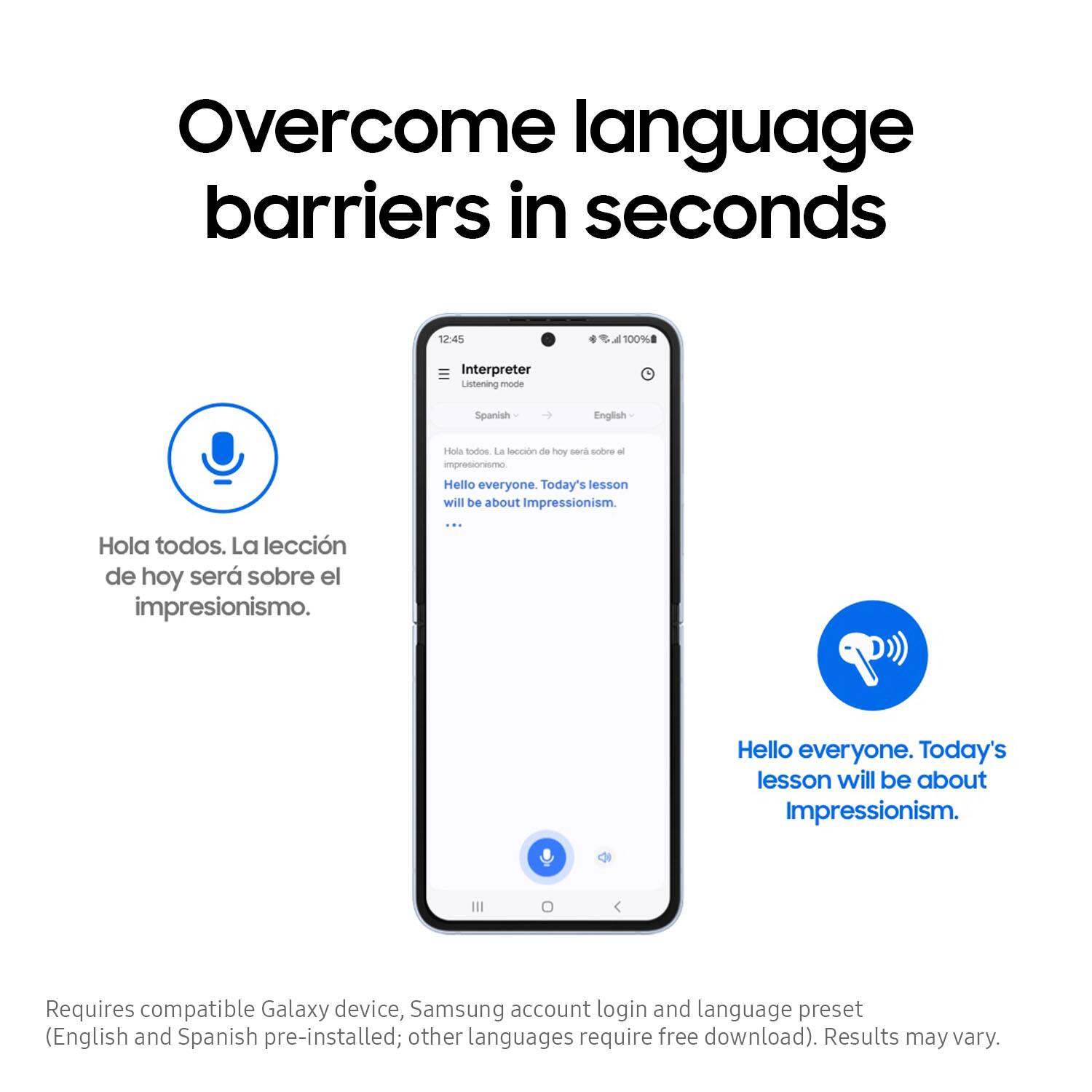
||Posted . Owned for 3 weeks when reviewed.This reviewer received promo considerations or sweepstakes entry for writing a review.Does not work with Apple products for real time translation. This should be acknowledged.
No, I would not recommend this to a friendBrand response from Samsung
Posted .Greetings HenrypM, thank you for finding the opportunity to share your sentiments with us about your Samsung Galaxy Buds3. We appreciate your feedback as it provides us the opportunity to remain innovative while improving the functionality of our product line. The Galaxy Buds3 series require a compatible Samsung Galaxy phone in order to utilize select Galaxy AI features, like Live Translate and Real-Time Interpreter with Galaxy AI. If you would like to share any other feedback with us or if you would like any further assistance, please feel free to reach out to Support at your earliest convenience. Thank you for being a trustworthy Samsung customer. - Debra

Buds 3
||Posted . Owned for 1 week when reviewed.This reviewer received promo considerations or sweepstakes entry for writing a review.Ear buds hurt my ears. Your ear has to be perfect for these to fit correctly. I opted for the pro option
No, I would not recommend this to a friendBrand response from Samsung
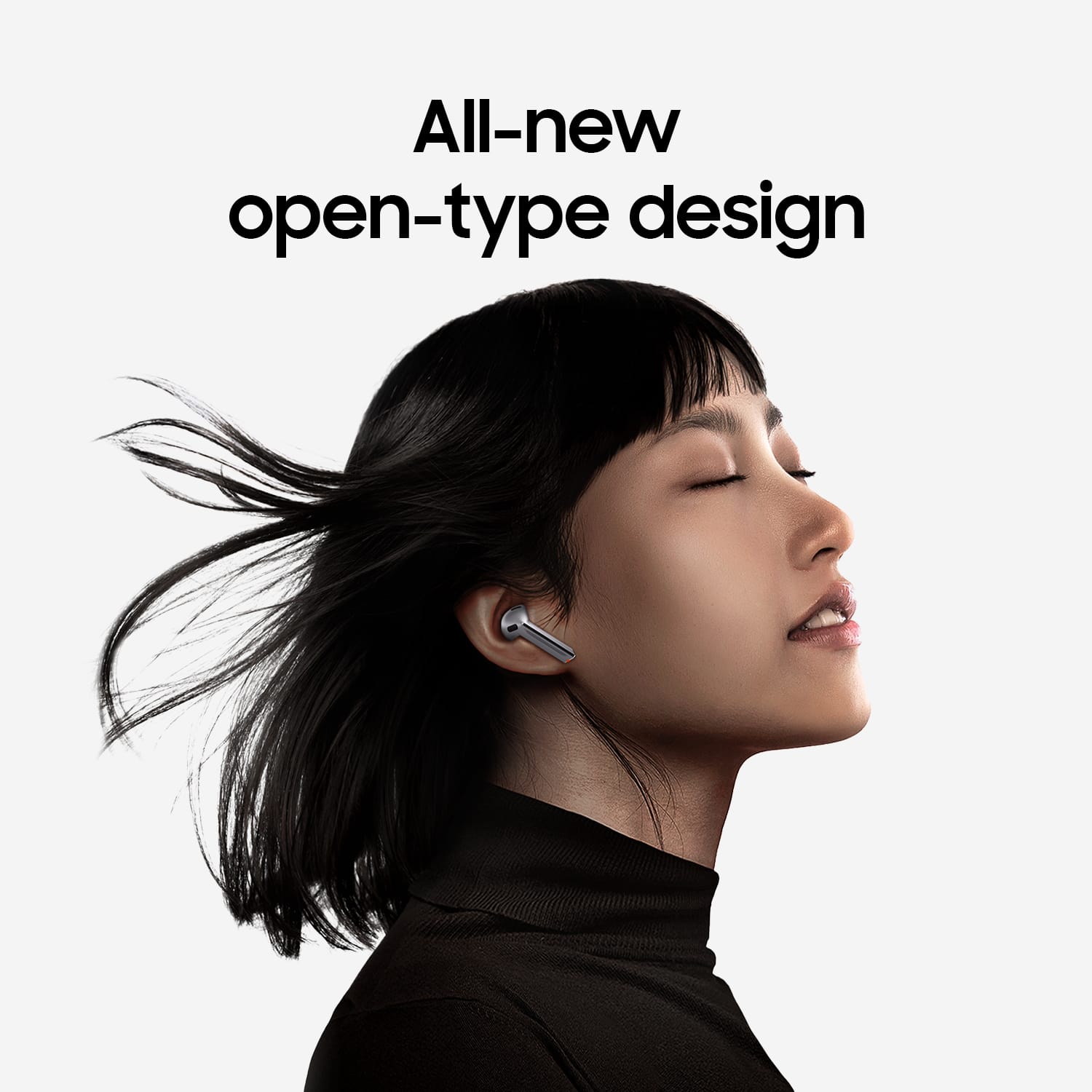
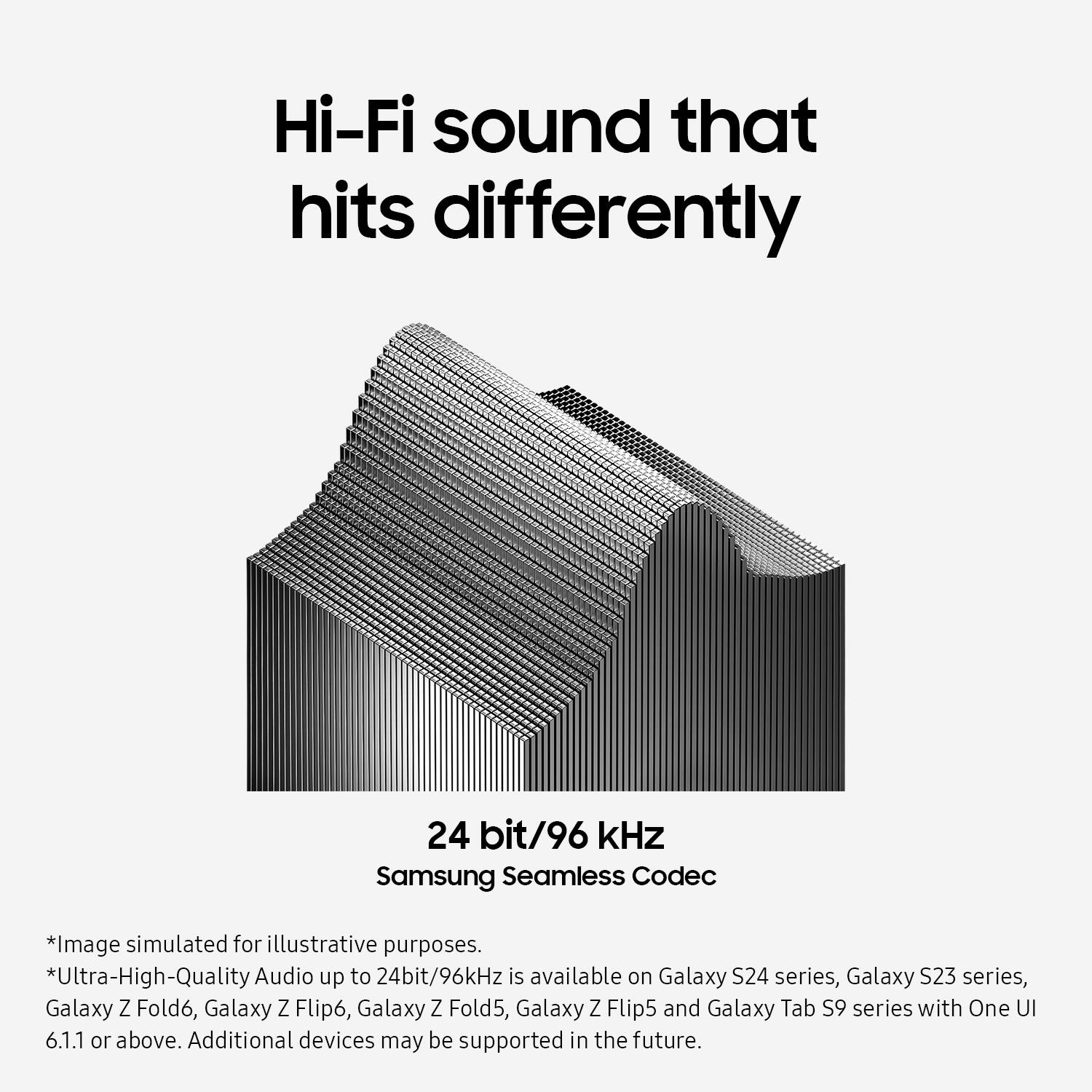
Posted .Thanks for reaching out to share your thoughts on the Galaxy Buds3 with us, Shyk. From phone calls to listening to a new playlist during your morning workout, the Samsung Seamless Codec retains high-quality streaming across devices with up to 24bit / 96kHz audio. It is crucial to wear your earbuds correctly for several reasons. Proper wear ensures better sound quality, a more comfortable fit, and prevents them from falling out. Wearing them incorrectly can lead to discomfort, sound leaks, and an increased risk of them falling out, especially during activities like jogging. The Galaxy Buds3 are open-type buds and do not have earbud tips, so you simply need to place them in your ears to get started. Check the bottom of the earbuds for directional marks indicating "L" and "R." Insert the R bud into your right ear with the "R" facing you, and the L bud into your left ear with the "L" facing you. Angle the blade slightly so that the microphone on the bottom is pointing towards your mouth rather than straight down. You can adjust the buds by rotating them forwards and backwards until they fit comfortably. If you have any further concerns or questions, please do not hesitate to reach out to us at Support. -Kelvin
Sad they didnt stay in my ears.
||Posted .This reviewer received promo considerations or sweepstakes entry for writing a review.Didn't stay in my ears, kept falling out. Other than that they worked great.
No, I would not recommend this to a friendnot recommend
||Posted . Owned for 1 month when reviewed.This reviewer received promo considerations or sweepstakes entry for writing a review.keeps fall, keeps disconnected ...not comfortable at all
No, I would not recommend this to a friendBrand response from Samsung
Posted .Howdy SamahD, thanks for taking the available time out of your day to share your thoughts with us about your Samsung Galaxy Buds3. We appreciate your candor as we make every effort to improve the design and functionality of our product line. Samsung provides a 12-month warranty on our products for manufacturing defects in materials and workmanship. If you're wearing your earbuds properly, you'll get better sound quality from them, they'll fit more comfortably, and they'll stay in your ears. Wearing them improperly can cause discomfort, sound leaks, and makes them more likely to fall out. No one wants to lose an earbud, especially while out jogging, so be sure to wear them with the proper fit. Being that the Galaxy Buds3 are open-type buds rather than canal types, so they do not have earbud tips. All you have to do to get started is simply place them in your ears. 1. Check the bottom of the earbuds for directional marks. You will see an L and an R. 2. Insert the R bud into your right ear with the R facing you. 3. Insert the L bud into your left ear with the L facing you. 4. Angle the blade slightly so that the microphone on the bottom is pointing towards your mouth rather than straight down. 5. You can adjust the buds by rotating them forwards and backwards until the fit feels right. Feel free to check out, "How to wear your Samsung Galaxy Buds3 and 3 Pro" if you would like more information. Also, check out "Connection issues with Samsung earbuds" to help resolve what you may be experiencing with your connectivity. Please do not hesitate to contact Support afterward if you would like any further assistance. Thank you for being a valued Samsung customer. - Debra
Be very careful
||Posted .This reviewer received promo considerations or sweepstakes entry for writing a review.Very poor sound I'm sure this was ref. I didn't like it at all
No, I would not recommend this to a friendBrand response from Samsung
Posted .Aloha User843695, thanks for taking the opportunity to share your thoughts with us about your experience using the Samsung Galaxy Buds3. We appreciate your candor as we continue to make improvements on the performance and functionality of our product line. Samsung offers a 12-month warranty on our products for manufacturing defects in materials and workmanship. Please feel free to review, "No, low, or poor audio quality on Samsung earbuds" to help resolve what you may be experiencing with your earbuds. If you have any questions for us or if you would like any further assistance, please feel free to reach out to Support. Thanks for choosing Samsung! - Debra

Excellent sound; iffy noise cancellation
|Posted .This reviewer received promo considerations or sweepstakes entry for writing a review.The first thing to say is that these earbuds simply sound fantastic. Volume is responsive and dynamic, trebles and highs come through clearly, and bass is amazingly punchy and well-represented. I'm accustomed to a loss in audio clarity and fidelity when using earbuds, but that's not the case here. Phone calls were great (and my hearers claimed I was clear as a bell, too), music is a pleasure to listen to, and podcasts and audiobooks sounded excellent. You can even use a Samsung app to adjust a pretty robust EQ to fine-tune the experience. I thought sound was fine out-of-the-box, but the fact that you can customize it further (and that you can some pretty ample options to do so) make this buds that much better. Connection is easy and signal strength is excellent. I never lost my connection, even when I had to run upstairs and left my phone in the living room. And the device simply connected to my phone with no hassle. Set up is truly easy with these buds. I also thought battery life was excellent. To put it one way - I never had the buds die on me, and that was while using them throughout the day while working. I charged them at the end of each work day, but for a good 8 hours (9 including lunch break), these buds held out. Controls take a little getting used to. I often found myself just using my phone to adjust things, since I kept forgetting how many pinches I needed to do X or Y, but the controls are still easier top use (and locate) than on earbuds with shorter "prongs." You eventually get used to what side you need to swipe on, and what you need to squeeze. The only real drawback is the somewhat so-so performance of active noise cancellation. You can tell it's working, but a lot of ambient noise is still able to intrude through anyway. Don't expect a complete, self-contained sound bubble from these buds. They do screen out a lot of background noise, but there are some frequencies that still slip through. In short, get these buds if you're an Android user and an audiophile, but don't expect wonders from the noise cancellation. There are additional features available for Samsung smartphone users, but don't expect to be able to access these additional features if you're not using a Samsung phone. That's okay, though, since the audio experience is good enough to not make you feel like you're missing out.
I would recommend this to a friendEar buds.
||Posted . Owned for 1 week when reviewed.This reviewer received promo considerations or sweepstakes entry for writing a review.Terrible fit. Does not stay in place and do not fit in my ears and comes out.
No, I would not recommend this to a friendBrand response from Samsung
Posted .We appreciate your reaching out, Carlos. We always look forward to receiving reviews from our customers. We noticed that you contacted us regarding your Galaxy Buds3. Whether it's for phone calls or listening to a new playlist during your morning workout, the Samsung Seamless Codec ensures high-quality streaming across devices with up to 24bit / 96kHz audio. It's important to wear your earbuds properly for several reasons. Wearing them correctly ensures better sound quality, and a more comfortable fit, and prevents them from falling out. Improper wear can cause discomfort, and sound leaks, and increases the likelihood of them falling out, which is especially inconvenient when you're jogging. The Galaxy Buds3 are open-type buds, so they do not have earbud tips. To get started, simply place them in your ears and follow these steps:
1. Check the bottom of the earbuds for directional marks, where you will see an L and an R.
2. Insert the R bud into your right ear with the R facing you.
3. Insert the L bud into your left ear with the L facing you.
4. Angle the blade slightly so that the microphone on the bottom is pointing towards your mouth rather than straight down.
5. You can adjust the buds by rotating them forward and backward until the fit feels right. If you have any further concerns or questions, please be sure to reach out to us at Support. -Kelvin
Samsung galaxy bud
||Posted . Owned for less than 1 week when reviewed.This reviewer received promo considerations or sweepstakes entry for writing a review.This product sounds good but one in my left ear kept falling out so i returned it and got the Bud 2 pro.
No, I would not recommend this to a friendBrand response from Samsung
Posted .Salutations KeithS, thanks for taking the opportunity to review your Samsung Galaxy Buds3. Your feedback allows us to remain committed to constant innovation as we strive to improve the design and functionality of our product line. Our goal is for our customers to feel like they are having the most marvelous experiences when using our products. Samsung provides a 12-month warranty on our products for manufacturing defects in materials and workmanship. If you're wearing your earbuds properly, you'll get better sound quality from them, they'll fit more comfortably, and they'll stay in your ears. Wearing them improperly can cause discomfort, sound leaks, and makes them more likely to fall out. No one wants to lose an earbud, especially while out jogging, so be sure to wear them with the proper fit. Being that the Galaxy Buds3 are open-type buds rather than canal types, so they do not have earbud tips. All you have to do to get started is simply place them in your ears. 1. Check the bottom of the earbuds for directional marks. You will see an L and an R. 2. Insert the R bud into your right ear with the R facing you. 3. Insert the L bud into your left ear with the L facing you. 4. Angle the blade slightly so that the microphone on the bottom is pointing towards your mouth rather than straight down. 5. You can adjust the buds by rotating them forwards and backwards until the fit feels right. Feel free to check out, "How to wear your Samsung Galaxy Buds3 and 3 Pro" if you would like more information regarding fit. If you would like to share any other feedback with us or if you would like any further assistance, please let us know by contacting Samsung Support at your leisure. Thank you for being a dedicated Samsung customer. - Debra
Too Big
||Posted . Owned for 3 weeks when reviewed.This reviewer received promo considerations or sweepstakes entry for writing a review.They are too big for my ears. Had to return them.
No, I would not recommend this to a friendBrand response from Samsung
Posted .Hi TheresaM, thanks for taking the time out of your day to share your thoughts with us about your Samsung Galaxy Buds3. As we strive to be innovative and make improvements on the design and functionality of our products, your feedback is invaluable. Our goal is for our customers to feel like they are having the most incredible experiences while using our products. It's important to wear your earbuds properly for many reasons. You'll get better sound quality from them, they'll fit more comfortably, and they'll stay in your ears. Wearing them improperly can cause discomfort, sound leaks, and makes them more likely to fall out. No one wants to lose an earbud, especially while out jogging, so be sure to wear them with the proper fit.
The Galaxy Buds3 are open-type buds rather than canal types, so they do not have earbud tips. All you have to do to get started is simply place them in your ears. 1. Check the bottom of the earbuds for directional marks. You will see an L and an R. 2. Insert the R bud into your right ear with the R facing you. 3. Insert the L bud into your left ear with the L facing you. 4. Angle the blade slightly so that the microphone on the bottom is pointing towards your mouth rather than straight down. 5. You can adjust the buds by rotating them forwards and backwards until the fit feels right. Check out, "How to wear your Samsung Galaxy Buds3 and 3 Pro" if you would like any additional information regarding fit. If you would like any further assistance, do not hesitate to contact Samsung Support at your earliest convenience. Thank you for being a cherished Samsung customer. - Debra
Not worth
||Posted . Owned for 1 week when reviewed.This reviewer received promo considerations or sweepstakes entry for writing a review.The downgrade from the earbuds 2 is huge in quality and confort
No, I would not recommend this to a friendBrand response from Samsung
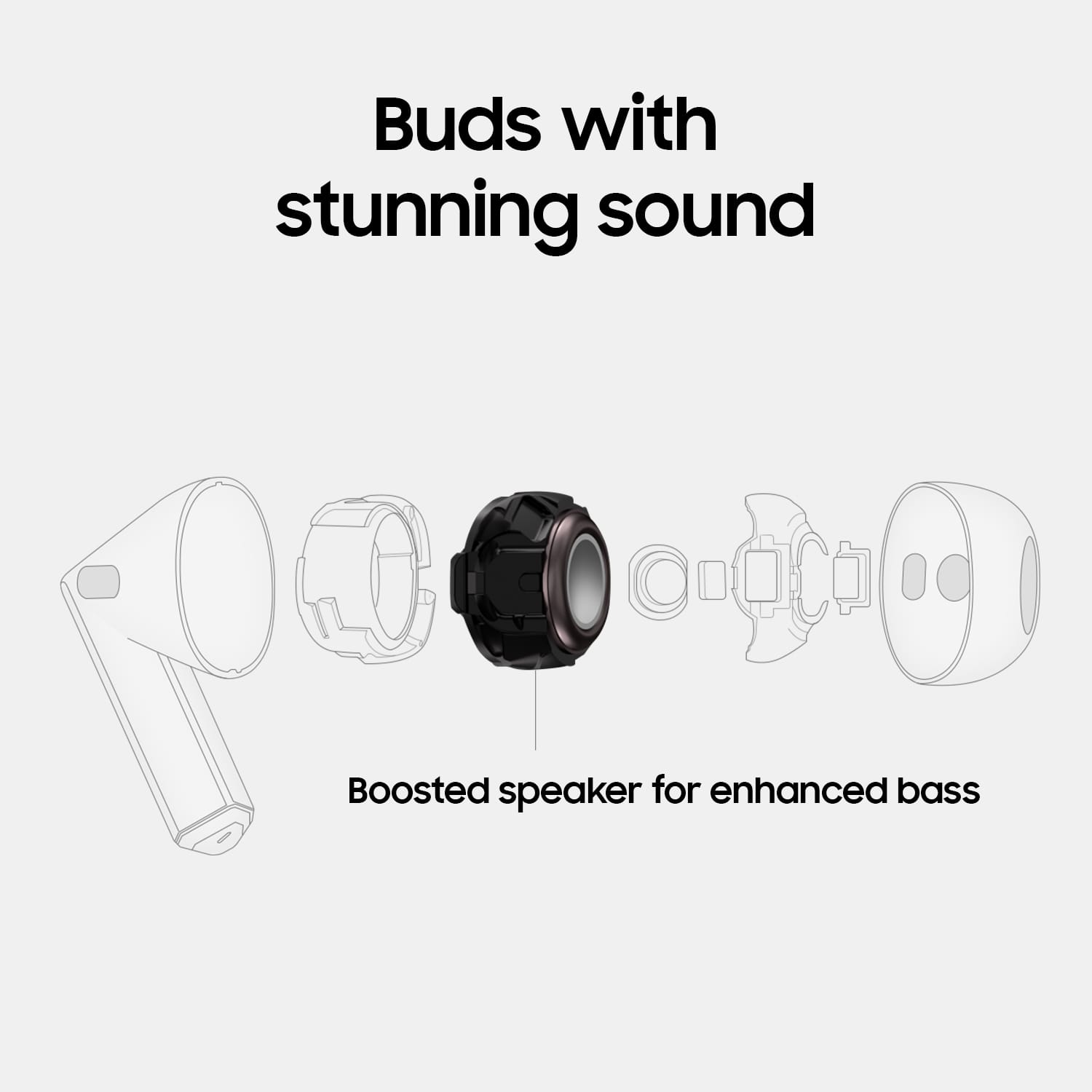
Posted .It's great to hear from you, Jose. Your feedback is always appreciated as we continue to make improvements. From phone calls to listening to a new playlist during your morning workout, the Samsung Galaxy Buds3 with Seamless Codec retains high-quality streaming across devices with up to 24-bit / 96kHz audio. This means that whether you're on a call or listening to music, you can expect clear, crisp sound quality. The Galaxy Buds3 is equipped with a new 11mm speaker and 1.5x amp-enhanced diaphragm, which significantly enhances the audio experience, taking your sound from dull to dynamic. Whether you're enjoying your favorite tunes or taking a call on the go, the Galaxy Buds3 delivers an immersive and high-fidelity sound experience that will enhance your daily activities. We appreciate your feedback and look forward to providing even more innovative solutions in the future. We appreciate your feedback always. If you have any further concerns or questions, please reach out to us at Support. -Kelvin
Not a good fit
||Posted . Owned for less than 1 week when reviewed.This reviewer received promo considerations or sweepstakes entry for writing a review.Only had them for a bit but They keep falling OFF. RETURNED
No, I would not recommend this to a friendBrand response from Samsung
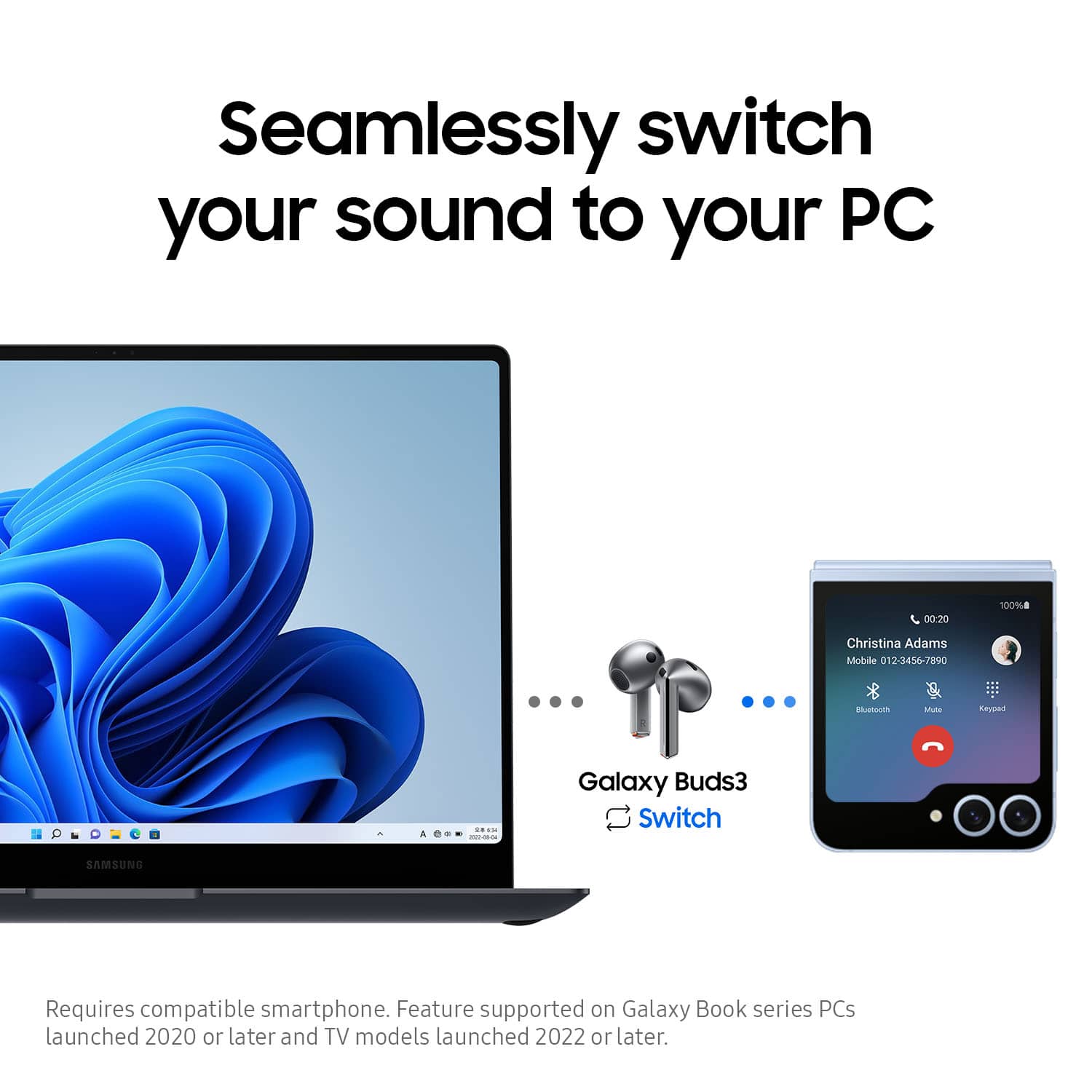
Posted .Thank you for reaching out to us, Manny. Your feedback is invaluable as we strive to make improvements. With the Galaxy Buds3, you can enjoy amazing audio quality in a comfortable design that stands out in a crowded market. Features like PC Auto Switch allow you to seamlessly transition from listening on your PC to answering a call on your phone. To get the best sound quality and comfort, it's essential to wear the earbuds properly. Check for the directional marks—an "L" for the left earbud and an "R" for the right. Insert the R bud into your right ear with the "R" facing you and the L bud into your left ear with the "L" facing you. Make sure the microphone is angled toward your mouth and adjust the buds by rotating them until the fit feels right. Proper fitting ensures a better audio experience and reduces the chance of losing an earbud while you're on the go. Thank you for sharing your experience with the Buds3. If you have any further concerns or questions, please do not hesitate to reach out to us at Support. -Kelvin
Size
||Posted . Owned for 1 week when reviewed.This reviewer received promo considerations or sweepstakes entry for writing a review.Fitting isnt the best. Falls out ears easy and cant hear the sound too properly.
No, I would not recommend this to a friendBrand response from Samsung
Posted .Hi there IsaacG, thanks for taking the time out of your day to share your thoughts with us about your Samsung Galaxy Buds3. Your feedback allows us to continue to strive in providing the best products with superior functionality on the market to our customers while we remain committed to constant innovation. Our goal is for our customers to feel like they are having the most enlightening experiences while using our products. Samsung provides a 12-month warranty on our products for manufacturing defects in materials and workmanship. It's important to wear your earbuds properly for several reasons. You'll get better sound quality from them, they'll fit more comfortably, and they'll stay in your ears. Wearing them incorrectly can cause discomfort, sound leaks, and makes them more likely to fall out. The Galaxy Buds3 are open-type buds rather than canal types, so they do not have earbud tips. All you have to do to get started is simply place them in your ears. 1. Check the bottom of the earbuds for directional marks. You will see an L and an R. 2. Insert the R bud into your right ear with the R facing you. 3. Insert the L bud into your left ear with the L facing you. 4. Angle the blade slightly so that the microphone on the bottom is pointing towards your mouth rather than straight down. 5. You can adjust the buds by rotating them forwards and backwards until the fit feels right. Please take a moment to review, "How to wear your Samsung Galaxy Buds3 and 3 Pro" if you would like more information about achieving a more comfortable fit. If you have any questions for us or if you would like to share any other feedback with us, do not hesitate to contact Samsung Support at your leisure. Thank you for being a faithful Samsung customer. - Debra
Trash
||Posted . Owned for 7 months when reviewed.This reviewer received promo considerations or sweepstakes entry for writing a review.These things didn't even last a year. Paid $250. Can barely hear anything out of the speakers
No, I would not recommend this to a friendSamsung Buds 3 is a Buzz!!
|Posted .This reviewer received promo considerations or sweepstakes entry for writing a review.The Samsung Buds 3 have the most amazing sound. It was an easy setup on Samsung Galaxy 24 plus. The Wearable App downloaded on my phone and I was able to control operating and settings for the Samsung 3 Buds. Easy features controlled by touching the stems like swiping up and down for sound, double click for song skip, one click auto shut down, answer call pinch and decline call pinch and hold in Earbuds control. The Samsung Wearable App also lets you access the user guide for quick reference. My most liked about the Samsung Buds 3 is the Sound effects of the 360 audio and equalizer of Bass Boost. The Bass on these Samsung Bud 3 is excellent. I am able to get Notifications from my Samsung Galaxy 24 Plus cell phone of messages, email and phone calls is great. What a big bonus having Voice commands especially when walking or jogging and being hands free. Only concern I have is that the right Bud 3 fits more secure that the left Bud 3. I did go on a short jog with Samsung Buds 3 and noticed them slipping from perspiration on and near the ears. I can just imagine the sound on the Samsung Buds3 Pro if the Samsung Buds 3 is the best sounding earbuds I've ever worn.
I would recommend this to a friendOuch
||Posted . Owned for 3 weeks when reviewed.This reviewer received promo considerations or sweepstakes entry for writing a review.They work great. But hurt my ears. Cutting into them
No, I would not recommend this to a friendBrand response from Samsung
Posted .Thank you for taking the time to share your experience with the Galaxy Buds3, Sarah. We greatly appreciate your feedback as we strive to make continuous improvements. Whether it’s phone calls or listening to a new playlist during your morning workout, the Samsung Seamless Codec maintains high-quality streaming across devices, supporting audio up to 24-bit/96kHz. Enjoy immersive audio, an adaptive equalizer, live translation, and an all-new design. We hate to see the Buds have been uncomfortable despite your positive feedback on audio quality. Being open-type buds, they do not have earbud tips. To use them, simply place the right (R) bud in your right ear with the "R" facing you and the left (L) bud in your left ear with the "L" facing you. Adjust the microphone so it points toward your mouth, and rotate the buds forward or backwards until you find a comfortable fit. We hope this helps! If you have any further concerns or questions, do not hesitate to reach out to us at Support. -Kelvin
Bad order
||Posted . Owned for 1 week when reviewed.This reviewer received promo considerations or sweepstakes entry for writing a review.Good working ear buds. Just not the one's I ordered.
I would recommend this to a friendBrand response from Samsung
Posted .Aloha ThomasC, thank you for finding the opportunity to share your sentiments with us about your Samsung Galaxy Buds3. We value your feedback as we are committed to constant innovation as we strive to improve the design and functionality of our product line. Our goal is for our customers to feel like they are having the most enlightening experiences while using our products. If you would like to share additional feedback with us regarding your purchase or if you would like any further assistance, feel free to contact us. Thank you for being a staunch Samsung customer. - Debra
Terrific sound; tricky controls and documentation
|Posted .This reviewer received promo considerations or sweepstakes entry for writing a review.In a nutshell, the Samsung Galaxy Buds3 provide excellent sound quality, but the controls are somewhat awkward, and the documentation is adequate but could be better. For years I have been using Bose QuietComfort earbuds, but I wanted to try the Airpod-design-mimicking Samsung Buds3 because they are much more lightweight. Although they are literally light in weight, the sound quality of the Samsung Buds3 is not lightweight. The sound is every bit as good as the sound of my Bose buds, and the controls are much more refined. Whereas the "equalizer" that comes with the Bose app merely has 4 choices (boost or reduce treble or bass), the Wear app that supports the Samsung Buds3 has a genuine equalizer with an excellent choice of presets and the ability to adjust nine different frequency ranges. The microphone is also excellent quality. Not only could I clearly hear the person on the other end of a phone conversation, they also reported that my voice came through very clearly. The active noise cancelling is very good. Not superb or excellent, but certainly acceptably good. One shortcoming of the Buds3 is documentation. The tiny, printed Quickstart guide, for example, instructed me to pair with my phone simply by enabling Bluetooth on my phone, pressing the pairing button on the case, and following instructions on my phone. That did not work. After struggling and looking for but not finding help online, I decided I should take the earbuds out of the case to see if I could figure out what was going on. As soon as I opened the lid, the Buds3 immediately paired with my Samsung Galaxy S23. The best route to complete documentation is the Samsung Wear app, which is an absolute must for using all the features of the Buds3. Under Tips there is a link to an online user's guide. While you are charging the Buds3 for first use, you should download the Wear app (as instructed by the Quickstart guide) and explore the features and functions that the app describes and controls. If I had done that, I would have seen that it was necessary to open the case to pair the buds with my phone. I also struggled to figure out how to use the vaunted AI Interpreter mode for translating a foreign language in real time. Online instructions from Samsung said to pinch and hold the earbud stem to enable listening mode. That was totally wrong. Pinching (whether quick or long) the buds could do a number of things such as starting or stopping a music app like Spotify or taking or rejecting a phone call, but have nothing to do with interpreting a foreign language. I also found that the Interpreter app from Google Play had nothing to do with Samsung's interpreter. Eventually I figured out that I needed to turn on "Interpreter," which is an Android setting on the phone. I was able to get the Interpreter to translate German or Polish, but only if I enunciated very clearly. I don't think this feature would work in real-life situations. Furthermore, the Interpreter did not use the microphone on my Buds3, but, rather, the phone microphone. In the end, I did not see any special advantage to using the Interpreter with the Buds3, as opposed to using Google Translate (with or without buds). Finally, it took me a while to get used to the controls on the stems of the lollipop-shaped Buds3. The instructions said to pinch the bottom of the stems (which are shaped like a triangular solid), but without a specific button to click, I fumbled around until I realized that I had to pinch the edges of the triangle. A successful pinch produces an audible click, which is helpful. Volume is easily controlled by stroking the stems up or down. I worried for awhile about taking a phone call with a pinch, because pinch was assigned to launch and play Spotify. But Spotify did not launch when I took a phone call, so the multi-uses of pinching seem to work fine. In summary, there might be a bit of a learning curve to grasp all of the features of the Samsung Buds3 and how to control them, but, in the end, I think you will be very happy with the high-quality sound supported by these buds.
I would recommend this to a friendPoor quality
||Posted . Owned for 1 month when reviewed.This reviewer received promo considerations or sweepstakes entry for writing a review.They die to fast and dont charge unless you press them down in the case. Airpods are 100% better even though i have a S23Ultra
No, I would not recommend this to a friendOne don’t work
||Posted . Owned for 3 months when reviewed.This reviewer received promo considerations or sweepstakes entry for writing a review.One ear stop working without notice….. back in the store to see what they can do irked
No, I would not recommend this to a friendBrand response from Samsung
Posted .Aloha BigSha, thank you for finding the opportunity to share your sentiments with us about your Samsung Galaxy Buds3. We value your feedback as we are committed to constant innovation as we strive to improve the design and functionality of our product line. Samsung provides a 12-month warranty on our products for manufacturing defects in materials and workmanship. To sync your Galaxy Buds, all you need to do is place both earbuds into your ears. In the event that the earbuds are not synced properly, the earbud battery indicator light will flash red. This could mean that one earbud won't connect or work properly, and they need to be re-synced. Take a moment to check out, "Sync the Samsung earbuds to each other" and "Restart or reset your Samsung earbuds" to help resolve what you have described to be experiencing with your Buds3. Reach back out if you have any questions for us after reviewing these resources that have been provided or if you would like any further assistance. Thank you for being a staunch Samsung customer. - Debra
All over not good quality
||Posted . Owned for 1 month when reviewed.This reviewer received promo considerations or sweepstakes entry for writing a review.Battery and performance not good quality Samsung should work more on this product
No, I would not recommend this to a friendBrand response from Samsung
Posted .Thanks for taking the time to share your thoughts on the Galaxy Buds3 with us, Avtar. We always love hearing from you! We see that you have concerns about the battery life of your Buds3. To conserve battery power on your earbuds, follow these tips: When not in use, keep them in the charged charging case with the cover closed. Adjust the notification settings from the Galaxy Wearable app on your connected phone. If you're using iOS, adjust the notification settings in the Galaxy Buds app. If this persists, reach out to us at Support so that we can look into what could be causing this. -Kelvin